
Project Postmortem Template: Use Tasks and Time Records to Explain What Happened
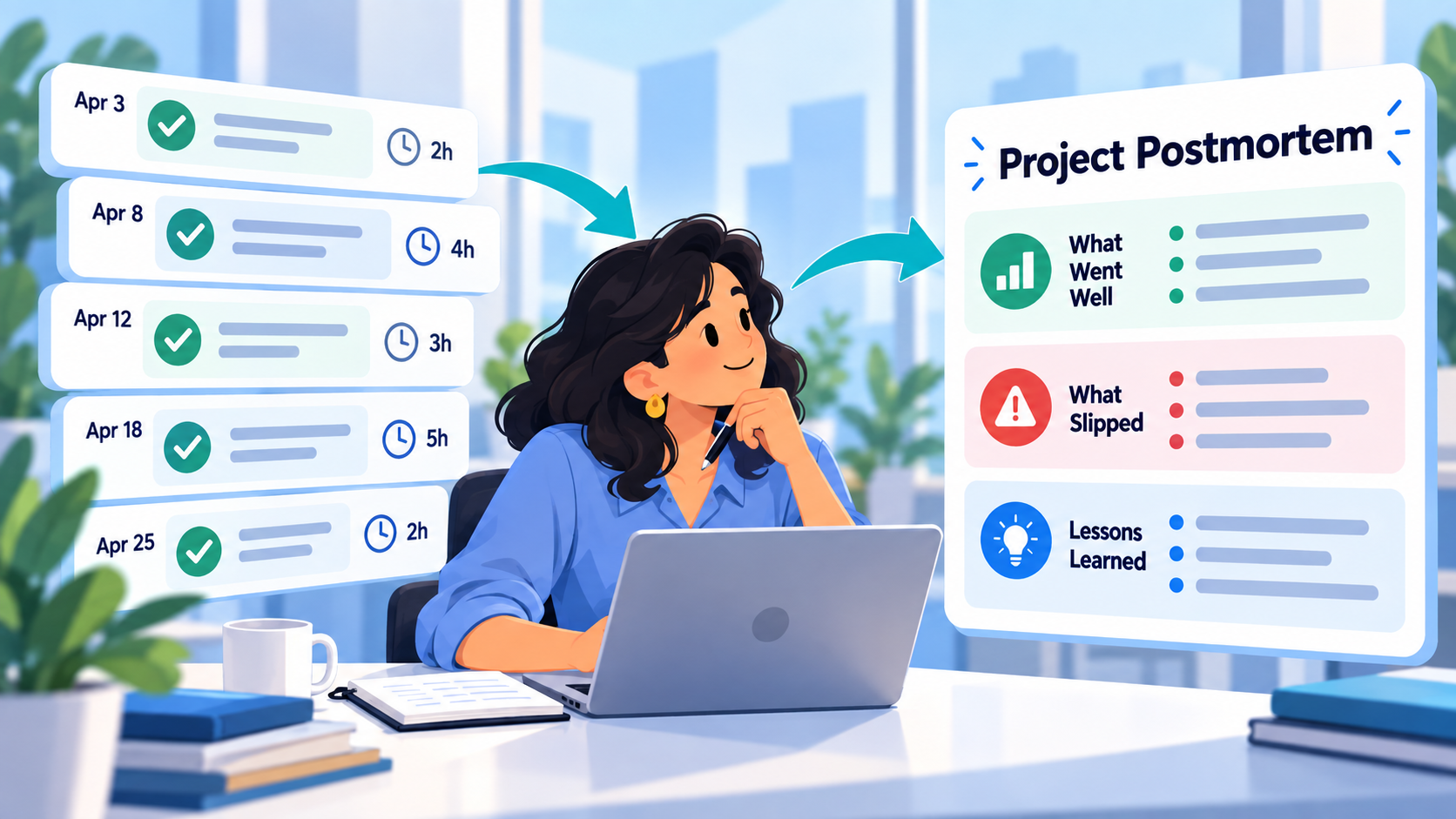
When a project ends, memory tends to simplify what happened.
You remember the launch.
The difficult week.
The feature that took longer than expected.
Maybe the client delay.
But the real project was usually more complicated.
Some tasks moved quickly.
Others expanded.
A dependency appeared halfway through.
A decision removed work from the plan.
Something that looked like a technical problem was actually waiting on access.
A useful project postmortem reconstructs that story from evidence.
The workflow is:
planned work → completed tasks → actual time → blockers and changes → decisions → lessons → next-project actions
The goal is not to produce a polished story about why the project succeeded or failed.
It is to understand what actually happened well enough to plan the next one better.
What Is a Project Postmortem?
A project postmortem is a structured review performed after a project or meaningful project phase has ended.
It usually asks:
- What did we intend to accomplish?
- What actually shipped?
- What took more or less effort than expected?
- Where did the project slow down?
- What changed along the way?
- Which decisions affected the outcome?
- What should we repeat?
- What should we change next time?
Despite the name, a postmortem is not only for failed projects.
A successful project can still contain expensive lessons.
Maybe the launch happened on time, but only because the team worked around a dependency that should have been identified earlier.
Maybe the project finished under budget because one planned feature was removed.
Maybe a task estimated at two hours repeatedly took eight.
Those patterns are valuable even when the final outcome was good.
A Postmortem Is Different From a Project Handover
A handover happens while work is still active.
Its job is to help somebody else continue.
It emphasizes:
- Current state
- Open tasks
- Blockers
- Important decisions
- Immediate next actions
A postmortem happens after the project or phase is finished.
Its job is to learn from the history.
It asks:
Why did the project unfold this way, and what should we carry into the next one?
If responsibility is being transferred while work continues, use a handover.
If the work is finished and you want to understand the outcome, use a postmortem.
A Postmortem Is Also Different From a Team Retrospective
A team retrospective is usually recurring.
You might run one:
- Every week
- Every two weeks
- Every sprint
- Every month
Its purpose is to improve the next work cycle.
A project postmortem is tied to one completed body of work.
It can look across the entire project:
from the first task,
through changes and blockers,
to the final outcome.
That longer timeline often reveals patterns that a weekly retrospective cannot.
Project Postmortem Template
Here is a reusable structure.
Project
Project:
[Project name]
Project period:
[Start date - end date]
Original goal:
[What the project was supposed to accomplish]
Final outcome:
[What was actually delivered]
1. What Was Planned
- [Major deliverable]
- [Major deliverable]
- [Major deliverable]
Include the original meaningful work, not every tiny task.
2. What Actually Shipped
- [Completed outcome]
- [Completed outcome]
- [Removed or deferred item]
Call out important differences between the original plan and final result.
3. Actual Effort
Recorded project time:
[Time, if tracked consistently]
Largest effort areas:
- [Work area] - [time]
- [Work area] - [time]
- [Work area] - [time]
Do not treat incomplete time records as precise project cost data.
4. Major Blockers
Blocker:
[What stopped or slowed work]
Affected work:
[Tasks or milestone]
Impact:
[What happened because of it]
Resolution:
[How it was resolved]
5. Important Changes and Decisions
Change or decision:
[What changed]
Recorded reason:
[Why, if documented]
Effect:
[How it changed the project]
6. What Went Well
- [Something worth repeating]
- [Something worth repeating]
7. What Did Not Go as Planned
- [Problem]
- [Estimation miss]
- [Dependency]
- [Process issue]
Keep this factual.
8. Lessons for the Next Project
- [Lesson]
- [Lesson]
- [Lesson]
9. Actions to Carry Forward
- ☐ [Concrete change]
- ☐ [Concrete change]
- ☐ [Concrete change]
A postmortem becomes valuable when those lessons affect future work.
Clearly Fictional Example: Ecommerce Redesign
The following company, project, tasks, time records, blockers, and conclusions are entirely fictional.
No real customer project or SelfManager product test is being represented.
Imagine a freelance developer named Daniel completes a website redesign for a fictional ecommerce company called Cedar & Coast.
The project ran for four weeks.
The original plan included:
- Homepage rebuild
- Product-page redesign
- Collection-page filters
- Mobile navigation
- Analytics updates
- Cross-browser testing
- Final launch
Daniel tracked time against the main tasks and recorded comments when project conditions changed.
Fictional Project Record
At the end of the project, the important task history looks like this:
| Work | Final status | Tracked time | Recorded context |
|---|---|---|---|
| Homepage rebuild | Completed | 6h 20m | One client revision round |
| Product-page redesign | Completed | 8h 10m | Additional mobile gallery issue found during QA |
| Collection filters | Completed | 7h 45m | Backend behavior required clarification |
| Mobile navigation | Completed | 3h 30m | Original structure retained |
| Analytics updates | Completed | 2h 15m | Purchase event and form tracking |
| Cross-browser QA | Completed | 5h 05m | Safari issue required additional work |
| Launch | Completed | 1h 25m | Deployment and final checks |
Recorded time: 34h 30m
The project shipped successfully.
If Daniel stopped there, his conclusion might simply be:
It took about 35 hours and everything got done.
The task history can tell a much more useful story.
What Actually Happened
The first two weeks were close to plan.
The homepage and most of the product-page redesign moved normally.
Then three things changed.
1. Collection Filters Needed More Investigation
The original filter task looked straightforward.
During implementation, Daniel discovered that the expected frontend behavior depended on unclear backend filtering rules.
A project comment recorded:
Waiting for confirmation on whether multiple filter groups should use AND or OR logic before finalizing the frontend behavior.
The task eventually took 7h 45m.
The lesson is not necessarily:
Filters take 7h 45m.
The more useful observation is:
Filter behavior was not defined precisely enough before implementation started.
That can change the next estimate and the next discovery process.
2. Mobile QA Created New Work
The product-page redesign was already mostly complete when testing exposed a mobile gallery problem.
The task history shows additional time spent correcting swipe behavior and retesting.
This is useful because the issue was not part of the visible design implementation itself.
If Daniel estimates a similar redesign later, he should remember that:
implementation time and verification time are not the same thing.
3. Safari Testing Took Longer Than Expected
Cross-browser QA recorded 5h 05m.
The comments show that much of the additional work came from one Safari-specific layout issue.
Again, the wrong conclusion would be:
Always estimate five hours for QA.
The more useful question is:
Was this a one-off browser issue, or do similar projects consistently need more cross-browser time than I allocate?
One project gives evidence.
Several projects can reveal a pattern.
Fictional Finished Postmortem
Daniel could turn the project record into this concise review.
Cedar & Coast Website Redesign - Project Postmortem
Goal:
Redesign the main storefront experience and launch the updated site.
Outcome:
The planned homepage, product pages, collection filters, mobile navigation, analytics work, QA, and launch were completed.
Recorded time:
34h 30m.
What Went Well
The homepage implementation and revision process remained close to plan.
Keeping the existing navigation architecture prevented the project from expanding late in development.
Analytics work was completed without delaying launch.
What Took More Effort Than Expected
Collection filters required additional investigation because expected backend filter behavior was not established before frontend implementation.
Product-page work expanded after mobile QA exposed an additional gallery interaction issue.
Cross-browser QA required more time because of a Safari-specific layout problem.
Important Decision
The existing navigation structure was retained rather than redesigned during this project.
That prevented a broader information-architecture change from expanding the launch scope.
Main Lessons
- Confirm filter logic before estimating frontend implementation.
- Treat mobile interaction testing as part of product-page implementation rather than as a tiny final check.
- Protect dedicated cross-browser QA time instead of assuming it will fit inside development estimates.
Actions for the Next Similar Project
- ☐ Add filter-behavior confirmation to discovery.
- ☐ Include mobile interaction testing in component estimates.
- ☐ Reserve an explicit QA block before launch.
- ☐ Separate implementation estimates from final testing estimates.
That is a useful postmortem.
It explains the project without turning it into a blame document.
Use Time Records to Find Where the Project Really Expanded
People are often poor at remembering where effort went.
The most frustrating task may not have consumed the most time.
The last week may feel dominant simply because it is easiest to remember.
Tracked time gives the postmortem another source of evidence.
For example:
Product page - 8h 10m
Filters - 7h 45m
Homepage - 6h 20m
That immediately tells Daniel where deeper questions may be worthwhile.
But the number alone does not explain why.
You still need the surrounding tasks, notes, comments, statuses, and decisions.
Time tells you:
Where did effort go?
The project context helps answer:
Why?
Do Not Pretend Incomplete Time Tracking Is Precise
If you tracked only some of the project, say so.
Perhaps the timer was used consistently for development but not for calls.
Perhaps several small tasks were completed without tracking.
Perhaps you forgot to stop a timer one afternoon.
A postmortem can still use the data.
Just describe it accurately.
For example:
31 hours were recorded across implementation tasks, but client calls were not consistently tracked.
That is much better than presenting:
Project duration: 31 hours
as if it were exact.
The goal is understanding, not producing a fake level of precision.
Look for Planned Work That Disappeared
A good postmortem also asks:
What was originally planned but never shipped?
That is not automatically failure.
Maybe the project intentionally removed something.
Suppose the original Cedar & Coast plan included a new navigation architecture.
The project later decided to retain the existing structure.
The final product differs from the original plan.
Without the decision history, someone reviewing the project later might interpret that as unfinished work.
With the decision recorded, it becomes:
Deliberately removed from this project.
That distinction matters.
How SelfManager.ai Can Support a Project Postmortem
SelfManager.ai's current AI Review is designed to analyze historical work across a selected period.
It can work with tasks, statuses, tracked time, comments, logs, and other table context from the period you choose. Current documentation specifically lists a project-end debrief as an AI Review use case: select a custom range matching the project period and review how it actually played out.
For a postmortem, a useful first prompt could be:
Review this project's date range. Summarize the major completed work, important unfinished or removed work, where recorded time went, blockers explicitly supported by the notes or comments, and important project changes. Do not infer reasons that are not documented.
AI Review currently supports custom ranges of up to 90 days for the instant review workflow, making it suitable for many short and medium project debriefs.
For a project that lives mainly in one table, table chat can also work directly from that table's progress, task statuses, time per task, notes, optional comments, and table logs when logging is enabled.
Ask AI to Compare Effort, Not Invent Causes
A useful follow-up might be:
Which tasks consumed the most recorded time, and what documented context exists around each one?
Notice the wording.
Not:
Why did these tasks take too long?
The first question asks AI to retrieve evidence.
The second encourages it to explain something the record may not actually support.
Another useful prompt:
Find important changes between the project's early plan and its final completed work. For each change, show the recorded reason if one exists. Mark the reason as unknown when it does not.
That produces a much safer starting point for the postmortem.
Human Review Is Where the Lessons Become Real
AI can summarize the project record.
It cannot automatically know whether the lesson you should take away is correct.
Consider:
Safari QA required three additional hours.
Possible lesson A:
Always allocate three additional Safari hours.
Possible lesson B:
Test Safari earlier so browser-specific architecture problems appear before final QA.
Possible lesson C:
This was an unusual one-off issue and should not change future estimates much.
The task history cannot choose among those without context.
That judgment belongs to you or the team.
Before finalizing the postmortem, review:
Causes
Is the explanation actually recorded?
Time
Is the tracking complete enough to support the conclusion?
Decisions
Was the change intentional, or are you interpreting it after the fact?
Lessons
Will the proposed lesson actually improve the next project?
Actions
Is there something concrete you can change?
The best postmortem output is not:
We should plan better.
It is:
Confirm backend filter behavior during discovery before estimating frontend filtering work.
AI Review Gives You More Than a Summary
SelfManager's AI Review allows follow-up questions within the same selected period, so you can start with a broad project recap and then investigate individual issues without rebuilding the project context in every prompt.
For example:
Which tasks took the most recorded time?
Then:
What comments or status changes exist around the collection filters?
Then:
Turn the confirmed lessons into a checklist I can use when scoping the next ecommerce redesign.
That sequence turns historical data into something operational.
Completed Work History Makes Postmortems Easier
A postmortem is difficult when completed work disappears into a generic archive.
SelfManager keeps completed tasks connected to their original date-based tables and surrounding context, including statuses, notes, comments, files, images, and tracked time.
That matters because the postmortem needs more than a list of checked task names.
It needs the history around them.
Related: Best Task Managers That Keep a History of Completed Work in 2026.
Keep Decisions Connected to Their Reason
If a major choice changed the project, the postmortem should include it.
For example:
We kept the existing navigation architecture because redesigning it would have expanded content, redirect, and testing work immediately before launch.
That is much more useful than:
Navigation wasn't redesigned.
For important decisions, preserve the rationale while the project is active rather than reconstructing it at the end.
Related: Project Decision Log Template: Keep the Reason Behind Every Change.
Turn Lessons Into Changes Before You Forget Them
A postmortem that ends with observations is incomplete.
Suppose your conclusion is:
Client dependencies caused delays.
What changes next time?
Maybe:
- Request access during kickoff.
- Add an access checklist before development starts.
- Identify external dependencies during estimation.
- Do not schedule integration QA before credentials are confirmed.
Now the lesson can change behavior.
The final postmortem section should therefore ask:
What will I actually do differently on the next similar project?
Keep the list short.
Three concrete improvements are more useful than 20 generic lessons.
Try It With One Finished Project
Choose a project that ended recently enough that you still understand the context.
Set the AI Review period to match the project dates.
Ask for:
- Major completed outcomes
- Important unfinished or removed work
- Highest recorded time areas
- Explicit blockers
- Recorded project changes
- Decisions that affected the final outcome
Then review the evidence yourself.
Ask follow-up questions where something looks unusual.
Finally, write three things:
What should I repeat?
What should I avoid?
What will I change in the next similar project?
SelfManager's current AI Review is explicitly designed for historical review across weeks, months, quarters, and custom ranges, including project-end debriefs grounded in the work actually recorded during that period.
Task-specific CTA: Take one recently completed project in SelfManager.ai, select its actual project dates in AI Review, ask where the work and recorded time really went, then turn the verified findings into three changes you will carry into the next similar project.
Frequently Asked Questions
What is a project postmortem?
A project postmortem is a structured review completed after a project or major phase ends.
It examines what was planned, what actually happened, where effort went, what changed, what caused problems, what worked well, and what should change next time.
Are project postmortems only for failed projects?
No.
Successful projects can produce valuable lessons about estimation, dependencies, testing, decisions, communication, and process.
The purpose is learning rather than assigning blame.
What should a project postmortem include?
A practical postmortem can include:
- Original goal
- Planned deliverables
- Final outcome
- Actual completed work
- Recorded project time
- Major blockers
- Important decisions or changes
- What went well
- What did not go as planned
- Lessons
- Concrete next-project actions
How is a project postmortem different from a retrospective?
A retrospective is often recurring and reviews one work cycle.
A project postmortem examines a completed project or phase from beginning to end.
How is a project postmortem different from a handover?
A handover transfers active responsibility to someone who will continue the work.
A postmortem happens after the work has ended and focuses on learning from the completed project.
Should I include tracked time in a postmortem?
Yes, when the time records are reliable enough to be useful.
Tracked time can show where effort actually went and highlight tasks worth investigating.
If tracking was incomplete, state that instead of presenting the numbers as exact.
Can AI identify why a project ran late?
Only when the project record contains enough evidence.
AI can surface tasks, status history, time, notes, comments, and documented blockers, but it should not invent a cause simply because something finished late.
Can SelfManager.ai help create a project postmortem?
Yes.
SelfManager's current AI Review documentation explicitly lists project-end debriefs as a use case. AI Review can work from tasks, statuses, tracked time, comments and logs across a selected period, while table chat can inspect the context of a specific project table.
How long a project can I review with SelfManager AI Review?
Current SelfManager documentation supports custom review periods up to 90 days in the instant AI Review workflow.
For longer projects, you can review meaningful phases separately rather than pretending one huge AI summary will capture every useful detail.
Should an AI-generated postmortem be reviewed by a human?
Yes.
AI is useful for reconstructing recorded work and surfacing patterns.
The human review is necessary for verifying causal explanations, judging whether time data is representative, deciding which lessons matter, and choosing what should change next.
What makes a postmortem useful?
The most useful postmortems change future behavior.
If the final document says only:
Communication could have been better.
it is unlikely to matter.
If it says:
Confirm all client access and external dependencies before scheduling integration work.
the lesson can influence the next project.
Internal-Link Suggestions
Link Project Handover Template: Build It From Your Actual Tasks, Notes, and Blockers from the section explaining the difference between transferring active work and reviewing finished work.
Link AI Team Retrospective: Review Shared Work, Blockers, and Decisions from the section distinguishing recurring retrospectives from end-of-project postmortems.
Link Project Decision Log Template: Keep the Reason Behind Every Change from the section on understanding why project direction changed.
Link Best Task Managers That Keep a History of Completed Work in 2026 from the section explaining why a useful project history needs more than completed task names. SelfManager's current completed-work history keeps tasks connected to their original tables and surrounding project context.
Link Task Manager With Time Tracking or Separate Time Tracker: Which Do You Need? from the discussion of using task-level time as evidence without treating the task manager as full financial or professional-services accounting software.
Link How to Use SelfManager.ai: 10 Real Workflows for Work, Life, Planning, and AI Review from the section introducing AI Review and follow-up questions.
Link the final CTA to the SelfManager.ai AI Features page, particularly AI Review and table chat.
Date-based AI Task Manager
Plan smarter, execute faster, achieve more
Create tasks in seconds, generate AI-powered plans, and review progress with intelligent summaries. Perfect for individuals and teams who want to stay organized without complexity.
Get started with your preferred account