Every day, its own workspace
Not a filter on top of a backlog. The day is the entry point.

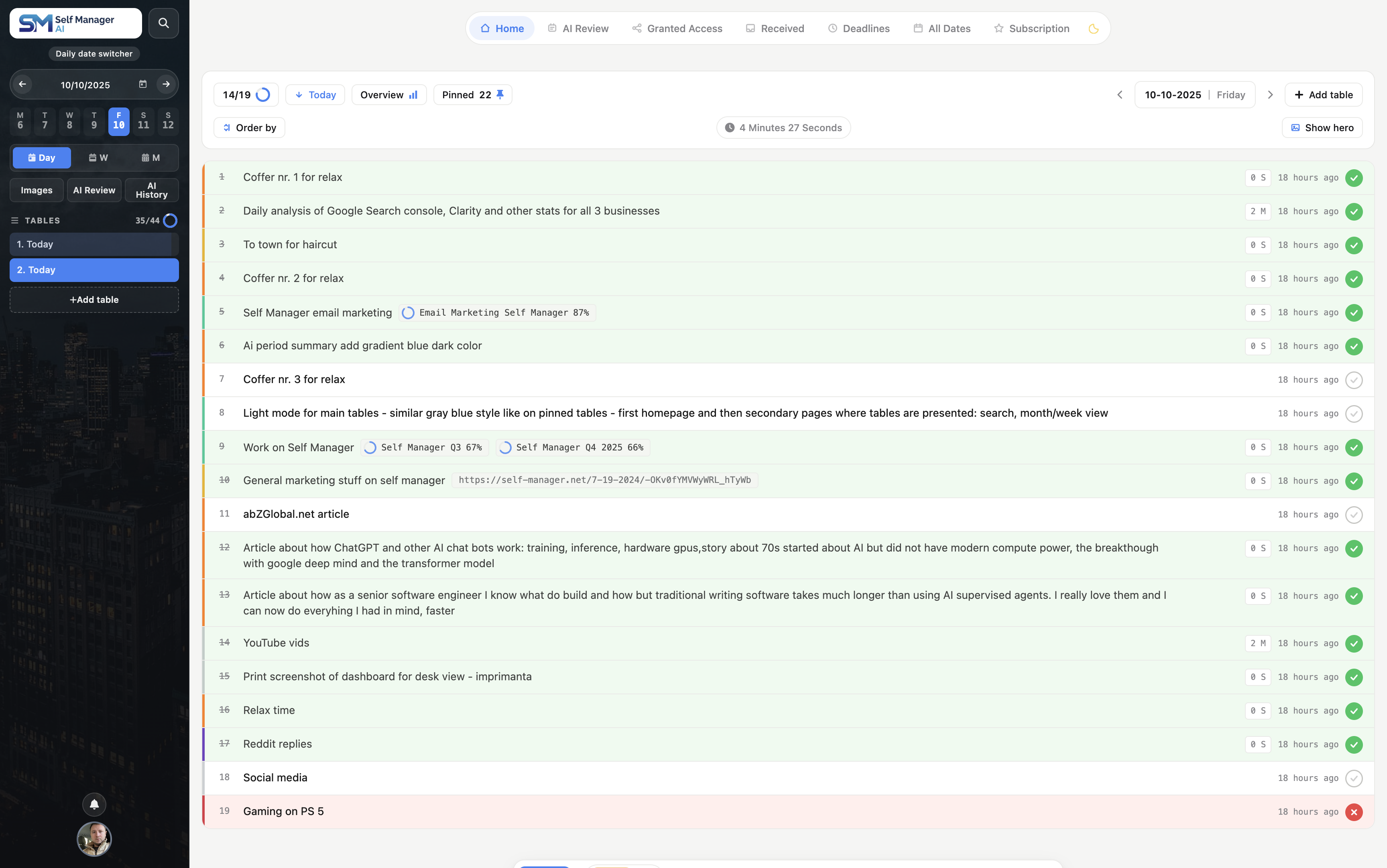
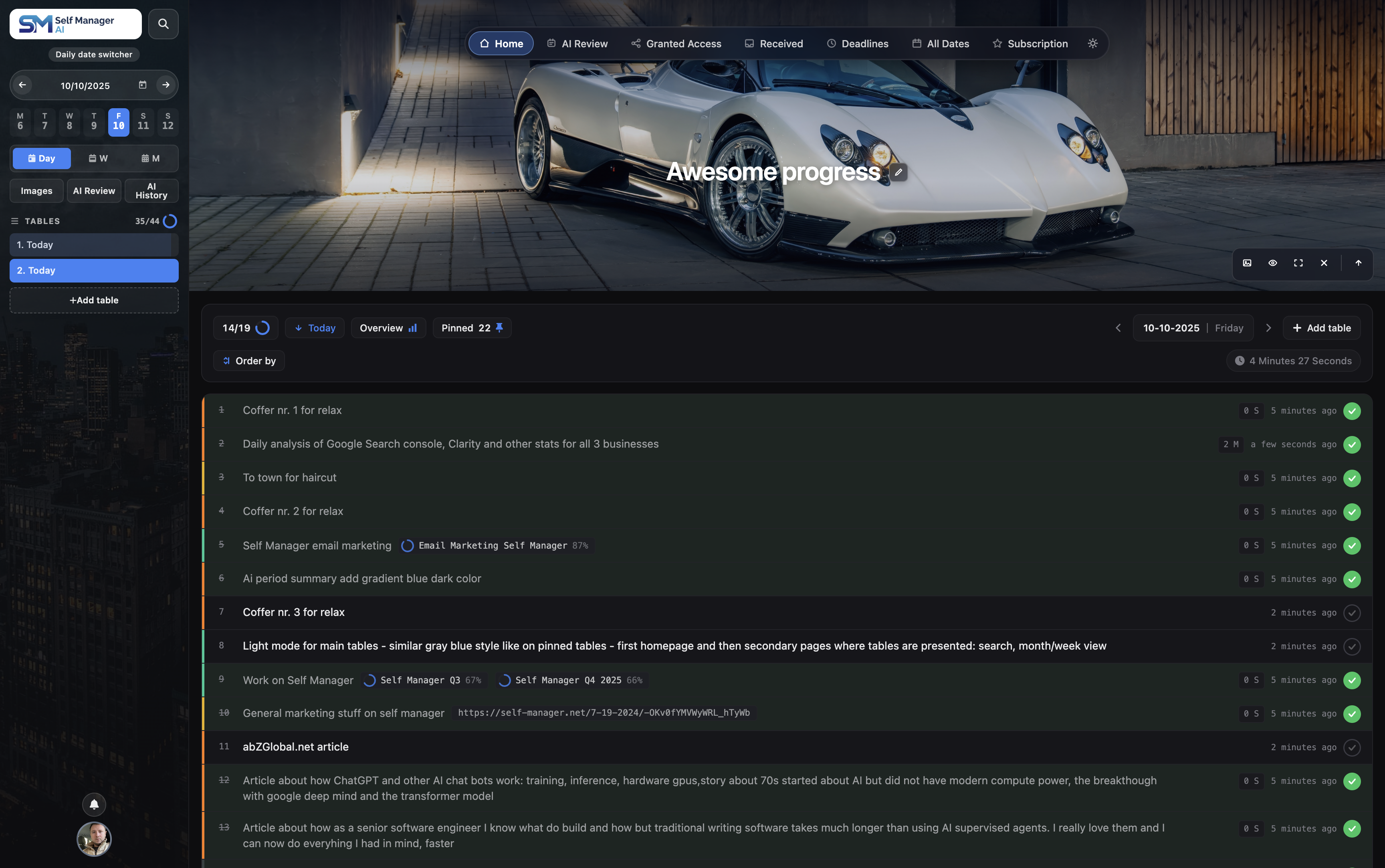
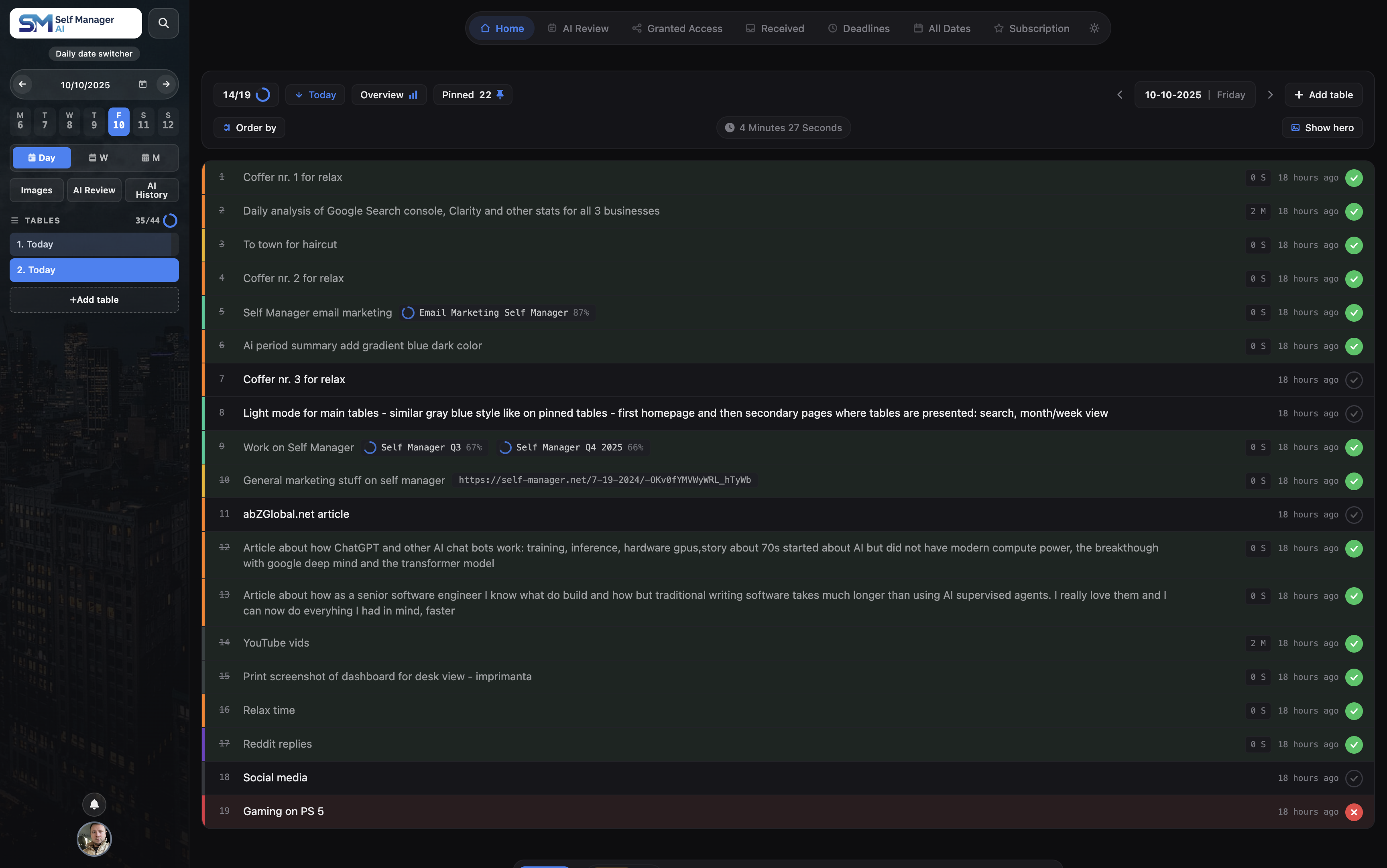
Every day gets its own workspace.
PlanTrackReviewImprove
For the best experience, please use a full browser like Chrome, Safari, or Firefox instead of social media browsers.
Need help? →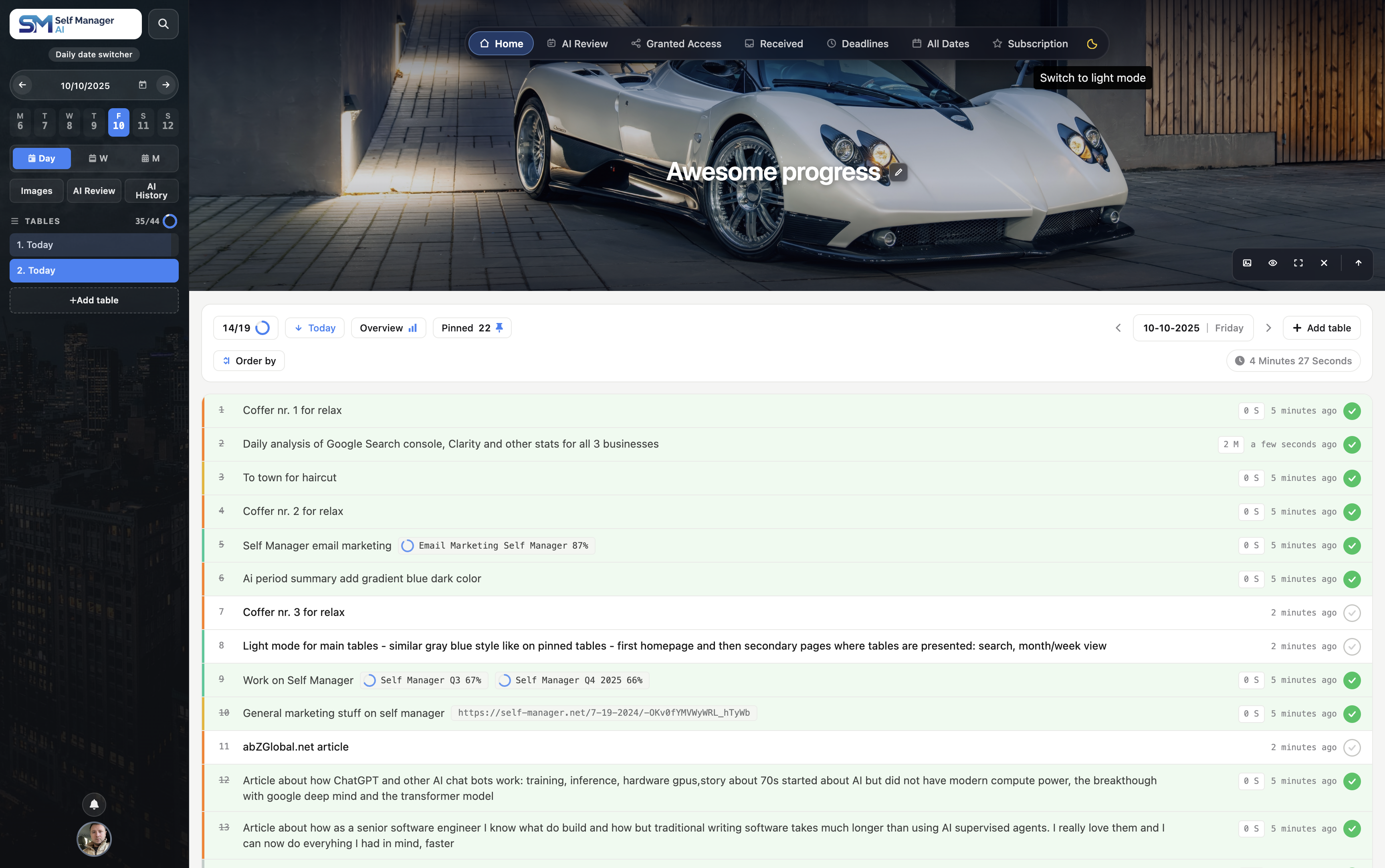
Getting things out of your head is the first relief, and any decent task manager gives you that. Knowing whether any of it is going anywhere is the harder one. Here's what changes, in order of what matters most.
You know what you did today. You have very little idea where you’re going, and that gap widens with every extra thing you’re running.
When five things are moving at once, each one advances slightly, so none of them look like they’re moving at all. Every day feels productive. Not one of them tells you whether the thing that matters progressed, or stalled three weeks ago while you were busy.
AI Review reads back over your real days — tasks, statuses, time tracked, comments, what shipped and what slipped — for a week, month, quarter, or any window you pick. Not generic advice, not a productivity score. An account of the days you actually lived. Then you keep going: ask what slipped, ask what to do next, ask it to reframe the whole thing for your manager.
Almost everyone is bad at estimating how long their own work takes, and almost nobody finds out, because the evidence is never collected. So the same optimistic guess gets made every week, the day overruns, and it feels like a personal failing rather than a maths error.
Track time per task with a timer or mark it on completion, and see totals per task and per day. The answer stops being an impression and becomes a number.
You don’t need to get better at estimating. You need one month of real data.
Work tools want you to organise by project, client or board. Personal tools want lists. So work ends up in one app, life in another, and a third place holds whatever fits neither.
But a Tuesday holds a client deliverable, a dentist appointment, forty minutes of admin, an idea worth keeping, something you promised your family, and twenty pages of a book you’re trying to finish. Those aren’t separate categories in real life. They’re the same day, competing for the same hours.
Every day here gets its own workspace with unlimited tables inside it, and a table can be anything: client work with time tracked, personal goals and habits, admin and errands, learning and reading, finances and shopping, or a private message to yourself about how the day actually felt.
Every extra tool is another thing to maintain, another place to check, and another reason for something to fall between the cracks.
The cost isn’t the subscription. It’s that no single place ever shows you what your actual week looked like, so the review you’d want to do becomes impossible before you start.
One place means one habit, and one honest picture.
Unfinished things don’t rest. Your brain treats an open loop as something it has to keep holding, so the same six items surface again and again, usually at the exact moment you can do nothing about them.
That isn’t a discipline problem. It’s what happens when working memory gets used as storage.
Write something down and the loop closes. Not because the task got easier, but because your mind is finally allowed to put it down. You also focus better on the one thing in front of you, because the other eleven are somewhere safe instead of circling.
The promise you made on a call is still there on Thursday. The idea you had in the shower is still there on Monday.
And you stop spending energy proving to yourself that you haven’t forgotten anything, which turns out to be a surprising share of the energy.
The same applies to other people: once work is written down and shared, it stops living in one person’s head, and nobody has to chase you for status.
Three things a written system fixes at once.
Priority stops being a feeling. When everything is in your head, the loudest thing wins by default. Written down and ordered, urgent and important become visibly different objects, and you choose between them on purpose.
You decide once instead of every time. Half of what makes a system feel heavy is re-deciding what you meant. A task with a real description and a real day answers that in advance, so your future self just executes.
Big things stop being unstartable. “Sort out the finances” is a project wearing a task’s clothing, and it’ll sit untouched for a month because there’s nothing in it you can begin. Broken into six named steps, it becomes six things you can finish — and because completion is where motivation actually comes from, you can finally see the progress you were already making.
Twelve months of small corrections is a different year.
Start with the next one.
7-day free trial. No card required. Setup takes under a minute. All 14 AI features included.
A list without a date is just a list.
With a date, it's a record.
Not a filter on top of a backlog. The day is the entry point.
Yesterday is sealed. No guilt pile. No willpower needed.
Reads the days you actually lived. Not generic summaries.
The shape of your life isn't a project or a board. It's a sequence of days. Each one holds a bit of everything you're doing - work, personal, admin, learning - and leaves a small trail of what mattered. Most task apps don't know what day it is, so the trail vanishes. The "done" pile becomes a landfill. The "todo" pile becomes a guilt list. Nothing ages out, nothing gets closure.
When the day is the unit, closure happens on its own. Weekly reviews stop being homework - because the week is already organized by the only structure that doesn't bend: time. And AI finally has real, time-ordered context to tell you what the week was actually like, not what your tags say it should have been.
Time passes whether we like it or not.Your tasks should live where time already does.
Most tools own one moment - planning, doing, or looking back. SelfManager keeps all three on the same dates. Your plan becomes today's workspace. Today's work becomes what the review reads. The review shapes the next plan.
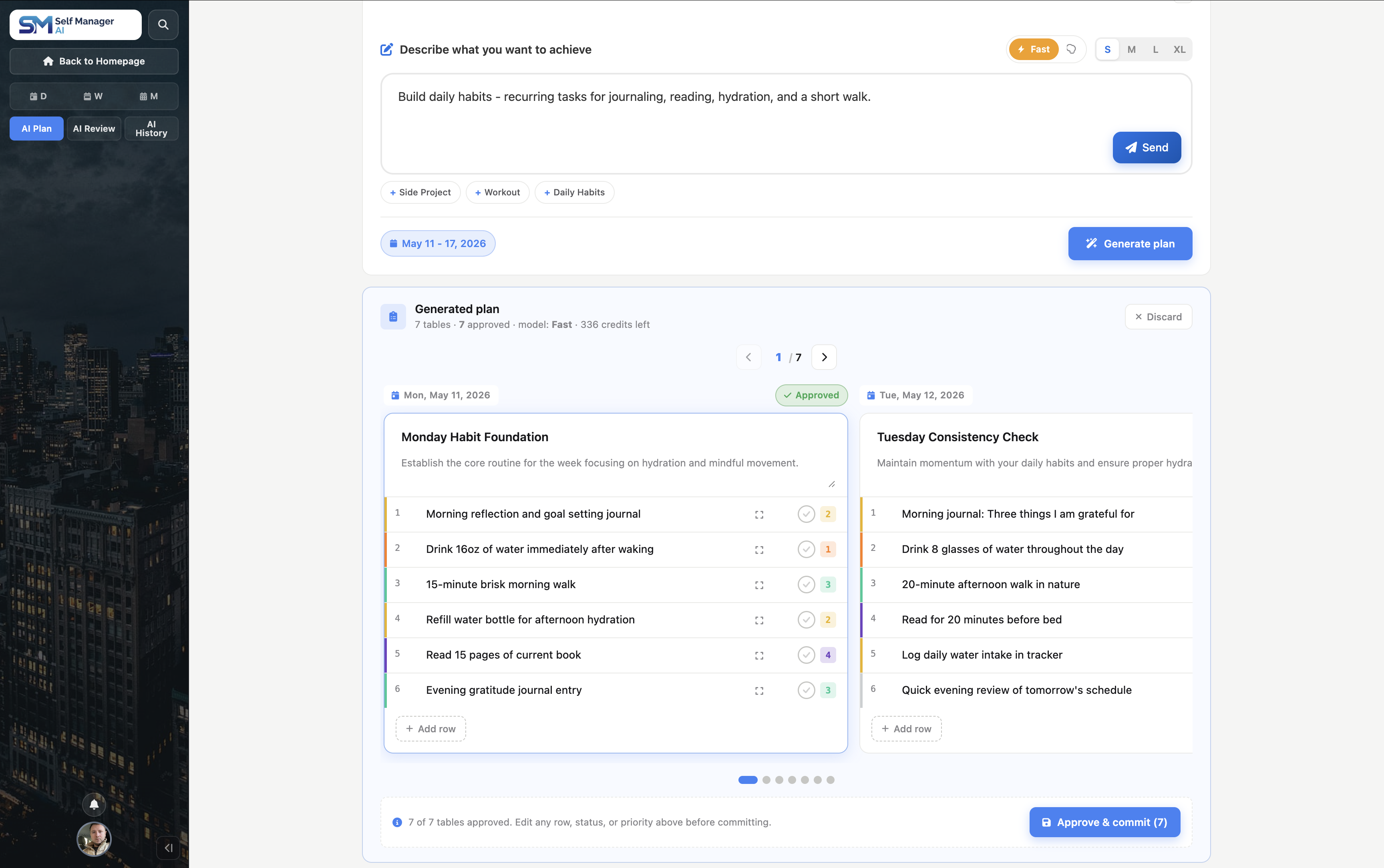
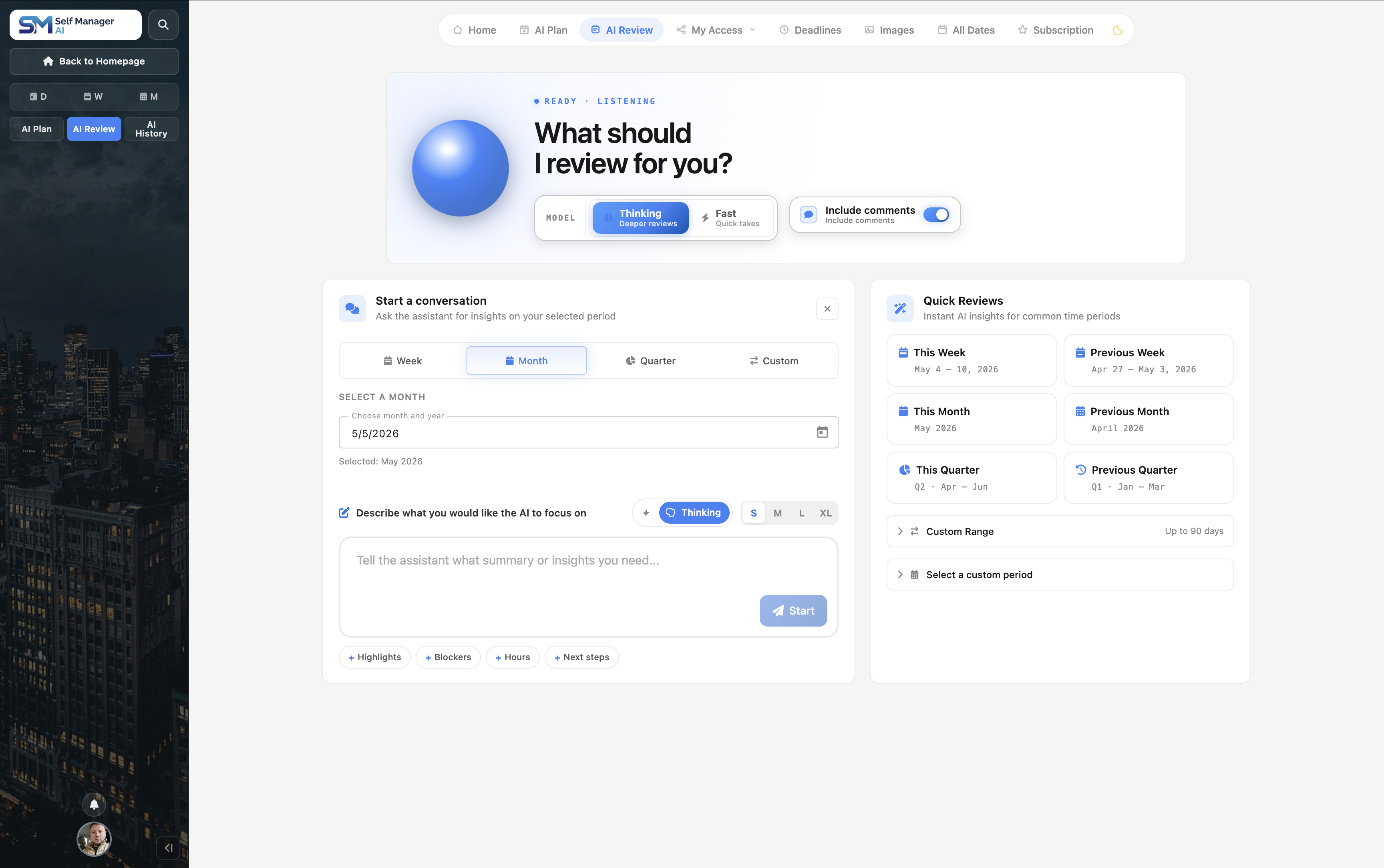
Plan → work → review → adjust. Same dated record the whole way round, so the context doesn't vanish between tools - or between weeks.
Every table, all your pinned tables, and your tables from any period have a built-in AI chat that knows the context. Ask in plain English. No copy-paste between apps.
Real-time streaming responses, context-aware of your data.
Pick a week, month, quarter or your pinned set - the AI reads everything you touched in that window.
Thinking for deep reviews, Fast for quick takes, and the AI behind each: Gemini by default, or Gemini 4 Argon, Claude, GPT and Grok. Your call.
Start free for 7 days. No card needed. Switch or cancel anytime - your data stays yours.
Perfect for personal productivity
7-day free trial · No card required
Built for collaboration at scale
7-day free trial · No card required
Start with whatever's breaking today. Pick one and ignore the rest - they get more useful once you've got a few weeks of history behind you.
A real Tuesday has client work, a product bug, an invoice to chase, and something you promised your family. Each gets its own table on the same date. You don't have to pretend they draw from different hours.
Describe a launch, a client project, or next month in plain English. AI Plan drafts editable tables on the dates the work should actually happen - not another list you'll have to schedule yourself.
Paste an email, a brief, or a messy brain dump and get back a prioritized task table. Add a comment, a note, an image, or your voice when the reasoning matters as much as the task.
Pin the projects and goals that outlive a single day, and reach them from any date. Deadlines, priorities, time and week or month overviews show what needs attention without digging back through old days.
Run AI Review over a week, month or quarter. It reads what you actually recorded - not what you meant to do - so the answer holds up when you're deciding where next month goes.
Invite people to only the tables that need collaboration, and pick how much each person can do. They work on what you shared - and never touch the rest of what you're running.
You don't need all of it on day one. Organize today, plan next week, or review the last one - the same dated record connects them when you're ready.
Two how-to walkthroughs to get you up and running in minutes.
A quick walkthrough of the core features and workflow
See the latest AI features and improvements we've shipped
Everything below works without a setup wizard. Open the app, write a task, and you've already used most of it.

Building since 2016. Using it every day.
SelfManager began in 2016 with a simple need: a better way to plan my day, track my work, review my progress, and decide what to improve. It’s still where I manage my projects and goals - and where I plan every improvement to the app.
SelfManager gives your whole team unlimited access for one flat price ($30/m), and an AI assistant that reviews your week, summarizes progress, and keeps everyone aligned.


It's true! Test all features during your free trial - including inviting teammates.
We believe in fair pricing that doesn't punish your team for growing.
Review the tables you’ve shared with your team and get a clear summary of progress, priorities, and blockers.
"Me and my team really enjoy working together on self manager. Updates that we requested were quickly made and made the experience even better. Features are innovative and challenge the standard approach in the industry. High-end recomande!"
"I've fallen in love with self manager! Been using it from the start of this year for my professional and personal activities. I love that it is date based and each day has its own data. The AI features added this year are great! I use the periodic review with AI at the end of every week to review my work."
"I've tried a bunch of apps before, but this one just works fast, smooth, and without any unnecessary steps. Everything is intuitive, and I get what I need done in seconds."
"This software is fantastic for time management: it's straightforward and fun to use, very practical, and with AI support, it's genuinely innovative. It allows you to understand how your week actually went in terms of productivity. I've tried other platforms and programs, and they're either too complicated or tedious to use, but this one is truly spectacular. We hope it stays that way - minimalist but very well thought out."
SelfManager.ai is a date-centric AI task manager where each day has its own workspace with unlimited tables for tasks, notes, files, and comments. Built-in AI plans your week ahead and reviews any week, month, or quarter you choose.
Most task managers organize work by board, list, or folder. SelfManager.ai organizes by date - every day is its own workspace, and AI runs on top of your real history to plan the week ahead and summarize the weeks behind.
There are no per-seat fees: the Team plan is a flat $30/month for unlimited collaborators.
Yes. SelfManager.ai includes a 7-day free trial with full access to every feature, including AI. During the trial you can use Gemini 3 Flash and 3.8 Flash, Claude Haiku 5.5 and GPT-6 Luna; every other model, Gemini 4 Argon included, is on paid plans. No credit card is required to start, and you can cancel anytime.
No. The 7-day trial starts when you sign in with one of the supported login providers, with no payment information collected upfront.
SelfManager.ai has two plans. Individual is $8/month or $6/month billed annually. Team is $30/month or $25/month billed annually with unlimited team members included. Both plans include a 7-day free trial.
No. Only the person who subscribes to the Team plan pays the $30/month flat fee. Invited collaborators get full access to the tables you share with them, including editing tasks, leaving comments, and uploading images and docs, without paying anything.
SelfManager.ai includes 14 AI features built around capturing work, understanding it, planning ahead, and reviewing what happened.
Voice capture: dictate comments, table notes, and AI prompts instead of typing.
Table intelligence: generate tasks from any text, chat with AI about a specific table, summarize a table, and ask follow-up questions about its summary.
Pinned-table intelligence: chat across your important tables, summarize them together, and follow up on the result.
Planning and review: use AI Plan for forward-looking plans up to 31 days, AI Review for weekly, monthly, or quarterly summaries, follow up on period reviews, or generate an instant period summary without chat.
After a comment or table note is transcribed, choose Keep or Delete audio. The transcript stays either way. Kept recordings appear on All Recordings, while audio from AI prompt boxes is never kept: it is uploaded only to be transcribed, and deleted as soon as its words are in the box.
Four of the world's leading AI labs, in one menu. Google's Gemini is the default; one click next to Fast or Thinking hands your question to Google's Gemini 4 Argon, Anthropic's Claude, OpenAI's GPT-6 or xAI's Grok instead, each working from your own tables, notes and history.
Every answer is signed with the model that wrote it and the credits it used, and you see the price range before you send. If a model is busy, Gemini steps in at Gemini's price. Your request goes straight to the lab you picked, which doesn't train its models on it. Your free trial runs Gemini 3 Flash and 3.8 Flash, Claude Haiku 5.5 and GPT-6 Luna; every other model, Gemini 4 Argon included, is on paid plans.
Tap the microphone in a comment, table note, or AI prompt, then speak for up to 30 minutes. When you stop, AI transcribes your recording and puts editable text directly into the input, the words appearing as they are written. Transcribing costs 1 AI credit per started five minutes (6 for the full thirty).
For comments and notes, you choose Keep or Delete audio after transcription. The transcript stays either way. Kept recordings can be played in place and appear on All Recordings with their transcript and a link back to the source table. Audio from AI prompt boxes is never kept: it is uploaded only to be transcribed, and deleted as soon as its words are in the box.
In a table's Audio section you record or upload first and the audio is simply kept; press Transcribe on an item when you want its text. There a recording or file can run up to 30 minutes and 150 MB, and transcribing it costs the same, 1 AI credit per started five minutes.
Yes. SelfManager.ai uses enterprise-grade encryption in transit and at rest, authentication through trusted providers (Google, Microsoft, Apple, X/Twitter, Facebook, email, phone), and data is backed up automatically.
Free for 7 days. No credit card. Setup takes a minute. If you've made it this far, give yourself the next step.
Self-Manager.net has moved to its new domain, SelfManager.ai. Same product, same team, new home. Read the full announcement