
Project Decision Log Template: Keep the Reason Behind Every Change
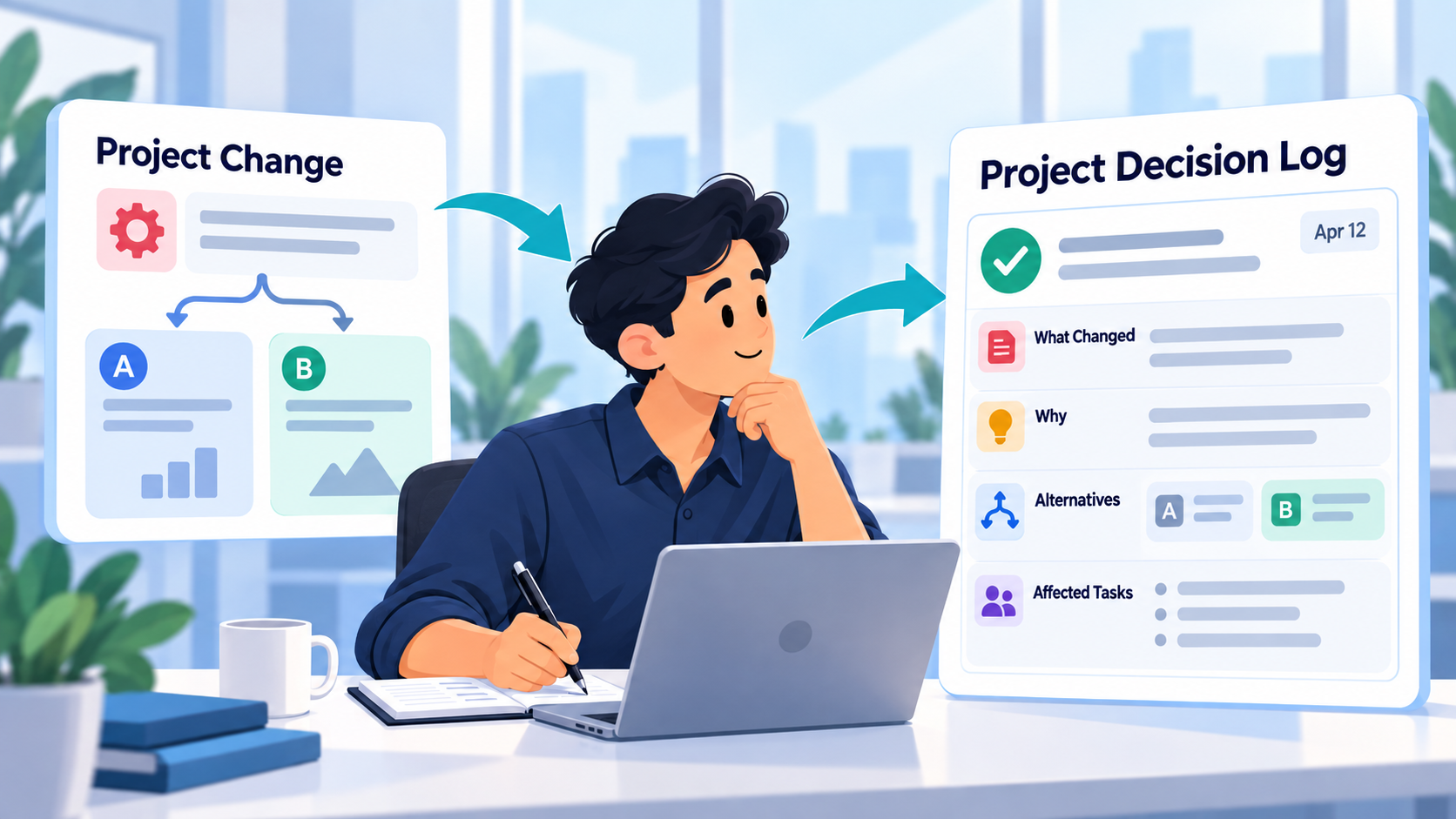
Projects rarely follow the exact path imagined at the beginning.
A technical approach changes.
A design direction is rejected.
A feature gets simplified.
A deadline forces a tradeoff.
A team decides not to fix something yet.
Three months later, someone looks at the project and asks:
Why did we do it this way?
The task history may show what changed.
It often does not explain why.
That is what a project decision log is for.
A useful decision log preserves a simple chain:
Situation → decision → reason → affected work → later outcome
It is not a list of everything that happened.
It is a record of the decisions that would be expensive, confusing, or easy to reverse incorrectly if the reasoning disappeared.
What Is a Project Decision Log?
A project decision log is a chronological record of important decisions made during a project.
For each meaningful decision, it captures information such as:
- What was decided
- When it was decided
- Why the decision was made
- What alternatives were considered
- Which work was affected
- Who needs to know
- Whether the decision should be revisited later
The exact format can be simple.
The important part is preserving the reasoning while everyone still remembers it.
Consider these two project records.
Record A
Replace custom search.
Useful, but incomplete.
Record B
September 17 - Keep the existing hosted search provider instead of building custom search for this release. The custom option would add approximately two weeks of implementation and testing, while the current provider already meets the launch requirements. Revisit after launch if search costs or customization become limiting.
Now someone reading the project six months later knows:
what was chosen, why it was chosen, what tradeoff was accepted, and when the decision might deserve another look.
That is a decision log.
A Decision Log Is Different From a Project History
Your normal project history may contain:
- Completed tasks
- Status changes
- Comments
- Files
- Time records
- Deadlines
- Revisions
A decision log is more selective.
It focuses on moments where the project could reasonably have gone in more than one direction.
Examples:
Use Stripe Checkout instead of building a custom checkout.
Keep the existing navigation structure rather than redesigning it before launch.
Delay the reporting dashboard until phase two.
Use server-side rendering for public product pages.
Remove the animation because it causes noticeable mobile performance problems.
Keep the old import format for backward compatibility.
These decisions explain the shape of the project.
Project Decision Log Template
Here is a reusable template.
Decision
Date:
[Date]
Decision:
[What was decided]
Context
[What situation or problem required a decision?]
Reason
[Why was this option chosen?]
Alternatives Considered
- [Alternative]
- [Alternative]
- [Alternative]
Affected Work
- [Task, feature, deliverable, page, process, or milestone]
- [Related work]
Important Tradeoff
[What downside or limitation was knowingly accepted?]
Follow-Up
[Anything that needs to happen because of the decision]
Revisit When
[Optional condition or date that would justify reconsidering the decision]
Outcome
[Optional - add later if you eventually learn whether the decision worked as intended]
You do not need every field for every decision.
A five-line entry that preserves the real reasoning is better than an elaborate template nobody maintains.
Clearly Fictional Example: An Ecommerce Redesign
The following company, project, tasks, decisions, comments, and outcomes are entirely fictional.
No real customer project or product test is being described.
Imagine a small development team is rebuilding the website for a fictional outdoor retailer called Summit Trail Supply.
The project includes:
- A new storefront
- Product search
- Updated navigation
- Product filtering
- Mobile improvements
- Analytics
- A planned October launch
During development, several decisions change how the project will be built.
Fictional Decision 1: Keep the Existing Search Provider
The original plan included investigating whether the team should replace its hosted search provider with a custom search implementation.
The team creates a task:
Evaluate custom product search
During investigation, they determine that custom search would give them more control over ranking and filters, but would add significant development and testing before launch.
The current provider already supports the search behavior required for the October release.
The decision log becomes:
September 17 - Keep Hosted Search for Launch
Decision:
Continue using the current hosted search provider for the October release instead of building custom search.
Context:
The team investigated a custom search implementation because it would allow greater control over ranking and filtering.
Reason:
The existing provider currently satisfies the confirmed launch requirements, while replacing it before launch would introduce additional implementation and testing work.
Alternatives considered:
- Build custom search now
- Replace the provider with another hosted service
- Keep the current provider through launch
Affected work:
- Product search
- Filtering
- Search QA
- Launch schedule
Tradeoff:
The team accepts less control over ranking logic in exchange for lower implementation risk before launch.
Revisit when:
Search customization becomes a product requirement or the current provider becomes a meaningful limitation.
Now the project does not merely say:
Custom search cancelled.
It explains why.
Fictional Decision 2: Keep the Existing Navigation Structure
A few days later, a stakeholder suggests redesigning the navigation.
There are good reasons for the idea.
The current navigation has become crowded.
But usability testing for the new structure has not happened yet, and the launch is approaching.
The team decides to improve the visual treatment without changing the underlying information architecture before launch.
September 22 - Do Not Restructure Navigation Before Launch
Decision:
Keep the current top-level navigation structure for the October release and limit changes to presentation and mobile usability.
Context:
A larger navigation redesign was proposed after the new visual design exposed how crowded the existing menu had become.
Reason:
Changing the information architecture this late would require additional content decisions, redirect planning, usability review, and broader regression testing.
Affected work:
- Header redesign
- Mobile navigation
- URL planning
- QA
Tradeoff:
The release keeps a navigation structure the team already knows may need improvement.
Follow-up:
Add navigation architecture to the post-launch UX review.
This entry prevents an obvious future mistake.
Two months later, a developer might otherwise see the unchanged structure and assume:
Nobody thought about this.
They did.
They made a deliberate tradeoff.
Fictional Decision 3: Remove a Hero Animation
The redesigned homepage includes a large animated product scene.
During mobile testing, the team notices that the animation creates a noticeable performance cost on lower-powered devices.
The original task says:
Implement homepage hero animation
Later, the task is changed.
Without reasoning, the project history might eventually show only that the animation disappeared.
The decision log preserves why.
September 29 - Remove Hero Animation From Mobile
Decision:
Keep the static hero treatment on mobile instead of loading the full animation.
Context:
The animation works correctly but adds unnecessary loading and rendering overhead on mobile.
Reason:
The visual effect is not important enough to justify the performance cost for smaller devices.
Affected work:
- Homepage hero
- Responsive implementation
- Performance QA
Tradeoff:
Mobile users receive a simpler visual experience.
Follow-up:
Keep the desktop animation and use the static hero asset below the mobile breakpoint.
That reasoning can later matter to designers, developers, clients, or whoever inherits the project.
Why the Reason Matters More Than the Checkbox
A completed task says:
Remove mobile animation ✓
The decision says:
We intentionally removed it because its visual value did not justify the mobile performance cost.
Those are different kinds of information.
The checkbox tells you what happened.
The decision log protects the reasoning behind it.
This becomes increasingly valuable as projects grow older.
The people who made the original decision may leave.
The client may forget the discussion.
A future developer may see the simpler implementation and "improve" it by rebuilding the exact thing the team deliberately removed.
A two-minute decision note can prevent hours of repeated investigation.
What Deserves a Decision Log Entry?
Do not log every choice.
You probably do not need:
Used 24px padding instead of 22px.
unless that decision matters for some unusual reason.
Good candidates usually include decisions that:
- Change project direction
- Affect multiple tasks
- Introduce a meaningful tradeoff
- Reject a plausible alternative
- Change architecture
- Change scope or sequencing
- Delay something intentionally
- Affect a deadline
- Create a dependency
- Would be confusing if someone saw only the final implementation
A useful test is:
Could a reasonable person later look at this project and wonder why we did this?
If yes, record the answer now.
Record Decisions When They Happen
Decision logs become unreliable when written months later.
Memory compresses the story.
You remember:
We decided to keep the old search.
You may forget:
- The alternative that was investigated
- The deadline pressure
- Which requirement made the current solution acceptable
- What condition was supposed to trigger reconsideration
The best time to record the decision is immediately after it is made.
The entry does not need to be polished.
For example:
Sep 17 - Keeping hosted search for launch. Custom implementation gives more control but adds too much implementation/testing before Oct launch. Current provider covers confirmed requirements. Revisit if ranking customization becomes necessary.
That is enough to preserve the important reasoning.
How This Differs From Scope Creep Tracking
A decision log and a scope creep tracker can sometimes describe the same event, but they answer different questions.
A scope creep record asks:
Did the client request something beyond the agreed work, and what did we decide commercially?
A decision log asks:
Why did the project take this direction?
For example:
Client requested a second landing-page template.
The scope record may say:
Additional deliverable, separately approved.
The decision log might say:
We built the second template from the same component structure rather than creating an independent page system because both landing pages share the same content model.
One tracks the commercial change.
The other preserves project reasoning.
How This Differs From a Project Handover
A handover is created because someone needs to continue active work.
It emphasizes:
- Current state
- Open work
- Blockers
- Important context
- Immediate next actions
A decision log is persistent.
You maintain it while the project evolves.
Then, if a handover eventually happens, the important decisions become useful source material for that handover.
The decision record explains why the project looks the way it does.
Keeping a Decision Log in SelfManager.ai
SelfManager.ai does not need a dedicated feature called Decision Log for this workflow.
The existing project context can be used to preserve decisions alongside the work.
Current SelfManager table AI can use task progress and statuses, priorities, task-level time, task notes, optional comments, and table logs when logging is enabled.
A practical setup could be:
Use the Table or Project Note for the Decision Summary
Keep the important decision in the same project context as the work it affects.
Use Comments for Dated Reasoning
When a meaningful choice is made, add a short comment explaining what changed and why.
Comments are especially useful when the reasoning belongs to the project timeline rather than to one individual task.
Keep the Affected Tasks Accurate
If the decision changes work, update the actual tasks or statuses rather than leaving the project plan in its old state.
Use Table Logs When Change History Matters
SelfManager's table AI can use table logs containing edits, status changes, and history when Track table logs is enabled.
The log history can help establish what changed.
Your note or comment provides the reasoning behind it.
That distinction is useful:
history tells you that something changed; the decision entry tells you why.
Ask AI to Summarize Recorded Decisions
Once decisions have actually been documented, table chat can help retrieve them.
For example:
Review the comments, notes, tasks, and table history in this project. List the important recorded decisions, why each decision was made, and which work it affected. Do not infer a reason if the project record does not contain one.
Or:
Create a concise decision log from the decisions explicitly recorded in this project. Separate confirmed reasons from anything that is unclear.
Because SelfManager's table chat works from the table's existing task and project context, this can reduce the manual work of assembling several recorded decisions into one readable summary.
AI Cannot Recover Reasoning You Never Recorded
This is the key limitation of any decision-log workflow.
Suppose the project history shows:
September 10 - Task created: Build custom search
September 17 - Task removed
AI may see that the project changed.
It does not necessarily know why.
Perhaps:
- It was too expensive
- The client rejected it
- Another feature replaced it
- The deadline moved
- Technical testing exposed a problem
- The requirement disappeared
If nobody recorded the reason, the correct answer is:
The record does not explain why.
That is better than inventing a plausible story.
Human Review Matters Most Around the Word “Because”
AI is generally safer when summarizing concrete project facts:
The search task was removed.
It becomes more vulnerable to inference when explaining causality:
The search task was removed because the deadline was approaching.
Maybe.
But unless the project record supports that reason, the sentence is speculation.
When reviewing an AI-generated decision log, check every causal statement:
Why was this chosen?
Why was the alternative rejected?
Why was the task changed?
Why was something deferred?
If the answer is not in the source material, add the missing context yourself or mark the reason as unknown.
SelfManager's current AI design keeps generated output subject to user review rather than automatically treating generated conclusions as authoritative project data.
Add the Outcome Later
A particularly useful decision log does not end when the decision is made.
Return later and add:
Outcome:
[What happened?]
For the fictional search decision:
Outcome - The October launch completed without replacing search. Existing search supported the required catalog behavior. Custom ranking requirements remain a possible future project.
For the fictional mobile animation decision:
Outcome - Mobile page performance remained acceptable after using the static treatment. No client request to restore the animation.
Now the decision log becomes a learning system.
You can compare:
what you expected
with
what actually happened.
Decision Logs Improve Future Reviews
A completed-work history tells you what you accomplished.
A decision history tells you how you thought.
That distinction becomes useful in:
- Weekly reviews
- Monthly reviews
- Project retrospectives
- Future estimates
- Architecture discussions
- Client handovers
- Similar future projects
SelfManager already preserves broader completed-work context such as tasks, statuses, notes, comments, and tracked time, which is why a decision log can sit alongside that history rather than replacing it.
Internal link suggestion: link this section to Best Task Managers That Keep a History of Completed Work in 2026 using anchor text such as keeping a useful history of completed work.
Decision Logs Are Also Useful for Personal Decisions
The same structure can work beyond client or software projects.
For example:
Decided not to launch the campaign this week because the onboarding flow still has two unresolved problems.
Or:
Decided to move the feature to next month so the current release can focus entirely on reliability.
SelfManager already has an existing article using a "Decision Log" as part of a long-term-thinking framework, where important choices can later be reviewed for their downstream effects.
Internal link suggestion:Long-Term Thinking, 2nd-Order Consequences & “Effect Horizons” - A Productivity Decision Framework fits naturally here for readers interested in evaluating decisions over longer periods.
A Five-Minute Decision Log Habit
You do not need another administrative ritual.
When a meaningful project choice is made, record five things:
1. What did we decide?
One clear sentence.
2. Why?
Write the actual reason, not the polished retrospective version.
3. What alternatives did we reject?
Only include meaningful alternatives.
4. What work changes now?
Update the relevant tasks.
5. When should we reconsider it?
Not every decision is permanent.
This takes a few minutes.
The value appears months later.
Try It With One Active Project
Choose a project that is currently changing.
The next time you make a meaningful decision, do not record only the resulting task.
Add the reasoning too.
For example:
We are keeping option A for this release because B requires additional backend changes and does not affect the core launch requirement. Revisit after launch if usage shows the missing capability matters.
Then keep working normally.
After you have accumulated several decisions, ask the project AI to summarize:
what was decided, why each choice was made, and which tasks changed because of it.
Review every explanation against the original notes and comments.
That is a concrete way to test SelfManager.ai as project memory rather than using AI only to generate more tasks.
Task-specific CTA: Create one active project in SelfManager.ai, record the next three meaningful project decisions in its notes or comments, then ask table chat to turn the recorded reasoning into a concise decision log for your review.
Frequently Asked Questions
What is a project decision log?
A project decision log is a chronological record of important decisions, including what was chosen, why it was chosen, which alternatives were considered, and which parts of the project were affected.
Its purpose is to preserve reasoning that would otherwise disappear after the decision is implemented.
What should be included in a decision log?
A useful entry can include:
- Date
- Decision
- Context
- Reason
- Alternatives considered
- Affected work
- Important tradeoff
- Follow-up action
- Condition for reconsidering the decision
- Later outcome
Not every decision needs every field.
Which project decisions are worth recording?
Record decisions that meaningfully change direction, affect several tasks, contain a tradeoff, reject a plausible alternative, alter architecture or sequencing, or would be difficult to understand later from the final implementation alone.
Is a decision log the same as a change log?
No.
A change log primarily records what changed.
A decision log explains why a meaningful change was chosen.
The two can complement each other.
Is a decision log the same as a scope creep tracker?
No.
A scope creep tracker focuses on whether new requests changed the agreed project scope and how those requests were handled.
A decision log focuses on reasoning behind important project choices, whether or not they affect commercial scope.
Should rejected options be recorded?
When they were realistic alternatives, yes.
You do not need a complete brainstorming history, but recording the main rejected alternative can prevent someone from later proposing the same approach without knowing it was already considered.
Can SelfManager.ai maintain a project decision log?
SelfManager.ai does not need a dedicated decision-log feature for this workflow.
Decisions can be preserved using normal project context such as notes, comments, tasks, statuses and optional table logs. Table AI can then work from that recorded context to help summarize it.
Can AI determine why an old project decision was made?
Only when enough reasoning was actually recorded.
If the history shows that a task changed but does not explain why, AI should not invent the missing rationale.
Why should AI-generated decision summaries be reviewed?
Because the most important part of a decision log is causality.
AI may correctly identify that something changed while incorrectly inferring why it changed.
Review the generated summary against the original notes, comments, tasks and history before treating it as the project record.
When should a decision be revisited?
A decision can include a trigger such as:
- After launch
- When usage reaches a certain level
- If a cost becomes significant
- When a dependency changes
- At the next project phase
- If a known limitation begins affecting users
Recording the condition prevents temporary decisions from accidentally becoming permanent ones.
Internal-Link Suggestions
Use Best Task Managers That Keep a History of Completed Work in 2026 around the section explaining why decisions should remain connected to the broader work history.
Use Long-Term Thinking, 2nd-Order Consequences & “Effect Horizons” around the section on reviewing the later outcomes of important decisions.
After article #4 is published, cross-link Scope Creep Tracker for Freelancers: Record Extra Requests Before They Become Free Work from the section explaining the difference between project reasoning and commercial scope changes.
After article #1 is published, cross-link Project Handover Template: Build It From Your Actual Tasks, Notes, and Blockers from the handover section, because a decision log becomes useful source material when responsibility for active work changes.
Link the task-specific CTA to the SelfManager.ai AI Features page so readers can see the current table-chat context and review workflow.
Date-based AI Task Manager
Plan smarter, execute faster, achieve more
Create tasks in seconds, generate AI-powered plans, and review progress with intelligent summaries. Perfect for individuals and teams who want to stay organized without complexity.
Get started with your preferred account