
Project Handover Template: Build It From Your Actual Tasks, Notes, and Blockers
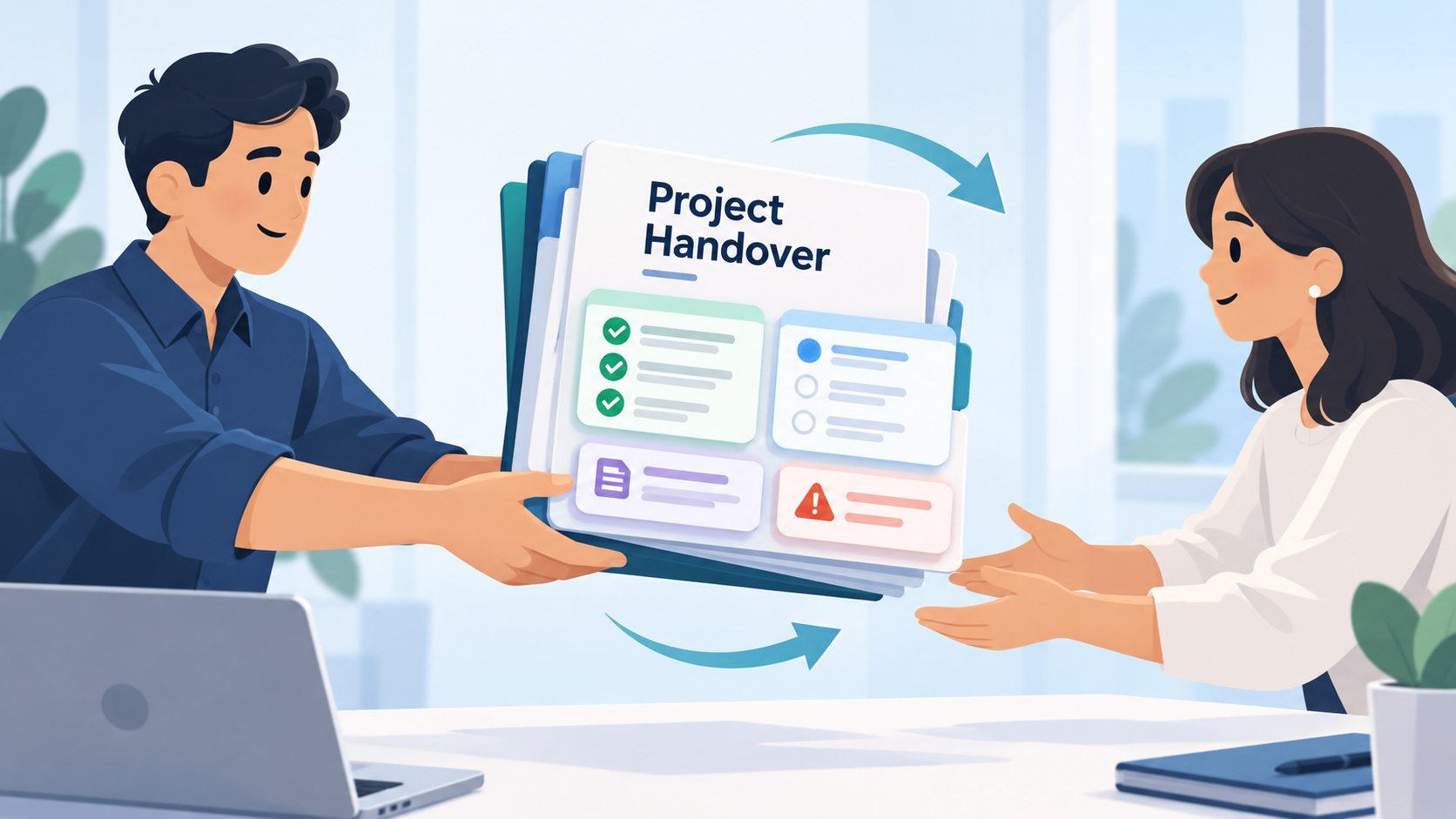
A good project handover should let someone else continue the work without having to reconstruct the project from memory, old messages, and scattered files.
The most reliable handover starts with the work record you already have:
Tasks → statuses → notes and comments → blockers and decisions → next actions → human-reviewed handover
The important distinction is that a project handover is not simply a progress report.
A weekly client update explains what happened recently.
A project postmortem looks backward after the work is finished.
A handover transfers responsibility for work that is still active.
The person receiving it needs to know not only what has happened, but exactly where they should pick up.
What Is a Project Handover?
A project handover, sometimes called a project handoff, is the process of transferring enough context and responsibility for another person to continue an active project.
That might happen when:
- A developer leaves a project
- A freelancer transfers work back to an internal team
- A colleague goes on vacation
- Responsibility moves from one department to another
- A contractor finishes their part while the wider project continues
- One team member takes over another person's workload
A useful handover answers six basic questions:
- What is this project trying to achieve?
- What has already been completed?
- What is currently in progress?
- What is blocked or waiting on something?
- What decisions or context does the next person need to understand?
- What should happen next?
If those answers are clear, the new owner can begin working.
If they are missing, the handover becomes a research exercise.
A Handover Should Be Built From the Project Record
The worst time to reconstruct a project is when you are leaving it.
Three months of work can be surprisingly difficult to summarize from memory.
You may remember the large milestones while forgetting smaller details that matter to the person taking over:
A feature was deliberately implemented one way because another approach caused problems.
A task is technically started but cannot continue until the client supplies access.
Something that looks unfinished was intentionally deprioritized.
A client already rejected one design direction.
A bug was fixed, but only after identifying an unusual browser-specific cause.
A dependency is expected next Tuesday.
Task titles rarely contain all of that information.
The useful context usually lives around the task - in its status, notes, comments, decisions, dates, and the changes made while the work was happening.
That is why the best handover process starts before the handover itself.
Record the work while you are doing it.
Then summarize the record when responsibility changes.
Project Handover Template
Here is a reusable template for transferring an active project.
Project
Project name:
[Project name]
Current owner:
[Person handing off the work]
New owner:
[Person taking over]
Handover date:
[Date]
1. Project Summary
Goal:
[One or two sentences explaining what the project is supposed to achieve.]
Current state:
[Short description of where the project stands now.]
Important deadline:
[Deadline or milestone, if applicable.]
2. Completed Work
- [Completed item]
- [Completed item]
- [Completed item]
Include meaningful completed work that affects what the new owner should know.
You usually do not need every tiny completed task.
3. Work Currently in Progress
Task: [Task name]
Status: [Current status]
Context: [What has already been done and what remains]
Repeat for each important active item.
4. Blockers and Dependencies
Blocked item: [Task or area]
Waiting on: [Person, approval, access, content, technical dependency, etc.]
What can happen meanwhile: [Optional]
Next check/action: [What should happen next]
5. Important Decisions and Context
Decision: [What was decided]
Reason: [Why]
Effect on the project: [What changed because of it]
Repeat for decisions the next owner could otherwise misunderstand or accidentally reverse.
6. Next Actions
- [Immediate next action]
- [Second action]
- [Third action]
These should be concrete enough that the new owner knows what to do first.
7. Open Questions
- [Question still requiring a decision]
- [Unconfirmed assumption]
- [Something that needs clarification]
8. Relevant Resources
List the project resources the new owner will need.
For example:
- Design file
- Repository
- Documentation
- Client brief
- Analytics dashboard
- Deployment environment
- Relevant conversation or specification
Do not place passwords or sensitive credentials directly inside a handover document. Use the appropriate secure access process instead.
A Fictional Project Handover Example
The following example is completely fictional.
The company, project, people, tasks, comments, decisions, and blockers were created only to demonstrate how a handover can be built.
Imagine Maya is a freelance developer working on a website redesign for a fictional retailer called Harbor & Pine.
Maya has completed most of the storefront work, but another developer, Daniel, will take over the remaining development and launch preparation.
Her project record contains the following information.
Completed Tasks
Rebuild homepage hero
Status: Completed
Comment:
Client approved the second layout. Keep the product image on the right and the CTA under the main heading.
Build mobile navigation
Status: Completed
Note:
Tested on current Safari and Chrome mobile layouts.
Update product-card component
Status: Completed
Comment:
Sale badge should only display when the compare-at price is higher than the current price.
Work in Progress
Connect newsletter form
Status: In progress
Comment:
Frontend is complete. Waiting for access to the client's email marketing account before final integration and testing.
Collection-page filters
Status: In progress
Note:
Desktop version is working. Mobile filter drawer still needs implementation.
Checkout styling review
Status: In progress
Comment:
Spacing adjustments are complete. Final checkout testing still needs to be done after the current theme changes are deployed to staging.
Open Work
Add final homepage testimonial
Status: Not completed
Comment:
Client has not supplied final testimonial copy.
Cross-browser QA
Status: Not completed
Note:
Start after the remaining collection filter and newsletter changes are complete.
From this record, Maya can build a useful handover without trying to remember the project from scratch.
Fictional Finished Handover
Harbor & Pine Website Redesign
Current owner: Maya
New owner: Daniel
Status: Active project
Project Summary
The main storefront redesign is largely implemented. The homepage, mobile navigation, and updated product-card component are complete.
The remaining work is concentrated around the newsletter integration, mobile collection filters, final checkout testing, missing client content, and cross-browser QA.
Completed
The homepage hero has been rebuilt using the second layout approved by the client.
The mobile navigation is complete and has been checked in current Safari and Chrome mobile layouts.
The product-card component has also been updated. The sale badge is intentionally shown only when the compare-at price is higher than the current selling price.
In Progress
Newsletter integration
The frontend form is complete.
The final integration and testing are waiting for access to the client's email marketing account.
Collection filters
The desktop implementation is working.
The mobile filter drawer still needs to be completed.
Checkout styling and testing
Spacing changes are complete.
Final testing should happen after the current theme changes are available on staging.
Blockers and Dependencies
Newsletter integration: waiting for email marketing account access.
Homepage testimonial: waiting for final copy from the client.
Cross-browser QA: should wait until the remaining interface changes are finished.
Important Decisions
The client selected homepage layout option two.
Keep the product image on the right side of the hero and the CTA below the main heading unless the client requests another change.
The product-card sale badge logic is intentional and should not be simplified to display on every discounted-looking product.
Next Actions
- Complete the mobile collection filter drawer.
- Request or check for email marketing access.
- Connect and test the newsletter form once access is available.
- Add the testimonial when final copy arrives.
- Deploy the remaining changes to staging.
- Complete checkout and cross-browser QA.
Open Questions
When will the client provide the final testimonial?
Has email marketing access been granted?
Is there any additional client feedback before final QA begins?
That gives Daniel something much more useful than:
Most of the website is done. A few things still need finishing.
He can see exactly where the project stands and what he should do first.
Notice What the Handover Does Not Do
The example does not try to document every task Maya ever completed.
That would make it harder to use.
A handover is selective.
The next owner needs the parts of the history that affect future work.
For example, the fact that Maya experimented with three different margin values on Tuesday probably does not matter.
The fact that the client selected layout option two does.
The difference is whether the information changes what the next person should do.
Statuses Tell the New Owner Where Work Stands
A task named:
Connect newsletter form
does not tell you much by itself.
Was it never started?
Half finished?
Implemented but untested?
Waiting on someone?
A useful status narrows the answer.
Then a short note or comment explains the remaining context.
For example:
Status: In progress
Comment: Frontend complete. Waiting for client account access before integration and testing.
Now the person receiving the project knows both the current state and the blocker.
That is much more actionable than simply seeing an unchecked task.
Comments Preserve the Context Behind the Task
The task may tell you what needs doing.
The comment often tells you why.
That becomes especially important when decisions have already been made.
Imagine the new owner sees:
Homepage hero
and decides to move the CTA beside the image.
Without context, that could look like a reasonable improvement.
But the project comment says:
Client approved the second layout. Keep the product image on the right and the CTA under the main heading.
Now the new owner knows this is not an unfinished design decision.
It has already been resolved.
Recording small pieces of context while working can prevent the next person from reopening old decisions.
Blockers Should Explain the Dependency, Not Just Say "Blocked"
A handover that says:
Newsletter blocked.
is not very useful.
A better version says:
Newsletter frontend is complete. Final integration is waiting for access to the client's email marketing account.
Now the new owner knows:
what is finished,
what is missing,
and what needs to happen before the task can continue.
A blocker should reduce uncertainty.
How to Build a Project Handover With SelfManager.ai
SelfManager.ai can support this workflow when the underlying project information already exists in your tables.
Suppose an active project table contains the work you have been managing:
tasks,
completion state and statuses,
notes,
comments,
and the context recorded while the project progressed.
Instead of copying all of that into a new AI chat manually, you can use the AI attached to that table to help turn the existing record into a first handover draft.
A useful prompt could be:
Draft a project handover for the person taking over this work. Separate completed work, important work in progress, blockers or dependencies, important decisions from the notes and comments, and the next actions. Use only information supported by this table. Do not guess missing information.
If comments contain important project context, include them when giving the table AI access to the project information.
The result should be treated as a draft.
Ask AI to Separate History From What Matters Next
One useful follow-up could be:
Remove completed work that does not affect the person taking over. Keep completed items only when they provide necessary context for the remaining project.
That is important because a handover is not a complete project history.
You are trying to transfer responsibility, not produce an archive.
Another useful follow-up:
List anything in this handover that appears ambiguous or does not have enough evidence in the project record.
That turns AI into a second pass over the information rather than assuming the first draft is correct.
Review the Draft Against the Actual Project
Do not send an AI-generated handover without checking it.
Review the important claims against the tasks, statuses, notes, and comments that produced them.
Pay particular attention to:
Completion claims
Did the draft describe something as finished when it is actually still in progress?
Blockers
Does it clearly explain what is waiting and what the new owner should do?
Decisions
Did AI mistake a suggestion in a comment for a confirmed decision?
Next actions
Are these actually appropriate next steps, or did AI infer work that was never agreed?
Names and ownership
Is it clear who is taking responsibility for what?
Dates and deadlines
Are any dates mentioned actually recorded and still current?
The handover belongs to the human transferring the work.
AI can organize the record.
It should not invent the record.
SelfManager.ai Does Not Automatically Transfer Project Ownership for You
Generating a handover document is only one part of transferring responsibility.
The human process still matters.
You may need to:
grant access,
introduce the new owner to a client,
transfer repository permissions,
share design files,
change responsibility in another system,
schedule a handover call,
or explain something that was never documented.
A generated handover cannot replace those steps.
Its job is narrower:
Turn the project information you already recorded into a clear starting point for the next person.
Project Handover vs Weekly Client Update
These documents can contain some of the same information, but they serve different readers.
A weekly client update usually answers:
What did we complete?
What is in progress?
What is blocked?
What happens next week?
A project handover needs more operational context.
The new owner may need to know:
why a decision was made,
what has already been tried,
which unfinished work matters most,
what dependencies exist,
what should happen first,
and which apparently open decisions are actually already settled.
If you are staying responsible for the project and simply need to communicate progress, use a client update instead.
Related: How to Write a Weekly Client Update From Tasks, Notes, and Tracked Time
Project Handover vs Project Postmortem
A handover happens because the project is continuing under someone else's responsibility.
A postmortem happens because a project, release, or meaningful phase has ended and you want to understand what happened.
A handover asks:
What does the next owner need to continue?
A postmortem asks:
What should we learn from what happened?
Those are different jobs.
Do not fill a handover with lessons that are interesting but irrelevant to the person doing the work tomorrow.
Why Keeping a Work History Makes Handoffs Easier
A handover is easier when the project already has a usable history.
Completed tasks tell you what moved.
Statuses tell you what remains.
Notes explain important context.
Comments preserve decisions and blockers.
Dates show when changes happened.
Together, they reduce the amount of project knowledge that exists only in one person's memory.
That same history remains useful after the handover for reviews, client communication, and understanding how the project evolved.
Related: Best Task Managers That Keep a History of Completed Work in 2026
The Best Time to Prepare a Handover Is Before You Need One
You should not have to write a mini autobiography of the project every time responsibility changes.
The better system is simple:
Keep task statuses accurate.
Add short comments when something becomes blocked.
Record important decisions when they happen.
Add context when the task title alone would be misleading later.
Then, when someone else needs to take over, the raw material already exists.
The handover becomes an editing problem instead of a memory problem.
Try It With One Active Project
Pick an active project that somebody else might realistically need to continue.
Review its open tasks.
Check whether the important statuses are accurate.
Look at the comments and notes.
Ask yourself whether another person could tell:
what is finished,
what is still moving,
what is blocked,
why important decisions were made,
and what should happen next.
If those answers already exist in the project record, creating the handover is straightforward.
If they do not, that tells you where useful project context is still living only in your head.
SelfManager.ai's AI features are designed to work from the structured information already stored with your work rather than requiring you to rebuild the context manually each time.
Related: Explore SelfManager.ai's AI features
Frequently Asked Questions
What should be included in a project handover?
A practical project handover should include the project's goal, current state, meaningful completed work, important work in progress, blockers and dependencies, relevant decisions, open questions, and concrete next actions.
The exact format matters less than whether the next person can continue the work without reconstructing the project themselves.
Is project handover the same as project handoff?
They are commonly used for the same general process: transferring active work or responsibility from one person or team to another.
The terminology may vary by company or industry.
How detailed should a project handover be?
Detailed enough for the new owner to continue confidently, but not so detailed that important information disappears inside a full project history.
Prioritize information that changes what the next person should do.
Should completed tasks be included in a handover?
Yes, when they provide useful context.
A major completed milestone, implemented dependency, client-approved decision, or previous technical change may affect future work.
Minor completed tasks that do not affect the remaining project usually do not need to be listed individually.
How should blockers be documented?
Explain what is blocked, why it cannot currently move, what it is waiting on, and what the new owner should do next.
"Blocked" alone is usually not enough.
Can AI create a project handover from task data?
AI can help draft one when it has access to a reliable project record containing the relevant tasks, statuses, notes, comments, and other context.
The draft should still be checked by the person transferring the project.
Can SelfManager.ai help create a project handover?
Yes. SelfManager.ai can use the information already stored with a project table as context for table chat or a summary, including task progress and statuses, notes, and comments when included.
You can ask it to organize that information into a handover draft and then review and edit the result before sharing it.
Should I send an AI-generated handover without reviewing it?
No.
Check completion states, blockers, decisions, dates, next actions, and any other factual claims against the underlying project record.
AI can help organize the information. The person handing over the work remains responsible for making sure it is accurate.
What is the difference between a project handover and a weekly client update?
A weekly client update communicates recent progress while the same person or team remains responsible for the work.
A project handover transfers enough operational context for somebody else to take responsibility and continue the active project.
What is the difference between a project handover and a project postmortem?
A handover is forward-looking and supports continuation.
A postmortem is retrospective and focuses on understanding what happened, what worked, what failed, and what should be learned after a project or major phase is complete.
Date-based AI Task Manager
Plan smarter, execute faster, achieve more
Create tasks in seconds, generate AI-powered plans, and review progress with intelligent summaries. Perfect for individuals and teams who want to stay organized without complexity.
Get started with your preferred account