Sees your structure
Tasks, statuses, priorities, time per row, deadlines, table logs, comments, notes. The AI walks in already knowing what's done, what's risky, and where your hours actually went. No briefing, no setup.

SelfManager's AI reads your tables, rows, statuses, priorities, time tracking, deadlines, table logs, comments, and notes - on the days they happen - not just the words you type into a prompt. That's the difference between an answer that quotes your actual work and an answer that has to guess what you meant.
Tasks, statuses, priorities, time per row, deadlines, table logs, comments, notes. The AI walks in already knowing what's done, what's risky, and where your hours actually went. No briefing, no setup.
Plans become dated tables. Summaries come back as copy-ready text. Reviews cite real tasks and real time spent. There's no manual translation step between an AI sandbox and your work.
AI output is yours to review first. Plans land in an editable preview before you commit. Generated tasks can be removed any time. You stay in control of what enters your data.
Two modes per request: Fast for quick wraps, Thinking for harder questions like "what blocked me this month?" Gemini is the default in both, and beside it you can pick Google's Gemini 4 Argon and models from Anthropic, OpenAI and xAI. Every answer names the model that wrote it and the credits it used.
Each model shows its price in credits before you send; prices are estimates, and you pay for what the AI actually reads and writes. If a model is busy, Gemini answers instead and you pay Gemini's price. Requests to Claude, GPT and Grok go straight to that company, which doesn't train its models on them.
Soon: an AI chat/voice assistant called Jarvis who can do anything the UI can do, just by talking to him. He's in the plan.
Connect SelfManager to any AI assistant or app that supports MCP (Model Context Protocol), and work with your real tables in plain words: what's on today, plan the next three months, tick a task as you finish it, move a routine to new days, review your week.
What's on my list today?
get_day Two tables today. Launch prep: 1 of 3 done, and "email beta users" is high priority. Gym: not started.
Mark record demo as done.
complete_task Done. Launch prep is 2 of 3, and "email beta users" is left.

The fastest way to get something out of your head and into SelfManager.
Tap the microphone anywhere you would normally type and just talk. AI transcribes what you said and drops the text straight into the box, on its own line, ready to edit. It works in table comments, in table notes, and in every AI prompt box - AI Plan, AI Review, table chat, pinned-tables chat, and task generation.
Where it makes sense to keep the audio, SelfManager asks. After a comment or a note is transcribed you choose Keep or Delete audio - the transcript stays either way. Kept recordings get their own player and show up on the new All Recordings page, newest first, each with its transcript and a link back to the table it came from.
Every table also has its own Audio section, next to Comments, Images and Notes. It gathers the audio already attached to that table - from its comments and its notes - and lets you add audio that belongs to the table itself: record straight into it, or upload a file you already have (mp3, m4a, wav, webm and the rest, up to 30 minutes and 150 MB). Uploaded and recorded audio costs nothing to keep. Transcription there is a separate button you press when you actually want the text, at 1 AI credit per started five minutes - 6 for the full thirty.
In AI prompt boxes no recording is kept, because a prompt is something you send, not something you keep: the audio is uploaded only to be transcribed, and deleted as soon as its words are in the box.
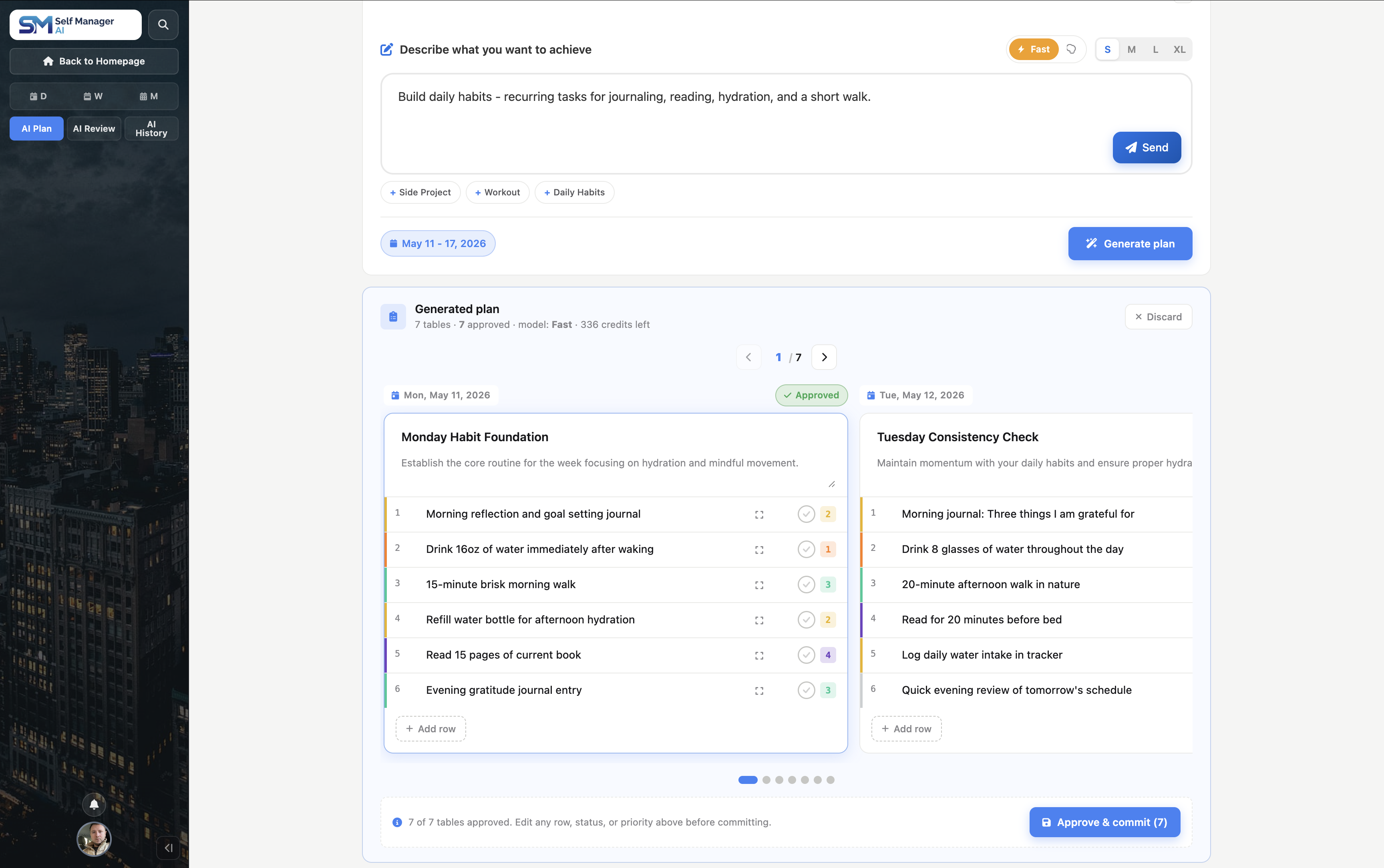
The feature in SelfManager.ai that looks forward.
Pick a period - a single day, a week, a custom range up to 31 days, or a full month - describe what you want to achieve in plain English, and AI Plan returns a fully structured plan: tables for the days that need them, up to three on one day, each with up to 20 prioritised tasks, ready to edit or ship as-is.
Optionally feed in up to three months of your past work as context, and the AI shapes the plan around your actual cadence - your recurring habits, your active projects, the days you usually rest.
Every plan opens in a sliding review pane: one editable card per day. Rename tasks, change priorities or statuses, delete or add rows, skip whole days you don't want to commit. When you're happy, hit Approve and SelfManager creates the tables on the right dates, then drops you on day one ready to start.
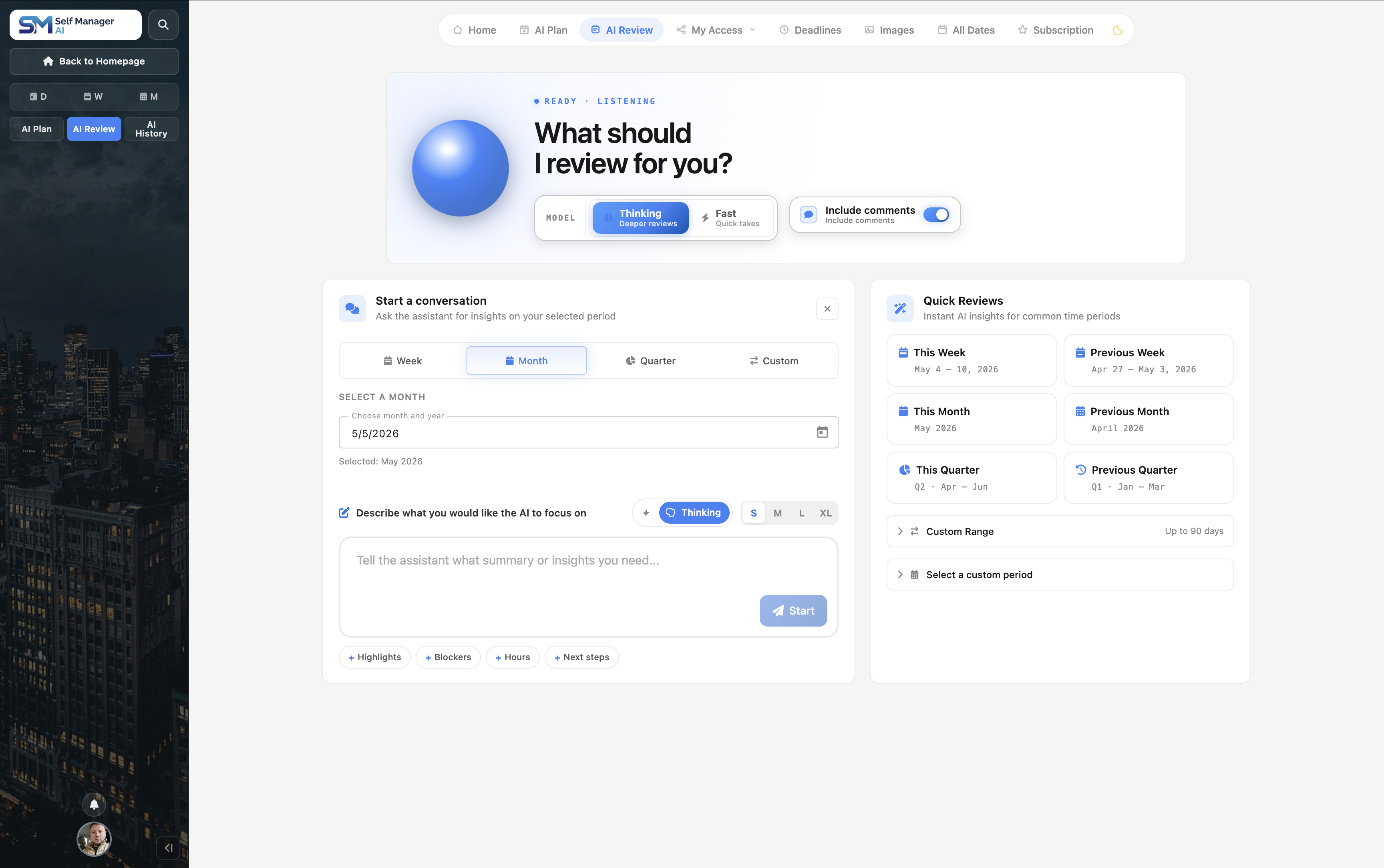
Pick a time window. Ask anything about how it actually went.
This week. Last month. Q2. A custom range you define. The AI reads every table you touched in that window - tasks, statuses, time, comments, logs - and lets you ask anything about how the period really played out.
This is your retrospective surface. The data is in your tables; you just have to ask the right question.
You can optionally include table comments for even more context.
The same review, scoped to the work your team can see.
Choose My team in AI Review to focus the analysis on tables you’ve shared with your team. Select a week, month, quarter, or custom date range, then let AI summarize progress, priorities, discussions, and potential blockers.
Completed tasks record who finished them, so the review can name who unblocked what rather than only that something moved. Tasks completed before this existed carry no name, and the AI is told never to guess one. Available on the Team plan.
No questions in mind? Click Review and get the report.
Pick the window - this or last week, a month, a quarter, or a custom range of up to 90 days - and the AI reads all of it, then produces a structured report: what shipped, what slipped, where time went, what to focus on next. The closest thing to having a manager who actually pays attention.
The AI review is loaded. The data's there. Now ask anything.
Reframe the review for an audience, drill into a specific date inside the window, or turn the insights into the input for next week's plan - all without re-explaining what the AI already knows.
AI stays inside the context of your chosen period and your own data, so insights become action.
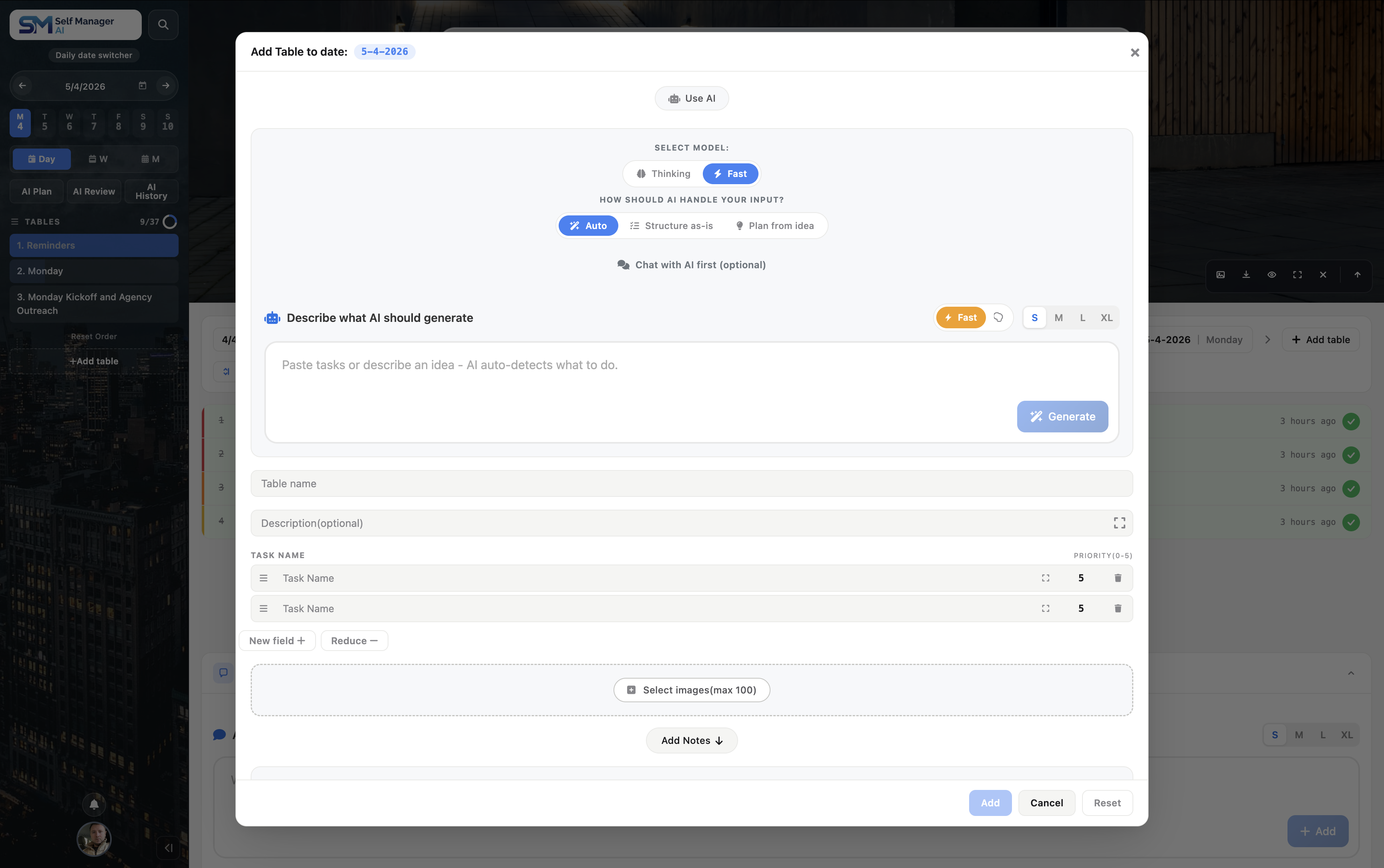
Paste it, describe it, or chat it out. The AI hands you a clean, prioritised table - ready to ship.
A Zoom transcript, a long client email, a brain-dump after a planning call, a Slack thread you barely remember scrolling through. The AI reads it, pulls out the actual action items, and lands them as priority-tagged rows inside the table you're standing in.
When the brief is hazy, open the optional chat. Type a rough idea and the AI asks the clarifying questions a sharp colleague would ask before rolling up their sleeves - scope, priorities, deadlines, dependencies. Refine in the back-and-forth, then hit Generate from this chat. The conversation is the brief. No second prompt, no double-typing.
The structure matters. The output IS the table, with inferred priorities and clean phrasing. You skim, edit anything that needs nudging, and you're moving.
You stay in control: edit, reorder, and re-prioritise tasks like any other table in SelfManager.
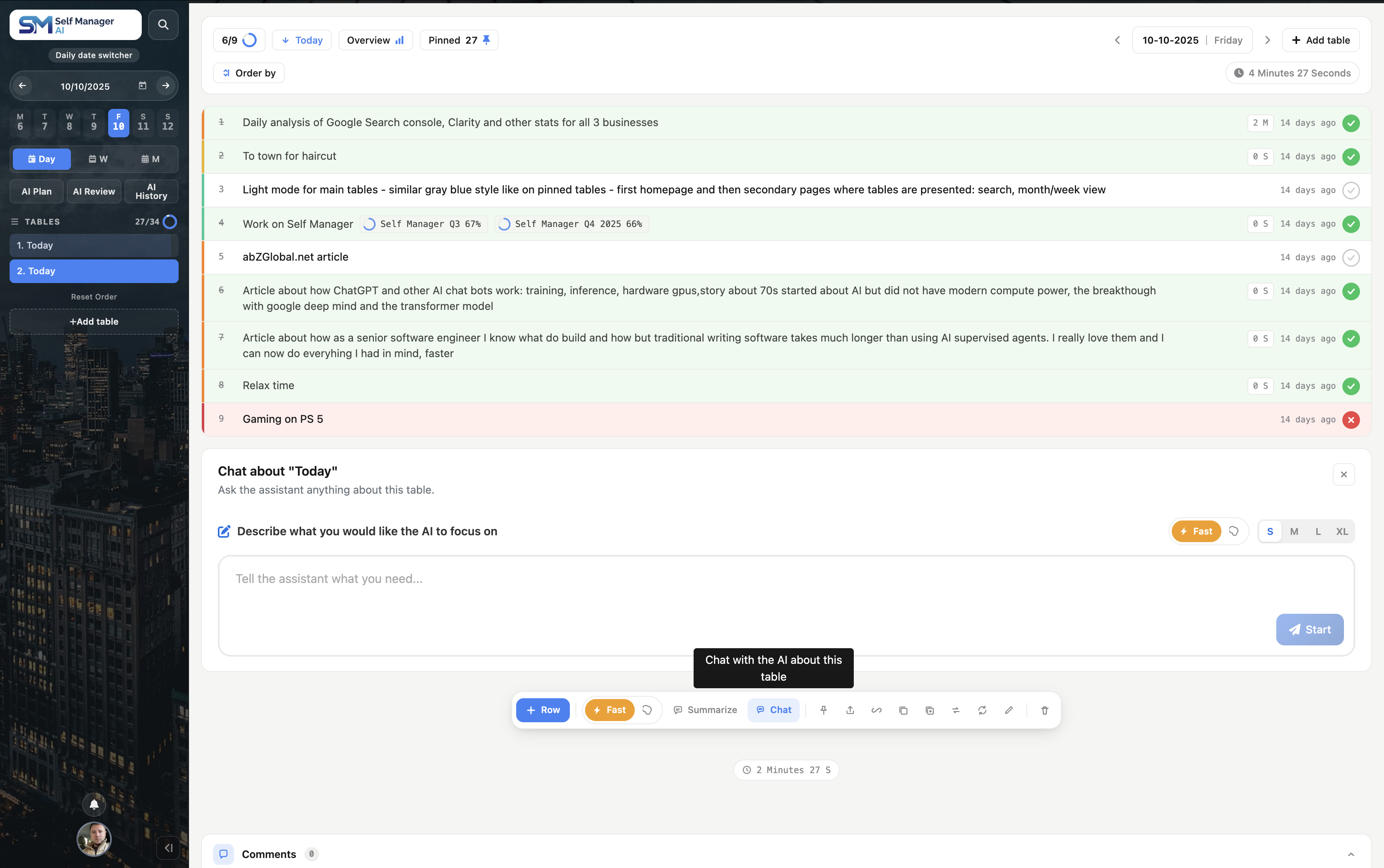
Open any table. The AI walks in already knowing every task, status, priority, comment, and minute logged.
No briefing, no setup. The AI sees every task, every status, every priority, every comment, every log entry, and the time you've spent on each row. You don't paste context. You ask the question.
This is the workhorse of the AI suite. Most days, this is the feature you'll touch most.
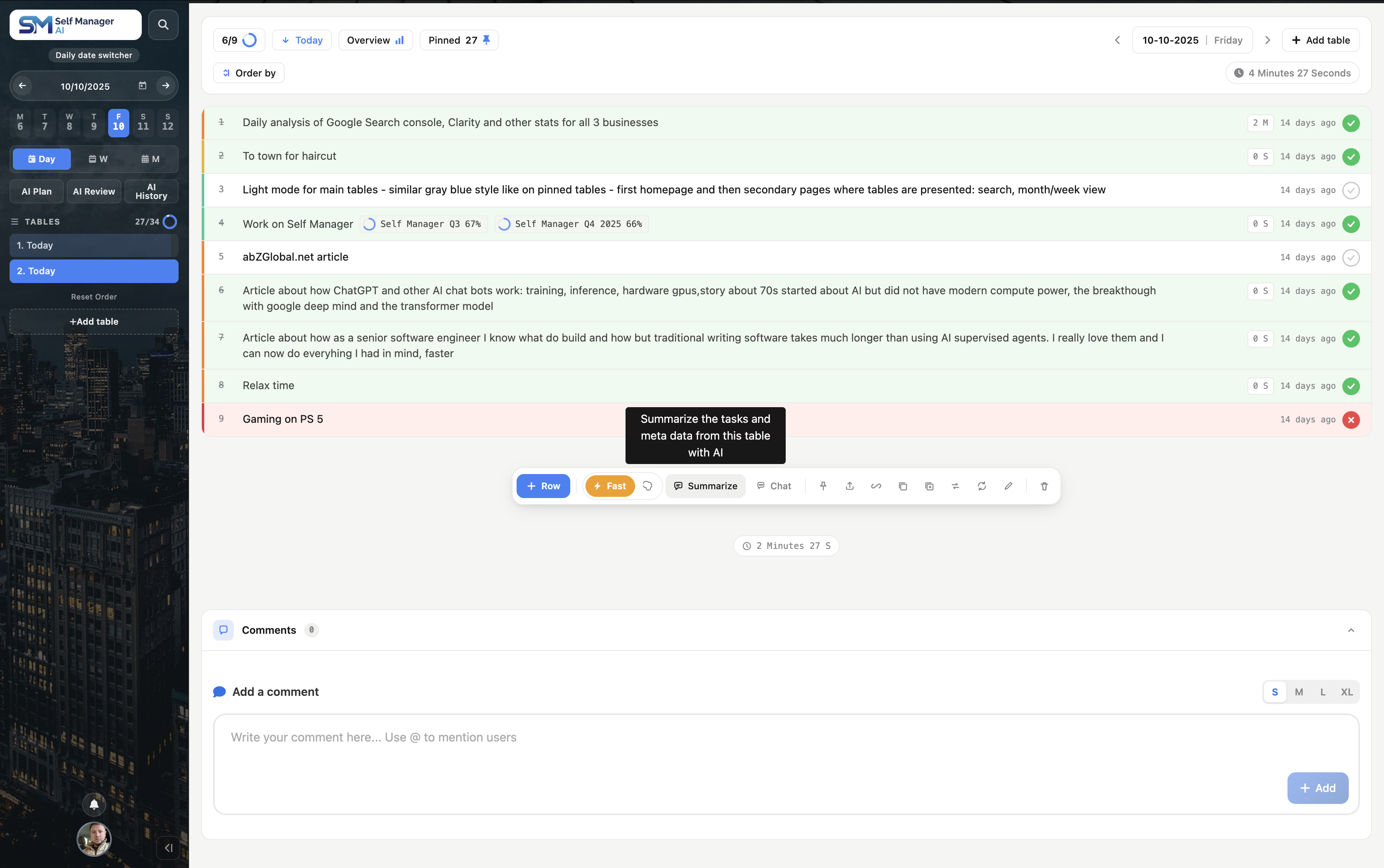
Skip the chat. Get a one-glance recap of where the table actually stands.
Hit Summarize. You get what's done, what's open, where the priority weight is, what's stuck. Built for the 30 seconds between two meetings when you need to know where you stand without having to think about it.
The summary lands. The conversation doesn't end there.
Ask the AI to reshape the recap for whoever needs to read it next, drill into a specific risk, or pivot from "what's the state" to "what should I do tomorrow." It already has the table loaded - no re-explaining.
You stay in the same context, so the AI doesn't "forget" what you were working on.
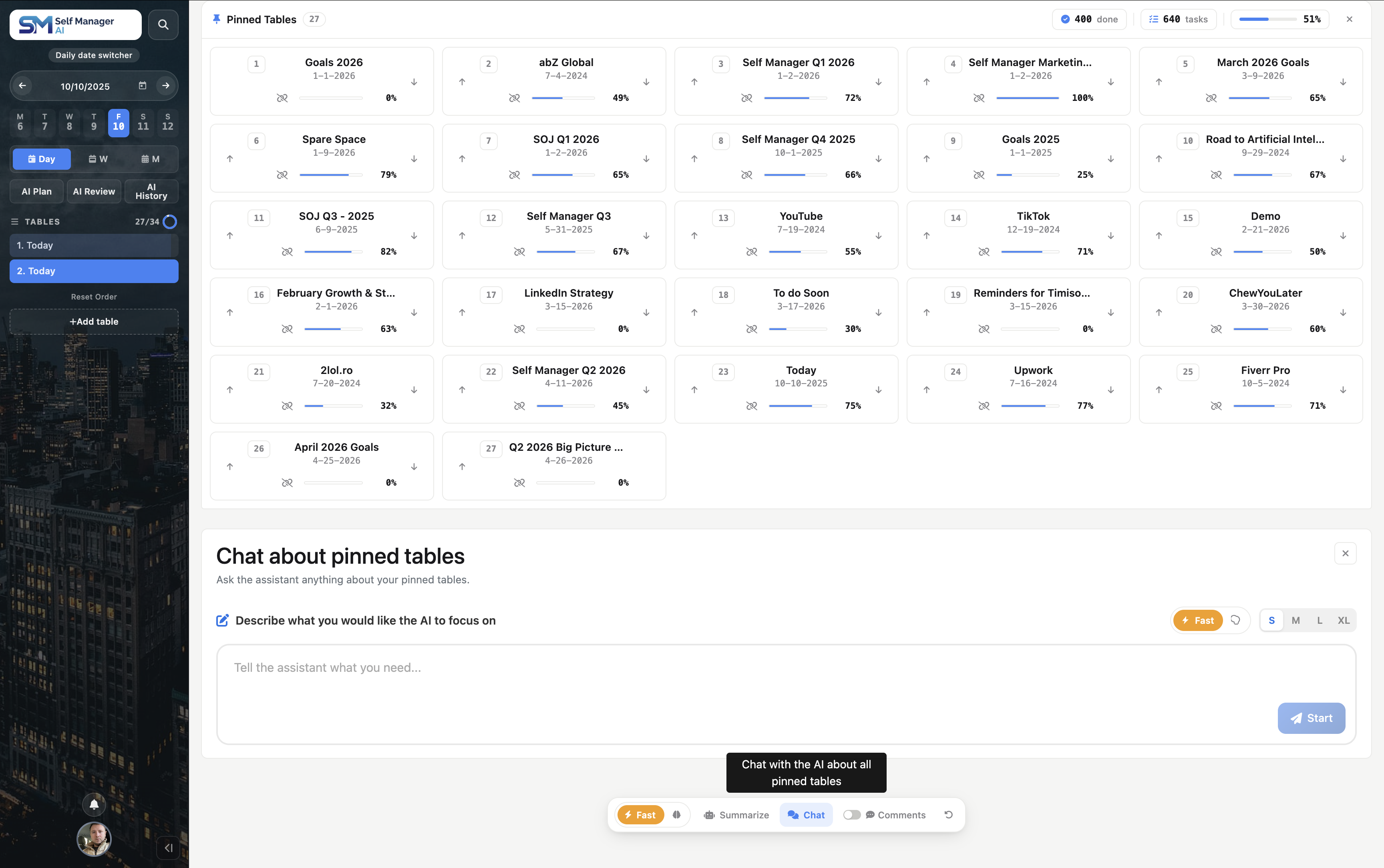
Pinning is your signal that these projects actually matter right now.
Pinned-tables AI takes that signal seriously. It reads only the tables you've pinned - not your archive, not your half-started drafts - and treats them as your real active workload.
Use it when the question crosses projects: capacity, priorities, portfolio health, where you're falling behind.
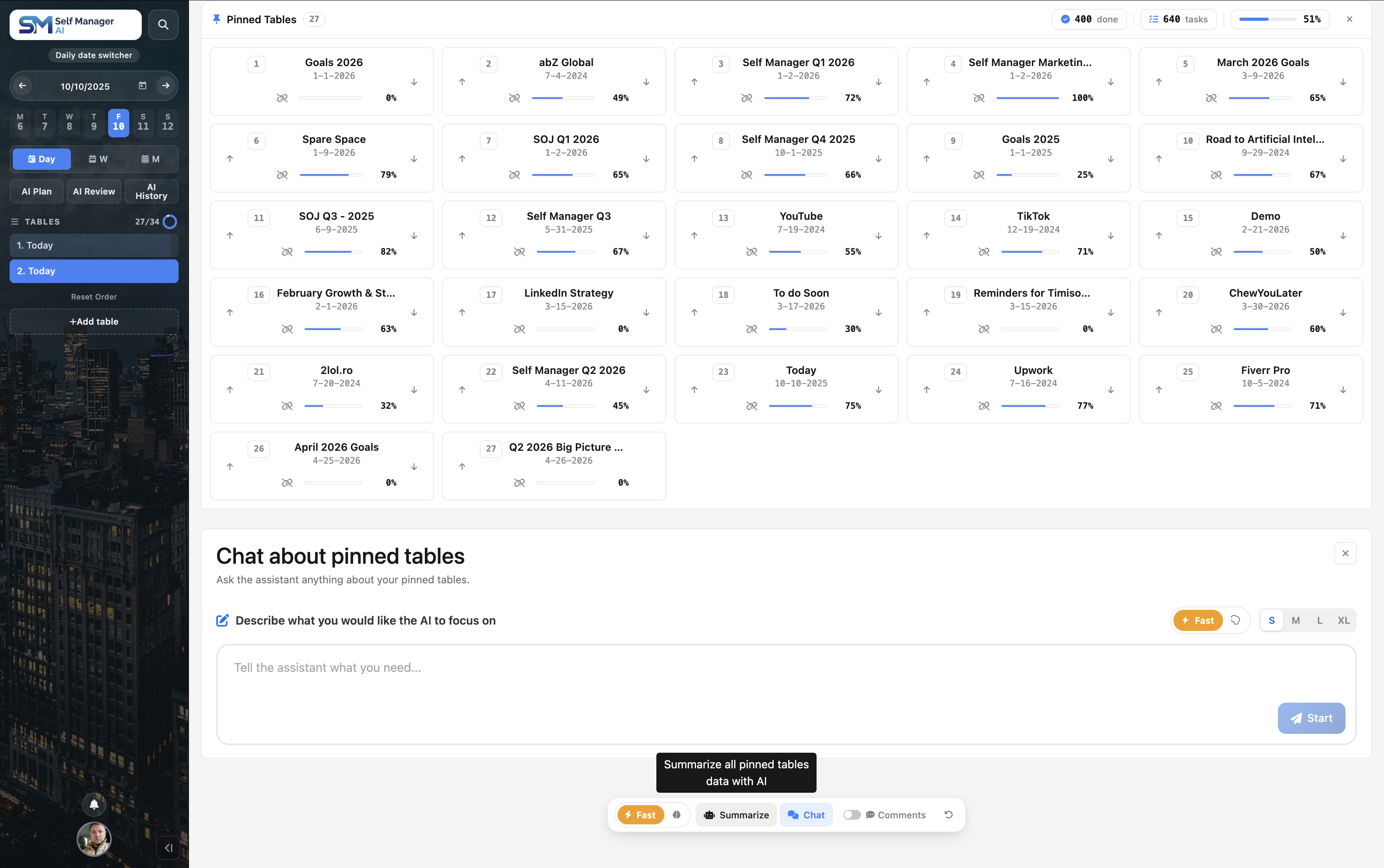
One click, one paragraph. Across every project that matters right now.
What's healthy, what's slipping, what needs eyes today. Built for Monday-morning coffee, not Wednesday triage.
The summary is the starting point. Follow-ups dig in - across all your pinned projects.
Reshape the recap for different audiences, drill into a specific project, or pivot from review to forward planning - without losing the cross-project context that pinned-AI gives you.
The conversation stays anchored in your pinned data, so you can explore your work from multiple angles without re-explaining anything.
Press the speaker and get on with something else.
Every AI response can read itself to you - AI Review, AI Plan, table chats, pinned-tables chats, and saved conversations. Useful when the answer is long and you would rather walk, drive, or cook than sit and read it.
It is a real player, not a play button: speed up to 2×, jump back or forward 15 seconds, scrub anywhere, and download the audio.
Nothing is saved automatically. Most responses are listened to once, so the audio lives in the page and disappears when you leave unless you say otherwise.
Every AI feature above runs on your real data the moment you sign in. The trial gives you a full week to find the workflow that fits.
All 14 AI features are available on every table, across your pinned tables, and on the AI Review page.