
Claude vs GPT vs Gemini for Task Planning: Compare Them on the Same Real Workload
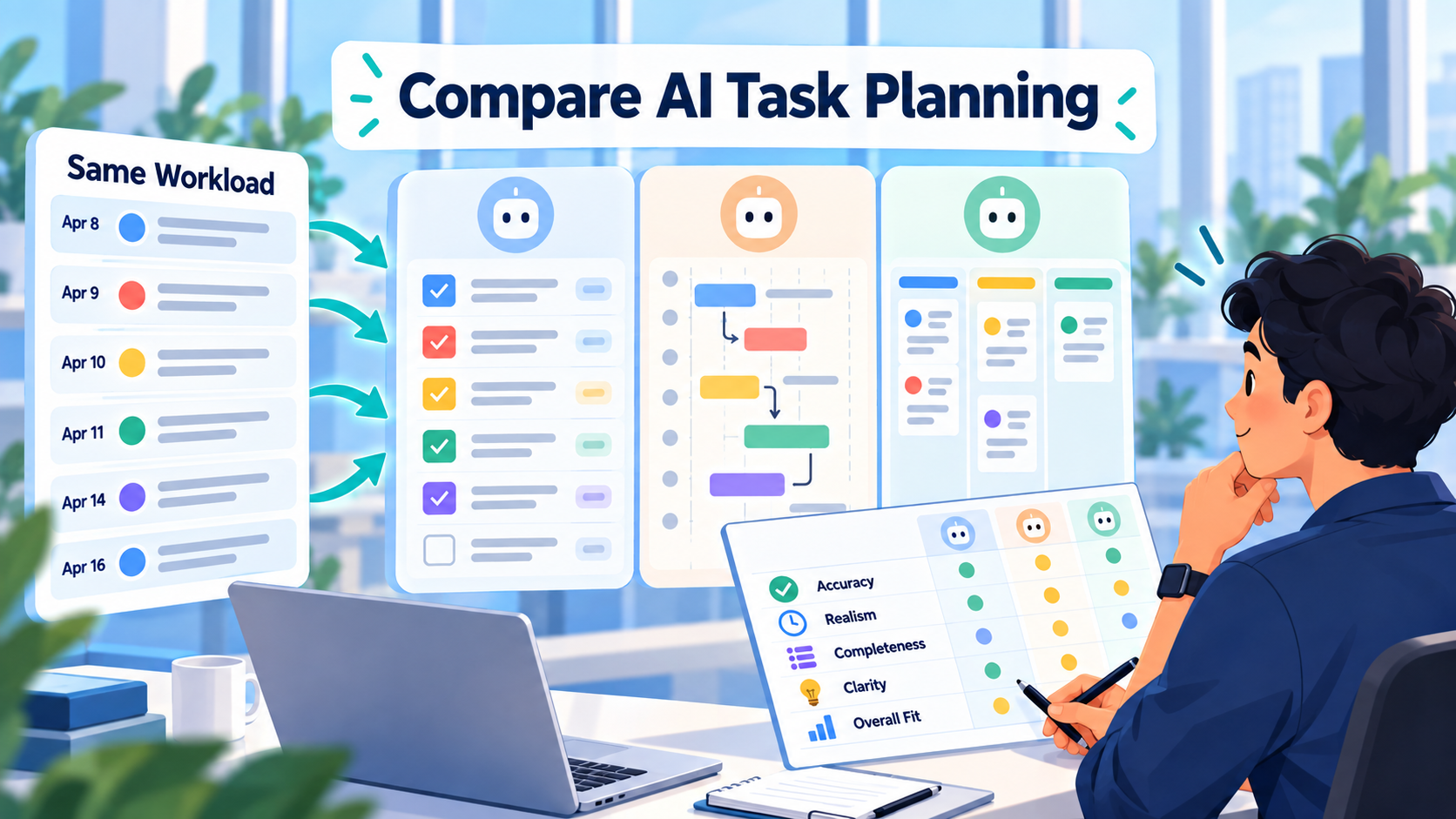
Claude, GPT, and Gemini can all produce convincing-looking task plans.
That does not mean they produce equally useful plans for your actual work.
The only meaningful comparison is:
same workload → same context → same constraints → same output format → same human review
Then ask:
- Did the model understand what mattered?
- Did it overload individual days?
- Did it respect dependencies?
- Did it use the work history correctly?
- Did it invent requirements?
- How much manual correction did the plan need?
That is much more useful than asking three models:
Plan my week.
and deciding that the longest or most polished response won.
There is also an important SelfManager.ai-specific limitation to state up front.
As of October 3, 2026, SelfManager's public AI documentation says its Fast mode is powered by Gemini 3 Flash and its Thinking mode by Gemini 3.1 Pro. Claude selection is described as coming later. GPT is not currently documented as a built-in SelfManager model selector.
So this article does not claim that Claude, GPT, and Gemini were run head-to-head inside SelfManager.ai.
Instead, it gives you a rigorous way to perform that comparison when the same work context can actually be supplied to all three.
Why Comparing Model Brands Is Harder Than It Looks
"Claude vs GPT vs Gemini" sounds like a simple comparison.
It is not.
Each name represents a model family.
The exact models change quickly.
As of October 2026, OpenAI's current frontier lineup includes GPT-6 Astra and the GPT-5.6 family. Anthropic has released Claude Fable 5.1 among its current models. Google has released Gemini 3.8 Flash in its wider Gemini lineup.
But those are not automatically the exact models available inside every third-party product.
For example, SelfManager's current public documentation still lists:
Fast: Gemini 3 Flash
Thinking: Gemini 3.1 Pro
rather than Google's newer Gemini 3.8 Flash.
That distinction matters.
You should never publish:
Gemini beat Claude.
without also recording:
- Exact model
- Model version
- Reasoning mode
- Date tested
- Context supplied
- Prompt
- Output
- Any retries
- Human corrections
Otherwise, you may really be comparing one product configuration against another rather than the underlying model families.
What Makes Task Planning a Good Model Test?
Task planning is a surprisingly difficult AI problem.
The model has to do more than generate plausible task names.
A useful plan often requires it to understand:
Priority
What actually matters?
Capacity
How much work can reasonably fit?
Dependencies
What must happen before something else?
Sequence
Which work belongs earlier or later?
Existing commitments
What is already planned?
Historical behavior
What does the person usually complete?
Uncertainty
Which tasks are underspecified?
Restraint
What should the model leave out rather than confidently invent?
A plan can sound intelligent while failing several of these.
That is why the final test should be the amount of correction required before you are willing to use it.
The Best Benchmark Uses Real Work
Do not compare models with:
Create a productive weekly schedule for a freelancer.
That measures their ability to produce generic productivity advice.
Give them the messy workload you actually have.
For example:
- Current client tasks
- Product development work
- Administrative obligations
- Personal commitments
- Deadlines
- Existing priorities
- Work already completed
- Tasks that slipped last week
- Days where you have less capacity
- Dependencies on other people
Then make every model solve the same planning problem.
Reusable Claude vs GPT vs Gemini Task-Planning Test
Use this structure.
Test Information
Test date:
[Date]
Model:
[Exact model and version]
Mode / reasoning level:
[If applicable]
Planning period:
[Dates]
Workload
[List every task exactly once.]
For each task, include only information all models will receive:
Task:
[Task]
Priority:
[Priority]
Deadline:
[If real]
Estimated effort:
[If known]
Dependency:
[If any]
Context:
[Relevant note]
Capacity
Monday: [Available work time]
Tuesday: [Available work time]
etc.
Historical Context
[Provide the same previous-work history to every model.]
Prompt
Use the exact same wording.
For example:
Build a realistic plan for this week from the workload and context supplied. Respect deadlines, dependencies, stated capacity, and existing commitments. Do not invent new obligations. Keep lower-priority work out of the week if it does not realistically fit. Explain anything you intentionally defer. Return the plan grouped by day.
Review Criteria
Score or annotate:
- Constraint compliance
- Priority judgment
- Capacity realism
- Dependency handling
- Use of historical context
- Quality of task sequencing
- Unsupported assumptions
- Number of manual corrections
- Final plan usefulness
Do not change the criteria after seeing which model produced which answer.
Clearly Fictional Worked Example
The following workload and model outputs are entirely fictional.
They are included only to demonstrate how a fair comparison should be structured.
They are not actual outputs from Claude, GPT, or Gemini, and they should not be interpreted as evidence that one model performs better than another.
Imagine Alex is a fictional solo founder who also handles freelance client work.
He wants an AI to plan Monday through Friday.
Fictional Workload
Client A
Finish checkout revisions
Priority: High
Estimate: 4h
Deadline: Tuesday
Dependency: none
Cross-browser checkout QA
Priority: High
Estimate: 2h
Deadline: Wednesday
Dependency: checkout revisions must be complete
Client B
Review homepage feedback
Priority: Medium
Estimate: 1h
Implement approved homepage changes
Priority: Medium
Estimate: 3h
Dependency: feedback review first
SaaS Product
Fix notification bug
Priority: High
Estimate: 3h
Write release notes
Priority: Medium
Estimate: 45m
Dependency: notification fix should be confirmed first
Prepare product update
Priority: Medium
Estimate: 2h
Dependency: release notes
Business Development
Send four proposals
Priority: Medium
Estimate: 2h total
Administration
Review invoices
Priority: Low
Estimate: 45m
Personal
Gym
Monday, Wednesday, Friday
Approximately 90 minutes each
Fictional Capacity
Monday: 6 work hours
Tuesday: 6 work hours
Wednesday: 5 work hours
Thursday: 6 work hours
Friday: 4 work hours
Total available professional work time:
27 hours
The listed professional tasks require approximately:
4h + 2h + 1h + 3h + 3h + 0.75h + 2h + 2h + 0.75h = 18.5 hours
So there is enough theoretical capacity.
But the dependencies still matter.
Historical Context
Alex also supplies this fictional historical context:
During the previous two weeks, development tasks estimated at three hours usually took between four and five hours. Friday afternoons were rarely productive for demanding technical work. Client deadlines should take priority over product development when they conflict.
That sentence can materially change the plan.
A model that ignores it may still produce an attractive schedule.
It would simply be less grounded in Alex's actual behavior.
The Same Benchmark Prompt
Every model receives:
Build a realistic Monday-Friday plan from the workload above. Respect deadlines, dependencies, daily capacity, and the historical context. Client deadlines take priority when necessary. Development work has recently taken longer than estimated, so leave reasonable buffer around technical tasks. Avoid demanding development work on Friday afternoon. Do not invent additional work. If everything does not need to be scheduled, explicitly defer lower-priority items.
Nothing else changes.
Fictional Output Style A
One hypothetical plan might produce:
Monday
- Finish checkout revisions
- Review Client B homepage feedback
- Send two proposals
Tuesday
- Buffer/finalize checkout revisions if needed
- Cross-browser checkout QA
- Begin notification bug
Wednesday
- Finish notification bug
- Implement Client B homepage revisions
Thursday
- Finish Client B revisions if needed
- Write SaaS release notes
- Prepare product update
- Send remaining proposals
Friday
- Review invoices
- Administrative cleanup
- Buffer for unfinished work
This output respects the main dependencies and keeps Friday lighter.
Fictional Output Style B
Another hypothetical model might schedule:
Monday
- Checkout revisions
- Notification bug
- Homepage feedback
- Send four proposals
Tuesday
- Checkout QA
- Homepage implementation
- Release notes
- Product update
Wednesday
- Remaining tasks
The plan looks efficient.
It is also suspicious.
Monday contains roughly:
4h checkout work
- 3h notification bug
- 1h homepage review
- 2h proposals
That is approximately 10 hours of estimated work inside a six-hour day, before accounting for the historical tendency for development tasks to take longer than expected.
The formatting can be excellent while the plan itself is unusable.
Fictional Output Style C
A third hypothetical response could take a more conservative approach:
Monday
Checkout revisions only, with one hour reserved for overflow and small administrative work.
Tuesday
Finish any checkout overflow, complete QA, then review Client B feedback.
Wednesday
Notification bug with technical buffer.
Thursday
Homepage revisions, release notes if notification fix is confirmed, and remaining proposals.
Friday
Product update, invoices, unfinished low-intensity work.
That may be more realistic.
But it also creates a question:
Why was Client B implementation delayed until Thursday when capacity may exist earlier?
This is where human judgment comes in.
A model does not win because it is aggressive.
It does not win because it is conservative.
It wins your workflow when its judgment needs the least harmful correction.
The Best Metric May Be Correction Burden
Suppose you run the real benchmark and get these results:
Model A
Beautiful formatting.
But:
- Overloads Monday
- Ignores one dependency
- Invents an unnecessary research task
You make four corrections.
Model B
Less polished.
But:
- Respects capacity
- Prioritizes the deadline correctly
- Leaves buffer
- Correctly defers one low-priority task
You make one correction.
Model C
Excellent reasoning.
But:
- Becomes overly cautious
- Leaves six hours unused
- Delays a task unnecessarily
You make three corrections.
The useful measure is not:
Which output sounded smartest?
It may be:
Which plan could I trust fastest after reviewing it?
For task management, correction burden is a very practical benchmark.
Measure Constraint Violations Separately
A planning model can make several kinds of mistakes.
Hard Constraint Violation
Example:
Schedules QA before the implementation it depends on.
That is serious.
Capacity Violation
Example:
Places nine estimated hours into a five-hour workday.
Serious.
Priority Error
Example:
Schedules low-priority administration while a deadline-critical task slips.
Serious.
Unsupported Assumption
Example:
Invents a Tuesday meeting that was never supplied.
Serious.
Preference Miss
Example:
Schedules deep technical work Friday afternoon despite being told that period is usually unproductive.
Important, but different from breaking a real dependency.
Tracking error categories makes the comparison more useful than one overall "quality" score.
Use a Human Review Checklist
Before accepting any AI-generated plan, ask:
Did everything come from the supplied workload?
If the model created new obligations, remove them unless they are clearly suggestions rather than assumed requirements.
Are the deadlines real?
Do not let AI strengthen soft intentions into hard deadlines.
Are dependencies in the correct order?
Testing should not happen before implementation.
A client update may need the work completed first.
Does the workload physically fit?
Add the estimated hours.
Do not trust visual neatness.
Did the model use historical context appropriately?
If previous weeks show a consistent pattern, the plan should at least acknowledge it.
Is anything important missing?
A model can obey the prompt beautifully while overlooking a high-priority task.
What would I personally change?
This is the final test.
The plan remains a proposal.
Why Work Context Matters More Than Model Branding
There is another problem with direct Claude vs GPT vs Gemini comparisons.
The model is only one part of the system.
Imagine Claude receives:
Plan my week.
while Gemini receives:
- Every task
- Priorities
- Deadlines
- Time tracked
- Past work
- Comments
- Statuses
- Existing projects
Even if Claude were theoretically stronger at the reasoning task, Gemini might produce the better plan because it has better context.
The reverse could also be true.
This is why productivity AI should be evaluated as:
model + context + product workflow + human review
not merely:
model name
How SelfManager.ai Currently Handles AI Planning
SelfManager's AI Plan currently lets you choose:
- One day
- One week
- A month
- A custom range up to 31 days
You describe what you want to accomplish, and SelfManager generates a proposed set of dated tables and tasks. You can optionally include up to three months of past work as planning context.
The output opens in an editable review stage before anything is committed.
You can:
- Rename tasks
- Change priorities
- Change statuses
- Remove tasks
- Add tasks
- Skip days
- Review the generated structure
Only after approval does the plan become normal dated tables in SelfManager.
That human-review stage is particularly important when comparing models.
The useful question becomes:
How much editing did this model require before I pressed Approve?
What Models Does SelfManager.ai Use Today?
As of October 3, 2026, the current public documentation lists two request modes:
| SelfManager mode | Current documented model | Starting AI credit cost |
|---|---|---|
| Fast | Gemini 3 Flash | From 1 credit |
| Thinking | Gemini 3.1 Pro | From 5 credits |
The cost can increase depending on how much context the request carries, and SelfManager shows the exact credit amount before a higher-cost request runs.
Claude is publicly described as planned for future model selection.
GPT is not currently documented as a built-in model choice.
So the honest current comparison inside SelfManager is:
Gemini Fast vs Gemini Thinking
not yet:
Claude vs GPT vs Gemini
Do Not Compare SelfManager Credit Costs With API Token Prices
Another common mistake is mixing pricing systems.
OpenAI, Anthropic, and Google can price API models by tokens or other usage units.
SelfManager uses its own AI-credit system.
Those are not directly equivalent.
For example, SelfManager currently says:
Fast: requests start at 1 credit.
Thinking: requests start at 5 credits.
Larger-context requests can cost more, and the exact amount is shown before the request runs.
If Claude or GPT model selection is added later, record the actual SelfManager credit cost shown for the same benchmark request at the time you test it.
Do not estimate it from the provider's public API pricing.
A Better Comparison Table
When all models you want to test are available, publish something like this:
| Test | Claude | GPT | Gemini |
|---|---|---|---|
| Exact model | [record] | [record] | [record] |
| Test date | [date] | [date] | [date] |
| Same workload | Yes | Yes | Yes |
| Same history | Yes | Yes | Yes |
| Same prompt | Yes | Yes | Yes |
| Credit cost | [actual] | [actual] | [actual] |
| Capacity violations | [count] | [count] | [count] |
| Dependency errors | [count] | [count] | [count] |
| Unsupported additions | [count] | [count] | [count] |
| Human corrections | [count] | [count] | [count] |
| Final notes | [notes] | [notes] | [notes] |
That table is much more useful than:
Claude felt thoughtful, GPT felt smart, Gemini felt fast.
Do Multiple Runs if You Want a Serious Result
One output is not enough for a strong benchmark.
Generative models vary between runs.
If you want conclusions you can defend, run the same task several times.
For example:
Run 1: normal messy working week
Run 2: overloaded week where not everything fits
Run 3: dependency-heavy project week
Run 4: week with substantial previous-work context
Run 5: mixed professional and personal commitments
Then look for repeated behavior.
Does one model consistently overload days?
Does another defer too aggressively?
Does one make better use of previous work?
Does one need fewer factual corrections?
Patterns matter more than one impressive output.
The Overloaded Week Is Probably the Best Test
The easiest planning benchmark is:
Here are 15 hours of work and 30 hours of capacity.
Every competent model can make that look good.
A more realistic test is:
Here are 36 hours of plausible work and 27 hours of actual capacity.
Now the model has to choose.
That exposes judgment.
Does it:
- Protect deadlines?
- Preserve important work?
- Drop low-priority tasks?
- Explain what it deferred?
- Ignore capacity and schedule everything anyway?
A planner becomes useful when it can say:
This does not all fit.
A model that schedules everything has not solved the planning problem.
It has hidden it.
Historical Context Is Another Strong Test
SelfManager's AI Plan can optionally use previous work as context.
That gives you another valuable benchmark.
Run the plan once without history.
Then run it with the same recent work history available.
Look for differences.
Does it recognize that:
- A recurring task usually takes longer?
- You repeatedly move something from Friday?
- Certain work has been unfinished for several days?
- Your existing cadence suggests a lighter day?
- You already completed part of the project?
That tests something more meaningful than raw model intelligence.
It tests whether the model can use personal work history to produce a better plan.
Do Not Pick a Permanent Winner Too Quickly
Even after a real test, the answer may not be:
Model X is the best task-planning model.
You may discover:
One model is best for fast daily cleanup.
Another is better when dependencies and context are complicated.
Another produces the most usable first draft for multi-day plans.
Model capabilities also change rapidly.
OpenAI, Anthropic, and Google all released major model updates during 2026.
A comparison should therefore record its date prominently.
The conclusion belongs to that benchmark and those model versions.
Not eternity.
Current SelfManager Choice: Fast or Thinking?
Until cross-provider selection is actually available, SelfManager users have a simpler decision.
Use Fast When
- The planning job is straightforward
- You want a quick draft
- The workload is relatively clear
- You expect to review and edit anyway
- Lower credit use matters
Use Thinking When
- The planning problem contains competing priorities
- The period contains substantial context
- Dependencies matter
- You want deeper reasoning over previous work
- The cost of a bad planning judgment is higher than the additional AI-credit cost
SelfManager currently describes Fast as the quicker option and Thinking as the deeper reasoning option for harder questions.
That is a more useful current comparison than pretending three provider options already exist.
Try the Benchmark on Your Own Week
You do not need a synthetic benchmark.
Use next week.
Step 1
Write down your real workload.
Include deadlines, priorities, approximate effort, and dependencies.
Step 2
Set your actual capacity.
Do not give AI an imaginary 12-hour productive day if you normally have six useful work hours.
Step 3
If using SelfManager, optionally include recent work history.
Step 4
Generate the plan.
Step 5
Before approving it, count:
- Tasks moved
- Tasks removed
- Tasks added
- Priority changes
- Dependency corrections
- Days that were overloaded
- Unsupported assumptions
Step 6
Save those observations.
When another model becomes available, run the same benchmark again.
That gives you evidence from your work rather than somebody else's generic model ranking.
The Most Important Question Is Not Claude vs GPT vs Gemini
The headline question is useful because models do differ.
But for task planning, there is a deeper question:
Which combination of model, context, and workflow gives me a plan I can trust after the least correction?
A powerful model with no knowledge of your actual workload may produce worse planning than a slightly weaker model embedded in a system that knows:
- Your tasks
- Priorities
- Deadlines
- Statuses
- Previous work
- Time records
- Project context
And even the best model should not get the final say.
Your available time is real.
Your commitments are real.
Your priorities are yours.
The AI plan is a proposal.
The best model is the one that helps you turn reality into a useful proposal with the least friction.
Try It in SelfManager.ai
Today, the practical test inside SelfManager is Fast versus Thinking.
Take one genuinely complicated upcoming week.
Use the same workload and the same historical context.
Generate one plan with Fast.
Before saving it, record what you would change.
Then run the equivalent planning problem with Thinking and review it using the same criteria.
Do not choose based on writing style.
Compare:
capacity, priorities, dependencies, assumptions, and correction burden.
SelfManager offers a seven-day trial with its AI features included, and AI Plan keeps generated plans in an editable review state before you approve them.
Task-specific CTA: Take one real overloaded week in SelfManager.ai, run the same planning brief through Fast and Thinking, count the corrections each plan needs, and keep that benchmark. If additional model providers become available later, rerun the identical workload instead of starting a new comparison from scratch.
Frequently Asked Questions
Which is better for task planning: Claude, GPT, or Gemini?
There is not enough information in this article to name a universal winner, because no controlled Claude/GPT/Gemini task-planning benchmark was performed here.
A meaningful comparison requires the same workload, context, prompt, constraints, model versions, and review criteria.
Why not simply compare the latest Claude, GPT, and Gemini models?
Because the model available inside a productivity application may not be the provider's newest public model.
The exact integrated version matters.
For example, SelfManager currently documents Gemini 3 Flash and Gemini 3.1 Pro even though Google has released newer Gemini models elsewhere.
Does SelfManager.ai currently let me choose Claude?
Not yet according to the current public documentation.
SelfManager says Claude model selection is planned.
Does SelfManager.ai currently let me choose GPT?
GPT is not currently documented as a built-in SelfManager model selection option.
The current public documentation lists Gemini-powered Fast and Thinking modes.
Which Gemini models does SelfManager currently use?
As of October 3, 2026, SelfManager's AI Features page says Fast is powered by Gemini 3 Flash and Thinking by Gemini 3.1 Pro.
How much does AI Plan cost in SelfManager credits?
Requests currently start at 1 AI credit with Fast and 5 credits with Thinking.
The price can rise when more context is included, and SelfManager shows the exact number before a higher-cost request runs.
Should I compare model API prices when choosing a SelfManager model?
No.
SelfManager uses its own credit system.
If additional providers become selectable inside SelfManager, compare the actual credit cost displayed by SelfManager for the same request rather than translating public API token prices yourself.
What is the best workload for testing AI task planning?
Use a real workload where priorities compete and not everything comfortably fits.
That forces the model to make planning decisions rather than merely distributing tasks across empty days.
Should every model receive my previous work history?
If historical context is part of the test, yes.
A fair comparison requires all models to receive the same relevant information.
Otherwise you are comparing context quality as well as model quality.
What should I measure in a task-planning benchmark?
Useful criteria include:
- Capacity violations
- Dependency errors
- Priority mistakes
- Unsupported assumptions
- Use of historical context
- Items incorrectly omitted
- Manual corrections required
- Final usefulness after review
Is the most detailed plan usually the best?
No.
More detail can make an unrealistic plan look convincing.
A good plan respects real capacity and is willing to leave lower-priority work unscheduled when it does not fit.
Should AI-generated plans be reviewed manually?
Yes.
SelfManager itself keeps AI Plan output editable before approval. Review workload, priorities, deadlines, dependencies, and any inferred assumptions before turning the proposal into your actual dated tasks.
Internal-Link Suggestions
Link 10 Best AI Task Managers with AI Planning in 2026 from the section explaining what genuine AI planning means and how planning differs from lighter AI assistance.
Link Daily Planner vs AI Auto-Scheduler: Which Is Better in 2026? from the discussion of whether the model should decide what belongs on a day versus automatically deciding exact calendar placement. (selfmanager.ai)
Link Best Task Managers That Keep a History of Completed Work in 2026 from the historical-context benchmark section, because past work becomes valuable when it improves the next plan. (selfmanager.ai)
Link Can One AI Task Manager Replace 6 Productivity Apps in 2026? from the section arguing that context and workflow matter in addition to the underlying model. (selfmanager.ai)
Link Introducing AI Plan: SelfManager.ai Now Plans Your Week, Not Just Reviews It for readers who want the original explanation of AI Plan's dated multi-day planning workflow. (selfmanager.ai)
Link How to Use SelfManager.ai: 10 Real Workflows for Work, Life, Planning, and AI Review for the broader plan → work → review workflow.
Link the final CTA to the SelfManager.ai AI Features page, where the current Fast/Thinking modes, AI Plan behavior, review stage, context limits, and credit rules are documented. (selfmanager.ai)
Date-based AI Task Manager
Plan smarter, execute faster, achieve more
Create tasks in seconds, generate AI-powered plans, and review progress with intelligent summaries. Perfect for individuals and teams who want to stay organized without complexity.
Get started with your preferred account