
Task Manager With Time Tracking or Separate Time Tracker: Which Do You Need?
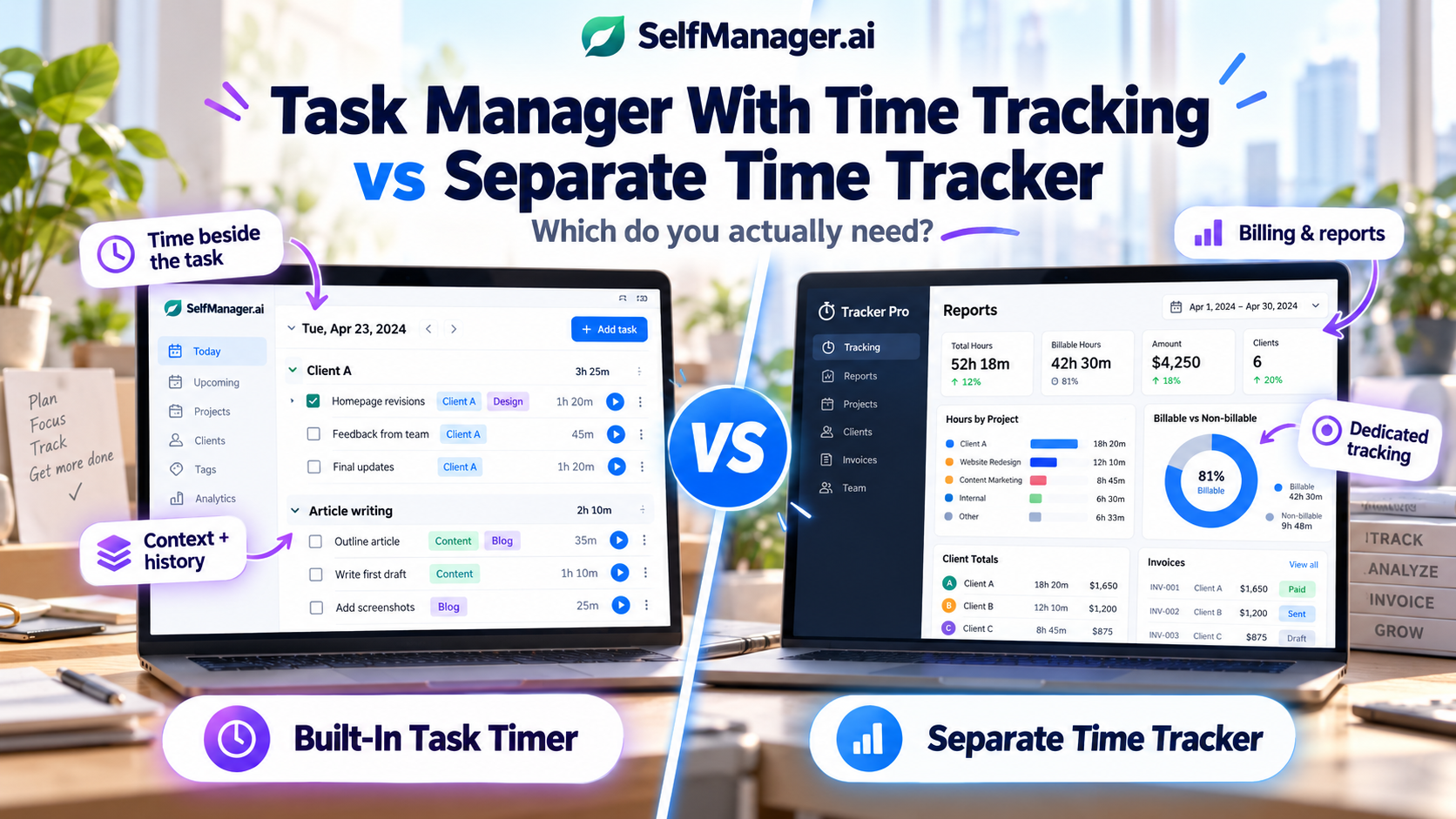
If your task manager already has a timer, do you still need a separate time-tracking app?
For many individuals, freelancers, founders, and knowledge workers, the answer is no.
If your main goal is to understand how long tasks take, where your day went, and how much time you spent on a particular client or project, tracking time directly beside the task is often enough.
But dedicated time trackers become much more useful once time turns into financial or operational data.
If you need billable rates, invoicing, profitability analysis, detailed reports, approvals, utilization, payroll workflows, or accounting integrations, a specialist time-tracking system can justify the extra app.
The distinction is simple:
Built-in task time tracking answers: “How long did this work take?”
A dedicated time tracker can also answer: “What is this time worth, how should it be billed, and what does it mean for the business?”
Let’s compare both approaches using exactly the same working day.
Product capabilities were checked on September 28, 2026.
Disclosure: This article is published by SelfManager.ai, which includes built-in task time tracking. We have deliberately included the situations where a separate specialist time tracker is the better tool.
Task Manager Time Tracking vs Separate Tracker at a Glance
| Need | Built into task manager | Separate time tracker |
|---|---|---|
| Start/stop timer on a task | Usually enough | Yes |
| Know how long a task took | Yes | Yes |
| See where your own day went | Yes | Yes |
| Keep time beside task context | Strong advantage | Usually more separated |
| Compare time across work | Often enough | Usually stronger |
| Track client hours | Often enough for basic use | Stronger |
| Billable vs non-billable time | Sometimes limited | Usually better |
| Different hourly rates | Often not supported | Common |
| Generate invoices | Usually no | Available in some specialist tools |
| Profitability reporting | Usually limited | Stronger |
| Timesheet approvals | Usually no | Common on team plans |
| Accounting integrations | Usually limited | Stronger |
| Team utilization/capacity | Basic at best | Often much stronger |
| Fewer apps to maintain | Strong advantage | Requires another system |
The question is therefore not whether a specialist tracker has more time-tracking features.
It usually does.
The question is whether you need them.
A Realistic Freelancer Workday
Imagine Daniel, a freelance developer with three things to accomplish on Tuesday:
Client A
Fix a checkout bug.
Estimated effort: around two hours.
Client B
Finish homepage revisions.
Estimated effort: around 90 minutes.
His own business
Write and publish an article.
Estimated effort: around two hours.
He also needs to answer email, handle a small administrative task, and join a 30-minute client call.
Daniel wants to know where his day actually goes.
There are two ways he can build the system.
Option 1: Track Time Directly Inside the Task Manager
Daniel opens Tuesday in his task manager.
His Client A table contains:
Fix checkout bug
When he begins working, he starts the timer attached to that task.
One hour and 47 minutes later, he stops it.
Then he begins:
Test checkout on mobile devices
He tracks another 23 minutes.
For Client B he records:
Homepage revisions - 1h 38m
And for his own business:
Write article - 1h 52m
At the end of the day, he can see both the work and the time beside it.
That connection is valuable.
The timer does not say only:
Client A - 2h 10m
It says what the time was actually spent doing.
Why Task-Level Context Matters
Suppose Daniel looks back at this Tuesday six weeks later.
He does not merely see that Client A consumed more than two hours.
He sees:
Fix checkout bug - 1h 47m
Test checkout on mobile devices - 23m
The same task record may also contain:
- Status
- Priority
- Notes
- Comments
- Images
- Deadline
- Other context from the day
That can be more useful than a disconnected time entry.
Instead of asking:
Why did I spend two hours on Client A?
the explanation may already be sitting beside the tracked time.
This is one of the main advantages of having time tracking inside the task system.
The measurement lives beside the work being measured.
What Daniel Can Learn Without a Dedicated Time Tracker
After several weeks, relatively simple tracking can already answer useful questions.
Daniel might discover that:
- Website bugs usually take longer than he expects.
- Client B consumes roughly twice as much time as he assumed.
- Writing articles consistently takes around two hours.
- Email and administrative work consume several hours per week.
- Monday is usually his highest-workload day.
- High-priority tasks are consuming most of his tracked hours.
None of those questions requires invoicing software.
They require the connection between tasks and time.
For personal planning, that can be enough.
SelfManager.ai's Built-In Approach
SelfManager.ai includes a start/stop timer plus manual time entry.
Time can be recorded at the individual task level and accumulated at the table level.
The current product also provides weekly breakdowns by day and time analytics connected with task priority and status.
Because the work itself is organized around dates, tracked time becomes part of the historical record.
Tuesday does not just tell Daniel:
You worked 6 hours and 14 minutes.
It can tell him what those hours belonged to.
That data can also become context for later AI Review.
Daniel could ask:
Where did most of my time go this week?
Which client consumed the most tracked time?
What high-priority work took longer than expected?
Which unfinished tasks already consumed significant time?
That is a broader productivity use case than traditional timesheets.
When Built-In Time Tracking Is Probably Enough
A task manager timer is often sufficient if your goal is mainly personal understanding.
For example, you want to know:
- How long tasks actually take
- Whether your estimates are realistic
- Which projects consume your week
- How much time you spend on different clients
- Whether low-priority work is stealing too much attention
- What happened during a specific working day
- How your workload changed across a week
In those cases, adding a second app can create more friction than value.
Every piece of work now has two states:
The task in the task manager.
The timer in the time tracker.
You have to keep both accurate.
The Hidden Cost of Using Two Systems
Imagine Daniel starts the checkout task in his task manager.
Then he opens a separate time-tracking application.
He searches for Client A.
Selects the project.
Selects or types the task.
Starts the timer.
When the work changes, he needs to remember to stop that timer and start another one.
At the end of the day, he may have:
Task details in one application.
Time entries in another.
Client conversations somewhere else.
The setup is perfectly reasonable if the dedicated tracker provides data he needs.
But if all Daniel wanted to know was:
How much time did I spend fixing the checkout?
he has added another system simply to reproduce information that could have lived beside the task.
This is why the simplest rule is:
Do not separate time from tasks unless separating it gives you something useful in return.
Read more: can one AI task manager replace 6 productivity apps?
Now Change the Scenario: Daniel Bills by the Hour
The decision changes immediately.
Suppose Client A is billed at $100 per hour.
Client B is billed at $80 per hour.
Some meetings are billable.
Some administrative time is not.
Daniel sends invoices every month.
He also wants to know whether fixed-price projects are actually profitable.
Time is no longer only productivity information.
It is financial data.
Now a specialist tracker becomes much more valuable.
Billable and Non-Billable Time
Consider Tuesday again.
Daniel spends:
| Work | Time | Billing |
|---|---|---|
| Client A checkout fix | 1h 47m | Billable |
| Client A mobile testing | 23m | Billable |
| Client B revisions | 1h 38m | Billable |
| Client B call | 30m | Non-billable under contract |
| Write own article | 1h 52m | Internal |
| Administration | 32m | Internal |
A simple task timer records the durations.
A dedicated time tracker can attach business meaning to those durations.
Now Daniel may want to know:
How many billable hours did I work?
What revenue did those hours represent?
Which client generated most of this month's billable work?
Which project exceeded its budget?
How much non-billable work am I providing?
Is this fixed-fee project still profitable?
That is where specialist software earns its place.
What Dedicated Time Trackers Add
Consider tools such as Toggl Track or Harvest.
Their purpose is not merely starting and stopping clocks.
They build business workflows around the time entries.
For example, dedicated systems can support capabilities such as:
- Billable rates
- Billable versus non-billable entries
- Client and project reporting
- Project budgets
- Revenue analysis
- Profitability calculations
- Timesheet approvals
- Detailed exports
- Invoicing
- Accounting integrations
- Capacity and utilization reporting
Those features are unnecessary for someone tracking how long their gym workout or article writing takes.
They can be essential for a consultancy billing thousands of client hours.
Read more: top 10 time tracking apps in 2026.
Example: Why Hourly Rates Change the Calculation
Suppose Daniel works ten hours for Client A.
A basic tracker can tell him:
Client A - 10 hours.
But imagine the work contains:
- Development: 6 hours at $120/hour
- Consulting: 2 hours at $150/hour
- Support: 2 hours at $80/hour
Those ten hours do not all have the same financial meaning.
A specialist time-tracking system can apply rates and convert tracked time into billing information.
A task manager may know what Daniel did.
The dedicated tracker knows what those hours are worth.
That is a meaningful distinction.
Invoicing Is Another Clear Dividing Line
If you manually create one fixed-price invoice every month, you may not need time tracking connected to billing at all.
But consider a freelancer with eight hourly clients.
At the end of the month they need to:
- Collect all billable time
- Separate non-billable entries
- Apply client rates
- Review each project
- Generate invoices
- Send them
- Potentially synchronize the information with accounting software
A dedicated system can make that substantially easier.
Harvest, for example, currently combines time tracking with invoicing, expenses, team reporting, and accounting/payment integrations.
A task manager with a timer should not pretend to replace that entire workflow.
Reporting Can Justify the Extra App Too
Personal tracking often needs relatively simple reports.
You may want to know:
I spent 11 hours on Client A this week.
A business may need something much more detailed:
Show billable hours for Client A during September, grouped by team member and project, excluding internal meetings, with a comparison against the budget.
That is a different category of reporting.
Specialist tools tend to offer deeper filters, saved reports, exports, dashboards, and financial metrics because that is their core job.
Teams Make Dedicated Tracking More Valuable
The difference becomes even clearer once several people are tracking time.
Imagine a five-person agency.
Management may need to know:
- How many hours each project consumed
- How much time is billable
- Whether employees submitted timesheets
- Whether managers approved them
- How much capacity the team has next week
- Whether projects are approaching their budget
- What utilization looks like across the team
A simple task timer can collect some of the raw information.
A specialist system is designed to turn that information into operational reporting.
That does not make the specialist tool universally better.
It means the requirements changed.
The Best Setup Can Also Be Both
The decision does not have to be:
Task manager OR time tracker.
Some people legitimately need both.
For example, Daniel might use SelfManager.ai as his personal operating system.
That is where he keeps:
- Daily tasks
- Client context
- Priorities
- Notes
- Comments
- Work history
- AI reviews
He might then use a dedicated tracker only for billable client work.
That tracker has a narrower job:
Produce accurate billing and financial records.
This can work well because the two applications are no longer trying to duplicate each other.
The task manager answers:
What am I doing and what happened?
The specialist tracker answers:
What time must be billed and reported?
The problem comes when both tools are maintaining identical information without a clear reason.
Do You Need Every Minute of Your Life Tracked?
Probably not.
Time tracking becomes less useful when the act of measuring creates more friction than the information is worth.
You do not necessarily need timers for:
- Buying groceries
- Calling a family member
- Taking a shower
- Every five-minute email
- Every small personal task
Track time when the answer may change a future decision.
For example:
This type of client project always takes twice as long as I estimate.
Useful.
I spent seven minutes checking my bank account.
Probably not useful.
The purpose is not to construct a perfect surveillance record of your own day.
It is to collect enough evidence to plan and work better.
Time Tracking Is Especially Useful for Estimation
One underrated benefit of keeping time beside tasks is learning how bad your estimates are.
You may repeatedly predict:
This should take 30 minutes.
Then the history shows:
45 minutes.
52 minutes.
49 minutes.
61 minutes.
At that point you have evidence.
The next time the same type of work appears, the realistic estimate is probably closer to an hour.
That improves daily planning even if you never bill anyone by the hour.
For knowledge workers, this may be the most valuable reason to track time at all.
Time Tracking Also Improves Weekly Reviews
Imagine looking back at a week containing 35 completed tasks.
That tells you something.
Now add time.
You discover:
- 12 tasks took less than 15 minutes each.
- One debugging task consumed four hours.
- Client calls consumed six hours.
- Administrative work consumed three hours.
- Your most important project received only 90 minutes.
Suddenly the week looks different.
Task counts describe activity.
Time describes weight.
A weekly review becomes more useful when it can see both.
That is why SelfManager.ai includes tracked time in its dated work record and makes it available as context for period reviews.
A Simple Decision Framework
Choose built-in task-manager time tracking when your main questions are about yourself and your work:
“How long did this take?”
“Where did my day go?”
“Which project consumed my week?”
“Am I estimating accurately?”
“Which client takes most of my attention?”
Choose a separate time-tracking system when your questions increasingly sound like accounting or operations:
“How much should this client be billed?”
“What is our utilization?”
“Which project is profitable?”
“Has everyone submitted their timesheet?”
“Are we above budget?”
“What revenue does this time represent?”
And use both when you genuinely need both categories of answer.
When SelfManager.ai Is Enough
SelfManager.ai's built-in time tracking is particularly suitable if you are an individual, freelancer, founder, consultant, or small team primarily interested in connecting time to actual work.
The current system supports:
- Start/stop task timers
- Manual time entry
- Per-task totals
- Per-table totals
- Weekly time breakdowns
- Time analytics by priority and status
- AI Review that can use tracked time alongside tasks and other context
That makes it useful for productivity, work history, planning, and basic client-time visibility.
It does not mean SelfManager.ai should replace dedicated billing, payroll, accounting, or advanced workforce-management software.
If those capabilities matter to you, use the specialist system.
The Simplest Answer
If you currently use a separate tracker and cannot name what it gives you beyond:
It has a timer.
you may not need it.
If your task manager already records time beside the work, try using only that for a week.
At the end of the week, ask:
- Can I tell where my time went?
- Can I see how long important tasks took?
- Can I compare clients or projects?
- Can I make better estimates next week?
- Is there any report or billing information I am missing?
If the answer to the last question is no, the simpler setup may be enough.
If you immediately miss billable rates, invoices, financial reports, approvals, or detailed exports, you have found a real reason to keep the dedicated tracker.
The goal is not to use fewer apps at any cost.
It is to make sure every app has a job.
Try Task-Level Time Tracking With Real Work
If you want to test the built-in approach, do not track your entire life.
Choose one normal working week.
Track only meaningful work:
Client projects.
Deep work.
Administrative work.
Your own business.
At the end of the week, compare what you thought would take time with what actually did.
If that information is enough to improve the next week, you may not need a specialist time tracker.
SelfManager.ai includes its time-tracking features during the current 7-day free trial, with no credit card required.
If your needs later expand into billing or advanced financial reporting, keep the task system and add a specialist tool for the part it actually does better.
Frequently Asked Questions
Is a task manager with time tracking enough for freelancers?
It can be.
If you mainly need to know how much time different clients or tasks consume, task-level tracking may be sufficient.
If your freelance workflow depends on hourly billing, different rates, invoice generation, detailed client reports, or accounting integrations, dedicated tracking software may be more appropriate.
What is the advantage of tracking time inside a task manager?
Context.
The time entry remains connected with the task, date, project, notes, status, and other information about the work.
That makes it easier to understand not only how long you worked, but what actually happened during those hours.
What is the advantage of a separate time tracker?
Specialization.
Dedicated trackers often provide stronger reporting, billable rates, invoicing, budgets, profitability analysis, timesheet approvals, exports, and integrations with financial systems.
Does SelfManager.ai support a task timer?
Yes.
SelfManager.ai currently provides a built-in start/stop timer plus manual time entry, with per-task and per-table totals and broader weekly time analytics.
Does SelfManager.ai generate invoices from tracked time?
No.
SelfManager.ai should not be treated as invoicing or accounting software.
If generating invoices directly from billable time is part of your workflow, use appropriate specialist software alongside it.
Can I use SelfManager.ai and Toggl or Harvest together?
Yes.
There is no requirement to use only one.
A reasonable setup is to keep planning, task context, and reviews in SelfManager.ai while using a specialist tracker for billable time, invoicing, or financial reporting.
Is time tracking useful if I do not bill by the hour?
Yes.
Time tracking can improve estimates, reveal where your week goes, identify unexpectedly expensive tasks, and provide better evidence for weekly reviews.
You do not need billable work for that information to be valuable.
Date-based AI Task Manager
Plan smarter, execute faster, achieve more
Create tasks in seconds, generate AI-powered plans, and review progress with intelligent summaries. Perfect for individuals and teams who want to stay organized without complexity.
Get started with your preferred account