
Voice Notes for Client Projects: Keep the Audio, Transcript, and Tasks Together
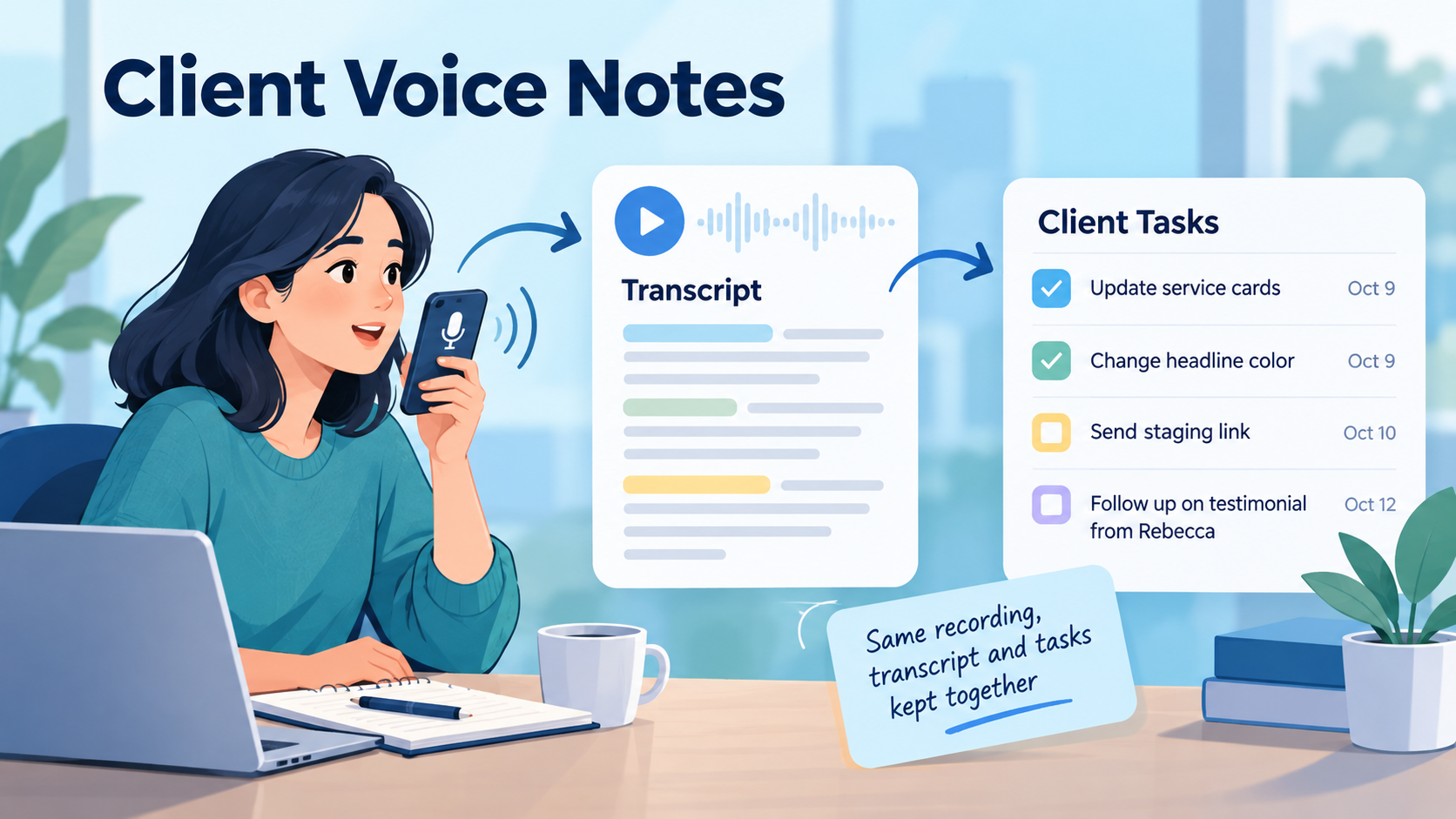
Client work produces a lot of information that never becomes a formal document.
You leave a client call and remember an important detail.
You notice a problem while testing something away from your desk.
A solution occurs to you while walking.
You want to explain why a change was made, but the thought is easier to say than type.
So you record a voice note.
The capture is easy.
The problem comes later.
A recording called something like:
Recording 47
sitting inside a separate voice-memo app tells you almost nothing three months from now.
The more useful workflow is:
client project → voice note → transcript → project context → resulting tasks → later retrieval
The recording preserves what you said.
The transcript makes it readable and usable.
The project tells you why it mattered.
And the tasks capture what you decided to do about it.
Voice Notes Are More Useful When They Stay With the Project
Voice recording is already available almost everywhere.
Your phone can record audio.
Your computer can transcribe speech.
Many AI products can turn speech into text.
But client-project work has an additional requirement:
context.
Suppose you record:
The client is fine with the new checkout layout, but they definitely don't want us touching the current payment flow before the migration is tested. I should create a staging test for the product-page changes first and send them an update Thursday.
The audio contains several useful pieces of information:
- The client approved the new checkout layout.
- The existing payment flow should remain untouched for now.
- Migration testing needs to happen first.
- A staging test is needed.
- A client update should happen Thursday.
If that recording remains isolated in a voice recorder, someone still has to remember:
Which client was this?
Which project?
Was the change already implemented?
Did the staging test happen?
Was Thursday's update sent?
The voice note becomes substantially more useful when it lives beside the work it describes.
Voice Capture and Project Memory Are Different Problems
There are really two separate jobs here.
Capture
Get the thought out quickly.
Voice is particularly useful when speaking is easier than stopping to type a polished note.
Retention
Make the thought useful later.
That requires:
- The original recording when worth keeping
- A readable transcript
- The correct project context
- Any resulting tasks
- Later status changes
A fast voice-capture tool can solve the first problem without solving the second.
For client work, the second problem often matters more.
A Reusable Client Voice Note Template
You do not need to speak in a rigid format.
But when the recording concerns an important client project, this structure can make the resulting transcript easier to use.
Client Voice Note
Client / project:
[Say the project if the recording might otherwise be ambiguous]
What happened:
[Describe the situation]
Important context:
[Why it matters]
Decision:
[What was decided, if anything]
Next actions:
[What needs to happen]
Dependency or blocker:
[What must happen first]
Follow-up:
[Anything you need to revisit later]
You could speak naturally:
Northstar website. Just finished reviewing the homepage feedback. Client wants to keep the current hero image but make the text section shorter. Do not replace the image with the alternative version we showed yesterday. I need to shorten the hero copy, update the mobile spacing afterward, and send them staging by Friday.
That is enough.
The goal is not perfect dictation.
It is preserving useful context while the thought is fresh.
Clearly Fictional Example: A Client Website Project
The following client, project, recording, transcript, tasks, and outcomes are entirely fictional.
No real recording was supplied, and no product workflow was tested specifically for this example.
Imagine Maya is a freelance developer working on a website redesign for a fictional consulting company called Clearpath Advisory.
She has just finished a client call while away from her desk.
Instead of trying to type everything on her phone, she records this voice note.
Fictional Voice Note
Clearpath homepage call, October 8. They approved the new service cards and the darker headline text. Keep the current hero photo - they don't want the alternative office image anymore. The testimonial section is still waiting for the final quote from Rebecca, so don't publish that part yet. I need to update the service cards tomorrow, switch the headline color, and send a staging link after those two changes. Also remind them Thursday if the testimonial hasn't arrived.
That takes less than a minute to say.
But it contains several different kinds of project information.
Step 1: Keep the Transcript
After transcription, Maya has readable text she can scan rather than replaying the entire recording every time she needs the details.
The transcript preserves:
Approved
- New service-card direction
- Darker headline text
Rejected
- Alternative office hero image
Blocked
- Testimonial section, waiting for final quote from Rebecca
Actions
- Update service cards
- Change headline color
- Send staging link afterward
Follow-up
- Check Thursday whether testimonial content has arrived
That already turns a temporary thought into usable project memory.
Step 2: Separate Context From Tasks
Not every sentence should become a task.
This:
They don't want the alternative office image anymore.
is important project context.
But Maya probably does not need a task saying:
Do not use alternative hero image.
The useful action may simply be to preserve that decision where the homepage work is documented.
Meanwhile:
Update service cards tomorrow.
is clearly actionable.
And:
Remind them Thursday if the testimonial hasn't arrived.
is a conditional follow-up.
The transcript should therefore be interpreted rather than blindly converted line by line.
Human-Reviewed Result
After reviewing the fictional recording, Maya could keep this project context:
Recorded Decisions
Hero image: Keep the current photo. The alternative office image was rejected.
Headline: Client approved darker headline text.
Service cards: New direction approved.
Blocker
Testimonial section: Waiting for Rebecca's final quote. Do not publish that section until the content arrives.
Tasks
- ☐ Update homepage service cards
- ☐ Change hero headline text color
- ☐ Send staging link after both homepage changes are complete
- ☐ Thursday: check whether testimonial quote has arrived
That is far more useful than simply storing an audio file.
The Original Audio Can Still Matter
Once a transcript exists, you may wonder why the recording is worth keeping.
Sometimes it is not.
If you dictated:
Buy printer paper tomorrow.
the transcript is probably enough.
But client-project recordings can contain qualities the transcript does not fully preserve:
- Emphasis
- Hesitation
- Tone
- The way you originally explained a complicated idea
- Details you may want to hear again in their original form
Perhaps Maya's fictional recording says:
They really don't want the alternative office image anymore.
The transcript captures the words.
The original audio also preserves how strongly the point was expressed.
That can occasionally matter when revisiting project context.
How Voice Works in SelfManager.ai
SelfManager.ai currently supports voice in several different places.
Its Voice to Text feature works in table comments, table notes, and AI prompt boxes such as AI Plan, AI Review, table chat, pinned-table chat, and task generation. When voice is used for a comment or note, the transcript can remain in that project context and the user can choose whether to keep the original audio. Kept recordings receive a player and can also be accessed from the All Recordings page with a link back to the table they came from.
That creates a useful distinction:
transcript only when the words are enough
or
transcript + original recording when the audio is worth preserving.
SelfManager also now has an Audio section on each table. Audio can be recorded there or an existing audio file can be added to the table, and transcription can be requested when the written version is actually useful.
For client projects, this means the recording can remain attached to the table where the relevant work lives instead of becoming another detached voice memo.
A Practical SelfManager Workflow
Suppose you maintain a Clearpath Advisory table for the active website work.
You could use voice in several ways.
Option 1: Dictate a Project Comment
Record your post-call thought as a comment.
SelfManager transcribes it.
Review the transcript.
Keep the audio if the original recording is useful.
Now the spoken context remains beside the client work.
Option 2: Record Into the Table's Audio Section
If the recording itself is the important artifact, keep it in the project's Audio section.
This is useful for longer project thoughts or audio you already recorded elsewhere and want associated with the correct work.
Option 3: Use Voice to Brief AI
If you only want to ask AI something, you can speak into the AI prompt instead of typing.
SelfManager's current documentation says audio from AI prompt boxes is used for transcription rather than being retained as a saved project recording.
That makes sense for questions such as:
Based on this project, what should I work on next?
A temporary AI instruction is different from a voice note you want to preserve.
Use AI on the Transcript, Not as a Substitute for the Transcript
Once spoken information becomes text inside the project context, it becomes much easier to work with.
SelfManager's current voice documentation explains that transcribed comments can become part of AI Review context when comments are included, while table notes are also available as table/project context.
For the fictional Clearpath example, Maya could ask:
Review this table and the included comments. What decisions from the client should affect the remaining homepage tasks?
Or:
Based only on the recorded project context, list the open actions and anything currently blocked.
The AI is not interpreting vocal tone from the original audio in this workflow.
It is using the written transcript and other recorded project information.
That distinction matters.
Review the Transcript Before Depending on It
Speech transcription can make mistakes.
Client names, technical words, brand names, URLs, product terminology, and unusual names can be especially easy to mishear.
Imagine the fictional client says:
Keep the current hero image from Unsplash.
and the transcript produces something incorrect.
Or a technical note says:
Update the GA4 event.
but the transcript misinterprets the term.
Before turning a voice note into project memory, quickly check:
Names
Are client and colleague names correct?
Numbers and Dates
Was "Thursday the 15th" transcribed correctly?
Technical Terms
Are product names, APIs, event names, URLs, or technical phrases accurate?
Decisions
Did the transcript accidentally change a negative?
Don't replace the hero image
is very different from:
Replace the hero image.
Actions
Did the words actually indicate commitment, or were you brainstorming?
A 30-second review can prevent a transcription mistake from becoming a project mistake.
Then Review Any AI-Generated Tasks
There is another review layer.
A correct transcript does not guarantee correct task extraction.
Suppose you say:
I thought about rebuilding the pricing page, but that's definitely not part of this round.
The transcript may be perfect.
But an overly aggressive task-extraction process could still produce:
Rebuild pricing page.
That would be wrong.
For client voice notes, check whether every generated task represents something that was actually decided.
Keep:
Follow up Thursday about missing testimonial.
Do not keep:
Replace hero image
when the recording explicitly said not to replace it.
Voice Notes Are Particularly Useful Immediately After Calls
Formal meeting notes are useful when a meeting deserves them.
But many client interactions are smaller.
A ten-minute call.
A phone conversation while away from your desk.
A quick screen-share.
A client catches you between tasks.
You leave the conversation knowing exactly what changed, but you do not want to spend another ten minutes writing a formal summary.
A short voice note can preserve:
What changed?
What did they approve?
What did they reject?
What am I waiting for?
What do I need to do?
That is often enough.
Voice Notes Can Capture Implementation Reasoning Too
Not every useful client-project recording comes directly from a client conversation.
Imagine you are debugging something and suddenly realize:
The mobile layout breaks because the third-party widget injects a fixed width. I don't want to override the whole widget globally because it also appears in checkout. Fix only the product-page wrapper and test checkout afterward.
Stopping to type that reasoning may interrupt the work.
A voice note can preserve it immediately.
Later, the transcript explains not just what you changed, but why.
If the reasoning represents an important project choice, it may also belong in a more deliberate decision record.
Related: Project Decision Log Template: Keep the Reason Behind Every Change.
Voice Notes Can Also Explain Blockers
Suppose you finish working for the day and record:
Migration is paused. The code is ready, but we're still missing production API access from the client. Don't spend more time debugging authentication until they send the credentials.
That is useful context for tomorrow.
The task alone:
Complete migration
would make the project look stalled.
The voice transcript explains why.
This becomes even more useful during a later weekly review, because the historical record contains the reason the work did not move.
Voice Notes Are Different From Voice-To-Task Apps
There is already a separate question:
Which task manager has the best voice capture?
That is a product-comparison problem.
This article is about a different job.
The goal is not merely:
say something and get a task.
It is:
capture spoken client context and preserve enough of it that the context remains useful while the project evolves.
SelfManager.ai already has a separate comparison of current AI task managers with voice capabilities for readers choosing between products.
Related: Best AI Task Managers With Voice Capture in 2026
That article owns the product-selection question.
This workflow owns the client-project memory question.
Voice Fits Naturally Into a Digital Memory System
One reason voice matters is that some thoughts are faster to say than to structure.
If every useful idea first has to become a perfectly written note, some of those ideas never get captured.
A digital memory system should reduce that friction.
The important part is what happens after capture.
The information should become:
- Findable
- Readable
- Connected to its project
- Available when reviewing previous work
- Useful for future decisions
That broader idea is explored in Why People Who Think for a Living Need a Digital Memory System.
For client work, voice is simply another input into that memory.
Keep Audio Selectively
You do not need a permanent recording of every thought.
A sensible approach is:
Keep the transcript only when:
- The audio has no additional value
- The thought is simple
- You only need searchable written context
- The recording is temporary dictation
Keep the recording and transcript when:
- The original explanation may matter later
- The reasoning is nuanced
- You want to preserve how the thought was expressed
- The audio is itself useful project material
SelfManager's current voice workflow supports this choice for voice-to-text comments and notes: after transcription, the user can keep or delete the audio while retaining the transcript.
That avoids turning voice capture into an uncontrolled archive of recordings.
A Simple Client Voice-Note Routine
After an important client interaction, record four things.
1. What Changed?
Client approved the new cards.
2. What Was Decided?
Keep the current hero image.
3. What Is Blocked?
Testimonial cannot publish until final quote arrives.
4. What Happens Next?
Update cards, change headline color, send staging, follow up Thursday.
Then review the transcript.
Correct anything important.
Update or create the tasks you actually intend to perform.
Keep the audio only when it has lasting value.
That entire routine can take less time than reconstructing the call several days later.
Return to the Recording Only When You Need It
The transcript should handle most everyday retrieval.
You can scan it.
Search the surrounding project context.
Ask AI questions based on the text.
The original recording becomes a deeper source you can return to when necessary.
That is a more useful relationship between audio and text than forcing yourself to replay every voice note to understand what it contains.
SelfManager's current All Recordings view is specifically designed to keep retained recordings connected back to their originating tables rather than presenting them only as isolated audio files.
Try It With One Client Project
Do not start by recording everything.
Choose one active client.
The next time you finish an important call or have a complicated project thought:
- Record a short voice note in the relevant client table.
- Generate or review the transcript.
- Correct important names, dates, negatives, and technical terms.
- Separate decisions and context from actual actions.
- Update or create only the tasks you genuinely need.
- Keep the original audio only if it adds value.
- Later, use that same project context when reviewing what happened.
The test is not whether speech recognition works.
That part is easy to demonstrate.
The real test is:
A few weeks later, can you still understand what happened, why it mattered, and what you did about it?
Task-specific CTA: Pick one active client project in SelfManager.ai. After your next client call, record a short project voice note, keep the transcript beside the work, turn only the confirmed next actions into tasks, and return to the same context during your next client or weekly review.
Frequently Asked Questions
What is a client-project voice note?
A client-project voice note is a spoken record of information related to active client work.
It might capture a decision, requirement, blocker, implementation thought, follow-up, or several of those at once.
The important part is keeping enough project context that the recording remains understandable later.
Should I turn every voice note into tasks?
No.
A voice note may contain decisions, background information, rejected ideas, blockers, and tasks.
Only genuine actions should become tasks.
Why keep both the recording and transcript?
The transcript is easier to scan, search, review, and use as written project context.
The original recording can preserve emphasis, uncertainty, and the original explanation when those details are worth retaining.
For simple notes, the transcript alone may be enough.
Can SelfManager.ai save the original voice recording?
Yes.
When voice is transcribed into supported comments or table notes, SelfManager currently lets the user choose whether to keep or delete the original audio. The transcript remains either way. Kept recordings have a player and appear in All Recordings.
Can I add existing audio to a SelfManager project?
Current SelfManager documentation says each table has an Audio section where audio can be recorded directly or an existing audio file can be added to the table.
Does SelfManager.ai automatically turn every recording into tasks?
The workflow described here does not depend on automatic task creation from every recording.
Review the transcript and determine which parts are actual actions before modifying the project.
Can SelfManager AI listen to the original audio when reviewing my project?
The documented workflow uses the transcript as AI-readable context. The value of retaining the original recording is that you can return to it yourself when needed; do not assume AI is interpreting vocal tone or reasoning directly from the saved audio during table review.
How long can a SelfManager voice recording be?
Current Voice to Text documentation states a single recording can be up to 10 minutes.
Should I review an AI transcript?
Yes.
Check important names, dates, technical language, numerical values, and especially statements where a missing word such as “not” could reverse the meaning.
Are voice notes a replacement for proper client documentation?
Not always.
Important contracts, formal approvals, specifications, and other records may still need their appropriate documentation.
Voice notes are most useful for quickly preserving operational project context that would otherwise remain only in memory.
How is this different from choosing a voice-enabled task manager?
Choosing a voice-enabled task manager is a product-comparison question.
This workflow specifically focuses on keeping spoken client-project context connected to the transcript, project history, and resulting work.
Internal-Link Suggestions
Link Best AI Task Managers With Voice Capture in 2026 from the section distinguishing this workflow from a voice-app comparison.
Link Why People Who Think for a Living Need a Digital Memory System from the section about spoken thoughts becoming long-term project memory.
Link Project Decision Log Template: Keep the Reason Behind Every Change when a voice note captures an important project decision whose reasoning should be preserved more deliberately.
Link Best Task Managers That Keep a History of Completed Work in 2026 around the section explaining why spoken context remains useful after the tasks are completed.
Link How to Use SelfManager.ai: 10 Real Workflows for Work, Life, Planning, and AI Review for readers who want the broader capture → planning → review workflow.
Link the final CTA to the SelfManager.ai AI Features page, where the current Voice to Text, AI Review, and table-chat behavior is documented.
Date-based AI Task Manager
Plan smarter, execute faster, achieve more
Create tasks in seconds, generate AI-powered plans, and review progress with intelligent summaries. Perfect for individuals and teams who want to stay organized without complexity.
Get started with your preferred account