
Meeting Notes to Action Items With AI: Track What Happens After the Meeting
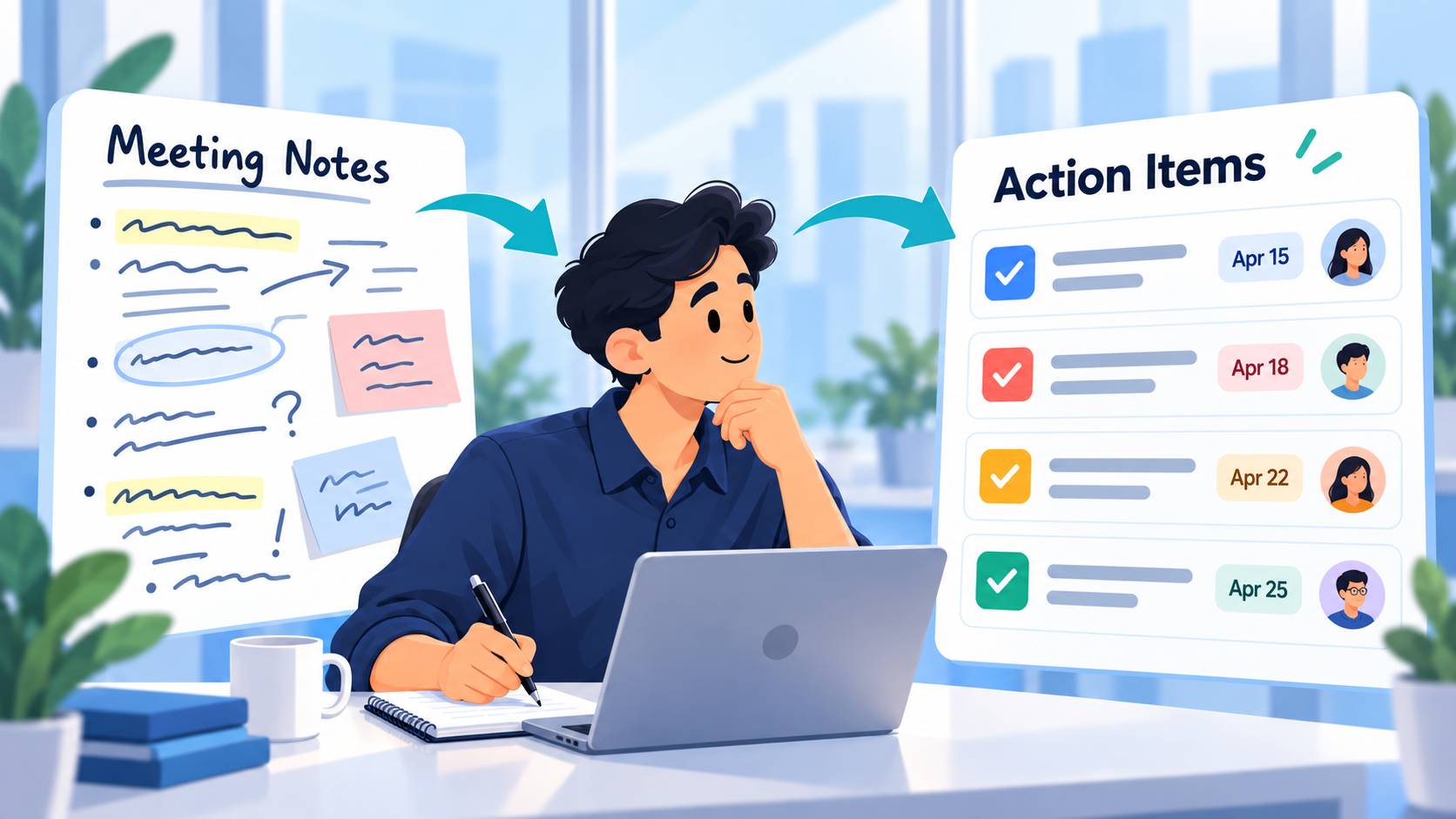
Most AI meeting workflows stop too early.
The meeting ends.
You paste the notes or transcript into AI.
It produces a beautiful summary:
- Decisions
- Action items
- Follow-ups
- Deadlines
Then everyone moves on.
Three days later, the summary is sitting in a document and nobody remembers whether the actual work happened.
The useful workflow is not:
meeting → AI summary
It is:
meeting notes → reviewed action items → real tasks → execution → status changes → follow-up
AI can reduce the administrative work of extracting actions from a meeting.
The task system should handle what comes next.
Meeting Notes Are Not yet a Task List
Meeting notes usually mix several kinds of information together:
- Decisions
- Ideas
- Questions
- Background context
- Possible future work
- Actual commitments
- Dates
- Things somebody said they might investigate
- Topics that were discussed but deliberately left unresolved
That creates a problem for automatic task extraction.
Consider this sentence:
We might revisit the pricing page after the launch, but for now Sarah will send the final product screenshots by Thursday and I'll update the homepage once they arrive.
There are several concepts inside it.
But there are only two clear immediate actions:
- Sarah sends the product screenshots by Thursday.
- Homepage is updated after the screenshots arrive.
"Revisit the pricing page after launch" may be worth recording, but it is not necessarily a task that belongs in today's execution list.
Good meeting-to-task workflows require a review step between what was said and what becomes work.
The Real Question Is What Happens After the Meeting
An action item is useful only if it eventually reaches one of a few meaningful states:
Completed
The promised work happened.
In progress
Someone has actually started it.
Blocked
The work cannot continue because something else is required.
Deferred
The team consciously decided not to do it now.
Cancelled
The action is no longer needed.
Otherwise, it remains an attractive bullet point in meeting notes.
This is why the most useful AI meeting workflow connects extraction with task tracking.
The AI helps identify likely actions.
A human confirms them.
Then the project record shows what happens afterward.
A Reusable Meeting Notes to Action Items Template
Here is a simple structure that works for client calls, internal meetings, project reviews, planning sessions, or one-to-one discussions.
Meeting
Meeting:
[Name]
Date:
[Date]
Purpose:
[Why the meeting happened]
Key Decisions
- [Decision]
- [Decision]
Confirmed Action Items
Action 1
Task:
[Specific action]
Who:
[Person responsible, if relevant]
Due:
[Deadline only if actually agreed]
Dependency:
[Anything required first]
Source:
[Short note explaining where this came from]
Action 2
Task:
[Specific action]
Who:
[Person responsible]
Due:
[Date]
Dependency:
[Dependency]
Questions / Not Yet Actions
- [Topic that still needs a decision]
- [Possible future work]
- [Idea that was discussed but not committed]
Follow-Up Review
After the meeting, check:
- ☐ Were the action items entered into the task system?
- ☐ Were deadlines copied accurately?
- ☐ Were dependencies preserved?
- ☐ Did any possible suggestion accidentally become a commitment?
- ☐ Have completed items actually been marked complete?
The final section is what turns meeting notes into execution.
Clearly Fictional Example: Website Launch Meeting
The following company, meeting, people, tasks, notes, and results are completely fictional.
No real meeting was analyzed and no product test was performed for this example.
Imagine a small team is preparing a new website for a fictional software company called Northline Labs.
The launch meeting happens on October 6.
Participants discuss:
- Final homepage imagery
- Pricing-page copy
- Analytics
- Mobile QA
- Whether to add a new comparison section
- Launch timing
The raw meeting notes look like this.
Fictional Raw Meeting Notes
New homepage screenshots should be ready this week. Maya said she can send the final files by Thursday.
Pricing copy is basically approved, but Daniel wants to shorten the enterprise section before launch.
Analytics still needs the new signup event checked in production.
Mobile Safari looked strange on the pricing table yesterday. Alex will test that before launch.
We talked about adding a comparison section under pricing, but everyone agreed that it is probably better after launch because we don't have final competitor positioning yet.
Once Maya sends the homepage screenshots, Alex will replace the old ones and do a final homepage check.
Target launch remains next Tuesday unless QA uncovers something serious.
These are usable meeting notes.
But they are not yet a clean execution plan.
What AI Might Extract
A first AI pass could identify:
- Maya - send final homepage screenshots by Thursday.
- Daniel - shorten enterprise pricing copy.
- Check signup analytics event in production.
- Alex - test pricing table on Mobile Safari.
- Add comparison section to pricing page.
- Alex - replace homepage screenshots.
- Complete final homepage review.
- Launch next Tuesday.
At first glance, that looks helpful.
But item 5 is wrong.
The meeting explicitly decided not to add the comparison section before launch.
Item 8 is also questionable.
"Launch next Tuesday" is a milestone or target date, not necessarily an ordinary action item in the same sense as testing Safari.
This is why extraction should create a draft, not unquestioned truth.
Human-Reviewed Action Items
After reviewing the notes, the fictional team could keep:
1. Send Final Homepage Screenshots
Responsible: Maya
Due: Thursday
Status: Not started
2. Shorten Enterprise Pricing Copy
Responsible: Daniel
Status: Not started
3. Verify Signup Analytics Event in Production
Status: Not started
4. Test Pricing Table on Mobile Safari
Responsible: Alex
Due: Before launch
Status: Not started
5. Replace Homepage Screenshots
Responsible: Alex
Dependency: Final screenshots from Maya
Status: Blocked / waiting
6. Perform Final Homepage Check
Responsible: Alex
Dependency: Homepage screenshot replacement
Status: Not started
And then separately preserve:
Decision
Comparison section: defer until after launch.
Milestone
Target launch: next Tuesday, assuming QA does not expose a serious issue.
Now the output matches what the meeting actually established.
A Good Action Item Starts With a Verifiable Outcome
Weak meeting task:
Analytics
Better:
Verify signup analytics event in production
Weak:
Homepage
Better:
Replace homepage screenshots after final assets arrive
Weak:
Safari problem
Better:
Test pricing table on Mobile Safari and record any remaining layout issues
A useful task should make it reasonably obvious when it is done.
That helps both the person doing the work and AI reviewing the project later.
For more on making tasks executable, see Name Your Tasks Clearly: The Habit That Makes Your Task Manager Work.
Preserve Dependencies From the Meeting
Meeting summaries often lose dependencies.
The fictional example contains a clear sequence:
Maya sends images → Alex replaces images → Alex completes final homepage check
Those should not become three disconnected bullets.
The dependency matters because Alex cannot realistically complete the second task first.
Even when your task system does not automatically enforce the sequence, recording the dependency in the task note or surrounding project context prevents confusion.
For example:
Waiting for final image files from Maya before homepage replacement.
That context becomes especially useful if the work is still open several days later.
Instead of wondering why Alex ignored the task, the project record explains what it is waiting on.
Keep Decisions Separate From Actions
Meetings create decisions as well as tasks.
They should not be treated as the same thing.
In the fictional meeting:
Do not add the comparison section before launch.
That decision affects future work.
But converting it into:
Add comparison section
would reverse the meaning of the meeting.
A useful AI prompt should explicitly distinguish:
confirmed actions
from
decisions
from
ideas or unresolved discussion
If a decision will matter later, preserve its reasoning separately.
For important project choices, a decision log works well. See Project Decision Log Template: Keep the Reason Behind Every Change.
How SelfManager.ai Can Turn Meeting Notes Into Tasks
SelfManager.ai currently includes a Turn Any Text into a To-Do List workflow.
The product documentation specifically lists meeting notes and meeting transcripts among the kinds of text that can be turned into structured tasks. The generated result is reviewable and editable rather than something you have to accept unchanged.
A practical workflow could begin with:
Turn these meeting notes into action items. Include only work that someone clearly committed to doing. Keep decisions and unresolved ideas separate. Do not invent deadlines or responsibilities that are not stated.
Then paste your meeting notes.
SelfManager can generate structured rows from the text, with priorities where inferred, and you remain able to edit, reorder, reprioritize, or remove the resulting tasks before treating them as your work plan.
Review Before the Actions Become Your Plan
Before keeping the generated tasks, compare them with the original meeting notes.
Check these five things.
1. Was This Actually Agreed?
Meeting conversation often contains hypothetical work.
Maybe we should rebuild onboarding.
is not the same as:
Alex will draft the new onboarding flow by Friday.
Do not let brainstorming become accidental scope.
2. Is the Responsible Person Correct?
If the notes do not identify who owns something, do not invent an owner.
Use:
Owner needs confirmation.
instead.
3. Is the Deadline Real?
AI may interpret phrases such as:
sometime next week
too precisely.
Only keep a specific date when the meeting actually established one.
4. Did a Decision Become a Task by Mistake?
This is especially important for rejected work.
We decided not to redesign the header.
must not become:
Redesign header.
5. Is the Task Clear Enough to Execute?
Rewrite vague items before they enter your active workload.
The extraction step should reduce ambiguity, not preserve it.
The Important Part Starts After Task Creation
Once the reviewed actions are inside a real task table, the meeting no longer exists only as a document.
Now the work can change state.
SelfManager's table context currently includes task progress and statuses, priorities, task-level time where enabled, notes, comments when included, and table logs when history tracking is enabled.
That means the same project can later answer a much more valuable question:
What happened to the actions from that meeting?
Instead of rereading the transcript, you can inspect the actual work.
Fictional Follow-Up One Week Later
Return to the Northline Labs example.
One week after the fictional meeting:
| Action | Status |
|---|---|
| Send final homepage screenshots | Completed |
| Shorten enterprise pricing copy | Completed |
| Verify signup analytics event | Completed |
| Test pricing table on Mobile Safari | Completed |
| Replace homepage screenshots | Completed |
| Final homepage check | In progress |
This tells us much more than the original summary.
The meeting produced six confirmed actions.
Five were completed.
One remains in progress.
The comparison-section idea remains deferred because it was recorded as a decision rather than accidentally becoming an open task.
Now the meeting has an observable outcome.
Ask AI What Happened After the Meeting
Once the resulting tasks have been worked on, table chat can analyze the current table context.
For example:
Review the action items created from our October 6 launch meeting. Tell me which are complete, which remain open, and what appears blocked. Use only the task statuses, notes, comments, and project history that are actually recorded.
SelfManager's table chat currently works from the table's existing task context, including statuses, priorities, time, notes, optional comments, and logs when enabled.
You can also summarize the whole table to get a compact view of completed work, open work, higher-priority items, and possible next steps.
That closes the loop:
meeting → actions → work → review
Why This Is Better Than Leaving Action Items in Meeting Software
AI meeting tools can be excellent at transcription and summarization.
But your transcript is usually a record of conversation.
Your task manager is a record of commitments.
Those should connect.
If an action item remains only inside:
- A transcript
- A meeting-summary email
- A shared document
- A recording
- A chat thread
then someone still has to remember to return to it.
Moving the confirmed actions into the same system where you plan and execute the rest of your work makes them part of the normal workflow.
You Do Not Need to Store the Whole Transcript Forever
Sometimes the transcript matters.
Sometimes it does not.
The execution system mainly needs enough context to preserve:
- The confirmed action
- Relevant deadline
- Dependency
- Important decision
- Necessary explanation
A 45-minute conversation should not necessarily become 45 minutes of information you repeatedly reread.
The goal is to reduce the meeting to the parts that change future work.
SelfManager's current text-to-task documentation explicitly includes meeting notes as an input for extracting useful decisions and actions rather than preserving conversational filler as tasks.
Meeting Notes to Tasks Is Different From Email to Tasks
The mechanics may look similar.
Both begin with text.
But the interpretation problem is different.
A client email often contains direct requests:
Please change X, fix Y, and send Z.
A meeting usually contains competing forms of language:
Maybe.
We could.
Let's revisit that.
I'll do this.
Actually, let's not.
We need to decide later.
The meeting workflow therefore needs a stronger distinction between:
discussion
and
commitment.
That is why the human review step matters so much.
A Simple Post-Meeting Workflow
You can make the whole process a short routine.
Step 1: Capture the Notes
Use your existing transcript, notes, or meeting summary.
Do not worry about making the raw material perfect first.
Step 2: Extract Candidate Actions With AI
Ask specifically for confirmed actions, decisions, unresolved questions, and dependencies as separate categories.
Step 3: Review the Output
Remove:
- Suggestions nobody committed to
- Duplicate actions
- Invented dates
- Incorrect ownership
- Rejected ideas
Rewrite vague items.
Step 4: Put the Approved Actions Into Your Work System
Only the reviewed actions should become active tasks.
Step 5: Work Normally
Update statuses as the work progresses.
Add comments when something becomes blocked or materially changes.
Track time where that information is useful.
Step 6: Review the Meeting Outcomes Later
Ask:
Which actions from this meeting actually happened?
That is the step most meeting productivity systems forget.
Meeting Action Follow-Up Template
A week later, use this compact review.
Meeting Follow-Up
Original meeting:
[Meeting + date]
Actions created:
[Number]
Completed
- [Action]
- [Action]
In Progress
- [Action]
Blocked
- [Action] - waiting on [dependency]
Deferred / Cancelled
- [Action + reason]
Decisions Still Relevant
- [Decision]
Next Follow-Up
- [What still needs attention]
This gives the meeting an end state instead of letting it disappear into history.
AI Is Most Valuable When It Connects Conversation to Evidence
The basic capability:
AI can find action items in meeting notes.
is useful.
But it is becoming common.
The more valuable workflow is:
AI can extract the action, place it into structured work, and later help you review whether the work moved.
That second half is where the meeting becomes part of your actual productivity system.
SelfManager already supports turning text such as meeting notes into structured tasks, while its table AI can later work from the resulting statuses, priorities, notes, time, comments, and history.
The extraction and the follow-through happen in the same work context.
Try It With Your Next Meeting
For your next meaningful meeting:
- Keep the notes or transcript.
- Paste them into SelfManager's text-to-task workflow.
- Ask AI to separate confirmed actions, decisions, and unresolved topics.
- Review every proposed task.
- Keep only the actions that were genuinely agreed.
- Work from those tasks normally.
- Several days later, ask the table AI what happened to those meeting commitments.
SelfManager currently gives AI output to you for review and keeps the user in control of what enters the work data.
Task-specific CTA: Take the notes from your next real meeting, turn only the confirmed commitments into a reviewed task table, then return to that table one week later and ask AI which actions were completed, which are still open, and what is blocking the rest.
Frequently Asked Questions
Can AI turn meeting notes into action items?
Yes.
AI can identify likely commitments, deadlines, decisions, and follow-ups from meeting notes or transcripts.
The result should still be reviewed because meeting conversation often includes ideas and possibilities that were never actually agreed as work.
What makes a good meeting action item?
A good action item describes a specific, verifiable outcome.
“Analytics” is vague.
“Verify the signup analytics event in production” gives the person doing the work a clear completion condition.
Should every meeting decision become a task?
No.
Some decisions change how existing work should be performed without creating a new task.
Others should be preserved as project context or in a decision log.
How do I stop AI from turning meeting ideas into tasks?
Prompt it to separate:
- Confirmed actions
- Decisions
- Ideas
- Unresolved questions
Then review the categories manually before accepting the tasks.
Can SelfManager.ai turn meeting notes into tasks?
Yes.
SelfManager's current Turn Any Text into a To-Do List feature explicitly supports meeting notes and transcripts as source material. The generated tasks remain editable and under user control.
Does SelfManager.ai automatically attend or record my meetings?
The workflow described in this article does not depend on SelfManager automatically attending meetings.
Start with meeting notes or transcript text you already have, then use that text as the input for task generation.
Does SelfManager automatically know who owns each meeting task?
Do not assume ownership unless it exists in the source material or your project context.
If the meeting notes do not establish responsibility, confirm the owner yourself.
What should happen after meeting tasks are generated?
Review them first.
Then use them like normal tasks: update statuses, preserve relevant notes or comments, track useful time, and return later to review what actually happened.
Can AI review what happened after the meeting?
Yes, when the resulting work exists in the table.
SelfManager table chat can currently use task progress, statuses, priorities, tracked time where enabled, notes, optional comments, and table history when logs are enabled.
Is this different from an AI meeting summarizer?
Yes.
A meeting summarizer primarily explains what was discussed.
This workflow focuses on converting confirmed commitments into active work and later checking whether those commitments were fulfilled.
How soon should meeting action items be reviewed?
Ideally immediately after the meeting, while the context is still fresh.
A second follow-up can happen when enough time has passed for the work to move - for example, before the next recurring meeting or at the end of the week.
Internal-Link Suggestions
Link Name Your Tasks Clearly: The Habit That Makes Your Task Manager Work from the section about converting vague meeting bullets into executable tasks.
Link What Productivity Practices You Can Now Do With AI That You Could Not Do Before from the discussion of turning meeting notes into real commitments. That existing article covers the broad productivity shift, while this page owns the full meeting-notes-to-follow-through workflow.
Link Top 10 Ways People Are Using a Task Manager in 2026 around the section explaining notes → tasks. That article already introduces meeting notes as one example of capture-to-action, while this article goes much deeper into execution afterward.
Link Project Decision Log Template: Keep the Reason Behind Every Change from the section about separating decisions from action items.
Link Best Task Managers That Keep a History of Completed Work in 2026 around the section on returning later to see whether meeting commitments actually happened.
Link the final CTA to the SelfManager.ai AI Features page, particularly the current text-to-task and table-chat workflows.
Date-based AI Task Manager
Plan smarter, execute faster, achieve more
Create tasks in seconds, generate AI-powered plans, and review progress with intelligent summaries. Perfect for individuals and teams who want to stay organized without complexity.
Get started with your preferred account