
Name Your Tasks Clearly (2026): The Small Habit That Makes Your Task Manager Actually Work
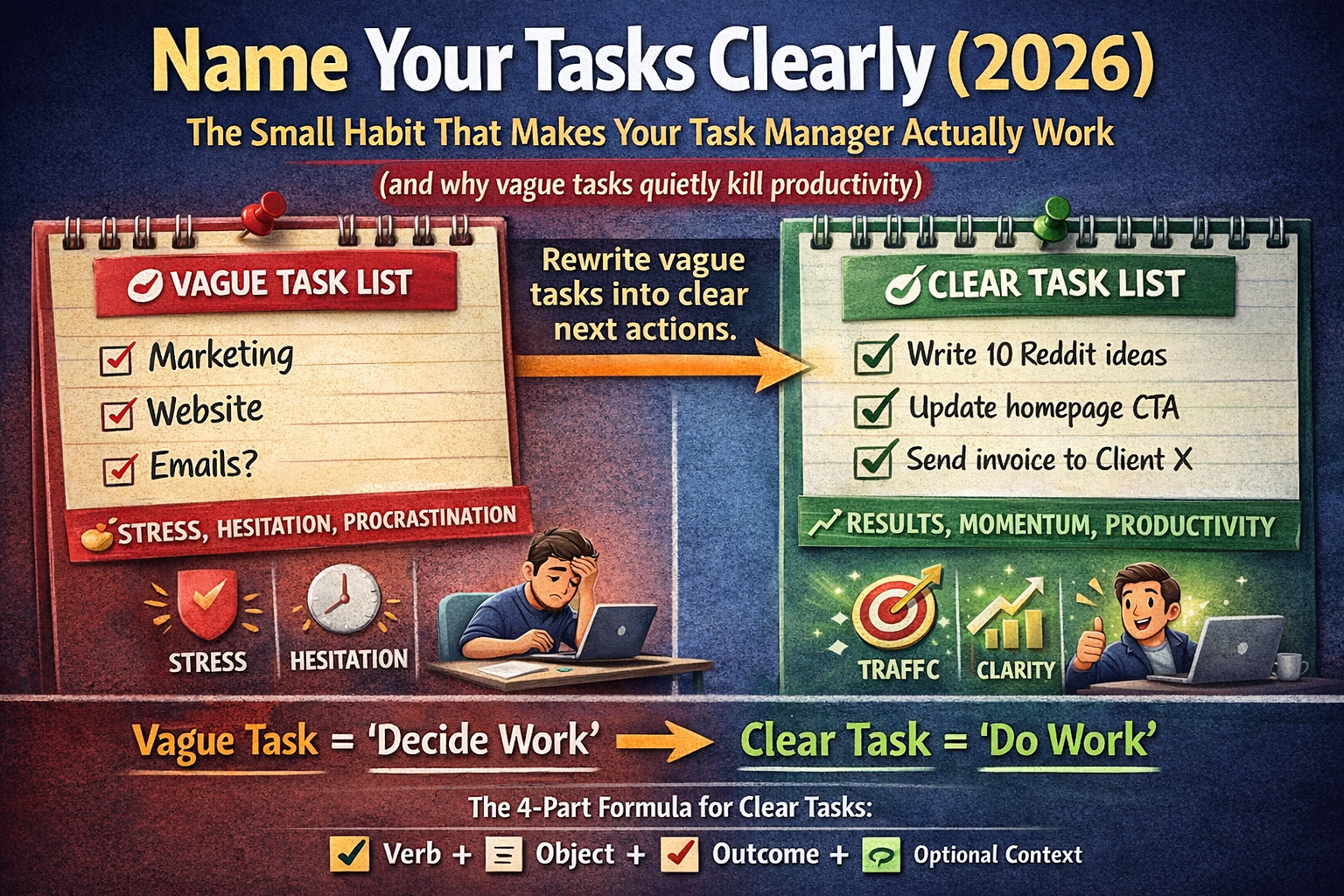
(and why vague tasks quietly kill productivity)
If your task manager is full of items like:
- "Marketing"
- "Website"
- "Emails"
- "Content"
- "Product"
- "Finance"
…then you don't have a task list.
You have a list of stress triggers.
Because vague tasks don't create action.
They create hesitation.
And hesitation turns into procrastination, task carryover, and "busy mode."
In 2026, the simplest productivity upgrade isn't a new tool.
It's this:
Name your tasks clearly so your brain knows exactly what to do next.
Why vague tasks don't get done
Your brain avoids unclear work.
When you see "Marketing," your brain asks:
- What exactly do I do?
- Where do I start?
- How long will it take?
- What does "done" mean?
That uncertainty creates friction.
So you do something else — usually a smaller task that feels easier.
This is why people feel busy but don't move big projects forward.
The tasks were never executable in the first place.
Clear tasks reduce procrastination (because they remove decisions)
Every vague task forces a decision:
- pick the starting point
- define the scope
- estimate time
- figure out the next step
That's a lot of thinking.
A clear task already contains the decision.
So you can start immediately.
Vague task = "decide work"
Clear task = "do work"
What a "clear task" looks like (the 4-part formula)
A great task name usually includes 4 things:
1) Verb (action)
Start with a verb:
- write
- draft
- call
- review
- fix
- publish
- design
- send
- update
2) Object (what you're working on)
Not "website," but:
- homepage headline
- pricing section
- onboarding email #1
- Stripe checkout flow
3) Outcome (what "done" means)
Define completion:
- "publish"
- "send"
- "finalize"
- "choose"
- "submit"
- "ship"
4) Context (optional but powerful)
Add a small hint:
- "(Google Doc)"
- "(Figma)"
- "(Client: X)"
- "(SelfManager.ai blog)"
Example:
✅ "Write outline for 'Weekly Review Template (2026)' article (SelfManager.ai blog)"
This is instantly executable.
Before/After examples (steal these)
Marketing
❌ "Marketing"
✅ "Write 10 post ideas for Reddit (r/ProductivityApps)"
✅ "Draft 1 LinkedIn post promoting weekly reviews"
✅ "Publish article + add internal links to 3 related posts"
Website
❌ "Website"
✅ "Update homepage hero headline + CTA"
✅ "Fix mobile padding on pricing section"
✅ "Add FAQ section to onboarding page"
Emails
❌ "Emails"
✅ "Reply to 3 client threads (30 min max)"
✅ "Send invoice to Client X"
✅ "Write onboarding email #1 draft"
Product
❌ "Product"
✅ "Fix bug: monthly view weekend alignment"
✅ "Add AI summary button to weekly review page"
✅ "Test Stripe checkout on mobile Safari"
The hidden reason vague tasks happen
Vague tasks happen because you're capturing ideas too fast.
You write the category, not the action.
That's fine — as long as you have a system to convert vague items into clear tasks.
That system is called:
task processing.
Capture first. Clarify later.
The 2-step workflow that fixes it
Step 1: Capture fast (Inbox mode)
Write messy tasks quickly. No pressure.
Step 2: Clarify during daily/weekly planning (Execution mode)
Before you plan the day/week, rewrite the important tasks into clear next actions.
That's when your task manager becomes usable.
The "next action" rule (the most important rule)
A task must be the next physical action you can take.
If it's not a next action, it's not a task.
It might be:
- a project
- a goal
- a category
- a vague intention
Projects don't belong as tasks.
They contain tasks.
Examples:
- ❌ "Improve onboarding" (project)
- ✅ "Write new onboarding step #1 copy" (task)
Add time bounds (to prevent tasks from eating your day)
If a task is big, it's safer to time-box it.
Examples:
- "Draft outline for article (45 min)"
- "Reply to emails (30 min)"
- "Research 3 alternatives tools (25 min)"
Time bounds reduce fear and help you start.
Why this matters even more for weekly reviews
If you do weekly reviews (you should), clear task names create better data.
Because when you review the week, you can actually see:
- what you finished
- what moved forward
- what kept getting stuck
- where your time went
Vague tasks destroy review clarity.
Clear tasks turn your history into useful insight.
How SelfManager.ai supports clear task naming (and why it's built for execution)
SelfManager.ai (formerly Self-Manager.net) is designed around:
- planning days/weeks intentionally
- connecting tasks to projects and time periods
- running reviews (weekly/monthly/quarterly)
- optional AI summaries to reflect on what happened
Clear task names make all of that stronger.
Because the system becomes:
- easier to execute
- easier to review
- easier to improve
Copy/paste: The "Clear Task" checklist
Before you accept a task into your day, check:
- Does it start with a verb?
- Do I know what "done" looks like?
- Is it the next action (not a project)?
- Can I do it in one focused sitting?
- If it's big, did I time-box it?
If the answer is "no," rewrite it.
Final thought
A task manager doesn't fail because you lack discipline.
It fails because your tasks aren't executable.
Clear naming removes friction.
Friction removal creates consistency.
Consistency creates progress.
So the next time you're about to write:
"Marketing"…
Rewrite it into the next action that actually moves something forward.
That one habit will upgrade your productivity in 2026 more than almost any app feature.
Date-based AI Task Manager
Plan smarter, execute faster, achieve more
Create tasks in seconds, generate AI-powered plans, and review progress with intelligent summaries. Perfect for individuals and teams who want to stay organized without complexity.
Get started with your preferred account