
10 Best AI Task Managers with AI Planning in 2026
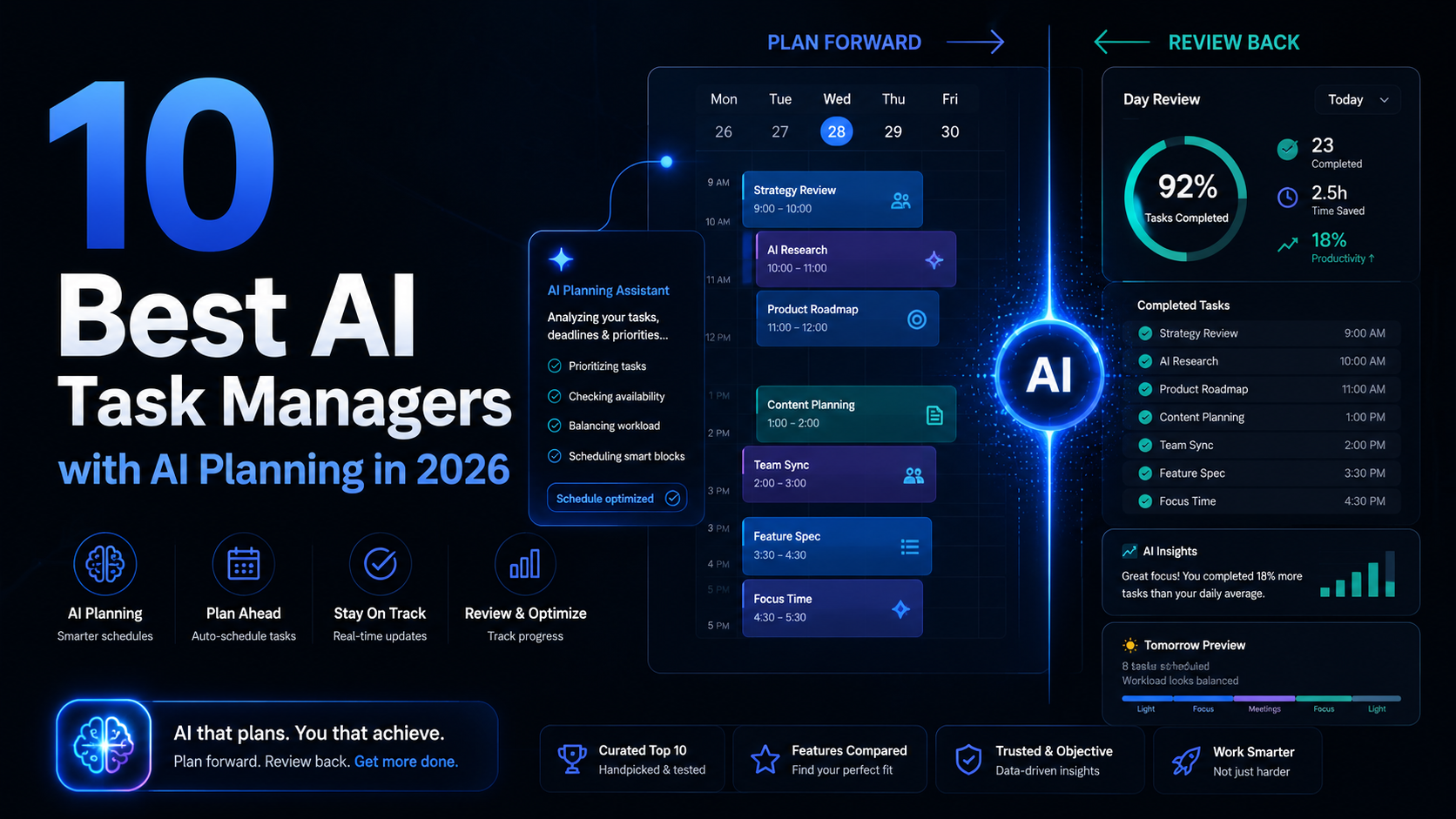
"AI planning" has become one of the most stretched phrases in productivity software. Almost every task manager now claims it. Far fewer actually do it.
There is a real difference between a tool that builds a structured plan for you and a tool that just rewrites a task or suggests a subtask. Both can be called "AI planning" in a marketing headline. Only one of them actually plans.
This guide sorts ten task managers by how deep their AI planning genuinely goes. The list is split into two honest tiers. The first tier is true AI planning, where the AI generates or schedules real plans across time. The second tier is AI-assisted planning, where the AI helps with planning tasks but does not produce the plan itself. Neither tier is "better" in the abstract. A lighter assist is the right fit for plenty of people. But you deserve to know which one you are actually buying.
One thing worth saying up front. Most AI planning tools only look forward. They build a plan and stop there. A smaller number also look backward, using AI to review how the plan actually went. That plan-and-review loop is rare, and it is worth watching for as you read, because planning without review is just optimism with a calendar.
What counts as real AI planning
Before the list, here is the standard this guide uses.
True AI planning means the AI produces a plan you did not write. You give it a goal, a period, or a set of tasks, and it returns a structured schedule or a multi-day plan. Auto-scheduling that arranges your work across the calendar counts. Plan generation that turns a goal into dated tasks counts.
AI-assisted planning means the AI supports the act of planning without producing the plan. Suggesting tasks, breaking a big task into subtasks, rewriting or rephrasing, drafting from a prompt inside a doc. Useful, but you are still the one planning.
The line matters because the buying decision is different. True AI planning is for people who want to offload the construction of the plan. AI-assisted planning is for people who want to plan themselves but move faster. Read the tier, not just the rank.
Tier 1: True AI planning
These tools generate or schedule real plans. The AI does planning work you would otherwise do by hand.
1. Motion - Best for fully automatic scheduling
Motion is the clearest example of true AI planning in the market. You add tasks with deadlines and rough durations, and Motion builds your calendar automatically, then rebuilds it whenever something changes.
This is planning in the fullest sense. Motion is not suggesting how you might plan your day. It is deciding the order of your day and placing each task into a time slot. When a meeting appears or a task runs long, the schedule reshuffles on its own.
It works best when your work is concrete and estimable. Client deliverables, scheduled admin, content production. It is weaker with vague, open-ended work that resists a duration estimate, because the engine needs numbers to plan against.
The honest tradeoffs are price and control. Motion sits at the premium end, and the automation can feel like a cost when its plan does not match how you actually feel that day. Some people find handing over scheduling freeing. Others spend energy fighting it. It rewards a real trial.
Planning depth: Full auto-scheduling. The AI builds and maintains the plan.
Best for: People who want to stop planning their day entirely and let software run the calendar.
2. SelfManager.ai - Best for planning forward and reviewing backward
SelfManager.ai earns a high place here for a reason most tools on this list cannot match. It does AI planning in both directions. It generates plans forward, and it reviews them backward, inside one date-based system.
The forward side is AI Plan. You pick a period, which can be a single day, a week, a custom range, or a full month, and describe what you want to achieve in plain English. AI Plan returns a fully structured plan: one table per day, each with prioritized tasks, ready to edit or use as-is. You can optionally feed in up to three months of your past work, and the AI shapes the plan around your actual cadence, including your recurring habits and the days you usually rest. Every plan opens in an editable preview, so nothing is committed until you approve it.
The backward side is AI Review, and this is the part the rest of the market mostly ignores. You pick any period, a week, a month, a quarter, or a custom range up to roughly three months, and the AI reads every table you touched in that window: tasks, statuses, time tracked, comments, logs. It produces a structured review of what shipped, what slipped, and where time went, and you can ask follow-up questions in the same context.
That combination is the point. Most AI planners build a plan and never close the loop. SelfManager.ai treats planning as a cycle: plan the period, work inside it, then review what actually happened and let that review shape the next plan. Because the whole system is organized by date, the AI is always working from the real structure of your work rather than a blank prompt box.
The tradeoff is deliberate. SelfManager.ai is not built for elaborate project hierarchies, dependency chains, or heavy workflow automation. It is built around days and tables, kept simple on purpose. If you want a daily operating system that both plans ahead and reviews honestly, that focus is the strength.
Planning depth: Full plan generation forward, plus AI review of any period up to about a quarter. The only tool here that closes the loop.
Best for: People who want AI to generate real plans and also review how those plans played out over weeks and months.
3. Reclaim.ai - Best for defending time around a busy calendar
Reclaim.ai approaches planning from the calendar side. It automatically finds and defends time for your tasks, habits, and priorities, fitting them into the gaps around your meetings and adjusting as your schedule shifts.
This is true AI planning, just aimed at a specific problem: protecting focus time in a calendar under pressure. Instead of asking you to plan when deep work happens, Reclaim schedules it and guards the slot, moving it intelligently when conflicts arise.
It is most valuable when your week is genuinely meeting-heavy and your calendar is the center of how you operate. The risk it solves is real: in a busy week, focused work never gets a slot and simply does not happen. If your calendar is mostly empty, there is less for it to work around and the benefit shrinks.
Planning depth: Automatic time-blocking and defense. The AI plans your focus time, though not your task list itself.
Best for: People with packed calendars who need focused work scheduled and protected automatically.
4. Sunsama - Best for guided planning with a human pace
Sunsama sits at the honest edge of Tier 1. It is built around a deliberate daily and weekly planning ritual, and it has added AI assistance to that ritual over time, including help pulling tasks together and shaping the day.
It belongs in the true-planning tier because the product genuinely produces a plan with you, period by period, and the AI now actively assists that process. But it is the gentlest entry here. Sunsama deliberately keeps you in the loop rather than automating you out of it. The plan is co-produced, not handed to you.
For many people that is exactly right. The friction of deciding what fits in a day is the feature, not a bug, and it counters the chronic over-optimism of solo planning. The costs are price, since Sunsama is on the expensive side, and discipline, since the ritual is a habit you have to keep.
Planning depth: Guided, AI-assisted plan creation. More automated than Tier 2, more human-paced than Motion.
Best for: People who want a structured planning ritual with AI support, not full automation.
5. BeforeSunset AI - Best for AI day planning from a task list
BeforeSunset AI is built around turning your to-do list into a planned, time-blocked day. You bring the tasks, and the AI helps lay them out across your available time, blending tasks and calendar into a single daily plan.
It qualifies for Tier 1 because the AI does real plan construction. It is not just rewriting tasks; it is arranging them into a workable day. The focus is squarely on the daily horizon rather than long multi-week plans.
It suits people who already keep a task list and want help converting it into a realistic, scheduled day without the heavier automation of Motion. As a younger product, its ecosystem and integrations are lighter than the established names, which is worth checking against your stack.
Planning depth: AI-assisted daily planning and time-blocking from your task list.
Best for: People who want their existing to-do list turned into a planned day with minimal effort.
Tier 2: AI-assisted planning
These tools have genuine AI features that help with planning work. But the AI assists. It does not generate the plan. That is a real distinction, and for many people the lighter touch is the right one.
6. Todoist - Best for fast capture with AI task assistance
Todoist remains one of the best pure task managers available, and its AI features are a sensible addition rather than the headline. The AI can suggest tasks, break a large task into subtasks, and help rephrase or clarify what you have written.
This is AI-assisted planning, clearly. The AI helps you shape individual tasks. It does not build your day or your week. What Todoist does exceptionally well is capture: natural language input, instant entry, reliable sync. The thinking is still yours.
For a large number of people, that is the correct trade. If your real need is to capture fast and keep a light, trustworthy list, Todoist delivers that better than most, and the AI quietly removes small friction along the way.
Planning depth: Task-level AI assistance. No plan generation.
Best for: People who want excellent capture and light AI help, not an AI that plans for them.
7. Notion - Best for AI-assisted planning inside a flexible workspace
Notion is a workspace, not a task manager, and Notion AI is a writing and reasoning assistant layered across it. It can draft, summarize, and answer questions about your own content, including planning documents.
In planning terms, this is assistance. Notion AI can help you draft a project plan, expand an outline, or summarize where things stand. But the plan lives in a structure you built and maintain, and the AI works on that document rather than generating a scheduled plan on its own.
The strength is consolidation. Tasks, notes, plans, and knowledge in one place, with AI on top. The cost is that you build and maintain the system yourself. For people who enjoy shaping their own workspace, Notion is powerful. For people who want a plan handed to them, it is the wrong tool.
Planning depth: AI-assisted drafting and summarizing within a workspace you build.
Best for: People who want one flexible workspace and AI help drafting plans inside it.
8. ClickUp - Best for AI assistance inside a full work platform
ClickUp is a deep, highly configurable work platform, and its AI features help with writing, summarizing, and automating across that platform. For planning, the AI can draft plans, generate subtasks, and summarize project state.
It sits in Tier 2 because the AI assists within a structure you design. ClickUp can model almost any workflow, but you build that workflow, and the AI then helps you operate it. It is not generating your plan from a goal the way a Tier 1 tool does.
ClickUp makes most sense if you expect to scale into a team and want a platform that grows with you. The honest concern is weight. It is built for teams, and a solo user carries the complexity without the team. Setup takes real time.
Planning depth: AI-assisted drafting and automation inside a configurable platform.
Best for: People who want a scalable work platform and AI help operating it.
9. Akiflow - Best for AI-light task consolidation and time-blocking
Akiflow pulls tasks from many sources into one inbox and helps you drag them onto your calendar as time blocks, with a fast command bar for keyboard control.
Akiflow's core value is consolidation and manual time-blocking done quickly. Its AI elements are lighter than the Tier 1 schedulers; the planning act, deciding what goes where, stays with you. That is why it sits here rather than higher.
For someone who already believes in time-blocking and simply wants every task in one fast surface, Akiflow is excellent. For someone expecting the AI to construct the plan, it will feel more manual than the label suggests. It is also a power tool with a power-tool price and learning curve.
Planning depth: AI-light. Consolidation plus fast manual time-blocking.
Best for: People who time-block themselves and want every task consolidated into one quick surface.
10. TickTick - Best balanced all-in-one with light AI
TickTick is a well-rounded task manager: tasks, calendar, habits, and a built-in focus timer in one affordable app. Its AI features are modest and help around the edges rather than driving planning.
It belongs at the honest end of Tier 2. The planning you do in TickTick is yours. The AI is a small assist, not a planner. What TickTick offers instead is breadth at a fair price, and for many people that is more valuable than a planning engine they would not fully use.
If your real need is one solid app that handles tasks, habits, and focus without stitching tools together, TickTick is one of the most sensible choices on this list. Just buy it for the breadth, not for AI planning.
Planning depth: Light AI assistance within a broad all-in-one app.
Best for: People who want an affordable, balanced task manager and treat AI as a bonus, not the point.
How to choose the right tier for you
The tier matters more than the rank. Here is how to decide which one you actually want.
Choose Tier 1 if the construction of the plan is your bottleneck. If you lose time every morning deciding the order of the day, if goals sit vague because turning them into dated tasks is too much work, or if focus time never gets scheduled, you want a tool that generates or schedules the plan for you. Motion automates it, Reclaim defends it, SelfManager.ai generates it and reviews it, Sunsama and BeforeSunset help build it.
Choose Tier 2 if you plan fine but want to move faster. If you already think clearly about your week and your problem is capture speed, task breakdown, or drafting, an AI-assisted tool removes friction without taking over. Todoist, Notion, ClickUp, Akiflow, and TickTick all do this well in different shapes.
Then ask whether you need the review half. Most planning tools only look forward. If you also want to understand how your plans actually played out, week over week and month over month, that narrows the field sharply. SelfManager.ai is the clearest option on this list that both generates plans and reviews any period up to a quarter, closing the loop instead of leaving you with a plan and no feedback.
Finally, match the planning horizon. Some tools plan the day, like BeforeSunset and Reclaim. Some plan across weeks and months, like SelfManager.ai's AI Plan. Some reshuffle continuously, like Motion. Decide whether your real need is a better today or a structured month, and pick accordingly.
Quick pick guide
You want the day planned and reshuffled automatically: Motion.
You want AI to generate plans and review how they went: SelfManager.ai.
You want focus time scheduled and defended around meetings: Reclaim.ai.
You want a guided, human-paced planning ritual with AI support: Sunsama.
You want your task list turned into a planned day: BeforeSunset AI.
You want excellent capture with light AI help: Todoist.
You want AI-assisted planning inside a flexible workspace: Notion.
You want a scalable platform with AI assistance: ClickUp.
You want fast task consolidation and manual time-blocking: Akiflow.
You want an affordable, balanced all-in-one: TickTick.
FAQ: AI task managers with AI planning
What is the difference between AI planning and AI assistance?
True AI planning means the AI produces a plan you did not write, by generating dated tasks from a goal or auto-scheduling your work across the calendar. AI assistance means the AI helps with planning tasks, like suggesting or rewriting items, while you still build the plan. Both are useful. They suit different people.
Does AI planning actually save time, or is it hype?
It saves real time when the construction of the plan is genuinely your bottleneck. If you spend twenty minutes every morning deciding the order of your day, a tool that does that for you is a clear win. If you already plan quickly and well, an AI planner can add friction rather than remove it.
Should I trust an AI to plan my schedule?
Trust it for the arrangement, not the judgment. The better tools let you review and edit the plan before committing, so the AI handles the tedious construction while you keep the final call. Tools that let nothing save without your approval are the safer choice.
Why does reviewing matter as much as planning?
A plan is a prediction. Without reviewing how it played out, you never learn whether your predictions are any good, and you repeat the same misjudgments. Planning tools that also review the period give you a feedback loop. Planning without review is just optimism with a calendar.
Can one tool both plan ahead and review the past?
Most do not. The majority of AI planners only look forward. A small number, SelfManager.ai being the clearest example here, generate plans forward and also review any period backward, up to about a quarter, in the same system. If the full loop matters to you, look specifically for that.
How long should I trial an AI planning tool?
Long enough to plan a real period, work through it, and review it. A planner can look impressive in a demo and feel wrong in a real week. Judge it on whether the plans it makes survive contact with an actual working week.
Final thought
The phrase "AI planning" will keep getting stretched, because it sells. The way through the noise is to ask one plain question of any tool: does the AI build the plan, or does it just help me build it?
Both answers are valid. Full automation suits people who want the plan off their plate. Assistance suits people who plan well and want speed. The mistake is buying one while needing the other.
And once you have picked a planner, ask whether it ever looks back. The tools that only plan forward leave you guessing about whether any of it worked. The ones that plan and review turn each period into something you can actually learn from. That loop, more than any single feature, is what separates a planner you use for a month from a system you keep for years.
Date-based AI Task Manager
Plan smarter, execute faster, achieve more
Create tasks in seconds, generate AI-powered plans, and review progress with intelligent summaries. Perfect for individuals and teams who want to stay organized without complexity.
Get started with your preferred account