
SelfManager.ai vs Todoist: Which Is Better in 2026?
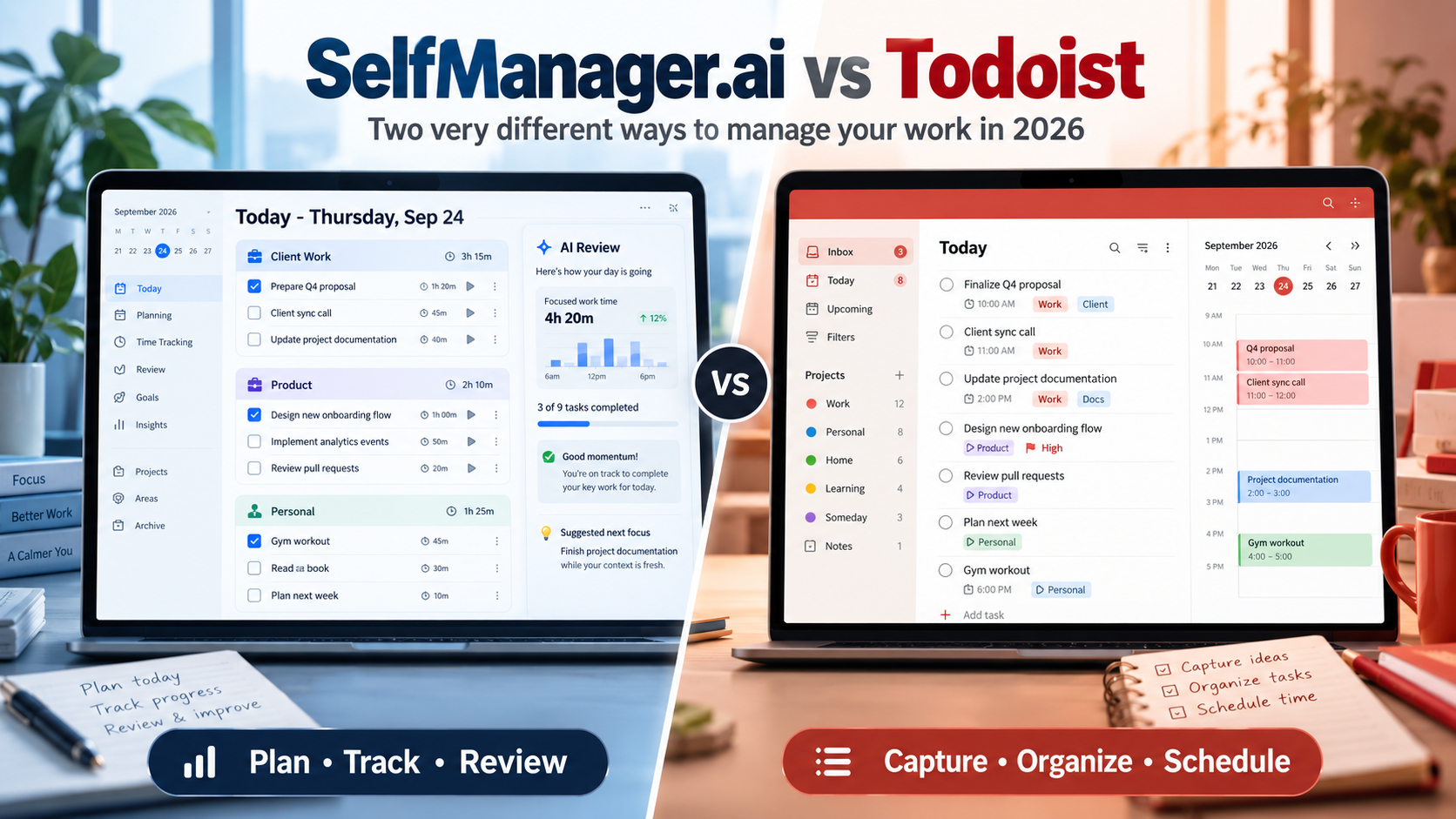
SelfManager.ai and Todoist solve different versions of task management.
Choose Todoist if you want a mature traditional task manager with subtasks, labels, powerful filters, native apps, calendar integrations, and a large integration ecosystem.
Choose SelfManager.ai if your main problem is deciding what belongs on each day, tracking what actually happened, and using AI to plan future days or review past weeks and months.
Todoist is the stronger general-purpose task manager.
SelfManager.ai is the stronger fit for people who want their task system organized around time, history, and AI-assisted planning rather than projects and lists.
SelfManager.ai vs Todoist at a Glance
| Feature | SelfManager.ai | Todoist |
|---|---|---|
| Core structure | Every date is a workspace with multiple tables | Projects, sections, tasks, labels and filters |
| Best for | Daily execution, AI planning and work review | Flexible traditional task management |
| Today planning | Full dated workspace | Today view |
| Week planning | Week view + AI Plan | Upcoming + calendar |
| AI planning | Yes, up to 31 days | AI task assistance, not equivalent multi-day planning |
| AI weekly/monthly review | Yes | No equivalent native AI period review |
| Task time tracking | Built-in elapsed time tracking | Estimated task duration |
| Subtasks | No | Yes |
| Labels/tags | No | Yes |
| Custom filters | No | Yes |
| Google Calendar integration | No | Yes |
| Outlook Calendar integration | No | Yes |
| Automatic rescheduling | No | No |
| Native iOS/Android apps | No | Yes |
| Windows/macOS/Linux apps | Browser-based | Native desktop apps |
| Web app | Yes | Yes |
| Integrations | Limited | 90+ |
| Public API | No | Yes |
| Free plan | No | Yes |
| Free trial | 7 days, all features | 7 days for Pro |
| Individual paid plan | $8/month or $72/year | $7/month or $60/year |
| Team pricing | $30/month flat, unlimited collaborators | $10/user/month or $8/user/month annually |
The most important difference is not the number of features.
It is the structure underneath them.
SelfManager.ai Starts With the Day
Most task managers start with a project.
SelfManager.ai starts with a date.
Open a Tuesday and Tuesday is a complete workspace. That day can contain several separate tables, such as:
- Client A
- Client B
- Product development
- Administration
- Personal tasks
Each table can contain tasks, statuses, priorities, notes, comments, images and tracked time.
Tomorrow has its own workspace.
Next Monday has its own workspace.
Yesterday remains available as the record of what was planned and what actually happened.
That gives SelfManager a different mental model from Todoist.
Instead of asking:
"Which project does this task belong to?"
you often start with:
"When am I actually going to deal with this?"
Projects can still persist through Pinned Tables, but the daily workspace remains the center of the system.
Read more: task manager for juggling many small tasks.
Todoist Starts With Tasks and Projects
Todoist follows a more conventional structure.
You organize work using:
- Projects
- Sections
- Tasks
- Subtasks
- Labels
- Priorities
- Dates
- Deadlines
- Filters
Then Todoist creates useful views from that information.
Today shows what is scheduled today.
Upcoming helps you look ahead.
Filters can combine attributes such as date, project, priority and label to create very specific task views.
For example, a Todoist user can create a filter showing high-priority work tasks due during the next two weeks.
SelfManager does not have an equivalent flexible query system.
Todoist is therefore much stronger if the ability to slice and reorganize a large task database in different ways is important to you.
Daily Planning: Date Workspace vs Today View
Both apps can tell you what you intend to do today, but they arrive there differently.
How Todoist handles today
A Todoist task normally lives inside a project.
Assign today's date to the task and it appears in the Today view.
This works extremely well when you already have organized projects and simply want Todoist to surface the work relevant now.
Todoist's Smart Quick Add also makes capture unusually fast.
You can type something like:
"Send proposal tomorrow at 10am p1"
and Todoist can interpret the scheduling and priority information while you type.
For rapid conventional task capture, Todoist is difficult to beat.
How SelfManager handles today
In SelfManager, the date is not simply a property attached to the task.
The whole workspace belongs to that day.
That means Tuesday can have:
Client work
- Finish landing page
- Send revisions
- Review analytics
SelfManager
- Fix notification issue
- Write article
- Test mobile UI
Personal
- Gym
- Pay electricity bill
- Call dentist
Those categories remain separated without pretending that they consume different calendars.
They all compete for the same Tuesday.
That structure makes SelfManager especially useful for people whose lives contain many unrelated small responsibilities rather than one clean project backlog.
SelfManager.ai Has Stronger AI Planning
Todoist now has substantially more AI functionality than older comparisons may suggest.
Its current paid plans include Todoist Assist features, and Todoist also supports AI-assisted task capture from text, images and documents.
Task Assist can help improve tasks, suggest actions and break work into subtasks.
Ramble can turn spoken thoughts into structured tasks.
These are useful AI capabilities.
SelfManager's AI is aimed at a different layer of the workflow.
AI Plan creates a dated plan
With SelfManager.ai, you can describe what you want to accomplish and ask AI Plan to organize it across anywhere from one to 31 days.
The AI can use existing work as context.
It can then propose separate tables and tasks on specific dates.
Nothing is saved immediately.
You can:
- Edit the plan
- Move items
- Remove items
- Regenerate parts
- Change dates
- Approve the final version
The result is not simply an AI-generated task list.
It is an editable multi-day plan mapped onto the dates where you intend to do the work.
That is one of the clearest differences between the products.
Todoist's AI helps you work with tasks.
SelfManager's AI can help shape the dated plan containing those tasks.
SelfManager.ai Is Much Stronger for AI Review
Planning is only one side of SelfManager's AI model.
The other is looking backward.
SelfManager AI Review can analyze:
- A week
- A month
- A quarter
- A custom date range
Because the work already lives on dates, the AI can read the actual history from that period.
Depending on the context you include, that can contain:
- Tasks
- Completion status
- Priority
- Time tracked
- Notes
- Comments
- Table activity
- Images
- Daily Self Messages
You can ask questions such as:
"What meaningful work did I complete this week?"
"Which important tasks kept slipping?"
"Where did most of my tracked time go?"
"What should I carry into next week?"
"Summarize the work I completed for Client A."
Todoist provides reporting history and project insights on its paid plans, but its current public feature set does not provide an equivalent AI-generated week, month or quarter review based on your full task history.
If retrospective analysis matters to you, this is one of SelfManager's strongest advantages.
Read more: AI task managers that write weekly reviews.
Time Tracking: SelfManager Tracks Actual Time
This is another major difference.
Todoist Pro and Business support task duration.
You can estimate that a task will require 30 minutes, one hour or another duration, then use that information in calendar planning and time blocking.
That is useful for planning capacity.
But an estimated duration is not the same as measuring the time actually spent working.
SelfManager includes task time tracking.
You can start a timer while working and keep the resulting duration attached to the task and date.
That means the system can later show you information such as:
- How long a task took
- How much time a table consumed
- How much time you tracked during a day
- How much time you spent during a week or month
That historical data can also become context for AI Review.
Todoist is stronger for estimated scheduling.
SelfManager is stronger if you want actual recorded work time inside the same task system.
Todoist Wins Easily on Subtasks
Todoist has genuine subtasks.
A task can be divided into smaller tasks beneath it.
This matters for work such as:
Launch website
- Finalize copy
- Compress images
- Check mobile
- Configure analytics
- Publish
- Test forms
Todoist handles this naturally.
SelfManager currently has no subtasks.
You can represent the smaller actions as separate rows inside the same table, but there is no true parent-child task hierarchy.
If nested task structure is central to your workflow, Todoist is the better choice.
Todoist Wins on Labels and Filters
Todoist's labels and filters are among the clearest reasons to choose it.
Labels let tasks carry context beyond their project.
Filters can then query across the entire task system.
You might create views for:
- High-priority work
- Email tasks
- Overdue tasks
- Tasks assigned to you
- Everything due during the next week
- Tasks in one project carrying a specific label
Todoist even includes Filter Assist to help generate filter syntax.
SelfManager does not have tags or an equivalent custom-filter system.
Its structure relies more heavily on dates, tables, statuses, priorities, search and pinned work.
If you enjoy creating sophisticated task views, Todoist is much more capable.
Todoist Wins on Calendar Integration
This distinction should be very clear.
SelfManager.ai does not currently synchronize with:
- Google Calendar
- Outlook Calendar
- CalDAV
Todoist integrates with Google Calendar and Outlook Calendar.
Calendar events can appear alongside Todoist tasks in Today and Upcoming.
Todoist can also synchronize scheduled tasks back to the connected calendar, and paid plans provide calendar layouts for stronger time-blocking workflows.
Todoist also supports iCal calendar feeds.
SelfManager has none of this today.
A SelfManager date tells you which day something belongs to, but it does not automatically know that you have an Outlook meeting from 2:00 to 3:00 PM.
If your calendar is the authority controlling your workday, Todoist has a major advantage.
Neither App Is a True AI Auto-Scheduler
Calendar integration should not be confused with automatic rescheduling.
Todoist gives you calendar views and integrations, but it is not primarily an AI scheduler that continuously rebuilds your calendar whenever circumstances change.
SelfManager does not do this either.
If your requirement is:
"Take my tasks, find free time automatically, put them on the calendar, then move them when meetings appear"
you should look at calendar-first auto-schedulers instead.
SelfManager helps decide what belongs on dates.
Todoist helps organize and schedule tasks while integrating with calendars.
Neither should be confused with a system designed primarily around continuous automatic scheduling.
Read more: daily planners vs AI auto-schedulers.
Todoist Has the Much Larger Integration Ecosystem
Todoist currently advertises more than 90 integrations.
It also provides developer capabilities that make it much easier to connect Todoist to other systems.
This matters if your task manager needs to participate in a larger workflow.
SelfManager currently has:
- No public API
- No Zapier integration
- No general webhook system
That is a significant limitation for power users who automate workflows across multiple services.
SelfManager is designed more as the place where the work itself happens.
Todoist is much easier to make part of a larger software stack.
Todoist Has Better Native App Coverage
Todoist has native applications for:
- Windows
- macOS
- Linux
- iPhone
- iPad
- Android
- Apple Watch
- Wear OS
It also works in the browser.
SelfManager is currently browser-based.
It works across modern desktop and mobile browsers and has a responsive mobile interface, but there are no native iOS or Android applications today.
For someone who primarily works from a desktop browser, this difference may be minor.
For someone who expects deep mobile integration, wearable support or a native mobile application, Todoist is the stronger choice.
Completed Work and History
Todoist does preserve completed-task history.
The free Beginner plan includes one week of reporting history, while Pro and Business provide full reporting history.
That can be enough if your main question is:
"What did I complete?"
SelfManager goes further because history is part of its architecture.
A past day still contains the tables that belonged to it.
That means you can return to the original workspace and see surrounding context such as:
- Completed and unfinished tasks
- Priorities
- Statuses
- Notes
- Comments
- Images
- Files
- Recorded time
- Original table organization
That difference becomes important if you use your task manager as a record of work rather than only a list of obligations.
For freelancers and consultants, it can help reconstruct client progress.
For founders, it can help understand where a month actually went.
For employees, it can make weekly or monthly progress summaries easier.
Read more: task managers that preserve completed work.
Todoist vs SelfManager.ai AI Voice Features
Both products now support voice-driven workflows.
Todoist Ramble is designed around quick voice-to-task capture.
You can speak naturally and have Todoist identify actionable tasks and task attributes.
This fits Todoist extremely well because Todoist is already optimized for fast capture.
SelfManager supports dictation inside AI prompt areas and also allows longer audio recordings inside notes and comments.
The distinction is similar to the rest of the comparison.
Todoist emphasizes getting actionable tasks into the system quickly.
SelfManager puts more emphasis on preserving context that can remain attached to the work and influence future AI analysis.
Read more: AI task managers with voice capture.
Pricing for Individuals
SelfManager.ai
Individual costs:
- $8/month
- $72/year, equivalent to $6/month
The plan includes:
- All core productivity features
- 35 AI credits each week
- Unlimited text storage
- Unlimited image storage
- Unlimited audio storage
There is a 7-day trial of all features and no credit card is required.
Todoist
Todoist has a free Beginner plan.
Todoist Pro costs:
- $7/month
- $60/year, equivalent to $5/month
Pro includes higher project and filter limits along with paid features such as calendar layout, task duration, custom reminders, full reporting history, deadlines and additional Todoist Assist functionality.
If price is the only criterion, Todoist has the advantage.
It has a permanent free tier, and its individual paid plan is also less expensive than SelfManager.
SelfManager charges more because the product bundle includes its broader AI planning/review layer and built-in time tracking.
Whether those features are useful enough to justify the difference depends on your workflow.
Team Pricing Is Completely Different
For teams, the pricing models diverge dramatically.
Todoist Business currently costs:
- $10 per user/month when billed monthly
- $8 per user/month when billed annually
SelfManager Team costs:
- $30/month total
- $300/year, equivalent to $25/month
The SelfManager price is flat rather than per seat.
Only one person pays.
That subscriber can invite unlimited collaborators to shared tables without adding another subscription charge for every collaborator.
For a very small team, the difference may not matter much.
As the team grows, flat pricing changes the economics significantly.
However, price should not obscure the feature difference.
Todoist has a more mature team task-management structure, including team projects, workspace organization, roles, permissions and a much larger integration ecosystem.
SelfManager's Team plan is better thought of as collaborative access to its date-centric workspace rather than a replacement for every structured team-management system.
Who Should Choose Todoist?
Choose Todoist if most of these sound familiar:
- I want a conventional task manager.
- I rely on projects and subtasks.
- I use labels heavily.
- I want sophisticated custom filters.
- Google Calendar or Outlook Calendar matters to me.
- I need native mobile apps.
- I use Windows, Mac, Linux and mobile devices.
- I connect my task manager to other software.
- I want a free plan.
- Fast task capture is one of my highest priorities.
Todoist is also easier to recommend when you do not yet know exactly how your productivity system will evolve.
Its flexibility gives you many ways to organize the same underlying tasks.
Who Should Choose SelfManager.ai?
Choose SelfManager.ai if most of these sound familiar:
- I think primarily about what belongs today or this week.
- Work and personal responsibilities compete for the same days.
- I manage several clients or areas at once.
- I want multiple separate workspaces inside one day.
- I want AI to propose a plan across several future days.
- I want AI to review what actually happened last week or month.
- I care about recording actual time spent on tasks.
- I want my completed days to remain useful historical records.
- I mostly work from a desktop or browser.
- I do not need calendar synchronization, tags or subtasks.
This is particularly relevant to founders, freelancers, consultants, individual contributors and small-business owners who manage many unrelated responsibilities from one desk.
When SelfManager.ai Is Not the Right Choice
Do not choose SelfManager simply because it has AI.
Todoist is probably the better choice if you need:
- Google Calendar integration
- Outlook Calendar integration
- Subtasks
- Labels
- Advanced filters
- Native mobile applications
- Wearable applications
- A large integration ecosystem
- API access
- Extensive conventional team-workspace features
SelfManager also does not automatically reschedule tasks.
An unfinished task stays connected to its original day until you decide what to do with it.
That is intentional, because the original date becomes part of the historical record.
But it is not the workflow everyone wants.
SelfManager.ai vs Todoist: Which Should You Choose?
There is no useful universal winner here because the products optimize for different problems.
Choose Todoist if organization is your main problem
Todoist is stronger at capturing tasks quickly and organizing a large task system through projects, subtasks, labels, priorities, filters and integrations.
It also has a much stronger calendar and platform ecosystem.
Choose SelfManager.ai if planning and review are your main problems
SelfManager is stronger when you already have plenty of tasks but struggle with questions such as:
"What should actually happen this week?"
"How do I keep client work, business tasks and personal obligations together without creating one giant list?"
"What did I really accomplish last month?"
"Where did my time actually go?"
"What should change next week?"
That is where its date-centric architecture, time tracking, AI Plan and AI Review become valuable.
Todoist is a better traditional task manager.
SelfManager.ai is a different kind of task manager built around a repeated loop:
Plan the dates.
Do the work.
Keep the history.
Review what happened.
Use that history to plan again.
Which model fits you better matters more than which product has more features.
FAQ
Is SelfManager.ai better than Todoist?
SelfManager.ai is better for users who want date-based daily workspaces, actual task time tracking, AI-generated multi-day plans and AI reviews of previous work. Todoist is better for users who want subtasks, labels, custom filters, native apps, calendar integrations and a large integration ecosystem.
Is SelfManager.ai a Todoist alternative?
Yes, but it is not a direct clone of Todoist. Todoist organizes work primarily through projects and tasks, while SelfManager organizes work around dates containing multiple tables. The better choice depends on whether project organization or day-by-day planning is more important to you.
Does SelfManager.ai integrate with Google Calendar or Outlook?
No. SelfManager.ai currently has no Google Calendar, Outlook Calendar or CalDAV integration. Todoist supports calendar integration with Google Calendar and Outlook Calendar, so choose Todoist if calendar synchronization is essential.
Does SelfManager.ai have subtasks?
No. SelfManager.ai currently does not have subtasks. Todoist supports true parent tasks and subtasks, making it the stronger choice for users who regularly break larger tasks into hierarchical steps.
Does Todoist track how long I actually spend on tasks?
Todoist supports task duration, which is an estimate of how long a task should take and can be used for calendar planning. SelfManager.ai includes elapsed task time tracking, so it is better if you want to record the time you actually spent working.
Does Todoist have AI?
Yes. Todoist currently includes AI-assisted features such as Ramble, Todoist Assist, Task Assist, Filter Assist and task capture from text, images and documents depending on the plan. SelfManager.ai focuses its AI more heavily on creating multi-day plans and reviewing historical periods of actual work.
Which is cheaper, Todoist or SelfManager.ai?
Todoist is cheaper for an individual. It has a free Beginner plan, and Todoist Pro costs $7/month or $60/year. SelfManager.ai Individual costs $8/month or $72/year and includes a 7-day full-feature trial with no credit card.
Which is cheaper for a team?
The answer depends heavily on team size. Todoist Business charges per user at $10/month or $8/month billed annually, while SelfManager.ai Team is a flat $30/month or $300/year with unlimited collaborators. Todoist provides a more mature conventional team-management ecosystem, while SelfManager's main pricing advantage is that adding collaborators does not increase the subscription price.
Date-based AI Task Manager
Plan smarter, execute faster, achieve more
Create tasks in seconds, generate AI-powered plans, and review progress with intelligent summaries. Perfect for individuals and teams who want to stay organized without complexity.
Get started with your preferred account