
Things 3 vs Todoist: Which Is Better in 2026?
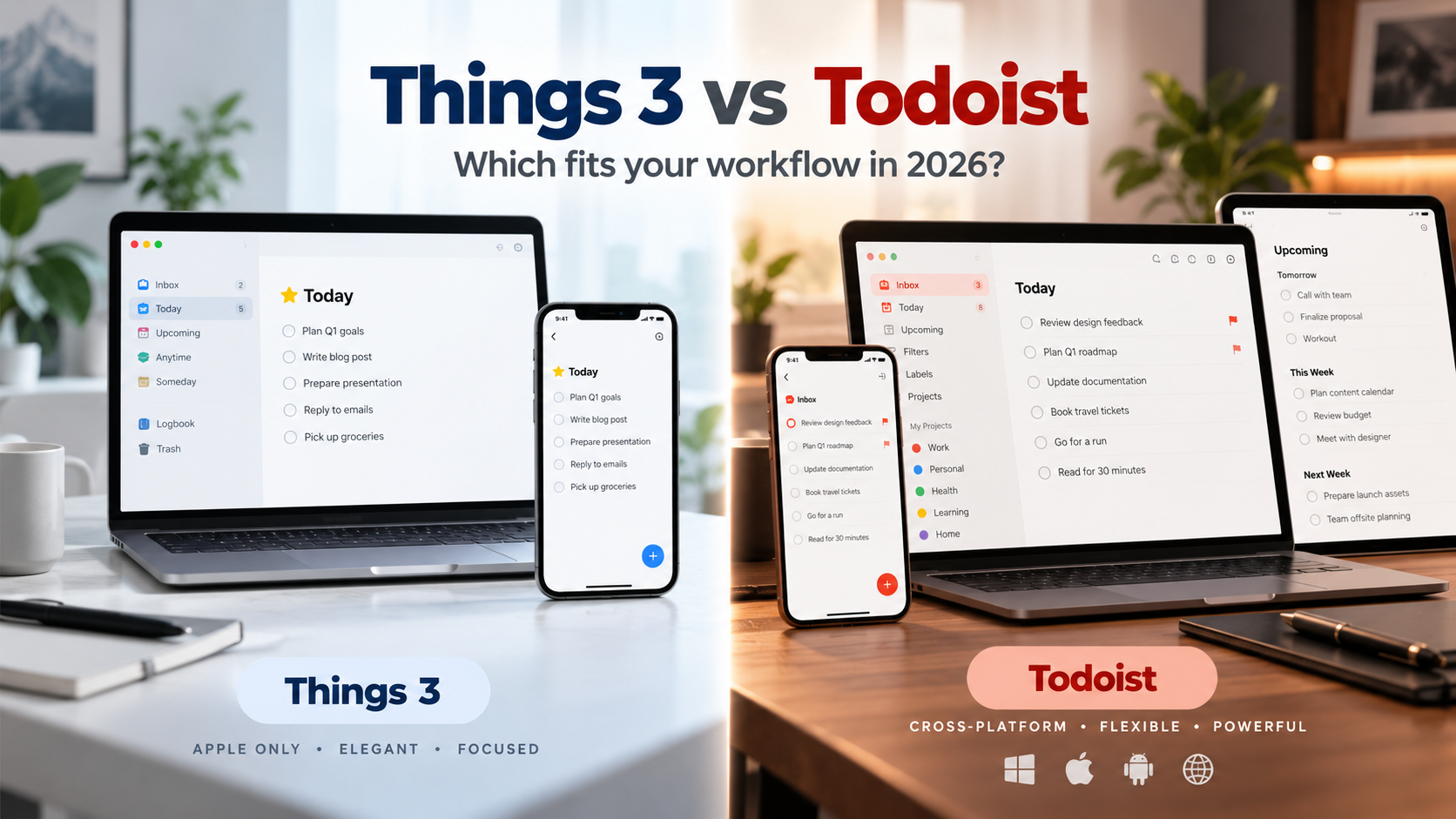
If you use only Apple devices and want a focused personal task manager with a polished native experience, Things 3 is the stronger fit. If you need Windows, Android, Linux, web access, collaboration, more integrations, subtasks, filters, or a free plan, Todoist is the more flexible choice.
The biggest difference is not simply features. Things 3 is intentionally built as a personal Apple-only task manager. Todoist is a cross-platform task system designed to work across more devices, workflows, integrations, and collaborative situations.
Neither is automatically better for everyone.
Things 3 vs Todoist: Quick Comparison
| Feature | Things 3 | Todoist |
|---|---|---|
| Best for | Personal productivity inside the Apple ecosystem | Cross-platform personal and collaborative task management |
| Mac | Native app | Native app |
| iPhone / iPad | Native apps | Native apps |
| Apple Watch | Yes | Yes |
| Windows | No | Yes |
| Android | No | Yes |
| Linux | No | Yes |
| Web app | No | Yes |
| Pricing model | One-time purchase per Apple platform | Free plan + subscription |
| US pricing | Mac $49.99, iPhone $9.99, iPad $19.99 | Free, or Pro at $7/month or $60/year |
| Real-time collaboration | No | Yes |
| Subtasks | Checklists inside tasks | Yes |
| Tags / labels | Tags | Labels |
| Filters | Tag filtering and search | Advanced custom filters |
| Natural-language dates | Yes | Yes |
| Calendar support | Displays calendar events inside Things | Calendar features and integrations |
| Integrations | Focused on Apple ecosystem and local automation | 90+ integrations plus developer API |
| Built-in AI features | Limited compared with AI-focused task managers | Todoist Assist features available |
| Best reason to choose it | Focus, simplicity, Apple-native experience | Flexibility, platforms, sharing and ecosystem |
The Short Answer: Things 3 or Todoist?
Choose Things 3 if you use a Mac and iPhone, manage mostly your own tasks, and want your task manager to stay simple.
Choose Todoist if your devices include Windows or Android, you collaborate with other people, or you want more organizational tools and integrations.
That sounds simple, but the distinction becomes more important once you look at how each app expects you to work.
Things 3 deliberately limits its scope.
Todoist deliberately expands it.
That is why some people find Things calmer, while others eventually find it restrictive.
Things 3 Is Built Around Personal Focus
Things 3 is a personal task manager from Cultured Code built specifically for Apple devices.
Its structure revolves around familiar lists such as:
- Inbox
- Today
- Upcoming
- Anytime
- Someday
You can organize larger areas of responsibility using Areas and Projects, divide projects using Headings, add Tags and use Checklists inside individual to-dos.
The experience is deliberately controlled.
You do not start by designing databases, building workflows or choosing between dozens of project views. You capture something, decide where it belongs and decide when you want to work on it.
For an individual who wants to manage personal and professional tasks without turning task management into another project, that simplicity is a major part of the appeal.
Things 3 is especially strong if your entire setup is Apple
Things runs natively on:
- Mac
- iPhone
- iPad
- Apple Watch
- Apple Vision Pro
Things Cloud synchronizes your tasks between those devices.
But the boundary is strict.
There is no Things 3 application for Windows, Android or Linux, and there is no browser-based Things web app.
That means Things works particularly well when your hardware decisions are already settled.
If you have a MacBook, iPhone and Apple Watch and expect to remain inside the Apple ecosystem, this limitation may barely matter.
If you use a Windows computer at work, an Android phone, or regularly move between operating systems, it becomes one of the most important differences in this comparison.
Todoist Is Built to Follow You Across Devices
Todoist takes almost the opposite approach.
It supports:
- Windows
- macOS
- Linux
- Web
- iPhone and iPad
- Android
- Apple Watch
- Wear OS
Your task system therefore does not depend heavily on the hardware you buy next.
A Mac user can move to Windows.
An iPhone user can switch to Android.
You can open Todoist from another computer through the browser without installing anything.
For people who mix personal and company devices, this alone can make Todoist the more practical option.
Things 3 vs Todoist Pricing
The pricing models are fundamentally different.
Things 3 uses one-time purchases
Things 3 does not require a subscription.
In the US App Store, the current prices are:
- Mac: $49.99
- iPhone and Apple Watch: $9.99
- iPad: $19.99
Each platform is purchased separately.
Things Cloud syncing does not require an additional subscription.
There is also a 15-day trial for the Mac version. The iPhone and iPad versions do not have the same trial because they are sold as upfront App Store purchases.
This model is attractive if you dislike recurring software subscriptions.
Once you have purchased Things for the Apple platforms you use, you are not paying every month simply to keep using the app.
Todoist has a free plan and subscriptions
Todoist offers a free Beginner plan.
For individuals who need more, Todoist Pro currently costs:
- $7 per month when billed monthly
- $60 per year when billed annually
Pro increases project and filter limits and adds features including calendar layout, task duration, custom reminders, full reporting history, deadlines and additional Todoist Assist capabilities.
The pricing question therefore comes down to more than which app costs less today.
Things asks you to buy individual Apple applications upfront.
Todoist lets you start for free but charges a recurring subscription if you need its more advanced personal features.
Natural-Language Input: Both Have It, but They Use It Differently
Natural-language input is one reason Todoist became popular.
You can type something similar to:
"Send invoice Friday"
and Todoist's Smart Quick Add can recognize the date while you create the task.
Its natural-language scheduling also handles more complex recurring patterns.
Things 3 also supports natural-language dates, so saying that Todoist has natural language while Things does not would be incorrect.
The difference is more about workflow.
In Things, natural-language input is used primarily when selecting scheduling dates, reminders and deadlines. For example, you can enter expressions such as tomorrow, next week or relative dates inside the relevant date picker.
Todoist integrates date recognition more directly into its Quick Add task-entry workflow.
If you create large numbers of tasks by rapidly typing task names and dates together, Todoist's approach can feel faster.
If you prefer Things' more deliberate process of capturing a task and then deciding when it belongs, Things still gives you natural-language scheduling without making it the center of the experience.
Things 3 Is Better Suited to One Person
One of the clearest differences between Things 3 and Todoist is collaboration.
Things 3 does not support real-time collaboration on to-dos or lists.
You can use the operating system's share features to send a textual version of a to-do or list to someone, but that is not the same as both people working inside the same project.
This makes Things a personal productivity tool first.
For many people, that is a benefit.
There are no assignments, team permissions or shared-workspace decisions competing with the simple question:
"What do I need to do?"
But if you need another person actively involved in your task system, Things quickly reaches its boundary.
Todoist Handles Shared Work Much Better
Todoist projects can be shared with other people.
Tasks can be assigned, comments can be added and projects can become collaborative spaces rather than purely personal lists.
Todoist also has a dedicated Business plan for more structured team use.
That does not make Todoist a replacement for every full project-management platform. Companies needing complex dependencies, resource management, advanced portfolio planning or highly customized workflows may still need something larger.
But for personal task management that occasionally becomes collaborative, Todoist has much more room to grow than Things 3.
Organizing Projects: Simplicity vs More Control
Both tools can manage substantially more than grocery lists.
Things uses:
Areas for ongoing parts of your life or work.
Projects for outcomes that eventually finish.
Headings to divide projects.
Tags to connect related work across different lists.
Checklists to break an individual to-do into smaller steps.
That structure is powerful without becoming particularly complicated.
Todoist offers a more configurable system built around projects and sections, with features such as:
- Subtasks
- Labels
- Priority levels
- Custom filters
- List views
- Board views
- Calendar layouts on supported plans
- Recurring tasks
- Reminders
- Deadlines
If you enjoy building filtered views such as "high-priority work tasks due this week," Todoist gives you substantially more flexibility.
If you rarely want to think about filters at all, Things may feel cleaner.
Daily Planning Feels Different
Things 3 has one of the clearer daily-planning experiences among traditional task managers.
The Today view becomes the place where you decide what deserves attention now.
Things also separates tasks you want to handle later in the day with This Evening, while Upcoming gives you a look at what is ahead. Calendar events can appear alongside tasks so you can understand the surrounding schedule.
Todoist also has Today and Upcoming views, but its broader organizational model remains more flexible.
You might reach today's work through:
- Today
- Upcoming
- A project
- A label
- A custom filter
- A calendar layout
Neither approach is objectively better.
Things gives you fewer ways to look at work, which can make deciding where to look easier.
Todoist gives you more ways to organize and retrieve work, which becomes valuable as the number of tasks and projects increases.
Integrations Are a Major Todoist Advantage
Things 3 integrates deeply with the Apple ecosystem.
Its Mac Quick Entry feature is particularly useful. You can capture a new task without leaving the application you are currently using, and Quick Entry with Autofill can attach links to supported websites, emails or files.
Things also supports Apple Shortcuts, Siri, a URL scheme and AppleScript automation on Mac.
For an Apple-focused personal system, that can be plenty.
Todoist takes a broader approach.
Its current plans advertise more than 90 integrations, and Todoist also provides a developer API.
That makes Todoist easier to connect with a larger software stack.
If your task manager needs to interact with email, calendars, automation tools or other business software, this difference matters.
What Happens if You Leave the Apple Ecosystem?
This is probably the easiest decision point in the entire comparison.
If there is a meaningful chance you will need Windows or Android access, Todoist is safer.
Things does not merely lack a native Windows or Android app.
You also cannot log into Things Cloud from a browser to access your tasks.
Your Things data is meant to be viewed through Things applications running on supported Apple hardware.
For an Apple-only user, that is a non-issue.
For someone considering an Android phone or using Windows professionally, it can become a reason to choose Todoist even if you prefer Things' interface.
Things 3 vs Todoist for Apple Users
If you own a Mac, iPhone and possibly an Apple Watch, the decision becomes much closer.
Choose Things 3 if you value:
- A focused native Apple experience
- Personal rather than collaborative task management
- Minimal configuration
- Strong daily planning
- One-time purchases instead of subscriptions
- Deep integration with Apple workflows
Choose Todoist if you value:
- The freedom to change platforms later
- Shared projects
- Subtasks
- Labels and advanced filters
- More integrations
- A web interface
- A free starting tier
- More ways to organize complex task collections
For many Apple users, Things wins on restraint.
Todoist wins on optionality.
Who Should Choose Things 3?
Things 3 makes the most sense if you can say yes to most of these:
- I use Apple devices exclusively.
- Most of my task management is personal.
- I do not need shared projects.
- I prefer a focused interface over maximum customization.
- I want to plan what deserves attention today.
- I prefer buying software once instead of maintaining another subscription.
- I do not need a large integration ecosystem.
In that situation, Things' limitations can actually be part of what makes it pleasant to use.
There are fewer systems to configure because it deliberately does less.
If the Apple-only limitation is the problem, compare more Things 3 alternatives before moving your task system.
Who Should Choose Todoist?
Todoist makes more sense if:
- You use Windows or Android.
- You need browser access.
- You work across several operating systems.
- You share projects or tasks with other people.
- You use subtasks regularly.
- Labels and custom filters matter to you.
- You want integrations with other software.
- You want to start with a free plan.
- You expect your task system to become more complicated over time.
Todoist gives you more room before you have to leave the product for something more powerful.
What if Neither Things 3 nor Todoist Fits?
Things 3 and Todoist are both primarily traditional task managers, even though they organize work differently.
There is another workflow worth considering if the main problem is not storing tasks, but deciding what belongs on each day and reviewing what actually happened afterward.
SelfManager.ai takes that approach.
Instead of starting with projects or Areas, SelfManager uses date-based planning. Every date is its own workspace, and each day can contain multiple tables - for example, one for client work, another for a product and another for personal tasks.
Its AI Plan can create an editable plan across one day or a period of up to 31 days. AI Review can then analyze real tasks, statuses, priorities, time tracking, notes and comments across a week, month, quarter or custom period.
SelfManager also has built-in task time tracking and can turn pasted text into structured tasks.
It runs through the browser, including on Windows and Android, and can be added to the home screen for app-like access. It does not currently offer native mobile apps.
SelfManager is not the right alternative if you need Todoist-style subtasks, tags, a large integration ecosystem or calendar synchronization. It also does not automatically schedule or reschedule tasks on your calendar.
For more on preserving that context, compare task managers that keep a history of completed work.
It fits a different problem: planning work around actual days, keeping the history of those days and using AI to understand that history when planning what comes next.
Explore combining planning, tasks, notes, time tracking and AI in one workspace.
The Individual plan costs $8 per month or $72 per year, with a 7-day full-feature trial that does not require a credit card.
Things 3 vs Todoist: Final Decision by Use Case
Choose Things 3 if you want a polished personal task manager and expect to remain entirely inside the Apple ecosystem.
Its one-time pricing, focused design and strong Today workflow make it especially attractive for Mac and iPhone users who do not need collaboration.
Choose Todoist if you want your task manager to work almost everywhere.
It is the stronger choice for Windows and Android users, people who collaborate, and anyone who depends on subtasks, filters, integrations or more configurable organization.
Consider SelfManager.ai if your bigger problem is planning and reviewing days rather than maintaining projects and lists.
It gives up some traditional task-management features in exchange for a date-centric structure, built-in time tracking and AI that can plan forward and review what actually happened.
The important question is therefore not which app has the longest feature list.
It is what you want your task manager to organize around.
FAQ
Is Things 3 better than Todoist?
Things 3 can be the better choice for an individual who uses only Apple devices and values a focused, native task-management experience. Todoist is more flexible if you need multiple platforms, collaboration, advanced filters, integrations or subtasks.
Is Things 3 available on Windows or Android?
No. Things 3 is available for Mac, iPhone, iPad, Apple Watch and Apple Vision Pro. It does not have Windows, Android or Linux apps, and there is no Things web app.
Does Things 3 require a subscription?
No. Things 3 uses one-time purchases. The Mac, iPhone and iPad versions are sold separately, while Things Cloud syncing between supported devices does not require an additional subscription.
Is Todoist free?
Yes. Todoist has a free Beginner plan. Todoist Pro currently costs $7 per month when paid monthly or $60 per year when paid annually and includes higher limits and additional planning and productivity features.
Does Things 3 have natural-language input?
Yes. Things 3 supports natural-language input for scheduling dates, reminders and deadlines. Todoist also supports natural-language scheduling, with date recognition integrated particularly closely into its Smart Quick Add workflow.
Can I share Things 3 projects with another person?
Things 3 does not currently support real-time collaboration on to-dos or lists. You can share textual versions of tasks and lists through Apple's sharing features, but another person cannot collaborate with you inside the same Things project.
Is Todoist better if I might switch away from Apple?
Yes. Todoist supports Windows, macOS, Linux, web, iOS and Android, so changing your computer or phone platform does not require changing your task-management system. Things 3 is intentionally limited to Apple devices.
What is a good alternative to both Things 3 and Todoist?
If you want work organized around individual dates rather than primarily around lists or projects, SelfManager.ai takes a different approach. It combines date-based daily workspaces with AI planning, AI Review and built-in time tracking, but it does not have calendar sync, automatic scheduling, subtasks or tags.
Date-based AI Task Manager
Plan smarter, execute faster, achieve more
Create tasks in seconds, generate AI-powered plans, and review progress with intelligent summaries. Perfect for individuals and teams who want to stay organized without complexity.
Get started with your preferred account