
How to Turn a Brain Dump Into a Daily Plan With AI
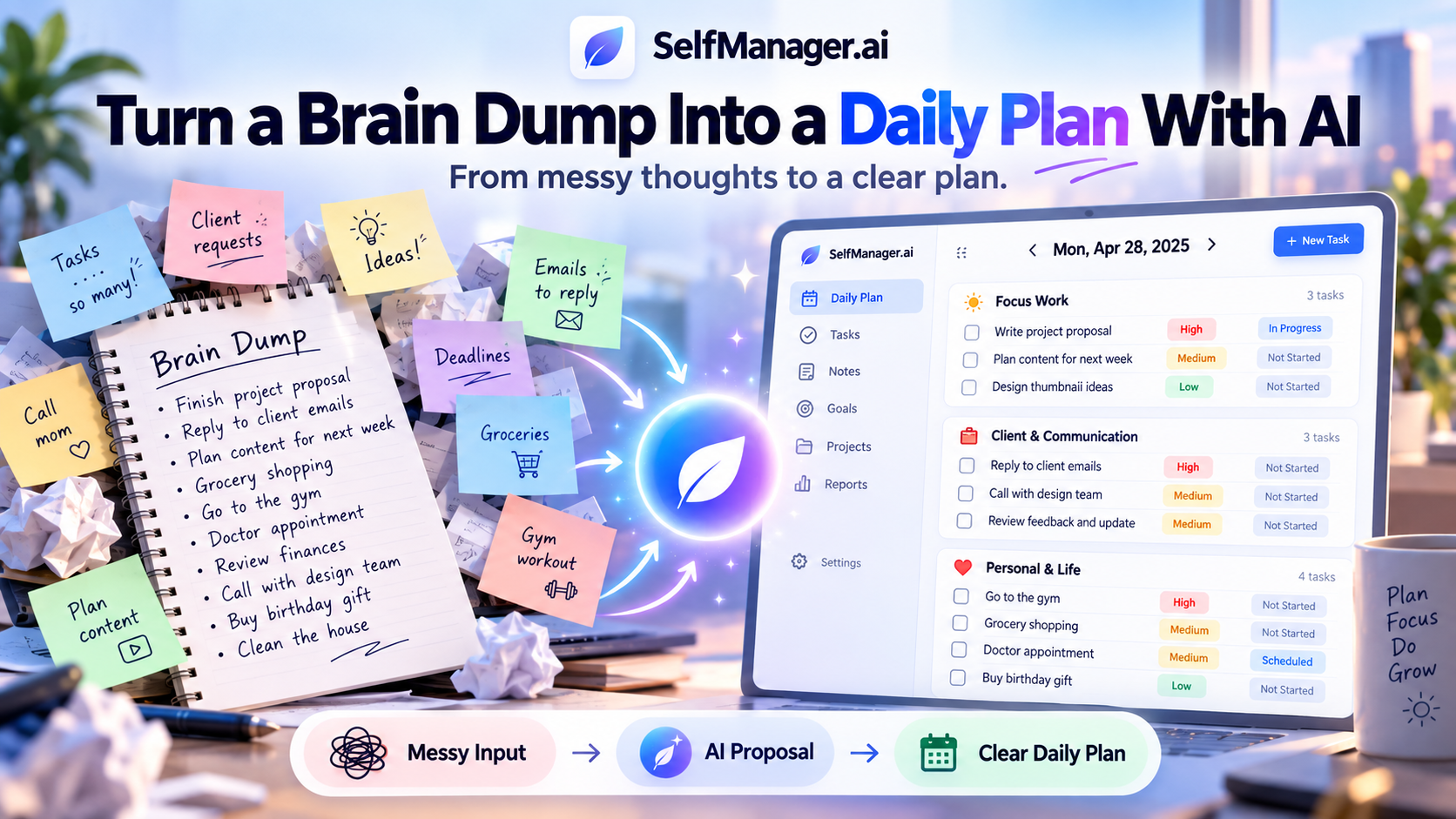
A brain dump is useful because it gets everything out of your head.
The problem is that it usually leaves you with another problem: a messy page full of tasks, ideas, reminders, worries, half-decisions, and things that may not actually need to happen today.
AI can help with the next step.
Instead of manually translating every thought into a task, you can give the messy input to AI, let it propose a structured plan, then correct the priorities and assumptions before saving anything.
That last part matters.
AI is good at turning unstructured thoughts into structure. It does not automatically know which client is angry, which deadline moved this morning, which task is blocked, or how much energy you actually have today.
The useful workflow is therefore:
Brain dump → AI proposal → human corrections → dated plan → work
Here is what that looks like with a complete example.
The example below is fictional and is designed to demonstrate the workflow rather than describe a real SelfManager.ai customer.
Step 1: Start With the Messy Version
Imagine Daniel, a freelance web developer.
It is Monday morning.
He has client work, business administration, marketing ideas, and personal obligations competing for attention.
Instead of trying to organize everything while remembering it, he writes this:
Need to fix checkout issue for Alpha Store, client messaged last night and seems urgent. Finish homepage proposal for Green Studio, ideally today. Sarah asked about the new feature but I can't answer until Mark sends the development estimate. Need to chase Mark. Should probably look at last week's analytics because traffic seemed weird. Hosting invoice needs paying sometime this week. I wanted to publish the article today but not sure I'll have time. Need to reply to two other emails. Idea: maybe redo pricing page because the current one could be clearer. Gym around 6. Need groceries. Client call 11-12. Only have maybe five proper working hours today.
That is a perfectly useful brain dump.
It is also a bad daily plan.
There are urgent tasks mixed with ideas.
There is a blocked request.
There are tasks that can happen later in the week.
There is a fixed meeting.
There is personal work mixed with client work.
And one item - redesigning the pricing page - is not really a commitment at all. It is an idea.
This is where AI becomes useful.
Step 2: Give the Brain Dump to AI
In SelfManager.ai, AI Plan can be used for a single day as well as longer planning periods.
See how SelfManager AI Plan and AI Review work.
For this example, Daniel selects Monday and gives the AI his brain dump as the planning brief.
The important thing is that he does not need to rewrite it first.
That would defeat much of the point.
The AI's job is to extract structure from the mess.
A possible first result could look something like this:
Fictional AI-generated first draft
| Proposed task | Why it appeared |
|---|---|
| Finish Green Studio homepage proposal | Clear deliverable Daniel wants finished today |
| Fix Alpha Store checkout issue | Client request described as urgent |
| Follow up with Mark about development estimate | Required before answering Sarah |
| Reply to Sarah about new feature | Explicit request in the brain dump |
| Review last week's analytics | Potential business issue worth investigating |
| Reply to outstanding emails | Concrete administrative work |
| Publish article | Daniel mentioned wanting it completed today |
| Pay hosting invoice | Real task with a deadline this week |
| Review pricing page | Captured from Daniel's idea |
| Buy groceries | Personal task |
| Go to gym | Personal commitment |
Already, this is easier to work with than the original paragraph.
But it is not ready yet.
Step 3: Do Not Blindly Accept the AI Plan
This is where good AI planning differs from pressing a button and assuming the machine understands your life.
Daniel knows several things that were not completely obvious from the words alone.
First, the Alpha Store checkout problem is more important than the homepage proposal.
A broken checkout can affect an active client's sales. That changes the order immediately.
Second, “reply to Sarah” cannot really happen yet.
Sarah is waiting for information that Daniel does not have. The real next action is chasing Mark for the estimate.
Third, the pricing-page thought is an idea, not work that needs to occupy Monday.
Fourth, the hosting invoice can wait until later in the week.
Fifth, publishing the article would be nice, but Daniel has already said he only has around five productive hours available.
The plan needs to acknowledge reality.
Step 4: Correct What the AI Could Not Know
Daniel edits the proposal before approving it.
Correction 1: move the checkout issue to the top
The AI recognized that the issue sounded urgent, but Daniel knows the business context.
So:
Before: Finish homepage proposal near the top.
After: Fix Alpha Store checkout issue first.
This is not a failure of AI.
It is exactly why an AI-generated plan should remain editable.
Priority depends on context.
Correction 2: replace the blocked task with the next action
The initial plan contains:
Reply to Sarah about new feature
But Daniel cannot do that properly yet.
He changes it to:
Follow up with Mark for development estimate
He can keep Sarah's request in his notes or task context, but the executable action is getting the missing information.
A good daily plan should tell you what you can actually do next.
Correction 3: remove the pricing-page idea from today
“Maybe redo the pricing page” is not the same thing as:
“Redesign the pricing page today.”
AI can identify an idea, but it should not automatically promote every thought into a commitment.
Daniel removes it from Monday.
He can capture the idea elsewhere and decide later whether it deserves actual work.
Correction 4: move the invoice out of today's plan
The invoice needs to be paid this week.
It does not need to be paid Monday.
Because SelfManager.ai organizes work around dates, Daniel can put it on a later date instead of keeping it in today's mental field of view.
Correction 5: remove the article from the must-do list
Daniel wants to publish the article.
But after accounting for the urgent bug, proposal, client call, analytics check, and admin work, the day is already full.
Instead of pretending everything fits, he moves the article to tomorrow.
That is a better plan even though it contains fewer tasks.
Step 5: Turn It Into a Realistic Daily Plan
After those corrections, Daniel's Monday becomes much clearer.
Client work
1. Fix Alpha Store checkout issue
Highest priority. Investigate, test the fix, and update the client.
2. Client call - 11:00 to 12:00
Fixed commitment.
3. Finish Green Studio homepage proposal
Complete and send if possible after the urgent issue is resolved.
4. Follow up with Mark for development estimate
This unblocks the response to Sarah.
Business and administration
5. Review last week's analytics
Investigate the traffic change Daniel noticed rather than leaving the concern in his head.
6. Reply to outstanding emails
Handle the remaining important communication.
Personal
7. Buy groceries
Small personal obligation.
8. Gym around 18:00
Part of the real day even though it is not client work.
And that is enough.
The hosting invoice can live on another date.
The article can live on tomorrow.
The pricing-page idea can remain an idea until Daniel decides it deserves action.
The answer to overwhelm was not creating more tasks.
It was deciding what did not belong today.
Step 6: Review the Proposal Before Saving It
SelfManager.ai's AI Plan does not immediately write the generated plan into your account.
It first returns an editable proposal.
That separation is important.
Daniel can inspect the result, rename tasks, change priorities, delete unnecessary items, and correct anything that does not reflect reality.
For a longer planning period, he can also review the proposed days before committing them.
Only after he is satisfied does he approve the plan.
The corresponding table is then created on the selected date.
Now the output is no longer text from an AI chat.
It is part of the task system where Daniel will actually do the work.
Why Saving the Plan to a Date Matters
A general AI chatbot can also turn a paragraph into tasks.
You could paste the exact same brain dump into ChatGPT, Claude, Gemini, or another capable model and ask:
Turn this into today's priorities.
You would probably get a useful answer.
But there is another step afterward.
You still need somewhere to work from.
That normally means copying the tasks into your task manager, deciding where they belong, recreating priorities, and organizing them around the day.
An AI task manager can shorten that gap.
The generated structure becomes the actual work structure.
In SelfManager.ai, the Monday plan stays attached to Monday.
Read more: introducing AI Plan.
As Daniel completes tasks, changes statuses, tracks time, leaves comments, or adds notes, the original plan gradually becomes a record of what actually happened that day.
That history can later be used during AI Review.
Planning is therefore not isolated from execution.
The AI Does Not Know Everything You Know
The fictional example above is deliberately imperfect.
That is closer to how AI should actually be used.
There are several things a model may not know unless you tell it.
An urgent client may be more important than a large project
Two tasks can both have deadlines today while having very different consequences.
The AI sees the information you provide.
You understand the relationship, financial impact, expectations, and history behind it.
A task may secretly be blocked
“Reply to Sarah” sounds actionable.
But if you are waiting for Mark's estimate, it is not the real next action.
You may need to correct that dependency.
An idea is not automatically a task
Brain dumps contain things like:
Maybe I should start a YouTube channel.
Could redesign the homepage.
Research a new laptop.
Those thoughts may be worth preserving.
They do not necessarily deserve time today.
Your available time may be different from your theoretical time
A day containing eight empty hours is not always a day containing eight productive hours.
Meetings, interruptions, energy, family responsibilities, commuting, and unexpected problems exist.
Giving AI useful constraints improves the proposal.
But you should still inspect the result.
What Makes a Good Brain Dump for AI?
You do not need to make it neat.
In fact, organizing everything before giving it to AI defeats much of the purpose.
Write naturally.
Include things such as:
- Tasks you remember
- People you need to contact
- Things worrying you
- Deadlines
- Meetings
- Ideas
- Personal obligations
- Things you are waiting for
- Rough time constraints
- Anything you are afraid you will forget
The AI can help classify the mess afterward.
What matters is getting the information out of working memory and into a place where it can be examined.
Give the AI Constraints When You Know Them
Compare these two prompts.
Weak input
Fix client bug, proposal, analytics, emails, article, invoice.
There is almost no context.
The AI has to guess what matters.
Better input
The checkout bug affects a current client and needs to be handled first. I have a client call from 11-12 and around five productive hours today. The homepage proposal should ideally go out today. The article can move to tomorrow. The invoice only needs to be paid by Friday.
Now the AI has information that materially changes the plan.
You do not need to write a carefully engineered prompt.
You just need to mention constraints you already know.
Brain Dumping Is Capture. Planning Is Deciding.
This distinction matters.
A brain dump asks:
What is occupying my mind?
A daily plan asks:
What am I actually committing to today?
Those should not produce the same list.
If your brain dump contains 23 items, that does not mean your daily plan should contain 23 tasks.
AI is useful partly because it makes the gap visible.
It can extract the tasks.
It can suggest structure.
It can propose priorities.
It can help break large thoughts into actions.
But deciding what deserves your finite attention is still your responsibility.
You Can Also Turn Messy Text Directly Into a Task Table
Not every brain dump needs the full AI Plan workflow.
If you already know the date and mainly need the text converted into tasks, SelfManager.ai also lets you create a table with AI.
Open the date where the work belongs, choose Add Table, then Use AI, and paste your material.
This is useful for:
- Meeting notes
- Client feedback
- Emails
- Voice transcripts
- Existing checklists
- Project ideas
- Brain dumps
If your input already contains a task list, the AI can preserve the items while turning them into structured rows.
If the input is more conceptual, it can develop the material into actionable tasks.
You can then edit the result normally.
The important difference is scope.
Use AI-generated tables when you mainly need messy information converted into actionable tasks.
Use AI Plan when you want AI to help construct the actual day or a longer dated planning period.
A Simple Daily Brain-Dump Routine
You do not need to perform a large planning exercise every morning.
A practical routine can be very small.
Spend a few minutes writing down whatever is competing for your attention.
Include work and personal obligations if they affect the same day.
Give the raw input to AI.
Then spend most of your planning time checking the proposal rather than constructing everything manually.
Ask yourself:
- What is genuinely urgent?
- What is blocked?
- What can move?
- What is only an idea?
- What realistically fits today?
Then save the corrected plan.
The AI handles decomposition.
You handle judgment.
What Happens Tomorrow?
Suppose Daniel reaches the end of Monday and completes:
- The checkout fix
- The client call
- The homepage proposal
- The Mark follow-up
- Most of his email
But he never gets to the analytics review.
That is normal.
A useful task system should represent what actually happened rather than pretending every plan is executed perfectly.
The unfinished work can inform the next plan.
Over time, SelfManager.ai also has more historical context available for AI Plan and AI Review.
Instead of every planning session starting from a blank chatbot conversation, planning can connect with what you were already doing.
That creates a broader loop:
Capture → Plan → Work → Review → Adjust
The brain dump is simply one way into that loop.
Read more: how to use SelfManager.ai.
Where This Method Works Especially Well
Turning a brain dump into a daily plan is particularly useful when your work does not arrive in a neat queue.
That includes freelancers juggling clients, founders moving between different parts of a business, knowledge workers managing many small responsibilities, and anyone balancing professional and personal commitments within the same day.
It is less useful if your schedule is already completely determined by a predefined process.
If every task is assigned by your company, already scheduled, and clearly prioritized, you may not need AI to build the day.
The value appears when the problem is deciding what to do with competing information.
Do Not Try to Automate Away Judgment
There is a tempting version of AI productivity where you write everything down, press a button, and let an algorithm decide your life.
That is not the workflow described here.
A better use of AI is removing the tedious part between:
I have all of this in my head.
and:
Here are the actions I can choose from.
Humans are still better positioned to understand many of the consequences.
You know which client matters.
You know whether you slept badly.
You know that a “quick task” will actually take two hours.
You know that an idea excites you but has no reason to happen today.
AI can create structure around those facts.
It should not erase your responsibility to provide them.
Try It With Your Own Brain Dump
The easiest way to test this workflow is not to create fake demo tasks.
Use the thoughts already competing for your attention.
Write everything down without organizing it.
Include work, reminders, ideas, concerns, personal obligations, and anything else you keep mentally revisiting.
Then use AI to turn that mess into a proposal.
Before saving it, correct at least three things:
- Remove something that does not belong today.
- Fix one priority based on context the AI could not know.
- Identify anything that is blocked or waiting on someone else.
The result should not be the most impressive AI-generated plan.
It should be a plan you can actually follow.
SelfManager.ai includes AI planning during its 7-day free trial, with no credit card required.
Start with one real day.
If tomorrow feels clearer because today's thoughts became concrete actions, the system is doing its job.
Frequently Asked Questions
Can AI turn a brain dump into tasks?
Yes.
Modern AI models can extract actionable items from unstructured text, separate different topics, and propose priorities or next steps.
The result should still be reviewed because the AI may not know important constraints, dependencies, deadlines, or personal priorities.
Should I organize my brain dump before giving it to AI?
Usually not.
The purpose of a brain dump is to capture thoughts without spending attention organizing them.
If you already know an important constraint - such as a hard deadline or limited working time - include it, but you do not need to rewrite the entire dump into perfect task language first.
What is the difference between a brain dump and a daily plan?
A brain dump contains whatever is occupying your attention.
A daily plan contains what you have actually decided to work on.
A good planning process removes, postpones, clarifies, and reprioritizes items rather than treating every captured thought as today's task.
Can SelfManager.ai plan only one day?
No.
AI Plan can create a proposal for a single day, a week, a full month, or a custom period of up to 31 days.
For a simple brain dump, starting with one day makes it easier to inspect whether the AI's priorities match reality.
Does SelfManager.ai save AI-generated plans automatically?
No.
AI Plan presents the proposed dated plan for review first.
You can edit the proposal before approving it. The tables are created on the selected dates after you commit the plan.
Can I paste a brain dump without using AI Plan?
Yes.
If you only need the text converted into a task table, you can open Add Table, choose Use AI, and paste the brain dump.
AI Plan is more appropriate when you want the output organized as an actual dated plan.
Should AI choose my priorities for me?
It can suggest priorities, but you should make the final decision.
AI only has access to the context available to it. Business consequences, relationships, changing circumstances, energy, and unspoken dependencies may require human correction.
Date-based AI Task Manager
Plan smarter, execute faster, achieve more
Create tasks in seconds, generate AI-powered plans, and review progress with intelligent summaries. Perfect for individuals and teams who want to stay organized without complexity.
Get started with your preferred account