
Best Weekly Planner Apps in 2026
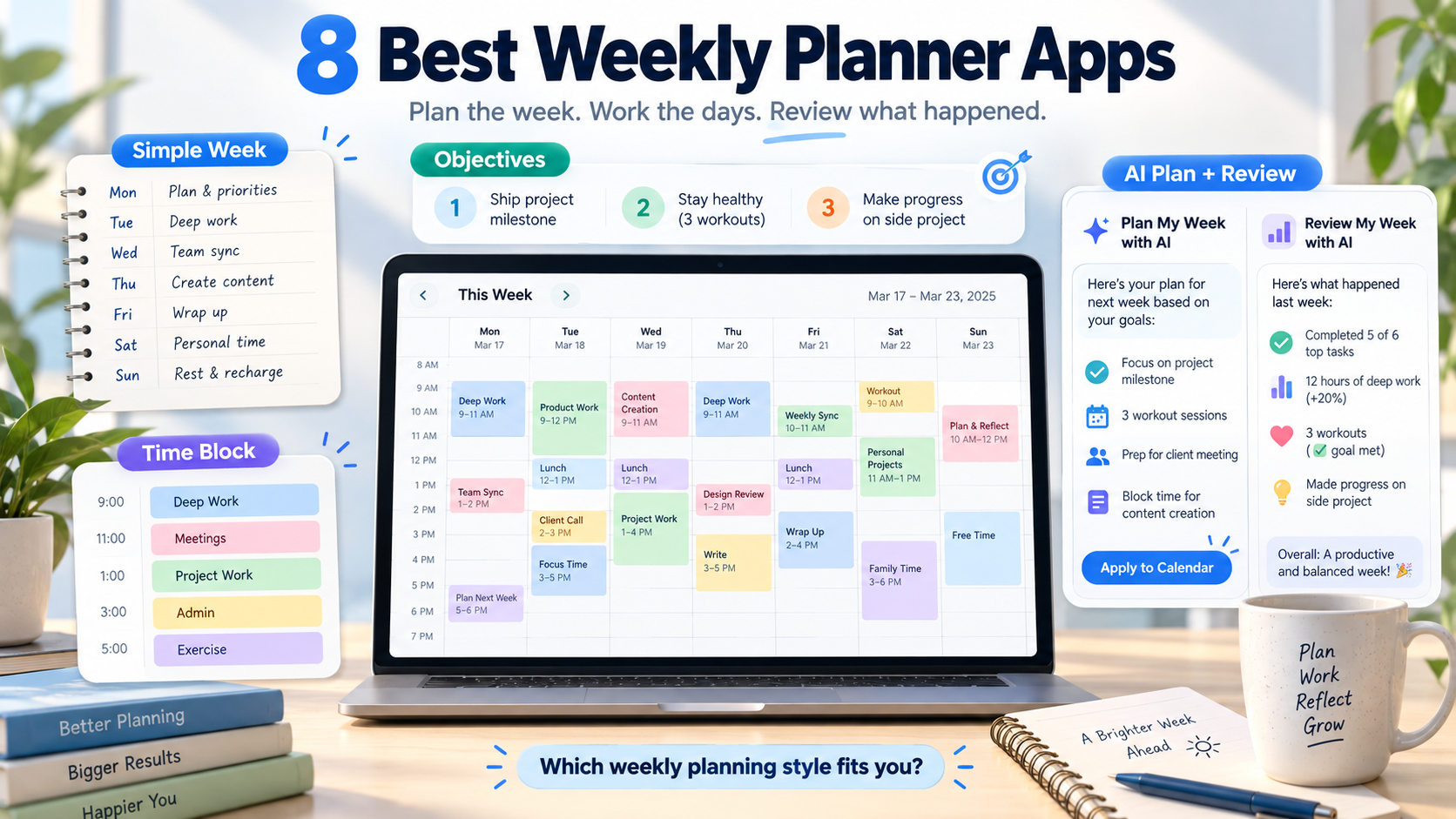
The best weekly planner app depends on what you mean by planning a week.
Choose Tweek if you want a simple paper-like seven-day planner. Choose Sunsama or Akiflow if you want a structured weekly planning ritual around your calendar. Choose Todoist or TickTick if you want a flexible task manager with a strong week view. Choose Morgen if several calendars control your week.
Choose SelfManager.ai if you want AI to help plan the week ahead, work from dated daily spaces, track what actually happened, and then review the completed week with AI.
That last part matters.
A useful weekly planner should not only answer:
What am I planning to do next week?
It should ideally help you answer:
What actually happened last week?
Best Weekly Planner Apps at a Glance
| App | Best for | Weekly planning style | Starting price |
|---|---|---|---|
| SelfManager.ai | AI planning + weekly review | Date-based week with AI Plan and Review | $8/month |
| Tweek | Minimal weekly overview | Paper-like seven-day planner | Free |
| Sunsama | Guided weekly planning | Weekly objectives + daily planning | $22/month |
| Akiflow | Weekly planning + time blocking | Weekly ritual + calendar | $34/month |
| TickTick | Affordable all-in-one planning | Weekly calendar + tasks | Free |
| Todoist | Flexible task management | Upcoming week + projects | Free |
| Structured | Visual weekly timeline | Daily timelines viewed together | Free |
| Morgen | Multi-calendar weekly planning | Calendar-first + AI-assisted planning | $30/month |
These apps solve different weekly planning problems.
Some show seven days clearly.
Some help you decide which goals matter.
Some turn tasks into calendar blocks.
Some automatically use AI.
And some connect planning with a review of what you actually accomplished.
1. SelfManager.ai - Best for AI Weekly Planning and Review
SelfManager.ai is built around dates.
Instead of creating one global project system and then filtering it down to this week, every day already has its own workspace.
A Monday might contain:
Client Work
- Finish homepage revisions
- Review campaign results
- Send invoice
Product
- Fix onboarding bug
- Test new feature
- Review feedback
Personal
- Gym
- Pay insurance
- Book dentist
Tuesday gets its own workspace.
Wednesday gets its own.
The Week view then gives you a wider perspective across those days.
This is useful for people whose week contains several unrelated areas competing for the same time.
AI Plan can create the entire week
SelfManager's AI Plan can generate a proposed plan for:
- One day
- One week
- One month
- A custom period up to 31 days
You describe what you want to achieve.
For example:
Plan next week around finishing the website launch, handling client support every weekday, publishing two articles, going to the gym three times, and keeping Friday afternoon lighter.
AI Plan can propose separate dated tables and prioritized tasks across the week.
Before approving it, you can:
- Edit tasks
- Change priorities
- Move work
- Skip entire days
- Delete rows
- Add work
- Regenerate the plan
The important distinction is that AI is not just giving you a paragraph about how your week could look.
The approved result becomes the actual dated workspaces you use.
Read more: using AI to plan your week.
AI Review closes the weekly loop
At the end of the week, SelfManager can review what actually happened.
AI Review can analyze the work recorded across the selected period, including context such as:
- Tasks
- Statuses
- Priorities
- Time tracked
- Notes
- Comments
- Images
- Daily Self Messages
You can ask:
- What did I actually complete?
- What slipped?
- Which priorities received too little attention?
- Where did most of my tracked time go?
- What should I change next week?
- Summarize what I accomplished for Client A.
This creates a repeated workflow:
Plan the week → execute each day → review the week → improve the next plan
That is SelfManager's strongest weekly-planning advantage.
Read more: AI task managers that write your weekly review.
Where SelfManager is weaker
SelfManager does not currently have:
- Google Calendar integration
- Outlook Calendar integration
- CalDAV
- Automatic time blocking
- Automatic rescheduling
- Subtasks
- Tags
- Public API
- Zapier
It is therefore not the best weekly planner if your main goal is fitting tasks around a meeting-heavy calendar.
It is strongest when you want to decide what belongs on each day and retain a historical record of what happened.
SelfManager.ai pricing
Individual:
- $8/month
- $72/year, equivalent to $6/month
- 35 AI credits each week
Team:
- $30/month flat
- $300/year, equivalent to $25/month
- Unlimited collaborators
- 70 AI credits each week
There is a 7-day full-feature trial with no credit card required.
2. Tweek - Best Simple Weekly Planner
Tweek is probably the clearest example of a planner designed specifically around the week.
Its default view is a simple seven-day layout.
That makes it feel closer to a paper weekly planner than a traditional task-management database.
You open it and see the week.
There is less pressure to design:
- Projects
- Complex filters
- Dashboards
- Workflows
- Custom databases
You place tasks where they belong.
That simplicity is exactly the reason to choose it.
Tweek works well if you think visually in weeks
Some people naturally think:
Monday
- Client call
- Finish proposal
Tuesday
- Deep work
- Gym
Wednesday
- Publish article
They do not want to maintain a sophisticated task architecture behind those decisions.
Tweek fits that workflow extremely well.
Its current product supports:
- Week, Day, and Month views
- Calendar synchronization
- Recurring tasks
- Reminders
- Subtasks
- Notes
- Shared calendars
- Colors
- Attachments
- Printable weekly planning
Premium can sync calendars including Google, Apple, and Outlook.
Tweek also has API and AI-assistant connectivity, but its main appeal remains the simple weekly interface.
Tweek pricing
Tweek has a free plan.
Individual Premium costs:
- $5.99/month
- $49.99/year
The annual Individual plan includes a 14-day trial for new users.
Choose Tweek if your ideal weekly planner looks more like a clean sheet of paper than a project-management tool.
3. Sunsama - Best for a Guided Weekly Planning Ritual
Sunsama is more structured.
It does not simply give you seven columns and leave you alone.
Its Weekly Planning ritual guides you through choosing objectives for the week ahead.
You can review previous objectives, carry unfinished ones forward, and define what matters next.
Those weekly objectives then connect with Sunsama's better-known daily-planning workflow.
That gives you two levels:
Week: what outcomes matter?
Day: what am I realistically committing to today?
Sunsama is good for chronic overplanning
This distinction is important.
A weekly to-do list can contain 40 tasks without telling you that 40 tasks may be unrealistic.
Sunsama's philosophy is much more deliberate.
Your work eventually meets your calendar and available time.
That helps prevent the common pattern:
Monday: optimistic plan
Wednesday: hopelessly behind
Friday: move everything into next week
Sunsama works particularly well if meetings already define much of your schedule because calendars remain central to the planning process.
Sunsama pricing
Sunsama currently costs:
- $22/month
- $17/month billed annually
There is a 14-day free trial with no credit card required.
Choose Sunsama if you want the application to actively guide the weekly and daily planning process rather than simply store the resulting tasks.
4. Akiflow - Best for Weekly Planning and Time Blocking
Akiflow also has dedicated weekly rituals, but it connects them much more explicitly with calendar time blocking.
Its Weekly Planning ritual currently walks you through steps such as:
- Reviewing the previous week
- Reviewing previous goals
- Choosing weekly goals
- Adding notes
- Pulling relevant tasks into the week
- Creating time slots
- Time-blocking tasks
There is also a Weekly Shutdown ritual focused on reflection and wrapping up the current week.
That makes Akiflow one of the most complete options for someone who wants planning and calendar execution tightly connected.
Akiflow works especially well when tasks come from many places
Akiflow can bring work together from other productivity systems.
Its broader workflow includes:
- Tasks
- Subtasks
- Projects
- Tags
- Calendar
- Quick capture
- Daily and weekly rituals
- Google Calendar synchronization
- Outlook Calendar synchronization
- Time blocking
- Integrations
- AI assistance
If your week contains work arriving from several apps, Akiflow can serve as the planning layer where you decide when those commitments actually happen.
The difference from SelfManager.ai
Akiflow is more calendar-centered.
Its weekly process leads naturally toward time blocks.
SelfManager is more date-centered.
A task can belong to Tuesday without needing to occupy 10:00-11:30 AM on an external calendar.
Neither philosophy is automatically better.
Choose based on how precisely you want to schedule your week.
Akiflow pricing
Akiflow Pro currently costs:
- $34/month
- $19/month billed annually
There is a 7-day free trial.
Choose Akiflow if a good weekly plan means turning priorities into actual calendar blocks.
5. TickTick - Best Affordable All-in-One Weekly Planner
TickTick is broader than Tweek but less ritualized than Sunsama or Akiflow.
Its Calendar includes multiple views such as:
- Weekly
- Monthly
- Agenda
- Multi-Day
- Multi-Week
That makes it easy to see tasks across the upcoming week.
TickTick also provides conventional task-management tools including:
- Lists
- Subtasks
- Tags
- Priorities
- Recurring tasks
- Reminders
- Notes
- Kanban
- Calendar views
- Task duration
- Habits
- Focus tools
For people who want one relatively affordable app covering many personal-productivity needs, it is a strong option.
TickTick gives you flexibility without a required ritual
TickTick does not force you into one weekly-planning method.
You can use its week view to:
- Inspect deadlines
- Move tasks between days
- Check calendar commitments
- Organize lists
- Set priorities
Then use other TickTick features as needed.
That is useful if you already know how you like to plan and mainly need a capable tool.
TickTick pricing
TickTick has a free plan.
Premium currently costs:
$49.99/year
Premium unlocks functionality including multiple calendar views and task duration.
Choose TickTick if you want strong weekly visibility plus a lot of personal productivity functionality for a relatively low annual cost.
6. Todoist - Best Flexible Weekly Task Manager
Todoist is not a dedicated weekly planner in the same way Tweek is.
But its Upcoming view makes it a strong weekly task manager.
Upcoming provides a bird's-eye view of scheduled tasks across the next seven days and beyond.
You can review the week and move tasks between dates without opening every project individually.
Todoist Pro and Business users can also display tasks using a weekly calendar layout.
Todoist is stronger when the week comes from projects
This is where it differs from Tweek.
In Todoist, your underlying system may contain:
- Work project
- Client project
- Personal project
- Learning
- Home
Each project contains tasks.
Then the Upcoming view answers:
Which of all those tasks are relevant this week?
That is useful for people who want strong project organization underneath the weekly plan.
Todoist also provides:
- Subtasks
- Labels
- Priorities
- Filters
- Recurring tasks
- Deadlines
- Reminders
- Calendar integrations
- 90+ integrations
- AI-assisted task functionality
It is much more extensible than a minimalist weekly planner.
Todoist pricing
Todoist has a free Beginner plan.
Pro currently costs:
- $7/month
- $60/year
Choose Todoist if you want the week to be one view into a larger task-management system rather than the entire organizational structure.
7. Structured - Best Visual Weekly Timeline
Structured began primarily as a day planner, but its newer Weekly view gives you a visual perspective across the week.
The core design remains timeline-oriented.
Tasks and events are organized around time rather than only appearing as lines in a list.
In Weekly view, those daily timelines can be viewed together.
That makes it useful if you want to quickly understand:
- Which days are crowded
- Which days have open space
- Where routines appear
- How work is distributed
- Whether one day is overloaded
Structured is especially visual
This is not the same as Todoist's project-first approach or SelfManager's date-container approach.
Structured's central metaphor is:
What does my time look like?
Its product currently includes:
- Daily view
- Weekly view
- Monthly view
- Timeline planning
- Inbox
- Subtasks
- Calendar importing
- AI functionality
- Cross-device syncing
The free version covers core planning functionality, while Structured Pro unlocks more advanced capabilities.
Structured pricing
US Structured Pro pricing is currently:
- $6.99/month
- $29.99/year
- $99.99 lifetime
Regional pricing varies.
Choose Structured if you want your week to feel like a visual timeline rather than a project dashboard.
8. Morgen - Best for Planning Across Several Calendars
Morgen is particularly useful for people whose week already exists across several calendar and task systems.
It supports calendars including:
- Outlook
- iCloud
- Fastmail
- Zoho
- CalDAV
It can also connect with task systems such as:
- Todoist
- Notion
- ClickUp
- Linear
- Google Tasks
- Microsoft To Do
- Apple Reminders
- Obsidian
That means Morgen can act as a planning layer above tools you already use.
Morgen is built for daily and weekly planning
Morgen describes itself as a daily and weekly planner.
Its workflow combines:
- Multiple calendars
- Tasks
- Time blocking
- AI planning
- Scheduling
- Routines
- Integrations
Its AI planning philosophy is also more controlled than a continuous auto-scheduler.
AI can draft plans, but the user approves what actually goes onto the calendar.
That makes Morgen interesting if you want AI assistance without completely handing calendar control to an automatic scheduler.
Morgen pricing
Morgen Pro currently costs:
- $30/month
- $15/month billed annually
It includes a 14-day free trial with no credit card required.
Choose Morgen if your biggest weekly-planning problem is coordinating several calendars and task systems into one realistic schedule.
What Makes a Good Weekly Planner?
A weekly planner needs to do more than display Monday through Sunday.
A useful weekly system should help you make several decisions.
1. What matters this week?
A week should not simply be a container for every task you could theoretically do.
You need some way to distinguish priorities from possibilities.
Sunsama and Akiflow make this explicit through objectives and rituals.
SelfManager can use AI Plan to shape a set of goals into dated work.
Todoist and TickTick give you flexible priority systems but leave more of the method to you.
2. Which day should each task happen?
A weekly goal becomes actionable only when work begins landing on actual days.
This is where:
- SelfManager's dated tables
- Tweek's weekly columns
- Todoist Upcoming
- TickTick's weekly calendar
- Structured's weekly timeline
become useful.
3. Does the workload actually fit?
This is where calendar-first tools have an advantage.
Sunsama, Akiflow, and Morgen connect plans more closely with your available time.
A week containing 45 hours of tasks and 20 hours of meetings cannot magically fit inside a 40-hour workweek.
Calendar visibility exposes that problem.
4. What happens to unfinished work?
Every realistic week contains unfinished tasks.
The planner should make it easy to decide whether those tasks should be:
- Rescheduled
- Removed
- Deprioritized
- Carried forward
- Left as historical evidence that the original plan did not happen
SelfManager takes an unusual position here.
An unfinished task remains with its original day unless you deliberately move or recreate it.
That means the historical plan is preserved rather than silently rewritten.
5. Can you learn from the previous week?
This is the part most planning tools treat as optional.
But a weekly planning system improves when you can compare:
What I thought the week would look like
with:
What actually happened
Akiflow has weekly planning and shutdown rituals.
Sunsama can carry objectives between weeks.
SelfManager goes further into automated retrospective analysis with AI Review.
That historical loop matters if you want planning to become more realistic over time.
Read more: task managers that preserve completed work.
Which Weekly Planner Should You Choose?
The easiest decision is to identify what you want to see when you sit down to plan Sunday night or Monday morning.
"I want one simple page showing the whole week."
Choose Tweek.
Its week-first design is difficult to beat for simplicity.
"I need help deciding realistic weekly objectives."
Choose Sunsama.
Its guided weekly and daily rituals give more structure to the planning habit.
"I want to turn weekly priorities into calendar blocks."
Choose Akiflow.
Its Weekly Planning ritual naturally moves from reviewing priorities into actual time blocking.
"I want a powerful task manager with a good week view."
Choose Todoist.
Upcoming provides the week-level view while projects, labels, filters, and subtasks provide deeper organization underneath.
"I want a lower-cost all-in-one personal planner."
Choose TickTick.
Its weekly calendar is only one part of a much larger set of personal productivity tools.
"I want to visually see how the whole week flows."
Choose Structured.
Its compressed daily timelines give the week a different visual feel from a conventional task list.
"My week exists across several calendars and apps."
Choose Morgen.
It is particularly suited to bringing fragmented schedules together.
"I want AI to plan the week and review it afterward."
Choose SelfManager.ai.
Its strongest differentiation is connecting the next plan with the historical record of previous work.
Weekly Planner vs AI Auto-Scheduler
These categories are often confused.
A weekly planner helps you decide what you want to do.
An auto-scheduler decides when work should fit into your available calendar time and can continuously rearrange it.
Apps such as Motion and Reclaim lean more heavily toward automatic scheduling.
The tools in this article generally leave more control with you.
Akiflow and Morgen can help with calendar placement.
SelfManager's AI can create a plan across the week.
But SelfManager does not continuously rearrange your external calendar when meetings appear.
If your main requirement is:
Automatically fit all my tasks around meetings and continuously move them when my schedule changes
you are looking for an AI auto-scheduler rather than primarily a weekly planner.
Read more: daily planner vs AI auto-scheduler.
Weekly Planner vs Daily Planner
A daily planner asks:
What am I doing today?
A weekly planner adds another level:
What needs to happen across the next seven days, and how should those days relate to each other?
That matters for work that cannot be understood one day at a time.
For example:
Monday
Research
Tuesday
Draft
Wednesday
Build
Thursday
Test
Friday
Publish and review
A pure daily planner can manage each individual day perfectly while still failing to show the sequence.
A strong weekly planner lets you see the relationship.
The best systems usually connect both levels.
Read more: best daily planner apps for Windows.
How SelfManager.ai Handles a Weekly Plan Differently
SelfManager does not represent the week as one giant checklist.
Each day remains independent.
That means a week can contain:
Monday
Client A
- Review brief
- Prepare draft
Administration
- Send invoices
Tuesday
Client A
- Build revisions
Marketing
- Prepare article
Wednesday
Client A
- Client review
Personal
- Gym
- Dentist
The Week view provides visibility across the period, but each day remains a real workspace with its own context.
That structure becomes particularly useful once the week is over.
Instead of transforming everything into one generic completed-task archive, you still know:
- Which day something happened
- What else was happening that day
- Which table contained the work
- What notes or comments surrounded it
- How much time was recorded
AI Review can then reason across that history.
That is a different interpretation of weekly planning from a paper-style planner such as Tweek or a calendar-first planner such as Akiflow.
Final Take
There is no single best weekly planner because the phrase covers several fundamentally different workflows.
Tweek is closest to a digital paper weekly planner.
Sunsama adds a guided planning ritual.
Akiflow connects weekly planning with deliberate time blocking.
TickTick offers a broad personal productivity toolkit at a relatively low annual price.
Todoist gives you powerful task organization with a useful Upcoming week view.
Structured turns the week into a visual timeline.
Morgen helps consolidate calendars and tasks into one weekly schedule.
SelfManager.ai connects the week before and the week after:
Plan → execute → track → review → adjust
The best choice comes down to what part of weekly planning currently fails for you.
If you cannot see the week clearly, choose a visual weekly planner.
If you consistently overcommit, choose a calendar-aware planner.
If you need deeper task organization, choose a traditional task manager.
If you want AI to help plan the next week using context from the last one, choose a system built around planning and review together.
FAQ
What is the best weekly planner app?
The best option depends on your workflow. Tweek is strong for simple week-at-a-glance planning, Sunsama for guided weekly objectives, Akiflow for time blocking, Todoist and TickTick for flexible task management, and SelfManager.ai for AI planning plus weekly review.
What is the best free weekly planner app?
Tweek, Todoist, TickTick, and Structured all offer free plans. Tweek is particularly good if your main priority is a simple weekly layout rather than advanced task or project management.
What is the best weekly planner with AI?
SelfManager.ai can generate an editable dated plan for an entire week and later run an AI Review over the completed week. Morgen also provides AI-assisted planning around calendars and tasks, while other planners offer narrower forms of AI assistance.
What is the best weekly planner for time blocking?
Akiflow is one of the strongest options because its Weekly Planning ritual leads directly into creating time slots and time-blocking work. Sunsama and Morgen are also strong when calendar capacity is central to weekly planning.
Does SelfManager.ai have a weekly view?
Yes. SelfManager.ai has Week and Month views, while the underlying work remains organized inside individual dated workspaces. AI Plan can generate a full week's plan and AI Review can analyze the completed week afterward.
Is Todoist good for weekly planning?
Yes. Todoist's Upcoming view shows scheduled tasks across the next seven days and beyond. Pro and Business users can also use a weekly calendar layout, although Todoist does not impose a dedicated weekly-planning ritual.
Is Tweek good for weekly planning?
Yes. Weekly planning is Tweek's core design. Its default interface shows the week in a simple paper-like format, making it especially useful for people who want visibility without complex project-management features.
Should I use a weekly planner or an AI auto-scheduler?
Use a weekly planner if you want to decide what belongs across the week yourself. Use an AI auto-scheduler if you want software to automatically place and continuously rearrange tasks around calendar events.
Date-based AI Task Manager
Plan smarter, execute faster, achieve more
Create tasks in seconds, generate AI-powered plans, and review progress with intelligent summaries. Perfect for individuals and teams who want to stay organized without complexity.
Get started with your preferred account