
Best Google Tasks Alternatives in 2026
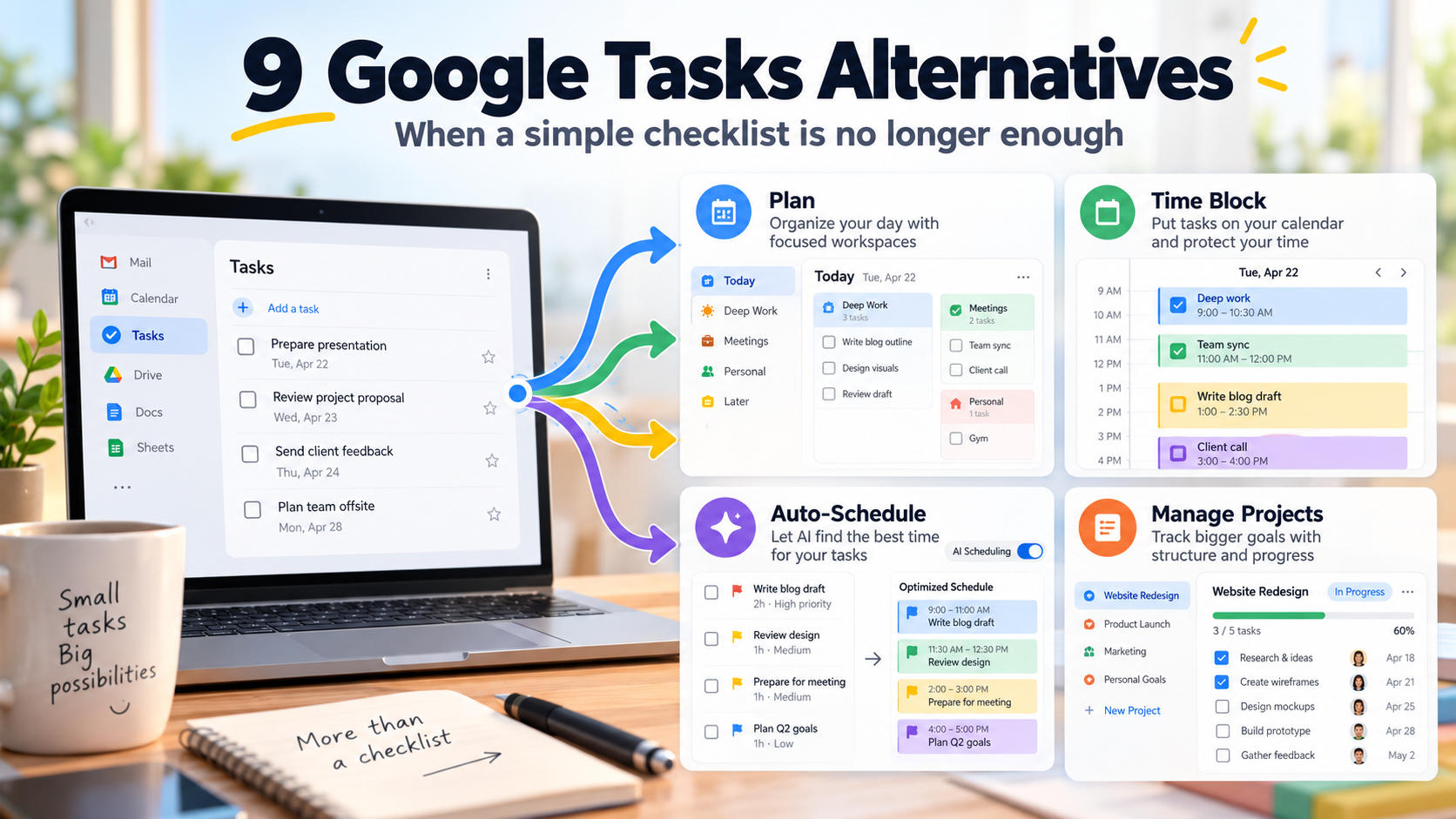
Google Tasks is difficult to beat for simplicity if you already live inside Gmail and Google Calendar.
You can create lists, add dates and times, make tasks repeat, use subtasks, and see dated tasks directly inside Google Calendar. Tasks is also available from the side panel in Gmail, Calendar, Drive, Docs, Sheets, Slides, and other Google Workspace apps.
Read more: how task managers integrate with calendars.
The reason to leave is usually simple: you need more than a lightweight checklist.
Choose Todoist or TickTick if you want a more powerful traditional task manager. Choose Sunsama or Akiflow if you want daily planning built around your calendar. Choose Motion if you want AI to automatically schedule your tasks. Choose SelfManager.ai if you want your work organized around days with built-in time tracking, AI planning, and AI reviews.
Google Tasks Alternatives at a Glance
| App | Best for | Google Calendar | AI | Starting price |
|---|---|---|---|---|
| SelfManager.ai | Date-based planning, time tracking, AI review | No | Yes | $8/month |
| Todoist | Powerful general-purpose task management | Yes | Yes | Free |
| TickTick | Tasks + calendar + personal productivity | Calendar features | Yes | Free |
| Sunsama | Guided daily planning | Yes | Yes | $22/month |
| Akiflow | Calendar time blocking and fast task capture | Yes | Yes | $34/month |
| Motion | Automatic AI scheduling | Yes | Yes | $19/month |
| Microsoft To Do | Simple free task management | No Google Calendar integration | Limited | Free |
| Notion | Tasks + docs + databases | Via Notion Calendar | Yes | Free |
| ClickUp | Full project management | Calendar features/integrations | Yes | Free |
The right replacement depends on what you have outgrown.
Google Tasks does not try to become a project-management platform, AI planner, time tracker, or productivity operating system.
That restraint is useful until it stops being enough.
Why People Outgrow Google Tasks
Google Tasks covers the basic task workflow surprisingly well.
You can:
- Create multiple task lists
- Add due dates and times
- Create recurring tasks
- Add subtasks
- Reorder tasks manually
- View dated tasks in Google Calendar
- Create tasks while working inside Gmail and other Google Workspace apps
- View completed tasks
That makes it excellent for things like:
Personal
- Pay electricity bill
- Book dentist
- Buy groceries
Work
- Send proposal
- Review presentation
- Reply to client
The limitations become more obvious when you want your task system to answer larger questions.
For example:
- What should I realistically accomplish this week?
- How long did yesterday's work actually take?
- Which tasks repeatedly slipped this month?
- Can AI build next week's plan from my current workload?
- Can I organize multiple clients without creating endless lists?
- Can the software automatically schedule work around meetings?
- Can I create sophisticated filtered views?
- Can I manage a real project with dependencies and custom fields?
Those are different problems.
And different Google Tasks alternatives solve them differently.
1. SelfManager.ai - Best for Date-Based Planning and AI Review
SelfManager.ai takes a very different approach from Google Tasks.
Google Tasks starts with lists.
SelfManager starts with dates.
Every day is its own workspace, and a single day can contain several tables.
For example, Monday might contain:
Client A
- Finish homepage
- Send revisions
- Review analytics
Product
- Fix onboarding issue
- Review pull request
- Write release notes
Personal
- Gym
- Pay insurance
- Call dentist
All of those responsibilities compete for the same Monday, even though they belong to completely different parts of your life.
That is the problem SelfManager is designed around.
AI Plan can build the upcoming week
SelfManager's AI Plan can generate an editable plan spanning anywhere from one to 31 days.
Instead of asking AI for a generic task list, you can describe an outcome and have the system propose tables and tasks on specific future dates.
For example:
"Plan the next workweek. I need to finish the new pricing page, handle client support every day, publish two articles, and leave Friday afternoon lighter."
The result can be edited before anything is created.
You can:
- Change tasks
- Change priorities
- Add or remove rows
- Skip days
- Rearrange the plan
- Regenerate it
The AI helps build the plan, but you remain in control.
AI Review looks backward
SelfManager can also review a completed:
- Week
- Month
- Quarter
- Custom period
Its AI can use real data from the work recorded during that period, including tasks, statuses, priorities, tracked time, notes, comments, and other selected context.
That supports questions such as:
"What did I actually accomplish this week?"
"Where did my time go?"
"Which important tasks kept slipping?"
"What should I focus on next week?"
Google Tasks does not provide an equivalent built-in planning and retrospective workflow.
Read more: AI task managers that write weekly reviews.
SelfManager includes actual time tracking
A task can also retain the amount of time you actually spent working on it.
That makes the historical record more useful.
You can look back at a day and see not only that five things were completed, but how the work consumed your time.
Read more: task managers that preserve completed work.
The major limitation for Google users
SelfManager.ai currently has no Google Calendar integration.
It also does not integrate with Outlook Calendar or CalDAV.
That is particularly important here because Google Calendar integration is one of Google Tasks' strongest advantages.
SelfManager also has:
- No automatic time blocking
- No automatic rescheduling
- No subtasks
- No tags
- No public API
- No Zapier integration
So SelfManager is not a direct upgrade for someone whose main requirement is:
"I want Google Tasks, but more powerful while staying deeply connected to Google Calendar."
It is for someone willing to change the workflow from lists + calendar to dated workspaces + history + AI review.
SelfManager.ai pricing
Individual:
- $8/month
- $72/year, equivalent to $6/month
- 35 AI credits per week
Team:
- $30/month flat
- $300/year, equivalent to $25/month
- Unlimited collaborators
- 70 AI credits per week
There is a 7-day full-feature trial with no credit card required.
2. Todoist - Best General-Purpose Upgrade From Google Tasks
Todoist is probably the easiest recommendation for someone thinking:
"I like Google Tasks. I just need more power."
The workflow remains familiar.
You still create tasks and projects.
But Todoist adds much more structure around them.
That includes:
- Projects
- Sections
- Subtasks
- Labels
- Priorities
- Deadlines
- Recurring tasks
- Reminders
- Custom filters
- Shared projects
- Calendar functionality
- AI-assisted task features
Todoist's Smart Quick Add is also particularly useful for people who capture tasks rapidly.
You can type something similar to:
Send report Friday 10am p1
and Todoist can interpret much of the scheduling information while you create the task.
Why Google Tasks users may like Todoist
The learning curve is relatively small.
You are not changing from tasks into a completely different productivity philosophy.
You are getting a more capable version of the task-manager model.
Todoist also integrates with Google Calendar, which removes one of the biggest sacrifices you would make by moving to something like SelfManager.ai.
Todoist pricing
Todoist has a free Beginner plan.
Pro currently costs:
- $7/month
- $60/year
Choose Todoist if you want Google Tasks to become more powerful without turning into a complex project-management system.
3. TickTick - Best Affordable All-in-One Personal Upgrade
TickTick is another natural Google Tasks alternative.
It combines conventional task management with more surrounding productivity functionality.
The free plan includes features such as:
- Lists
- Priorities
- Reminders
- Natural-language processing
- Cross-platform synchronization
- Kanban views
Premium adds more advanced functionality, including:
- Multiple calendar views
- Task duration
- More filters
- Higher limits
- Additional productivity features
TickTick also includes tags, subtasks, recurring tasks, comments, templates, and AI features.
That creates a much richer personal productivity system than Google Tasks without moving all the way into software designed primarily for corporate project management.
TickTick pricing
TickTick has a free plan.
Premium currently costs:
$49.99/year
That works out to less than $4.17 per month.
Choose TickTick if you want many more features than Google Tasks while keeping the experience centered on personal productivity.
4. Sunsama - Best for Planning a Realistic Day
Google Tasks tells you what needs to be done.
Sunsama focuses much more heavily on deciding what realistically fits into the day.
Its workflow encourages you to:
- Review your available work.
- Choose what deserves attention today.
- Estimate how long it will take.
- Compare the workload with available time.
- Schedule the work around calendar commitments.
That is a major philosophical change from Google Tasks.
Instead of letting ten tasks coexist harmlessly on Tuesday, Sunsama makes you confront the fact that Tuesday has a limited number of working hours.
Google Calendar remains part of the workflow
This is an important advantage for Google Tasks users.
Sunsama is designed around calendar integration.
So if Gmail and Google Calendar remain central to your work, you can add a more deliberate planning layer without abandoning the calendar.
Sunsama pricing
Sunsama currently costs:
- $22/month
- $17/month when billed annually
There is a 14-day full-feature trial with no credit card required.
Choose Sunsama if the problem is not remembering your tasks but consistently overloading your days.
Read more: best daily planner apps for Windows.
5. Akiflow - Best for Tasks and Calendar Time Blocking
Akiflow is another strong option for people already living inside Google Calendar.
It combines:
- Tasks
- Subtasks
- Calendar
- Quick capture
- Daily planning
- Recurring tasks
- Priorities
- Labels and tags
- Time blocking
- Productivity analytics
- AI assistance
It synchronizes with Google Calendar and Outlook Calendar.
That makes it a much more natural replacement than SelfManager if calendar connectivity is non-negotiable.
Akiflow is designed around turning tasks into time
Google Tasks can display dated tasks in Calendar.
Akiflow takes the idea further.
A task can become an actual time commitment.
Instead of:
Write proposal - Tuesday
you can plan:
10:00 AM to 11:30 AM - Write proposal
This matters if you believe:
"If I do not reserve time for it, it probably will not happen."
Akiflow pricing
Akiflow currently costs:
- $34/month billed monthly
- $19/month billed annually
There is a 7-day free trial.
Choose Akiflow if you want to stay strongly calendar-oriented but need a much more deliberate planning system than Google Tasks.
Read more: daily planner vs AI auto-scheduler.
6. Motion - Best if You Want AI to Schedule the Tasks for You
Motion goes further than Akiflow.
Instead of only helping you time-block tasks manually, Motion's AI can decide where flexible work belongs.
It can consider:
- Deadlines
- Priorities
- Task duration
- Meetings
- Available working hours
- Existing commitments
Then it places work into available calendar time.
If your day changes, Motion can recalculate the plan.
This solves a problem Google Tasks largely leaves to you.
Google Tasks can tell you:
These six things are due today.
Motion tries to answer:
When exactly can these six things fit?
Motion is also becoming a broader work platform
Its current Pro AI plan includes:
- AI projects and tasks
- AI calendar and meetings
- Docs and wiki
- AI Task Planner
- AI chat
- Integrations
So Motion may replace more than Google Tasks.
That can be an advantage if you want consolidation.
It can be excessive if you simply want a better checklist.
Motion pricing
Motion Pro AI currently starts at:
$19 per seat/month
Choose Motion if automatic scheduling is the capability you wish Google Tasks had.
7. Microsoft To Do - Best Simple Alternative Outside Google
Microsoft To Do is conceptually closer to Google Tasks than most products on this list.
It remains focused on straightforward personal task management.
You get:
- Lists
- My Day
- Due dates
- Reminders
- Recurring tasks
- Task steps
- Cross-device synchronization
And it is free.
The major difference is ecosystem.
Microsoft To Do naturally fits Outlook and Microsoft 365 rather than Gmail and Google Calendar.
It is available through:
- Windows
- Web
- iOS
- Android
- Mac
This makes it particularly relevant if your reason for leaving Google Tasks is not a lack of features but a move from Google's ecosystem to Microsoft's.
Choose Microsoft To Do if you still want a simple task manager but your work has shifted toward Outlook and Windows.
8. Notion - Best if Your Tasks Need More Context
Notion is not primarily a Google Tasks replacement.
That can be exactly why it makes sense.
Google Tasks is designed around things you need to do.
Notion can connect those tasks with:
- Documents
- Notes
- Databases
- Project information
- Custom properties
- Subtasks
- Dependencies
- Wikis
- Research
- Forms
You can create a task database where every item carries much richer information than a Google Tasks row.
You can then build different views of the same underlying data.
The tradeoff is complexity
Google Tasks gives you a task manager immediately.
Notion gives you building blocks.
That means Notion can become almost anything, but you may have to design the workflow yourself.
For people who enjoy customizing systems, that is an advantage.
For people leaving Google Tasks because they want something equally frictionless, it may be the wrong direction.
Notion pricing
Notion currently offers:
- Free: $0
- Plus: $10 per member/month
- Business: $20 per member/month
Choose Notion if tasks are only one part of a larger information-management system you need.
9. ClickUp - Best if Google Tasks Has Turned Into Project Management
Some users do not merely outgrow Google Tasks.
Their work fundamentally stops being personal task management.
Imagine trying to coordinate:
- Several employees
- Project statuses
- Custom workflows
- Dependencies
- Sprints
- Dashboards
- Time tracking
- Documentation
- Forms
- Gantt charts
At that point, the problem is no longer:
"Which checklist app should I use?"
ClickUp is built for this larger type of work.
Its platform includes:
- Tasks and projects
- Docs and wikis
- Calendar
- Gantt charts
- Time tracking
- Dashboards
- Sprints
- Forms
- Whiteboards
- Custom fields
- AI functionality
ClickUp pricing
ClickUp has a Free Forever plan.
Unlimited currently costs:
- $10/user/month when billed monthly
- $7/user/month when billed annually
Choose ClickUp if your Google Tasks lists are slowly turning into team projects with actual processes around them.
Do not choose it simply because you want a nicer personal Today list.
Which Google Tasks Alternative Should You Choose?
Start with the exact thing Google Tasks cannot do for you.
"I want Google Tasks, but more powerful."
Choose Todoist.
You get projects, filters, labels, better organization, AI features, and calendar integration without radically changing how you think about tasks.
"I want more productivity features without spending much."
Choose TickTick.
Its $49.99 annual Premium plan combines a large amount of personal productivity functionality.
"I need to stop putting too much into each day."
Choose Sunsama.
Its value is the planning ritual and the reality check between tasks and available time.
"I want to time-block everything around Google Calendar."
Choose Akiflow.
It is built around turning tasks into explicit calendar commitments.
"I want AI to automatically build and adjust my schedule."
Choose Motion.
It takes much more scheduling responsibility away from you.
"I am moving from Google Workspace to Microsoft 365."
Choose Microsoft To Do.
It preserves much of the lightweight simplicity while fitting naturally into Microsoft's ecosystem.
"My tasks need docs, databases, and knowledge around them."
Choose Notion.
It is a workspace rather than simply a task manager.
"My lists have become actual team projects."
Choose ClickUp.
It is far more powerful than Google Tasks because it is solving a much larger problem.
"I want to plan and review my work by day."
Choose SelfManager.ai.
Its advantage is the loop between:
Plan → Work → Track → Review → Plan again
But remember the tradeoff:
SelfManager does not synchronize with Google Calendar.
If Google Calendar is the center of your planning system, Todoist, Sunsama, Akiflow, or Motion are more natural alternatives.
Should You Actually Leave Google Tasks?
Not necessarily.
Google Tasks remains a good product for a specific kind of user.
Stay with it if:
- You mostly need straightforward personal lists.
- Gmail is where most tasks originate.
- Google Calendar already gives you enough scheduling context.
- You do not need time tracking.
- You do not need AI planning.
- You do not need complex filters.
- You do not need detailed project management.
- You prefer software that stays out of the way.
A simple tool that you consistently use can be much more productive than a sophisticated system you constantly configure.
Switch when you can identify the limitation you are trying to solve.
Not simply because another app has more features.
Google Tasks vs a Date-Based Planner
There is one broader distinction worth understanding.
Google Tasks treats a date largely as information attached to a task.
A task belongs to a list, then gets a date.
A date-based planner such as SelfManager reverses that relationship.
The day is the workspace.
Tasks and tables exist inside that day.
That sounds like a small structural difference, but it changes the questions the software naturally encourages.
Google Tasks asks:
What tasks are due today?
A date-based planner asks:
What does today's entire workload look like?
Neither approach is inherently better.
The right one depends on whether you think primarily in lists and projects or in days and periods of time.
Final Take
Google Tasks is strongest precisely because it does not try to do everything.
It sits quietly inside Gmail and Google Calendar and handles lists, dates, recurring tasks, subtasks, and basic task capture without demanding much attention.
If you outgrow it, choose the replacement based on what became difficult.
Todoist gives you a stronger traditional task manager.
TickTick adds a broad set of personal productivity tools.
Sunsama makes daily planning more deliberate.
Akiflow connects tasks with calendar time blocking.
Motion automates scheduling.
Microsoft To Do offers similar simplicity inside Microsoft's ecosystem.
Notion connects tasks with knowledge and documents.
ClickUp turns task management into structured project management.
SelfManager.ai organizes work around dates, tracks the time actually spent, and uses the resulting work history for AI planning and review.
There is no reason to abandon Google Tasks simply because these apps do more.
Move when one of those differences solves a problem you actually have.
FAQ
What is the best alternative to Google Tasks?
Todoist is one of the easiest general-purpose upgrades because it retains conventional task management while adding projects, labels, filters, AI features, and deeper organization. Other alternatives are better for specific needs, such as Motion for automatic scheduling, Akiflow for time blocking, and SelfManager.ai for date-based planning and AI review.
What is the best free alternative to Google Tasks?
Todoist, TickTick, Microsoft To Do, Notion, and ClickUp all offer free plans. The best choice depends on whether you need personal task management, documentation, or larger project-management features.
What is the best Google Tasks alternative that works with Google Calendar?
Todoist, Sunsama, Akiflow, and Motion are stronger choices if keeping Google Calendar central is important. SelfManager.ai does not currently integrate with Google Calendar.
Does SelfManager.ai integrate with Google Calendar?
No. SelfManager.ai currently has no Google Calendar, Outlook Calendar, or CalDAV synchronization. It organizes work directly around dates inside SelfManager instead of importing external calendar events.
What is the best Google Tasks alternative with AI?
Motion is designed around AI automatic scheduling, while SelfManager.ai uses AI for multi-day planning and historical work reviews. Todoist, TickTick, Notion, ClickUp, Akiflow, and other modern productivity tools also provide different forms of AI assistance.
What is the best Google Tasks alternative for time tracking?
SelfManager.ai includes actual task-level time tracking and keeps that time connected to the dates where the work happened. ClickUp also includes time tracking within a much larger project-management platform.
Is Google Tasks enough for personal productivity?
For many people, yes. If you mainly need lists, subtasks, recurring tasks, due dates, and tight Gmail and Google Calendar access, Google Tasks may already cover the workflow without unnecessary complexity.
Should I switch from Google Tasks to SelfManager.ai?
Switch if your main problem is planning work across days, recording actual task time, and reviewing previous weeks or months with AI. Do not switch specifically for stronger Google Calendar functionality because SelfManager.ai currently has no Google Calendar integration.
Date-based AI Task Manager
Plan smarter, execute faster, achieve more
Create tasks in seconds, generate AI-powered plans, and review progress with intelligent summaries. Perfect for individuals and teams who want to stay organized without complexity.
Get started with your preferred account