
Best Daily Planner Apps for Windows in 2026
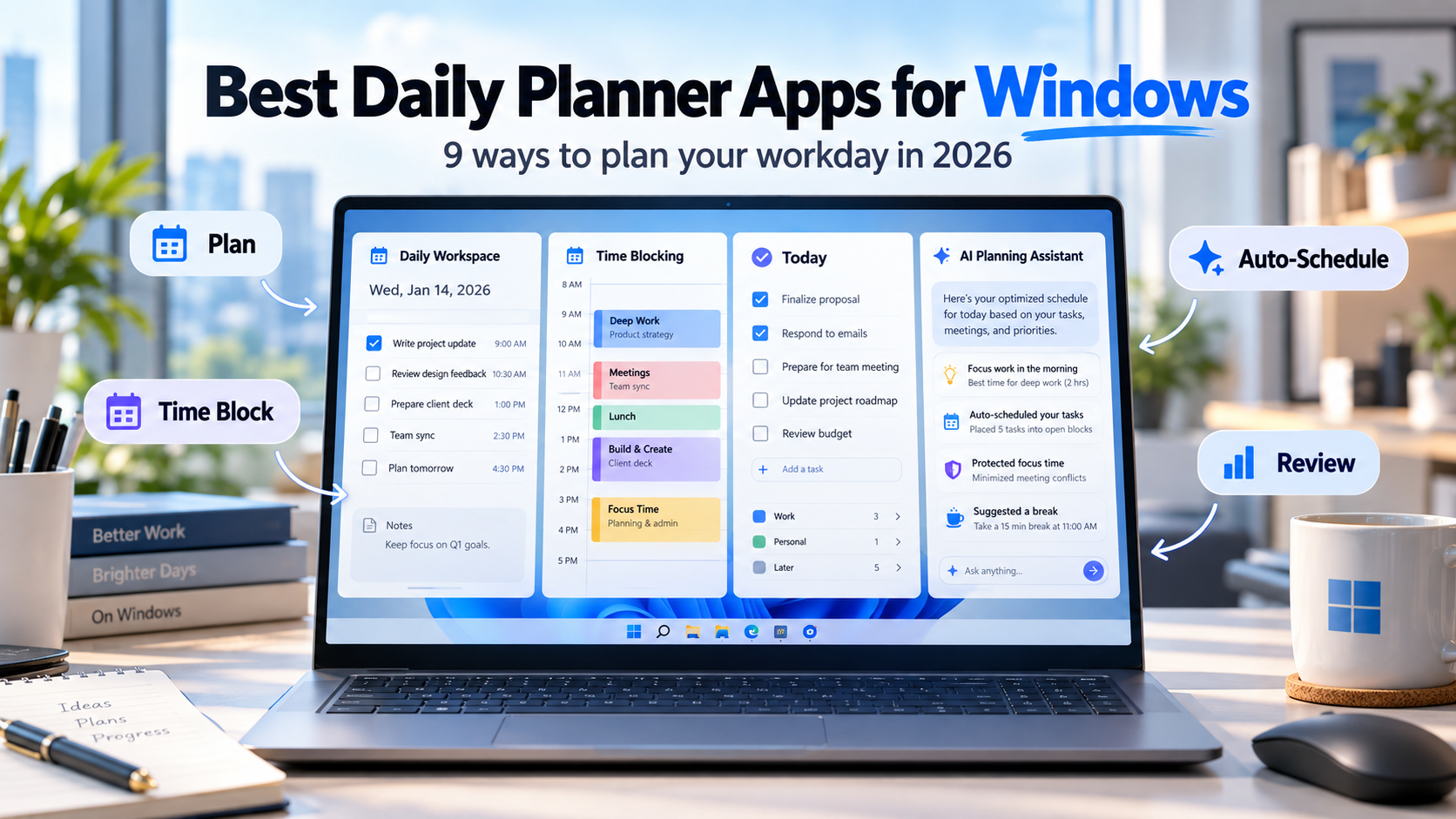
The best daily planner for Windows depends on what you want the planner to control.
Choose SelfManager.ai if you want to organize work by day, track actual time, and use AI to plan and review your work. Choose Sunsama or Akiflow if your calendar is central to daily planning. Choose Motion if you want AI to automatically schedule tasks. Choose Todoist or TickTick if you primarily want a fast traditional task manager.
The important detail for Windows users is platform support. Some popular daily planners have a native Windows app, some work only through the browser, and some remain focused primarily on Apple devices.
Best Windows Daily Planner Apps at a Glance
| App | Windows access | Web app | Best for | Starting price |
|---|---|---|---|---|
| SelfManager.ai | Browser | Yes | Date-based planning, AI review, time tracking | $8/month |
| Sunsama | Native Windows app | Yes | Guided daily planning | $22/month |
| Akiflow | Native Windows app | Yes | Tasks + calendar time blocking | $34/month |
| Motion | Native Windows app | Yes | Automatic AI scheduling | $19/month |
| Morgen | Native Windows app | Yes | Calendar-centered planning | $30/month |
| Todoist | Native Windows app | Yes | Flexible task management | Free |
| TickTick | Native Windows app | Yes | Tasks, calendar and productivity tools | Free |
| Microsoft To Do | Native Windows app | Yes | Simple free daily lists | Free |
| Structured | No native Windows app | Yes | Visual timeline planning | Free |
There is no universal winner because these apps represent several different ideas of what a daily planner should do.
Some help you choose what belongs today.
Some put tasks into calendar blocks.
Some automatically decide when you should work.
Some are primarily task managers with a good Today view.
That distinction matters more than the length of the feature list.
Explore daily planner vs AI auto-scheduler.
1. SelfManager.ai - Best for Date-Based Planning and AI Review
Windows: Browser-based
Web: Yes
Mobile: Browser-based
Price: $8/month or $72/year
Explore affordable AI daily planners.
SelfManager.ai is built around dates rather than a traditional global project list.
Open September 24 and that date becomes its own workspace.
You can create several tables inside the day, such as:
- Client A
- Client B
- Product development
- Administration
- Personal tasks
Tomorrow has its own workspace.
Next Monday has another.
Explore a task manager for juggling many small tasks.
This works particularly well for Windows desk workers managing several areas at once because the system asks a practical question first:
What actually belongs on this day?
AI Plan can build several days at once
SelfManager's AI Plan can create a proposed plan covering anywhere from one to 31 days.
You might ask it to:
"Plan the next five workdays around finishing the website redesign, handling daily client support, and preparing Friday's presentation."
It can propose separate tables and tasks on specific dates.
You remain in control before the plan is saved. Tasks can be edited, removed, moved or regenerated.
The AI therefore assists with planning without automatically taking over your calendar.
It also reviews what happened
SelfManager's other major distinction is AI Review.
You can select:
- A week
- A month
- A quarter
- A custom date range
The AI can review actual work from the selected period, including tasks, statuses, priorities, time data, notes and additional context you choose to include.
That lets you ask:
- What did I accomplish this week?
- Which important work remained unfinished?
- Where did my tracked time go?
- What should I focus on next week?
- Summarize what I completed for a specific client.
Daily planning becomes a loop rather than a reset every morning.
You plan, work, preserve the history, review it and use that history when planning again.
Built-in time tracking
SelfManager also includes a task timer and manual time entry.
This is especially useful if your Windows computer is where most of your professional work happens.
Instead of estimating that a task should take one hour, you can retain the time actually spent on it.
Where SelfManager is weaker
SelfManager does not currently have a native Windows desktop application.
It runs through a modern browser.
It also has:
- No Google Calendar integration
- No Outlook Calendar integration
- No CalDAV integration
- No automatic scheduling
- No automatic rescheduling
- No subtasks
- No tags
- No public API
- No Zapier integration
If your workday revolves around Outlook Calendar, one of the calendar-first alternatives below will fit better.
Choose SelfManager if you primarily want to organize and understand your days rather than automatically fill your calendar.
2. Sunsama - Best for a Guided Daily Planning Ritual
Windows: Native app
Web: Yes
Mobile: iOS and Android
Price: $22/month or $17/month billed annually
Sunsama is one of the clearest examples of a dedicated daily planner.
Instead of dropping you directly into an endless task backlog, it encourages an intentional planning process.
You review available work, choose what deserves attention today and decide how much can realistically fit.
Tasks can then be placed beside your calendar.
This makes Sunsama useful for Windows professionals whose problem is overcommitting rather than forgetting tasks.
The calendar is central
Sunsama can bring work from other systems into the daily planning experience and connect it with calendar events.
That makes it stronger than SelfManager if meetings determine the shape of your day.
A realistic plan might look like:
9:00 - team meeting
10:00 - prepare proposal
12:00 - lunch
1:00 - client review
3:00 - finish proposal
Instead of simply saying that the proposal belongs on Tuesday, you reserve actual time for it.
The main downside is price
Sunsama costs considerably more than a conventional task manager.
There is a 14-day free trial with no credit card required.
Choose Sunsama if daily planning is an important ritual and you want your tasks and calendar considered together.
3. Akiflow - Best for Fast Capture and Calendar Time Blocking
Windows: Native app
Web: Yes
Mobile: iOS and Android
Price: $34/month or $19/month billed annually
Akiflow is a strong fit for Windows professionals whose tasks arrive from many different places.
It combines:
- Tasks
- Subtasks
- Calendar events
- Quick capture
- Daily planning
- Recurring tasks
- Priorities
- Labels and tags
- Time blocking
- Productivity analytics
It also integrates with both Google Calendar and Outlook Calendar.
That last point matters especially on Windows.
If you already spend your working day inside Microsoft tools but need something more deliberate than Microsoft To Do, Akiflow can add a planning layer without forcing you to abandon your calendar.
Tasks become calendar commitments
Akiflow is particularly good when your planning philosophy is:
"If I intend to do it, I should reserve time for it."
You collect work, decide what matters and place tasks into the available calendar space.
Its native Windows app is also important for people who spend most of the day on a PC and prefer desktop software over another browser tab.
Choose Akiflow if task capture, calendar integration and deliberate time blocking are all important.
4. Motion - Best for Automatic AI Scheduling
Windows: Native app
Web: Yes
Mobile: iOS and Android
Price: Pro AI starts at $19/month
Motion takes more control than the previous planners.
Instead of only helping you construct the day manually, Motion's AI Task Planner can schedule work around your calendar.
You provide the tasks, priorities, deadlines and constraints.
Motion works out when eligible work should happen.
When circumstances change, the schedule can change with them.
That makes Motion useful if your biggest planning problem is constantly rearranging work around meetings and deadlines.
Motion is not merely a better Today list
This distinction matters.
If you simply want:
- A clean task list
- A few priorities
- A place to check things off
Motion may be more automation than you need.
Its main advantage comes from allowing the system to participate in scheduling decisions.
That is fundamentally different from SelfManager, where AI can propose what belongs on future dates but does not continuously reschedule the calendar.
Choose Motion if you want software actively managing available time.
5. Morgen - Best for Calendar-Centered Windows Planning
Windows: Native app
Web: Yes
Mobile: iOS and Android
Price: $30/month or $15/month billed annually
Morgen is another strong Windows option when the calendar is the center of your productivity system.
It provides native applications for:
- Windows
- macOS
- Linux
It also works on mobile and through the browser.
Morgen can bring several calendars and task systems together in one place.
It supports calendars including:
- Outlook
- iCloud
Tasks can then be time-blocked into your available schedule.
Morgen makes sense when your calendars are fragmented
Some people do not really have a task-management problem.
They have a calendar problem.
Perhaps you have:
- A company Outlook calendar
- A personal Google Calendar
- Client meetings
- Tasks from another application
The problem is seeing one realistic picture of your available time.
Morgen is particularly good for that kind of workflow.
Choose Morgen if consolidating calendars and building your daily schedule around them matters more than maintaining a deep standalone task database.
6. Todoist - Best General-Purpose Windows Task Manager
Windows: Native app
Web: Yes
Mobile: iOS and Android
Price: Free, Pro $7/month or $60/year
Todoist is less opinionated about daily planning than Sunsama or Akiflow.
That flexibility is exactly why it works for so many Windows users.
You can organize tasks using:
- Projects
- Sections
- Subtasks
- Labels
- Priorities
- Dates
- Deadlines
- Filters
Then use Today and Upcoming to decide what deserves attention now.
Todoist is excellent at fast capture
Smart Quick Add lets you enter scheduling information while typing the task.
For example:
"Send proposal Friday at 10am p1"
can create a scheduled high-priority task without opening several menus.
Todoist also has native Windows support, a web app, mobile apps and a broad integration ecosystem.
Calendar integrations make it possible to bring scheduled tasks closer to the calendar workflow as well.
It is less structured as a daily ritual
Todoist gives you the tools to plan your day.
It does not force you through one planning philosophy.
That is either a strength or weakness depending on how you work.
Choose Todoist if you want a reliable cross-platform task system and prefer deciding for yourself how much daily-planning structure to add.
7. TickTick - Best All-in-One Traditional Planner
Windows: Native app
Web: Yes
Mobile: iOS and Android
Price: Free, Premium $49.99/year
TickTick sits somewhere between a task manager and a broader personal productivity suite.
The free version includes core task-management features such as:
- Lists
- Tasks
- Priorities
- Tags
- Natural-language processing
- Reminders
- Cross-platform syncing
Premium adds features including:
- More calendar views
- Task duration
- Higher limits
- More advanced filters
- Additional productivity features
TickTick supports:
- Windows
- macOS
- Linux
- Web
- iPhone and iPad
- Android
That makes it one of the safest options if you regularly switch between a Windows PC and other devices.
Why Windows users may prefer TickTick
TickTick tries to reduce the number of separate productivity tools you need.
If you want tasks, calendar-oriented planning and personal productivity features without paying Sunsama or Akiflow prices, it is a compelling option.
It is still more list-oriented than SelfManager and less scheduling-focused than Motion.
Choose TickTick if you want many personal productivity features in one relatively affordable app.
8. Microsoft To Do - Best Free Simple Planner for Windows
Windows: Native app
Web: Yes
Mobile: iOS and Android
Price: Free
For many Windows users, the simplest answer is already available from Microsoft.
Microsoft To Do includes:
- My Day
- Lists
- Due dates
- Reminders
- Repeating tasks
- Task steps
- Sharing
- Outlook Tasks integration
My Day is the key daily-planning feature.
Instead of presenting everything you might eventually need to do, it gives you a dedicated place to select what deserves attention today.
Microsoft also provides personalized suggestions for building that list.
It fits naturally into Microsoft environments
To Do works particularly well if you already spend your workday inside Outlook and Microsoft 365.
Your lists sync across Windows, web, iOS and Android.
And it costs nothing.
The limitation is depth.
If you eventually want AI-generated planning, detailed historical reviews, actual task time tracking, sophisticated filters or automatic scheduling, you are likely to outgrow it.
Choose Microsoft To Do if your daily-planning needs remain simple and you already work inside Microsoft's ecosystem.
9. Structured - Best Visual Timeline Planner That Works on Windows
Windows: Web only
Web: Yes
Mobile: iOS and Android
Price: Free, Pro $6.99/month or $29.99/year in the US
Structured deserves a special place on this list because it illustrates an important distinction.
Structured works on Windows, but there is no native Windows application.
Windows users access Structured Web through a browser such as:
- Microsoft Edge
- Chrome
- Firefox
Structured originally became popular through Apple devices, but the web version now makes its timeline-based approach available on Windows as well.
Structured treats the day like a visual timeline
The main idea is chronological.
Instead of looking primarily at projects or separate lists, you see the shape of the day.
Tasks, events and routines can appear along that timeline.
This is useful for people who think visually and prefer:
"Here is how Tuesday flows from morning to evening"
over:
"Here are the 17 tasks currently assigned to Tuesday."
Structured Pro costs $6.99/month, $29.99/year or $99.99 for lifetime access in the US, though regional pricing varies.
Choose Structured if visual timeline planning appeals to you and you do not mind using the web version on Windows.
Explore Structured alternatives.
Which Windows Daily Planner Should You Choose?
The easiest way to decide is not to compare every feature.
Start with the question your planner needs to answer.
"What belongs on each day?"
Choose SelfManager.ai.
Its entire structure is built around dates, and AI Plan plus AI Review connects forward planning with the historical record of what actually happened.
"What can realistically fit around my meetings today?"
Choose Sunsama.
Its guided planning process is particularly good when you tend to overload your days.
"How do I combine tasks from several tools with my calendar?"
Choose Akiflow.
It is designed for bringing work together and turning selected tasks into scheduled calendar commitments.
"Can the software schedule my tasks for me?"
Choose Motion.
Automatic scheduling is much closer to Motion's core purpose.
"How do I combine several calendars and time-block my tasks?"
Choose Morgen.
Its multi-calendar workflow makes it particularly attractive for people juggling personal, company and client calendars.
"I just want a powerful task manager that works everywhere."
Choose Todoist.
It provides the broadest conventional task-management flexibility in this group.
"I want several personal productivity features together."
Choose TickTick.
It combines task management with calendar and other personal productivity tools at a relatively low price.
"I want something simple, free and integrated with Microsoft."
Choose Microsoft To Do.
For uncomplicated daily lists, there may be no reason to pay for something larger.
"I want to see my day as a timeline."
Choose Structured.
Just remember that Windows access is through the web rather than a downloadable Windows application.
Native Windows App vs Web App: Does It Matter?
Not as much as it once did, but sometimes it does.
Modern browser-based applications can provide:
- Fast interfaces
- Notifications
- Real-time synchronization
- Responsive layouts
- Cross-device access
For many desk workers, keeping a planner open in Edge or Chrome beside the rest of their work is perfectly practical.
That is the SelfManager.ai approach today.
Native Windows software becomes more important when you care about things such as:
- OS-level shortcuts
- Faster desktop capture
- Deeper notification behavior
- Starting automatically with Windows
- Reduced reliance on browser tabs
- More desktop-specific integrations
Akiflow, Sunsama, Morgen, Motion, Todoist, TickTick and Microsoft To Do all provide native Windows access.
Structured does not.
The important thing is not to assume that "works on Windows" and "has a Windows app" mean the same thing.
What About Things 3?
Things 3 is one of the most popular personal daily-planning tools, but it is not a Windows planner.
There is:
- No Windows app
- No Windows desktop client
- No Things web app
Things is designed around Apple's ecosystem.
That works extremely well for someone using a Mac, iPhone and iPad.
It becomes a serious limitation if your primary work computer runs Windows.
If you like Things because it is focused and personal, Todoist, TickTick, Microsoft To Do, Structured and SelfManager.ai are more practical starting points on a Windows PC.
Final Take
Windows users have far more daily-planning choices in 2026 than simply choosing between Microsoft To Do and a generic task manager.
Explore how daily planning apps are changing in 2026.
The bigger decision is how much responsibility you want the planner to take.
SelfManager.ai organizes the work around days and uses AI to help plan and review them.
Sunsama guides you through building a realistic day.
Akiflow connects tasks with calendar time blocking.
Motion automates more of the scheduling.
Morgen puts the calendar at the center.
Todoist and TickTick provide flexible traditional task management.
Microsoft To Do keeps things simple and free.
Structured turns the day into a visual timeline, even though Windows users access it through the browser.
Choose the workflow first.
Then choose the Windows app that implements it.
FAQ
What is the best daily planner app for Windows?
The best option depends on your planning style. SelfManager.ai is strong for date-based planning and AI review, Sunsama for guided daily planning, Akiflow for calendar time blocking, Motion for automatic scheduling, and Todoist or TickTick for conventional task management.
Is there a free daily planner for Windows?
Yes. Microsoft To Do is free and includes a native Windows app, My Day, reminders, recurring tasks and Outlook integration. Todoist and TickTick also offer free plans with native Windows applications.
Does SelfManager.ai have a Windows app?
SelfManager.ai currently runs as a web application rather than a native downloadable Windows app. You can use it through a modern Windows browser, and your data synchronizes across devices.
Does Structured have a Windows app?
No. Structured does not currently have a downloadable Windows application. Windows users can use Structured Web through browsers such as Edge, Chrome or Firefox.
Is Things 3 available on Windows?
No. Things 3 does not have a Windows application or web app. It is designed for Apple's ecosystem, so Windows users need a different planner.
What is the best Windows planner for Outlook users?
Akiflow and Morgen are strong choices when Outlook Calendar is central to your planning. Microsoft To Do also integrates naturally with Outlook tasks. SelfManager.ai does not currently integrate with Outlook Calendar.
What is the best AI daily planner for Windows?
It depends on the role you want AI to play. Motion is designed for automatic scheduling, while SelfManager.ai uses AI to build editable multi-day plans and review completed work. Akiflow also includes an AI assistant inside its calendar and task workflow.
Do I need a native Windows planner app?
Not necessarily. Browser-based planners can work well for desk-based workflows and make switching between devices easier. A native Windows app becomes more valuable if you want deeper desktop integration, shortcuts or a dedicated application outside the browser.
Date-based AI Task Manager
Plan smarter, execute faster, achieve more
Create tasks in seconds, generate AI-powered plans, and review progress with intelligent summaries. Perfect for individuals and teams who want to stay organized without complexity.
Get started with your preferred account