
Any.do vs Todoist: Which Fits Your Workday?
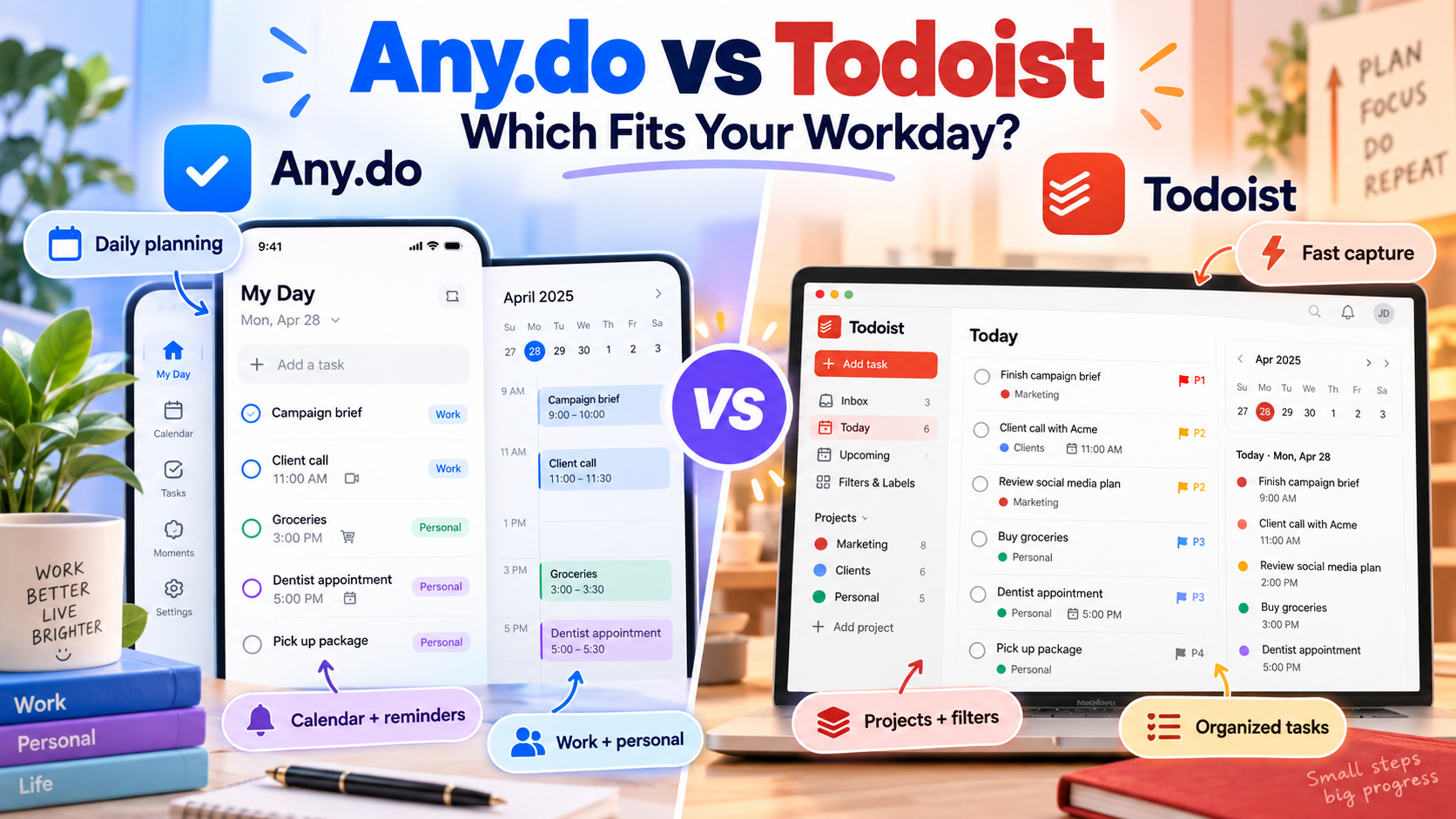
Any.do and Todoist solve the same basic problem: remembering what you need to do and organizing it before things get forgotten.
But they feel different once you start using them every day.
Any.do puts more emphasis on the day itself. Its My Day planner, calendar, reminders, and personal-life features make it a natural fit for someone who wants to open one app and answer:
What do I need to handle today?
Todoist puts more emphasis on the task system underneath the day. Its fast Quick Add, projects, priorities, filters, recurring tasks, labels, and increasingly capable calendar tools make it a stronger fit for someone managing a larger inventory of work.
The short answer:
Choose Any.do if you want a straightforward daily planner that blends tasks, appointments, reminders, and personal life.
Choose Todoist if you want faster capture and more powerful ways to organize, filter, and manage tasks across projects.
Neither is automatically better.
The right choice depends on what your normal Tuesday actually looks like.
Features and pricing in this comparison were verified on September 28, 2026.
Any.do vs Todoist at a Glance
| Feature | Any.do | Todoist |
|---|---|---|
| Core approach | Personal to-do list + daily planner + calendar | Task manager organized around projects and views |
| Daily planning | My Day is a central feature | Today and Upcoming views |
| Fast task capture | Strong | Excellent |
| Natural-language input | Yes | Yes, particularly powerful in Quick Add |
| Calendar | Built into Personal plan | Calendar layout on Pro/Business; calendar feeds also supported |
| Projects/lists | Yes | Strong project structure |
| Filters | More lightweight organization | One of Todoist's stronger features |
| Recurring tasks | Premium | Supported |
| Location reminders | Premium | Supported |
| AI | Task/list suggestions and AI voice features | Todoist Assist, Task Assist, Filter Assist and related tools |
| Personal/family emphasis | Strong | More general-purpose |
| Team workspace | Yes | Yes |
| Free plan | Yes | Yes |
| Individual paid price | $7.99 monthly or $4.99/month billed annually | $7 monthly or $60/year |
| Best fit | Simple work + personal daily organization | Larger task inventories and project-based organization |
The table makes the products look similar.
The difference becomes clearer when we give them the same day.
A Realistic Tuesday
Imagine Anna.
She works in marketing and is also trying to keep personal life under control.
Today she needs to:
- Finish a campaign brief
- Send feedback to a designer
- Prepare for a 14:00 client call
- Follow up on three invoices
- Schedule next week's newsletter
- Buy groceries
- Call the dentist
- Pick up a package after work
- Remember her mother's birthday this weekend
This is not complex enterprise project management.
It is simply a normal mix of professional and personal responsibilities.
Read more: task managers for personal life and work life.
Let's put that day into both apps.
Planning Tuesday in Any.do
Any.do's My Day feature is designed around making a deliberate daily selection rather than treating your entire task database as today's problem.
Anna can open My Day and decide which tasks deserve attention now.
Any.do can also provide Smart Suggestions based on tasks already in the system, while the calendar helps her see today's appointments beside the work she is choosing.
That means the 14:00 client call is part of the planning context.
So are personal appointments.
So are errands.
A possible My Day might contain:
Work
- Finish campaign brief
- Send designer feedback
- Prepare for 14:00 client call
- Follow up on invoices
Personal
- Call dentist
- Pick up package
- Buy groceries
The newsletter task can stay outside today's focus if Anna decides the day is already full.
This is where Any.do's philosophy becomes useful.
The app is not only storing tasks.
It is encouraging Anna to choose today's subset.
Any.do's official My Day documentation describes exactly this focus: each day starts fresh, with suggestions available for deciding which tasks should become part of today's plan.
Planning Tuesday in Todoist
Todoist approaches the same day from a more task-management-oriented foundation.
Anna might already have projects such as:
Marketing
- Campaign brief
- Newsletter
- Designer feedback
Clients
- Prepare for client call
- Follow up on invoices
Personal
- Dentist
- Groceries
- Package
- Mother's birthday
Todoist's Today view gathers whatever is due today across those projects.
Anna does not have to manually browse each project to find today's work.
But the project structure remains important because it gives every task a longer-term home.
This becomes especially useful when Anna is not managing eight tasks but 80, spread across several active responsibilities.
Todoist's Biggest Practical Advantage: Capture Speed
Imagine Anna is halfway through the campaign brief when she remembers:
Send Sarah the campaign numbers tomorrow at 10 and make it high priority.
Todoist is particularly good at this kind of capture.
Its Quick Add understands task details directly from natural language.
A task can be created with dates, due times, deadlines, labels, reminders, and priority information without opening several separate menus. Todoist's current Quick Add also supports recurring dates and increasingly rich task metadata.
For someone constantly capturing tasks during the day, this saves friction.
The difference may look tiny when adding one task.
Multiply it by dozens of tasks every week and it becomes part of the product's identity.
Any.do Also Has Fast Capture
This is not an area where Any.do is weak.
Any.do's Quick Add supports Smart Type, which can recognize everyday scheduling language such as:
tomorrow 9am
It also supports mobile voice input, allowing tasks to be created by speaking instead of typing.
So both apps can capture tasks quickly.
The difference is what happens afterward.
Todoist gives power users more ways to organize and retrieve that growing task inventory.
Any.do places more emphasis on bringing relevant tasks back into the daily planning experience.
My Day vs Today: Similar Names, Different Ideas
This is probably the most useful distinction in the whole comparison.
Any.do My Day
My Day is something you actively build.
The product can suggest tasks, but the idea is to decide which work deserves today's attention.
Tomorrow starts fresh.
This creates a deliberate separation between:
Everything I could do
and:
What I am actually planning to do today
That can be useful if long task lists make you anxious or distracted.
Todoist Today
Todoist's Today view primarily reflects the task system's dates.
If ten tasks are due today, Today gives you those ten tasks.
That is extremely predictable.
But it also means the quality of your Today view depends on how well you maintain dates across the task system.
Todoist gives you tools to reschedule, prioritize, filter, and organize that work, but it feels closer to:
Show me everything scheduled for today.
Any.do feels closer to:
Help me choose today's plan.
That is a subtle difference, but for daily use it matters.
Calendar Planning
Any.do has long treated the calendar as an important part of personal planning.
Its current free Personal plan includes calendar access alongside tasks, reminders, and the daily planner.
That makes Any.do attractive to people who naturally think:
I have a meeting at 10, lunch at 13, an appointment at 17, so what tasks fit around those things?
Todoist has become substantially stronger here than older comparisons may suggest.
Todoist Pro and Business now include calendar layouts that can display tasks in weekly or monthly grids. Tasks can be dragged to different dates, and task durations can be used to represent how long work should take.
So it would be inaccurate in 2026 to describe Todoist as merely a static list with no real calendar planning.
The difference is more about emphasis.
Any.do makes calendar + daily planning part of the basic personal experience.
Todoist adds increasingly powerful calendar views on top of a deeper task/project system.
Projects and Larger Workloads
Now imagine Anna's role changes.
Instead of one marketing campaign she is managing:
- Q4 launch
- Website redesign
- Customer research
- Weekly newsletter
- Events
- Social content
- Sales support
- Internal hiring campaign
The number of tasks grows.
This is where Todoist becomes particularly compelling.
Tasks can be separated into projects and sections and further organized through labels, priorities, dates, deadlines, and filters.
Filters are especially valuable.
Anna could build views for things such as:
High-priority marketing work due this week
or:
Client tasks due today
or:
Everything assigned to me that is overdue
Todoist's filters can combine criteria such as dates, projects, labels, priorities, task names, and other properties. Todoist currently allows filters even on the free Beginner plan, with much higher limits on Pro.
Any.do can absolutely manage lists and projects.
But if sophisticated cross-project retrieval becomes central to your workflow, Todoist is the more natural fit.
Read more: the best task manager for juggling 20-40 small tasks a week.
Reminders
Both applications are strong reminder tools.
Any.do's free plan includes basic reminders, while Premium adds more advanced recurring and location-based reminder capabilities.
It also offers an unusual integration with WhatsApp, allowing Premium users to create tasks and receive reminders through WhatsApp.
Todoist supports automatic, custom, recurring, and location-based reminders depending on plan and platform.
It can also assign reminders to collaborators in shared projects.
For normal personal reminders, either app can handle the job.
Any.do has a slight philosophical edge if reminders and everyday-life organization are a major reason you want the app in the first place.
Todoist integrates reminders into a broader task-management system.
Recurring Work
Recurring tasks matter more than they initially seem.
Anna does many things repeatedly:
- Publish newsletter every Thursday
- Review metrics every Monday
- Submit expense report on the last weekday of the month
- Pay rent monthly
- Call parents every Sunday
Todoist has particularly strong natural-language recurrence.
You can type phrases such as:
every Monday
or create more complex recurrence patterns through its scheduler.
Todoist's 2026 recurring-task update also added a visual interface for creating custom repetition rules, so users no longer need to know the exact natural-language syntax.
Any.do also supports recurring tasks, although they are part of its Premium offering rather than the free Personal plan.
For someone whose system relies heavily on recurring professional processes, Todoist's maturity here is a meaningful advantage.
Personal Life and Family Organization
This is where Any.do has a more distinctive position.
Any.do does not treat personal tasks as an afterthought.
Its product explicitly covers individuals, families, and teams.
The dedicated Family plan includes a shared family space, shared grocery list, shared projects, and support for up to four members.
That makes use cases such as these feel very natural:
- Groceries
- Household tasks
- Family appointments
- School activities
- Shared errands
- Vacation planning
- Personal reminders
Todoist can also manage all of these.
You can share projects with partners or family members and keep personal projects alongside professional ones.
But Any.do makes household and family organization a more explicit part of its product model.
If your main use case is:
I want one app for my work tasks, groceries, appointments, and things my partner and I need to remember.
Any.do deserves serious consideration.
AI Features: Both Now Have Them
AI is no longer a meaningful reason to say that one of these apps is modern and the other is not.
Both have been adding AI-assisted productivity features.
Any.do
Any.do AI can suggest items for lists, break larger tasks into subtasks, create checklist suggestions, and generate board structures in its Workspace product.
Its Voice Mode can also use natural-language processing to create and update tasks through spoken commands, although availability depends on plan and rollout status.
Todoist
Todoist now has a growing set of AI tools under Todoist Assist.
Its AI capabilities include tools such as Filter Assist and Email Assist, while Task Assist can suggest subtasks, rewrite tasks into more actionable language, and provide suggestions for completing them.
Neither app is fundamentally an AI-first daily planning system.
AI currently enhances the task manager rather than replacing the underlying workflow.
So I would not choose between Any.do and Todoist primarily on AI.
The traditional workflow differences matter more.
Which Is Better for Completed-Work History?
Todoist has stronger reporting and activity-history concepts around its task system.
For example, every completion of a recurring task is recorded in Reporting even though the recurring task itself moves to its next scheduled occurrence.
This makes Todoist more useful if you occasionally need to answer:
When did I finish that?
or:
What happened in this project?
But neither product is primarily built around turning each past day into a detailed historical workspace.
Their core job remains organizing tasks and future work.
That distinction becomes relevant only if retrospective work history is central to what you want from a task manager.
Read more: task managers that keep a history of completed work.
Collaboration
Both apps extend beyond personal use.
Any.do
Any.do Teams currently includes:
- Collaborative workspaces
- Unlimited project boards
- Unlimited team members
- Workflow templates
- Administration tools and permissions
The current listed Teams price is $7.99 per member monthly or $4.99 per member/month when billed annually.
Todoist
Todoist Business provides a dedicated team workspace with shared projects, project folders, roles, centralized administration, team filters, calendar and board layouts, and project insights.
Todoist has also added features such as workload visibility through its People view and expanded project insights.
Todoist Business currently costs $10 per user monthly or $96 per user/year, equivalent to $8 per user/month.
For lightweight shared work, both can work.
For teams that want more sophisticated task organization while retaining a simple interface, Todoist currently has the stronger task-management foundation.
Any.do vs Todoist Pricing
For an individual, the prices are now surprisingly close.
Any.do
Personal
Free forever.
Includes:
- Tasks and lists
- Basic reminders
- Calendar
- Daily planner
- Device sync
Premium
$7.99/month
or
$4.99/month when billed annually.
Premium adds features including recurring tasks, AI-powered features, WhatsApp reminders, color tags, and location reminders.
Todoist
Beginner
Free.
Pro
$7/month
or
$60/year, equivalent to $5/month.
Todoist increased Pro pricing in December 2025 from the previous $5 monthly / $48 yearly pricing.
Pro increases project and filter limits and adds features such as calendar layouts, task durations, and expanded reminder capabilities.
For annual subscribers, the difference between the two paid individual plans is tiny.
The decision should therefore be based on workflow rather than trying to save a few dollars.
Choose Any.do if Your Normal Day Looks Like This
Any.do makes more sense if you frequently think:
What do I need to get done today across work and life?
It is particularly suited to people who want:
- A deliberate My Day planning experience
- Tasks and calendar information close together
- Personal and professional tasks in one approachable system
- Strong reminders
- Groceries, errands, appointments, and household work beside professional tasks
- Family-oriented sharing options
- Less interest in sophisticated filters and project architecture
Any.do is especially easy to understand if you are not a productivity-system enthusiast.
You can create tasks, put things into today, check the calendar, and get on with your life.
Choose Todoist if Your Normal Day Looks Like This
Todoist makes more sense if your question is increasingly:
How do I keep a lot of tasks organized without losing anything?
It is particularly strong for:
- Fast task capture
- Multiple active projects
- Recurring professional work
- Natural-language scheduling
- Priorities
- Filters
- Cross-project views
- Growing task inventories
- Work and personal projects that need more structure
- Team task management without moving into heavyweight project-management software
Todoist can stay simple.
But it gives you more room before you outgrow the structure.
Where Any.do Has the Clearer Advantage
Daily personal planning.
My Day makes deciding today's focus an explicit part of the product rather than simply displaying everything dated today.
Personal + household use.
Any.do's Family plan, grocery functionality, calendar, and reminder orientation make household organization feel native.
Calendar access on the free personal plan.
Calendar is part of Any.do Personal, whereas Todoist's full calendar layout is a Pro/Business feature.
WhatsApp integration.
For people who already live inside WhatsApp, Any.do's reminder/task integration is distinctive.
Where Todoist Has the Clearer Advantage
Task capture.
Todoist's Quick Add remains one of its strongest features.
Projects and growing workloads.
The project/section structure scales well from a personal task list into much larger collections of work.
Filters.
Being able to construct precise task views becomes increasingly useful as the database grows.
Recurring professional tasks.
Todoist's recurrence language and scheduler are particularly mature.
Reporting and project visibility.
Todoist has continued expanding project insights and activity/reporting capabilities, especially for Business users.
Where SelfManager.ai Fits - and Where It Does Not
There is one workflow where neither Any.do nor Todoist is primarily optimized: keeping detailed work organized by the date on which it happened and later reviewing that dated history with AI.
If your main requirement is:
Capture tasks quickly and keep projects organized.
Todoist is likely the more relevant comparison.
If it is:
Organize today across work and personal life.
Any.do may be the better fit.
SelfManager.ai becomes relevant if your question is closer to:
What did I plan on Tuesday, what did I actually complete, how much time did it take, what context did I record, and what does that tell me about the whole week?
SelfManager organizes every date as its own workspace and combines that history with AI Plan and AI Review.
See how SelfManager AI Plan and AI Review work.
That is a more specialized workflow.
It is not a reason for someone who simply wants Todoist's excellent Quick Add or Any.do's family planning features to switch.
Any.do vs Todoist: Which Should You Choose?
For most people deciding between these two apps, the choice comes down to daily planning versus task organization.
Choose Any.do if you want the app to help answer:
What should I focus on today?
Its My Day experience, calendar, reminder system, personal-life features, and family options make it particularly comfortable for everyday organization.
Choose Todoist if you want the app to help answer:
How do I capture and organize everything I need to do?
Its projects, Quick Add, recurrence, priorities, filters, calendar layouts, and growing reporting features make it better suited to larger and more structured task systems.
Both have free plans.
That makes the easiest test straightforward.
Do not import ten years of tasks.
Put the same real week into both.
Use them for normal work and personal obligations.
After several days, ask:
- Which app made capture easier?
- Which one made today's priorities clearer?
- Which one required less maintenance?
- Which one made unfinished work easier to find?
- Which structure made more sense when your list became busy?
The better product is the one whose organizational assumptions match the way you already think about your day.
Frequently Asked Questions
Is Any.do or Todoist better for daily planning?
Any.do puts more direct emphasis on daily planning through My Day, Smart Suggestions, and its integrated calendar experience.
Todoist uses Today and Upcoming views and has powerful calendar layouts on its paid plans, but its underlying structure is more project- and task-oriented.
Is Todoist cheaper than Any.do?
Their paid individual prices are very close.
As of September 28, 2026, Todoist Pro costs $7 monthly or $60 yearly.
Any.do Premium costs $7.99 monthly or $4.99 per month when billed annually, which is approximately $59.88 per year.
Does Any.do have a free plan?
Yes.
Any.do Personal is free and currently includes tasks and lists, reminders, calendar access, the daily planner, and synchronization across devices.
Does Todoist have a free plan?
Yes.
Todoist Beginner is its free individual plan. Paid Pro expands project and filter limits and adds features including calendar layouts and task durations.
Which is better for recurring tasks?
Both support recurring tasks, but Todoist has particularly flexible natural-language recurrence and now also provides a visual recurring-task scheduler.
Any.do recurring tasks are part of its Premium offering.
Which is better for work projects?
Todoist generally provides the stronger structure for individuals managing several projects, especially if filters, priorities, recurring processes, and cross-project task views matter.
Any.do is more compelling when professional tasks are only one part of a broader daily-life planning system.
Which is better for families?
Any.do has the more explicitly family-oriented product.
Its Family tier currently supports up to four members and includes a shared family space, shared grocery list, and shared projects.
Do Any.do and Todoist have AI features?
Yes.
Any.do uses AI for task/list suggestions, breaking work into subtasks, board generation, and AI-assisted voice capture on supported plans.
Todoist has Todoist Assist plus tools such as Task Assist and Filter Assist.
Neither app needs AI to be useful - their core differences remain the underlying planning and organization workflows.
Date-based AI Task Manager
Plan smarter, execute faster, achieve more
Create tasks in seconds, generate AI-powered plans, and review progress with intelligent summaries. Perfect for individuals and teams who want to stay organized without complexity.
Get started with your preferred account