
SelfManager.ai vs Notion: Which Is Better in 2026?
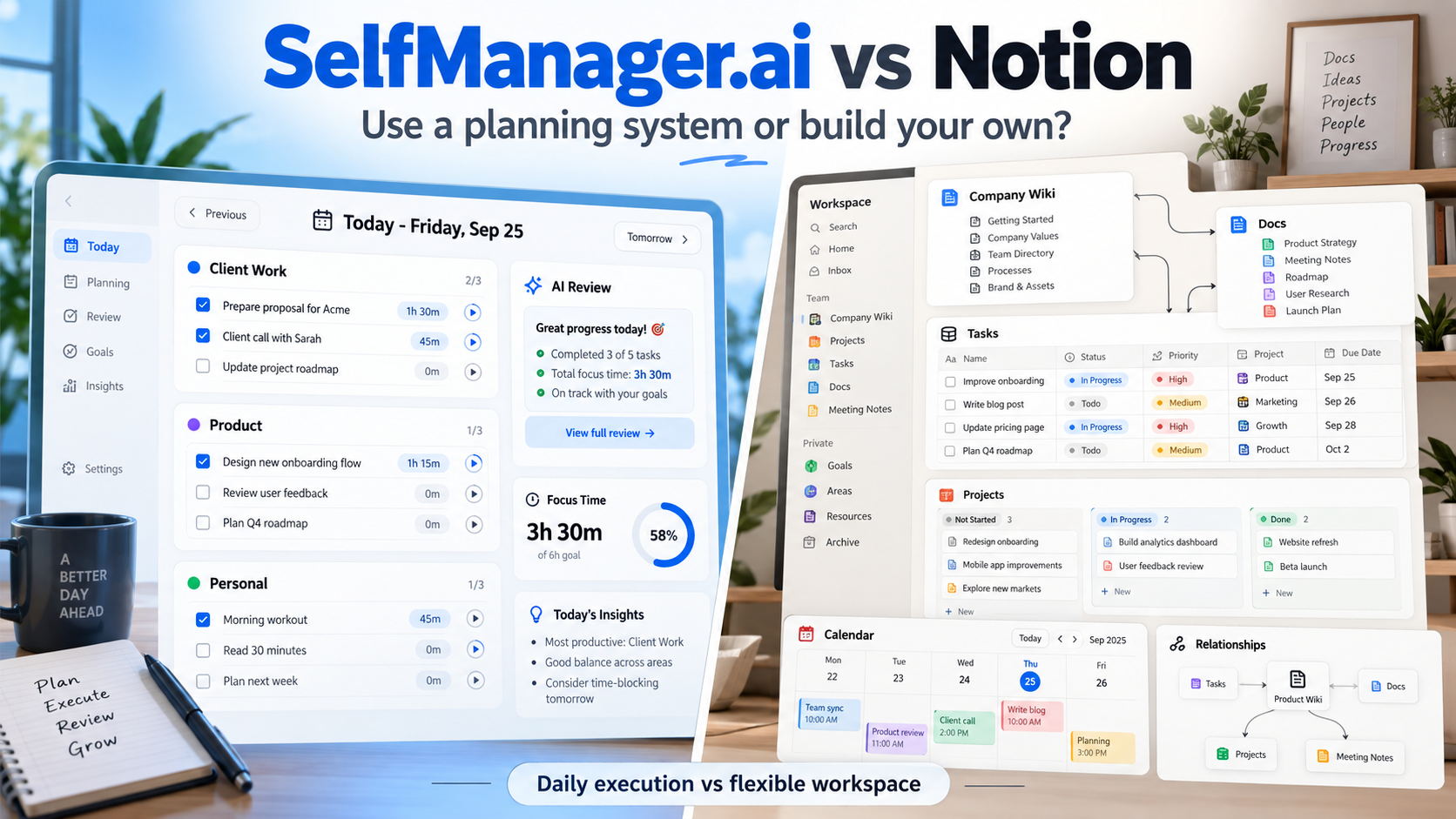
SelfManager.ai and Notion can both manage tasks, notes, and work, but they are built around very different ideas.
Choose Notion if you want a flexible workspace for documents, databases, wikis, projects, custom workflows, and knowledge management.
Choose SelfManager.ai if you want a more opinionated system for deciding what belongs on each day, tracking what actually happened, and using AI to plan future work and review previous weeks or months.
The simplest distinction is:
Notion helps you build the workspace.
SelfManager.ai gives you the planning system.
SelfManager.ai vs Notion at a Glance
| Feature | SelfManager.ai | Notion |
|---|---|---|
| Core structure | Dates containing separate tables | Pages, databases, teamspaces |
| Best for | Daily execution, planning, tracking, review | Knowledge, docs, databases, custom workflows |
| Daily planning | Core product model | Can be built with databases/templates |
| Week / Month views | Built in | Calendar/database views |
| AI multi-day planning | Dedicated AI Plan | General Notion AI / Agents |
| AI weekly/monthly review | Dedicated AI Review | Can analyze workspace content with AI |
| Actual task timer | Built in | No equivalent default task timer |
| Subtasks | No | Yes |
| Dependencies | No | Yes |
| Sprints | No | Yes |
| Tags/custom properties | No tags | Extensive database properties |
| Formulas | No | Yes |
| Relations / rollups | No | Yes |
| Wiki / knowledge base | No | Yes |
| Backlinks | No | Yes |
| Calendar integration | No | Notion Calendar ecosystem |
| Google Calendar | No | Yes through Notion Calendar |
| Outlook Calendar | No | Yes through Notion Calendar |
| iCloud Calendar | No | Yes through Notion Calendar |
| API | No public API | Yes |
| Webhooks | No | Yes |
| Native apps | Browser-based | Windows, Mac, iOS, Android |
| Offline support | No full native offline mode | Yes, selected pages in apps |
| Individual pricing | $8/month | Free or paid plans |
| Team pricing | $30/month flat | Per member |
Notion wins the breadth comparison easily.
SelfManager.ai wins by being much more focused.
The Biggest Difference Is What You Open First
Open Notion and you enter a workspace.
That workspace could contain:
- Company documentation
- Meeting notes
- Product roadmaps
- Project databases
- CRM records
- Personal notes
- Tasks
- Content calendars
- Wikis
- Research
- Goals
You decide how those pieces fit together.
Open SelfManager.ai and you enter a day.
That day already has meaning.
It is where today's tasks, notes, tracked time, comments, and different areas of work live.
That design decision explains most of the differences between the products.
Notion Is a Workspace Builder
Notion gives you building blocks.
A page can contain text, tables, images, embeds, checklists, databases, and other content.
A database can become:
- A task manager
- A content calendar
- A CRM
- A project tracker
- A reading list
- An issue tracker
- A knowledge repository
Database properties can include things such as:
- Status
- Select
- Multi-select
- Dates
- Numbers
- People
- Files
- URLs
- Formulas
- Relations
- Rollups
You can then show the same underlying information as:
- Table
- Board
- Calendar
- Timeline
- List
- Gallery
That flexibility is Notion's biggest advantage.
It is also the main reason Notion can become complicated.
SelfManager.ai Gives You a Structure Instead
SelfManager does not ask you to design your productivity system.
Its central structure already exists:
Date → Tables → Tasks
See how SelfManager's date-based workflow works.
Every date is a workspace.
Inside the date, you can create several tables.
For example:
Client A
- Finish homepage
- Send revisions
- Review analytics
SelfManager.ai
- Fix notification bug
- Test onboarding
- Publish article
Personal
- Gym
- Pay insurance
- Call dentist
Tomorrow gets its own workspace.
Yesterday remains as a record of what happened.
This is much less customizable than Notion.
That is intentional.
SelfManager is trying to reduce the amount of system-building required before you can start working.
Read more: SelfManager.ai vs Todoist.
Notion Is Much Better for Knowledge Management
This is probably the easiest part of the comparison.
If you need a knowledge base, choose Notion.
Notion supports connected pages, wikis, page mentions, and automatic backlinks.
You might have:
Product Strategy
linked to:
- Customer Research
- Q4 Roadmap
- Pricing Decisions
- Competitor Analysis
- Meeting Notes
Those relationships make Notion useful as organizational memory.
Read more: building a digital memory system.
Notion also supports teamspaces, documentation structures, page verification, search, and AI across workspace content.
SelfManager.ai is not designed for that.
It does not have:
- Wiki architecture
- Backlinks
- Knowledge graphs
- Database relations
- Rollups
- Formula-powered databases
You can absolutely keep notes inside SelfManager tables, but that is not the same thing as building a connected knowledge system.
If your main requirement is:
Where should our company's knowledge live?
Notion is the clear fit.
Notion Is Also Much More Flexible for Project Management
Notion has evolved significantly beyond simple checklists.
Its task databases can support:
- Assignees
- Statuses
- Due dates
- Subtasks
- Dependencies
- Sprints
- Database automations
- Custom properties
- Multiple views
Dependencies can even shift task dates automatically based on connected work.
This makes Notion suitable for much more structured project workflows than SelfManager.
SelfManager currently does not have:
- Subtasks
- Dependencies
- Sprints
- Custom fields
- Formulas
- Gantt-style dependency management
For software development teams, complex project portfolios, or heavily customized operational workflows, Notion has substantially more depth.
SelfManager.ai Is Better at Being Ready Immediately
Notion's flexibility creates another question:
What should the system look like?
You may need to decide:
- Which databases to create
- Which properties they need
- How projects connect to tasks
- Which views to build
- How your dashboard should work
- How daily planning should work
- Whether you need templates
- How completed work should be archived
Some people enjoy this.
Others end up spending more time redesigning Notion than using it.
SelfManager starts with a much narrower answer.
New accounts already have yesterday, today, and tomorrow prepared.
You begin working inside the date rather than designing the structure around it.
For someone who wants a productivity tool rather than a productivity-building platform, that can be a major advantage.
Daily Planning Is Native to SelfManager.ai
You can build an excellent daily planner in Notion.
You might create a Tasks database with properties such as:
- Date
- Project
- Priority
- Status
- Estimated duration
Then create a filtered view where:
Date = Today
That works.
You can even create sophisticated dashboards around it.
But daily planning remains something you configure.
SelfManager works the opposite way.
Today is already the primary interface.
The entire day can contain several separate areas of work without requiring you to build filters or database relationships.
This makes SelfManager particularly useful for people whose problem is not:
How should I structure my database?
but:
What am I actually doing today?
AI Plan Is a Major SelfManager.ai Difference
SelfManager's AI Plan is specifically built around turning intentions into dated work.
You can ask it to create a plan covering:
- One day
- One week
- A month
- Any custom period up to 31 days
For example:
Plan the next two weeks around launching the new website. I have about four hours each weekday. Research first, then implementation, testing, and launch.
AI Plan can propose separate tables and prioritized tasks on specific days.
Before the plan is saved, you can:
- Rename tasks
- Edit priorities
- Add rows
- Remove rows
- Skip days
- Regenerate parts of the plan
When approved, the plan becomes actual dated tables.
That is more specific than asking a general AI assistant:
How should I plan the next two weeks?
The AI output becomes part of the planning structure you actually use.
Read more: using AI to plan an entire week.
Notion AI Is Broader
Notion AI has become much more capable.
On its full AI-enabled plans, it can work with information inside Notion and connected sources.
It can:
- Search workspace knowledge
- Summarize information
- Generate and edit content
- Work with databases
- Help with tasks
- Search connected services
- Execute more complex AI workflows
Notion AI can also access Notion Calendar context when connected.
That means Notion's AI is broader than SelfManager's.
The key difference is focus.
Notion AI operates across a general workspace.
SelfManager's AI is tightly connected to a specific planning model.
It already understands things such as:
- Which date the work belonged to
- Task statuses
- Priorities
- Tracked time
- Deadlines
- Notes
- Comments
- Table history
That context is particularly useful when planning and reviewing work.
AI Review Is One of SelfManager.ai's Strongest Advantages
Suppose it is Friday afternoon.
You want to know:
What actually happened this week?
SelfManager has a dedicated AI Review workflow.
Choose a:
- Week
- Month
- Quarter
- Custom period
The AI can examine the actual work recorded during that period and create a structured review.
It can identify things such as:
- Completed work
- Unfinished work
- Important tasks
- Where time went
- Patterns
- Potential next priorities
Then you can ask follow-up questions using the same period context.
For example:
Which client received most of my time this month?
or:
Turn the unfinished important work into next week's plan.
Notion AI can certainly analyze Notion content.
But SelfManager's review system is built specifically around the historical period as the unit of analysis.
That matters if weekly and monthly reviews are already part of how you work.
Read more: AI task managers that write weekly reviews.
Time Tracking Is Much Simpler in SelfManager.ai
SelfManager includes actual task time tracking.
Start working on a task and the system can retain how long you spent on it.
That time remains associated with the task, table, date, and broader period.
You can later understand:
- How long a task took
- How much time went into a table
- How much time you tracked during a day
- Where your week went
Notion is flexible enough that people build time-tracking databases and timer systems inside it.
There are also third-party time-tracking integrations and Notion Marketplace templates that create timers.
But this is another example of the philosophical difference.
In SelfManager:
time tracking is already part of the workflow.
In Notion:
you can build or connect a workflow for time tracking.
If actual task duration matters every day, SelfManager is simpler.
Notion Wins on Calendar Integration
This is another clear Notion advantage.
SelfManager.ai currently has no:
- Google Calendar integration
- Outlook Calendar integration
- CalDAV integration
Notion has its own Notion Calendar product.
Notion Calendar currently works with major calendars including:
- Google Calendar
- Apple iCloud
- Microsoft Outlook
Dated Notion database items can also appear inside Notion Calendar.
You can drag scheduled database items around the calendar and have the database date update.
That creates a much stronger time-blocking workflow than SelfManager currently offers.
SelfManager lets you decide:
This belongs Tuesday.
Notion Calendar can help you decide:
This belongs Tuesday from 2:00 PM to 3:30 PM.
If calendar-based planning is essential, Notion has a significant advantage.
SelfManager.ai Does Not Automatically Schedule Either
SelfManager's AI Plan should not be confused with an AI auto-scheduler.
It can propose which tasks belong on which dates.
It does not continuously monitor your calendar and automatically move work when meetings appear.
Unfinished tasks remain connected to the day where they originally existed until you decide what to do next.
This preserves the historical record.
But it is not the workflow someone wants if they expect software to constantly rebuild their calendar.
Notion Calendar is stronger for calendar visibility and manual time blocking, although Notion itself is also not primarily a continuous autonomous auto-scheduler like specialized scheduling products.
Notion Wins Easily on Customization
Consider this requirement:
Build a client database. Each client should have projects. Projects should contain tasks. Each task needs an assignee, status, estimated hours, billable flag, department, deadline, and related meeting notes. Then show total estimated hours on each project.
Notion can model that.
You can use:
- Custom properties
- Relations
- Rollups
- Formulas
- Database views
SelfManager cannot.
Its tables have a deliberately fixed structure compared with a Notion database.
That makes Notion much stronger for users who want their productivity software to adapt to a unique business process.
SelfManager is stronger for users who do not want to design that process.
Notion Wins on API and Automation
Notion provides an API.
It also provides webhooks and database automations.
That means developers and automation tools can:
- Read workspace content
- Create pages
- Update database entries
- React to changes
- Connect Notion with other systems
Database automations can also perform actions when conditions change.
For example:
When status becomes Approved → notify Slack
SelfManager currently has:
- No public API
- No Zapier integration
- No general webhook system
That difference alone may decide the comparison for power users.
Notion Wins on Native Apps and Offline Use
Notion has dedicated applications for:
- Windows
- Mac
- iPhone
- iPad
- Android
It also works through the web.
Notion now supports offline pages in its desktop and mobile applications.
Users can explicitly download important pages for offline access, while paid plans also automatically make some recently used and favorited pages available offline.
SelfManager currently works through the browser.
For a desk-focused workflow, that may be enough.
For someone who regularly works offline or expects native mobile applications, Notion is significantly stronger.
SelfManager.ai Has Less Setup Overhead
The customization advantage can also become the customization problem.
A sophisticated Notion workspace may contain:
- Master task database
- Project database
- Areas database
- Notes database
- Goals database
- Relations
- Rollups
- Formulas
- Dashboards
- Templates
- Filters
- Automations
That can be extremely powerful.
But someone has to build and maintain it.
SelfManager intentionally avoids much of this.
Your core system does not require an architecture diagram.
You open Wednesday.
You see Wednesday.
You work.
That is a meaningful product difference for individuals who want structure without becoming administrators of their own productivity system.
Completed Work Is Treated Differently
In a traditional Notion task database, completed work usually remains another database row.
You can create views such as:
- Completed this week
- Completed this month
- Completed by project
- Completed by person
That is powerful because you can query the database however you want.
SelfManager preserves history more spatially.
Finished work stays attached to the date where it happened.
When you open an old date, you can recover the environment around the work:
- The tables
- Completed tasks
- Unfinished tasks
- Notes
- Comments
- Images
- Priorities
- Time recorded
That makes a past day feel more like a historical snapshot than a filtered task query.
Neither model is universally better.
Notion is stronger for querying structured data.
SelfManager is stronger for preserving the context of a period without requiring you to build the query system.
Read more: task managers that preserve completed work.
Pricing for Individuals
SelfManager.ai
Individual costs:
- $8/month
- $72/year, equivalent to $6/month
It includes:
- All productivity features
- All 14 AI feature types
- 35 AI credits each week
- Unlimited text storage
- Unlimited image storage
- Unlimited audio storage
The trial lasts seven days and requires no credit card.
Notion
Notion currently offers several plans.
Free
$0
The Free plan is extremely capable for individuals.
It includes:
- Pages
- Databases
- Basic forms
- Notion Calendar
- Subtasks
- Dependencies
- Custom properties
- Trial AI functionality
Plus
Starts around:
$10 per member/month
Plus adds capabilities such as:
- Unlimited collaborative blocks
- Unlimited file uploads
- Longer page history
- More site and form customization
- Additional integrations
Business
Starts around:
$20 per member/month
This is where the full Notion AI workspace becomes a major part of the product.
Notion AI is primarily included on Business and Enterprise, while Free and Plus receive limited complimentary AI usage for trying the features.
If price is the main criterion for one person, Notion has a major advantage because the Free plan is genuinely useful.
Team Pricing Is Very Different
SelfManager Team costs:
- $30/month flat
- $300/year
Only one person pays.
The plan includes unlimited collaborators.
So:
3 collaborators = $30
10 collaborators = $30
20 collaborators = $30
Notion generally prices paid collaboration per member.
At a $10/member Plus price:
3 members = $30/month
10 members = $100/month
20 members = $200/month
But this is not a fair comparison without context.
Notion Plus provides capabilities SelfManager does not have:
- Databases
- Wiki structure
- Custom properties
- API
- Integrations
- Native apps
- Calendar ecosystem
- Forms
- Much deeper workspace customization
SelfManager's flat pricing is compelling if SelfManager fits the workflow.
It is not a substitute for capabilities you actually need.
Who Should Choose Notion?
Choose Notion if most of these sound familiar:
- I want tasks and documentation in the same place.
- I need a wiki or knowledge base.
- I want custom databases.
- I use formulas, relations, or rollups.
- I need subtasks and dependencies.
- My team uses sprints.
- I want to build custom workflows.
- Calendar integration matters.
- API access matters.
- I want native desktop and mobile apps.
- Offline access matters.
- I enjoy customizing my workspace.
Notion is also the safer choice if you are unsure what the system may need to become in the future.
Its flexibility gives you room to build much more.
Who Should Choose SelfManager.ai?
Choose SelfManager.ai if:
- I think primarily in days and weeks.
- I manage several areas of work and personal life at once.
- I want the planning system already designed.
- I do not want to build a custom task database.
- I want multiple separate work areas inside one day.
- I want AI to create a dated multi-day plan.
- I want AI to review what happened last week or month.
- I want actual task-level time tracking built in.
- I want historical days to remain easy to revisit.
- I mostly work at a desk.
- I do not need a knowledge base or complex integrations.
This is particularly relevant to founders, freelancers, consultants, and individual contributors handling many small responsibilities at once.
When SelfManager.ai Is Not the Right Choice
SelfManager is not a simpler version of Notion.
It solves a narrower problem.
Do not choose SelfManager if you require:
- Wiki functionality
- Connected knowledge
- Backlinks
- Custom databases
- Relations
- Rollups
- Formulas
- Subtasks
- Dependencies
- Sprints
- API integrations
- Workflow automations
- External calendar synchronization
- Native mobile apps
- Complex project-management structures
Notion is dramatically better at those things.
SelfManager becomes interesting when most of that flexibility is unnecessary and what you really need is:
A reliable system for deciding what happens today, recording what happened, and using that history to improve the next plan.
SelfManager.ai vs Notion: Which Should You Choose?
The comparison becomes easier once you stop treating both products as generic productivity apps.
Choose Notion if information is the center of the system
Your workflow begins with:
- Knowledge
- Documentation
- Databases
- Projects
- Relationships between information
Tasks exist inside that larger workspace.
Choose SelfManager.ai if the day is the center of the system
Your workflow begins with:
- What belongs today?
- What belongs tomorrow?
- What happened yesterday?
- How much time did it take?
- What should happen next week?
Information exists around the execution of that work.
Notion is more powerful overall.
SelfManager is more opinionated.
And for productivity software, more flexibility is not always automatically better.
Sometimes the question is whether you want to build your system or simply use one.
FAQ
Is SelfManager.ai better than Notion for task management?
SelfManager.ai is a stronger fit for users who specifically want date-based daily planning, built-in task time tracking, AI multi-day planning, and AI reviews of previous work. Notion is stronger when task management needs custom properties, subtasks, dependencies, sprints, databases, calendar integration, or connections with broader documentation.
Is Notion better than SelfManager.ai?
Notion is substantially more flexible and supports many capabilities SelfManager does not, including wikis, databases, relations, formulas, subtasks, dependencies, sprints, APIs, webhooks, and calendar integration. SelfManager is easier to use as a ready-made daily planning and review system.
Can SelfManager.ai replace Notion?
Only if you mainly use Notion for personal task planning and daily execution. SelfManager is not a replacement for Notion as a wiki, company knowledge base, custom database platform, CRM, or documentation system.
Can Notion replace SelfManager.ai?
You can build many similar task-management concepts in Notion, including daily views and historical dashboards. However, you need to design more of the system yourself, and Notion does not provide the same dedicated AI Plan, AI period Review, and built-in task-timer workflow out of the box.
Does SelfManager.ai integrate with Google Calendar?
No. SelfManager.ai currently has no Google Calendar, Outlook Calendar, or CalDAV integration. Notion's ecosystem includes Notion Calendar, which works with Google, iCloud, and Microsoft Outlook calendars.
Does Notion have time tracking?
Notion can be configured for time tracking through database systems, templates, formulas, or external integrations. It does not provide the same default start/stop task timer workflow that SelfManager.ai includes directly with its tasks.
Is Notion cheaper than SelfManager.ai?
For an individual, Notion can be cheaper because it has a capable free plan. SelfManager.ai costs $8/month or $72/year. For teams, SelfManager uses flat $30/month pricing with unlimited collaborators, while Notion's paid plans generally charge per member.
Which is better for freelancers and founders?
It depends on the workflow. Notion is stronger if you need documentation, research, databases, CRM-style information, or a knowledge base. SelfManager.ai is stronger if your biggest problem is deciding what to do each day, tracking actual work time, and reviewing weeks or months afterward with AI.
Date-based AI Task Manager
Plan smarter, execute faster, achieve more
Create tasks in seconds, generate AI-powered plans, and review progress with intelligent summaries. Perfect for individuals and teams who want to stay organized without complexity.
Get started with your preferred account