
SelfManager.ai vs Motion: Daily Planning or Automatic Scheduling?
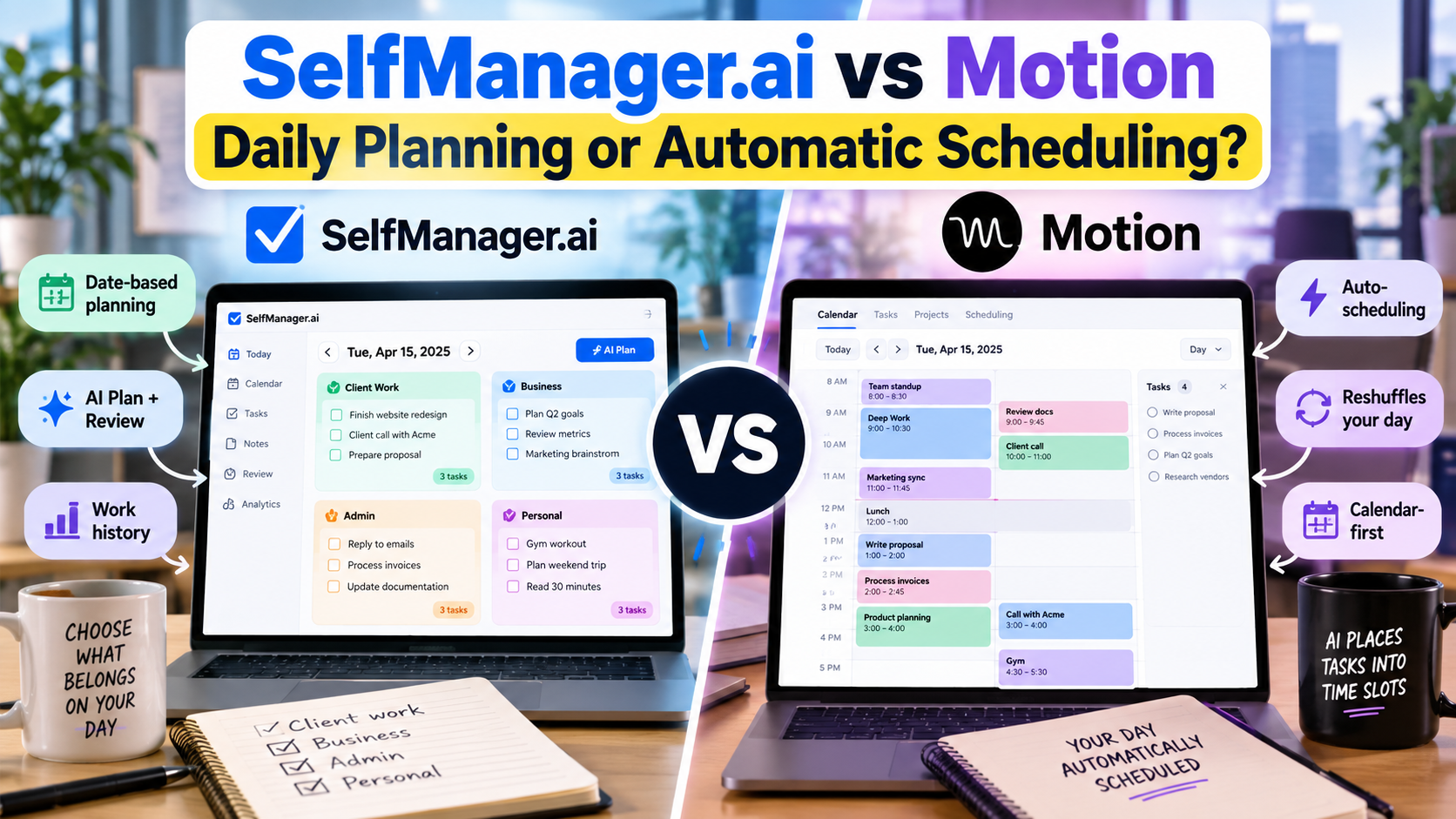
SelfManager.ai and Motion both use AI to help organize work, but they solve different parts of the planning problem.
Motion is built around automatic scheduling.
You give it tasks, durations, deadlines, priorities, availability, and calendar commitments. Motion decides where the work should fit and keeps rearranging the schedule as circumstances change.
SelfManager.ai is built around date-based planning.
You decide what work belongs to Monday, Tuesday, or the rest of the week. AI can propose that plan, but you review it before it becomes your actual task structure. Work stays attached to the dates where it happened, creating a history that AI can later review with you.
The simplest distinction is:
Choose Motion if you want software to answer: “When exactly should I do this?”
Choose SelfManager.ai if you want software to help answer: “What belongs on this day, what actually happened, and what should I do next?”
Neither approach is automatically better.
They delegate different decisions to AI.
Product capabilities and pricing were verified on September 28, 2026.
Disclosure: This comparison is published by SelfManager.ai. SelfManager is our product, so this article deliberately includes the situations where Motion is the more appropriate choice.
SelfManager.ai vs Motion at a Glance
| Feature | SelfManager.ai | Motion |
|---|---|---|
| Core planning model | Date-based workspaces | Automatic calendar scheduling |
| Main question | What belongs on this date? | When should this task happen? |
| AI planning | Generates editable dated plans | Automatically schedules tasks into time |
| Automatic rescheduling | No | Yes |
| External calendar scheduling | Not the core workflow | Central to the product |
| Task duration required | Optional for normal planning | Important scheduling input |
| Deadlines and priorities | Yes | Yes, used by scheduling engine |
| Work history | Strong date-based record | More project/calendar-oriented |
| AI retrospective review | Built around dated work periods | Not the central planning model |
| Time tracking | Included in SelfManager plans | Listed on Motion Business AI |
| Individual pricing | $8 monthly or $72/year | Pro AI: $19/seat/month with annual billing |
| Individual AI allowance | 35 credits/week | 7,500 credits/seat/month on Pro AI |
| Team pricing | $30/month flat or $300/year | Per seat |
| Best fit | People who want control over daily commitments and historical context | People who want the calendar continuously organized for them |
The products overlap in tasks, priorities, AI, projects, and planning.
But the workflow feels very different.
The Real Difference Is What You Want AI to Decide
The phrase “AI planner” can hide several separate decisions.
Suppose you have ten tasks.
AI could help decide:
- What those tasks should actually be.
- Which tasks deserve attention today.
- In what order they matter.
- How long each will take.
- Where each task fits on the calendar.
- What should move when the day changes.
- What happened after the day is over.
- What that history should change about tomorrow.
Motion puts much of its intelligence into decisions 4, 5, and 6.
SelfManager puts more emphasis on 1, 2, 3, 7, and 8.
That is why comparing them only by saying both “use AI” does not tell you much.
Read more: daily planner vs AI auto-scheduler.
Put the Same Monday Into Both Products
Imagine Alex, an independent software consultant.
It is Monday morning.
He has:
Client A
- Fix a checkout bug
- Review analytics after the fix
Client B
- Finish dashboard revisions
- Send a progress update
His own business
- Write a product article
- Review last week's leads
Administration
- Send two invoices
- Reply to three important emails
Personal
- Dentist at 16:30
- Gym in the evening
He also has a client call from 11:00 to 12:00.
Some work is urgent.
Some is flexible.
One task may take much longer than expected.
Let's see what happens.
Monday in Motion
Motion's workflow depends heavily on scheduling information.
For each task, Alex can provide inputs such as:
- Duration
- Priority
- Deadline
- Start date
- Scheduling window
- Whether the task should be auto-scheduled
Motion then uses the calendar to determine where work should happen.
Suppose Alex enters:
| Task | Duration | Priority | Deadline |
|---|---|---|---|
| Fix checkout bug | 2h | High | Monday |
| Review analytics | 45m | Medium | Tuesday |
| Dashboard revisions | 90m | High | Monday |
| Client update | 20m | Medium | Monday |
| Write article | 2h | Medium | Wednesday |
| Review leads | 45m | Low | Tuesday |
| Send invoices | 20m | Medium | Monday |
Motion already knows about the 11:00 client call and the 16:30 dentist appointment through his calendar.
It can now construct a schedule around those commitments.
A simplified day could look like:
08:30-10:30 - Fix checkout bug
10:30-11:00 - Send invoices
11:00-12:00 - Client call
12:30-14:00 - Dashboard revisions
14:00-14:20 - Client update
14:20 onward - other eligible work
Alex does not need to manually decide where every work block goes.
That is Motion's central advantage.
Motion Is Trying to Turn Obligations Into a Calendar
The task does not merely say:
Fix checkout bug Monday.
Motion tries to answer:
Fix checkout bug from 08:30 until 10:30 Monday.
That distinction becomes valuable when your main problem is not knowing what you should do.
You already know.
The problem is finding room for it.
For someone with five meetings, several deadlines, and only fragments of uninterrupted time, this can remove a large amount of daily calendar maintenance.
Motion currently describes its AI Task Manager as automatically scheduling days using information such as deadlines, priorities, dependencies, and availability, then reshuffling the plan when work changes.
That is much more interventionist than a traditional daily planner.
Monday in SelfManager.ai
SelfManager starts from the date rather than the calendar grid.
Alex opens Monday.
He might have:
Client A
- Fix checkout bug
- Review analytics
Client B
- Finish dashboard revisions
- Send progress update
Business
- Write product article
- Review leads
Admin
- Send invoices
- Reply to important emails
Personal
- Dentist
- Gym
The tasks can have priorities, statuses, deadlines, notes, comments, tracked time, and other context.
But Alex does not need to assign every task an exact time.
His Monday is a workspace containing the work he intends to deal with that day.
SelfManager Can Still Use AI to Create the Plan
Date-based planning does not mean everything must be entered manually.
SelfManager's AI Plan can generate a proposal for:
- One day
- A week
- A month
- Or a custom period up to 31 days
Alex could say:
Plan my week around the checkout bug, Client B dashboard revisions, two invoices, this week's article, lead review, and normal administrative work. The checkout problem is the highest priority. Keep Monday lighter after 16:00.
AI Plan can turn that into dated tables and prioritized tasks.
See how SelfManager AI Plan and AI Review work.
But there is an important step before those tasks become real.
Alex reviews the proposal.
He can change it.
He can remove tasks.
He can move work between dates.
He can correct priorities.
Then he approves it.
SelfManager does not continuously take control of the external calendar afterward.
That is intentional.
The Key Difference Appears When Reality Breaks the Plan
The checkout bug was estimated at two hours.
It takes four.
This is where Motion's model becomes especially useful.
What Motion Does When the Task Overruns
If the work consumes more of the day than expected, Motion can rearrange eligible scheduled tasks.
The dashboard revisions may move.
The client update may move.
Lower-priority work may be pushed later.
Motion's scheduling engine keeps recalculating around the constraints.
The user still needs to provide useful priorities and deadlines, but the repeated calendar rearrangement is largely delegated.
For someone who hates manually rebuilding the day after every interruption, this is exactly the point of the product.
What SelfManager Does When the Task Overruns
SelfManager does not automatically rearrange Alex's calendar.
The checkout work remains part of Monday.
Alex sees that the day changed and decides what no longer belongs.
He might consciously move:
- Dashboard revisions to Tuesday
- Lead review to Wednesday
- Article work to Tuesday
Monday remains a record of the original day and what actually happened.
This requires more human judgment.
It also gives Alex more deliberate control over what gets recommitted.
Neither behavior is objectively correct.
They optimize for different people.
Motion Is Stronger When Your Problem Is Calendar Maintenance
Imagine your normal week contains:
- 20 meetings
- Several deadlines
- Deep-work tasks
- Recurring responsibilities
- Personal calendar commitments
- Frequent meeting changes
You already know what your tasks are.
What exhausts you is constantly asking:
Where does this fit now?
Motion is designed for that problem.
Its system can automatically schedule and reschedule tasks based on available time and task constraints.
It can also flag work that appears at risk of missing a deadline.
If that is the problem you are trying to solve, SelfManager is not the stronger tool.
SelfManager Is Stronger When Exact Calendar Placement Is Not the Main Problem
Now consider a different person.
Their week contains:
- 30 small and medium tasks
- Several client projects
- Business administration
- Personal responsibilities
- Notes and decisions
- Work whose duration is hard to predict
- Few fixed meetings
Their question may not be:
What should happen at 10:30?
It may be:
What genuinely needs to happen Monday?
They may prefer working through the day's priorities without having every small action represented as another calendar block.
That is the kind of workflow SelfManager is designed around.
Scheduling Uncertain Work Is Harder Than Scheduling Predictable Work
Auto-scheduling benefits from good inputs.
If a task reliably takes 30 minutes, scheduling it is relatively straightforward.
But some knowledge work is difficult to estimate.
Consider:
Investigate production performance issue.
It may take:
- 20 minutes
- Two hours
- The entire day
The first investigation could reveal that the original task was misunderstood.
Motion can reschedule around the new duration once the information changes.
But it cannot eliminate the uncertainty itself.
For software development, research, creative work, strategy, and other exploratory work, some users prefer committing the work to a day without pretending they know exactly when every part will happen.
Others still benefit from reserving a rough time block.
This is a personal workflow choice, not a limitation unique to either product.
Motion's Calendar Is Part of the Operating System
Motion is much more calendar-centric than SelfManager.
Its AI Task Manager is designed to combine tasks and existing calendar commitments into an executable schedule.
That means external calendar connections are fundamental to the experience.
If your workday already revolves around Google Calendar or Outlook, that can feel natural.
You are not managing a separate plan beside the calendar.
The tasks themselves become part of the calendar.
SelfManager currently does not offer the same automatic external-calendar scheduling workflow.
If your requirement is:
Put my tasks into free calendar slots and keep rearranging them as my meetings move.
choose a scheduling-first product such as Motion.
SelfManager Treats the Date as More Than a Time Slot
SelfManager's date-centric model has a different advantage.
Monday can hold several separate contexts.
For example:
Client A
Tasks, comments, tracked time, screenshots, notes.
Client B
Different tasks and context.
Business
Article work and sales follow-ups.
Personal
Gym, errands, appointments.
They all draw from the same Monday without needing to become one large mixed project or a sequence of precise calendar blocks.
After Monday passes, that structure remains.
That makes past dates useful as work records.
What Happens When You Want to Understand Last Week?
This is another major difference between the products.
Planning tools naturally focus on the future.
But after a month of work, you may want to ask:
- What did I actually accomplish?
- What remained unfinished?
- Which client consumed most of my tracked time?
- What kept being postponed?
- What important decision did I make?
- What should change next week?
SelfManager is deliberately designed around that backward-looking loop.
AI Review can inspect a week, month, quarter, or custom period and use the work stored across those dates as context.
The information can include tasks, statuses, priorities, tracked time, notes, comments, and logs.
You can then ask follow-up questions about what happened.
Motion Is More Execution-Forward
Motion contains project-management information, tasks, comments, files, dependencies, reports, and other work context.
But its defining planning advantage remains forward-looking:
What should happen next, and when?
Its current product also extends well beyond simple scheduling into AI chat, projects, docs, meetings, project management, and team capacity.
So Motion should not be reduced to “just a calendar.”
It is now a broader work-management platform.
The distinction is that automatic scheduling remains a major part of how Motion turns project work into daily execution.
AI Plan and Auto-Scheduling Are Not the Same Feature
This deserves to be explicit because the names can sound similar.
Suppose you ask:
Plan my week.
SelfManager AI Plan
AI proposes something like:
Monday
- Checkout bug
- Dashboard revisions
Tuesday
- Analytics
- Article draft
Wednesday
- Lead review
- Client follow-ups
You review that proposal.
You approve it.
The result becomes dated task tables.
The system does not then continuously move the tasks around your external calendar.
Motion
You provide tasks plus scheduling constraints.
Motion places them into available times.
If conditions change, those placements can change too.
That is automatic scheduling.
They are different forms of AI planning.
Which Approach Requires More Input?
Both need useful information, but different information matters.
Motion benefits from:
- Accurate task duration
- Priority
- Deadline
- Start date
- Scheduling window
- Calendar availability
- Dependencies
Those inputs help the scheduler make better decisions.
SelfManager benefits from:
- What you want to accomplish
- Which work matters most
- Useful historical context
- Deadlines
- Priorities
- Existing tasks and notes
SelfManager can work without knowing that a task will take exactly 75 minutes.
Motion becomes more valuable when duration and availability are meaningful.
Time Tracking Is Currently Packaged Differently
SelfManager includes task-level time tracking within its normal Individual workflow.
You can start and stop timers, enter time manually, and retain that information with the task history.
Motion's current pricing page lists Time Tracking under the Business AI plan rather than Pro AI.
That distinction matters if you are comparing the entry paid plans.
If individual historical time tracking is important to you, check the exact Motion tier you intend to buy rather than assuming every Motion subscription includes the same reporting features.
Current SelfManager.ai Pricing
As of September 28, 2026:
Individual
$8/month
or
$72/year, equivalent to $6/month.
Includes:
- All 14 current AI features
- 35 AI credits every week
- Time tracking
- Unlimited text storage
- Unlimited audio storage
- Unlimited original-quality image storage
Team
$30/month total
or
$300/year, equivalent to $25/month.
The Team plan includes unlimited collaborators and 70 AI credits each week.
The trial lasts seven days and does not require a credit card.
Current Motion Pricing
Motion's current pricing structure uses Pro AI and Business AI.
With annual billing, its live pricing page currently shows:
Pro AI
$19 per seat per month
Includes:
- AI Chat
- AI Projects & Tasks
- AI Calendar & Meetings
- AI Docs, Wiki & Notes
- AI Task Planner
- AI Writer & Editor
- Integrations
- 7,500 credits per seat per month
Business AI
$29 per seat per month
Includes everything in Pro AI plus:
- Team Capacity Planning
- Advanced Dashboards & Reports
- Timeline & Gantt Charts
- Time Tracking
- Permissions and Access Control
- Central Billing
- Priority Support
- 15,000 credits per seat per month
Motion also offers monthly billing, but its current public pricing page displays the annual price by default.
Its free-trial documentation currently refers to a seven-day trial.
Do Not Compare the Credit Numbers Directly
At first glance:
35 SelfManager credits per week
versus
7,500 Motion credits per month
looks like Motion includes dramatically more AI usage.
That conclusion would be wrong.
The products define and consume credits differently.
A SelfManager Fast request starts at one credit.
Thinking mode starts at five credits.
The amount can increase depending on how much work context is being processed.
For example, SelfManager currently says a one-week review on Fast typically costs one credit and a one-month review around two.
Motion uses a completely different credit scale across its broader AI system.
So:
35 SelfManager credits and 7,500 Motion credits are not comparable units.
Compare what you can actually accomplish with the allowance, not the number printed beside the word “credits.”
Motion Also Publishes Per-Credit Pricing References
Motion's current pricing page displays:
- 25 cents per 100 credits alongside the 7,500-credit tier
- 19 cents per 100 credits alongside the 15,000-credit tier
The public text version of the page does not clearly label whether these figures should be interpreted as overage pricing, additional-credit pricing, or another credit-cost reference.
So I would not build the buying decision around those numbers without checking what Motion shows inside checkout or account billing at the time you subscribe.
This is exactly why comparing AI products purely by credit counts is difficult.
SelfManager's Credit Model Is Easier to Understand per Action
SelfManager publishes more detail about how its credits are consumed.
Current starting costs are:
- Fast model: from 1 credit
- Thinking model: from 5 credits
Longer context can increase the amount.
The application shows the exact higher amount before the request runs.
Weekly included credits reset every Monday.
Purchased credits do not expire.
For most comparisons, the practical question is:
Does the included allowance cover the AI actions I actually use?
not:
Which service gives me the largest credit number?
Pricing Changes Dramatically for Teams
Imagine five people.
SelfManager Team
The Team plan remains one flat subscription:
$30/month
or $300/year.
Collaborators do not add another seat fee.
Motion
Motion is priced per seat.
At the currently displayed annual pricing:
Five Pro AI seats would be:
5 × $19 = $95/month equivalent
Five Business AI seats:
5 × $29 = $145/month equivalent
But the comparison is not simply:
SelfManager is cheaper, therefore choose SelfManager.
Motion Business includes significantly deeper team planning features such as capacity planning, dashboards, reports, timelines, Gantt functionality, permissions, and automatic scheduling.
If those solve your team's real problem, the additional price may be justified.
SelfManager's Team plan is better suited to people who need lighter collaboration around date-based work, not teams looking for Motion's full operational scheduling layer.
When Motion Is the Better Choice
Choose Motion if your working day looks something like this:
- Your calendar is full of meetings.
- You already know what tasks need doing.
- You regularly miss work because no time was reserved for it.
- You hate manually timeblocking.
- Meetings frequently move.
- You want lower-priority work automatically pushed around higher-priority commitments.
- Deadlines and task durations are reasonably meaningful.
- You want the system to tell you what to work on next.
- You want project planning connected directly to team capacity and schedules.
In this situation, Motion is solving a very concrete problem.
SelfManager does not attempt to replicate that automatic scheduling engine.
Read more: Motion alternatives.
When SelfManager.ai Is the Better Fit
Choose SelfManager if your day looks more like:
- Many small and medium tasks across several areas
- Work and personal responsibilities sharing the same date
- Unpredictable knowledge work
- Several client or project contexts
- A desire to preserve notes, comments, images, and decisions around the work
- Built-in task time tracking
- Weekly, monthly, and quarterly review
- AI that can inspect your past work
- A preference for deciding what belongs today without scheduling every item to a precise hour
The workflow gives you more control.
That also means more responsibility.
You decide when Monday needs to change.
Motion is more willing to make that scheduling decision for you.
When Neither Approach Is Automatically Superior
Some people hear “automatic scheduling” and immediately assume that more automation must be better.
Others dislike the idea of an algorithm rearranging their calendar and assume manual control is always superior.
Both reactions miss the real issue.
Automation is useful when it removes a decision you repeatedly find burdensome.
It is less useful when it automates a decision you actually prefer making yourself.
Ask:
Do I hate deciding what time tasks should happen?
Motion may help.
Ask:
Do I mostly need clarity about what belongs today?
SelfManager may fit better.
What if You Are Bad at Estimating Task Duration?
This matters more with automatic scheduling.
If every 30-minute task actually takes 90 minutes, a calendar built around those estimates will keep changing.
Motion can reschedule as reality unfolds, which helps.
But better estimates still produce better schedules.
SelfManager allows you to be looser.
You can say:
Fix checkout issue Monday.
without deciding whether it deserves 45 minutes or three hours.
For some kinds of work, that freedom is useful.
For others, it enables overcommitment.
Knowing which problem you personally have is part of choosing the product.
What if You Keep Procrastinating?
Automatic scheduling can remove one form of procrastination:
I don't know what to work on now.
Motion can put the next action directly in front of you.
But a scheduled block does not make a difficult task emotionally easier.
Similarly, a perfectly organized date in SelfManager does not force you to start.
Planning software can reduce decision friction.
It cannot eliminate the human part of doing unpleasant work.
What if Your Main Concern Is Reviewing Your Work?
This is where the difference shifts clearly toward SelfManager's intended use case.
If you regularly want to understand:
- What you accomplished this week
- What slipped
- Where time went
- Which projects dominated the month
- What decisions you recorded
- Which tasks keep getting postponed
- What should change next period
SelfManager's date-based history and AI Review are designed around that workflow.
Motion contains reports and project information, especially on Business AI, but retrospective AI review of a rich date-based personal work history is not the central reason to buy Motion.
SelfManager.ai vs Motion: Which Should You Choose?
The buying decision is ultimately about how you want work to relate to time.
Choose Motion if you want tasks to become calendar blocks and you want those blocks automatically rearranged as your real schedule changes.
Motion is the stronger fit when the main burden is:
I know what I need to do. I need the system to find the time.
Choose SelfManager.ai if you want dates to contain your work but still want control over the exact order and timing.
SelfManager is the stronger fit when the main burden is:
I have many things competing for my attention. I need to decide what belongs today, preserve what happened, and use that history to plan better next time.
The products overlap.
The philosophy is different.
Motion delegates scheduling.
SelfManager assists planning while leaving scheduling decisions with you.
That is the distinction worth testing.
Read more: SelfManager.ai vs Motion vs Sunsama vs Akiflow.
Test Both With an Imperfect Week
Do not compare them with a beautiful empty demo calendar.
Use a real week.
Include:
- A fixed meeting
- One urgent task
- One task whose duration is uncertain
- Several small obligations
- A personal commitment
- Something that gets interrupted
- Something you fail to finish
Then observe what happens.
With Motion, ask:
- Did the automatic schedule feel believable?
- Did rescheduling save me effort?
- Did I trust the system's next recommendation?
- How often did I need to correct task durations or priorities?
- Did the calendar make me calmer or more constrained?
With SelfManager, ask:
- Was deciding what belonged on each day easy?
- Did keeping work and personal contexts separate help?
- Did unfinished work remain understandable?
- Was I comfortable deciding manually what moved?
- Did the resulting work history help me understand the week?
The better product is the one that removes the kind of planning friction you actually experience.
SelfManager.ai currently offers a seven-day trial of the full product without requiring a credit card.
Motion also currently offers a free trial.
A week containing real interruptions will tell you much more than comparing feature pages.
Frequently Asked Questions
Is SelfManager.ai an alternative to Motion?
Yes, but only for people looking for a different planning philosophy.
SelfManager can replace Motion for someone who wants AI-assisted date-based planning, task management, time tracking, and historical review without automatic calendar scheduling.
It is not a feature-for-feature replacement for Motion's automatic scheduling engine.
Does SelfManager.ai automatically schedule tasks on my calendar?
No.
SelfManager AI Plan assigns work to dates, but it does not continuously place and rearrange tasks inside an external calendar.
If automatic calendar scheduling is your essential requirement, Motion is the more appropriate product.
Does Motion automatically reschedule tasks?
Yes.
Motion's current AI Task Manager is designed to place tasks around calendar availability and adjust scheduled work when conditions change.
Is SelfManager.ai cheaper than Motion?
For an individual, SelfManager's current price is $8/month or $72/year.
Motion's currently displayed annual Pro AI price is $19 per seat per month.
However, the products include different capabilities, so the price difference should be considered alongside Motion's automatic scheduling, calendar, integrations, projects, and broader AI platform.
How many AI credits does SelfManager.ai include?
The Individual plan currently includes 35 credits per week.
The Team plan includes 70 per week.
Fast AI actions start at one credit and Thinking actions start at five, with larger context sometimes increasing the cost.
How many AI credits does Motion include?
Motion currently lists 7,500 credits per seat per month on Pro AI and 15,000 credits per seat per month on Business AI.
These should not be numerically compared with SelfManager credits because each platform defines and consumes credits differently.
Does Motion include time tracking?
Motion's current pricing page lists Time Tracking under Business AI.
SelfManager includes task-level time tracking as part of its normal Individual workflow.
Which is better for people with lots of meetings?
Motion is generally the more relevant choice when meetings dominate the day and your primary problem is fitting tasks into the remaining available calendar time.
Which is better for reviewing completed work?
SelfManager is specifically designed around retaining work on dates and using AI Review to examine weeks, months, quarters, and custom periods.
Motion provides broader project and reporting capabilities, particularly at the Business tier, but its central workflow is automatic planning and scheduling rather than date-based retrospective review.
Can I use a calendar with SelfManager.ai?
You can still use a calendar separately for appointments and protected time blocks.
However, this article does not imply an automatic SelfManager-to-calendar synchronization feature. SelfManager's core workflow is date-based planning rather than automatic external-calendar scheduling.
Date-based AI Task Manager
Plan smarter, execute faster, achieve more
Create tasks in seconds, generate AI-powered plans, and review progress with intelligent summaries. Perfect for individuals and teams who want to stay organized without complexity.
Get started with your preferred account