
Motion vs Reclaim: Which AI Scheduler Is Better in 2026?
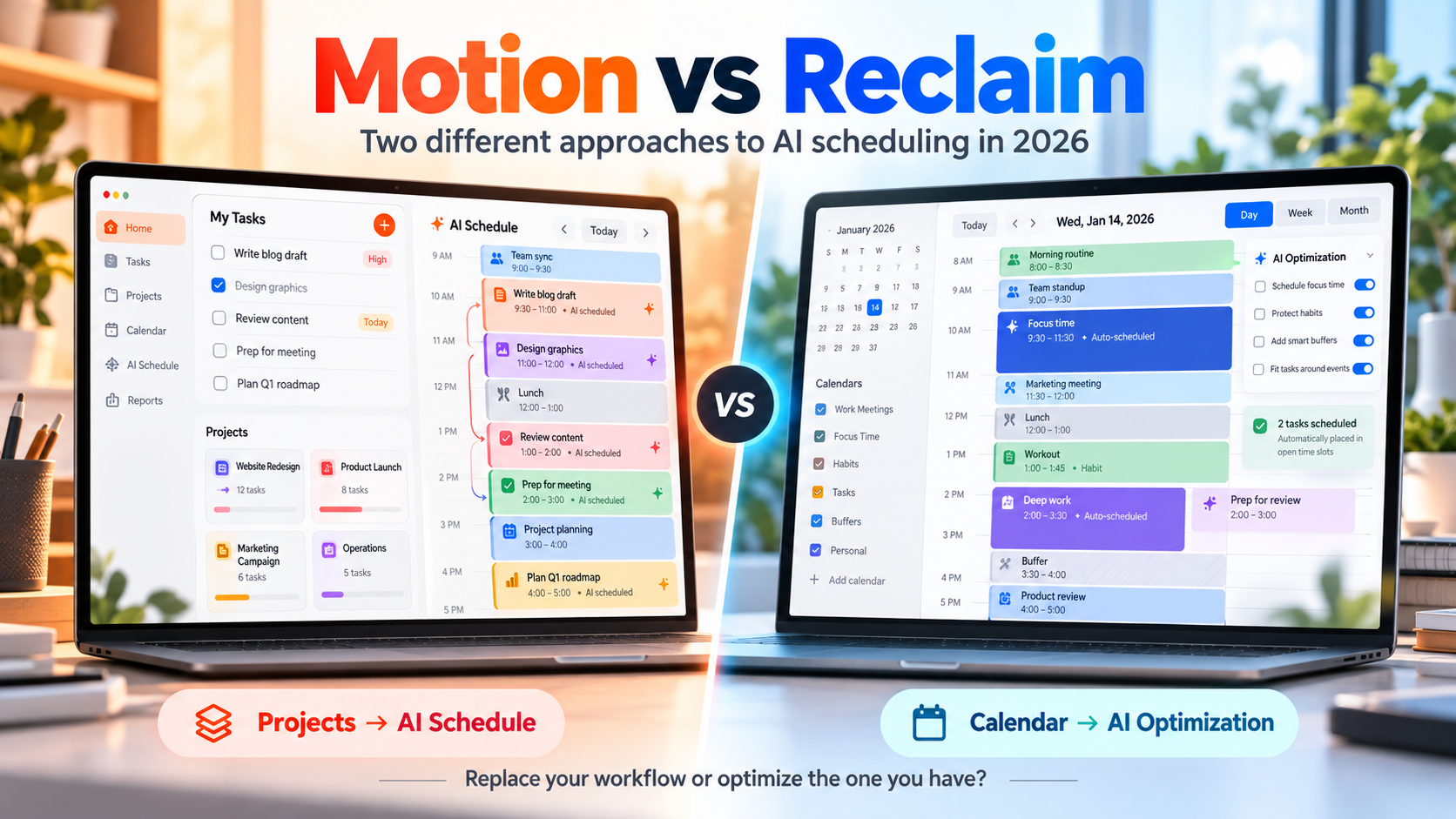
Motion and Reclaim both use AI to automatically find time for work, but they approach the problem from opposite directions.
Choose Motion if you want tasks, projects, calendar scheduling, docs, meetings, and more to live inside one productivity system that actively replans your day.
Choose Reclaim if you want to keep Google Calendar or Outlook as the center of your workflow and add an AI scheduling layer that protects focus time, schedules tasks, manages habits, and finds better meeting times around your existing calendar.
The simplest distinction is:
Motion wants to become your work system.
Reclaim wants to optimize the calendar and tools you already use.
Motion vs Reclaim at a Glance
| Feature | Motion | Reclaim |
|---|---|---|
| Core approach | All-in-one AI work platform | AI scheduling layer around your calendar |
| Best for | Tasks, projects and schedule in one system | Optimizing an existing Google/Outlook workflow |
| Automatic task scheduling | Yes | Yes |
| Automatic rescheduling | Yes | Yes |
| Focus time protection | Yes | Yes |
| Habits | Not a core dedicated system | Yes |
| Smart recurring meetings | Meeting scheduling | Strong Smart Meetings focus |
| Calendar sync | Google, Outlook, iCloud | Full Google and Outlook support |
| External task integrations | Integrations + Zapier/API | Todoist, Asana, ClickUp, Jira, Linear, Google Tasks and more |
| Project management | Strong | Not designed to replace your PM tool |
| Docs/wiki | Yes | No equivalent all-in-one workspace |
| Native desktop apps | Windows + macOS | Primarily calendar/web workflow |
| Native mobile apps | iOS + Android | Mobile access, calendar-centered |
| Free plan | No permanent free plan | Yes, Lite |
| Individual paid starting point | Pro AI starts at $19/seat/month | Starter $10 annually or $12 monthly per seat |
| Best reason to choose it | Replace several work tools with one AI system | Keep your existing stack and automate the calendar |
Both can rearrange your calendar when priorities change.
Read more: daily planner vs AI auto-scheduler.
The important question is how much of your workflow you want the scheduling app to own.
What Motion Is Trying to Do
Motion has expanded far beyond being an AI calendar.
Its current product combines:
- Tasks
- Projects
- AI scheduling
- Calendar
- Meeting scheduling
- Docs and wiki
- AI chat
- Dashboards
- Meeting notes
- Workflows
- Project timelines
- Integrations
That makes Motion closer to an AI productivity operating system than a narrow calendar tool.
You create work inside Motion, attach deadlines and priorities, and allow its scheduling system to decide when that work should happen.
If circumstances change, Motion can recalculate the schedule.
The appeal is clear:
You spend less time asking yourself what to work on next.
Read more: Motion alternatives.
How Motion Automatically Schedules Tasks
Motion's AI Task Manager considers information such as:
- Deadlines
- Priorities
- Dependencies
- Available working time
- Meetings
- Existing calendar commitments
- Estimated task duration
It then puts tasks into available time.
If a meeting appears or your day changes, Motion can replan the schedule rather than expecting you to manually drag everything into new time slots.
This is the central promise of Motion.
You maintain the work.
Motion maintains much of the schedule.
Example
Imagine your Tuesday originally looks like this:
9:00 AM - Finish proposal
11:00 AM - Prepare presentation
2:00 PM - Review analytics
Then a two-hour client meeting is added in the morning.
In a manually planned calendar, you would need to decide what moves.
Motion can recalculate the day and move flexible work into other available slots while respecting deadlines and priorities.
That automation is the reason to use Motion rather than a conventional daily planner.
What Reclaim Is Trying to Do
Reclaim starts from a different assumption.
Your calendar already exists.
Your company may already use:
- Google Calendar
- Outlook Calendar
- Asana
- Todoist
- ClickUp
- Jira
- Linear
- Google Tasks
- Slack
- Zoom
Reclaim does not necessarily want you to replace those systems.
Instead, it tries to intelligently reserve time around them.
Its core scheduling concepts include:
- Tasks
- Focus Time
- Habits
- Smart Meetings
- Buffer Time
- Scheduling Links
- Calendar Sync
- Priorities
- AI planning
- Time analytics
That makes Reclaim particularly interesting for someone who says:
"My tools are fine. My calendar is the problem."
Reclaim Is More Calendar-First
Reclaim's scheduling engine works around your existing calendar commitments.
You set preferences such as:
- Priority
- Duration
- Due date
- Frequency
- Scheduling hours
- Earliest start
- Available working windows
Reclaim then finds appropriate time.
Items can move automatically as the calendar changes.
You can also lock events when you no longer want the system moving them.
That combination gives you two modes.
Earlier in the planning horizon, the calendar can remain flexible.
As the day approaches, important work can become fixed.
Motion Is More Task-First
The difference becomes clearer when you ask:
Where does the work originate?
With Motion, a large portion of the workflow can live directly inside Motion.
Projects contain tasks.
Tasks have deadlines.
Projects can have dependencies.
Motion schedules those tasks.
The resulting calendar becomes an execution view of the work stored inside the platform.
With Reclaim, tasks may originate somewhere else.
You can continue managing projects in tools such as Todoist, Asana, ClickUp, Jira or Linear and let Reclaim focus more heavily on:
When can this work actually happen?
That distinction matters for teams that already have established project-management systems.
Motion Has Much Stronger Project Management
If you also want to replace a project-management tool, Motion has the advantage.
Motion includes:
- Projects
- Tasks
- Dependencies
- Workflows
- AI project planning
- Gantt-style planning on higher plans
- Team capacity tools
- Dashboards
- Docs
- Wiki-style knowledge
- Collaboration
Reclaim is not trying to be the main project database for an organization.
It can schedule work from external systems, but the larger project structure can remain in those external tools.
Choose Motion if consolidating tools is part of the goal.
Choose Reclaim if replacing your existing project system would create unnecessary disruption.
Reclaim Is Stronger Around Recurring Habits
Habits are one of Reclaim's more distinctive features.
You can create flexible recurring blocks for things such as:
- Exercise
- Lunch
- Reading
- Planning
- Email processing
- Code review
- Learning
- Weekly admin
Instead of assigning every habit a permanently fixed time, Reclaim can search for appropriate windows.
The habit also has a priority.
If the calendar becomes crowded, higher-priority items can be defended more aggressively than lower-priority ones.
That makes habits different from ordinary recurring calendar events.
The goal is not merely:
"Put gym at 5 PM every Tuesday."
It can be closer to:
"Find me three one-hour gym sessions this week during my preferred personal hours without interfering with higher-priority work."
For users trying to protect routines inside unpredictable schedules, this is a strong Reclaim use case.
Reclaim Is Strong Around Focus Time
Focus Time is another central part of Reclaim.
You can define a weekly focus-time goal and let the system defend enough calendar space to meet it.
This matters because open calendar space tends to disappear.
Meetings get added.
Scheduling links expose availability.
Colleagues see empty blocks and assume they are free.
Reclaim can treat focused work as something that deserves calendar protection instead of whatever happens in the gaps between meetings.
This makes Reclaim especially relevant to people in meeting-heavy companies.
Motion Also Protects Deep Work
Motion solves a similar problem from the task side.
Its scheduler looks at the work you actually need to finish and reserves time for it.
Motion can also flag situations where the amount of work exceeds the available capacity.
That is valuable because one of the fundamental problems with ordinary to-do lists is that twenty hours of tasks can happily coexist on a day containing six free hours.
A list can pretend everything fits.
A scheduling system cannot.
Both Motion and Reclaim force reality back into the planning process.
They simply reach it from different directions.
Reclaim Has Stronger Smart Meeting Automation
Meetings are a major part of Reclaim's identity.
Smart Meetings can automatically find and protect workable recurring meeting times.
The system can consider:
- Attendee availability
- Priorities
- Preferred hours
- Recurrence
- Scheduling windows
- Existing commitments
This becomes particularly useful for recurring internal meetings where the exact hour is less important than finding a workable slot.
Reclaim can also work with scheduling links and buffers.
For example, you might automatically protect time after video meetings so you are not booked into back-to-back calls all afternoon.
For organizations where calendar coordination itself consumes significant time, Reclaim has a strong advantage.
Motion Handles Meetings Inside a Larger System
Motion also includes meeting scheduling and booking functionality.
But meetings sit inside a much broader product.
The calendar contains:
- Scheduled tasks
- Meetings
- Events
- Projects
- Personal commitments
The distinction is subtle.
Reclaim feels more like an intelligent scheduling infrastructure.
Motion feels more like an intelligent work environment that happens to control the schedule.
Calendar Support
Both products work with major calendar systems, but their coverage differs.
Motion
Motion currently connects with:
- Google Calendar
- Microsoft Outlook
- iCloud Calendar
Calendar events can synchronize with Motion, while Motion can display scheduled tasks externally for visibility.
Google and Outlook currently provide the broadest task/calendar synchronization.
Reclaim
Reclaim currently provides full support for:
- Google Calendar
- Microsoft Outlook Calendar
Other calendars such as iCloud can be brought into the workflow indirectly by connecting them through Google or Outlook, but Reclaim does not provide the same level of direct full support for iCloud.
If direct iCloud Calendar integration is important, Motion is the stronger choice.
Read more: task manager calendar integrations.
Reclaim Fits Existing Task Managers Better
Reclaim's paid plans support integrations with task systems including:
- Todoist
- Asana
- ClickUp
- Jira
- Linear
- Google Tasks
This changes the migration decision.
Suppose your company already runs product development in Jira.
Moving everything into a new project-management system purely because you want AI scheduling would be expensive and disruptive.
Reclaim offers another path:
Keep Jira as the source of work.
Let Reclaim help create time for that work.
That can make adoption significantly easier.
Motion Wants More of the Workflow Inside Motion
Motion also has integrations, Zapier support, and an API.
It connects with services including:
- Google Calendar
- Outlook
- iCloud
- Gmail
- Zoom
- Microsoft Teams
- Google Meet
- Zapier
Its API is available to users as well.
But Motion's larger value proposition becomes stronger when you actually use Motion's own project, task, document and scheduling layers.
If you only want a thin scheduling layer sitting on top of another project-management platform, Reclaim is conceptually closer to that requirement.
Reclaim 2.0 Has Shifted Toward AI Agents
Reclaim's 2026 product has expanded beyond the older idea of simply automatically placing tasks onto a calendar.
Its current plans include AI agents designed to continuously optimize areas such as:
- Focus Time
- Habits
- Buffer Time
- Smart Meetings
- Meeting quality
The free Lite plan currently includes five AI agents, while paid tiers increase those limits.
Reclaim also has an AI Assistant that can work with calendar scheduling through natural language.
You can ask it to help understand or modify the schedule rather than manually navigating every setting.
That makes Reclaim increasingly agentic while still retaining its calendar-first philosophy.
Motion Is Becoming More Than a Scheduler Too
Motion has followed a similar expansion in a different direction.
Its Pro AI plan now combines:
- AI Chat
- AI projects and tasks
- AI Calendar
- AI meeting functionality
- Docs and wiki
- AI Task Planner
- AI writing
So comparing Motion and Reclaim purely as "calendar apps" understates what both products have become.
The difference is where they are expanding.
Motion is expanding outward into an all-in-one work platform.
Reclaim is expanding deeper into intelligent scheduling and calendar optimization.
Motion vs Reclaim Pricing
Pricing is another major difference.
Motion pricing
Motion does not currently offer a permanent free plan.
Its Pro AI plan starts at:
$19 per seat/month
Business AI starts at:
$29 per seat/month
The pricing page also offers monthly and annual billing options, with the annual option discounted.
Pro AI includes Motion's main calendar, project, task, document and AI functionality.
Business AI adds capabilities such as:
- Capacity planning
- Advanced reporting
- Timeline and Gantt views
- Time tracking
- Permissions and access controls
Reclaim pricing
Reclaim has a permanent free Lite plan.
The free plan currently includes a limited version of:
- AI scheduling agents
- Focus Time
- Habits
- Buffer Time
- Smart Meetings
- Calendar Sync
- Scheduling Links
- Integrations
The free plan is limited to one user and a one-week automated scheduling range.
For paid plans:
Starter: $10 per seat/month when billed annually or $12 monthly.
Business: $15 per seat/month annually or $18 monthly.
Starter expands the scheduling range to eight weeks and increases calendar syncing, integrations and scheduling capabilities.
Business expands the automated scheduling range to 12 weeks and adds more team-oriented controls.
If cost and a permanent free option matter, Reclaim has a significant advantage.
Reclaim Has the Easier Trial Path
New Reclaim accounts currently receive a 14-day trial of the more capable paid experience.
If you do not upgrade, the account rolls into the permanent free Lite plan.
That creates an unusually low-risk way to test AI scheduling.
Motion offers a free trial but does not have an equivalent permanent free plan afterward.
For someone curious about whether auto-scheduling works for them at all, Reclaim therefore provides the easier long-term experiment.
Motion Has Better Native App Coverage
Motion provides:
- Windows app
- macOS app
- iOS app
- Android app
- Web access
That matters if you want the productivity system itself to feel like a dedicated app across your devices.
Motion's mobile experience is somewhat streamlined compared with desktop, but core tasks, events and projects remain accessible.
Reclaim is more closely tied to the calendar workflow.
If application experience matters as much as scheduling behavior, Motion feels more like a standalone productivity application.
Which Is Better for One Person?
That depends on why you want AI scheduling.
Choose Motion if you want fewer apps
Motion makes sense if your ideal outcome is:
"I want my projects, tasks, calendar and planning inside one system."
You create the work in Motion and let Motion continuously decide when it should happen.
This can reduce tool switching significantly.
Choose Reclaim if your current tools already work
Reclaim makes more sense if you are thinking:
"I like Todoist, Asana, Jira or my current project system. I just need my calendar to protect time for the work."
That lets you gain AI scheduling without rebuilding the rest of your productivity system.
Which Is Better for Teams?
Again, the workflows are different.
Motion works well when the team can adopt Motion as a platform
The team can manage:
- Projects
- Tasks
- Capacity
- Calendars
- Documentation
- Reporting
inside one environment.
That can simplify the technology stack.
Reclaim works well when the organization already has a stack
A larger company may already depend on:
- Jira
- Asana
- Google Calendar
- Outlook
- Slack
- Zoom
Reclaim can add intelligent scheduling without asking those teams to rebuild their project processes inside another platform.
It also puts significant emphasis on meeting coordination, focus protection and calendar analytics.
Motion vs Reclaim for Meeting-Heavy Work
Choose Reclaim if meetings are the main problem.
Its combination of:
- Smart Meetings
- Focus Time
- Buffers
- Scheduling Links
- Priority-aware calendar scheduling
- Meeting-quality tools
is designed specifically around keeping a crowded calendar usable.
Motion can absolutely manage meetings.
But its strongest differentiation is broader: tasks and projects automatically becoming a daily schedule.
Motion vs Reclaim for Task-Heavy Work
Motion becomes more compelling when the central problem is a large amount of work that needs to be executed before deadlines.
You enter the tasks.
You define priorities and constraints.
Motion continuously tells you when to do the work.
Reclaim can schedule tasks too, including tasks imported from other products.
But if you want both the project structure and scheduling system in one application, Motion provides more depth.
When Neither Motion nor Reclaim Is the Right Fit
Both apps make a fundamental assumption:
Tasks should become calendar time.
Not everyone wants that.
Some people want to decide that a task belongs on Tuesday without deciding that it belongs between 10:30 and 11:20 AM.
Others dislike watching their calendar constantly rearrange itself.
That is where a date-based planner such as SelfManager.ai represents a different approach.
SelfManager can use AI Plan to propose tasks and tables across one to 31 days, but it does not automatically time-block them into your external calendar.
Read more: using AI to plan a week of tasks.
It also does not connect to Google Calendar or Outlook.
An unfinished task remains part of the original day's history unless you decide to move or recreate it.
Read more: AI task managers that review your week.
That means SelfManager is not a substitute for Motion or Reclaim if auto-scheduling is what you want.
It is an alternative if your conclusion after evaluating auto-schedulers is:
I want AI to help me plan my days, but I still want to control the schedule myself.
SelfManager Individual currently costs $8/month or $72/year and includes a seven-day full-feature trial without a credit card.
Motion vs Reclaim: Which Should You Choose?
There is no useful single winner because these products optimize different parts of the same problem.
Choose Motion if:
- You want AI to continually replan your workday.
- You want projects, tasks and scheduling in one system.
- You want to consolidate several productivity tools.
- You need stronger built-in project management.
- You want native Windows, Mac, iOS and Android apps.
- You use iCloud Calendar directly.
- You are comfortable moving more of your workflow into Motion.
Choose Reclaim if:
- Google Calendar or Outlook is already the center of your workday.
- You want to keep your existing task or project manager.
- You need flexible recurring habits.
- Protecting focus time is a major problem.
- You spend too much time coordinating meetings.
- You want intelligent buffers and calendar protection.
- You want a permanent free plan.
- You want to introduce AI scheduling without replacing your current stack.
Consider SelfManager.ai if:
- You do not actually want automatic time blocking.
- You prefer tasks assigned to days rather than precise calendar slots.
- You want AI to propose a multi-day plan but let you approve it.
- You care about reviewing the real historical record of previous days.
- You want built-in actual task time tracking.
- Calendar integration is not required.
Motion asks AI to decide when your tasks happen.
Reclaim asks AI to optimize where work, habits, focus and meetings fit around your calendar.
SelfManager.ai asks AI to help decide what belongs on each day, while leaving the final schedule under your control.
That is the real decision.
FAQ
Is Motion better than Reclaim?
Motion is a stronger fit if you want tasks, projects, documents and AI scheduling combined inside one work platform. Reclaim is a stronger fit if you want to keep Google Calendar or Outlook and your existing task-management tools while adding automated scheduling around them.
Does Reclaim automatically reschedule tasks?
Yes. Reclaim can automatically schedule and move flexible Tasks, Habits, Focus Time and Smart Meetings according to priorities, scheduling rules and available calendar time. Events can also be locked when you no longer want them to move.
Does Motion automatically reschedule tasks?
Yes. Motion continuously recalculates schedules when tasks, deadlines, meetings or available time change. Automatic replanning is one of Motion's core features.
Is Reclaim free?
Yes. Reclaim has a permanent Lite plan for one user. It includes limited AI agents, Focus Time, Habits, Buffer Time, Smart Meetings, Calendar Sync and a one-week automated scheduling range.
Does Motion have a free plan?
Motion currently offers a free trial but does not list a permanent free plan. Its Pro AI plan starts at $19 per seat per month.
Does Reclaim work with Outlook?
Yes. Reclaim currently provides full support for Microsoft Outlook Calendar as well as Google Calendar. Its AI scheduling features can plan work around events from those calendars.
Does Motion work with Outlook and Google Calendar?
Yes. Motion integrates with Google Calendar and Microsoft Outlook and also supports iCloud Calendar. External events can appear inside Motion, while Motion can show scheduled tasks in supported external calendars.
Which is better if I use Todoist or Asana?
Reclaim is particularly attractive if you want to keep those tools because its paid plans integrate with Todoist, Asana, ClickUp, Jira and Linear. Motion can also connect to external systems through integrations, Zapier and its API, but much of Motion's value comes from using its own project and task-management environment.
Date-based AI Task Manager
Plan smarter, execute faster, achieve more
Create tasks in seconds, generate AI-powered plans, and review progress with intelligent summaries. Perfect for individuals and teams who want to stay organized without complexity.
Get started with your preferred account