
Best Structured Alternatives in 2026: Daily Planner Apps Compared
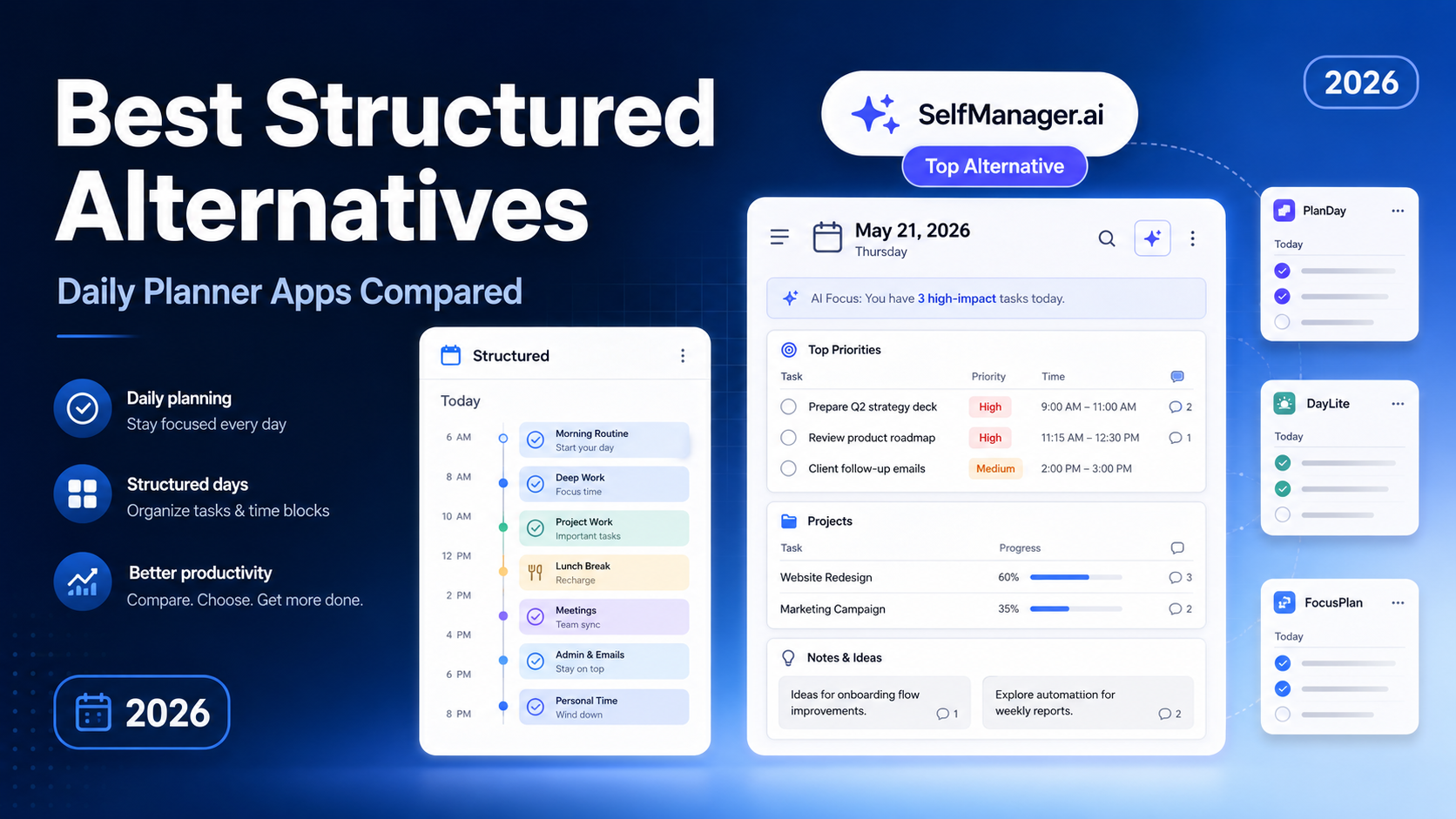
Structured is one of the clearest examples of a productivity app built around the individual's day rather than a company's workflow.
That distinction matters.
Large platforms such as Trello, Notion, and Monday.com can all be adapted for personal productivity. However, their products are primarily designed around boards, databases, projects, team collaboration, permissions, workflows, and organizational reporting.
Daily planning has rarely been their central priority.
There is a straightforward business reason for this. A company buying software for 50, 500, or 5,000 employees creates more revenue than one person buying a personal planner. Team seats, administrative controls, integrations, and enterprise workflows naturally receive more investment than helping one person decide what to do on Tuesday afternoon.
Structured approaches productivity from the opposite direction. It starts with the day and presents tasks, calendar events, and focus sessions on a visual timeline.
That makes it an attractive option for people who want a simple answer to a simple question:
What should I be doing right now?
However, not every person plans their day as a strict sequence of time blocks. Some people need separate areas for client work, administration, personal goals, learning, health, notes, ideas, tracked time, and unfinished tasks. Others want AI to help them plan the week ahead and review the week behind.
That is where Structured alternatives become interesting.
This guide compares the best daily planning apps for personal productivity in 2026. It focuses on how each product organizes the day, how much context it can hold, what role AI plays, and which planning style it suits best.
SelfManager.ai is our own product and is included in this comparison. We have therefore made its strengths and limitations explicit rather than pretending the comparison comes from a neutral third party.
The Best Structured Alternatives in 2026
| App | Best for | Planning approach | Starting price |
|---|---|---|---|
| SelfManager.ai | Complete date-based workspaces | Every date contains its own tables and tasks | $8 monthly or $6 monthly billed annually |
| Sunsama | Guided daily planning | Daily ritual plus calendar time blocking | $25 monthly or $20 monthly billed annually |
| Akiflow | Fast task consolidation | Unified tasks, calendar, and time blocking | $34 monthly or $19 monthly billed annually |
| Morgen | Managing multiple calendars | Calendar-first planning with AI assistance | $30 monthly or $15 monthly billed annually |
| Amazing Marvin | Deep customization | Modular personal productivity system | $8 monthly billed annually |
| TickTick | Affordable all-in-one planning | Tasks, calendar, habits, and focus timers | Free or $49.99 annually |
| Todoist | Fast task capture | Project-based task management with calendar views | Free or $5 monthly billed annually |
| Motion | Automatic AI scheduling | AI places and rearranges work on the calendar | From $19 per user monthly billed annually |
| Lunatask | Privacy and life management | Tasks, habits, notes, journaling, and time blocking | Free or $8 monthly |
| Ellie | Simple timeboxing | Brain dump beside a daily calendar | Free or $9.99 monthly |
Prices are based on publicly listed US pricing in August 2026. Regional pricing, taxes, promotions, and app-store billing may produce different totals.
What Is Structured?
Structured is a visual daily planner that combines tasks, calendar events, and focus sessions in a single timeline.
Instead of beginning with projects, folders, or boards, Structured begins with the current day. Tasks can be assigned times and durations, placed between calendar events, color-coded, divided into subtasks, and viewed as part of a chronological schedule.
Its free version includes timeline tasks, all-day tasks, an inbox, subtasks, notes, notifications, color coding, widgets, and synchronization. Structured Pro adds features such as calendar imports, recurring tasks, Structured AI, custom notifications, and Replan for handling unfinished work.
Structured Pro currently costs $6.99 per month, $29.99 per year, or $99.99 as a lifetime purchase in the United States.
Structured is particularly effective when your day can be represented as a sequence:
- Wake up
- Exercise
- Answer emails
- Attend a meeting
- Work on a report
- Buy groceries
- Prepare dinner
It turns that sequence into a clear visual timeline.
The question is whether a timeline is enough for the way you work.
How We Compared the Alternatives
A Structured alternative should do more than store tasks. It should help turn an unorganized collection of responsibilities into a day that can realistically be followed.
We considered seven factors:
Daily planning
Does the app make the current day central, or is Today simply another filtered task list?
Organization
Can you separate different areas of the day without constructing a complicated project hierarchy?
Calendar and time blocking
Can tasks be placed around existing appointments, and does the app treat time as a central part of planning?
Context
Can tasks contain notes, subtasks, comments, files, images, time records, or related information?
AI assistance
Does AI merely generate task titles, or can it help plan, reschedule, summarize, and review real work?
Simplicity
How much setup is required before the system becomes useful?
Pricing
Is the product reasonably priced for an individual using it for personal productivity?
No single app wins all seven categories. The best choice depends on what you believe a day should look like inside a productivity system.
1. SelfManager.ai
Best Structured alternative for complete date-based workspaces
SelfManager.ai is the strongest Structured alternative for people who agree that planning should begin with the date but need more depth than a chronological timeline.
Its central idea is simple:
Every date is a workspace, and every workspace can contain unlimited tables.
A table can represent anything that belongs to that day:
- Client work
- Personal tasks
- Business administration
- Learning
- Exercise
- Shopping
- Content creation
- Financial responsibilities
- A specific project
- Notes and ideas
This avoids a common problem in traditional task managers. Your work may be organized into projects, but your attention is still limited by the day in front of you. A project-based system tells you where a task belongs conceptually. A date-based system tells you when it must compete for your time.
Structured also begins with the day, but the two products interpret the day differently.
Structured treats the day primarily as a timeline. SelfManager treats it as a container.
That container can hold multiple tables, tasks, notes, comments, images, time tracking, deadlines, priorities, progress levels, and other context. You can separate different parts of your life without moving them into unrelated projects or mixing everything into one long daily list.
SelfManager.ai also connects planning with reflection.
AI Plan can generate a dated plan for a single day, a week, a month, or a custom period of up to 31 days. You describe what you are trying to accomplish, and it produces editable tables and prioritized tasks assigned to specific dates.
After the work is done, AI Review can analyze a week, month, quarter, or custom period. It can summarize completed and unfinished work, inspect tracked time and notes, identify patterns, and answer follow-up questions about what happened.
This creates a complete loop:
- Describe what you want to achieve.
- Turn it into a dated plan.
- Execute the work inside each day.
- Track what actually happened.
- Review the period with AI.
- Use the findings to plan the next period.
Most daily planners focus almost entirely on step two. SelfManager attempts to connect the entire cycle.
Where SelfManager.ai is stronger than Structured
SelfManager is the better choice when your day contains several different categories of work and each category needs its own context.
It is also stronger for:
- Keeping work and personal life in one daily system
- Organizing each date into multiple tables
- Tracking time directly against tasks
- Storing notes, comments, images, and detailed context
- Planning several days or weeks with AI
- Running AI-generated weekly, monthly, and quarterly reviews
- Reviewing what actually happened instead of only scheduling what should happen
Where Structured is stronger
Structured is a better fit when you want an elegant visual timeline and prefer to assign a specific time to almost everything.
SelfManager.ai is not a calendar-first time-blocking app. It organizes work by date, but it does not automatically place every task between calendar events.
Users who primarily want calendar scheduling should consider Structured, Sunsama, Akiflow, Morgen, or Motion instead.
SelfManager.ai pricing
The Individual plan costs $8 per month or $6 per month when billed annually. It includes a seven-day free trial without requiring a credit card.
Verdict
Choose SelfManager.ai when you want every date to become a complete productivity workspace rather than a timeline or flat task list.
It is the strongest alternative for personal productivity users whose days include multiple areas, detailed work, notes, tracked time, changing priorities, and regular reflection.
2. Sunsama
Best Structured alternative for a guided daily planning ritual
Sunsama is built around deliberate planning rather than passive task storage.
It guides users through a daily routine in which they review their tasks, select what matters, estimate how long the work will take, and place it around calendar events. At the end of the day, users can review their progress and move unfinished work forward.
This makes Sunsama more structured than a conventional task manager without being as automatic as Motion.
Its strength is not simply the interface. It is the behavior the product encourages.
Sunsama attempts to prevent overplanning by asking users to think about capacity. Instead of presenting an endless backlog and calling that productivity, it encourages a smaller and more realistic daily workload.
It also integrates with external work systems such as Todoist, Trello, Asana, ClickUp, Notion, Jira, GitHub, Gmail, and Slack. That is useful for people whose tasks are already distributed across several products.
Rather than replacing every system, Sunsama can become the daily planning layer above them.
Where Sunsama is stronger than Structured
Sunsama is stronger when tasks originate in several professional tools and must be brought into one daily plan.
It also provides a more deliberate planning ritual, stronger work integrations, and a clearer separation between the backlog and the realistic daily workload.
Where Structured is stronger
Structured is more visually immediate and substantially less expensive.
People who do not need integrations or a formal daily planning ritual may find Sunsama unnecessarily heavy for personal use.
Sunsama pricing
Sunsama costs $25 per month or $20 per month when billed annually. A 14-day free trial is available without a credit card.
Verdict
Choose Sunsama when your main problem is not capturing tasks but deciding which tasks deserve space in today's limited schedule.
It is one of the best options for professionals who want a calm, guided planning process and are willing to pay a premium for it.
3. Akiflow
Best Structured alternative for fast capture and time blocking
Akiflow is designed for people who receive tasks from many sources and want to consolidate them into one calendar-based workflow.
Tasks can be imported from other productivity platforms, captured quickly, assigned priorities and due dates, and placed directly onto the calendar. Akiflow also offers keyboard shortcuts, recurring tasks, planning rituals, productivity analytics, calendar synchronization, availability sharing, and an AI assistant.
The product is built for speed.
Its target user is less likely to be someone planning a relaxed personal routine and more likely to be a founder, executive, operator, or busy professional processing a constant flow of tasks and meetings.
Akiflow combines several layers:
- Task capture
- Task consolidation
- Calendar management
- Daily planning
- Time blocking
- Meeting availability
- AI assistance
This makes it broader than Structured, although that breadth also creates more complexity.
Where Akiflow is stronger than Structured
Akiflow has a stronger integration layer, more powerful keyboard-driven capture, and a deeper connection between tasks and professional calendars.
It is better suited to people whose responsibilities arrive through email, workplace tools, meetings, and several task systems.
Where Structured is stronger
Structured is easier to understand and considerably more affordable.
Someone planning personal routines, household tasks, studying, exercise, and a relatively simple workday may not benefit from Akiflow's professional workflow features.
Akiflow pricing
Akiflow costs $34 per month or $19 per month when billed annually. It offers a seven-day free trial.
Verdict
Choose Akiflow when fast task capture, integrations, and calendar time blocking are more important than simplicity or price.
4. Morgen
Best Structured alternative for managing multiple calendars
Morgen is a calendar-centered daily planner designed for people whose schedules are distributed across several calendar providers and task systems.
It can combine calendars from Google, Outlook, Microsoft 365, Apple, Fastmail, and other providers. It also integrates with task platforms including Todoist, Notion, ClickUp, Linear, Obsidian, Google Tasks, and Microsoft To Do.
Its AI Planner can help arrange tasks around available time while still allowing manual control over the schedule.
Morgen is particularly compelling for people who have several identities represented by separate calendars:
- A full-time job
- Freelance clients
- Personal appointments
- Family responsibilities
- Side projects
- Education
- Health routines
Instead of switching between those calendars, Morgen attempts to provide one scheduling layer across all of them.
It also includes scheduling links, booking pages, calendar automation, and applications across major desktop and mobile platforms.
Where Morgen is stronger than Structured
Morgen is stronger for multi-calendar management, professional scheduling, task integrations, booking links, and cross-platform calendar workflows.
Where Structured is stronger
Structured is more focused on visual personal planning and is significantly cheaper.
If you have one main calendar and do not need scheduling links or several task integrations, Morgen may solve problems you do not actually have.
Morgen pricing
Morgen costs $30 per month or $15 per month when billed annually. A 14-day trial is available without a credit card.
Verdict
Choose Morgen when your biggest daily planning problem is combining several calendars and task sources into one controlled schedule.
5. Amazing Marvin
Best Structured alternative for deep customization
Amazing Marvin is one of the most customizable personal productivity apps available.
Instead of forcing every user into one methodology, it offers a large collection of optional strategies, views, workflows, planning tools, focus features, time estimates, timers, analytics, and gamification systems.
Users can shape Marvin around approaches such as:
- Daily planning
- Time blocking
- Priority-based work
- Backburner lists
- Work-in-progress limits
- Procrastination strategies
- Reward systems
- Focus modes
- Custom task workflows
This makes Marvin unusually flexible.
It can become a relatively simple daily planner or an elaborate personal operating system. That flexibility is valuable for people who have tried rigid task managers and repeatedly abandoned them.
However, customization can become its own project. Users who want to open an app and immediately understand its intended workflow may prefer Structured or SelfManager.ai.
Where Amazing Marvin is stronger than Structured
Marvin is dramatically more customizable and offers more methods for dealing with procrastination, prioritization, focus, and personal workflow design.
Where Structured is stronger
Structured provides a clearer default experience.
You do not need to decide which productivity philosophy to install before planning tomorrow. Its timeline communicates the system immediately.
Amazing Marvin pricing
Amazing Marvin costs $8 per month when billed as $96 annually. A monthly subscription is also available, and the product offers a 14-day trial without requiring a credit card.
Verdict
Choose Amazing Marvin when other productivity apps feel too rigid and you want to build a highly personalized system around the way your brain works.
6. TickTick
Best affordable all-in-one Structured alternative
TickTick combines a traditional task manager with calendar views, habit tracking, focus timers, reminders, statistics, notes, recurring tasks, lists, and collaboration.
Its breadth is impressive relative to its price.
For personal productivity users, TickTick can replace several separate apps:
- To-do list
- Calendar planner
- Habit tracker
- Pomodoro timer
- Reminder app
- Basic project manager
Premium users receive additional calendar views, start and end dates, third-party calendar subscriptions, custom filters, historical statistics, more themes, and expanded task-management limits.
TickTick is not as opinionated as Structured. It gives users more ways to organize tasks, but it does not make one particular daily planning method feel mandatory.
That can be an advantage or a disadvantage.
A flexible system accommodates more workflows. An opinionated system makes fewer decisions necessary.
Where TickTick is stronger than Structured
TickTick is stronger for general task management, habits, focus timers, lists, filters, and users who want one affordable productivity app for several purposes.
Where Structured is stronger
Structured provides a more distinctive and visually coherent representation of the day.
TickTick can show a calendar, but its identity remains closer to a feature-rich task manager than a purpose-built visual day planner.
TickTick pricing
TickTick has a free plan. Premium normally costs $49.99 per year, although temporary promotions may reduce the price.
Verdict
Choose TickTick when you want strong daily planning features but also need habits, lists, calendar tools, reminders, and focus timers at a relatively low price.
7. Todoist
Best Structured alternative for fast task capture
Todoist remains one of the most accessible task managers for quickly capturing and organizing responsibilities.
Its natural-language Quick Add system makes it easy to create tasks with dates, times, priorities, labels, and recurring schedules. Tasks can be organized into projects, sections, subtasks, lists, boards, filters, and calendar layouts.
Todoist is not fundamentally a daily planner. It is a project-based task manager with strong Today and Upcoming views.
That difference is important.
In Structured, time and the daily timeline are central. In Todoist, the task database and project hierarchy are central. The calendar view helps users schedule those tasks, but it does not redefine the basic architecture of the product.
Todoist is especially useful when reliable task capture matters more than rich daily context.
It is fast, mature, widely integrated, and suitable for personal and collaborative use.
Where Todoist is stronger than Structured
Todoist is stronger for task capture, project organization, filters, integrations, recurring tasks, and managing a large cross-project task inventory.
Where Structured is stronger
Structured makes the actual flow of the current day easier to visualize.
Todoist may tell you that 18 tasks are due today. Structured is more focused on showing when each activity fits into the day.
Todoist pricing
Todoist offers a free Beginner plan. Pro costs $5 per user per month when billed annually.
Verdict
Choose Todoist when you need a dependable task manager with excellent capture and project organization, and daily planning is only one part of the workflow.
8. Motion
Best Structured alternative for automatic AI scheduling
Motion takes a more automated approach than most daily planners.
Instead of asking users to manually arrange every task, its AI Task Manager considers deadlines, priorities, durations, dependencies, meetings, and available working hours. It then places tasks on the calendar and adjusts the schedule when circumstances change.
This appeals to people who do not want daily planning to become another daily task.
When a meeting appears, work takes longer than expected, or a deadline changes, Motion can rebuild the schedule. Recurring tasks can also be placed into daily, weekly, monthly, or quarterly patterns.
Motion has expanded beyond scheduling into projects, documents, notes, dashboards, and broader AI workplace features. This makes it more capable, but it also moves the product closer to work management than simple personal planning.
Where Motion is stronger than Structured
Motion is stronger when automatic scheduling and continuous calendar adjustment are the main priorities.
It requires less manual rearrangement when a schedule changes.
Where Structured is stronger
Structured gives users more direct control over the visual timeline and is easier to use as a simple personal planner.
Some people do not want an algorithm continually deciding where their tasks should go. For those users, manual planning is a feature rather than a limitation.
Motion pricing
Motion's Pro AI plan starts at $19 per user per month when billed annually. Higher plans add features such as time tracking, capacity planning, dashboards, permissions, and larger AI credit allowances.
Verdict
Choose Motion when you want AI to actively build and rebuild your calendar instead of merely helping you organize tasks.
9. Lunatask
Best Structured alternative for privacy and life management
Lunatask combines task management with habits, journaling, mood tracking, relationship tracking, notes, and personal life organization.
It is also positioned around privacy, with encrypted personal data and a focus on keeping sensitive life information protected.
The task system includes several prioritization methods and planning tools, including:
- Automatic prioritization
- Time blocking
- Task timers
- Work-in-progress limits
- Eisenhower Matrix
- Must, Should, Want planning
- Energy tracking
- Habit tracking
This creates a broader life-management system than Structured.
Structured focuses on turning tasks and events into a visual day. Lunatask attempts to connect tasks with habits, emotional state, notes, relationships, and longer-term personal patterns.
Where Lunatask is stronger than Structured
Lunatask is stronger for privacy-conscious users who want tasks, habits, notes, journaling, mood tracking, and life tracking inside one product.
Where Structured is stronger
Structured offers a clearer visual timeline and a more direct day-planning experience.
Lunatask contains more systems, which means there is more to learn and maintain.
Lunatask pricing
Lunatask has a free plan. Premium costs $8 per month or $6 per month when billed annually. A lifetime purchase is available for $300.
Verdict
Choose Lunatask when daily tasks are only one part of a broader private system for managing habits, notes, wellbeing, and personal life.
10. Ellie
Best simple Structured alternative for timeboxing
Ellie is a focused daily planner that places a task list beside the calendar.
Users can begin with a brain dump, decide which tasks matter today, and drag those tasks into time blocks around existing calendar events.
It is less complex than Akiflow, Morgen, Motion, or Sunsama.
That simplicity is the main appeal.
Ellie includes unlimited tasks and a brain-dump area on its free plan. Pro adds timeboxing, Google and Apple Calendar integration, recurring tasks, labels, subtasks, reminders, due dates, and an AI assistant.
The result is a planning workflow that feels closer to a digital paper planner than a project-management platform.
Where Ellie is stronger than Structured
Ellie provides a useful brain-dump-to-timebox workflow and a clear separation between unscheduled ideas and the plan for the day.
Where Structured is stronger
Structured has a more visually distinctive timeline and broader platform support, including Android.
Ellie currently supports the web, Windows, Mac, iPhone, and iPad, but not Android.
Ellie pricing
Ellie has a free plan. Pro costs $9.99 per month, while lifetime access costs $299.99.
Verdict
Choose Ellie when you want a simple place to empty your mind, select today's tasks, and place them beside your calendar without adopting a larger productivity system.
Structured vs SelfManager.ai
Structured and SelfManager.ai share an important belief: the day should be a primary unit of organization.
They separate themselves from tools that begin with the project, team, board, folder, or database.
However, they represent two different versions of daily planning.
| Category | Structured | SelfManager.ai |
|---|---|---|
| Core structure | Visual daily timeline | Date-based workspace |
| Main container | Time blocks | Unlimited tables inside each date |
| Best for | Following a chronological routine | Managing several areas of work and life per day |
| Calendar approach | Calendar and timeline focused | Organized by date without mandatory time blocking |
| Task context | Notes, subtasks, icons, colors | Notes, comments, images, priorities, progress and tracked time |
| AI planning | Generates and adjusts daily schedules | Generates dated plans for days, weeks, months, and custom periods |
| AI review | Limited compared with review-focused systems | Weekly, monthly, quarterly, and custom-period reviews |
| Time tracking | Focus sessions and task duration | Direct task time tracking |
| Starting paid price | $29.99 yearly | $72 yearly |
| Lifetime option | $99.99 | Not currently offered |
Structured is better when the central question is:
At what time should I do each activity today?
SelfManager.ai is better when the central question is:
What belongs to this day, how should I organize it, and what actually happened?
The distinction is not that one app supports daily planning and the other does not. Both do.
The distinction is whether you see the day primarily as a timeline or as a workspace.
Which Structured Alternative Should You Choose?
Choose SelfManager.ai when each day contains several categories of work, tasks need context, and you want AI planning and AI review in one date-based system.
Choose Sunsama when you want a guided daily ritual that helps limit your workload and bring tasks in from professional tools.
Choose Akiflow when you need fast capture, integrations, keyboard-driven planning, and calendar time blocking.
Choose Morgen when several calendars and task systems must be combined into one schedule.
Choose Amazing Marvin when you want to customize almost every part of your personal productivity method.
Choose TickTick when you want an affordable combination of tasks, calendars, habits, timers, and reminders.
Choose Todoist when fast task capture, project organization, and a mature integration ecosystem matter most.
Choose Motion when you want AI to automatically schedule and rearrange your work.
Choose Lunatask when privacy, habits, journaling, notes, and broader life management are important.
Choose Ellie when you want a simple brain-dump and timeboxing workflow beside your calendar.
Stay with Structured when its visual timeline already matches the way you naturally think about the day.
Why Daily Planning Deserves Its Own Category
Daily planning is not merely a smaller version of project management.
Projects answer questions such as:
- What needs to be delivered?
- Who is responsible?
- What is the deadline?
- Which stage is the work in?
- What depends on what?
Daily planning answers different questions:
- What deserves my attention today?
- What can realistically fit?
- What should happen first?
- What belongs to work, personal life, or another area?
- What should be moved, removed, or postponed?
- At the end of the day, what actually happened?
Trello, Notion, Monday.com, and similar platforms can help answer some of these questions. However, users usually have to construct the daily planning layer themselves through templates, filtered views, databases, dashboards, automations, or custom boards.
Dedicated daily planners provide that layer by default.
They do not ask users to become productivity-system designers before they can organize tomorrow.
This is why the category continues to matter even as larger work-management platforms add calendars, AI assistants, and personal task views.
A team workflow and an individual day are related, but they are not the same problem.
Final Verdict
Structured remains one of the best daily planners for people who want to see tasks and events together on a clean visual timeline.
It is affordable, focused, approachable, and intentionally designed for individuals rather than enterprise workflows.
The best alternative depends on what Structured does not currently provide for you.
For advanced calendar planning, consider Sunsama, Akiflow, Morgen, or Motion.
For low-cost all-in-one productivity, consider TickTick.
For traditional project-based task management, consider Todoist.
For deep customization, consider Amazing Marvin.
For privacy and life tracking, consider Lunatask.
For simple timeboxing, consider Ellie.
For a date-centric system in which every day can contain its own tables, tasks, notes, tracked work, AI-generated plans, and AI reviews, SelfManager.ai is the strongest overall alternative.
It preserves the most important idea behind Structured, that the day should come first, while expanding the day from a timeline into a complete workspace.
Frequently Asked Questions
What is the Structured app?
Structured is a visual daily planner that combines tasks, calendar events, and focus sessions in one timeline. It is designed to show what you plan to do and when each activity belongs in the day.
What is the best Structured alternative?
SelfManager.ai is the best alternative for people who want date-based daily planning with more context, multiple tables per day, time tracking, AI planning, and AI reviews. Sunsama and Akiflow are stronger alternatives when calendar time blocking is the main priority.
Is there a free alternative to Structured?
TickTick, Todoist, Lunatask, and Ellie all offer free plans. Structured itself also offers a useful free version, although features such as calendar import, recurring tasks, Structured AI, and Replan require Structured Pro.
Which Structured alternative has the best AI scheduling?
Motion provides the most automated scheduling because it can place tasks on the calendar and rearrange them when priorities or availability change. Akiflow, Morgen, Sunsama, and Structured provide different combinations of AI assistance and manual calendar planning.
Does SelfManager.ai automatically time-block a calendar?
No. SelfManager.ai is date-centric rather than calendar-first. It assigns work to dates and organizes each date through unlimited tables, but it does not automatically place every task into calendar time blocks. Motion, Akiflow, Morgen, Sunsama, or Structured may be better when automated or visual time blocking is essential.
Are daily planners better than project-management tools?
Daily planners are usually better for deciding what one person should do today. Project-management tools are better for coordinating deliverables, workflows, deadlines, and responsibilities across projects or teams. Many people use both types of software because they solve different problems.
What is the difference between a date-based planner and a calendar planner?
A calendar planner organizes activities around exact times and available calendar space. A date-based planner organizes work around the day without requiring every task to have a specific starting time. SelfManager.ai is date-based, while Structured, Sunsama, Akiflow, Morgen, Ellie, and Motion are more calendar-oriented.
Date-based AI Task Manager
Plan smarter, execute faster, achieve more
Create tasks in seconds, generate AI-powered plans, and review progress with intelligent summaries. Perfect for individuals and teams who want to stay organized without complexity.
Get started with your preferred account