
How to Write Your Daily Standup From Yesterday’s Tasks
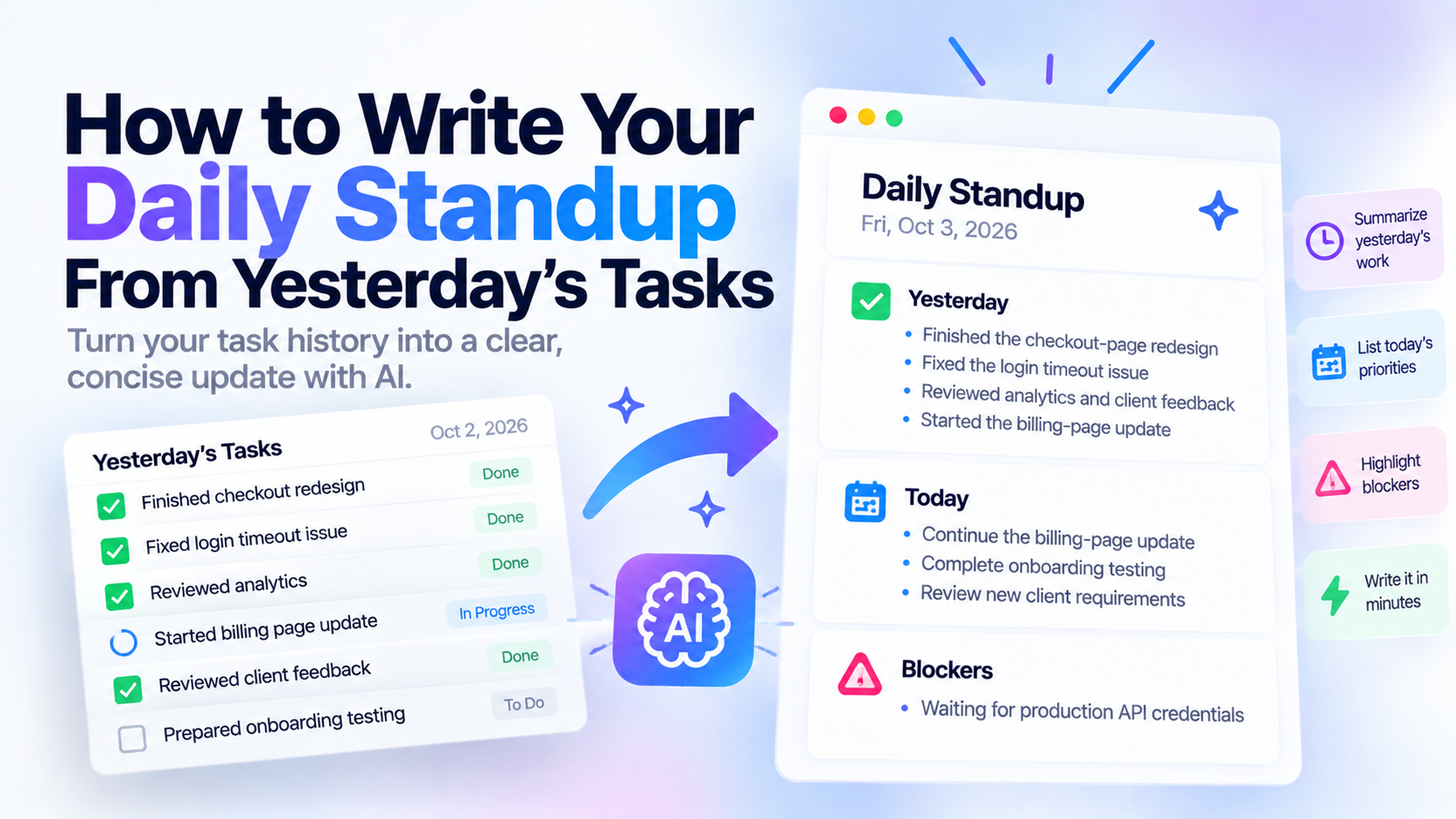
A daily standup update usually needs only three things: what you completed yesterday, what you are working on today, and what is blocking you.
The easiest way to write one is to start from yesterday’s actual task history instead of trying to remember your work the next morning.
Daily Standup Template
Use this simple format:
Yesterday:
- [What you completed]
- [Meaningful progress]

Today:
- [What you plan to work on]
- [Main priority]

Blockers:
- [Anything stopping progress]
That is enough for most teams.
A standup should not become a detailed project report.
Its purpose is to quickly communicate:
- What changed since yesterday
- What you intend to move forward today
- Where you need help
Daily Standup Example
Here is a simple software-development example:
Yesterday:
- Finished the checkout-page redesign
- Fixed the login timeout issue
- Reviewed the onboarding pull request

Today:
- Test checkout changes in staging
- Start the billing-settings update

Blockers:
- Waiting for production API credentials
The update takes a few seconds to read.
That is the point.
Why Writing a Standup From Memory Is Harder Than It Sounds
Daily standups happen frequently enough that they seem easy.
But yesterday may have included:
- Planned tasks
- Unexpected bugs
- Meetings
- Reviews
- Client messages
- Small fixes
- Work that started but did not finish
- Tasks that changed priority halfway through the day
When someone asks:
“What did you do yesterday?”
you may remember the largest task and forget everything else.
That is especially common when your work involves many small responsibilities.
A task history gives you a much better starting point.
Step 1: Review Yesterday’s Completed Tasks
Start with yesterday.
Look at what you actually finished.
Do not automatically include every task.
A standup update should communicate meaningful progress.
For example, your task list might contain:
- Fix navigation spacing
- Update checkout validation
- Reply to client
- Review analytics
- Test login bug
- Rename component
- Update documentation
You probably do not need seven standup bullets.
You could summarize them as:
Yesterday:
- Fixed the login and checkout validation issues
- Completed UI adjustments and documentation updates
- Reviewed analytics and responded to the client
The standup should summarize the work, not reproduce your task manager line by line.
Step 2: Separate Completed Work From Progress
Not everything you worked on yesterday is finished.
Suppose yesterday contained:
- Checkout redesign - completed
- Login bug - completed
- Billing page - started
- Onboarding testing - started
Your update can say:
Yesterday:
- Finished the checkout redesign
- Fixed the login issue
- Started the billing-page update and onboarding testing
This gives the team an accurate picture without pretending unfinished work was completed.
Step 3: Look at Today’s Tasks
Next, review what you plan to do today.
This is where a task manager becomes especially useful.
Instead of inventing today’s priorities during the meeting, you can already have today’s work prepared.
For example:
Today:
- Finish the billing-page update
- Complete onboarding testing
- Review the new client requirements
If your plan changes later, that is fine.
The standup is your current best view of the day.
Step 4: Identify Real Blockers
The blockers section is not a place to list every inconvenience.
A blocker is something that prevents or significantly delays progress.
Examples include:
- Waiting for access
- Missing requirements
- Waiting for another team
- Technical dependency
- Client approval
- Missing credentials
- Environment failure
A useful blocker explains enough context for someone to help.
Instead of:
Blocked on API.write:
Blocked on the payment integration until we receive production API credentials.That gives the team something actionable.
The Best Standup Format: Yesterday, Today, Blockers
The classic standup structure remains useful because it answers three different questions.
Yesterday
What changed?
Today
What are you moving forward now?
Blockers
What needs attention from somebody else?
The structure is simple enough to use every day.
That matters.
A standup format that requires ten minutes of preparation eventually becomes another productivity burden.
How to Write a Standup in Under Two Minutes
A fast workflow looks like this:
1. Open yesterday
Review completed and active tasks.
2. Choose the meaningful work
Group small related tasks together.
3. Open today
Identify your main priorities.
4. Check blockers
Look for anything that is waiting, stuck, or dependent on someone else.
5. Write three short sections
Yesterday.
Today.
Blockers.
Done.
Example: Raw Tasks to Standup Update
Imagine yesterday looked like this:
Yesterday
- Finish checkout redesign - completed
- Fix login bug - completed
- Reply to client - completed
- Start onboarding testing - in progress
- Review analytics - completed
And today contains:
- Finish onboarding testing
- Update landing page
- Review new client feedback
One blocker:
- Waiting for production credentials
Your standup becomes:
Yesterday:
- Finished the checkout redesign and fixed the login issue
- Reviewed analytics and responded to the client
- Started onboarding testing

Today:
- Finish onboarding testing
- Update the landing page
- Review new client feedback

Blockers:
- Waiting for production credentials
No reconstruction required.
The work history already contains the facts.
How SelfManager.ai Can Help Write a Standup
SelfManager.ai organizes work by date.
That makes the standup workflow straightforward because yesterday and today already exist as separate workspaces.
Yesterday contains the work that happened.
Today contains the work you intend to do next.
If yesterday’s work is inside a table, Table AI can summarize or chat with that table.
You could ask:
Write a daily standup update from this table.

Use:
Yesterday:
Today:
Blockers:

Keep it concise.

Do not invent anything that is not supported by the tasks or comments.
Then review the result before sending it.
Why AI Works Better With Task History
A plain AI assistant can help you word a standup.
But it still needs you to provide the facts.
If you ask:
“Write my standup.”
the AI does not automatically know:
- What you completed yesterday
- What is unfinished
- What you plan today
- What is blocked
- Which tasks matter enough to mention
You still have to reconstruct the day first.
That is why task history matters.
The useful combination is:
Your recorded work + AI summarization.
Not:
AI + guesswork.
Standup Example for a Developer
Yesterday:
- Fixed authentication timeout handling
- Added checkout-form validation
- Reviewed and merged two pull requests

Today:
- Refactor payment error handling
- Deploy checkout changes to staging

Blockers:
- Waiting for staging API credentials
Short.
Specific.
Easy for the team to understand.
Standup Example for a Product Manager
Yesterday:
- Reviewed onboarding analytics
- Finalized requirements for the billing update
- Collected feedback from support

Today:
- Prioritize onboarding improvements
- Review billing designs with engineering

Blockers:
- Waiting for final legal feedback on pricing copy
Again, the purpose is not to explain the whole job.
It is to communicate movement.
Standup Example for a Designer
Yesterday:
- Completed the new onboarding screens
- Updated the mobile navigation states
- Reviewed checkout feedback with engineering

Today:
- Finish responsive onboarding states
- Prepare handoff for development

Blockers:
- Waiting for final copy for the confirmation screen
Standup Example for an Agency or Freelancer
Freelancers and small agencies sometimes use standup-style updates internally even if they do not hold formal standup meetings.
For example:
Yesterday:
- Finished Client A homepage revisions
- Fixed Client B checkout issue
- Sent Client C the first design draft

Today:
- Complete Client A mobile adjustments
- Start Client B product-page update

Blockers:
- Waiting for Client C feedback
The same structure works because the communication problem is the same.
What moved?
What comes next?
What is waiting?
Daily Standup vs End-Of-Day Report
These formats look similar, but they happen at different moments.
An end-of-day report closes the workday.
It usually says:
- Completed
- In progress
- Blockers
- Tomorrow
A standup begins the next work period.
It usually says:
- Yesterday
- Today
- Blockers
The underlying data can be identical.
The difference is the perspective.
The EOD report says:
“Here is how the day ended.”
The standup says:
“Here is where I am starting from today.”
This is why maintaining task history makes both reports easier.
Do Not Turn the Standup Into a Task Dump
One of the easiest mistakes is reading your entire to-do list aloud.
Suppose yesterday contained 14 small tasks.
Nobody needs 14 bullets.
Group related work.
Instead of:
- Changed CTA text
- Changed button color
- Updated footer link
- Fixed mobile spacing
- Changed title
- Updated image
- Fixed card alignment
write:
- Completed the remaining landing-page revisions
The standup should communicate progress at the level the team needs.
Do Not Use the Standup to Prove You Were Busy
A daily standup is not a productivity defense.
More bullets do not make the update better.
This:
Yesterday:
- Sent 12 emails
- Joined 4 meetings
- Reviewed 7 documents
- Updated 8 tasks
may communicate activity.
It does not necessarily communicate progress.
Try to focus on outcomes:
Yesterday:
- Finalized the launch requirements
- Resolved the remaining checkout issues
- Coordinated client approval for the new design
The difference is important.
What if You Did Not Finish Much Yesterday?
Say what actually happened.
You do not need to inflate the update.
For example:
Yesterday:
- Investigated the payment issue
- Identified the likely cause in the webhook flow

Today:
- Implement and test the fix

Blockers:
- None
Investigation is still progress.
You do not need to pretend that the task was completed.
What if You Have No Blockers?
Write:
Blockers:
- None
That is better than inventing something just to fill the section.
What if Yesterday Was Mostly Meetings?
Summarize the result of the meetings.
Instead of:
Yesterday:
- Client meeting
- Engineering meeting
- Product meeting
write:
Yesterday:
- Finalized the client launch requirements
- Agreed on the engineering plan for the checkout update
- Prioritized the next onboarding improvements
Meetings matter when they create decisions or movement.
Use Comments for Context
A task title may not contain enough information.
For example:
“Fix checkout.”
What happened?
Was it completed?
Was the cause discovered?
Is it blocked?
A comment can preserve the missing context.
SelfManager.ai can optionally include comments in AI Review workflows, and comments can also help preserve context around daily work.
That makes future summaries more useful because the system has more than the task title.
Capture Important Context While You Work
Do not wait until standup time to remember why a task is blocked.
If something changes during the day, capture it.
For example:
“Checkout fix is finished. Deployment waits for QA.”
Or:
“Client approved layout but requested new product images.”
A few seconds of context during the day can save several minutes of reconstruction the next morning.
A Better Daily Workflow
A useful loop looks like this:
Morning
Review today’s work.
Send or deliver the standup.
During the day
Complete tasks and capture meaningful context.
End of day
Update statuses and prepare tomorrow.
Next morning
Yesterday’s history is already there.
Your standup becomes a summary, not a memory exercise.
Why This Gets More Useful Over Time
The immediate benefit is faster standups.
But daily task history also creates a longer record.
The same work can later help answer:
- What did I complete this week?
- What slipped?
- What blocked me repeatedly?
- What did I accomplish this month?
- What should I mention in my self-review?
Daily reporting becomes part of a larger history instead of disappearing after the meeting.
Write Tomorrow’s Standup From Today’s Work
If your work is already inside SelfManager.ai, you can use yesterday’s table as the factual source for your next standup.
Ask Table AI to summarize the work into:
- Yesterday
- Today
- Blockers
Review the result.
Remove unnecessary detail.
Add any context the system does not know.
Then send it.
The goal is not to automate communication completely.
It is to stop spending every morning reconstructing a day you already recorded.
Frequently Asked Questions
What should I say in a daily standup?
A typical daily standup covers three things: what you completed yesterday, what you plan to work on today, and anything blocking your progress.
How long should a standup update be?
Usually a few concise bullets. The update should be short enough for teammates to understand quickly without becoming a detailed project report.
How do I write a standup if I did not finish my task?
Describe the progress you made and what happens next. You do not need to pretend the task was completed.
What counts as a blocker in a standup?
A blocker is something preventing or significantly delaying progress, such as missing access, unresolved requirements, another team dependency, client approval, or a technical problem.
Can AI write my daily standup?
Yes. AI can summarize your work into a standup format if it has the relevant task history and context. You should still review the result before sharing it.
How can SelfManager.ai help with daily standups?
SelfManager.ai stores work by date, so yesterday’s table can provide the source material for a standup. Table AI can summarize or chat with the table and produce copy-ready text.
What is the difference between a standup and an EOD report?
A standup usually happens in the morning and focuses on yesterday, today, and blockers. An end-of-day report is written after the workday and summarizes completed work, unfinished work, blockers, and what comes next.
Date-based AI Task Manager
Plan smarter, execute faster, achieve more
Create tasks in seconds, generate AI-powered plans, and review progress with intelligent summaries. Perfect for individuals and teams who want to stay organized without complexity.
Get started with your preferred account