
Task Managers With Flat Pricing: No Per-Seat Fees
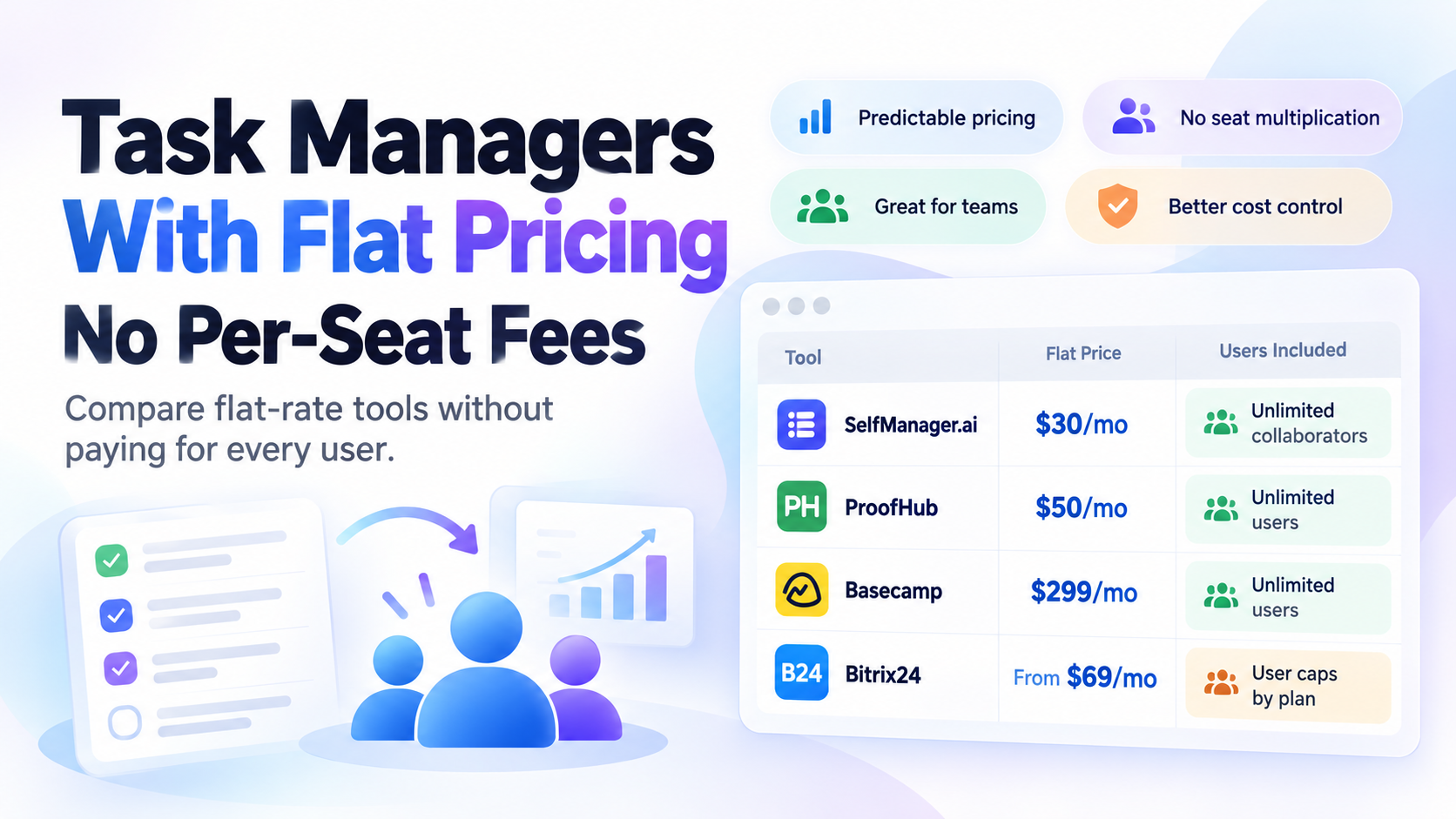
Most team task managers become more expensive every time you add another person.
Flat-priced task managers work differently. You pay for the plan rather than multiplying the subscription by every seat - although some flat-rate products still place a limit on how many users the plan includes.
For small businesses, agencies, founders, contractors, and teams that collaborate with many occasional users, that difference can become significant.
Prices checked October 2, 2026.
Task Managers With Flat Pricing at a Glance
| Tool | Flat-price option | Users included | Pricing model | Best suited to |
|---|---|---|---|---|
| SelfManager.ai | $30/month or $25/month billed annually | Unlimited collaborators | Truly flat, no per-seat fee | Small teams wanting lightweight date-based task management + AI |
| ProofHub Essential | $50/month or $45/month billed annually | Unlimited users | Truly flat, no per-user fee | Teams wanting broader project management |
| Basecamp Unlimited | $299/month billed annually | Unlimited users | Truly flat, no per-user fee | Larger teams running many projects |
| Bitrix24 | From $69/month monthly or $49/month annually | Depends on plan | Flat plan price with user caps | Businesses wanting tasks + CRM + broader operations |
SelfManager.ai's Team plan is a flat $30 monthly or $25 per month when billed annually, with unlimited invited collaborators. Only the subscriber pays.
ProofHub explicitly prices its plans without per-user charges. Its Essential plan currently costs $50 monthly or $45 per month on annual billing and includes unlimited users.
Basecamp's Unlimited edition is currently $299 per month billed annually and includes unlimited users and unlimited projects without per-user fees.
Bitrix24 uses a slightly different version of flat pricing: the subscription price is fixed, but each paid tier includes a defined number of users. Its Basic plan currently supports five users, Standard supports 50, and Professional supports 100.
What Does Flat Pricing Mean in Task Management Software?
There are actually three different pricing models that are often described as "flat."
1. True Flat Pricing With Unlimited Users
You pay one price regardless of how many people join.
For example:
$30/month.
Five people: $30.
Ten people: $30.
Twenty people: $30.
This is the model used by SelfManager.ai's Team plan and ProofHub.
2. Flat Pricing With a User Limit
You pay one fixed price for a plan that includes up to a certain number of people.
For example:
$99/month for up to 50 users.
The price does not change every time you add another teammate, but eventually you may need to move to another plan.
Bitrix24 uses this model.
3. Per-Seat Pricing
Each paid user increases the subscription.
For example:
$10 per user per month.
Five users:
$50/month.
Ten users:
$100/month.
Twenty users:
$200/month.
Many of the largest project-management platforms use some version of this model.
The difference becomes increasingly important as the team grows.
Why Per-Seat Pricing Becomes Expensive
A per-user price can look inexpensive on the pricing page.
"$10 per user per month" sounds reasonable.
The real cost becomes clearer when you multiply it.
At $10 per seat:
- 3 people = $30/month
- 5 people = $50/month
- 10 people = $100/month
- 20 people = $200/month
- 50 people = $500/month
And that is before:
- Higher-tier plans
- AI add-ons
- Additional automation
- Storage upgrades
- Other business tools
This matters particularly for small companies where not everybody uses the task manager heavily.
You may have:
- A founder
- Three full-time employees
- Two contractors
- A virtual assistant
- An accountant
- A client
- A designer who joins occasionally
Should all nine people require another paid seat?
Sometimes yes.
But flat pricing removes that calculation.
Why Per-Seat Pricing Changes Collaboration
The difference is not only financial.
It can change who gets access.
When every seat costs money, administrators naturally start asking:
Does this person really need an account?
Does the contractor need access?
Should we invite the client?
Can the intern just receive updates by email?
Do we really need another seat for somebody who uses the system twice a week?
That creates friction.
With unlimited-user flat pricing, inviting another collaborator has zero incremental subscription cost.
That makes it easier to include people when collaboration would actually help.
1. SelfManager.ai
SelfManager.ai takes the simplest approach of the tools in this comparison.
The Team plan is:
- $30/month on monthly billing
- $25/month billed annually
- Unlimited collaborators
There is no per-seat charge.
The person who owns the Team subscription pays.
Invited collaborators can work inside shared tables without purchasing their own subscriptions.
What SelfManager.ai Is Built For
SelfManager is primarily a date-centric AI task manager rather than a heavyweight enterprise project-management platform.
Every date has its own workspace.
Inside a date, teams can create multiple tables for things such as:
- Tasks
- Client work
- Operations
- Notes
- Content
- Personal planning
- Different projects
Collaborators can edit shared work, comment, upload images, and work together inside the tables they have access to.
The Team plan also includes Team AI Review, which can summarize what the team worked on over a selected period.
SelfManager.ai AI Credits
The Team plan includes a weekly AI allowance rather than unlimited AI.
It currently includes 70 AI credits each week.
Additional credits can be purchased if required.
The important pricing distinction is that collaborators themselves do not create additional subscription seats.
Where SelfManager.ai Is Weaker
SelfManager is intentionally lighter than traditional project-management platforms.
It is not the strongest option if your company requires:
- Gantt charts
- Complex dependencies
- Sprint management
- Enterprise resource planning
- Advanced portfolio management
- Automatic calendar scheduling
Those are areas where more traditional project-management platforms may make more sense.
The flat price is attractive, but pricing should not be the only reason you choose a task manager.
The workflow still has to fit.
When SelfManager.ai Makes Sense
The flat Team plan is particularly interesting for:
- Small businesses
- Agencies
- Founders with contractors
- Teams using many occasional collaborators
- Businesses working closely with VAs
- People who want personal and team work inside the same date-based system
It is less about replacing a complex enterprise platform and more about avoiding enterprise complexity when you do not need it.
2. ProofHub
ProofHub is one of the clearest established examples of flat project-management pricing.
Its pricing page explicitly says:
Flat pricing. No per-user fee.
The Essential plan currently costs:
- $50/month billed monthly
- $45/month billed annually
- Unlimited users
- Up to 40 projects
- 15 GB storage
Its higher Ultimate Control plan also uses unlimited-user pricing and adds broader administrative and reporting capabilities.
What ProofHub Includes
ProofHub is substantially more project-management oriented than SelfManager.
Features include things such as:
- Task management
- Board view
- Table view
- Gantt charts
- Calendar
- Time tracking
- Discussions
- Chat
- Files
- Notes
- Proofing
- Forms
- Reports on higher plans
That makes it a stronger fit for teams that want a broader project-management workspace.
ProofHub Pricing Example
Because users are unlimited, adding another teammate does not change the Essential subscription price.
Five users:
$50/month.
Twenty users:
$50/month.
Fifty users:
$50/month.
The limit on Essential is instead based partly on projects and other plan capabilities.
That is a fundamentally different pricing structure from paying for every person.
Who Should Consider ProofHub?
ProofHub is worth looking at if you want:
- Unlimited users
- Traditional project management
- Gantt functionality
- Client collaboration
- File proofing
- Built-in team communication
- More structured project workflows
Its starting flat price is higher than SelfManager, but the products are also solving somewhat different problems.
3. Basecamp
Basecamp has long been associated with simplifying project collaboration.
Its current Unlimited edition takes flat-rate pricing to a larger-team scale.
Basecamp Unlimited currently costs $299 per month, billed annually, and includes:
- Unlimited users
- Unlimited projects
- 1 TB storage
- Project templates
- Time tracking
- Additional administrative features
There are no per-user fees on the Unlimited edition.
Why Basecamp's Flat Pricing Works Differently
At $299 per month, Basecamp Unlimited is obviously much more expensive than a $30 or $50 flat plan.
But the economics change for large teams.
Imagine another tool costs $12 per paid user.
For 10 users:
$120/month.
For 25 users:
$300/month.
For 50 users:
$600/month.
Once the organization reaches enough people, a higher flat subscription can become financially attractive.
That is the main logic behind Basecamp Unlimited.
It is not primarily competing to be the cheapest plan for a three-person business.
It becomes more interesting as more people need access.
Who Should Consider Basecamp?
Basecamp makes more sense for organizations that:
- Manage many projects
- Need many users
- Want collaboration and communication in one system
- Prefer simpler project management over extremely complex enterprise software
- Can justify a larger fixed subscription
For a tiny team, $299 per month may be unnecessary.
For a large team, the lack of seat multiplication changes the comparison.
4. Bitrix24
Bitrix24 deserves inclusion because it demonstrates another type of flat pricing.
The company describes its pricing as a fixed price for all users included in the plan.
Current US pricing includes approximately:
Basic
- $69/month monthly
- $49/month billed annually
- Up to 5 users
Standard
- $144/month monthly
- $99/month billed annually
- Up to 50 users
Professional
- $289/month monthly
- $199/month billed annually
- Up to 100 users
Pricing and promotional offers can change, so check the current page before purchasing.
The Important Difference
Bitrix24 is not unlimited-user flat pricing.
It is:
Flat price within a user allowance.
That still differs from conventional per-seat billing.
Going from 20 employees to 21 employees on a Standard plan does not automatically increase the subscription.
Both remain inside the 50-user allowance.
But if you eventually exceed that allowance, you may need a different tier.
What Bitrix24 Includes
Bitrix24 also goes far beyond basic task management.
Its platform combines areas such as:
- Tasks and projects
- CRM
- Calendars
- Communication
- Sales pipelines
- Invoicing
- Automation
- Time tracking on certain plans
- HR-related functionality
That makes it more of a business operating platform than a focused personal task manager.
Who Should Consider Bitrix24?
It makes more sense if you are trying to consolidate several business systems, especially:
- CRM
- Task management
- Internal communication
- Sales operations
- Broader business workflows
If all you want is a lightweight shared task manager, that additional scope may be unnecessary.
What About Freedcamp?
Freedcamp is an interesting edge case.
Its Free plan currently includes unlimited users, projects, tasks, and storage subject to its fair-use policy.
However, its paid Pro, Business, and Enterprise tiers are priced per user.
So it is not generally a flat-priced premium task manager.
But for a team whose needs fit entirely inside the free plan, it can still be an unusually generous option.
This distinction is worth checking carefully whenever you see claims about "unlimited users."
Unlimited users does not always mean:
Unlimited paid users on every plan.
Flat Pricing vs Per-Seat Pricing: Which Is Better?
Flat pricing is not automatically better.
It depends on your team.
Per-seat pricing can make sense when:
- You only have one or two paid users
- The tool offers exactly the workflow you need
- Most collaborators can use free guest accounts
- Your team size is stable
- The software creates enough value to justify the seat cost
Flat pricing can make sense when:
- Your team is growing
- You regularly use contractors
- Clients need access
- Many people collaborate occasionally
- You dislike managing licenses
- You want costs to remain predictable
The number of people who actually need access matters more than the company headcount.
Calculate the Real Team Cost
Do not compare only the headline prices.
Suppose Tool A costs:
$10 per user per month.
Tool B costs:
$50 flat per month.
For three users:
Tool A = $30
Tool B = $50
Per-seat pricing is cheaper.
For five users:
Tool A = $50
Tool B = $50
They are equal.
For ten users:
Tool A = $100
Tool B = $50
Now flat pricing wins on subscription cost.
The crossover point changes depending on the exact plans being compared.
This is why the phrase "$10/month" can be misleading when the actual product is "$10 per person per month."
Watch for Guest Pricing
Before switching tools purely because of per-seat pricing, check how guest accounts work.
Some products charge only full members while allowing certain external guests for free.
That may substantially reduce the real cost.
However, guest accounts often have limitations.
A client who only needs to view one project is different from a contractor who needs to work across five projects every day.
Compare the permissions you actually need.
Watch for User Caps
Flat pricing can also hide limits.
A plan might say:
"$99 per month"
rather than:
"$10 per user."
But if the plan supports only 10 users, the distinction becomes less meaningful as the team expands.
That is why this comparison separates:
- Unlimited-user flat pricing
- Flat pricing with user caps
Both avoid direct per-seat multiplication, but they are not the same thing.
Watch for AI Pricing Too
AI is increasingly becoming another part of software pricing.
A task manager might have flat team pricing while its AI features are:
- Credit based
- Usage based
- Sold as an add-on
- Limited per user
SelfManager.ai, for example, includes a weekly allowance of AI credits rather than promising unlimited AI.
The subscription price remains flat for collaborators, but AI usage still has its own limits.
When comparing AI task managers, check both:
Team access pricing.
And AI usage pricing.
The Cheapest Tool Is Not Always the Cheapest Workflow
Software cost is only one part of the decision.
A $30 application that your team struggles to use can be more expensive than a $100 application that saves hours every week.
Before choosing based on flat pricing, ask:
- Does it match how we organize work?
- Will people actually use it?
- Does it support our important workflows?
- How difficult is onboarding?
- Can clients or contractors use it easily?
- Does it replace another tool?
- What important features are missing?
Pricing matters.
Workflow fit matters more.
Which Flat-Priced Task Manager Fits Which Team?
Choose SelfManager.ai if:
You want a lightweight date-based task manager.
You want unlimited collaborators without paying for every person.
You want AI planning and review.
You do not need Gantt charts, dependencies, or heavyweight enterprise project management.
Choose ProofHub if:
You want unlimited users plus more traditional project-management functionality.
Gantt charts, proofing, broader team collaboration, and structured projects matter to you.
Choose Basecamp Unlimited if:
You have a much larger team and want unlimited projects and users under one predictable subscription.
The higher fixed price makes sense when many people need access.
Consider Bitrix24 if:
You want task management as part of a much larger business system involving CRM, communication, sales, and operations.
You are comfortable with flat plans that have user limits rather than completely unlimited users.
Why Small Teams Should Pay Attention to Pricing Structure
A three-person company may not care much about seat pricing.
A growing company eventually notices.
Today:
Founder + employee.
Tomorrow:
Founder + three employees + freelancer + VA.
Later:
Employees + contractors + accountant + designer + clients.
The workflow may become more collaborative without the company becoming a large enterprise.
Flat pricing can make that transition easier because inviting another person does not automatically create another subscription decision.
Flat Pricing Is Really About Predictability
The biggest advantage is not always the lowest possible bill.
It is knowing what the bill will be.
A flat subscription makes budgeting simple.
Your team can change.
Collaborators can come and go.
You can invite somebody when they need access.
The software bill does not have to change every time the organizational chart does.
For small businesses with flexible teams, that predictability can be more valuable than saving a few dollars in one particular month.
Try Flat Team Pricing Without Per-Seat Fees
SelfManager.ai's Team plan is $30 per month or $25 per month when billed annually.
One subscriber pays.
You can invite unlimited collaborators without buying additional seats.
The tradeoff is equally clear: SelfManager is designed for lightweight, date-based task management and AI-assisted planning and review rather than Gantt-heavy enterprise project management.
If that matches the way your team works, you do not need to pay more every time another person joins the table.
Frequently Asked Questions
Which task managers do not charge per user?
Current examples include SelfManager.ai, ProofHub, and Basecamp's Unlimited edition. Bitrix24 also uses flat plan pricing, although its paid plans include defined user limits rather than unlimited users.
What does flat pricing mean?
Flat pricing means the subscription is charged at a fixed plan price rather than multiplying the price by every individual user. Some flat plans include unlimited users, while others include a maximum number of users.
Does SelfManager.ai charge per seat?
No. The Team plan costs $30 per month or $25 per month billed annually and includes unlimited collaborators. Only the subscriber pays.
Does ProofHub charge per user?
No. ProofHub explicitly uses flat pricing with unlimited users. Its Essential plan currently costs $50 per month or $45 per month billed annually.
Does Basecamp charge per user?
Basecamp offers an Unlimited edition with unlimited users and no per-user fees. As of October 2026, it is listed at $299 per month billed annually.
Is Bitrix24 per-user pricing?
Bitrix24 uses fixed plan pricing with user limits. For example, its Standard plan includes up to 50 users under one plan price rather than multiplying the subscription by every user.
Is flat pricing always cheaper than per-seat pricing?
No. Per-seat pricing can be cheaper for very small teams. Flat pricing becomes increasingly attractive as more people need access, particularly when contractors, clients, and occasional collaborators are involved.
Does unlimited collaborators mean unlimited AI use?
Not necessarily. Collaboration pricing and AI usage are separate issues. SelfManager.ai includes a weekly AI credit allowance on its plans rather than unlimited AI.
Date-based AI Task Manager
Plan smarter, execute faster, achieve more
Create tasks in seconds, generate AI-powered plans, and review progress with intelligent summaries. Perfect for individuals and teams who want to stay organized without complexity.
Get started with your preferred account