
Daily Routine Checklist Template (2026): A Fresh Checklist Every Day
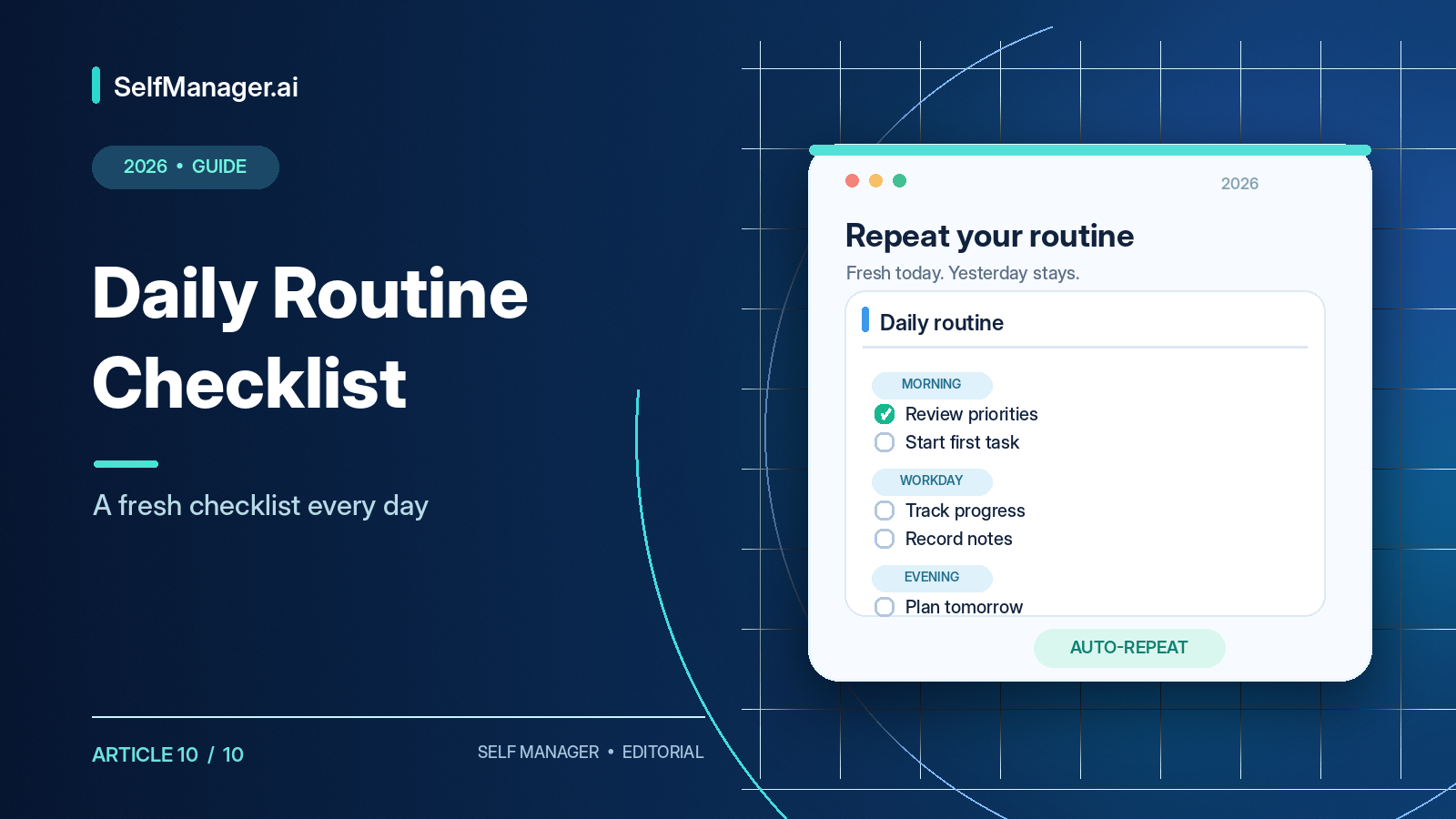
A daily routine checklist is a reusable list of actions you want to complete each day. The easiest way to keep using one is to start with a fresh checklist every morning while keeping yesterday's record intact.
You shouldn't need to recreate identical tasks daily or uncheck completed items and erase what happened. This article offers a free copy-and-paste template for morning routines, workdays, and evenings, with variants for freelancers and students. You can use it in a notebook, document, spreadsheet, or task manager. We'll also explain how SelfManager.ai repeats the entire table without overwriting older dates.
Free Daily Routine Checklist Template - Copy and Paste
Date: [Day, month, year]
Main priority today: [The one result that matters most]
Morning routine
- [ ] Review today's appointments and commitments.
- [ ] Identify the most important task for today.
- [ ] Prepare what I need to get started.
Start-of-work routine
- [ ] Check urgent messages and deadlines.
- [ ] Choose my top three work priorities.
- [ ] Start the first focused work session.
Midday routine
- [ ] Review what I've completed so far.
- [ ] Adjust the remaining plan if priorities changed.
End-of-work routine
- [ ] Update completed and unfinished tasks.
- [ ] Record important notes, decisions, or blockers.
- [ ] Decide what needs attention tomorrow.
- [ ] Finish work and disconnect.
Evening routine
- [ ] Prepare anything needed for tomorrow.
- [ ] Complete one personal responsibility.
Daily reflection
- What went well today?
- What didn't happen?
- What is the most important thing to remember tomorrow?
This template contains fourteen checklist items, but you don't need all of them. A five-to-eight-item version may be easier to maintain. The purpose is to make recurring useful actions easy to remember, not to create a perfect streak.
What Does “Reset Every Day” Mean?
A resetting checklist presents the same routine as a fresh list on the next scheduled day. For example, Monday's checklist contains review priorities, plan work, exercise, and prepare breakfast. If you complete three on Monday, you still want all four available unchecked on Tuesday.
| Method | Behavior | Trade-off |
|---|---|---|
| Manual reset | Uncheck completed items | May erase completion information |
| Recurring tasks | Each task advances to the next occurrence | May not retain an entire dated snapshot |
| Fresh dated checklist | Separate copy each day | Requires templates or repeat functionality |
For simple individual reminders, recurring tasks work well. For a structured multi-step routine, fresh dated copies provide a clearer history. Resetting shouldn't mean deleting yesterday.
Why Use a Daily Routine Checklist?
Checklists reduce repeated decisions. You don't need to reinvent how to prepare for work every morning; review commitments, choose priorities, prepare materials, and start. They also prevent missed small steps such as recording decisions, sending updates, or getting ready for tomorrow.
A checklist provides an initial action when a workday feels overwhelming. Separating opening routines, midday checks, and workday shutdown makes the process easier to follow. If you preserve individual dates, you can also see what parts of the routine worked and which steps can be removed.
The purpose is supporting your day, not controlling every minute of it.
1. Morning Routine Checklist
- [ ] Review today's calendar.
- [ ] Identify my most important responsibility.
- [ ] Complete basic personal preparation.
- [ ] Prepare my workspace or materials.
- [ ] Begin the first planned activity.
Optional note: Anything unusual about today.
The routine doesn't mandate an exact wake-up time, exercise program, or meal. An early client meeting might instead call for reviewing the agenda, checking latest messages, opening relevant documents, identifying decisions, and joining prepared.
A short relevant checklist is more useful than an idealized twenty-step morning ritual.
2. Daily Work Routine Checklist
Start of the workday
- [ ] Review today's deadlines.
- [ ] Check urgent messages.
- [ ] Choose the three most important tasks.
- [ ] Confirm what should start first.
During the workday
- [ ] Complete at least one focused work session.
- [ ] Update task progress when work changes.
- [ ] Record important decisions or blockers.
- [ ] Reassess priorities after major interruptions.
End of the workday
- [ ] Review completed and unfinished work.
- [ ] Record actual time where needed.
- [ ] Communicate important updates.
- [ ] Identify tomorrow's first priority.
Repeat the routine, not each specific project task. “Review deadlines” belongs in the routine; “finish Client A checkout integration” is one-time project work that should stay in its own plan.
3. Daily Routine Checklist for Freelancers
Before client work
- [ ] Review today's client commitments.
- [ ] Identify urgent deadlines.
- [ ] Decide which client project needs attention first.
During the day
- [ ] Record time spent on billable work.
- [ ] Capture client requests and changes.
- [ ] Update active deliverable statuses.
Before finishing
- [ ] Review progress across clients.
- [ ] Send necessary updates.
- [ ] Check upcoming deadlines.
- [ ] Prepare tomorrow's first task.
Imagine a freelance developer working on three websites. They begin by reviewing requests, record real debugging/testing hours, and finish by noting blockers. Tomorrow the routine is fresh, but yesterday's client activity and time records remain accessible.
For wider client management options, see Notion Alternatives for Freelancers.
4. Daily Routine Checklist for Students
- [ ] Review today's lectures and commitments.
- [ ] Check assignment deadlines.
- [ ] Choose the most important study task.
- [ ] Complete one focused study session.
- [ ] Review notes or practice material.
- [ ] Update assignment progress.
- [ ] Prepare for tomorrow's classes.
- [ ] Check the next important deadline.
Make tasks concrete: “Complete fifteen probability problems” is easier to evaluate than “study mathematics.” For more apps and university workflows, see Best Planner Apps for Students.
5. Evening Routine Checklist
- [ ] Finish essential personal responsibilities.
- [ ] Prepare materials or supplies for tomorrow.
- [ ] Check tomorrow's first appointment.
- [ ] Record anything I don't want to forget.
- [ ] Finish the day without continuing unnecessary work.
Add exercise, reading, household responsibilities, or other activities if they fit your schedule. If your days vary, keep the routine flexible. It should help you, not create another demand for perfection.
A Completed Checklist Example
Date: Tuesday, October 20, 2026. Main priority: Finish checkout testing.
Morning
- [x] Review calendar and deadlines.
- [x] Choose today's top three priorities.
- [x] Prepare development environment.
Workday
- [x] Complete focused testing session.
- [x] Record time spent on client work.
- [x] Update task statuses.
- [ ] Send final client update.
End of day
- [x] Record remaining blocker.
- [x] Identify tomorrow's priority.
- [x] Prepare tomorrow's meeting.
Notes: Testing finished, but final deployment approval is still pending. Tomorrow: confirm approval and send the update.
This is a fictional example. The incomplete item stays incomplete; the whole routine doesn't need to be marked successful. Tomorrow's routine can start fresh while the unfinished client task is deliberately carried forward.
How to Make Your Checklist Repeat in SelfManager.ai
SelfManager.ai supports repeating tables, introduced in 2026 version 6. Instead of clearing yesterday's checklist, the system creates a new copy on each scheduled date when that date is first opened. Monday's progress doesn't automatically complete Tuesday's tasks, and Tuesday's edits don't rewrite Monday's history.
Step 1: Create a Daily Routine table
Open SelfManager.ai on the desired starting date, choose Add Table, and name it “Daily Work Routine.” Add recurring rows such as review priorities, check deadlines, do focused work, update progress, record blockers, and plan tomorrow.
Keep the initial list short. You can change the blueprint after learning what works.
Step 2: Choose a repeat schedule
Open the table's Repeat setting. Available recurrence patterns include every day, weekdays, weekends, selected weekdays, every few days, and monthly dates. A preview shows upcoming scheduled dates over the next fourteen days.
For a work routine, weekdays may be better than every day. Check the preview before saving.
Step 3: Save the repeat blueprint
Saving creates a reusable blueprint. The original table remains on its original date. On each future scheduled date, opening that date for the first time creates the day's separate copy. The repeat does not retroactively populate past dates.
Step 4: Complete today's routine normally
You can mark tasks complete, adjust statuses and priorities, add new tasks, track actual time, write comments, and keep notes. Changes to today's copy belong to today. A one-off urgent client task should not automatically become part of the recurring blueprint.
Step 5: Open tomorrow's date
If tomorrow is scheduled, a new table is generated from the blueprint when you first open the date. It begins from reusable starting information, not yesterday's completed statuses. Yesterday remains available for review.
What Gets Copied Into Tomorrow's Table?
| Information | Repeated in future copy? |
|---|---|
| Table name | Yes |
| Task rows | Yes |
| Task priorities | Yes |
| Reusable table notes | Yes |
| Yesterday's completed statuses | No |
| Yesterday's comments | No |
| Yesterday's images | No |
| Yesterday's tracked work | No |
| Deadlines and reminders | No |
A reusable note saying “At the end of the day, record blockers” belongs in the blueprint. A comment explaining a specific client approval delay does not. A screenshot attached to Monday also stays on Monday.
Important: Repeating a table does not automatically reproduce deadline or reminder alerts. Configure those separately when notifications matter.
How to Change a Repeat Without Losing History
Manage repeating tables in All → Repeats. You can edit the blueprint, change its schedule, pause it, delete it, or inspect the next expected copy.
Editing today's table changes only that date. Editing the blueprint changes future copies. Untouched copies created ahead of time may be offered an update to reflect the changed blueprint, while tables containing work should retain their recorded history.
Pausing stops new copies temporarily. Deleting a repeat stops future recurrence but doesn't erase previously created dated tables. Deleting one date's copy won't automatically recreate it merely because you reopen the date.
Daily Routine Checklist vs Habit Tracker
A daily routine checklist organizes several recurring steps through the day. A habit tracker measures whether one particular behavior repeats across dates.
| Routine step | Habit-tracker example |
|---|---|
| Review calendar | Read ten pages daily |
| Prepare workspace | Exercise three times a week |
| Check client deadlines | Practice language daily |
| Update unfinished tasks | Meditate ten minutes |
| Plan tomorrow | Walk twenty minutes |
Not everything you do in a routine requires a streak or chart. If measuring repeated behavior is the main purpose, see the Habit Tracker Template.
Can Checklists Reset in Other Apps?
Todoist: Recurring due dates move a completed task to its next occurrence. Useful for individual daily responsibilities, not identical to creating a whole dated table.
Microsoft To Do: My Day resets as a focused daily shortlist, while unfinished tasks remain in their original lists.
Google Tasks: Repeating tasks provide simple recurring reminders within the Google ecosystem.
SelfManager.ai: The entire repeating table generates a separate dated copy, preserving earlier work. That's useful when daily records matter.
What About Unfinished Project Tasks?
A fresh routine doesn't imply yesterday's work was magically completed. Keep the routine separate from actual changing projects. Repeat process actions such as “review client deadlines,” but reschedule a real unfinished client deliverable deliberately. Leave a short note about blockers when that context matters.
This prevents one-off work from being recreated every morning and keeps important unfinished tasks from vanishing behind a reset.
How Many Checklist Items Should You Use?
Start with five to ten recurring actions for most everyday routines. A minimal five-item version could be review priorities, start important work, check midday progress, record unfinished work, and prepare tomorrow. A standard version might include eight items. Detailed operational routines may justify fifteen or more steps when there are genuine required checks.
Length should reflect real needs rather than an attempt to make the checklist look sophisticated.
Five Routine Checklist Mistakes
- Turning the recurring routine into the entire project to-do list.
- Adding so many steps that the routine itself becomes a chore.
- Using vague actions such as “be productive.”
- Erasing yesterday's record in order to reset today's boxes.
- Treating an incomplete checklist as a moral failure instead of useful feedback.
Unexpected work, changing priorities, and an unrealistic checklist can all explain skipped items. Respond by changing the routine where needed.
Review the Routine After a Week
Ask which items were consistently useful, which were regularly skipped, whether the checklist helped work begin or finish, and what to remove or change. With separate dated copies in SelfManager.ai, you can inspect the week directly or ask AI Review to summarize selected routine tables.
For example: “Review my Daily Work Routine tables this week. Which actions were completed, what was repeatedly left unfinished, and what shorter checklist would make sense next week? Base the answer on the recorded tables.”
AI should summarize the records, not invent an explanation about motivation or discipline.
Final Thoughts: Repeat the Routine, Keep the History
A daily routine should be simple to use repeatedly. You shouldn't have to rebuild it every morning or erase previous records to begin again. For simple reminders, recurring tasks in Todoist, Google Tasks, or Microsoft To Do may be sufficient. For a full fresh checklist with preserved history, repeating dated tables offer something different.
Want a daily checklist that starts fresh without deleting yesterday?Try SelfManager.ai free for seven days, no credit card required. Create a Daily Work Routine table, set it to repeat on weekdays, and adjust the checklist after using it for an ordinary week.
Frequently Asked Questions
How do I make a daily checklist reset?
Use recurring tasks or an app that generates separate copies by date. SelfManager.ai can repeat an entire table.
Is the checklist template free?
Yes. Copy the checklist at the beginning of this article into a document, spreadsheet, notebook, or planner.
What should it include?
Review priorities, start useful work, check progress, record unfinished tasks, and prepare tomorrow.
How many items are appropriate?
Five to ten is a reasonable starting point for many people.
Can it reset without losing completed history?
Yes, if the system preserves separate dated records rather than unchecking one permanent list.
Does Todoist reset recurring tasks?
Completing a recurring task advances it to the next scheduled occurrence.
Does Microsoft To Do My Day reset?
Yes. The daily focus list resets, while underlying unfinished tasks remain.
Can I repeat only on weekdays?
Yes. SelfManager.ai supports weekdays and selected-day patterns; various other task apps also support weekday recurrence.
When does SelfManager.ai make the next copy?
On the first opening of a date scheduled for that repeat.
Do yesterday's completed statuses repeat?
No. Future copies start from the blueprint, not the previous day's completed state.
Do reminders repeat automatically with the table?
No. Repeating-table copies don't reproduce deadline/reminder alerts.
How is a routine different from a habit tracker?
A routine is a set of actions across a day; a habit tracker measures recurring performance of particular behaviors.
Can AI improve the routine?
AI can suggest a checklist or summarize selected recorded days, but you should verify it against the real history.
Date-based AI Task Manager
Plan smarter, execute faster, achieve more
Create tasks in seconds, generate AI-powered plans, and review progress with intelligent summaries. Perfect for individuals and teams who want to stay organized without complexity.
Get started with your preferred account