
Brag Document: How to Build One From Your Task History
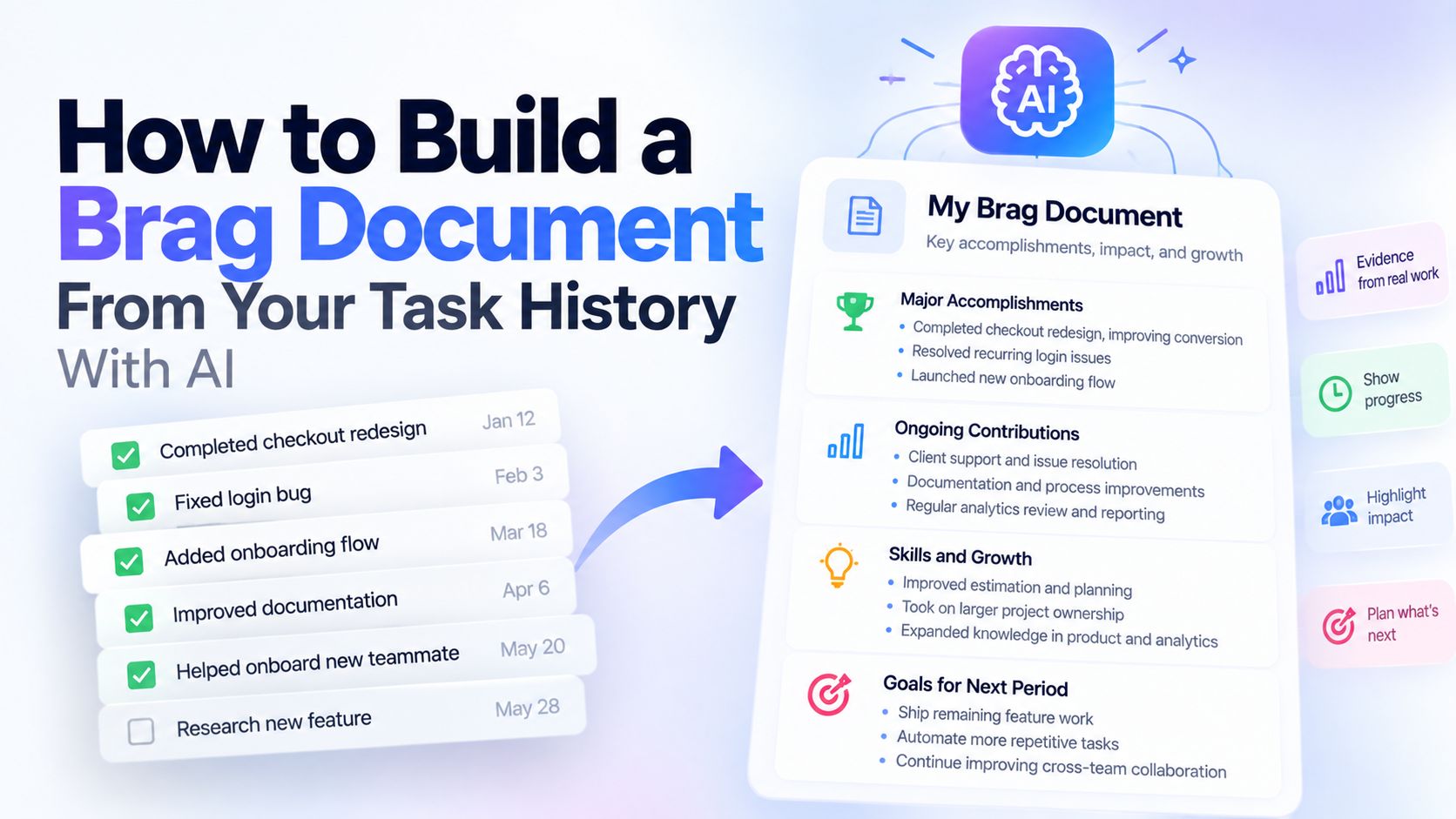
A brag document is a running record of your accomplishments, contributions, problems solved, skills developed, and positive feedback.
The problem is that maintaining one manually becomes another task. A better approach is to use the work history you already create during the year - completed tasks, notes, comments, tracked time, and project activity - then periodically turn that evidence into a brag document.
What Is a Brag Document?
A brag document is a private record of work you are proud of.
Despite the name, it is not about exaggerating your importance.
It is about keeping evidence.
Most people remember their biggest projects.
They forget:
- Small problems they solved
- Recurring responsibilities they handled
- Improvements they made
- Work they did months ago
- Positive feedback
- Processes they improved
- Situations where they helped someone
- Skills they gradually developed
A brag document gives those things somewhere to live.
Then when you need to prepare for a performance review, update your resume, ask for a promotion, write a portfolio case study, or explain what you accomplished this year, you are not starting from memory.
Simple Brag Document Template
You do not need a complicated system.
Start with this:
Brag Document

Major Accomplishments
- [Project, result, or important contribution]
- [Project, result, or important contribution]

Problems I Solved
- [Problem]
- [What I did]
- [Result]

Ongoing Contributions
- [Responsibility I handled consistently]
- [Process I maintained or improved]

Positive Feedback
- [Feedback from manager, client, customer, or teammate]

Skills and Growth
- [Skill improved]
- [New responsibility taken on]
- [Something I learned]

Things I Made Better
- [Process improvement]
- [Automation]
- [Documentation]
- [Efficiency improvement]

Goals and Next Steps
- [What I want to improve]
- [What I want to take ownership of next]
That is enough for most people.
The hard part is not the format.
The hard part is remembering to fill it in.
Why People Stop Maintaining Brag Documents
A brag document sounds easy when you create it.
You open a document.
You add a few accomplishments.
Then work gets busy.
A week passes.
Then a month.
Then three months.
By the time performance-review season arrives, the document is incomplete and you are trying to remember what happened in February.
This happens because a brag document creates a second recording system.
You already did the work.
You probably already recorded the work somewhere.
Now you also have to remember to copy the important parts into another document.
That extra maintenance is the weakness of the system.
Your Task History Can Already Be the Raw Material
If you consistently use a task manager, you may already have most of the information a brag document needs.
Imagine your work history contains:
January:
- Fixed recurring authentication issue
- Completed checkout redesign
- Helped client migrate billing system
February:
- Improved internal documentation
- Automated weekly reporting
- Resolved several customer-support issues
March:
- Built new onboarding flow
- Helped onboard a teammate
- Started weekly analytics review
Those are not polished brag-document entries.
But they are evidence.
The raw history can later be transformed into:
Major accomplishments
- Completed the checkout redesign
- Built the new onboarding flow
- Automated a previously manual weekly reporting process
Problems solved
- Resolved a recurring authentication issue
- Helped migrate a client's billing workflow
Ongoing contributions
- Supported customer issues
- Maintained internal documentation
- Reviewed analytics weekly
Growth
- Took a larger role in onboarding
- Improved process automation
- Became more systematic about analytics
Nothing needed to be remembered months later.
The evidence was already there.
The Difference Between Task History and a Brag Document
A task history answers:
What did I do?
A brag document answers:
What mattered about what I did?
That difference is important.
A completed task might say:
"Fix checkout bug."
Your brag document might say:
"Resolved a recurring checkout issue that was preventing some customers from completing purchases."
The task gives you the evidence.
The brag document gives the evidence context.
That is why task history is useful as the input rather than necessarily being the final document.
Use AI to Find the Work Worth Keeping
This is where AI becomes useful.
Instead of manually reading months of completed tasks and deciding what deserves to be included, AI can help identify patterns.
For example, you can give it your work history and ask:
"Review this work and identify accomplishments that belong in a brag document.
Group them into:
- Major accomplishments
- Problems solved
- Ongoing contributions
- Process improvements
- Skills and growth
- Evidence of increased responsibility
- Positive outcomes
Do not invent results that are not supported by the work history."
That final instruction matters.
A brag document should contain evidence, not AI-generated enthusiasm.
How to Build a Brag Document in SelfManager.ai
SelfManager.ai stores work by date.
Each day can contain tables with tasks, notes, comments, time tracking, and other information related to that day's work.
Over time, those daily workspaces create a history.
AI Review can then examine a selected period and answer questions about what happened during it.
For a brag document, you could ask:
"What were my most important accomplishments during this period?"
"What recurring responsibilities did I consistently handle?"
"What problems did I solve?"
"Where did I take more ownership?"
"What work shows professional growth?"
"What processes did I improve?"
"What completed work would be useful in a performance review?"
Comments can also be included when relevant, which can add useful context around decisions, blockers, and outcomes.
The result gives you material you can move into your brag document.
Generate a Brag Document From Your Last 90 Days
A practical routine is to review your work once per quarter.
Use the previous 90 days.
Ask AI to identify:
- Important accomplishments
- Problems solved
- Repeated responsibilities
- Process improvements
- Skills demonstrated
- Signs of increased responsibility
- Work that had visible impact
Then save the strongest items.
You do not need to update a separate brag document every day.
Your daily work history does most of the recording.
The quarterly review turns that history into something useful.
Example: Raw Tasks to Brag Document
Imagine these tasks appear across several weeks:
- Fix login timeout
- Add validation to checkout form
- Rewrite onboarding documentation
- Help Sarah deploy first release
- Automate monthly analytics report
- Resolve client billing issue
- Review customer feedback
- Improve error logging
- Finish new onboarding flow
A weak brag document might simply copy the tasks.
A stronger version extracts their meaning.
Major Accomplishments
- Completed a new onboarding flow
- Automated the monthly analytics-reporting process
Problems Solved
- Resolved a recurring login timeout issue
- Fixed a client billing problem
- Improved application error logging
Team Contributions
- Helped a teammate deploy their first release
- Improved onboarding documentation for future team members
Process Improvements
- Reduced manual reporting work through automation
- Improved visibility into production errors
That is much more useful later.
Add Impact When You Actually Know It
A good brag document becomes stronger when you can connect work to outcomes.
But do not invent them.
Compare these:
"Automated monthly analytics report."
Better:
"Automated the monthly analytics report, removing the need to assemble it manually each month."
Even better, if you measured it:
"Automated the monthly analytics report, saving approximately three hours of manual work each month."
The final version is strongest because it includes a measurable result.
But only use the number if you actually know it.
AI should not guess.
What Counts as a Good Brag Document Entry?
A useful entry usually contains at least one of these:
Something changed because of your work
You fixed, shipped, improved, reduced, increased, created, or prevented something.
You took ownership
You handled something without needing constant direction.
You solved a difficult problem
The task required investigation, judgment, coordination, or persistence.
You improved a process
Future work became easier because of something you changed.
You helped other people succeed
You onboarded, documented, reviewed, supported, explained, or removed a blocker.
You grew
You became better at something or took on work you could not previously handle.
Your job title does not matter.
A brag document is about evidence of contribution.
Brag Documents Are Useful Beyond Performance Reviews
Performance reviews are the obvious use case.
But a good work record can help with several other things.
Resume updates
Instead of trying to remember what you did at a job two years later, you already have examples.
Promotion discussions
You can show how your responsibilities changed over time.
Job interviews
You have concrete situations available for behavioral interview questions.
Portfolio and case studies
You can find projects worth turning into deeper stories.
Client reporting
Freelancers can review what they accomplished for a client over several months.
Personal reflection
You can see whether you are actually progressing or simply staying busy.
Brag Document vs Performance Review
A brag document is ongoing.
A performance review happens at a specific time.
The brag document supplies evidence for the performance review.
This is why creating one only when the performance-review form arrives defeats part of the purpose.
The value comes from retaining things that would otherwise be forgotten.
Brag Document vs Resume
A resume is selective and written for an external audience.
A brag document can be messy.
You might store:
- Small wins
- Positive feedback
- Interesting problems
- Numbers
- Tasks
- Notes
- Process improvements
- Things you learned
Many of those items will never appear on your resume.
That is fine.
The brag document is the source material.
You decide later what is useful.
Should You Include Failures?
Sometimes.
A brag document does not have to contain only victories.
A difficult situation can be useful if it shows growth.
For example:
"Initial project estimate was too optimistic. After the delay, I started breaking larger work into smaller milestones and identifying risks earlier."
That can later support a performance-review section about learning and improvement.
The important part is not the mistake.
It is what changed afterward.
How Often Should You Update a Brag Document?
If you enjoy maintaining one manually, update it whenever something important happens.
Weekly or monthly is usually enough.
If you use task history as the underlying record, you can reduce the maintenance.
A simple system is:
During the day:
Record your actual work normally.
At the end of the month:
Review major wins.
Every quarter:
Generate a deeper AI review of the previous 90 days.
Before a performance review:
Combine the strongest entries from the previous quarters.
The work gets recorded once, then reused.
What AI Cannot Know Automatically
AI only knows what you give it.
If important accomplishments happened but were never recorded anywhere, they may still be missing.
It also may not know:
- Whether a client was especially important
- Whether a project was unusually difficult
- Whether an issue affected revenue
- Whether your manager considered something high impact
- Whether you worked beyond your normal responsibilities
You still need human judgment.
The goal is not to completely automate the brag document.
The goal is to stop depending entirely on memory.
What About a Full Year of Work?
A single Instant AI Review in SelfManager.ai can cover a custom period of up to 90 days.
For a full year, use four quarterly reviews.
For example:
Q1
January through March
Q2
April through June
Q3
July through September
Q4
October through December
Save the strongest entries from each quarter.
At the end of the year, you already have a compact record of what happened.
This also reduces recency bias, where December's work feels more important simply because you remember it better than February.
A Simple Quarterly Brag-Document Prompt
Use something like:
Review my work from this quarter and help me update my brag document.

Identify:

1. My most important accomplishments
2. Difficult problems I solved
3. Recurring responsibilities I handled consistently
4. Processes I improved
5. Work that demonstrates increased ownership
6. Skills I developed
7. Useful examples for a future performance review

Group similar tasks together.

Do not invent impact, numbers, or results that are not supported by the work history.
Then edit the result.
Keep the entries that actually matter.
The Best Brag Document Is One You Will Maintain
A perfect template you stop updating after three weeks is not useful.
A simple system that captures your work continuously is much better.
That is the main advantage of using task history.
You already need to record and organize your work.
The same history can later become:
- Your weekly review
- Your monthly review
- Your brag document
- Your performance self-review
- Your year-end reflection
You are not maintaining five separate histories.
You are creating one record and asking different questions of it.
Build Your Brag Document From Work You Already Recorded
If your daily work is already inside SelfManager.ai, you do not need to start another document every morning and remember to maintain it.
Review your last quarter.
Ask AI Review to identify accomplishments, problems solved, recurring contributions, process improvements, and growth.
Then keep the strongest evidence.
The task manager records what happened.
The brag document explains why it mattered.
Frequently Asked Questions
What is a brag document?
A brag document is a personal record of accomplishments, contributions, positive feedback, problems solved, professional growth, and other work you may want to remember later.
Why should I keep a brag document?
It makes performance reviews, promotion discussions, resume updates, interviews, and career reflection easier because you do not have to reconstruct months or years of work from memory.
What should I put in a brag document?
Include major accomplishments, problems solved, recurring contributions, positive feedback, measurable impact, process improvements, new responsibilities, and skills you developed.
How often should I update my brag document?
You can update it whenever something significant happens, or review your work weekly, monthly, or quarterly. If you already maintain task history, a quarterly review can reduce the amount of separate maintenance.
Can AI create a brag document?
AI can help turn recorded work into a structured brag document by identifying accomplishments and patterns. You should still verify the output and remove anything exaggerated or unsupported.
Can I use my task manager as a brag document?
A task manager can act as the raw history behind one. Completed tasks, notes, comments, and tracked work provide evidence that can later be summarized into a more useful brag document.
How can SelfManager.ai help create a brag document?
SelfManager.ai records work by date, and AI Review can analyze a selected period to identify accomplishments, recurring responsibilities, problems solved, and areas of growth. A single Instant AI Review can cover up to 90 days.
What is the difference between a brag document and a self-review?
A brag document is an ongoing record of accomplishments. A self-review is usually written for a specific performance-review period. The brag document provides evidence you can use when writing the self-review.
Date-based AI Task Manager
Plan smarter, execute faster, achieve more
Create tasks in seconds, generate AI-powered plans, and review progress with intelligent summaries. Perfect for individuals and teams who want to stay organized without complexity.
Get started with your preferred account