
Wrike Use Cases: What Power Users Actually Build With It
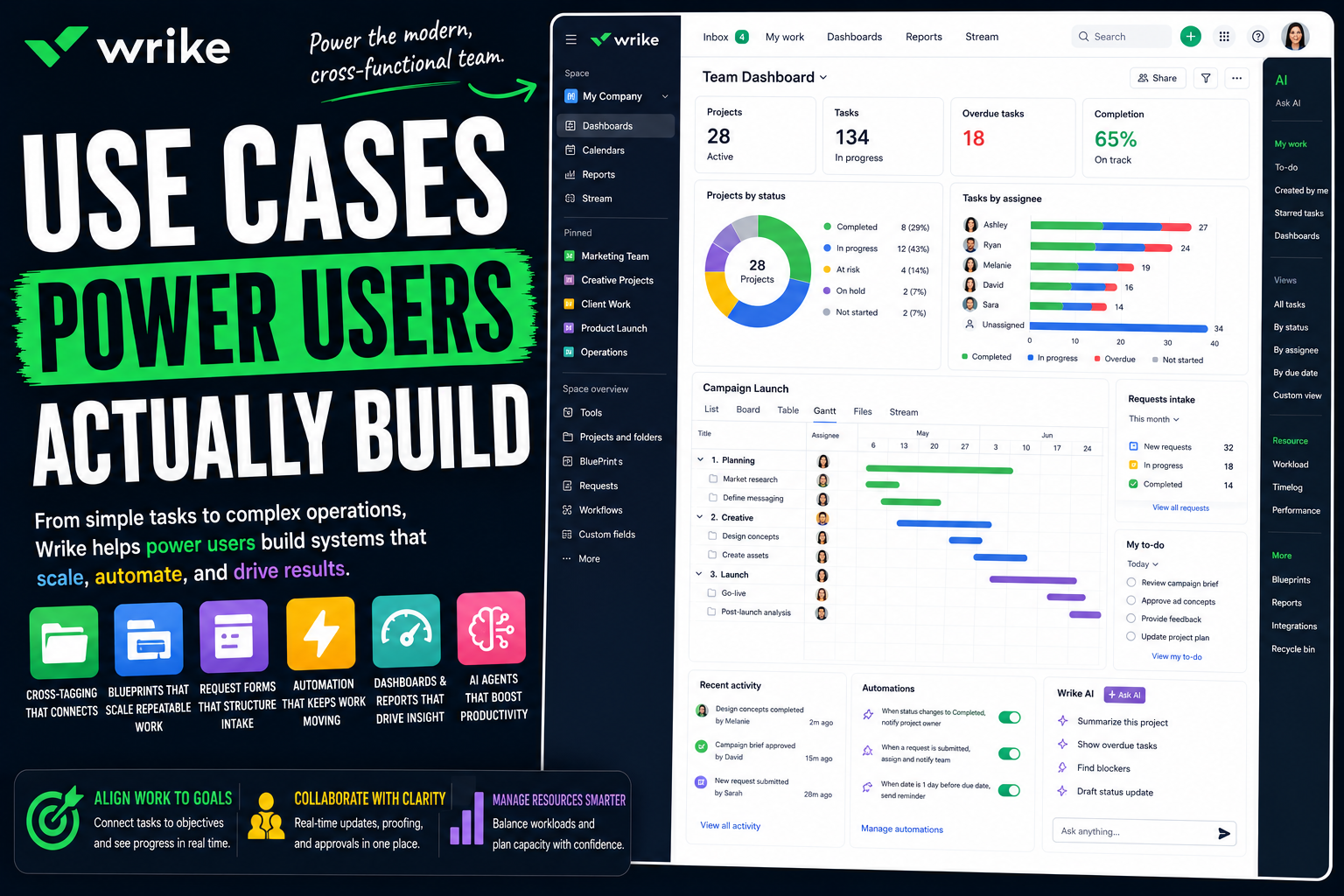
Wrike is one of those tools that people either rely on completely or never quite figure out. New users often see a busy interface, drop a few tasks into a folder, and treat it like a shared task list with extra menus.
Power users see a configurable work management platform - one built to run cross-functional work at scale. To them, Wrike is not a task tracker. It is a system where intake is structured, repeatable projects are templated, one piece of work can live in several places at once, and progress rolls up automatically across dozens of teams. They do not just track tasks. They build the operation.
That is the gap this article is about. Two people can open the same Wrike and have completely different experiences: one has a tidy folder of tasks, the other has built a platform that an entire marketing department or services firm runs on.
Here is a full look at what Wrike power users actually build, and how.
What separates a Wrike power user from everyone else
The difference is not effort. It is treating Wrike as a platform to configure, not a folder to fill.
The structure looks straightforward. A Space holds Folders and Projects, those hold Tasks, and Tasks hold Subtasks. But Wrike's defining trait is cross-tagging - a task or even a whole project can live in multiple folders at once, so the same work shows up in every context that needs it without being duplicated. Casual users never touch that. Power users build on the full toolkit:
- Custom workflows. Each process gets its own statuses, representing the real life cycle the work moves through.
- Custom item types and Blueprints. Define your own kinds of work items, and turn repeatable projects into reusable templates.
- Multiple views. The same work appears as a List, Board, Table, Gantt timeline, or Calendar, with no data duplicated.
- Request forms. Dynamic intake forms with conditional logic that turn a request into structured, ready-to-route work.
- Dashboards, reports, and resource management. The visibility and capacity layer.
The mindset behind all of it: a power user does not build a folder of tasks in Wrike. They configure a system that mirrors how cross-functional work actually flows, with cross-tagging letting one piece of work serve many teams at once.
With that in mind, here is what people build.
Personal productivity systems power users build
Wrike is built for teams, but power users often learn it by organizing their own work first - and the structure carries over directly to bigger setups.
A personal task and project setup
The natural starting point. Power users build a personal Space with folders for their areas of work, and projects for anything with real phases.
Custom fields capture context and priority, and a custom workflow reflects how they actually move through work. It is a personal system with the same structure that runs the rest of Wrike, rather than a flat list.
Trackers and personal projects
Wrike suits structured personal projects - a side project, a move, a learning plan. A project breaks the work into phases with dependencies, and the Gantt view turns it into a real timeline.
When one date shifts, the schedule adjusts with it. A loose personal goal becomes a plan that reacts to change, the same way a team project would.
Daily and weekly planning
Power users plan with Wrike, not just track. The My To-Do area pulls together everything assigned to them across every folder and project, and the AI Priority Inbox surfaces what needs attention first.
The point is starting the day with a clear, ordered picture. Instead of scanning folders, you open one view and see exactly what is yours to act on.
A personal dashboard
Power users build a dashboard for themselves, with widgets reading their own work - open tasks, upcoming deadlines, anything overdue, progress on personal projects.
Because the dashboard pulls live data, it never goes stale. Open Wrike in the morning and your own situation is laid out at a glance, separate from any team view.
Solo operator and freelance workflows
Wrike works for independents too. Freelancers and consultants use it to run client work and the business behind it.
Running client projects
Power users give each client their own folder or project, built from a Blueprint - phases, tasks, owners, dates, and a custom workflow. Launching a new client engagement becomes a one-click action rather than a rebuild.
Cross-tagging helps here: a single deliverable can sit in both the client's project and a master "due this week" folder, so it shows up wherever you need to see it.
A lightweight CRM and lead tracking
You do not need a separate CRM. Power users build one in Wrike - a folder as the pipeline, custom item types for leads, and custom fields for value, stage, and source. The Board view turns it into a visual pipeline.
Automation triggers follow-up tasks so leads do not go cold. It is a simple pipeline that lives next to the delivery work a closed deal turns into.
Content and creative production
Writers, designers, and agencies run creative production in Wrike, which is one of its strongest areas. A project tracks every asset, with a custom workflow for drafting, review, and approval.
Wrike's proofing tools let reviewers mark up creative files directly, keeping feedback attached to the work. Approvals move the asset forward without anything getting lost in email.
Request forms and client intake
Wrike's request forms turn an incoming ask into structured, ready-to-route work. Power users use them for client intake, project briefs, and creative requests.
Conditional logic means the form adapts as it is filled in, so the right details are always captured. A submission becomes a properly scoped task or project automatically - no vague email briefs, no missing information.
How teams run on Wrike
Personal use is one thing. Wrike's real strength is teams - especially cross-functional ones - and it is particularly strong for marketing, creative, and services work.
Marketing and creative operations
This is Wrike's signature use case. Marketing and creative teams run campaigns, content, and asset production in Wrike, from brief to delivered.
Request forms handle creative intake, custom workflows track each asset through review, and proofing lets stakeholders mark up files in place. Approvals move work forward, and cross-tagging lets a single asset appear in both the campaign project and the wider creative calendar. It brings order to work that is famously hard to coordinate.
Project and portfolio management
Teams run projects and programs in Wrike with tasks, dependencies, milestones, and Gantt timelines. Power users connect related projects and build portfolio dashboards that roll many projects into one view.
Leadership sees health, progress, and workload across everything in flight, without chasing a single status update. The reporting replaces routine check-in meetings.
Professional services delivery
Agencies and consultancies use Wrike to deliver client work profitably. Projects are launched from Blueprints, time is tracked against tasks, and resource and workload views show who is over capacity.
Because billable work, schedules, and capacity all live in one platform, a services firm can see not just whether a project is on track, but whether it is staffed correctly and delivering as planned.
Product and roadmap management
Product teams use Wrike to manage roadmaps and releases. Custom item types capture features and initiatives, and custom workflows track them from idea to shipped.
Dependencies and the Gantt view show how the roadmap fits together over time, and dashboards give stakeholders a clear, current picture of what is coming and when.
Operations and recurring processes
Operations teams run repeatable processes in Wrike - approvals, procurement, vendor onboarding, compliance. Each process gets a custom workflow and, often, a Blueprint.
Request forms handle intake and automation handles routing, so each item follows the same reliable path. A process that used to live in email becomes a tracked, visible system.
IT and internal request management
IT and internal teams use Wrike to manage requests and tracked work. A request form captures each item with the right details, a custom workflow moves it from new to resolved, and automation routes it to the right person.
For teams that need structured intake and clear tracking without a full service desk, a well-built request system handles it.
The advanced layer: automation, intake, and AI
This is where power users stop coordinating by hand and start building systems that run themselves.
Cross-tagging: one piece of work, many homes
Cross-tagging is Wrike's defining power-user feature. A task or project can be tagged into multiple folders at once, so it appears in every relevant context while remaining a single source of truth.
A campaign asset can live in the campaign project, the creative team's folder, and a leadership reporting folder simultaneously. Update it once, and it is current everywhere. Used well, this is what lets one Wrike workspace serve many teams without duplicating data.
Custom workflows and Blueprints
Power users build custom workflows so each process has statuses that match its real life cycle - a creative review flow looks nothing like an IT request flow, and Wrike lets both be exact.
Blueprints turn repeatable projects into reusable templates. Launching a standard campaign, client onboarding, or product release becomes consistent and instant rather than rebuilt from memory each time.
Automation and dynamic request forms
Wrike's automation engine handles routine coordination - assigning, routing, updating statuses, sending notifications - on its own. Power users pair it with dynamic request forms so intake is structured from the very first step.
A form adapts as it is filled in, captures exactly what is needed, and creates a properly scoped, routed piece of work. The combination means work enters the system clean and moves through it without manual chasing.
Dashboards, reports, and resource management
Power users build dashboards as live command centers, with widgets pulling from across the workspace - progress, workload, overdue items, custom metrics. Reports turn the same data into shareable status views.
Resource management and workload charts add the capacity picture, showing who is overloaded and where work can move. Together they replace status meetings with visibility that is always current.
Wrike Copilot and AI Agents
This is Wrike's fastest-moving layer. Wrike Copilot is a real-time AI assistant that answers natural-language questions about your work - how a process runs, where something lives, what the status is - without leaving Wrike.
Wrike AI Agents go further. They are no-code agents, built from out-of-the-box templates or a custom builder, that run inside workflows - validating incoming requests, classifying and routing work, updating fields, changing assignees, summarizing project status. Multi-action agents and agent chaining handle multi-step work, and a sandbox lets builders test before deploying. Because agents can also be triggered through the Wrike API, they react to changes from connected tools too. For power users, the most repetitive coordination is shifting from manual rules to agents that read context and act. One practical note: Copilot and AI Agents sit on higher-tier plans and require an AI agreement, so this is real capability but not part of every plan.
Where Wrike is not the right tool
A roundup like this can make Wrike sound limitless. It is genuinely capable, but power users are usually clear about its limits.
The first is fit. Wrike is built for mid-market and enterprise cross-functional work, and that depth can feel like more than a tiny team or a solo user needs - a lighter tool gets them going faster. The advanced setup, especially custom workflows and a well-structured cross-tagging model, carries a real learning curve.
It is also not a documents or knowledge tool, and it is not a personal life planner or the simplest possible board. And the most powerful capabilities - including Copilot and AI Agents - sit on higher-priced tiers.
The honest takeaway: Wrike is exceptional for structured, cross-functional work at scale, and especially strong for marketing, creative, and professional services teams. It is a weaker fit for someone who just wants something light and simple, or for documentation.
The common thread
Look across all of these use cases and one pattern stands out. Wrike power users are not tracking tasks. They are configuring a system.
The creative pipeline, the client projects, the request intake, the portfolio dashboard - in a mature Wrike setup these are not isolated folders. They are a connected system, where custom workflows mirror real processes, Blueprints make repeatable work consistent, request forms keep intake structured, and cross-tagging lets a single piece of work serve every team that needs it. That is the real appeal: Wrike is built for the messy reality of work that crosses many teams at once.
Worth one honest note to close on. That same flexibility - the folders, the cross-tagging, the custom everything - is the trap. It is genuinely easy to build a Wrike workspace so intricate that only its creator can navigate it. The power users who get real value structure their Spaces deliberately, keep workflows and cross-tagging purposeful, and remember that the system exists to make cross-functional work clearer, not to become a maze of its own.
FAQ
What is Wrike used for?
Wrike is a work management platform used to plan, run, and track cross-functional work. Common uses include marketing and creative operations, project and portfolio management, professional services delivery, product roadmaps, operations processes, and request management.
Who is Wrike best for?
Wrike is best for mid-market and enterprise teams running cross-functional work, and it is especially strong for marketing and creative teams, agencies, and professional services firms thanks to its proofing, approvals, request forms, and resource management.
Is Wrike good for personal use or only for teams?
It works for both, though it leans toward teams. Individuals and freelancers use Wrike for personal projects and client work. Its real strength, though, is mid-market and enterprise teams coordinating work across many groups at once.
What makes someone a Wrike power user?
Power users treat Wrike as a configurable platform. They build custom workflows, use Blueprints and custom item types, set up dynamic request forms, design dashboards and reports, and use cross-tagging to give one piece of work multiple contexts.
What is cross-tagging in Wrike?
Cross-tagging is Wrike's signature feature. A single task or project can be placed in multiple folders at once, so the same work appears in every relevant context while staying one source of truth. Update it once, and it is current everywhere.
What are Wrike AI Agents and Wrike Copilot?
Wrike Copilot is a real-time AI assistant that answers natural-language questions about your work. Wrike AI Agents are no-code agents that run inside workflows - validating requests, routing and classifying work, updating fields, and summarizing status - either from templates or a custom builder.
Can Wrike replace other project management tools?
For structured, cross-functional work, often yes - it commonly replaces project trackers, creative review tools, intake systems, and resource spreadsheets. It is less suited to lightweight needs or documentation, so some teams pair it with other tools.
What is the downside of using Wrike?
The main downsides are that it can feel heavier than a small team or solo user needs, that advanced setup carries a learning curve, that it is not a documents tool, and that the most powerful features, including AI, sit on higher-priced plans.
Date-based AI Task Manager
Plan smarter, execute faster, achieve more
Create tasks in seconds, generate AI-powered plans, and review progress with intelligent summaries. Perfect for individuals and teams who want to stay organized without complexity.
Get started with your preferred account