
Monday.com Use Cases: What Power Users Actually Build With It
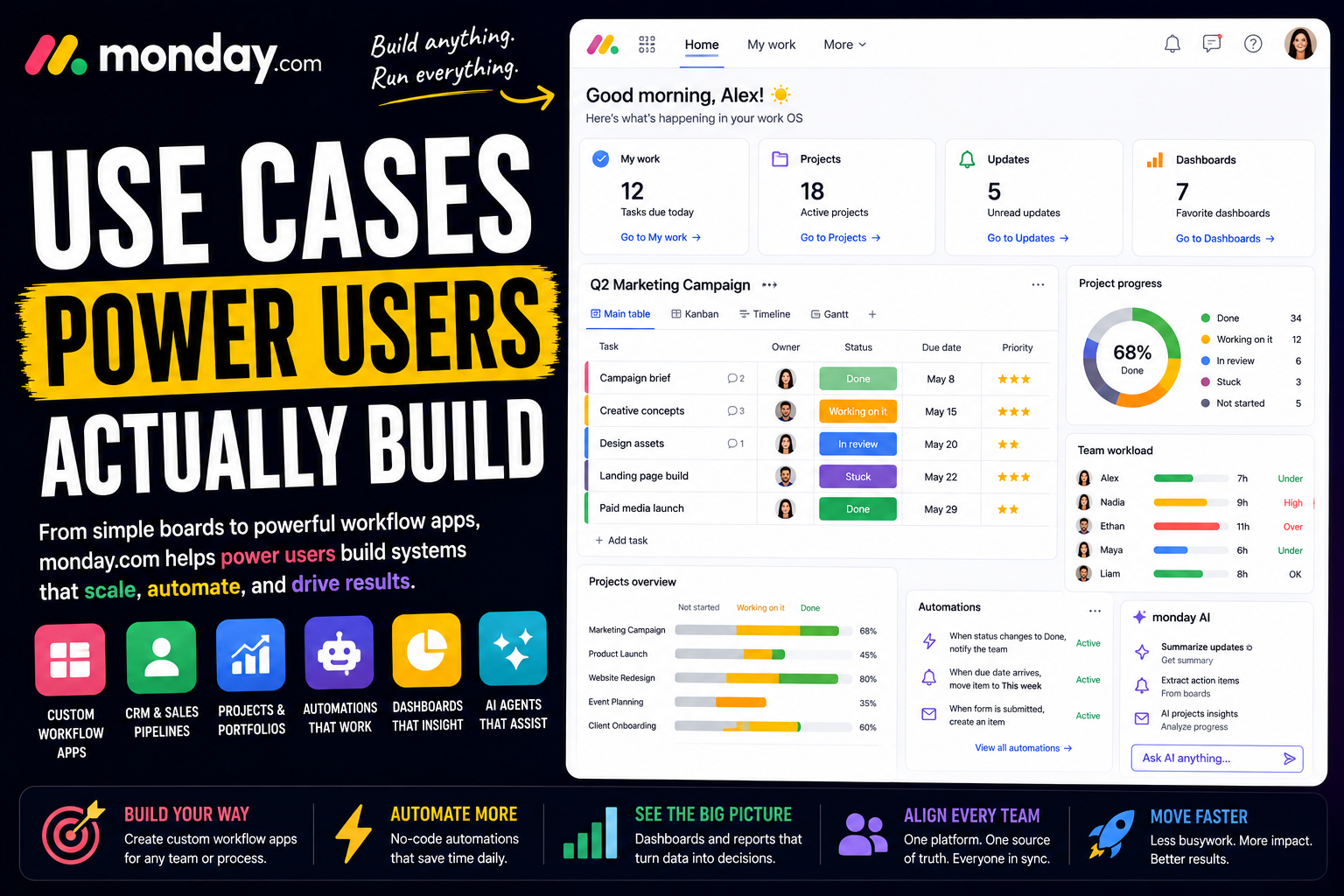
Monday.com calls itself a Work OS - and as of its 2026 overhaul, an AI Work Platform. Most people who sign up never see why that name matters. They use it as a colorful task board, drag a few items between columns, and treat it like a prettier to-do list.
Power users see the Work OS for what it is. To them, Monday.com is a set of building blocks for constructing custom workflow apps - one for sales, one for marketing, one for operations - all on the same flexible foundation. They do not just track tasks. They build the system the whole company runs on.
That is the gap this article is about. Two people can open the same Monday.com and have completely different experiences: one has a tidy board, the other has built an interconnected platform that runs an entire business.
Here is a full look at what Monday.com power users actually build, and how.
What separates a Monday.com power user from everyone else
The difference is not effort. It is treating Monday.com as a platform you build on, not a board you fill in.
The structure is simple on the surface. A Workspace holds Boards, a Board holds Groups and Items, and Items have Columns. But the columns are the real foundation - there are more than 30 column types, from status and timeline to people, numbers, formulas, and more. Choosing the right columns is what turns a board into a structured workflow rather than a list.
From there, the power-user toolkit opens up:
- Connect boards and Mirror columns. Link items across separate boards so the whole workspace shares one source of truth.
- Multiple views. The same board can be seen as a Table, Kanban, Calendar, Timeline, Gantt, Chart, or Workload view, with no data duplicated.
- No-code automations. Plain-language recipes - when a status changes, notify someone and move the item - that run the workflow on their own.
- Dashboards. Widgets that pull live data from many boards into one high-level picture.
- The product suite and AI. Specialized products built on the same Work OS, plus a growing layer of AI agents.
The mindset behind all of it: a power user does not build a board in Monday.com. They build a workflow app, shaped to a real process, and then connect those apps into a system.
With that in mind, here is what people build.
Personal productivity systems power users build
Monday.com is built for teams, but power users often learn it by organizing their own work first - and the visual, drag-and-drop interface makes that an easy start.
A personal task board
The natural starting point. Power users build a personal board with groups for priorities or time horizons - this week, next week, later - and columns for status, due date, and effort.
The visual layout does the work. Color-coded statuses make progress obvious at a glance, and dragging an item to "done" gives a small, real sense of momentum. It is a to-do list with structure behind it.
Trackers and personal projects
Monday.com suits structured tracking - goals, habits, personal projects, anything with a status and a date. A board holds the records, the right column types keep the data clean, and a Calendar or Timeline view lays it out.
For a personal project with real phases, the Gantt view and dependencies turn a loose list into an actual plan that adjusts when dates shift.
Weekly planning and prioritization
Power users use Monday.com to plan, not just track. The Calendar view lays the week out, and the My Work area pulls everything assigned to them across boards into one place.
The point is deciding the week on purpose. Instead of reacting to whatever is loudest, you start with a clear, prioritized picture of what actually needs to happen.
A personal dashboard
Power users build a dashboard for themselves, with widgets reading their own boards - open items, upcoming deadlines, progress charts, anything overdue.
Because the dashboard pulls live data, it never goes stale. Open Monday.com in the morning and your own situation is laid out at a glance, separate from any team board.
Solo operator and freelance workflows
Monday.com works well for independents too. Freelancers, consultants, and agencies use it to run client work and the business behind it.
Running client projects
Power users give each client their own board, built from a consistent template - groups for phases, columns for status and owner, and a Timeline view for the schedule.
Templates make starting a new client instant: duplicate, rename, set the dates, and the workflow is ready. Every client runs the same way, and shared views or guest access let clients follow progress without an account.
A custom CRM and sales pipeline
You do not need a separate CRM. Power users build one in Monday.com - a board as the pipeline, groups or a status column as deal stages, and columns for value, contact, and source. The Kanban view turns it into a visual board to drag deals through.
Automations trigger follow-up reminders so leads do not go cold. For sales-focused setups, the monday CRM product takes this further with built-in pipeline and outreach tooling. Either way, it is a pipeline shaped exactly to how you sell.
Content and creative production
Writers, marketers, and agencies run content production in Monday.com. A board tracks every piece of content, with columns for status, channel, and owner, and a Calendar view for the publishing schedule.
Each item holds the brief, drafts, and feedback in its Updates section. Files and proofing keep creative review attached to the work. The whole content operation runs on one connected board.
Intake forms and request management
Monday.com forms turn a request into a structured item automatically. Power users use them for client intake, project briefs, service requests, and feedback - even embedded on a website.
Someone submits a form and a complete item appears on the right board, with an automation assigning an owner. No copy-paste, no missing details, and every request lands in the same organized place.
How teams run on Monday.com
Personal use is one thing. Monday.com's real strength is teams - and companies often start with one team and expand the Work OS across the whole business.
Project and portfolio management
The core use case. Teams run projects in Monday.com with boards for tasks, columns for owners and status, and Timeline or Gantt views for the schedule.
Power users connect project boards with Mirror columns and build portfolio dashboards that roll many projects into one high-level view. Leadership sees health, progress, and workload across everything without chasing a single update.
Marketing campaigns and creative operations
Marketing teams run campaigns end to end in Monday.com. A campaign board tracks every deliverable, a form gathers the brief, and automations route work to the right person - assigning copy to a writer the moment it is needed.
Calendar and Chart views handle scheduling and performance tracking, and the Updates section keeps a record of decisions. The whole campaign, from brief to results, lives in one place.
Sales pipelines and CRM
Sales teams run pipelines in Monday.com, often on the dedicated monday CRM product. Leads move through stages, automations handle follow-ups, and integrations pull in email and contact activity.
Power users build an end-to-end setup - pipeline, outreach, proposals, invoicing, and post-sale work - connected on the same Work OS, so a closed deal flows straight into delivery without leaving the platform.
Software development
Engineering teams use Monday.com, often through the monday dev product, to run agile workflows - sprint boards, backlogs, roadmaps, and bug tracking.
Integrations with GitHub, GitLab, and other dev tools connect code to work items. It keeps development visible alongside the rest of the company's work rather than siloed in a separate tool.
Operations and recurring processes
Operations teams run repeatable processes in Monday.com - approvals, procurement, vendor management, compliance. Each process is a board with a defined flow.
Forms handle intake and automations handle routing, so each request follows the same reliable path. A process that used to depend on email and memory becomes a tracked, visible system.
HR and people workflows
HR teams run onboarding, recruiting, and people requests in Monday.com. A new hire becomes an item with subitems for every setup step, assigned across departments.
A recruiting board moves candidates through stages, and forms capture applications. Automations trigger the right tasks at the right time, turning people processes into coordinated workflows instead of scattered checklists.
The advanced layer: automation, dashboards, and AI
This is where power users stop managing boards by hand and start building systems that run themselves.
Connecting boards into a system
This is the skill that separates a Monday.com power user. Instead of one giant board, they build many focused boards and link them with Connect boards and Mirror columns.
A task board connects to a project board, a project board to a client board, so updating something once reflects everywhere. Done well, this turns separate boards into one connected system with a shared source of truth.
No-code automations
Monday.com automations use plain-language recipes - when a status changes, notify someone, move the item, create a task on another board. Power users chain these together so routine coordination just happens.
Because the automation builder is built in and reads like a sentence, non-technical people can create real logic without code or an external tool. The chasing and the status updates stop being manual.
Dashboards and high-level visibility
Dashboards are one of Monday.com's strongest features. Power users build them as command centers, with widgets pulling live data from many boards - progress, workload, budgets, charts.
Different dashboards serve different audiences: a team view for daily work, an executive view for portfolio health. Status reporting that used to take hours becomes a link that is always current.
monday vibe: building custom apps
monday vibe is Monday.com's answer to the rise of conversational app building. Power users describe what they need in plain language, and vibe generates custom views, dashboards, and mini-apps directly in the platform.
It cuts the system-design time. Instead of building a workflow app block by block, you describe it and refine from there, then get to the part that matters - making the workflow actually work.
monday agents and the digital workforce
This is Monday.com's biggest shift. The company rebuilt itself as an AI Work Platform, where people and AI agents work side by side. monday sidekick is a personal AI assistant that understands the context of your boards and can summarize projects, surface risks, and answer questions about what is actually happening.
monday agents go further - configurable by anyone, with no technical background, they draw on live data to plan, coordinate, and execute inside the same permissions the business already trusts. They can draft campaigns, qualify leads, close support tickets, onboard new hires, and process requests around the clock under human supervision. Power users can also build a custom digital workforce through Agent Factory, and connect outside AI tools through monday's support for the Model Context Protocol. One practical note: the AI features run on a credit-based model, so this is real capability but a cost on top of the plan.
Where Monday.com is not the right tool
A roundup like this can make Monday.com sound limitless. It is genuinely flexible, but power users are usually clear about its limits.
The most common complaint is pricing. Monday.com is priced per seat, and seats are sold in tiers - 3, 5, 10, and up - so a team of four pays for five, and a solo user faces a minimum that can feel steep. Automations and integrations are also capped on lower tiers, and the AI features add credit-based cost.
It is also not a full no-code app builder despite the building-block model, and it is not primarily a documents or knowledge tool. And while a basic board is easy, the advanced setups - connected boards, layered automations, dashboards - carry a real learning curve.
The honest takeaway: Monday.com is exceptional as a flexible, visual platform for building custom team workflows, and a weaker fit for solo users on a tight budget or anyone who wants the deepest database or documentation features. Power users lean into the flexibility and accept that the flexibility has a price.
The common thread
Look across all of these use cases and one pattern stands out. Monday.com power users are not building boards. They are building workflow apps.
The CRM, the campaign tracker, the project portfolio, the onboarding flow - in a mature Monday.com setup these are not isolated boards. They are connected apps, built from the same blocks, linked with Mirror columns, run by automations, and surfaced through dashboards. That is the real appeal of a Work OS: one flexible foundation that can be shaped into whatever a team actually needs, and then expanded across the whole company.
Worth one honest note to close on. That same flexibility, combined with per-seat pricing, is the trap. It is easy to keep adding boards, automations, and seats until the workspace sprawls into something complex and expensive that nobody fully understands. The power users who get real value build deliberately - connecting boards on purpose, keeping workflows clean, and treating each new app as something to design rather than something to pile on.
FAQ
What is Monday.com used for?
Monday.com is a Work OS used to build custom workflows for almost any process. Common uses include project management, CRM and sales pipelines, marketing campaigns, software development, operations, HR, and IT - often all within one company.
What is a Work OS?
A Work OS, or Work Operating System, is Monday.com's term for a flexible platform built from modular building blocks - boards, columns, views, and automations - rather than a fixed tool. Teams assemble those blocks into workflow apps that match their actual processes.
Is Monday.com good for personal use or only for teams?
It works for both, but it leans toward teams. Individuals use it for personal task boards and trackers, and there is a free plan for up to two users. Its real strength, though, is teams building and connecting workflows across a business.
What makes someone a Monday.com power user?
Power users treat Monday.com as a platform. They use the full range of column types, connect boards with Mirror columns, layer multiple views, build no-code automations and dashboards, and increasingly use monday vibe and AI agents - building connected systems rather than single boards.
What is the difference between monday work management, CRM, and dev?
They are products built on the same Work OS. monday work management is the flexible flagship for projects and general work, monday CRM is tailored for sales pipelines, and monday dev is built for software teams running sprints and roadmaps. Companies often combine them.
What are monday agents and monday sidekick?
monday sidekick is a personal AI assistant that understands your boards and can summarize work and surface risks. monday agents are configurable AI agents that draw on live data to plan and execute work - drafting campaigns, qualifying leads, onboarding hires - under human supervision.
Can Monday.com replace other tools?
For work coordination, often yes - it commonly replaces project trackers, simple CRMs, spreadsheets, and intake tools across several teams. It is less likely to replace a dedicated documents tool or a deep relational database, so some teams pair it with others.
What is the downside of using Monday.com?
The main downsides are per-seat pricing sold in tiers that can be costly for small or solo users, automation and integration caps on lower plans, credit-based costs for AI, and a learning curve once you move past basic boards.
Date-based AI Task Manager
Plan smarter, execute faster, achieve more
Create tasks in seconds, generate AI-powered plans, and review progress with intelligent summaries. Perfect for individuals and teams who want to stay organized without complexity.
Get started with your preferred account