
Why I Stopped Using Trello for Personal Productivity
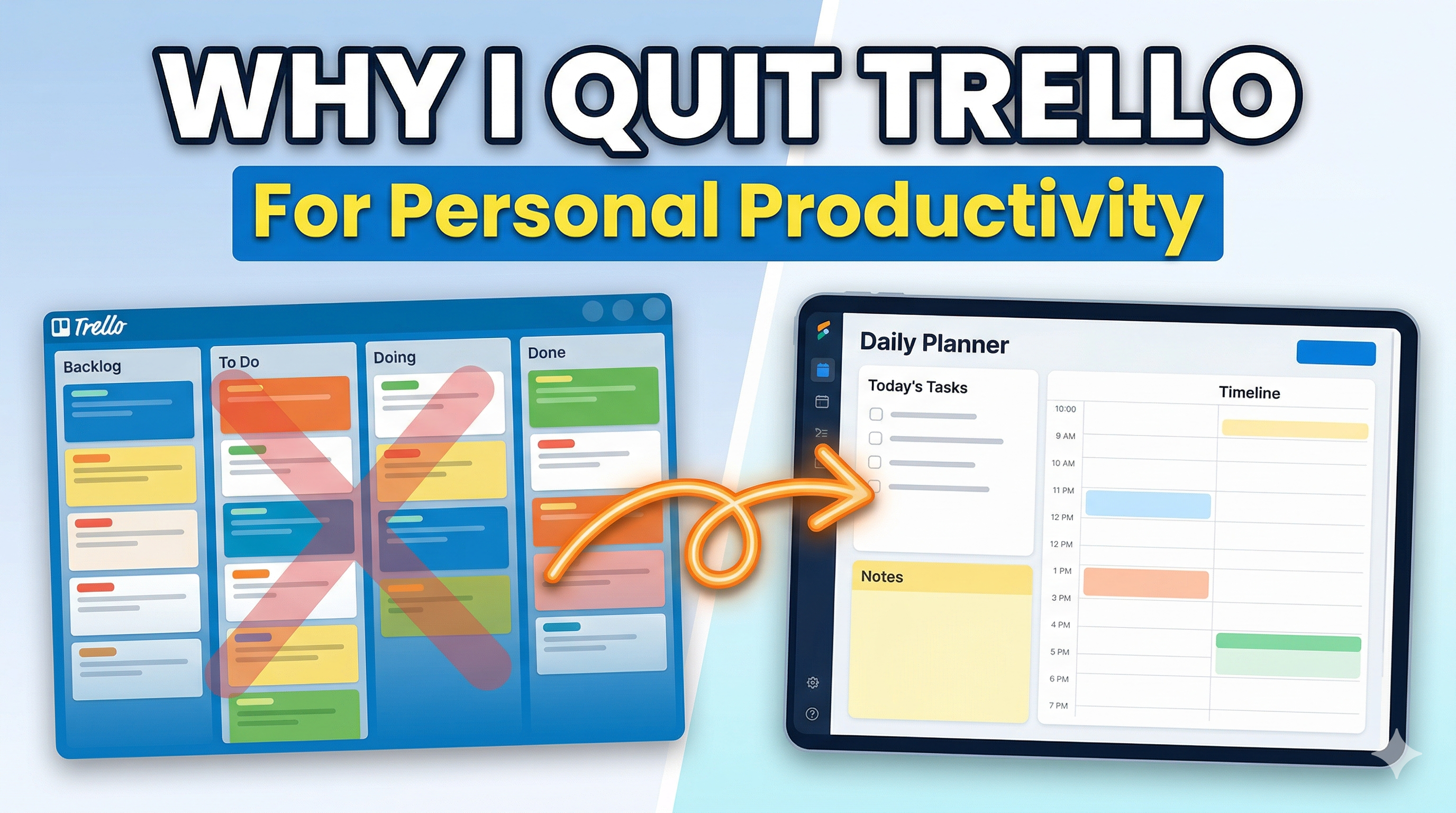
I Used Trello for Years Before I Admitted It Wasn’t Working
Trello was one of the first productivity tools I ever genuinely loved. The boards were clean, the drag-and-drop felt good, and I could set up a new project in about 90 seconds. For a long time I told myself it was the perfect personal planner.
It wasn’t. And the longer I used it, the more obvious the cracks became. This is the honest version of why I stopped — not as a Trello hit piece, but as the founder of a productivity app who needed to figure out exactly what was broken before I could build something better.
The First Problem: Boards Age Badly
Trello is built around lists — usually Todo, Doing, Done, and some variation of those. It looks clean on day one. By month three it looks like a landfill.
The reason is simple. A board has no built-in sense of time. A task I added in January sits on the same board as a task I added yesterday. Everything is in the same visual plane. “Done” columns grow into walls of forgotten cards. “Doing” columns quietly fill up with things I am definitely not doing.
I tried archiving. I tried weekly resets. I tried a new board per month. None of it stuck, because all of those workarounds were me patching a structural problem with discipline — and personal productivity tools should not require discipline just to stay usable.
The Second Problem: No Sense of “Today”
This is the one that finally broke me.
When I opened Trello in the morning, I had to hunt for what I was supposed to do that day. Due dates helped a little, but Trello’s calendar view always felt like an afterthought, and the board view does not naturally answer the question “what am I working on today.”
I would open it, scan four columns across three boards, and close it. Then I would go write my actual day on a piece of paper.
When the paper is doing the real work, the tool is decorative.
The Third Problem: Notes, Images, and Context Live Somewhere Else
A Trello card can hold a checklist, an attachment, and a description. In theory. In practice I ended up keeping my real notes in a notes app, my screenshots in a folder, and my time tracking in a spreadsheet. The card became a title with a due date, and everything useful was scattered across three other tools.
Every time I wanted to remember what I did on a specific day — for an invoice, a client update, a retrospective — I had to dig through all four places. And usually give up.
The Fourth Problem: No Memory
Trello does not really remember your week. There is no built-in concept of “here is what you shipped between Monday and Sunday.” The data is all there, technically, but the tool has no opinion about time, so it cannot tell you anything about time.
As my work got more complex, this started to matter a lot. I did not just want a list — I wanted to be able to look back at any given week and see what happened. Trello could not do that, and no amount of labeling, tagging, or power-ups fixed it.
What I Actually Wanted
Once I listed out the problems, the shape of what I wanted got clearer.
- A planner organized by day, not by board, so “today” was always the default view
- Tasks, notes, images, and time tracking all living in the same place
- Something that actually remembered what happened last week, last month, and last quarter
- A way to see both the forest (project-level progress) and the trees (today’s tasks) without switching modes
- No per-seat fees if I eventually collaborated with someone
I could not find a single tool that did all of this the way I wanted. So I built one.
The Tool I Ended Up Building
SelfManager.ai is the app I made after years of Trello not quite fitting. The core idea is simple — every day has its own data. Not a board. A day.
Each day holds unlimited tables. A table is a task list, a notes doc, a shopping list, a project tracker, a meeting log — whatever you need it to be. You can link tables together to see overall project progress, and pin the important ones so they stay visible across days.
That one design choice — date-centric instead of board-centric — fixed most of what I hated about Trello. “Today” is never hidden. Yesterday is one click away. Last week is a real object you can open and read. And the AI layer on top can summarize any week, month, or quarter in one click, because the data is already organized by time.
The things I used to keep in a notes app, a spreadsheet, and a screenshots folder all live inside the same table now. When I look back at a specific Tuesday three months ago, everything I did that day is there — tasks, time tracked, notes, screenshots, comments. No archaeology.
To Be Fair to Trello
Trello is still a great tool for certain things. If you are running a small team on a simple kanban workflow, it is hard to beat. If you are tracking a single pipeline — job applications, sales leads, editorial calendar — a board is the right shape.
The mistake I made was using it for everything, including the parts of my life that were fundamentally about time, not stages. Personal productivity is mostly about time. Boards are about stages. That mismatch is what made Trello slowly fail as my personal system.
If You’re in the Same Place I Was
A few honest signs that Trello is not working for you as a personal planner:
- You open it and immediately go write your day somewhere else
- Your “Done” column is a graveyard you never read
- Your notes, screenshots, and time logs live in other apps
- You cannot remember what you shipped last week without scrolling
- You have rebuilt your main board more than twice this year
If two or more of those hit, it is probably not a discipline problem. It is a shape problem. You are trying to run a time-based life on a stage-based tool, and the tool is losing.
What I’d Suggest Trying
If you want to test the date-centric approach without committing to anything, SelfManager has a 7-day free trial and no card is required. Set up one day, then another, then another. By Friday you will know whether “a day as the unit of planning” clicks for you the way it did for me.
If you want more context on how it specifically compares to Trello — the feature-by-feature version — I wrote that up separately on the Trello alternatives page.
Takeaways
- Boards age badly for personal use because they have no built-in sense of time.
- If “today” is not the default view, you will end up planning somewhere else.
- Scattered notes, screenshots, and time logs are a symptom of the wrong tool shape.
- Personal productivity is mostly about time, not stages — pick a tool that agrees.
- The best sign your system is broken is that you keep rebuilding it.
Date-based AI Task Manager
Plan smarter, execute faster, achieve more
Create tasks in seconds, generate AI-powered plans, and review progress with intelligent summaries. Perfect for individuals and teams who want to stay organized without complexity.
Get started with your preferred account