
Introducing SelfManager.ai v8. Codename: Beyond Limits
The short version
SelfManager.ai v8 is live. Codename: Beyond Limits.
SelfManager is coming to your phone and tablet. The app for iOS and iPadOS, on iPhone and iPad, has been submitted to Apple and is in review now. The app for Android phones and Android tablets, foldables included, will be submitted to Google Play by the end of this week.
Your AI assistant, the API and webhooks are out of private beta: every account with a plan can use them, the 7-day free trial included.
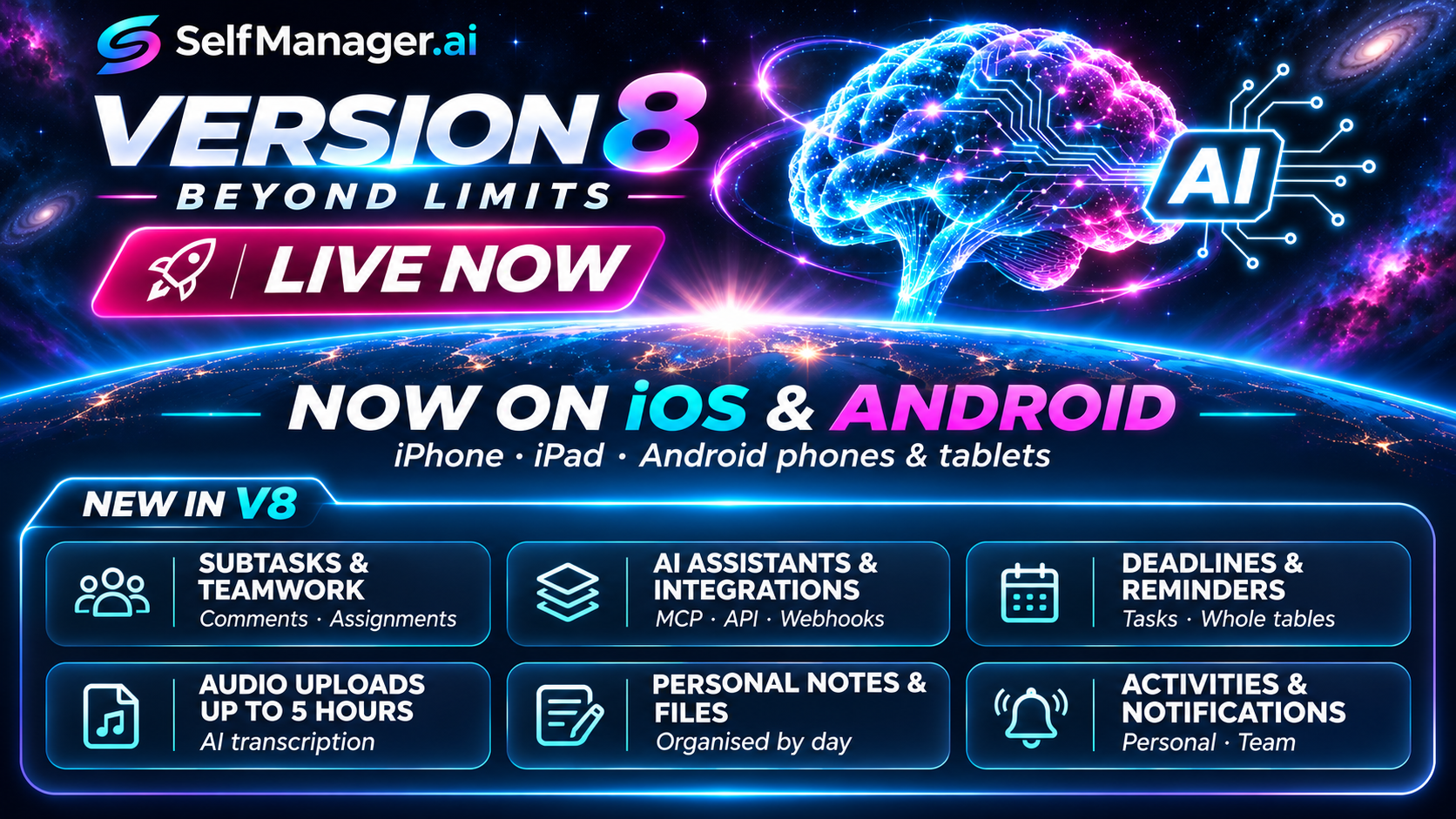
Every plan got subtasks and comments on each task, and teams got assigning tasks to the people on a shared table. Deadlines got a bar, a deadline for a whole table, reminders for just you or everyone on the table, and a new picker. The AI menu gained Claude Fable 5.2, Gemini 4 Carbon, Hydrogen and Neon, and GPT-6.2 Astra and Sol. Audio files can now run up to five hours, and the AI transcribes them.
Notes, images, audio, docs and videos can now belong to a day without a table, as items of your own. And two new pages gather everything: Activities, with what you did and what your team did, and Notifications, with every notification you've had.
v7, in October, let you pick the model that answers and put audio, docs and video on every table. It has its own article, and a short summary closes this one.
Why "Beyond Limits"
For the first time in human history, anyone can have an assistant that is there 24 hours a day. Not a person on call, and not a tool that waits for you to open it: an AI that answers at 3 a.m., can read what you did last month, and, with the agents now arriving from every major AI lab, keeps working while you're away.
That help isn't limited to work. You can bring AI to every part of your life:
- Work: projects, clients, meetings, deadlines, the team.
- Family: school runs, chores, birthdays, the shopping, a shared table everyone ticks.
- Relationships: the plans you make together, the dates you don't want to forget, what matters to the people close to you.
- Health: training, sleep, meals, appointments, how you felt each day.
- Learning: a course, a language, an exam, a little every day.
- Money and home: bills, renewals, repairs, a move, a trip.
- Your own projects: the book, the side business, the thing you keep meaning to start.
The AI needs somewhere to keep your life
An assistant is only as useful as what it can see. SelfManager is the infrastructure underneath: everything organised by date, a page for every day, with your tables on it.
Every task carries what an AI needs to understand it: its status and priority, its deadline, the time you tracked, its subtasks, who it is assigned to, who owns the table and who changed what. Around it sit comments, notes, images, audio, docs and videos, all tied to the day they happened.
With that in one place, the AI can do much more than answer a question:
- Review your week, month or quarter, and debate it with you: what moved, what slipped, and why.
- Find your patterns: when you do your best work, what keeps getting pushed, where the time really goes.
- Show where things went wrong, so next time goes better.
- Plan your day, week, month, quarter or year with you, and adapt the plan as things change.
From the assistant you already use, even by voice
Through our MCP server, SelfManager works with the assistants that support it, Claude, ChatGPT, Gemini and Grok among them. It works in voice mode too: while you drive, cook, walk, train or carry the shopping, you can say what happened, ask what's next, or plan tomorrow without touching a keyboard or a screen.
And the models keep getting better. Frontier AI has advanced at an incredible pace through 2026, and every new model you connect reads the same days, tables and history. The time to put AI to work on your life is now.
The same building blocks, used your way
- Comments as a journal: a line or a voice note each evening on your own table, and the AI reads a year of them back to you.
- Comments as team chat: on a shared table, each task has its own thread, with @mentions.
- Notes for a project brief, a recipe, a client's preferences or the doctor's advice.
- Audio for a meeting, a lecture or an interview, transcribed when you need the words.
- Docs for the contract, the lease or the slides, which the AI can read.
- Videos for a bug, a tutorial or a child's first steps.
- Deadlines and reminders for bills, renewals and anything with a date.
- Repeats for routines: the Monday plan, the Friday review, the weekly workout.
- Time tracking for clients and invoices, or just to see where the day went.
And v8 removes four limits of its own
- Beyond the browser. Your days, in an app on your phone and tablet.
- Beyond the private beta. The assistant, the API and webhooks, for every plan.
- Beyond one person per task. Subtasks, a thread on each task, and a name on who does it.
- Beyond thirty minutes. Recordings of a whole workshop or a whole day of interviews, transcribed in parts.
From AI or SI, Baby? to here
On October 15, v7, codename AI or SI, Baby?, made the AI something you choose: Gemini, Claude, GPT or Grok. It put audio, docs and video on every table, and opened our MCP server to a first group of people.
v8 is the five weeks since. It is also the release where SelfManager leaves the browser.
v8: SelfManager on your phone and tablet
The app is SelfManager itself, with the same account and the same data. Every page and feature you use on the web is there: your days, tables, notes, files, voice, AI, shared tables and your assistants.
iOS and iPadOS: in Apple's review
Version 1.0 for iPhone (iOS) and iPad (iPadOS) has been submitted to Apple, together with its in-app purchases, and is in review now. It goes on the App Store as soon as Apple approves it.
Android phones and Android tablets: submitted by the end of this week
The Android app runs on Android phones and Android tablets, foldables included, with everything the iOS and iPadOS app has. It will be submitted to Google Play by the end of this week.
What the app adds
- Voice notes that keep recording when you switch apps or lock your phone, until you stop them.
- Every take kept on your device first, so a weak signal or a closed app doesn't lose it.
- Notifications that open the right place: reminders, deadlines, mentions and assignments, a tap away from the table they're about.
- Sign in with a tap, with Apple or Google, or the way you sign in on the web.
- Pull down to refresh, and save images, videos and docs to your device through the share sheet.
- Plans, credits and storage in the app: a plan, AI credits, Integration Credits or extra storage, bought with your Apple account on iPhone and iPad, or with Google Play on Android.
A plan bought on the website works in the app, and one bought in the app works on the website. In the app, a plan is paid from the first day; the 7-day free trial starts on the website.
Rather not install anything? SelfManager also works in your phone's browser, and you can add it to your home screen. The mobile page shows how, for each device.
v8: your AI assistant, the API and webhooks, for everyone
In v7 these were a private beta. In v8 they are part of every plan, the free trial included.
Your assistant, in your tables
Connect Claude, ChatGPT, Claude Code, Codex or another assistant through our MCP server, and it works in your tables as you. New in v8:
- It saves files. Images, docs and audio, a voice memo for instance, go to a table or to your own items, inside your storage, each marked with the assistant that saved it. ChatGPT can also show your pictures in the chat.
- It works with your team. It sees a task's subtasks, comments and who it is assigned to, and it can add subtasks, assign people on the table and comment on a task.
- It does more in one step. Copy a table to any day, set a table's deadline, read and tidy a table's log, edit your own comment, and list what your assistants changed in the last 30 days.
- You change what it may do from Connected apps, without connecting it again.
The MCP page shows how to connect, app by app.
Webhooks, with no code
A webhook tells another tool when something happens in SelfManager: a task created, done or assigned, a comment, a deadline, a table, an Activity. In Connected apps, Add a webhook takes the address that Make, n8n or Zapier gives you and the events you tick. That's all the setup there is.
Integration Credits
API requests and webhook events use Integration Credits, separate from your AI credits: 100 a week on Individual and 300 on Team. More cost $0.01 each, from the Subscription page. A Team owner can share theirs, as with AI credits. The Integration Credits page explains what uses them, and the API page how to start.
v8: subtasks, comments on tasks and assigning
Subtasks and comments on tasks are on every plan, Individual and Team. Assigning is for the people you work with on a shared table.
- Subtasks, on every plan. Break a task into subtasks, each with its own tick, priority, timer and deadline. The task shows how many are done, 1/3 for instance. Repeats, Duplicate, the AI and your assistant carry them.
- Comments on tasks, on every plan. Turn on Comments on tasks in Edit table, and each task gets a thread of its own, with images, voice and read aloud: notes to yourself on your own tables, and with @mentions on shared ones.
- Assigning, for teams. On a shared table, assign a task or a subtask to a team member who can edit it. They're told in the app, then on their phone and by email if it stays unread. "Assigned to" shows one person's tasks.
- An AI that knows who has what. Summary, Chat, AI Review, AI Plan and AI History read subtasks, comments and assignees, and Team AI Review can say who is working on what.
- Access that ends when it should. Someone removed from a table is refused on their very next request, everywhere: the table, its AI chats, exports and notifications.
On the Team plan, the people you invite need no plan of their own, and there is no per-seat fee. We estimate one Team plan works well for up to about 100 people today. The Team plan page has the details, roles included.
v8: deadlines you can't miss
- The deadline bar. From 24 hours before a deadline, a bar on the Day, Week and Month views shows what's due.
- A deadline for a whole table, not only for its tasks: the launch, the move, the exam. The table's owner and admins set it in Edit table. It is met once every task that isn't canceled is done, it moves with the table to another day, and it shows on the table, in the deadline bar and to the AI.
- Just you, or the whole team. On a shared table, a deadline, a task's or the whole table's, reminds the person who set it ("Just me") or everyone on the table ("Everyone on this table"), by push and email.
- Deadlines as you make a table, in Add Table, and carried over when you duplicate one.
- Dismiss a missed deadline without deleting it, and Restore it later.
- Everyone on their own clock. Each person reads a deadline in their own time zone, and it keeps its hour when the clocks change.
- A new picker: day buttons, a calendar, a time field and a reminder menu, the same everywhere a deadline is set.
v8: more AI, reading more of your work
New in the Thinking menu, on paid plans and lifetime deals:
- Claude Fable 5.2 replaces Fable 5.1 and costs less: from 29 credits a message instead of 36.
- Gemini 4 Carbon, Google's strongest reasoning model, from 15 credits.
- Gemini 4 Neon, Google's newest, for coding, reasoning and knowledge work, from 11 credits.
- Gemini 4 Hydrogen, fast and low-cost, from 6 credits.
- GPT-6.2 Astra and GPT-6.2 Sol replace GPT-6 Astra and GPT-6.1 Sol. Astra starts at 29 credits instead of 36, and Sol at 8.
The AI also reads more of your day: table notes, a table's deadline in your own time zone, your own items, and with Claude and GPT, up to 600 images in one request.
And any comment can now be read aloud, up to an hour of it, for 1 credit per started two minutes, with the price confirmed first. Save keeps the recording on the table, for everyone on it to play.
v8: five hours of audio
A table's Audio section now takes recordings of up to 5 hours and 750 MB: a workshop, a full day of interviews, a long podcast episode. Recording with the microphone stays at 30 minutes per take.
Press Transcribe and a long recording is transcribed in parts on our servers, at 1 AI credit per started 5 minutes, with the price shown before it runs. If it stops halfway, Continue picks up where it left off.
Audio is kept on paid plans and lifetime deals, in your storage, as videos are. The free trial still transcribes as you dictate into comments, notes and AI boxes.
v8: notes, images, audio, docs and videos without a table
Not everything belongs on a table. A thought on the way home, a photo of a receipt, a voice memo, the PDF someone just sent you: in v8 each can belong to a day on its own, as an item of your own.
- Every kind: notes, deadlines, images, audio, docs and videos, added from the All pages on any day you pick.
- Only you see them, and each is marked "Only you".
- On your days: under each section of a day, a quiet line says what you keep of your own there, with a link to it.
- In your AI: a table's chat and summary, AI Review and AI Plan can include your own items from those days, each kind with its own tick box.
- Moved when it finds its place: Change day, or Move to a table, for free.
- A quick note on the phone: a pen button in the top bar writes a note of your own on today, or on any day you pick.
Your assistant and the API reach them too, and an assistant can save a file straight into them. Files need a plan, and audio and videos a paid plan or a lifetime deal.
v8: Activities and Notifications, each on a page of its own
Activities: what you did, and what your team did
Activities is one page for everything that happened in your SelfManager, on Individual and on Team. It has two tabs:
- Personal: the tables only you are on, your own items, and your account: invitations, connected apps and API keys, your plan and your storage.
- Team: everything on your shared tables, with who did it.
Filter it, load older days, and open any line's table right there. You can delete your own lines, or turn recording off. Activities is part of Download my data, your assistant and the API can read it, and a webhook can send each new line to your other tools.
Each table also keeps its own log, now written by our servers from what really changed. On a shared table every line names who made it, and owners and admins can select lines and delete them.
Notifications: every one, in one place
"See all notifications" opens a page with every notification, newest first. Filter by Unread, Mentions, Assigned to you, Deadlines and reminders, or Sharing, mark them all read at once, or select some and delete them. The bell itself now has Load more.
v8: tables, tasks and timers
- A timer that keeps its time. It has its own Complete task button, survives a reload, and pauses where it was when you leave the page.
- Status and priority, picked from a list with each value's colour, a sheet from the bottom on a phone, nothing to type.
- Duplicate, in one panel: pick the day, tick what to bring, rename the copy, reopen every task, and edit the tasks before the copy is made.
- Add Table, Edit table and Task Settings, redrawn for phone, tablet and computer.
- Fewer ways to lose work. Save asks before a completed task loses its tracked time, and Edit table's draft has Back to saved.
v8: storage, explained
Images, audio, docs and videos now share one allowance: 5 GB on Individual and 25 GB on Team, counted on the table's owner, whoever added the file. Text never counts. Extra space goes from 10 GB for $2 a month up to 1 TB.
The new storage page says what uses storage and what never does, the limits for each kind of file, and whose storage a shared table uses.
The website also has a page for everything SelfManager does, Features, and six everyday jobs walked through step by step, Workflows.
Next: v9, native on your phone and tablet
v8 puts SelfManager on your phone and tablet. v9 makes it feel born there.
We will rebuild the apps natively: in Swift for iPhone and iPad, and in Kotlin for Android. That means the gestures you expect, the speed of an app built for the device, and the feel of the best apps on your home screen.
What would you like it to do? Tell us through our contact form. Your suggestions decide what goes in first.
v7, in brief
v7 was released on October 15. It has its own article, Introducing SelfManager.ai v7. Codename: AI or SI, Baby?, with every detail. In short:
- Choose the AI that answers: Gemini, Claude, GPT or Grok, in Fast and Thinking, with the price range shown before you send.
- Audio, Docs and Video on every table, each with a page that gathers it from all your tables.
- An AI that reads your docs and audio transcripts, when you tick them.
- Export everything, and delete your account yourself.
- The MCP server and the public API, in private beta then.
What it costs
- Individual: $8 a month, or $6 a month billed yearly, with 35 AI credits and 100 Integration Credits a week and 5 GB of storage.
- Team: $30 a month, or $25 a month billed yearly, for the whole team with no per-seat fee, with 70 AI credits and 300 Integration Credits a week, shared with your team if you like, and 25 GB of storage.
- Free trial: 7 days on the website. A card starts it, and nothing is charged if you cancel before it ends.
Credits reset every Monday. Need more? AI credits start at 50 for $2.50, and credits you buy never expire. The Individual and Team pages list everything each plan includes.
FAQ
What is new in SelfManager.ai v8?
Apps for iOS and iPadOS, and for Android phones and Android tablets. Your AI assistant, the API and webhooks for every plan. Subtasks and comments on tasks on every plan, and assigning for teams. Deadline tools, new AI models, five-hour audio with transcription, items of your own, Activities and Notifications.
When can I download the app?
The iOS and iPadOS app is in Apple's review now and goes on the App Store as soon as it is approved. The Android app will be submitted to Google Play by the end of this week. The mobile page has the links.
Can I keep a note or a file without a table?
Yes. Notes, deadlines, images, audio, docs and videos can belong to a day as items of your own, seen only by you. Move one to a table whenever you like.
Where do I see what my team did?
On the Activities page. Its Team tab shows everything on your shared tables, with who did it, and its Personal tab shows your own tables, items and account.
Does the app work on tablets?
Yes. The same app runs on iPhone (iOS) and iPad (iPadOS), and the Android app runs on Android phones and Android tablets, foldables included.
Do I pay again for the app?
No. The app is free to download, and your plan works on the web and in the app, wherever you bought it.
Can I connect my AI assistant on the free trial?
Yes. The MCP server, the API and webhooks are open to every account with a plan, the 7-day free trial included.
Do the people I invite need a plan?
No. On the Team plan, the people you invite work on your tables without paying, and what they add counts on your storage.
What will v9 bring?
Native apps, in Swift for iPhone and iPad and in Kotlin for Android, with the gestures and feel you expect from an app made for your device. Send us your ideas through the contact form.
What did v7 bring?
A choice of AI model from Gemini, Claude, GPT and Grok, audio, docs and video on every table, an AI that reads your docs and transcripts, full exports and account deletion. All of it is in its own article.
v8 is live now on the web. Try it free for 7 days, connect your assistant, and get your days ready for the app on your phone.
Date-based AI Task Manager
Plan smarter, execute faster, achieve more
Create tasks in seconds, generate AI-powered plans, and review progress with intelligent summaries. Perfect for individuals and teams who want to stay organized without complexity.
Get started with your preferred account