
To-Do List vs Task Manager vs Personal Project Manager (2026)
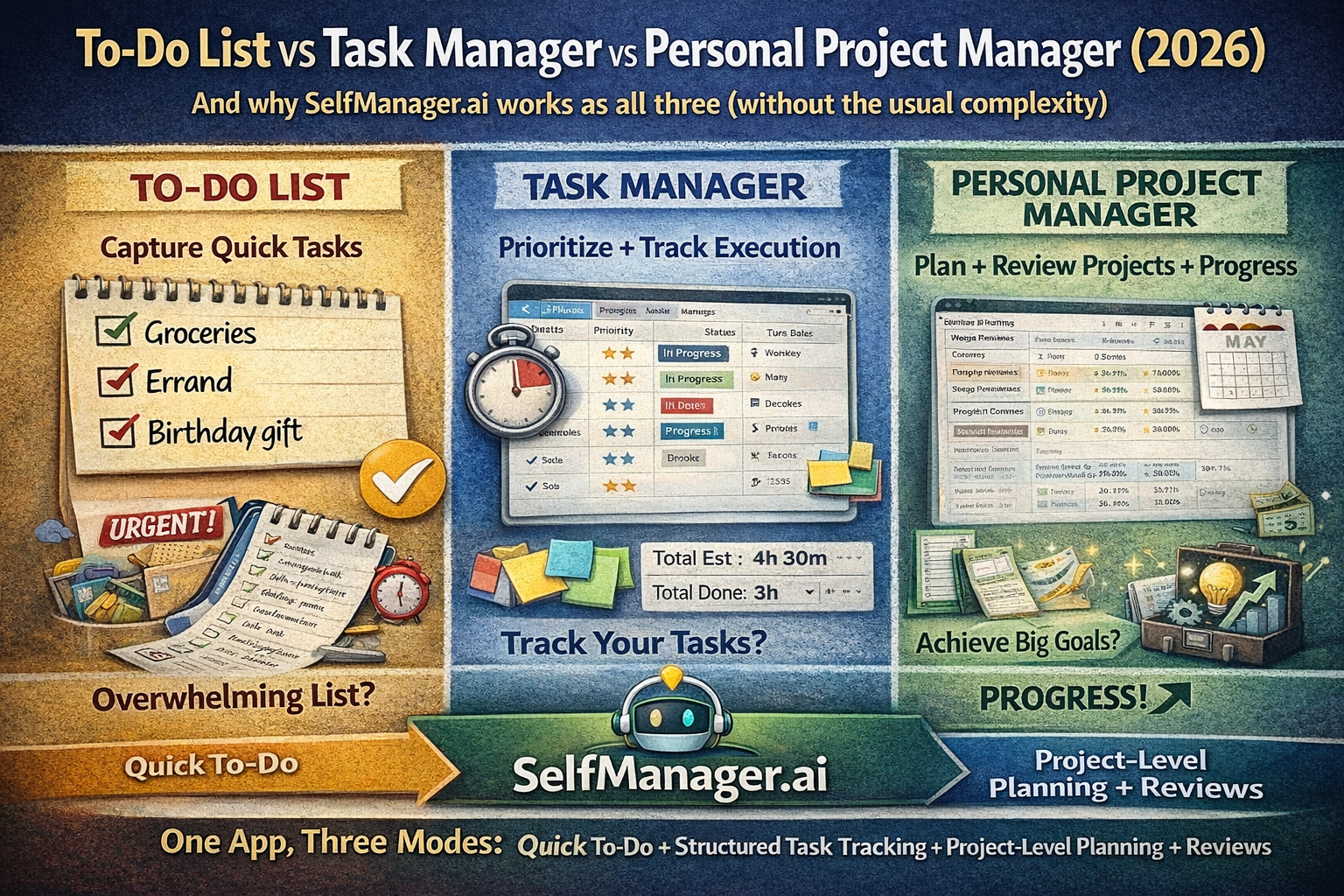
And why SelfManager.ai works as all three (without the usual complexity)
People lump everything into "a to-do app," but there are three different tools hiding under that label:
- To-do list = capture + check off
- Task manager = prioritize + track execution
- Personal project manager = connect work to projects, time periods, and reviews (so you actually make progress)
Most apps are great at one of these.
The reason SelfManager.ai (previously Self-Manager.net) feels different is that it's built around dates + tables, which naturally supports all three modes: quick lists, structured task tracking, and project-level planning + reviews.
1) What a to-do list is (and where it breaks)
A to-do list is a capture tool:
- quick entries
- minimal structure
- satisfying checkmarks
It's perfect for:
- groceries
- quick errands
- "don't forget this" items
- a short daily list
Where it breaks:
- once the list grows
- once tasks depend on each other
- once you have projects and deadlines
- once you need a weekly plan
Problem: a big list makes everything feel equally urgent.
2) What a task manager is (execution engine)
A task manager is built for doing, not just remembering.
It adds:
- priority
- status (not started / in progress / done)
- due dates
- context (notes, files, comments)
- real tracking across a week/month
SelfManager.ai covers this "execution layer" well because tasks live in tables, where you can add notes/comments and track progress—plus it supports real-time sync across devices and people.
It also includes time tracking (built-in timer or duration on completion + totals per task/table), which is a classic "task manager" capability when you care about reality vs estimates.
3) What a personal project manager is (progress engine)
A personal project manager is where things get serious.
It's not just "tasks." It's:
- projects (containers for outcomes)
- planning by time period (week/month/quarter)
- review loops (so you improve, not repeat)
- progress visibility (what's moving vs stuck)
SelfManager.ai is strongly positioned here because its core workflow is date-centric planning (day/week/month) with unlimited tables per date—so you can represent projects as tables and plan work in the time period it actually happens.
It also supports "project portfolio" style workflows via pinned tables (your active projects) and lets AI reason across them.
And it has AI Period Summary for weekly/monthly/quarterly reviews with follow-up questions—basically built-in reflection and recalibration.
The practical difference (simple mental model)
To-do list
Question: "What do I need to remember?"
Output: items
Task manager
Question: "What do I need to execute next, in order?"
Output: prioritized tasks + progress + time
Personal project manager
Question: "What am I building this month/quarter, and is it working?"
Output: outcomes → projects → weekly plan → review
SelfManager.ai works across all three because it combines:
- date-based structure for planning/reviews
- tables for tasks + notes + progress
- AI integrated into your actual work context (tables, pinned tables, logs, time tracking)
How SelfManager.ai covers all three modes
| Need | Most apps | How SelfManager.ai handles it |
|---|---|---|
| Quick to-do capture | simple list | Create a table on today's date; keep it lightweight (acts like a list). |
| Task execution | priority/status/due dates | Tables + progress + notes/comments + time tracking. |
| Project management | projects + progress view | Use tables as projects; pin active projects; see completion/progress and collaborate. |
| Weekly/monthly reviews | usually missing | AI Period Summaries + follow-ups across weeks/months/quarters. |
| Turn messy text into tasks | manual | Paste notes/email/brain dump → AI generates a prioritized task table. |
| Team/collab without per-seat pain | expensive | Team plan includes unlimited team members and sharing. |
The "secret sauce": AI that's attached to your data (not a generic chatbot)
A lot of tools bolt on chat.
SelfManager.ai's AI is designed to work beside your actual tables:
- chat about a specific table (with progress, priorities, time tracking, notes, optional comments, and table logs)
- summarize a table, then follow up to turn the summary into next steps
- chat/summarize across pinned tables (your active projects) for weekly planning and portfolio-level visibility
- AI Period Summary for weekly/monthly/quarterly reflection with follow-ups
If you want one setup that "just works"
Here's a clean way to use it as all three:
Daily (to-do list mode)
- 1 table: "Today"
- keep it short
Weekly (task manager mode)
- 2–4 pinned tables for active work
- priorities + time tracking for reality
Monthly/Quarterly (personal project manager mode)
- projects = tables
- weekly reviews + AI Period Summary to adjust the system
SelfManager.ai is literally built around moving between dates/weeks/months and using that history for reviews.
Quick note on pricing and why it matters in 2026
If you're using it personally, the site lists an Individual plan at $5/month and a Team plan at $20/month (with unlimited team members) plus a 7-day free trial.
That matters because a "personal project manager" often turns into a team tool as soon as you collaborate with clients or a small team—without wanting seat-based pricing.
Date-based AI Task Manager
Plan smarter, execute faster, achieve more
Create tasks in seconds, generate AI-powered plans, and review progress with intelligent summaries. Perfect for individuals and teams who want to stay organized without complexity.
Get started with your preferred account