
Asana Use Cases: What Power Users Actually Build With It
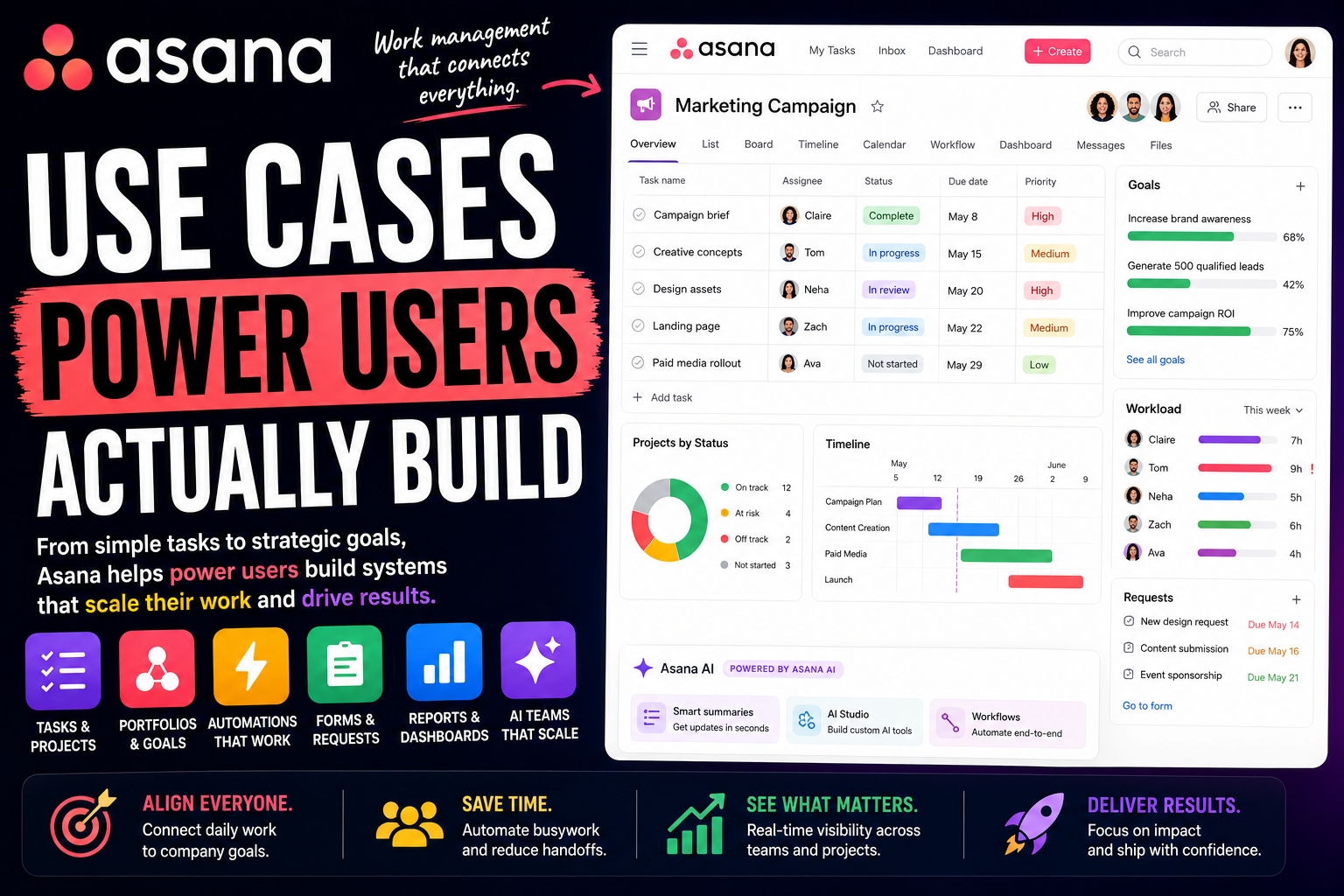
Asana calls itself work management - powerful enough for any workflow, easy enough for any team. Most people who sign up prove only the second half. They use it as a shared to-do list, assign a few tasks, and never touch the structure underneath.
Power users prove the first half. To them, Asana is not a task app. It is the connective tissue of an organization - the system that links one person's daily task all the way up to a company goal, and keeps a dozen teams coordinated without a single status meeting.
That is the gap this article is about. Two people can use the same Asana and have completely different experiences: one has a tidy task list, the other can see how every piece of work in the company ladders up to strategy.
Here is a full look at what Asana power users actually build, and how.
What separates an Asana power user from everyone else
The difference is not effort. It is how much of Asana's structure you actually use.
Casual users live inside a single project. Power users understand the whole hierarchy - Teams hold Projects, Projects hold Tasks, Tasks hold Subtasks, and Sections keep each project organized. Behind all of it sits the Work Graph, Asana's map of how every task, project, person, and goal connects.
From there, the real toolkit opens up:
- Custom fields. Tasks carry structured data - priority, stage, effort, cost, team - so a project becomes sortable and filterable, not just a list.
- Views. The same tasks can appear as a List, Board, Timeline, Calendar, or Workload chart. Nothing is duplicated; you just change the lens.
- Rules. No-code automation that assigns, moves, updates, and notifies when a trigger fires.
- Forms. A request becomes a fully structured task automatically, with no copy-paste.
- Portfolios and Goals. The layer that lifts Asana above task tracking - grouping projects for oversight and linking work to company objectives.
The mindset behind it all: power users do not just track tasks in Asana. They build the chain that connects a task to a project, a project to a portfolio, and a portfolio to a goal - so the work and the strategy are never in separate places.
With that in mind, here is what people build.
Personal productivity systems power users build
Asana is built for teams, but it works well for one person too - and power users run their own day on it before they ever touch a team project.
My Tasks as a personal command center
My Tasks is the home for everything assigned to you, pulled from every project at once. Power users treat it as mission control.
They organize it into sections like "Today, Upcoming, Later," and use Rules to sort new tasks automatically as they arrive. Open Asana in the morning and your entire workload across every project is already triaged into one prioritized view.
A personal GTD-style task system
Plenty of power users run a personal task system in Asana, often modeled on Getting Things Done. A private project acts as the inbox where everything lands before it is sorted.
Custom fields capture context and effort, and the List or Board view shows what to do next. It is a personal productivity system with the same structure that runs the rest of their work.
Weekly planning and prioritization
Power users use Asana to plan, not just track. The Calendar view lays the week out by date. Custom fields and sorting surface what actually matters, so the important work does not get buried under the urgent.
The point is deciding the week deliberately. Instead of reacting to whatever is loudest, you start Monday with a clear, ordered picture of what needs to happen.
Personal goals and side projects
Asana's Goals feature is not only for companies. Power users set personal or professional goals and link them to the projects and tasks that move them forward, so progress updates as the work gets done.
Side projects get the same treatment - a dedicated project with milestones and due dates. The result is that personal ambitions are tracked with the same rigor as work, instead of living as vague intentions.
Solo operator and freelance workflows
This is where Asana starts running a business. Freelancers, consultants, and agencies use it to manage client work end to end.
Running client projects
Power users give each client their own project, or a dedicated Team for larger relationships. A consistent structure - sections for each phase, custom fields for status and owner - keeps every client running the same way.
Templates make starting a new client instant: duplicate the template, set the dates, and the whole workflow is ready. Nothing is rebuilt from scratch, and nothing slips.
A lightweight CRM and pipeline
You do not need a separate CRM to track leads. One of Asana's most common uses is exactly this - a project as the pipeline, sections as deal stages, and each prospect a task that moves through them.
Custom fields hold deal value, contact details, and source. Rules trigger follow-up tasks so no lead goes cold. It is a visual sales pipeline that lives next to the work you deliver once a deal closes.
Content and editorial production
Writers, marketers, and agencies run content production in Asana. An editorial project holds every piece of content, with custom fields for status, channel, and owner, and a Calendar view for the publishing schedule.
Each task carries the brief, the draft, and the feedback as subtasks and comments. Proofing tools let reviewers comment directly on creative assets. The whole content operation runs in one place instead of scattering across docs and email.
Intake and request management with Forms
Asana Forms turn a request into a structured task automatically. Power users use this for client intake, creative requests, project briefs, and internal asks.
Someone submits a form, and a complete task lands in the right project with the fields filled and an owner assigned by a Rule. No request gets lost in an inbox, and no detail is missing when work begins.
How teams run on Asana
Personal use is one thing. The real strength of Asana is teams - often many teams at once - coordinating work without constant check-ins.
Project and program management
The core team use case. Tasks roll up into projects, projects group into programs, and dependencies link the work that has to happen in sequence. Timeline view shows the schedule; Workload view shows who is overloaded.
Power users add Milestones to mark key checkpoints and status updates to keep stakeholders informed automatically. The same project serves the person doing the task and the manager watching the deadline.
Marketing campaigns and creative production
Marketing teams run campaigns, launches, and creative work in Asana. A campaign project tracks every deliverable from brief to published, with custom fields for channel and stage.
Creative review happens in Asana through proofing, so feedback stays attached to the asset. Rules route work between the strategist, the designer, and the reviewer, so the campaign moves without anyone chasing it.
Product launches and roadmaps
Product and launch teams use Asana to coordinate the dozens of moving parts a release involves. A launch project, often started from a template, assigns every cross-functional task with a clear owner and date.
A roadmap project tracks features by status and quarter, each one carrying its spec and linked work. Because marketing, engineering, and product all work in the same Asana, the launch is genuinely coordinated rather than three teams guessing.
Agile and sprint management
Engineering teams run sprints in Asana with a Board view, custom fields for story points and status, and a project per sprint or a rolling backlog. Bugs are captured as tasks, triaged, and assigned.
It is not a specialized developer tool, but for teams that want planning and execution alongside the rest of the company's work, it keeps engineering connected to product and marketing instead of siloed.
Goals and OKR tracking
This is one of Asana's signature strengths. The Goals feature holds company and team objectives, and each goal connects directly to the projects and tasks driving it.
Progress rolls up automatically from the work below, so leadership sees a live picture instead of a quarterly spreadsheet. The point is the link: every person can see how their daily tasks ladder up to something that matters.
Operations and recurring process management
Operations teams use Asana to run repeatable processes - employee onboarding, vendor reviews, monthly close, compliance checklists. Each process is a template that spins up the same set of tasks every time.
Rules handle the routing and reminders. The result is that critical recurring work runs as a reliable system instead of depending on someone remembering every step.
The advanced layer: automation, portfolios, and AI
This is where power users stop coordinating by hand and start building systems that run themselves.
Rules and no-code automation
Asana Rules follow a trigger-and-action pattern. When a task is created, assign it. When a field changes, move it to a section. When a due date passes, notify the owner.
Power users chain Rules together so the routine coordination - assigning, sorting, updating status, nudging - just happens. Newer customizable automations give finer control over multi-step workflows, and the routine handoffs stop eating anyone's day.
Portfolios and program oversight
Portfolios are how power users see across many projects at once. A portfolio groups related projects and shows the health, progress, owner, and dates of each in a single view.
For anyone managing a program or a department, this is the difference between confidence and guesswork. Leadership gets a live status across everything in flight without asking a single person for an update.
Dashboards and reporting
Asana's reporting turns the Work Graph into charts. Power users build dashboards that show tasks by status, workload across the team, overdue work, and progress toward goals - all updating in real time.
Status reporting that used to take half an hour to assemble becomes a link. For deeper analysis, the API lets teams export Asana data into tools like Power BI or Tableau.
AI Studio: automating the busywork
AI Studio is Asana's no-code builder for AI-powered workflows. Power users use it to design smart rules that go beyond simple automation - drafting content, summarizing updates, triaging incoming requests, and routing work based on what a task actually contains.
It handles the clearly repeatable work. You describe what should happen, and AI Studio runs it inside your projects without anyone writing code.
AI Teammates: agents that work in your projects
This is Asana's newest layer and a real shift. AI Teammates are collaborative AI agents that live inside projects as if they were team members. They can be assigned tasks, given feedback in comments, and scheduled to scan projects for risks.
Asana ships prebuilt teammates for common roles - a Campaign Brief Writer, a Launch Planner, a Status Reporter, a Bug Investigator, and more - and a no-code builder for custom ones. They draw on the Work Graph for context and can read and write files in tools like Google Drive. For power users, the most coordination-heavy work is starting to be delegated rather than done by hand. One practical note: AI Studio and AI Teammates are paid add-ons on top of a plan, so the capability is real but not free.
Where Asana is not the right tool
A roundup like this can make Asana sound like it does everything. It does a lot, but power users are usually clear about the limits.
The first is fit. Asana is built to coordinate real work across teams, and that structure can feel like overkill for a single person or a tiny team who just need a simple shared list - a lighter tool gets them there faster.
It is also not a documents or knowledge tool. Asana is excellent at tasks and projects, but it is not the place for long-form writing, a wiki, or a flexible database. Teams that want those usually pair it with another tool. And the most advanced capabilities - deeper automation, reporting, and the AI features - sit on the higher-priced tiers.
The honest takeaway: Asana is exceptional at connecting work across teams and tying it to goals, and less suited to being a lightweight personal tool or an all-in-one workspace. Power users lean into the coordination strength rather than forcing it to be something else.
The common thread
Look across all of these use cases and one pattern stands out. Asana power users are not chasing the most features. They are chasing clarity.
The client projects, the campaigns, the portfolios, the goals - in a mature Asana setup they are not separate islands. They are one connected structure where a task links up to a project, a project to a portfolio, and a portfolio to a goal. That is the real reason organizations commit to Asana: not any single feature, but the visibility of seeing how everything fits together.
Worth one honest note to close on. The risk with Asana is process for its own sake. It is easy to add so many custom fields, required steps, and rules that the system becomes a burden people quietly route around. The power users who get real value keep their workflows light enough that the team actually follows them - structure that serves the work, never structure that smothers it.
FAQ
What is Asana used for?
Asana is a work management platform for coordinating tasks, projects, and workflows across teams. It is used for project management, marketing campaigns, product launches, goal tracking, operations processes, client work, and connecting daily tasks to company objectives.
Is Asana good for personal use or only for teams?
Both. Asana has a free Personal plan, and many power users run their own tasks through My Tasks, personal projects, and Goals. It is built for teams, but it works well as an individual task system too.
What makes someone an Asana power user?
Power users go beyond a single shared list. They use custom fields, Rules, multiple views, templates, Forms, Portfolios, and Goals - and they build the connection from individual tasks up to projects, portfolios, and company objectives.
What is the difference between AI Studio and AI Teammates?
AI Studio is a no-code builder for AI-powered workflows that automate clearly repeatable tasks behind the scenes. AI Teammates are collaborative AI agents that live inside projects as team members - they can be assigned work, given feedback, and handle complex, coordination-heavy tasks.
Can Asana replace other tools?
For work coordination, often yes - it commonly replaces task trackers, project spreadsheets, and status-meeting overhead. It is less likely to replace a documents tool, a wiki, or a flexible database, so teams often pair it with one.
Is Asana good for freelancers and agencies?
Yes. Freelancers and agencies use Asana to run client projects, a sales pipeline, content production, and request intake. Per-client projects and templates make onboarding new clients fast and consistent.
What is the downside of using Asana?
It can feel like more structure than a single person or very small team needs, it is not a documents or knowledge tool, and the most advanced automation, reporting, and AI features sit on higher-priced plans. There is also a real temptation to over-engineer workflows.
Do you need to pay for Asana to use it well?
The free Personal plan covers individuals and small teams well, including core tasks and several views. Paid plans add Timeline, Portfolios, Goals, advanced Rules, reporting, and the AI features. Most individuals can stay free; most growing teams eventually upgrade.
Date-based AI Task Manager
Plan smarter, execute faster, achieve more
Create tasks in seconds, generate AI-powered plans, and review progress with intelligent summaries. Perfect for individuals and teams who want to stay organized without complexity.
Get started with your preferred account