
AI Task Manager for ADHD: 9 Apps Worth Trying in 2026
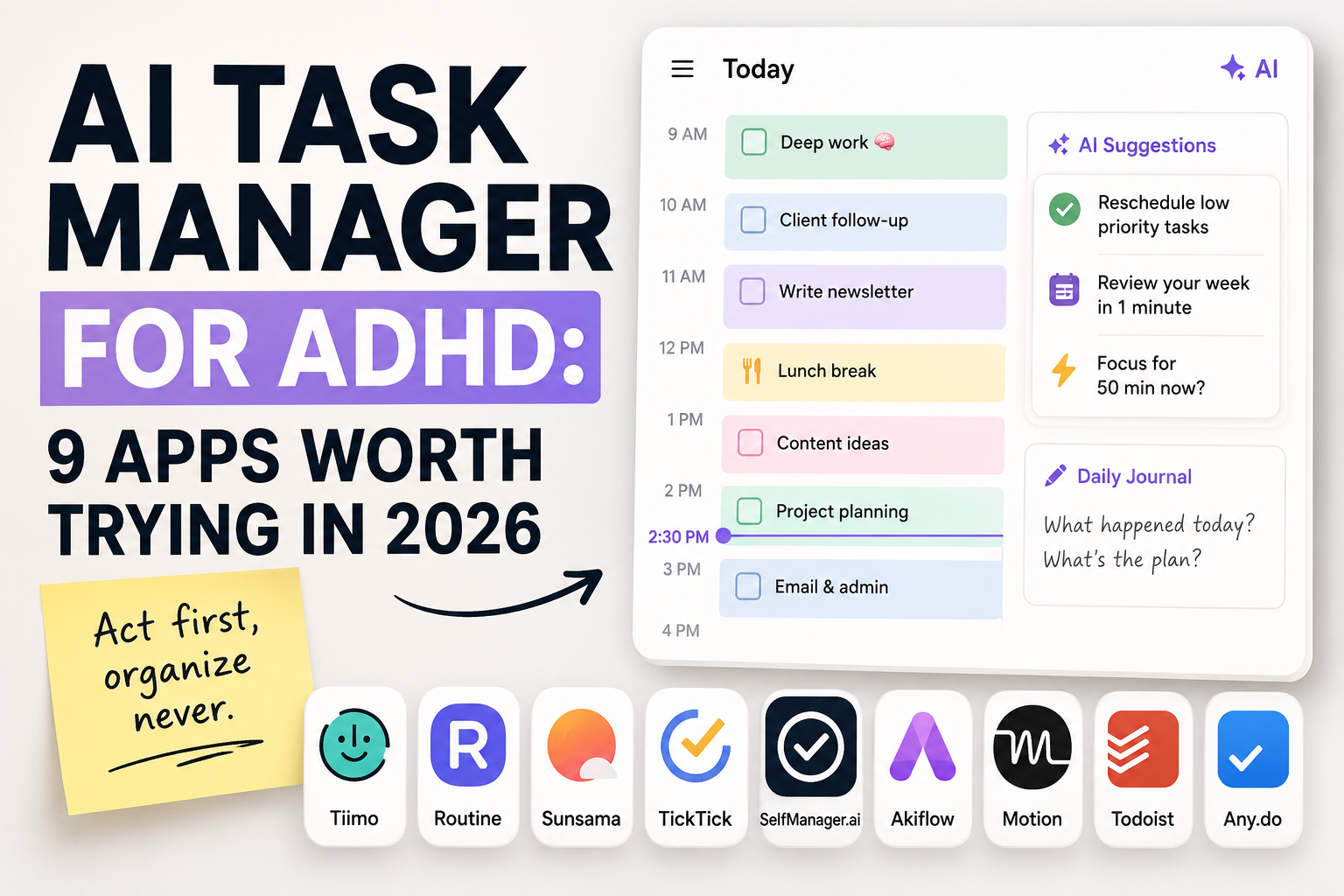
Most task managers are built for people who already think in systems. Folders, nested projects, tags, priority matrices. For an ADHD brain, that setup is not a feature. It is a wall.
The pattern is familiar. You install a new app, spend an evening building the perfect structure, use it for four days, then never open it again. The app did not fail because it lacked features. It failed because it asked you to organize before you could act.
The tools worth using do the opposite. They lower the cost of starting, they hold context so your working memory does not have to, and they forgive the days you fall off. AI helps here when it removes decisions rather than adding dashboards.
Here are nine task managers worth trying if you have ADHD, with an honest read on who each one actually fits.
What to look for in an ADHD task manager
Before the list, a quick filter. Not every "ADHD-friendly" label means much. These are the things that actually matter:
Low setup cost. If you need a tutorial and a free weekend to get going, you will bounce. The best apps are useful within minutes.
Few decisions per task. Every choice (which project, which tag, which priority) is a small tax. ADHD brains pay that tax in full. Fewer fields means more done.
Context capture. Working memory is the weak point. An app that lets you note why a task exists, in the moment, saves you from rediscovering it later.
Forgiveness. You will skip days. A good tool lets you pick back up without guilt or a cleanup ritual.
Visible time. Time blindness is real. Apps that show time, not just lists, help you feel the day instead of guessing at it.
With that lens, here is the roundup.
1. Tiimo - Best for visual time-blocking
Tiimo is the closest thing on this list to a true ADHD-first app. It was designed around visual schedules, timers, and a calm interface that shows your day as blocks rather than an endless list.
The visual timeline is the standout. Instead of reading text, you see your day laid out, with a marker moving through it. For time blindness, that is genuinely helpful. It also has widgets and focus timers that keep the current task in view.
The tradeoff is depth. Tiimo is excellent at "what am I doing right now and next," less suited to managing a large body of long-term work. If your day is more about execution than planning, that is a fair trade.
Best for: People who think visually and need to see time, not just tasks.
2. Routine - Best for blending calendar and tasks
Routine merges your calendar and your to-dos into one view, with a fast capture bar and a clean daily planner. The idea is that tasks and events live together, so your day is one picture instead of two competing apps.
The quick capture is well done. You can drop a thought in without breaking focus, then sort it later. For ADHD, that "catch it before it is gone" speed matters.
It leans toward people comfortable with a calendar-driven life. If calendars stress you out, this may not be the fit. If they anchor you, Routine is strong.
Best for: People who already live in their calendar and want tasks in the same place.
3. Sunsama - Best for calm, deliberate planning
Sunsama is built around a daily planning ritual. Each morning you pull in tasks, decide what is realistic, and commit to a focused list. It deliberately slows you down.
For ADHD, the value is the guardrail against overcommitting. Sunsama nudges you to be honest about how much fits in a day, which counters the classic "I will do twelve things" optimism.
The cost is price and pace. Sunsama is on the expensive side, and the daily ritual is a habit you have to keep. When it sticks, it is calming. When it slips, the cost feels high.
Best for: People who overcommit and need a planning ritual to stay realistic.
4. TickTick - Best all-in-one with a built-in focus timer
TickTick is a capable all-rounder. Tasks, calendar, habits, and a built-in Pomodoro timer all in one app. For ADHD, the focus timer being native is a real plus, since you do not have to leave the app to start a session.
It captures fast, syncs everywhere, and does not force a heavy structure on you. You can keep it simple or grow into it.
The risk is the same as any flexible app. The features are there to be configured, and configuration is a rabbit hole. Used lightly, TickTick is one of the better balanced options.
Best for: People who want tasks, habits, and a focus timer without juggling apps.
5. SelfManager.ai - Best for date-based planning without project hierarchy
SelfManager.ai takes a different structural bet. Instead of projects and folders, the unit is the day. Every task lives on a date, and the main view is simply what today looks like.
For ADHD, that removes a whole category of friction. There is no hierarchy to maintain, no "which project does this belong to" decision before you can act. You open it and you see today. Organization is not a prerequisite for starting.
Two other parts fit the ADHD pattern well. You can journal alongside tasks, logging what happened and why in the moment, which takes pressure off working memory. And the AI handles reviews. Weekly, monthly, or quarterly reviews are exactly the high-friction, low-reward task that ADHD brains skip, so having the AI produce one in under a minute means the review actually happens.
It will not suit everyone. If you genuinely want deep project structures and dependency tracking, this is not that tool. The deliberate simplicity is the point.
Best for: People who get overwhelmed by project hierarchies and just need a clear, date-based picture of the day.
6. Todoist - Best for fast, frictionless capture
Todoist earns its place through speed and reliability. Natural language input means you can type "email landlord tomorrow 9am" and it parses correctly. Capture is close to instant.
For ADHD, fast capture is the core job. The thought arrives, you get it out of your head before it vanishes, you move on. Todoist does that as well as anything.
It can grow complex with projects and filters, but the trick with ADHD is to resist that. Used as a fast inbox and a simple today list, it is hard to beat.
Best for: People who need to capture thoughts instantly and keep the system light.
7. Akiflow - Best for consolidating tasks into time blocks
Akiflow pulls tasks from many sources into one place, then helps you drag them onto your calendar as time blocks. It has a command bar for keyboard-fast control.
The strength for ADHD is consolidation. If your tasks are scattered across email, Slack, and three apps, Akiflow gives you one surface and a clear "now block this onto a time" step.
It is a power tool, with a power tool price and a learning curve. For someone who already time-blocks and wants it faster, it fits. For someone new to planning, it may be more machine than needed.
Best for: People who time-block already and want every task in one fast surface.
8. Amplenote - Best for notes and tasks in one place
Amplenote connects notes and tasks tightly. Tasks can live inside notes, and it uses a scoring system to surface what to do next.
For ADHD, keeping notes and tasks together helps. The context for a task often lives in a note, and splitting them across apps means losing the thread. Amplenote keeps them joined.
The task-scoring approach is either a help or a distraction depending on the person. Some find it removes the "what next" decision. Others find tuning the score becomes its own rabbit hole. Worth a trial to see which camp you land in.
Best for: People whose tasks and notes are inseparable and want one home for both.
9. Motion - Best for automatic AI scheduling
Motion leans hardest into AI. You add tasks with deadlines and durations, and it builds your schedule for you, reshuffling automatically as things change.
The pitch for ADHD is obvious. If deciding the order of the day is the hard part, letting software decide removes that load entirely.
The honest caveat is two-sided. When it works, it is a relief. When the auto-schedule does not match how you actually feel that day, fighting it can be frustrating. It also sits at the premium end on price. Motion suits people who want to hand off scheduling completely.
Best for: People who want AI to build and rebuild the daily schedule automatically.
Quick pick guide
If you skimmed, here is the short version:
You think visually and need to see time: Tiimo.
You live in your calendar: Routine or Akiflow.
You overcommit and need a realistic daily plan: Sunsama.
You want one app for tasks, habits, and focus sessions: TickTick.
You get overwhelmed by project structure and want a simple date-based day: SelfManager.ai.
You just need to capture fast and keep it light: Todoist.
Your notes and tasks belong together: Amplenote.
You want AI to schedule everything for you: Motion.
FAQ: AI task managers for ADHD
What makes a task manager good for ADHD?
Low setup cost, few decisions per task, the ability to capture context fast, and forgiveness when you skip days. Visible time helps too. The worst apps demand organization before you can act. The best ones let you act first.
Does AI actually help, or is it hype?
It helps when it removes decisions. AI that auto-schedules your day or writes your weekly review is genuinely useful, because it takes over the high-friction tasks ADHD brains avoid. AI that just adds another dashboard to check does not.
Should I pick the app with the most features?
Usually no. Feature-rich apps invite endless configuring, and configuring is a trap. Pick the simplest tool that covers capture and a daily view, then resist adding to it.
Why do I keep abandoning task managers?
Often because the app required a system you had to build and maintain. The maintenance is the failure point. Tools that work with no upkeep, or that let you restart without a cleanup ritual, are far more likely to stick.
Final thought
There is no single best ADHD task manager, because the friction point differs per person. For some it is time blindness, for others it is decision load, for others it is the cost of restarting after a bad week.
Match the tool to your specific friction, not to the longest feature list. And give yourself permission to switch. The app that fails you was not a personal failure. It was just the wrong fit.
Date-based AI Task Manager
Plan smarter, execute faster, achieve more
Create tasks in seconds, generate AI-powered plans, and review progress with intelligent summaries. Perfect for individuals and teams who want to stay organized without complexity.
Get started with your preferred account