
How to Turn Website Screenshots and Client Feedback Into a Revision Checklist With AI
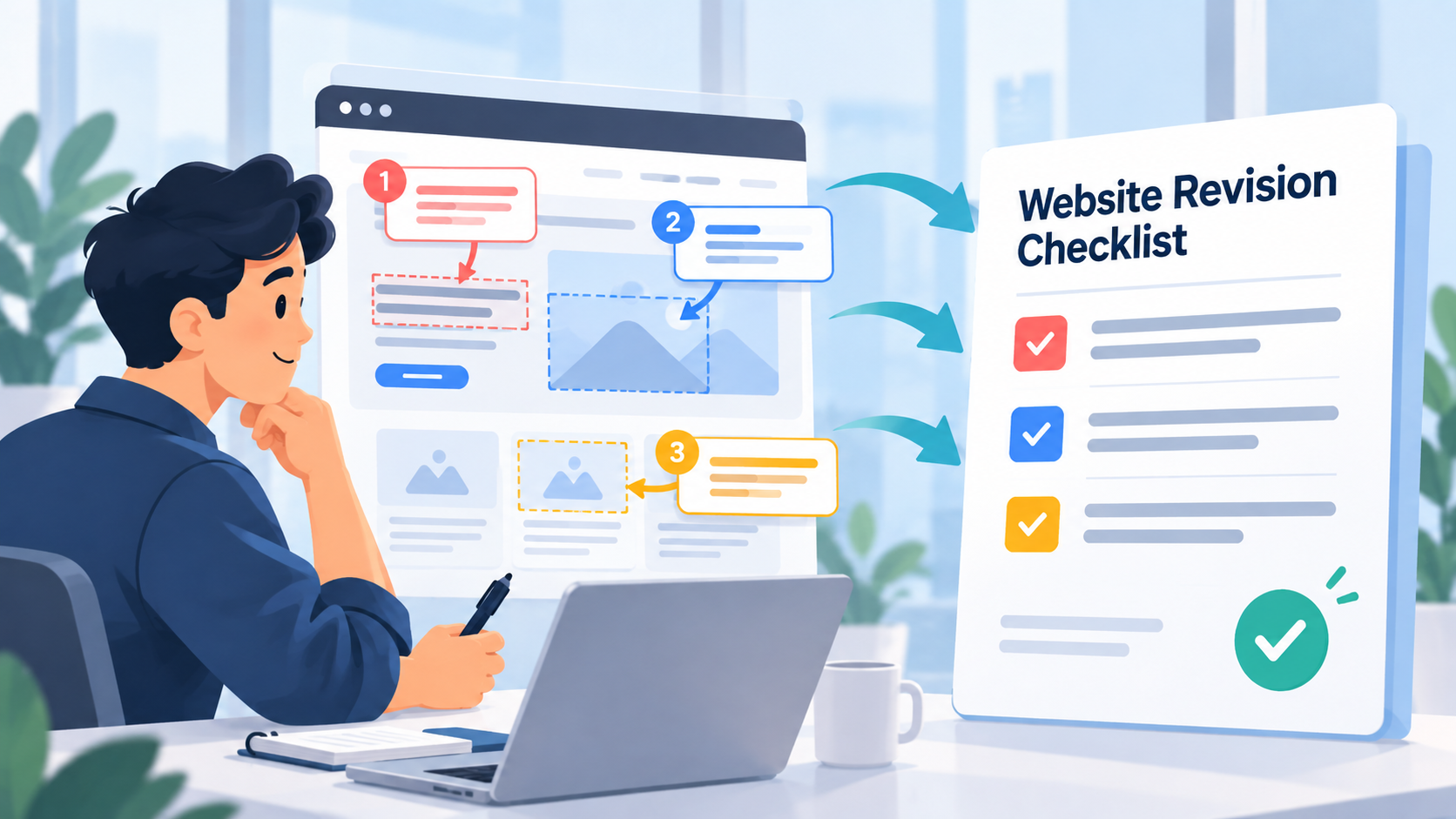
Website feedback rarely arrives as a clean task list.
A client sends a screenshot.
Then a message:
The hero still feels too empty.
Another comment says:
Can we make the button stand out more?
A third request refers to something visible in the screenshot but never names the element precisely.
Meanwhile, your project already contains tasks for the same page.
The problem is not simply extracting text into tasks.
The problem is combining what the client said, what the screenshot actually shows, and what is already planned without creating duplicates or misunderstanding the requested revision.
A better workflow is:
Website screenshot + client comments + existing project tasks → AI analysis → human-reviewed revision checklist → tasks you choose to add or update
The screenshot provides visual context.
The comments provide client intent.
The existing tasks tell you what is already being worked on.
AI can help connect those pieces, but the final revision checklist still needs human review.
Why Website Revision Feedback Is Different From Ordinary Text-To-Task Extraction
Turning an email into tasks is relatively straightforward.
The instructions are mostly in the words.
Website feedback is often different because some of the information exists only visually.
A client might write:
Move this down slightly.
What is "this"?
The screenshot may make it obvious.
Or:
The cards still look crowded.
Which cards?
How crowded?
Is the issue spacing between cards, internal padding, typography, or the number of cards visible in the row?
Or:
Can we use the same style here as above?
Without seeing the page, that sentence barely means anything.
This is why visual revision work should not be treated as another generic:
paste feedback → generate tasks
workflow.
The useful unit of context is often:
image + comment + existing project state
The Goal Is a Revision Checklist, Not Blind Task Creation
Before adding anything to your project, create a revision checklist.
That checklist gives you a chance to separate:
- Clear requests
- Visual observations
- Existing tasks that already cover the request
- New work
- Ambiguous feedback that needs clarification
- Suggestions from AI that the client never actually requested
This distinction matters.
AI may look at a screenshot and notice ten things that could be improved.
That does not mean the client asked you to change all ten.
A revision checklist should preserve the difference between:
client-requested work
and
possible improvements noticed by AI
Only the first category should automatically influence the agreed revision scope.
A Practical Website Revision Checklist Template
You can use this structure before entering or modifying project tasks.
Website Revision Checklist
Page:
[Page or screen being reviewed]
Source:
[Client screenshot / comments / review call / other]
Confirmed Client Revisions
- ☐ [Revision requested by client]
- ☐ [Revision requested by client]
- ☐ [Revision requested by client]
Existing Tasks That Already Cover Feedback
- [Existing task] → covers [client request]
- [Existing task] → partially covers [client request]
New Tasks Needed
- ☐ [New actionable revision]
- ☐ [New actionable revision]
Questions for Client
- [Ambiguous request that needs clarification]
- [Decision the client needs to make]
Visual Observations - Not Yet Approved
- [Potential issue noticed from screenshot]
- [Possible improvement]
This last section is useful because it prevents AI observations from quietly becoming client requirements.
Fictional Example: Homepage Revision Round
The following example is completely fictional.
No actual website screenshot was supplied or analyzed for this article, and no product test was performed.
The company, project, screenshot description, comments, tasks, and resulting revision checklist were created only to demonstrate the workflow.
Imagine Maya is a freelance web developer redesigning the homepage for a fictional furniture retailer called Northfield Home.
The client sends one homepage screenshot with three comments.
Maya already has several related tasks in her project table.
The Fictional Screenshot
The screenshot shows the desktop homepage at approximately 1440px wide.
At the top is a navigation bar.
Below it is a large hero section containing:
- A headline on the left
- A short supporting paragraph
- A blue primary CTA button
- A lifestyle product image on the right
Below the hero is a three-column category section with cards for:
- Living Room
- Bedroom
- Dining
Each category card contains an image, heading, and short description.
Below that is the beginning of a testimonial section.
Again, this is only a written fictional description of an imagined screenshot.
The Three Fictional Client Comments
The client sends these comments with the screenshot:
Comment 1
The hero still feels too tall. Can we bring the category cards higher so you can see the beginning of them without scrolling?
Comment 2
The blue button doesn't stand out enough against everything else. Can you make the main action clearer?
Comment 3
The text inside these three cards feels cramped, especially the middle one. I think it needs more room.
These requests are understandable, but they still need to be connected to the visual layout and current project work.
Existing Fictional Project Tasks
Maya's project table already contains:
Task: Reduce homepage hero vertical spacing
Status: In progress
Note:
Reduce desktop hero padding after final client review. Mobile spacing should remain unchanged unless specifically requested.
Task: Update primary CTA styling
Status: Not started
Note:
Explore stronger contrast while keeping the approved blue brand color.
Task: Finalize category-card responsive layout
Status: In progress
Comment:
Desktop grid complete. Tablet wrapping still needs testing.
Task: Homepage testimonial spacing
Status: Not started
Task: Cross-browser homepage QA
Status: Not started
Now imagine processing the screenshot feedback without checking these tasks.
You could easily create:
- Reduce hero height
- Move categories upward
- Improve button contrast
- Change CTA styling
- Add padding to cards
- Fix card spacing
That creates duplicates immediately.
The better approach is to compare the feedback against the work that already exists.
Step 1: Identify What the Client Actually Requested
From the three comments, the client has requested three outcomes.
Hero
Make more of the category section visible without scrolling.
Primary CTA
Make the main action visually clearer.
Category Cards
Give the text more breathing room.
That is already more useful than copying the comments word for word.
But it is still not the final task list.
Step 2: Compare the Requests With Existing Tasks
The first request closely matches:
Reduce homepage hero vertical spacing
So this probably should not become a new task.
Instead, the existing task should be updated with the additional client context:
Client specifically wants the top of the category cards visible on a typical desktop viewport without scrolling.
The second request matches:
Update primary CTA styling
Again, no new task is necessary.
The third request is less clear.
There is an existing task:
Finalize category-card responsive layout
But its current note is about the grid and tablet behavior.
The client's new feedback concerns internal text spacing on desktop.
That could either become:
- an additional requirement inside the existing category-card task, or
- a separate task if the project's task structure keeps visual styling changes separate from responsive testing.
That is a human organizational decision.
AI can point out the relationship.
It should not silently decide how you structure the project.
Step 3: Use the Screenshot to Understand the Visual Reference
Now the image becomes valuable.
Comment 3 says:
The text inside these three cards feels cramped, especially the middle one.
The screenshot tells you which three cards the client means.
It may also show why the middle card feels more cramped.
Perhaps:
- Its heading wraps to two lines
- Its description is longer
- Internal padding is identical across all three cards
- The card height is fixed
- The text sits too close to the lower edge
Those are visual observations.
They help interpret the feedback.
But they are not necessarily client-approved solutions.
AI might suggest:
Increase card padding.
That could be reasonable.
But perhaps the actual design solution should be reducing copy length.
Or increasing card height.
Or adjusting typography.
The checklist should first capture the requested outcome:
Give category-card text more breathing room, with particular attention to the middle card.
Implementation comes after review.
A Human-Reviewed Revision Checklist for the Fictional Example
After reviewing the screenshot, client comments, and existing tasks, Maya could produce this:
Northfield Home - Homepage Revision Checklist
Confirmed Client Revisions
- ☐ Reduce the desktop hero's vertical footprint so the top of the category section is visible without scrolling on a typical desktop viewport.
- ☐ Make the primary CTA more visually prominent while retaining the approved blue brand direction.
- ☐ Give the category-card text more breathing room, particularly in the middle card.
Existing Tasks to Update
Reduce homepage hero vertical spacing
Add client requirement:
Goal is to reveal the beginning of the category cards without scrolling on desktop. Do not change mobile spacing unless separately reviewed.
Update primary CTA styling
Add client requirement:
Client wants clearer visual emphasis for the primary action while keeping the existing blue brand direction.
Finalize category-card responsive layout
Add:
Review desktop internal spacing and text fit in all three cards, particularly the middle card.
New Tasks
No new task is definitely required yet.
The three requests can currently be incorporated into existing work.
Questions for Client
None required to begin the requested revisions.
If changing the CTA requires moving outside the approved blue palette, confirm that direction before doing so.
Visual Observations - Not Yet Client Requests
- Middle category title appears to require more vertical space than the others.
- Category descriptions vary in length, which may contribute to inconsistent visual density.
- CTA prominence may depend on surrounding hero contrast as much as the button itself.
Those observations can influence implementation.
They should not be presented as additional client requests.
Why This Checklist Is Better Than Six New Tasks
Without context, the feedback could easily produce duplicate work.
For example:
Reduce hero height
and
Move category cards upward
could describe the same requested outcome.
Likewise:
Improve CTA contrast
and
Update CTA styling
may already be represented by one project task.
A useful AI workflow should help reduce duplication, not create more of it.
The goal is not:
How many tasks can AI extract?
The goal is:
What actually changed in the project because of this review?
How Image-Aware Table Chat Works in SelfManager.ai
SelfManager.ai can keep images with the work they belong to.
Current product documentation says images can be attached to table comments. When images are included as AI context, the AI can inspect those pictures alongside the table's other information rather than working from text alone. Image access is opt-in rather than automatically included in every AI request.
For a website-revision workflow, that means a table could contain:
- Existing revision tasks
- Their statuses and priorities
- Notes
- Client comments
- A screenshot attached to the relevant comment
Then table AI can work from that combined context.
SelfManager's current table chat can already use task progress, statuses, priorities, time tracking, notes, optional comments, and table logs.
When image context is explicitly included, the screenshot can become another part of that project context. SelfManager describes this distinction directly: a screenshot can sit alongside the task, client comment, and notes, so the AI can reason about the visual state together with the written project context.
A Useful Prompt for Website Revision Work
Suppose the screenshot and client feedback have already been stored with the relevant table.
A useful prompt would be:
Review the attached website screenshot, the client comments, and the existing tasks in this table. Create a revision checklist containing:
1. confirmed client-requested changes,
2. existing tasks that already cover those changes,
3. genuinely new work that may need a task,
4. ambiguous feedback that needs clarification,
5. visual observations that may help implementation but were not explicitly requested.
Do not treat your own design suggestions as client requirements.
That last instruction is particularly useful.
It establishes a boundary between analysis and scope.
Ask AI to Check for Duplicates Before Creating Anything
A second useful prompt is:
Compare each requested revision against the existing tasks. For every item, tell me whether it should update an existing task or may require a new task. Do not create anything yet.
This makes the AI perform a reconciliation step.
That is especially useful on projects with multiple rounds of feedback.
By round four, you may already have tasks such as:
- Improve mobile header
- Fix mobile navigation spacing
- Update header breakpoint behavior
- Final mobile header QA
A new screenshot saying:
The menu still feels too close to the logo on mobile.
does not necessarily deserve a fifth task.
It may simply add context to work already in progress.
Images and Comments Have to Be Included Deliberately
SelfManager's current image behavior is explicit rather than invisible.
Its documentation says the user chooses whether comments and images are included with AI requests. Images attached to comments come along when both relevant context options are enabled.
That is useful for this workflow because image analysis is not necessary for every project question.
If you ask:
Which tasks are still open?
you may not need the screenshot.
If you ask:
Which part of the screenshot does the client's third comment appear to refer to?
then you do.
Use visual context when the image materially changes the answer.
AI Should Draft the Checklist, Not Silently Modify the Project
After AI produces the checklist, review it before changing your actual task structure.
For each proposed revision, check four things:
1. Did the client actually request this?
AI may notice an issue independently.
That does not make it approved scope.
2. Does an existing task already cover it?
If yes, adding context may be better than adding another task.
3. Did AI interpret the screenshot correctly?
Visual models can misidentify elements or misunderstand relationships.
If it says:
Client wants the navigation moved lower
but the comment was clearly referring to the hero, correct it.
4. Is the proposed task phrased around an outcome?
Prefer:
Reduce desktop hero height so category cards begin above the fold.
over:
Fix hero.
The checklist should make the next action clearer than the original feedback.
Then Update or Add Tasks Manually
Once the checklist is correct, decide what belongs in the project.
For the fictional example, Maya might update three existing tasks and create zero new ones.
Another revision round might require two updates and three genuinely new tasks.
The important point is that the reviewed checklist comes first.
SelfManager's broader AI design follows the same control principle: AI output remains something the user reviews rather than information that should be assumed correct simply because it was generated.
This is especially important with client work because task creation can affect scope, timelines, and expectations.
Keep the Screenshot Beside the Revision Context
There is another advantage to keeping the image with the project.
Three weeks later, a task such as:
Give category card text more breathing room
may no longer tell the entire story.
The screenshot preserves what the client was looking at when the comment was made.
The comment preserves what bothered them.
The task preserves what you decided to do about it.
Together, those pieces create a better project history than any one of them alone.
This is useful when:
- The client asks why something changed
- A teammate takes over the project
- A later revision appears to contradict an earlier request
- You need to review previous design directions
- Similar feedback returns months later
For more on keeping context attached to completed work, see Best Task Managers That Keep a History of Completed Work in 2026.
Screenshot Feedback Is Not the Same as Client Email Extraction
If a client sends a long email with fifteen written requests, the main challenge is usually parsing the text.
That workflow can be handled with text-to-task tools.
SelfManager can turn unstructured written material such as an email, meeting notes, or a brain dump into an editable table.
Screenshot-based feedback is different.
The text may make sense only when paired with the page itself.
That is the intent this workflow owns:
using visual website context together with project context to prepare revisions
not simply extracting nouns and verbs from client messages.
A Simple Workflow for Your Next Website Revision Round
The next time a client sends screenshot feedback, use this process.
1. Keep the Screenshot With the Relevant Project
Store it where the revision work lives rather than letting it disappear inside a chat thread.
2. Preserve the Client's Exact Feedback
Do not immediately rewrite everything from memory.
Their wording can matter.
3. Review Existing Tasks
Before generating anything new, check what is already open or in progress.
4. Ask AI for a Revision Checklist
Use the screenshot, comments, and existing tasks together.
Separate confirmed requests from visual observations.
5. Reconcile Against Existing Work
Update tasks where possible.
Create new tasks only where the feedback introduces genuinely new work.
6. Review Scope Yourself
Make sure AI has not turned its own suggestions into client requirements.
7. Add or Update the Tasks You Approve
The final project changes should reflect your judgment.
That workflow keeps AI useful without letting it become the person deciding what the client ordered.
From Screenshot to Executable Work
The real value of image-aware project AI is not that it can tell you:
There is a blue button in this screenshot.
You can already see that.
The useful question is:
Given this screenshot, the client's comments, and the work already in progress, what actually needs to change?
That requires more context.
A screenshot provides the visual state.
The client's comments explain the desired outcome.
Existing tasks show what is already planned.
AI can connect those layers and prepare a cleaner revision checklist.
Then you decide what enters the project.
Try It With One Real Revision Round
Choose one active website project where a client has sent visual feedback.
Keep the screenshot with the relevant project context.
Add the client's written comments.
Make sure the current revision tasks accurately reflect what is already underway.
Then ask the table AI to:
compare the screenshot and client comments against the existing tasks, identify duplicates, and draft a revision checklist without automatically treating AI suggestions as approved scope.
Review the result.
Update the tasks that already exist.
Add only the genuinely new work.
That is a much more useful test of image-aware AI than uploading a random screenshot and asking what it sees.
Explore the current image-aware workflow and other AI features here: SelfManager.ai AI Features.
Frequently Asked Questions
Can AI turn a website screenshot into a revision checklist?
Yes, when the screenshot contains enough visible information.
But a screenshot alone may not tell the AI what the client actually wants changed.
The most useful workflow combines the visual reference with the client's written feedback and existing project context.
Why include existing project tasks?
Because some client feedback may already be covered by work that is open or in progress.
Comparing feedback with the current task list can help prevent duplicate tasks and make it clearer whether a request is genuinely new.
Should every issue AI notices become a task?
No.
AI can identify visual issues or possible improvements that the client never requested.
Keep those observations separate from confirmed client revisions unless you decide to discuss or implement them.
Can SelfManager.ai analyze images attached to project comments?
Yes.
Current SelfManager documentation says comments can carry images and that images can be explicitly included with AI context. When comments and images are included, the AI can inspect the visual material alongside the surrounding table information.
Does SelfManager.ai automatically send every project image to AI?
No.
Image inclusion is opt-in. The current documentation says images are sent when the user chooses to include them in the relevant AI request.
Can table chat understand my existing tasks as well as the screenshot?
Table chat can use the table's existing project context, including task progress, statuses, priorities, time tracking where enabled, task notes, comments when included, and table logs where enabled. Image context can additionally be included where supported.
Does AI automatically create the revision tasks after analyzing the screenshot?
The workflow described here does not rely on automatic task creation.
Use AI to draft and reconcile the checklist first. Review the result, then update existing tasks or enter new ones according to what you approve.
What if the client's comment is ambiguous?
Put it in a clarification section instead of guessing.
For example:
"Make this section stronger."
may need a follow-up question if the screenshot does not clearly establish whether the client means typography, contrast, spacing, copy, imagery, or something else.
Should I include visual observations in the checklist?
Yes, but label them separately.
A useful checklist distinguishes between:
Client requested: changes that belong to the revision request.
and
Visual observation: something AI or you noticed that may be worth considering but has not been approved.
Is this the same as turning a client email into tasks?
No.
Text-to-task extraction primarily organizes written instructions.
This workflow is specifically for feedback where the visual state of the website matters to interpreting what the client means.
Can this workflow replace manual design or development review?
No.
AI can help organize feedback and connect it to project context.
The designer or developer still decides whether the interpretation is correct, how the change should be implemented, and whether it belongs within the agreed project scope.
Date-based AI Task Manager
Plan smarter, execute faster, achieve more
Create tasks in seconds, generate AI-powered plans, and review progress with intelligent summaries. Perfect for individuals and teams who want to stay organized without complexity.
Get started with your preferred account