
What changed in SelfManager this November? Pick up yesterday’s project
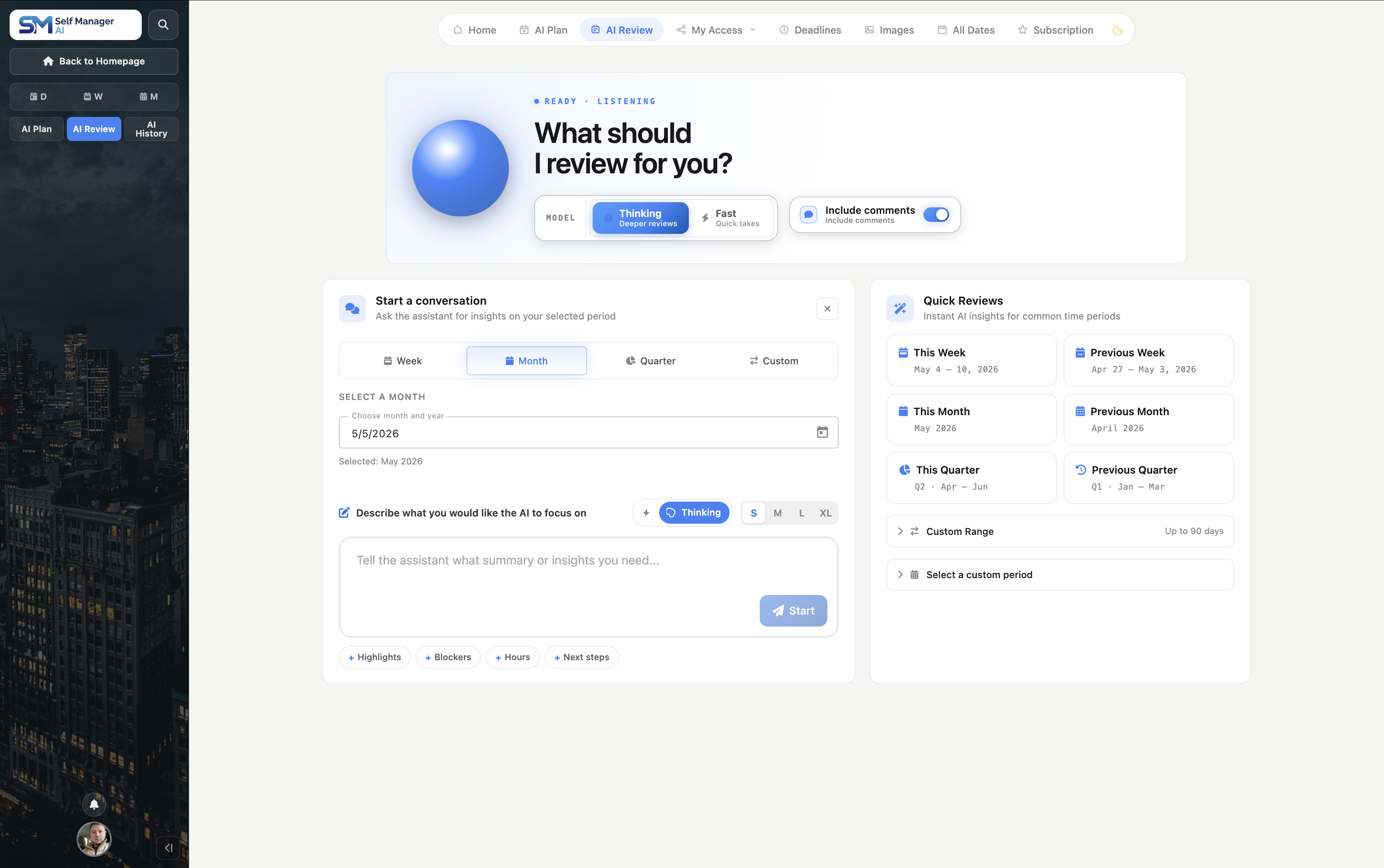
Imagine closing a website launch project on Thursday. The client approved the headline. The pricing screenshot still needs a mobile crop. On Friday, a colleague has to work out which file to use and what to do first. Here’s how to give them those answers inside SelfManager.
Thursday afternoon: leave the decision beside the task
In Thursday’s Website launch table, mark “Approve the headline” complete. Leave “Replace the mobile pricing screenshot” open. Add the approved brief to Files. In the discussion, write “Headline approved. Please use the mobile crop for the pricing screenshot.” Choose Use from this table and select the brief. Anyone who can open that file from the table now has a direct route from the discussion to the original.
Friday morning: choose what the review can see
Open AI Review, choose the workspace that holds the project, and select a period covering Thursday. In Include, select Comments and Docs. Ask “What did the client approve, what still needs work, and which task should I open first? Flag anything the record doesn’t tell you.” Check the reply against the comment and brief. They support starting with the mobile crop. You still need to ask the client for a delivery time.
If the feedback arrived in a video, open the video and request transcription first. When the transcript is ready, turn on Video transcripts for the review. It starts off. You can also attach a new image or document from your device and see the applicable credit estimate before sending. Explore AI Plan and AI Review.
Save the answer for Monday’s handoff
Save the review. In Saved AI History, reopen it when the next person takes over. On a business-owned project, the owner or an appointed Global Admin can share a saved team review with eligible teammates. A client with the Participant role can comment on the table. A Viewer can read it. The weekly check-in can belong to the business and continue after the admin who created it leaves. See team roles and ownership.
More in the November update
- Record up to five hours in All Audio or table Audio on eligible accounts. Saving uses storage. Choose transcription separately when you need the words.
- Keep images, audio, videos, documents and archives together. A comment can reference any of those files already on the table. File limits and storage plans.
- Filter your bell by workspace and mute a table from its menu. Check Activities by table and date when you need the sequence of changes.
- Use date filters from a connected assistant or through the public API. For current device availability, visit SelfManager on mobile.
Open your workspace and try the question on your last project, or read the November update notes.
Date-based AI Task Manager
Plan smarter, execute faster, achieve more
Create tasks in seconds, generate AI-powered plans, and review progress with intelligent summaries. Perfect for individuals and teams who want to stay organized without complexity.
Get started with your preferred account