
Notion Use Cases: What Power Users Actually Build With It
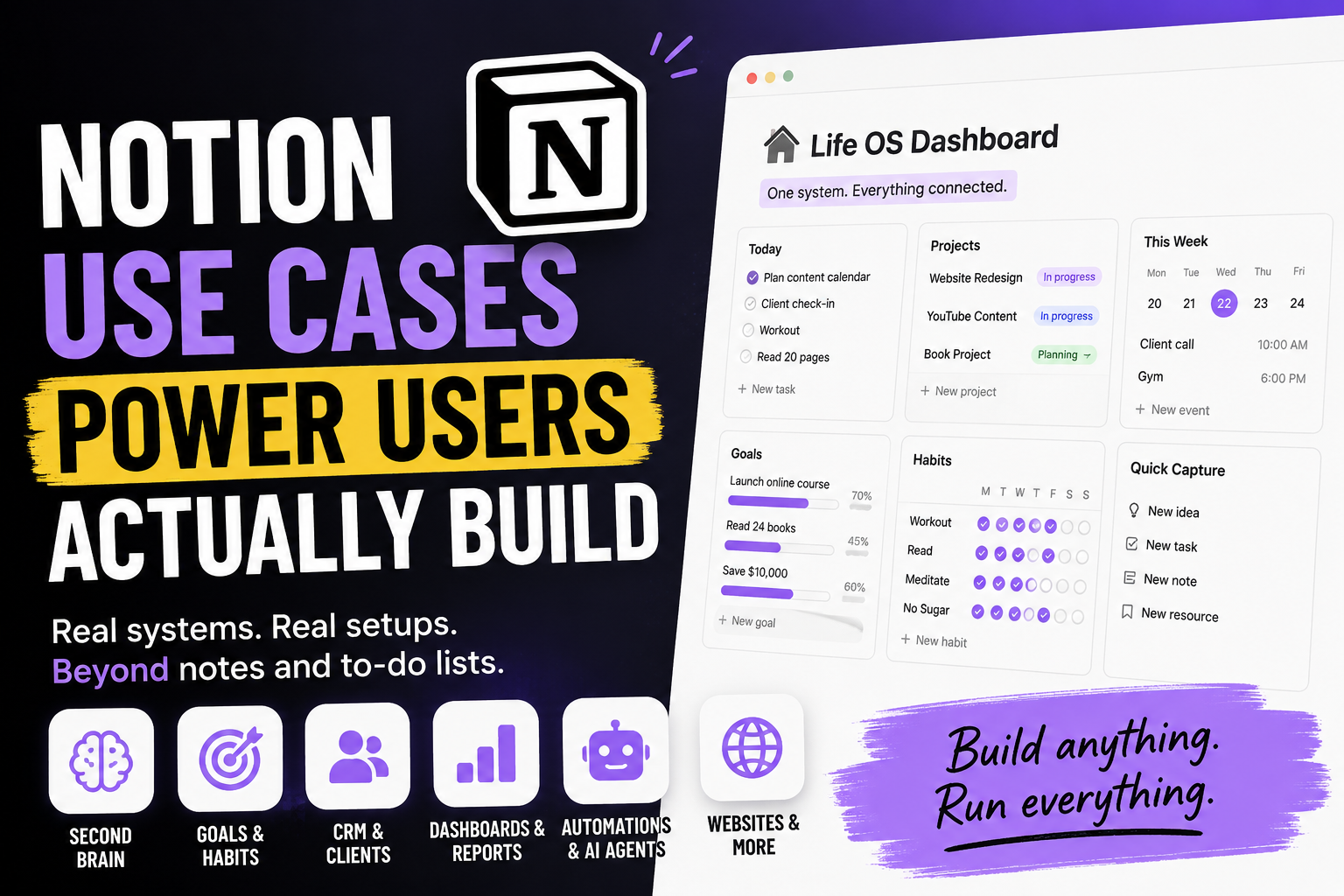
Most people open Notion, type a few notes, and treat it like a prettier version of Apple Notes. That works fine. But it barely scratches what the tool can do.
Power users see Notion differently. To them it is not a notes app. It is a flexible database engine with a clean writing surface bolted on top. They do not just store information in it. They build systems: connected, automated, and increasingly, systems that run on their own.
The result is that two people can use the exact same app and have completely different experiences. One has a folder of pages. The other has replaced six tools, automated their busywork, and runs their entire week from a single dashboard.
This is a full tour of what those systems actually look like, and how they are built. If you have ever wondered what people mean when they say they "run their whole life in Notion," this is the answer, in detail.
What separates a power user from everyone else
The gap is not effort or hours logged. It is which features you reach for.
Casual users live in pages, headings, and bullet points. Power users live in databases. This is the single biggest mental shift, and everything else follows from it.
A database in Notion is not a spreadsheet. It is a collection of pages with structured properties attached - things like status, date, person, tags, and numbers. Once information sits in a database, it can be filtered, sorted, grouped, and shown in completely different views without ever moving the underlying data. The same set of tasks can appear as a table today, a Kanban board tomorrow, and a calendar on Friday. Nothing is duplicated. You are just looking at one dataset through different lenses.
From there the real toolkit opens up:
- Relations link one database to another, so a task can point to the project it belongs to.
- Rollups pull information across those links, so a project can show how many of its tasks are done.
- Formulas calculate - progress percentages, streak counts, days since last contact, custom priority scores.
- Buttons trigger multi-step actions with one click, like creating a pre-filled entry and updating three properties at once.
- Synced blocks keep the same content updated in several places at the same time.
- Database templates turn a repeatable page setup into a one-tap action.
Add the API, native automations, and Notion's AI agents on top, and you stop using Notion as software. You start using it as a platform you shape yourself. That is the real definition of a power user: someone who treats Notion as raw material, not a finished product.
With that foundation in place, here is what people actually build.
Personal systems power users build
This is where most people start, and where Notion quietly replaces three or four separate apps.
A second brain for notes and knowledge
The classic use case. Power users turn Notion into a personal knowledge base where every note, idea, saved article, and reference connects to everything related to it.
The trick is structure. Instead of one endless page, knowledge lives in a database where each entry is tagged by topic, type, and source. A note can be linked to the project it influenced, the book it came from, or the person who mentioned it. The web clipper drops articles straight into the database from your browser, and Notion's 500-plus supported embeds let you pull in videos, posts, PDFs, and maps without leaving the page.
Over time this becomes something a folder of documents never can: a searchable, connected map of how you think. Six months later you can find not just a note, but everything that note touched.
A personal dashboard, or "life OS"
Many power users build one home page that works as mission control for their entire life. It pulls in today's tasks, this week's events, current goals, active projects, and whatever else matters.
The key is that the dashboard is assembled from linked database views, not copies. You update a task once and it changes everywhere it appears - on the dashboard, in the project, on the calendar. Open Notion in the morning and the day is already laid out for you.
This is usually the setup people mean when they say they "run their life in Notion." It is one page sitting on top of a dozen connected databases.
Habit and goal tracking
Notion is a popular home for habit streaks, weekly reviews, and long-term goals. A habits database logs daily check-ins. Formulas calculate current streaks and completion rates. A rollup ties small daily actions back to the larger goal they serve, so you can see that "read 20 pages" is actually feeding "finish 24 books this year."
It is less automated than a dedicated habit app, and it will not nag you with notifications. But it is far more flexible. You decide exactly what to track, how to measure it, and how to see it - and it sits right next to everything else you are working on.
Journaling and daily logs
A lot of power users keep a daily log as a database, with one entry per day. Each entry can hold a journal note, a mood rating, a list of what got done, and links to the tasks and meetings from that day.
Because every day is a structured record, patterns become visible. You can filter for your most productive days, scan a month at a glance in calendar view, or look back at what was happening the last time a project stalled. A paper journal cannot be queried. This one can.
Reading, learning, and media libraries
Books, courses, films, podcasts, saved videos - power users catalog all of it in databases. Each entry gets a rating, status, tags, and a notes section. Filtered views show what you are reading now, what is queued, and what you finished this year.
It sounds trivial until you have a few hundred entries. At that point "what should I read next" becomes a two-second filtered view instead of a vague feeling, and your highlights and takeaways all sit in one searchable place.
Personal finance and budgeting
Notion is not a replacement for proper accounting software, but plenty of power users run a personal budget in it anyway. A transactions database is tagged by category and month. Rollups total spending per category. Formulas compare actual spending against a budget and flag overspending.
The appeal is the same as everywhere else: the budget is not in a separate app you forget to open. It lives next to your goals, so "save for a trip" and the spending that funds it are in the same workspace.
Solo and freelance workflows
This is where Notion starts paying rent. Freelancers, consultants, and solo operators use it to run the business side without paying for five separate tools.
A lightweight CRM
You do not need Salesforce to track 40 clients. A simple Notion database with contact details, company, deal stage, last contact date, and notes does the job well.
Power users push it further. A board view grouped by pipeline stage shows every deal at a glance. A formula calculates days since last contact and flags anyone who has gone quiet. A relation links each client to their projects and invoices. It is a CRM that takes an afternoon to build, costs nothing extra, and bends exactly to how you actually sell.
Content and editorial calendars
Writers, marketers, agencies, and creators run their entire publishing operation in Notion. One database holds every piece of content, with properties for status, channel, owner, and publish date, plus a calendar view of the schedule.
The real advantage is that each entry is also a full page. The brief, the outline, the draft, feedback, and the final copy all live inside the same record. Nothing scatters across Google Docs, spreadsheets, and folders. A writer opens one card and has everything; an editor sees the whole pipeline in one view.
Client portals and proposals
Because any page can be shared or published, freelancers build client-facing hubs in Notion. A single page holds the project timeline, deliverables, shared files, status updates, and next steps.
Clients get a clean, always-current window into the work without needing a Notion account or a login. Proposals work the same way. A well-built Notion proposal page - scope, pricing, timeline, examples - beats a static PDF that goes stale the moment you hit send and looks identical to every competitor's.
Invoicing and project finances
Solo operators often track the money side in Notion too. An invoices database records amount, status, due date, and the linked client. Rollups total outstanding and paid amounts. A formula flags overdue invoices.
It will not generate a legal PDF or file your taxes, but as a running picture of who owes what and how the year is shaping up, it keeps the business legible without another subscription.
A template business
Some power users go a step further and sell their setups. The Notion template market is real and active. People design a strong dashboard, planner, CRM, or content system, then sell duplicates of it through the Notion marketplace or their own site.
One-click duplication makes delivery effortless: a buyer copies the template straight into their workspace. For people who genuinely enjoy designing systems, it has become a real source of income rather than a hobby.
How teams run on Notion
Personal use is one thing. The bigger story is teams - sometimes whole companies - that operate almost entirely inside Notion.
Company wikis and internal documentation
This is Notion's strongest team use case, and the one it was arguably built for. Processes, policies, brand guidelines, onboarding guides, and accumulated team knowledge all live in one connected wiki instead of buried across scattered documents and old chat messages.
The advantage is that the wiki is not a separate place from the work. A project page links directly to the process it follows. A policy links to the team that owns it. New hires get one starting point instead of a scavenger hunt. And enterprise search makes the entire workspace - docs, databases, and all - findable from one bar.
Project and sprint management
Plenty of teams replace Asana, Trello, Monday, or Jira with a Notion projects setup. A tasks database links to a projects database, projects link to company goals, and every person gets a filtered view showing only their own work.
Engineering teams run sprints the same way: a status property, story points in a number field, a formula for sprint velocity, and a board grouped by sprint. It is not as specialized as a dedicated dev tool, and very large backlogs can feel heavier than they would in Linear or Jira. But for a lot of teams the trade is worth it to keep planning, docs, and execution in one place.
Goals and OKR tracking
Notion suits OKRs well because relations and rollups do the arithmetic for you. Objectives link to key results. Key results link to the projects driving them. Progress rolls up automatically from the work happening below.
The payoff is that leadership sees a live picture of progress instead of a quarterly spreadsheet that nobody updates after week two. The goals connect down to the actual tasks, so strategy and the day-to-day are never in separate worlds.
Meeting notes and knowledge capture
Meeting notes go into a database, tagged by team and project and linked to related work. Notion's AI meeting notes can transcribe the call, summarize it, and drop a clean summary, action items, and decisions straight into that record - now from mobile as well as desktop.
The point is not the notes themselves. It is that they connect to everything else. A decision made in a March meeting is still findable in November, attached to the project it affected, instead of lost in someone's notebook.
Product roadmaps and feature feedback
Product teams run roadmaps in Notion and often publish them. An internal roadmap database tracks features by status, quarter, and priority. A public version, published as a site, lets customers see what is coming and even submit requests.
Feature feedback closes the loop. Incoming requests land in a database, get linked to roadmap items, and a rollup shows how many users asked for each one. The thing customers want most stops being a guess.
Hiring and recruiting pipelines
Recruiting is a natural fit for Notion's board views. A candidates database moves people through stages - applied, screening, interview, offer - with notes, files, and interview feedback attached to each candidate page.
Relations link candidates to the role they applied for. Teams collect structured interview scorecards as sub-pages, so the hiring decision rests on a record instead of a faded memory of a conversation three weeks ago.
The advanced layer: automation, AI, and the web
This is where power users stop doing work by hand and start designing systems that run themselves.
Databases as the back end for other tools
Because of its API, Notion is popular in the no-code world as a back end. A form on a website writes new entries into a Notion database. A chatbot reads from and writes to it. A simple app uses Notion as its data store while someone tests an idea.
It is rarely the permanent home for a serious product, but as a fast, editable back end for prototypes and internal tools, it removes a lot of setup.
API integrations and no-code automations
Notion's API and built-in automations let a workspace talk to the rest of the stack. A new form submission creates a database entry. A status change fires a Slack message. A new row triggers an email. Tools like Zapier and Make connect Notion to hundreds of other apps without code.
Power users chain these together so the routine updates - the copying, the pinging, the status syncing - simply happen on their own. The workspace starts maintaining itself.
AI agents that do the work
This is the biggest shift of the last two years, and it is moving fast. Notion's AI agents can now handle entire multi-step workflows: building a database, populating it, drafting documents, triaging tasks, searching across hundreds of pages, all from a single prompt.
Custom agents take it further. You give an agent a defined job, a trigger or a schedule, and access to the right sources, and it runs in the background across Notion, Slack, mail, and calendar - on its own, around the clock. Real teams already do this. Some run an internal agent that answers repeat questions employees would otherwise ask a person. Others use one to pull the right sales material for a deal, prep briefs before meetings, or keep a competitive-intelligence database updated automatically.
For a growing number of power users, the workspace has crossed a line. It used to be something they maintained. It is becoming something that maintains itself, and increasingly, something they delegate to. One practical note: heavy custom-agent use now draws on paid Notion credits, so the automation is powerful but no longer entirely free.
Notion as a website and CMS
With Notion Sites, any page becomes a public website in a single click - custom domain, SEO title and description, search indexing, and analytics included. Power users publish blogs, portfolios, job boards, help centers, documentation, and landing pages straight from the workspace where they already write.
The appeal is obvious. You draft the content where you work, hit publish, and skip the separate CMS entirely. Updates go live instantly. It will not replace a fully custom site, but for a blog or a simple business presence, it removes an entire tool from the stack.
Where Notion is not the right tool
A roundup like this can read as if Notion does everything. It does not, and power users tend to be the first to admit it.
Very large databases can get slow, and a backlog of thousands of items will feel heavier than it would in a tool built only for that. Notion is not a spreadsheet replacement - for serious calculation, modeling, or data work, a real spreadsheet still wins. It is not accounting software, and it is not a substitute for specialized tools with deep, single-purpose features, like advanced Gantt dependencies or a full-scale support desk.
The honest takeaway: Notion is exceptional at being the connected center of your work, and merely adequate at the deep end of any one specialty. Power users lean on it for the former and do not force it into the latter.
The common thread
Look across all of these use cases and one pattern stands out. Power users do not adopt Notion to take notes. They adopt it to stop juggling tools.
The CRM, the wiki, the content calendar, the dashboard, the roadmap, the website - in a mature setup they are not separate apps at all. They are different views of the same connected data. That is the real reason people commit to Notion. Not any single feature, but the fact that everything finally lives in one place and talks to itself.
Worth one honest caveat to end on. That same freedom is also the trap. It is genuinely easy to spend more time building and re-building the system than doing the work it was meant to support. The power users who get real value are usually the ones who keep their setup simpler than they could - and let the structure serve the work, never the other way around.
FAQ
Is Notion good for personal use or only for teams?
Both. Many power users run Notion purely for personal knowledge, habits, journaling, and planning. The same database features that power a company wiki also power a personal second brain.
What can power users do in Notion that beginners cannot?
Beginners use pages, headings, and lists. Power users use databases with relations, rollups, formulas, buttons, templates, the API, and AI agents. The difference is building connected, sometimes automated systems instead of standalone notes.
Can Notion really replace other apps?
For many people, yes. It commonly replaces a notes app, a task manager, a wiki, a content calendar, and a lightweight CRM. It is less likely to fully replace deeply specialized tools, but consolidation is the main reason people adopt it.
Do you need to know how to code to use Notion at a power-user level?
No. Databases, relations, rollups, formulas, and automations are all no-code. The API and custom integrations help with advanced workflows, but most power-user setups never touch a line of code.
Can you build a website with Notion?
Yes. Notion Sites turns any page into a published website with a custom domain, SEO controls, and analytics. It is widely used for blogs, portfolios, documentation, and simple business sites.
What are Notion agents used for?
Notion's AI agents handle multi-step work from a prompt - creating and filling databases, drafting docs, triaging tasks. Custom agents run on triggers or schedules in the background, across Notion, Slack, mail, and calendar, to handle recurring work without supervision.
Is Notion good for project management?
It works well for many teams. Tasks, projects, and goals connect through relations, and the same data can be viewed as a table, board, calendar, or timeline. Teams with very large or highly specialized engineering backlogs sometimes prefer a dedicated tool, but for most, Notion keeps planning and docs in one place.
What is the downside of using Notion for everything?
Two things. Large databases can slow down, and the flexibility tempts people to over-build. The most effective Notion users keep their setup deliberately simple and resist constant tinkering.
Date-based AI Task Manager
Plan smarter, execute faster, achieve more
Create tasks in seconds, generate AI-powered plans, and review progress with intelligent summaries. Perfect for individuals and teams who want to stay organized without complexity.
Get started with your preferred account