
How I Run a Software Agency and a SaaS in Parallel Using One Date-Based System
I run abZ Global, a software agency with real clients and real deadlines. I also build SelfManager.ai solo. Both at the same time. Some weeks one eats the other. Most weeks they fight for attention.
Nine years into this. Here's what actually works for me, after trying a lot of things that didn't.
The advice that doesn't survive contact with reality
The common productivity advice is "time block it" or "use different tools for different sides of your work."
Time blocking assumes you control your inputs and you don't when clients are paying you.
I tried both. They fall apart the second reality hits.
A client email at 9am kills SaaS focus for the rest of the morning. A bug report Tuesday night means Wednesday morning is support, not the feature I planned. A demo call runs 40 minutes long and pushes everything into the evening.
Context doesn't respect the boundaries you try to set up in your calendar. The cleaner your time-blocked schedule looks on Sunday night, the harder it falls when Monday actually arrives.
After years of trying to keep my agency work and my SaaS work in separate apps, separate tools, separate calendars, I gave up. Separation is a fantasy when the same person is doing both.
Integration is the only honest answer.
What actually works: the day as the container
Here's the mechanic that finally worked.
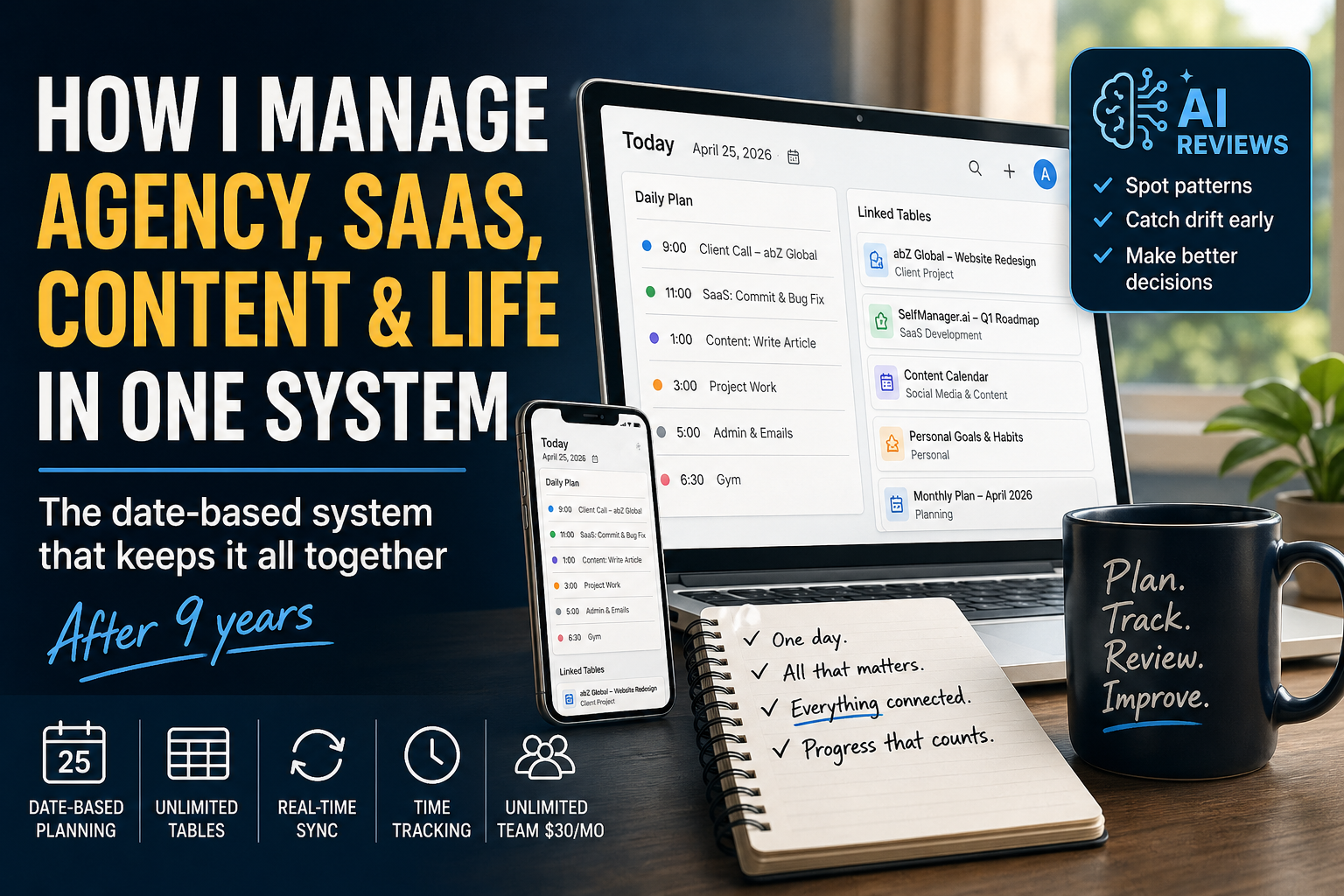
Every day gets one daily plan. It's short. Client calls, SaaS commits, content, admin, errands. Whatever is actually happening today, in one honest list.
If you want you can have as many tables as you need for a particular day in case you want to separate Work and Personal, ar anything that fits your style.
Larger projects get their own dedicated tables. A client project. Q1 SaaS development. My monthly plan. Each project lives as its own table inside SelfManager with its own history and context.
Those project tables are linked from the daily plan. One click and I'm inside the full project. Another click and I'm back in the day.
This is the part most people miss when they think about productivity systems. The day isn't where all the work lives. The day is the entry point. Projects still exist. They just don't rule the system. They sit inside time, accessible in one click, instead of being the thing I open the app to every morning.
Why this is different from project-based tools
In Asana, Trello, ClickUp, Notion, and most other project management tools, the project is the primary unit. You open the tool and you see boards, lists, and projects. The day is something you derive by filtering tasks across projects.
In a date-based system like SelfManager, this is inverted. You open the app and you see today. Everything that matters today is on today's page. Projects exist, but they're referenced from the day, not the other way around.
This sounds like a small distinction. It changes everything in practice.
When the day is primary, you stop asking "which project should I work on right now?" and start asking "what does today look like?" That's a much easier question to answer, especially when you're switching between agency work and SaaS work multiple times per day.
The four workflows running inside one system
I use the same daily structure for completely different kinds of work.
Agency client tracking. Who I'm working with, what's the current status, what's the next step, what's blocking me. Each active client has a dedicated table that I reference from the daily plan when I'm working on their project.
Social media and content strategy. What's shipping, what's drafted, what's scheduled, what's still an idea. Content lives in tables I can move between dates as priorities shift.
Personal goals. Fitness, reading, admin, the non-work stuff that still matters. These don't get their own separate "life management" app. They sit inside the same daily structure as everything else, because they happen on the same days.
Building SelfManager itself. Commits, bugs, features, roadmap, design decisions. The SaaS work has its own tables for major releases, but day-to-day commits and decisions get logged on the day they happened.
All four live in the same daily plan. None of them get their own separate tool. When I open my laptop in the morning, I see one day, with everything that matters today, all four streams together.
This is only possible because of the date-based architecture. In a project-based tool, mixing client work, content, personal goals, and SaaS development in one view would be a mess. You'd be constantly filtering, switching projects, losing context. In SelfManager, it's just today's page, with whatever I put on it.
The one rule that keeps the whole system sane
Everything belongs to a date. Not a project. Not a status. A date.
I don't decide "this is agency work" or "this is SaaS work" when I capture something. I just write it down under the day it happened or needs to happen. The category matters less than the context.
This sounds simple, but it changes the whole experience.
You stop spending time organizing work and start actually doing it.
You stop asking "where does this task belong?" because the answer is always the same: it belongs to a date.
You stop trying to predict the future, because the system doesn't ask you to. It just asks you to capture what's real and review what happened.
How SelfManager makes this work in practice
A few specific features in SelfManager that make this multi-stream workflow possible.
Unlimited tables per day. I can have my daily plan, an active client project table, my SaaS commit log, my content schedule, and a personal errands table all on the same day. They don't compete for space. They live together.
Cross-day references. Project tables persist across dates. I can be working on the same client project across weeks and months, with all the history visible in one place, while still seeing only today's relevant pieces in the daily plan.
Real-time sync across devices. I check today's plan on my phone in the morning, work from the laptop during the day, and review on tablet in the evening. Everything is the same, everywhere, instantly.
Built-in time tracking. I can track time on agency work without switching to a separate timer app. Over a week, I have a real picture of how much time went to clients, how much to my own product, how much to content, how much to admin. That data informs the next week's planning.
Flat-rate team pricing. When I bring an agency collaborator into a client project, I don't pay per seat. SelfManager is $30/month for unlimited team collaboration. For someone running multiple businesses, this matters.
The weekly review that ties it all together
The daily structure only works if you close the loop.
Every Sunday I review the week with the AI features inside SelfManager. Not in a spreadsheet, not in a separate journaling app. In the same system, because all the data is already organized by date.
I open the AI Review Page. I hit This Week. Within seconds I get a real summary of what happened across the entire week, all four workflows together. Then I can ask follow-up questions.
"Was this an agency week or a SaaS week?"
"Did content marketing get any attention this week?"
"Which clients took the most time, and which days?"
"Did I actually work on personal goals, or just talk about them?"
"What's been sitting on my plate for over a month without progress?"
The AI has access to my real tasks, notes, comments, time tracking, and history. It's not generic productivity advice. It's grounded in what I actually did this week.
Without that review, the whole system drifts. You only notice two months later when something's quietly fallen apart. With the review, the drift gets caught early. Patterns become visible. You learn that you always overcommit on Mondays, or that this client always takes 2x longer than you quote, or that you haven't shipped any content in three weeks even though it's been on your list.
I've been doing AI reviews weekly for over a year now. They're the reason the system stays alive instead of slowly turning into another abandoned task manager.
Monthly and quarterly: zooming out
Weekly reviews catch short-term drift. Monthly and quarterly reviews catch the bigger picture.
Once a month, I run an AI Review on the entire month. The question I'm really asking is: did I move the needle on what matters? Not "did I stay busy" (everyone stays busy) but "did the work actually go toward something I care about?"
Once a quarter, I do the same with three months of data. This is where I notice the larger patterns. A client relationship that's draining more energy than it returns. A SaaS feature that's been "almost done" for two months. A personal goal that I keep mentioning but never act on.
Without these review rhythms, you can run hard for a year and end up exactly where you started. With them, you correct course every few weeks.
What this looks like after 9 years
I started this system on paper in 2014, before I had any tool. Three physical objects: a calendar, an agenda, and a notebook. I used that paper system for 2 years before building the digital version.
In 2016, when Google launched Angular, I wanted to learn the framework by building something real. The "something real" was a digital version of my paper system. I built it for myself, used it locally for a few months, then kept refining it during nights and weekends for the next 6 years while running my freelance work.
By 2022, I'd been using it daily for 6 years. I made it public.
In the last 2 years I've gone full-time on it. Two major releases: AI features in early 2025 (which is when the domain moved from self-manager.net to selfmanager.ai), and a full ground-up redesign earlier this year.
The system itself didn't change in 12 years. Date-based structure, one page per day, weekly reviews. The same logic that worked on paper in 2014 still runs both my businesses today.
That's the longest I've ever stuck with anything.
The bigger lesson
If you're trying to run multiple things at once, agency and product, or product and content, or full-time job and side hustle, the productivity advice that says to separate them with different tools and rigid time blocks won't survive your real life.
Integration is the answer. One system. One daily entry point. Projects accessible from the day, not the other way around. Reviews that catch drift before it becomes a crisis.
Date-based planning is the structure that makes integration possible. You can do it on paper, in a notebook, in any flexible app. Or you can try SelfManager.ai, which is built around this model from the ground up. Free 7-day trial, no payment info needed. $8/month for individuals, $30/month for unlimited team collaboration. Native AI reviews, unlimited tables per day, real-time sync, built-in time tracking.
I built it because nothing else handled multiple workflows in one system without breaking. Nine years later, it's still the only thing I use.
Date-based AI Task Manager
Plan smarter, execute faster, achieve more
Create tasks in seconds, generate AI-powered plans, and review progress with intelligent summaries. Perfect for individuals and teams who want to stay organized without complexity.
Get started with your preferred account