
Everything Belongs to a Date: The One Rule That Made My Planning Finally Work
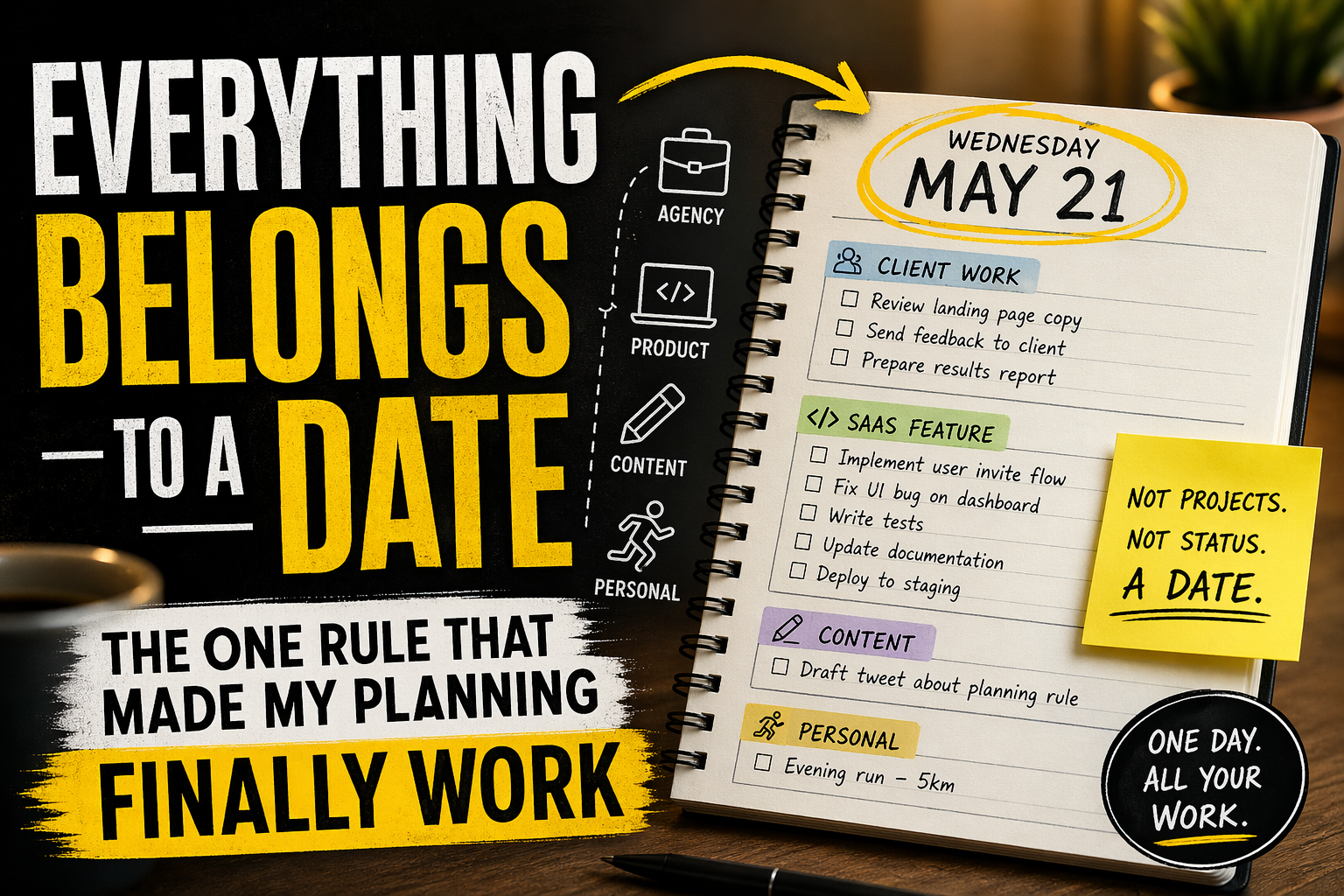
After 9 years of solo building, running an agency, and using the same task manager every single day, I kept coming back to one rule. This is what it is and why it works.
In 2016 I started building a task manager for myself.
I was a programmer, and my real reason for starting was pretty boring: I wanted to learn a new framework, and I had a paper system that already worked for me and nothing on the internet matched it. My paper system was simple. One column per date. Everything I had to do that day written under it. No projects. No labels. No boards. Just the day, and whatever belonged to it.
So I built the digital version of that. For 7 years I used it as a side project and the only task manager I touched. Two years ago I went full-time on it. Today it is the only task manager I use. I plan agency client work, SaaS development, content, and personal goals inside it. All of it lives in the same place, because all of it happens in the same days.
Along the way I learned something I did not expect. The thing that made my paper system work, and then made the digital version work for 9 years across completely different kinds of work, was not the features. It was one rule, small enough to sound underwhelming when you read it:
Everything belongs to a date. Not a project. Not a status. A date.
That is it. That is the whole thing.
This article is about why that rule matters more than it sounds like it should, what it actually fixes, and why most productivity tools get it backwards.
The tax I did not know I was avoiding
I did not set out to solve a productivity problem. I set out to digitize a paper system. But once I started comparing the digital version to the other task managers I had tried over the years, I noticed something the paper system had always quietly protected me from.
Every other task manager asks you to categorize work before you capture it.
Is this a personal task or a work task? Does it belong in Project A or Project B? Inbox or Today? What priority? What label? Which list? You have not even started working on the thing yet, and the app has already made you make five decisions about it.
That decision cost is invisible, but it is real. It is the reason you open the app, stare at it, and close it. It is the reason your carefully built setup lasts three weeks before you give up. It is the reason most productivity apps feel like homework.
Paper never asked me any of that. I wrote the task under today's date. Done.
When I moved from paper to the digital version, I kept the same rule. And the reason my system survived 9 years of increasingly different kinds of work is that the rule is the thing doing the work. Not the tool. The rule.
Why time blocking has the same problem in a different shape
Time blocking has a better reputation than list-based tools, and for good reason. At least it connects work to time. But it has the same fundamental problem, just dressed differently.
Time blocking assumes you control your inputs.
You do not, if other people touch your work.
A client email at 9am kills product focus for the morning. A bug report Tuesday night means Wednesday is support, not the feature you planned. The 3pm block you promised yourself for deep work turns into the hour you spent on a fire you did not see coming.
The calendar becomes a lie you tell yourself at 8am.
This is not a failure of discipline. It is a failure of the model. Any system that requires you to predict the future in 30-minute increments will collapse the moment reality shows up. And reality always shows up.
The rule that survives contact with real work is different. Not "what hour does this happen" but "what day does this belong to." You can move a task from today to tomorrow in one second. You cannot move a time block without restructuring your whole calendar.
The rule, stated plainly
Everything belongs to a date.
Not a project. Not a status. Not a folder. Not a label. A date.
That means every task, every note, every reminder, every reference is captured under the day it happened or the day it needs to happen. That is the only decision you make when you capture something. Nothing else.
No "which project does this go in?" No "which priority level?" No "which list?" No "does this belong under work or personal?" Just: what day.
Inside each day you can have as many tables as you need. Tasks. Notes. Client work. Content in progress. Errands. Whatever you actually track. All of them live inside the date. The tables are the structure within the day, not a separate system that sits on top of the day.
Larger projects still exist. A 3-month agency engagement. A SaaS feature rollout. A quarterly goal. They each live as their own tables, with their own history and context. But they link into the day. When something from the project lands on today, it appears on today. When you need the zoomed-out view of the whole project, you click through and get it. Then you click back to the day.
The day is the entry point. Everything else is reachable from it.
That one shift is what the rule buys you.
What this actually looks like in practice
Here is how I personally use it.
Yesterday was mostly an agency day. On yesterday's date I had a client table with 3 line items, a SaaS commit list with 2 small items, a content table with 1 line about a tweet I was drafting, and a personal table with 1 line about a run I wanted to do in the evening. Four tables, one day, all the work I was actually doing.
Today is mostly a product day. On today's date I have a SaaS table with 5 line items for a feature I am shipping, a client table with 1 line item because a project is in a quiet phase, a notes table with research I was gathering for an article, and no personal table at all because I am not planning anything specific today.
I did not decide yesterday that today would be a product day and yesterday an agency day. The days decided themselves based on what landed in them.
If you look at the larger project behind one of those SaaS line items, it has its own table. It shows the full feature plan, the open questions, the commits already made. I opened that table three times today. Each time I opened it, I clicked back to the day when I was done. The zoomed-out view is one click away and the day is always the home.
That motion - out into the project, back into the day - is the whole experience.
Why this works for people running more than one kind of work
If you only do one kind of work, project-based tools probably fit you fine. A developer at a single company with a single project queue has a clean boundary around what they plan.
If you do more than one kind of work - agency plus product, job plus serious side project, studies plus work, work plus genuinely important personal goals - project-based tools force you to mentally switch modes every single time you open the app. Agency brain. Product brain. Personal brain. Each switch is a tax, and each one costs energy you could have spent doing the actual work.
Date-first removes the switch. You look at today. Today has whatever today has. Agency line items sit next to SaaS line items sit next to the run you planned for the evening. It is all just what today is.
This sounds like a small thing. It is not. Separation is a fantasy. You are the same person doing all of those things. Your brain is not partitioned. Your planning system should not be either.
One person on Reddit said this better than I can: "most productivity systems die the second real life clocks in." The reason they die is that they ask you to pretend you are three different people with three different systems. You are one person. Your day is one day. A system that respects that survives. One that does not, does not.
The review loop that keeps it honest
Date-first planning has one weakness. It is excellent at capturing what is happening now. It is bad, on its own, at telling you what pattern your weeks are forming.
If you only ever look at today, you can have three agency weeks in a row without noticing. The SaaS quietly gets no attention. The personal goals quietly do not happen. Everything feels fine because each day felt productive. Then two months in, you realize something important has not moved.
So the date-first rule needs a review loop.
I do mine every Sunday. It takes about five minutes. Because all my data is already organized by date, I can hand the week to an AI and get back an honest read on where the time actually went. Was this an agency week or a product week? Did content get any attention or did it fall off? Did my personal goals show up in any day, or did I just talk about them?
Without that review, the system drifts and you only notice two months later when something has quietly fallen apart.
The review is the thing that turns a daily capture habit into a real planning system. The day is the unit. The review is the audit.
What this is not
This is not a to-do list. A to-do list is flat. It has no time structure and no way to see what a week, month, or quarter actually looked like. Date-first planning has all of that built in, because the unit is the day and the days are already in order.
This is not time blocking. Time blocking divides a day into slots and asks you to commit to what happens in each. Date-first planning treats the day as a container and lets whatever lands in it land in it, in whatever order the real world produces.
This is not a replacement for long-term thinking. Quarterly plans, monthly plans, strategic goals still exist. They live as their own tables, linked from the days they affect. The day is where the work happens. The longer views are where the direction is set.
And this is not something you have to commit to forever. Try it for a week. If you are running more than one kind of work, you will probably feel the difference by Wednesday.
Nine years of the same rule
The answer was one rule applied everywhere: everything belongs to a date.
The paper system worked because it refused to ask me anything except what day it was. The digital version works for the same reason. Nine years in, that is still the only rule I needed.
If you have tried 3 task managers this year and closed them all within a week, it might not be the tools. It might be the unit they are organized around. Try organizing around the day for one week and see what happens.
I built SelfManager.ai because I needed a tool that worked this way and I could not find one. If you want to see it in action, it is here. If you want to argue with me about any of this, my email is on the site and I read everything.
Marian
About the Author
Marian Sorca is the solo founder of SelfManager.ai. He has been building it for 9 years alongside running a software development agency, abZ Global.
Date-based AI Task Manager
Plan smarter, execute faster, achieve more
Create tasks in seconds, generate AI-powered plans, and review progress with intelligent summaries. Perfect for individuals and teams who want to stay organized without complexity.
Get started with your preferred account