
Can You Use ChatGPT as a Task Manager? Where It Works and Where It Breaks in 2026
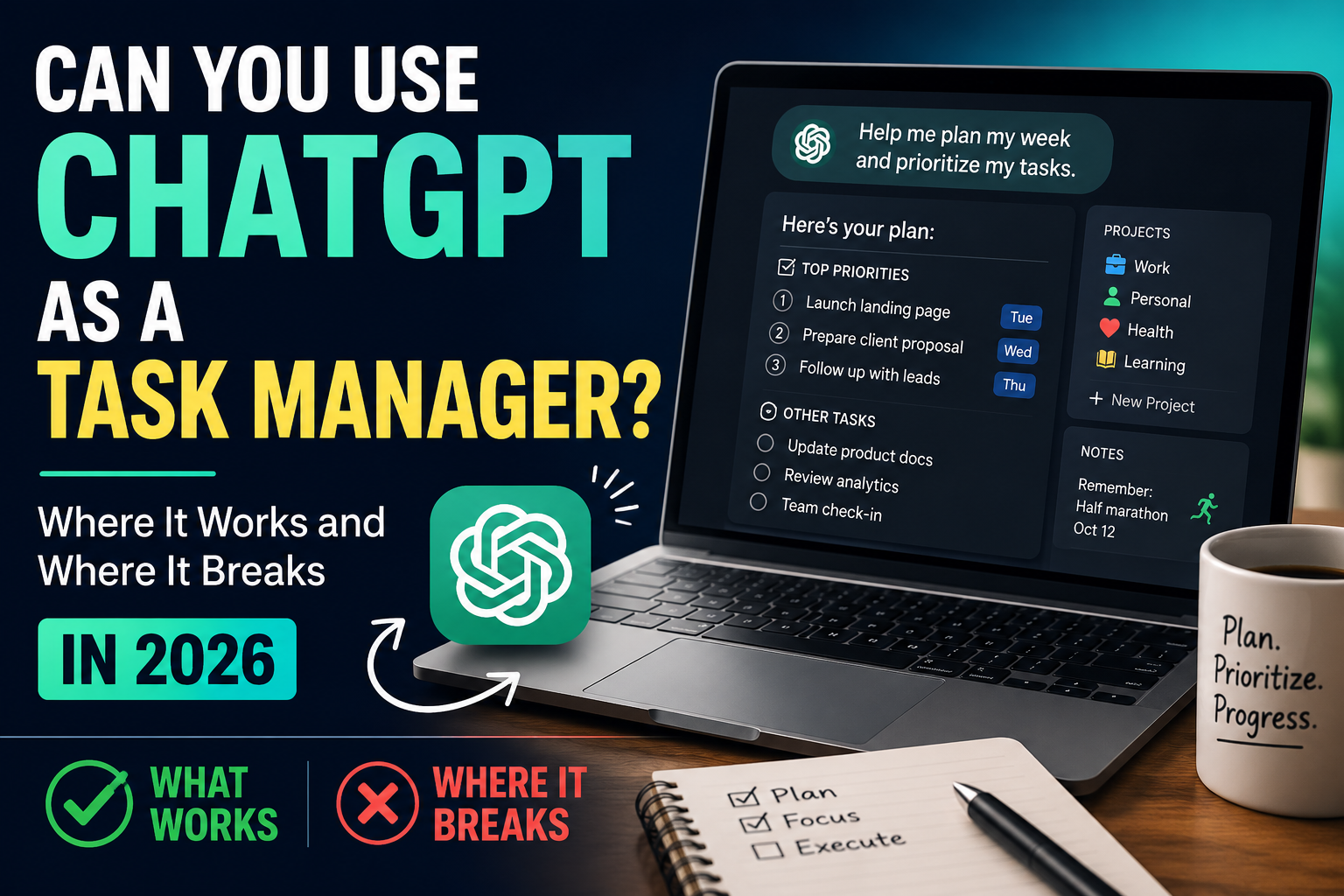
A few years ago, asking whether you could run your task list inside a chat window was a slightly odd question. The assistant forgot everything the moment you closed the tab. There was nothing to come back to.
That is no longer true, and the question has become reasonable.
Modern assistants remember things between conversations. They let you group work into projects with their own context. They accept standing instructions about how you like to work. People are genuinely running their days through a chat window now, and some of them are happy with it.
So it is worth answering properly rather than dismissively. Not "no, use a real app," and not "yes, chat can do everything." The honest answer is that task management is really two different jobs, and chat is excellent at one of them and structurally weak at the other.
This article walks through both, gives you a way to test which side of the line you fall on, and describes the setup most people land on once they stop trying to force it.
The distinction that explains everything
Task management looks like one activity, but it splits cleanly into two kinds of work.
The first kind is language work. Turning a vague worry into a concrete next action. Breaking a big project into steps that make sense. Rewriting a task so that future-you actually understands what it meant. Deciding what matters most this week. Reflecting on why last week went badly.
All of that is thinking expressed in words. It rewards nuance, context, and the ability to ask a clarifying question. It is exactly what a language model is built for.
The second kind is record work. Holding a list you can trust without re-reading it. Knowing what is due Thursday. Knowing what you marked done and when. Being able to look back at March and see what actually happened. Being certain that nothing has quietly fallen out.
That is not language work. That is a database problem wearing task-management clothing. It rewards precision, durability, and the ability to show you the whole set at a glance.
Chat is very good at the first. It is unreliable at the second, and the reasons are structural rather than temporary.
Once you see the split, most of the confusion around this question dissolves.
What genuinely changed
It is worth being specific about the ground the assistants have gained, because the old objections no longer apply cleanly.
Persistent memory means the assistant can carry facts across sessions. Tell it you are training for a half marathon in October and it can reference that weeks later without being reminded.
Project or workspace features let you keep a body of context in one place. Everything related to a house move, a dissertation, or a product launch can live in one thread with its own files and instructions.
Standing instructions mean you can set preferences once. Keep answers short. Always ask what my top three are. Never suggest waking up at five.
File handling means you can hand over a spreadsheet, a document, or a screenshot and have it read the contents rather than guess.
Taken together, that is a real improvement. Anyone who tried this in the early days and gave up because the assistant had amnesia should know the situation is different now.
But there is a difference between remembering more and holding a record, and that difference is where the trouble starts.
Where chat genuinely works well
These are the areas where a chat assistant is not a compromise. In several of them it is better than a conventional task app.
Turning a messy head into a starting point
The hardest moment in planning is the beginning, when everything is a vague cloud of obligations and none of it is written down. Chat handles this unusually well because you can just talk.
You can dump six half-formed worries in one paragraph, and get back a structured list with sensible groupings and a suggested order. No app can do that from a text field, because the app has no idea what you meant.
For people whose main obstacle is starting, this alone is worth a lot.
Breaking down work that feels too big
"Redesign the onboarding flow" is not a task. It is a project pretending to be one, and it will sit untouched for weeks.
Chat is good at decomposition. It will ask what the current flow looks like, what you are trying to improve, and what constraints you have. Then it produces steps that are actually sized to be done.
Conventional apps can hold subtasks, but they cannot generate them from a sentence. That is a genuine capability difference.
Writing tasks that make sense later
A surprising amount of productivity failure is just badly written task names. "Follow up" tells you nothing three days later. "Fix the thing with the invoices" is worse.
Chat is good at rewriting. Give it your list and ask it to make each item specific enough that you could act on it without remembering the context, and the output is usually better than what you wrote.
One-off prioritisation and triage
When you have eleven things and time for four, talking it through helps. Chat can weigh deadlines against effort against consequences, and more usefully, it can ask you the question that reveals the answer. Which of these has someone else waiting on it? Which one gets harder if you delay it?
That is genuine judgement support, and it is the thing most task apps do not attempt at all.
Reflection and review
This is chat's most underrated strength. If you paste in a week's worth of notes and ask what patterns show up, you often get something you would not have noticed. The same is true for asking what you keep postponing, or where your estimates were wrong.
Reflection is a language task. It has no fixed schema. It benefits from being able to say "actually, that is not quite right, look at it this way instead."
Learning a system
If you are trying to adopt a planning method and you do not fully understand it, chat is a patient tutor. It will explain, adapt the method to your situation, and answer the small awkward questions you would not ask a person.
Where it breaks
Now the other side. These are not complaints about intelligence. They are consequences of the shape of the tool.
The state problem
A task manager's core promise is that you can stop holding things in your head, because the tool is holding them. That promise requires state you can trust absolutely.
Chat does not offer that. It offers a conversation, and a memory layer that summarises and generalises. What comes back is reconstructed, not retrieved from a fixed record.
Most of the time it is close enough. The problem is the cases where it is not, and how those cases behave.
Silent, confident loss
This is the sharpest issue, and it is worth stating plainly.
A written list that loses an item shows you a shorter list. You might notice the gap. The failure is visible.
A chat assistant that loses an item gives you a confident, coherent, plausible answer that is missing something. There is no gap to see. The output looks exactly as complete as a correct one would.
That asymmetry matters more than the error rate. You cannot build trust on a system whose failures are indistinguishable from its successes, because you end up re-verifying everything, which defeats the point of delegating the memory in the first place.
If you find yourself keeping a mental backup of what you told the assistant, the tool has stopped being a task manager and become a conversation partner about tasks.
Retrieval is not the same as a record
Ask an assistant what you worked on three Tuesdays ago and you will get an answer. Whether that answer is complete is not something you can check from inside the conversation.
A record has properties a retrieval does not. You can see all of it at once. You can be sure nothing is hidden. You can compare two periods precisely. You can audit it.
Memory features give you better recall. They do not give you a ledger. For anything where completeness matters - billing, commitments to other people, compliance, or just your own trust in the system - that distinction is the whole ballgame.
Dates are not first-class
In a task manager, a date is a real property. Things can be sorted by it, filtered by it, and shown on it. "What is due this week" is a query with an exact answer.
In chat, a date is a word inside a sentence. The assistant can reason about it, but there is no structure underneath. Nothing stops two items from claiming the same slot, and nothing surfaces what you scheduled for a day you have not thought about.
Anything that runs on deadlines runs into this quickly.
There is nothing to look at
This one is easy to underestimate until you notice it.
A large part of what makes a plan useful is being able to see it. A day laid out. A week in columns. Eleven items in a list you can scan in two seconds and rearrange by dragging.
Chat delivers everything as prose in a scrolling transcript. You can ask for a table, and you will get one, but it is a table printed in a message rather than a surface you can manipulate. To change something you write another message and get another table.
For a handful of items that is fine. For thirty items across a week it becomes tiring in a way that is hard to articulate but easy to feel.
Completion has no meaning
Marking something done is a state change in a task app. It is recorded, it is countable, and it is reversible.
In chat, "done" is a thing you mention. Nothing changes structurally. You cannot ask for a completion rate and get a real number, because there is no field being counted.
That closes off an entire category of usefulness: knowing what proportion of what you planned actually happened, and how that has changed over months.
The re-establishing cost
Even with memory and projects, chat sessions carry an overhead. You spend the first part of many conversations getting the assistant back up to speed, correcting a stale assumption, or re-pasting something.
It is small each time. It is not small in aggregate, and it lands precisely when you want the least friction, which is at the start of the working day.
Collaboration is essentially absent
Your conversation is yours. Another person cannot open it, see the current state, add something, or mark an item done.
You can copy things out and send them. That is not collaboration, that is transcription, and it goes stale immediately.
Anything involving another human being needs a shared surface.
Nothing happens unless you show up
A task manager can act on time without you. Reminders fire. Due dates surface. Something appears in front of you whether or not you thought to ask.
Chat is strictly reactive. It never initiates. If you forget to open it, nothing on your list does anything about that.
For people whose failure mode is forgetting to check, this is disqualifying on its own.
An honest test
Rather than argue in the abstract, answer these about your own situation. They are ordered roughly by how much they matter.
Does anyone else depend on your list? If yes, chat alone will not work. Shared state is not optional once another person is involved.
What happens if something quietly disappears? If the answer is "I would be mildly annoyed," you have room. If it is "I would lose money or trust," you need a real record.
How many open items do you carry? Under about fifteen, chat is manageable. Past thirty, the lack of a scannable view starts to hurt regardless of how good the assistant is.
Do you need to look backwards? If you ever have to answer what you did in a given month - for invoicing, reviews, or your own sense of progress - you need something that stores rather than recalls.
Is your work deadline-shaped? Heavy deadline loads need dates as structure, not dates as words.
Do you plan the same way most days? Repeatable routines benefit enormously from a durable surface you duplicate and adjust. Chat makes you re-articulate the routine each time.
Would you notice if the assistant was wrong? This is the one people skip. If you would not catch an incomplete answer, you are not delegating your memory, you are gambling with it.
What actually works: the split setup
Almost everyone who tries running everything in chat, and everyone who refuses to use chat at all, converges on the same arrangement eventually.
Use chat as the thinking layer. Use something durable as the record layer.
In practice that means the assistant helps you decide, and something else holds the result. You talk through a messy morning and get a sensible plan, then that plan goes somewhere it will still exist tomorrow without being reconstructed. You paste last week's record in and ask what went wrong, then the conclusions go back into the record.
The division follows the language-versus-database split exactly. Judgement, decomposition, phrasing, prioritising, reflecting - chat. State, dates, completion, history, sharing - the record.
This is not a compromise. It is using each tool for the part it is actually good at. The people who are happiest with AI in their planning are almost never the ones running everything through a chat window. They are the ones who use it heavily at the two ends - deciding what to do, and understanding what happened - while keeping something dependable in the middle.
Two prompts worth keeping
If you want to try the thinking layer properly, these two do most of the work.
For planning, paste your raw list and use something like: "Here is everything on my plate. Ask me up to three questions if you need to, then give me a realistic plan for today with no more than five items, ordered, and tell me what I should explicitly not do today."
The instruction to name what to drop is the part that makes it useful. Most planning fails by being too full, and an assistant will happily fill your day unless you ask it to cut.
For review, paste your record for the period and use: "This is what I planned and what I actually completed. Do not summarise it back to me. Tell me what pattern shows up, what I consistently underestimate, and the one change most likely to improve next week."
The instruction not to summarise matters. Left alone, assistants tend to describe your week back to you, which feels productive and tells you nothing you did not already know.
Who can genuinely run on chat alone
To be fair to the approach, there is a real group for whom this works, and they are not doing it wrong.
You are probably fine if you work alone, carry a modest number of open items, have few hard deadlines, and never need to reconstruct the past. Students in a light term, people between projects, anyone whose work is mostly one large ongoing thing rather than many small tracked ones.
The same goes for people using chat as a deliberate reset. If your previous system collapsed under its own complexity, a plain conversation each morning can be a genuinely better place to restart than a fresh app with forty features.
And there is a category of work where chat is straightforwardly the better tool: thinking-heavy work with few discrete deliverables. Research, writing, early-stage design. If your week has three things in it and all three are hard, a list is not your bottleneck.
Who should not
If you are billing time, coordinating with anyone, carrying commitments other people are relying on, running more than a couple of parallel projects, or working in anything with a compliance or audit dimension, chat alone will eventually cost you something.
The failure is rarely dramatic. It is usually one dropped commitment at a bad moment, or the realisation that you cannot answer a simple question about what you did last quarter.
What to watch over the next year
Two things would genuinely change this analysis.
The first is structured state inside assistants. If they begin holding real records - fields, dates, completion states you can query exactly and see in full - the database objection weakens considerably. There is movement in this direction, and it is the thing to watch.
The second is the connection layer between assistants and existing tools. Increasingly, assistants can read and write to other applications directly. If that becomes seamless enough, the whole question changes shape: you would not be choosing between chat and a task manager, you would be using chat as the interface to one. That is a more likely future than chat replacing the record entirely.
Neither is fully here. Both are close enough that this article will need revisiting.
The bottom line
Can you use a chat assistant as your task manager? Partly, and more than you could a year ago.
It is genuinely excellent at the parts of task management that are really thinking - deciding what matters, breaking work down, phrasing things clearly, and understanding what happened. In those areas it outperforms most conventional tools, which do not attempt them at all.
It is structurally weak wherever you need a record you can trust without checking. Not because it is not smart enough, but because a conversation and a ledger are different kinds of object, and memory features narrow that gap without closing it.
The useful conclusion is not to pick a side. It is to notice which half of the problem you are actually trying to solve, and stop expecting one tool to do both.
If you find yourself keeping a mental list of what you have told your assistant, that is your answer. The thinking is working. The remembering is not.
Frequently asked questions
Can ChatGPT or Claude remember my tasks between conversations?
To a degree, yes. Both now have memory features that carry information across sessions, and project or workspace features that keep context in one place. But what comes back is a reconstruction rather than a stored record, so completeness is not guaranteed and cannot be verified from inside the conversation.
Is it safe to rely on chat memory for important deadlines?
Not on its own. The concern is not that the assistant forgets, it is that it forgets silently and gives you a confident, plausible answer that is missing something. For deadlines with real consequences, keep them somewhere you can see the full set at a glance.
What is a chat assistant actually better at than a task app?
Anything that is thinking rather than storing. Turning vague worries into concrete actions, breaking large projects into properly sized steps, rewriting unclear task names, weighing competing priorities, and reflecting on why a week went the way it did.
How many tasks can I realistically manage in a chat window?
Roughly fifteen open items is comfortable. Past about thirty, the absence of a scannable, rearrangeable view becomes the limiting factor no matter how capable the assistant is.
Can I use a chat assistant for team task management?
Not really. Your conversation is private to you, so nobody else can open it, see current state, add items, or mark things done. You can copy information out, but it goes stale the moment you send it. Shared work needs a shared surface.
Why does chat struggle with dates specifically?
In a task manager a date is a structured property that things can be sorted, filtered and displayed by, so "what is due this week" has an exact answer. In chat a date is just a word in a sentence. The assistant can reason about it, but there is no underlying structure to query.
What is the best setup for using AI in planning?
Use the assistant as the thinking layer and something durable as the record layer. Talk through what to do and what happened, and keep the resulting state somewhere it will still exist tomorrow without needing to be reconstructed.
Will AI assistants replace task managers eventually?
More likely they will become the interface to them. The gap is not intelligence, it is structured state, and the clearest trend is assistants connecting to existing tools rather than replacing them. If that connection becomes seamless, the choice stops being chat versus app.
Is using chat as a task manager a bad idea for beginners?
Not at all, and it can be a good starting point. If a previous system collapsed under its own complexity, planning your day in plain conversation is a reasonable reset. The thing to watch is the point where your list grows past what you can hold in view, because that is when the missing record starts to cost you.
Date-based AI Task Manager
Plan smarter, execute faster, achieve more
Create tasks in seconds, generate AI-powered plans, and review progress with intelligent summaries. Perfect for individuals and teams who want to stay organized without complexity.
Get started with your preferred account