
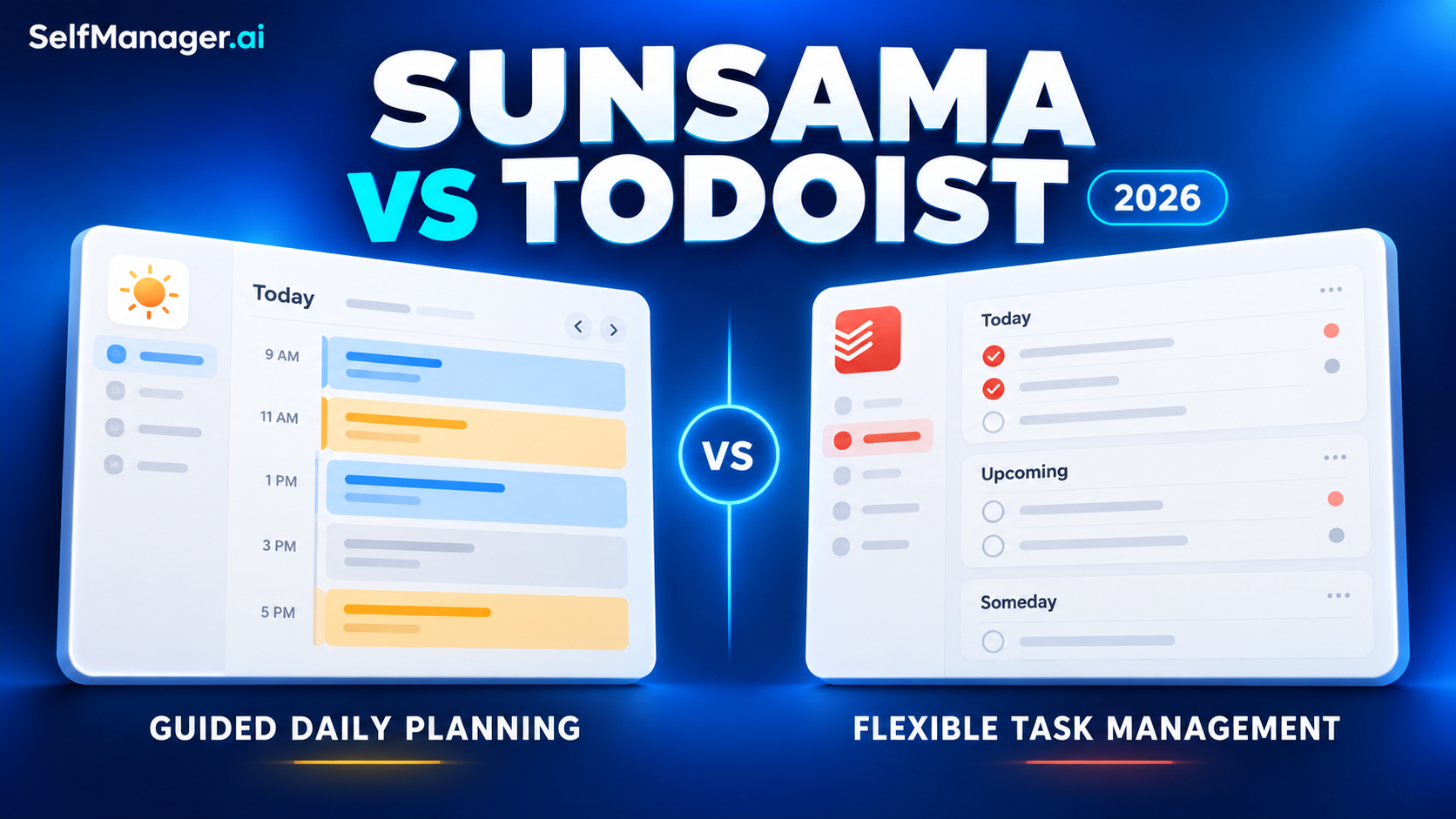
Sunsama vs Todoist (2026): Guided Daily Planning or Flexible Task Management?
Article 3 of 10
Choose Sunsama if your main difficulty is deciding how much work realistically belongs in today. Choose Todoist if you need a flexible place to capture, organize and find tasks across work and personal life.
Both can help you plan a day. Todoist offers calendar layouts and task durations on paid plans, while Sunsama combines daily planning, timeboxing, actual time tracking and guided reviews.
Our recommendation: start with Todoist when you need a reliable task system. Consider Sunsama when choosing and managing a realistic daily workload is the part that keeps breaking down.
Features and published prices checked October 19, 2026. This comparison is published by SelfManager.ai and uses official documentation and illustrative workflows. It does not claim hands-on performance testing.
Sunsama vs Todoist at a Glance
| Decision | Sunsama | Todoist |
|---|---|---|
| Strongest starting use case | Deliberately planning and reviewing a working day | Capturing and organizing commitments across projects |
| Daily planning approach | Guided planning with workload estimates | Today, Upcoming and custom views; you define the routine |
| Organization | Dated tasks, channels, backlog and weekly objectives | Projects, sections, subtasks, labels, priorities and filters |
| Calendar planning | Timeboxing is part of the planning workflow | Calendar layout and task durations on Pro and Business |
| Time records | Planned and actual time, including a task timer | Task duration represents planned time |
| AI | Sunny assistant and planning-related assistance | Ramble, Todoist Assist and external AI connections |
| Permanent free plan | No | Beginner |
| Best reason to choose it | You want more structure around your daily commitments | You want control over how the task system is arranged |
These are starting points rather than exclusive capabilities. Sunsama can manage tasks, and Todoist can support deliberate daily planning. The difference is how much of that planning process each product supplies.
1. Daily Planning: How Much Guidance Do You Want?
Sunsama gives the planning session a structure
Sunsama’s guided daily planning includes reviewing the previous day, choosing tasks, checking the predicted workload and finalizing the plan.
Planned task times contribute to a workload total, which can warn when you exceed your configured threshold. You can defer work and optionally timebox tasks onto a calendar.
That structure is useful if your planning habit often stops at “add everything to today.”
It creates a moment to ask:
- What actually needs attention?
- How long will it take?
- What should move to another day?
- When do I intend to finish?
The benefit depends on using the routine. If you dislike a dedicated planning session, the extra structure may feel like administration.
Todoist lets you design the routine
Todoist gives you task organization and views, including Today and Upcoming. Its projects, labels, priorities and filters let you arrange work around your own system.
For example, you might separate client projects, label tasks by context and create a view of important work due soon.
That flexibility suits someone who already knows how they like to plan. You can keep a light setup or build a more detailed one.
The trade-off is responsibility: you must decide how to turn the available tasks into a realistic day.
2. The Same Workday in Sunsama and Todoist
Imagine a freelance designer with these commitments:
| Work | Estimated time |
|---|---|
| Client call | 1 hour |
| Proposal draft | 2 hours |
| Homepage revisions | 2 hours |
| Review developer questions | 45 minutes |
| Email and invoicing | 45 minutes |
| Total | 6.5 hours |
These are illustrative estimates. In an eight-hour day, they leave 90 minutes before lunch, breaks, overruns and unexpected requests.
In Sunsama
The designer would bring the chosen tasks into today’s plan and add planned times. To account for the whole workload, the client call also needs to be included appropriately.
The planning session makes the total visible before the day begins. The designer can reduce the scope of the revisions, defer administration or change another commitment.
Sunsama’s documentation specifically cautions that workload predictions depend on importing meetings as tasks and setting planned times on most tasks.
In Todoist
The designer could keep the proposal and revisions in their client projects, add dates and priorities, and use Today to see the selected work.
On Pro or Business, calendar layouts and durations provide another way to place the work in time.
The designer can reach a realistic plan in either app. Sunsama supplies a more explicit planning sequence; Todoist leaves more of the process to the user.
Choose based on which process you will repeat on an ordinary Tuesday.
3. Task Organization: Today’s Work vs the Larger Inventory
Todoist is the stronger starting point if you want a configurable inventory of obligations across many projects.
Its filters can combine criteria such as dates, projects, labels and priorities. That helps when you want to see a relevant slice of work without reorganizing the underlying tasks.
Examples of useful views include:
- Important work due soon.
- Tasks for a particular client.
- Administration you can handle together.
- Work assigned to you across projects.
Sunsama also has a backlog and organizational structure, so it is not limited to today’s tasks. Its weekly planning ritual centers on objectives, with individual daily tasks chosen during daily planning.
That creates a useful difference in emphasis:
- Todoist helps you maintain and navigate what needs doing.
- Sunsama helps you choose a feasible daily commitment from what needs doing.
If the larger inventory is already well organized elsewhere, another full task system may be unnecessary. If it is scattered or unreliable, a daily planner alone may not solve the underlying problem.
4. Calendars: Todoist Can Timebox Too
A comparison that calls Todoist “only a list” misses important current features.
Todoist Pro and Business include calendar layouts. You can view work across days, weeks or months, schedule tasks and move them to another day.
Task durations are also available on those plans. A dated task with a time can have an estimated duration, which helps show its place in the schedule.
Sunsama brings timeboxing into the daily planning workflow: choose work, estimate it and optionally reserve a calendar slot.
Neither approach requires you to schedule every small action. Test whether calendar blocks help you protect attention or create a schedule you continually repair.
If calendar planning is your main requirement, compare the exact calendar connection and behavior you need, not just whether an app has a calendar view.
5. Time Tracking: Planned Time Is Different From Actual Time
Sunsama distinguishes planned and actual task time. You can enter actual time manually or use its task timer.
That is useful when the question is:
I thought this would take 45 minutes. How long did I actually spend?
Its documentation also notes a setting that can count planned time as actual when a task is completed without an actual-time entry. Check that setting before treating the totals as measured work.
Todoist’s task-duration feature is for estimating and scheduling work. A 90-minute task block does not, by itself, establish that you worked for 90 minutes.
If you need actual time records, evaluate that requirement separately from calendar planning.
For either product, tracking work for your own review is also a different requirement from running a complete client-billing process.
6. AI: Both Products Have Meaningful Assistance
Sunsama has Sunny
Sunsama’s current documentation describes Sunny as a built-in conversational assistant.
Its documented capabilities include managing tasks, setting estimates, timeboxing work, handling backlog items and summarizing completed work over a chosen period.
That means Sunsama’s value is broader than a manual morning ritual. AI can assist with the work inside that planning system.
A useful evaluation question is whether it reduces the effort of maintaining your plan without removing decisions you want to make yourself.
Todoist has AI capture and task assistance
Todoist documents Ramble for converting spoken thoughts into structured tasks, capture from text and files, Task Assist for breaking down work, and Filter Assist for generating views.
It also supports connections with external assistants, including Claude and ChatGPT, and an official MCP server.
Availability and allowances vary by feature and plan.
Neither app should win this comparison merely because it “has AI.” Test the operation that matters to you: capturing an obligation, breaking down a vague task, arranging a day or reviewing completed work.
7. Sunsama vs Todoist Pricing
The following USD prices compare the main individual options:
| Product | Monthly billing | Annual billing | Permanent free plan |
|---|---|---|---|
| Sunsama Pro | $22/month | $204/year, equivalent to $17/month | No |
| Todoist Pro | $7/month | $60/year, equivalent to $5/month | Yes, Beginner |
Sunsama offers a 14-day trial without requiring a card. Its figures above follow the main Pro offer on its pricing page; confirm your checkout total. Todoist’s published billing information lists the Pro rates shown above.
Todoist’s free Beginner plan currently includes five personal projects and three filter views. Pro increases capacity and adds features including calendar layouts and durations.
At the listed rates, Sunsama costs $15 more per month on monthly billing, or $144 more per year when both are purchased annually.
The question is whether its daily planning and execution workflow is worth that difference to you.
For detailed billing comparisons, see Todoist Pricing and Sunsama vs Akiflow.
8. Can You Use Sunsama and Todoist Together?
Yes. Sunsama has an official Todoist integration.
You can keep tasks in Todoist and pull selected work into Sunsama’s daily plan. Supported date and completion syncing can keep linked items aligned.
However, it is not a mirror of every field. Sunsama’s documentation distinguishes the local notes, time records and other detail you add in Sunsama from the linked Todoist task. Recurring tasks also behave differently from ordinary tasks.
A sensible combined workflow is:
- Capture and organize commitments in Todoist.
- Select a limited set for today’s Sunsama plan.
- Estimate and schedule the chosen work.
- Complete tasks with the relevant sync settings understood.
Use both only if each has a clear job. If you maintain duplicate lists and correct dates in two places, simplify the setup before adding more automation.
When SelfManager.ai May Fit Better
SelfManager.ai is another option if you prefer organizing work by date while retaining the context behind it.
A day can contain separate tables for client projects, personal responsibilities or other areas. Tasks stay alongside notes, comments, files and tracked task time.
Its AI Plan can propose dated tasks and tables for up to 31 days, with an editable approval stage. AI Review helps examine work over a week, month, quarter or custom period.
This is a different planning preference:
- Sunsama is a strong candidate for guided daily workload planning and calendar timeboxing.
- Todoist is a strong candidate for flexible capture, project organization and filtered task views.
- SelfManager is worth considering for dated work records, task context and AI-assisted planning and review.
SelfManager has no external calendar sync or automatic calendar scheduling. Choose with that limitation in mind if your calendar is essential to the workflow.
Individual pricing is $8 monthly or $72 annually, with a seven-day trial requiring no card.
If dated work records are what you need, try one normal week in SelfManager and review the results using the tasks and context you recorded.
Which Should You Choose?
Choose Sunsama if:
- You repeatedly commit to more work than the day can hold.
- You want a guided planning and shutdown routine.
- Planned versus actual task time matters.
- You would use calendar timeboxing as part of daily planning.
- The routine is valuable enough to justify the higher subscription.
Choose Todoist if:
- You need a dependable place to capture tasks quickly.
- Projects, labels and filtered views match your thinking.
- You want to define your own planning process.
- A free starting point or lower individual subscription matters.
- You prefer one flexible task system over an additional planning layer.
Start by identifying where your process fails: capturing the work, organizing it or deciding what fits today. That answer is more useful than choosing the app with the longest feature list.
Frequently Asked Questions
Is Sunsama better than Todoist?
Sunsama is the stronger starting point for guided daily planning and managing a realistic workload. Todoist is the stronger starting point for flexible task capture and organization. Either can support a daily planning habit.
Is Sunsama more expensive than Todoist?
Yes, at the published individual rates used here. Sunsama Pro is $22 monthly or $204 annually; Todoist Pro is $7 monthly or $60 annually. Todoist also offers a permanent free plan.
Can Todoist replace Sunsama?
It can if your needs are covered by task organization, calendar layouts, durations and a planning routine you maintain yourself. Test the daily workflow before assuming matching features produce the same experience.
Can Sunsama replace Todoist?
For some workflows, yes. For others, Sunsama works better alongside an existing task inventory. Its official Todoist integration supports that combined approach.
Does Sunsama have AI?
Yes. Its documented Sunny assistant can help manage tasks, plan days, organize backlog items and summarize work.
Does Todoist support time blocking?
Yes. Pro and Business include calendar layouts and task durations. An estimated task duration is different from measuring actual time worked.
Which is better for freelancers?
Choose Sunsama when managing daily capacity and tracking planned versus actual task time are central. Choose Todoist when organizing client commitments and capturing work reliably are the main needs.
Date-based AI Task Manager
Plan smarter, execute faster, achieve more
Create tasks in seconds, generate AI-powered plans, and review progress with intelligent summaries. Perfect for individuals and teams who want to stay organized without complexity.
Get started with your preferred account