
Projects vs Areas vs Goals (2026): How to Organize Your Life Properly
(so your task manager stops becoming a messy pile of "stuff")
Most people don't fail at productivity because they don't work hard.
They fail because their system is unclear.
Their task manager becomes a mixed bucket of:
- random tasks
- half-projects
- vague ideas
- overdue reminders
- goals with no plan
- responsibilities with no structure
The result?
You feel busy… but not in control.
The fix is simple and powerful:
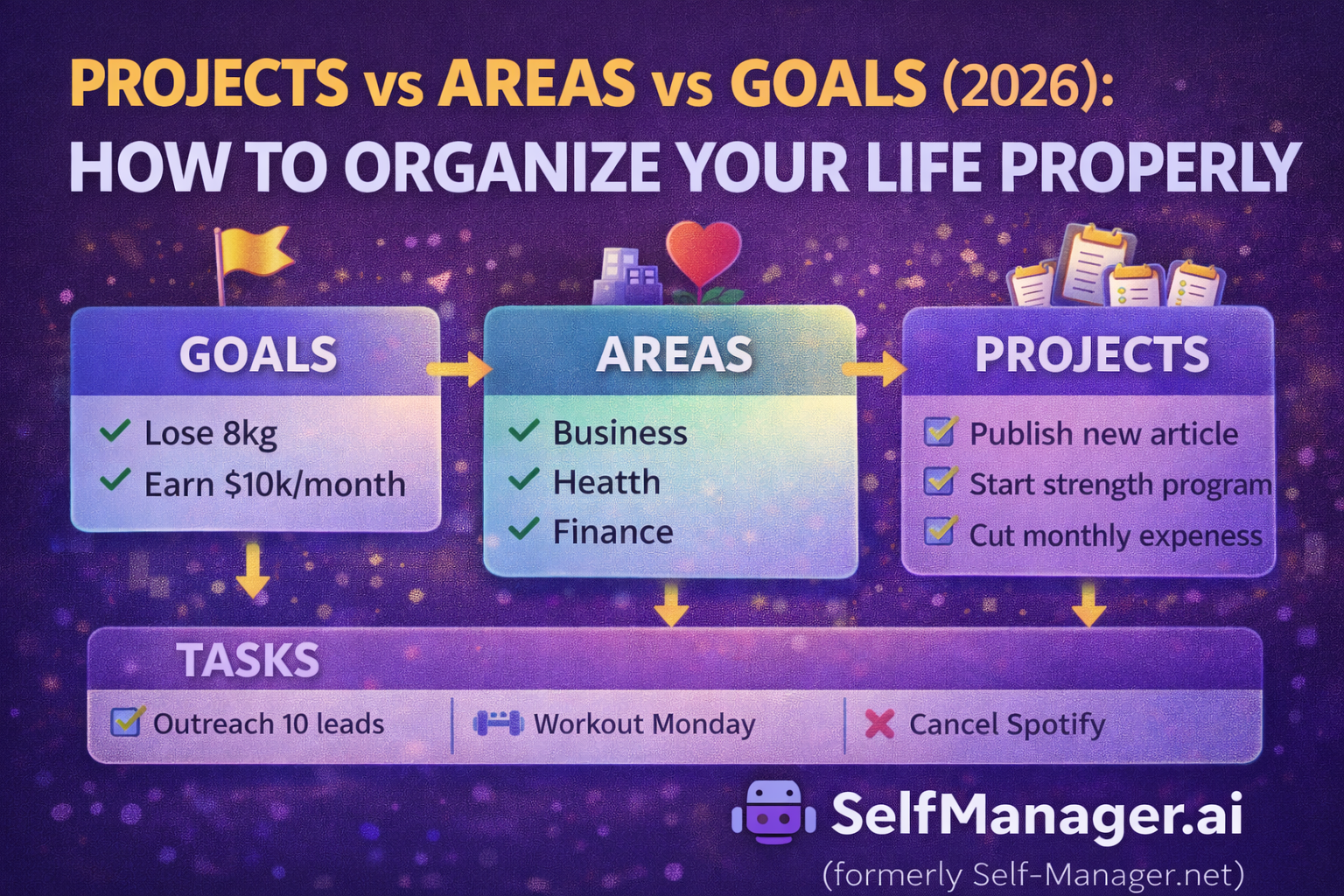
Separate your life into three layers: Goals, Areas, and Projects.
Then put tasks where they actually belong.
This article shows you how to do it in a practical way that works in 2026 — and how tools like SelfManager.ai (formerly Self-Manager.net) fit this structure naturally.
The 3 layers (quick definition)
✅ Goals = direction
Goals are the outcomes you want.
- "Lose 8kg"
- "Reach $10k/month"
- "Ship SelfManager.ai onboarding improvements"
- "Learn Angular deeply"
- "Improve my sleep"
Goals answer: Where am I trying to go?
✅ Areas = responsibilities (never-ending)
Areas are ongoing parts of life you want to maintain.
They don't "finish." They're always active.
Examples:
- Health
- Finance
- Family
- Relationships
- Business operations
- Personal development
- Home
- Content/marketing
Areas answer: What must stay healthy long-term?
✅ Projects = temporary missions (start → finish)
Projects have a clear end.
Examples:
- "Launch new blog post cluster (10 articles)"
- "Set up email onboarding sequence"
- "Redesign landing page"
- "Move apartments"
- "Fix knee pain with 8-week rehab plan"
Projects answer: What am I building or changing right now?
Why people get stuck (the common mistake)
Most people dump everything into "tasks."
But tasks are just actions.
Without a structure above tasks, the system becomes:
- cluttered
- reactive
- and hard to review
You don't need more discipline.
You need correct containers.
The correct hierarchy (the clean model)
Think like this:
GOALS (direction)
→ AREAS (life categories you maintain)
→ PROJECTS (temporary missions inside areas)
→ TASKS (next actions inside projects)
Not every task needs a project.
But every project should belong to an area.
And goals should influence which projects you choose.
Examples (so it clicks)
Example 1: Health
Area: Health
Goal: "Get to 80kg by July"
Projects:
- "12-week strength program"
- "Fix nutrition weekdays"
- "Sleep routine reset"
Tasks:
- "Plan workouts for next week"
- "Buy groceries list"
- "No caffeine after 2pm"
Example 2: Business (SelfManager.ai)
Area: Business / Product
Goal: "Increase conversion from trial to paid"
Projects:
- "Improve onboarding flow"
- "Add monthly review templates"
- "Publish SEO cluster: reviews + planning"
Tasks:
- "Write onboarding email #1"
- "Design thumbnail for article"
- "Publish 2 posts this week"
Example 3: Finance
Area: Finance
Goal: "Save €10,000 this year"
Projects:
- "Cut subscriptions audit"
- "Negotiate better phone plan"
- "Create monthly expense review"
Tasks:
- "Export bank transactions"
- "List subscriptions"
- "Cancel 2 services"
The "Areas vs Projects" rule that fixes everything
If it has an end date or a "done state" → it's a project.
If it's ongoing maintenance → it's an area.
A common mistake is creating projects like:
- "Health"
- "Marketing"
- "Family"
- "Learning"
Those aren't projects. Those are areas.
They don't finish.
So they become giant, messy containers and you lose clarity.
The "Goals vs Projects" difference (another common confusion)
A goal is not a project.
Goal: "Increase revenue"
Project: "Launch pricing page redesign"
A goal is a destination.
A project is a mission.
You need projects to make goals real.
How to set this up in a task/project manager (clean structure)
Here's a simple setup that works in almost any app:
Step 1: Create your Areas (6–10 max)
Start simple. Most people need only:
- Health
- Business / Work
- Finance
- Relationships / Family
- Home / Admin
- Learning / Growth
- Personal projects
- Social / Fun (optional)
Don't overthink. You can adjust later.
Step 2: Add Projects inside Areas
Inside each area, keep only a few active projects.
Rule: max 3–5 active projects per area.
More than that = you're overcommitting.
Step 3: Link tasks only to Projects (when possible)
Tasks should live under projects. This keeps your list clean.
If a task is a one-off, it can sit in the area with a tag like "one-off."
Step 4: Choose Goals (3–7 total)
Goals guide your priorities.
If you have 20 goals, you have none.
Make them clear, measurable, and review them monthly.
How weekly + monthly reviews fit (where the magic happens)
This structure becomes powerful when you review it.
Weekly review (execution)
- What moved forward in active projects?
- What's blocked?
- What are the top 3 outcomes next week?
Monthly review (direction)
- Are my projects aligned with my goals?
- Which area is neglected?
- What needs to start/stop next month?
Without reviews, even the best structure decays.
Why this structure works especially well in SelfManager.ai
SelfManager.ai (formerly Self-Manager.net) is built around time periods and review loops, so this setup becomes very natural:
- Areas = stable categories
- Projects = active missions
- Goals = direction
- Weekly/monthly reviews = accountability
- AI summaries (optional) = faster reflection
In other words, it supports not just "storing tasks," but running a system.
Common mistakes to avoid
1) Creating too many Areas
If you have 25 areas, you'll never review them.
Keep it 6–10.
2) Keeping too many active Projects
This is the hidden cause of stress.
Limit your active projects. Park the rest.
3) Turning goals into vague wishes
Goals must translate into projects.
If no project supports a goal, it's just a wish.
4) Dumping everything into tasks
Tasks without structure create chaos.
Copy/paste structure (use this today)
GOALS (3–7):
- Goal 1:
- Goal 2:
- Goal 3:
AREAS (6–10):
- Health
- Business / Work
- Finance
- Relationships
- Home / Admin
- Learning
PROJECTS (per area):
- Health → Project A, Project B
- Business → Project A, Project B
- Finance → Project A
- etc.
TASKS (inside each project):
- Next actions only
Final thought
If your task manager feels messy, it's usually not your fault.
It's a structure problem.
Separate your life into:
- Goals (direction)
- Areas (ongoing responsibilities)
- Projects (temporary missions)
Then your tasks stop being noise — and start being execution.
That's how you organize your life properly in 2026.
Date-based AI Task Manager
Plan smarter, execute faster, achieve more
Create tasks in seconds, generate AI-powered plans, and review progress with intelligent summaries. Perfect for individuals and teams who want to stay organized without complexity.
Get started with your preferred account