
What Productivity Apps Different Types of People Actually Use in 2026
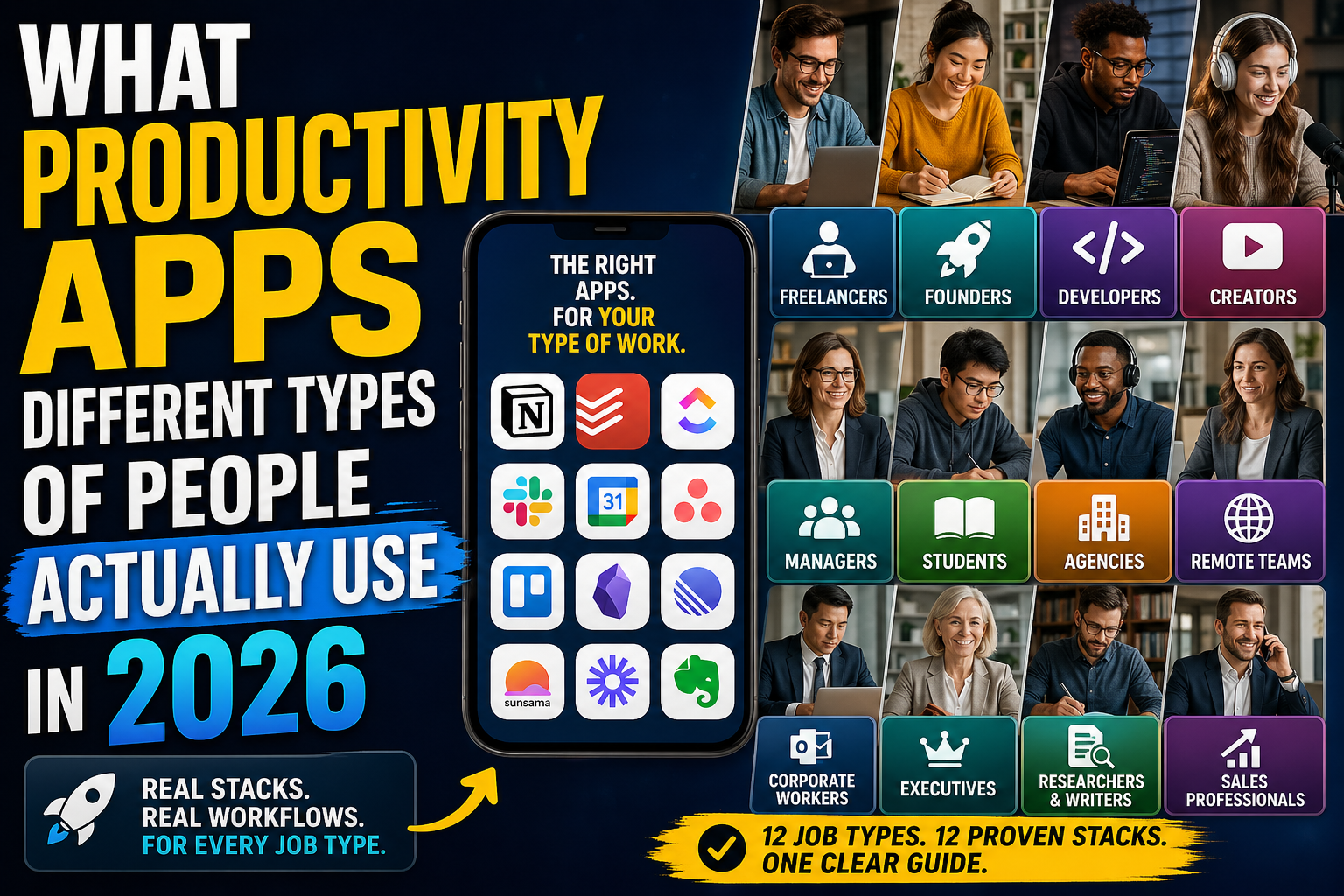
Productivity apps are not really one category anymore.
In 2026, the word "productivity app" can mean a task manager, calendar, notes app, project management tool, team chat app, daily planner, knowledge base, automation tool, AI workspace, or focus system.
That is why choosing one app is confusing.
The better question is not:
What is the best productivity app?
The better question is:
What kind of work do I do, and what stack actually fits that work?
A freelancer does not need the same stack as a corporate manager.
A startup founder does not work like a student.
A software developer does not organize work the same way as a YouTuber.
A remote agency does not need the same system as someone managing personal tasks.
Different people use different productivity stacks because they have different problems.
Some need task capture. Some need client project management. Some need team communication. Some need daily planning. Some need meeting management. Some need content planning. Some need deep research. Some need a simple system they can trust every day.
That is the useful way to think about productivity apps in 2026.
Not by popularity.
By job type.
Quick pricing note
The prices below are approximate public prices as of Q2 2026. Productivity app pricing changes often, and some plans vary by region, billing cycle, promotions, AI add-ons, seat minimums, or enterprise contracts.
For simple comparison, I use estimated USD pricing.
Notion lists Business at $20/member/month, Todoist shows Pro at $5/month annually and Business updates to $8/user/month annually, ClickUp lists Unlimited at $7/user/month annually and Business at $12/user/month annually, Slack lists Pro at $7.25/active user/month annually and Business+ at $15/active user/month annually, and Sunsama lists $25/month per person or $20/month yearly.
1. Freelancers
Typical stack: Todoist + Google Calendar + Notion + Trello or Asana.
Estimated monthly cost: $0 to $25/month for a solo freelancer. More if using paid Notion, Todoist Pro, Asana, or Trello Premium.
Freelancers usually need a stack that handles three things:
- Client work.
- Personal tasks.
- Deadlines.
A freelancer may have five clients, ten active tasks, invoices to send, calls to attend, proposals to write, and follow-ups to remember.
That is why freelancers often use Todoist for quick task capture. It is fast, simple, and good for keeping personal and client tasks in one place.
Google Calendar handles meetings, calls, deadlines, and time blocking. Notion is often used for client notes, project briefs, content ideas, proposal templates, SOPs, and personal documentation.
Trello or Asana can be useful when the freelancer has visual projects or client-facing workflows. A freelance designer might use Trello for design stages: brief, wireframe, design, feedback, final delivery. A freelance developer might use Asana for client tasks, bugs, milestones, and launch checklists.
Why freelancers choose this stack: It is affordable, separates tasks from calendar events, gives them a place for notes and client information, works without a large team, and can scale from personal work to small client projects.
Main risk: Freelancers often spread tasks across too many tools. A task might exist in email, Slack, Todoist, Notion, and a client's Asana board. That creates confusion.
Best rule for freelancers: Have one personal task manager and treat client tools as external workspaces.
2. Startup founders
Typical stack: Notion + Slack + Google Calendar + ClickUp or Asana + Todoist.
Estimated monthly cost: $20 to $60+ per user/month depending on paid plans.
Startup founders usually need a mix of planning, communication, documentation, and execution.
They are not just managing tasks. They are managing product decisions, hiring, marketing, fundraising, customer feedback, meetings, content, operations, and team priorities.
That is why Notion is common for founders. It becomes the company brain: strategy docs, product roadmap, meeting notes, investor notes, hiring pipeline, marketing ideas, team wiki, and customer research.
Slack becomes the communication layer. Google Calendar handles meetings. ClickUp or Asana handles execution, especially when the team grows and tasks need owners, due dates, status updates, and dependencies.
Todoist may still be used personally by the founder because founders often need a private personal task list outside the company project management tool.
Why founders choose this stack: Notion gives flexibility, Slack keeps the team moving, Asana or ClickUp adds accountability, Google Calendar controls meetings, and Todoist can handle personal follow-ups.
Main risk: Founders often create a stack that is too heavy too early. They copy enterprise workflows before the company needs them.
Best rule for founders: Use Notion for thinking and documentation, but use a proper project tool once execution starts getting lost.
3. Software developers
Typical stack: GitHub Issues or Linear + Slack + Google Calendar + Obsidian or Notion + Todoist.
Estimated monthly cost: $0 to $30/month individually. More for team tools, depending on company setup.
Developers usually work differently from general productivity users.
They need to track bugs, features, pull requests, technical notes, code decisions, architecture ideas, and deep work blocks.
For many developers, GitHub Issues, Linear, Jira, Asana, or ClickUp becomes the real task system. The work is tied to repositories, tickets, branches, pull requests, and releases.
Slack is used for team communication. Google Calendar is used for meetings and focus blocks.
Obsidian is popular with developers because it uses local markdown files, works well for technical notes, and feels flexible without forcing everything into a cloud database.
Notion is also common when developers work with product teams, because Notion is better for shared documentation, specs, and team knowledge.
Todoist may be used for personal tasks, reminders, learning goals, and non-code work.
Why developers choose this stack: Work needs to stay close to code, technical notes need structure, deep work needs protection, team communication needs to be fast, and documentation needs to be searchable.
Main risk: Developers often end up with work split between GitHub, Slack, Jira, Notion, and personal notes. Important decisions can disappear inside chat.
Best rule for developers: Keep engineering tasks in the engineering system, but move durable knowledge into documentation. Slack is not documentation.
4. Content creators
Typical stack: Notion + Google Calendar + Todoist + Obsidian + Trello.
Estimated monthly cost: $0 to $25/month for most solo creators.
Content creators need a stack that supports ideas, planning, production, publishing, and research.
A YouTuber, blogger, newsletter writer, or social media creator usually needs to manage content ideas, research, scripts, publishing calendar, sponsors, thumbnails, repurposing, analytics notes, and tasks.
Notion is common because it works well for content calendars, databases, scripts, and dashboards. Google Calendar handles publishing dates and meetings. Todoist is good for capturing small tasks quickly.
Obsidian is useful for deeper research, writing notes, and long-term knowledge. Trello works well for visual content pipelines: ideas, researching, writing, editing, scheduled, published, repurposed.
Why creators choose this stack: Notion is flexible for content planning, Trello is visual, Todoist is fast, Obsidian is good for research, and Google Calendar keeps publishing consistent.
Main risk: Creators often build beautiful Notion systems but do not publish enough. The system becomes a distraction.
Best rule for creators: The stack should help you publish more consistently, not give you another place to organize ideas forever.
5. Managers and team leads
Typical stack: Asana or ClickUp + Slack + Google Calendar + Notion + Google Docs.
Estimated monthly cost: $25 to $70+ per user/month depending on paid team plans.
Managers need visibility.
They need to know who owns what, what is blocked, what is late, what needs a decision, what changed this week, and what the status of each project is.
That is why Asana and ClickUp are common for managers. Asana is strong for ownership, timelines, accountability, and project structure. ClickUp is strong for teams that want tasks, docs, dashboards, time tracking, and multiple views inside one system.
Slack handles communication. Google Calendar handles meetings and one-on-ones. Notion or Google Docs handles documentation, meeting notes, team processes, and planning docs.
Why managers choose this stack: It gives visibility, creates ownership, helps reduce status meetings, gives the team one place for project work, and separates communication from execution.
Main risk: Managers often turn project tools into reporting machines instead of useful work systems. The team updates tasks only because management asks, not because the system helps them work.
Best rule for managers: A project management tool should help the team execute, not only help the manager monitor.
6. Students
Typical stack: Google Calendar + Notion + Todoist or Microsoft To Do + Obsidian.
Estimated monthly cost: $0 to $10/month for most students.
Students usually need a lightweight stack.
They need to track classes, assignments, exams, study notes, deadlines, reading, projects, and personal life.
Google Calendar is useful for classes, exams, study blocks, and reminders. Notion is popular for class notes, dashboards, assignment trackers, and study planning.
Todoist or Microsoft To Do works well for assignments and reminders. Obsidian is useful for students who take deeper notes, especially in technical, research-heavy, or writing-heavy subjects.
Why students choose this stack: Most tools have free plans, the setup is flexible, it supports notes, tasks, and deadlines, it works across devices, and it does not require a team workflow.
Main risk: Students often overbuild their system instead of studying. A perfect Notion dashboard does not replace doing the work.
Best rule for students: Use one place for deadlines, one place for notes, and one place for tasks. Do not create a system you need to maintain more than you use.
7. Agencies
Typical stack: ClickUp or Asana + Slack + Google Calendar + Notion + Trello.
Estimated monthly cost: $30 to $80+ per user/month depending on paid plans.
Agencies need to manage clients, projects, deadlines, revisions, team communication, files, approvals, and recurring workflows.
That makes their productivity stack more complex than a solo freelancer's stack.
ClickUp is popular with agencies because it combines tasks, views, dashboards, time tracking, docs, automations, and client workflows.
Asana is also common because it is structured, reliable, and easier for many teams to understand. Slack handles internal communication. Google Calendar handles client calls and team meetings.
Notion may be used for SOPs, onboarding, internal documentation, templates, and knowledge. Trello may still be used for simple visual workflows or client-friendly boards.
Why agencies choose this stack: They need repeatable workflows, client visibility, deadlines and accountability, internal documentation, and project status clarity.
Main risk: Agencies can end up with too many client-specific tools. One client uses Trello. Another uses Asana. Another uses ClickUp. Another sends tasks by email. This creates operational chaos.
Best rule for agencies: Have one internal source of truth, even if clients use different external tools.
8. Remote teams
Typical stack: Slack + Asana or ClickUp + Notion + Google Calendar + Loom.
Estimated monthly cost: $30 to $70+ per user/month depending on paid plans.
Remote teams need communication, clarity, async updates, documentation, and project visibility.
Slack is often the center of daily communication. Asana or ClickUp handles work execution. Notion handles documentation and team knowledge. Google Calendar handles meetings. Loom or similar tools are often used for async video explanations.
Remote teams need more written structure than office teams. You cannot rely on hallway conversations. That is why documentation becomes more important.
Why remote teams choose this stack: Slack replaces office conversation, Asana or ClickUp creates accountability, Notion keeps knowledge accessible, Google Calendar coordinates time zones and meetings, and async video reduces unnecessary calls.
Main risk: Remote teams often confuse communication with productivity. More Slack messages do not mean more work is getting done.
Best rule for remote teams: Use Slack for conversation, Notion for knowledge, and Asana or ClickUp for work ownership. Do not let decisions live only in chat.
9. Corporate workers
Typical stack: Outlook + Microsoft Teams + Microsoft To Do + OneNote + Microsoft Planner.
Estimated monthly cost: Usually bundled inside Microsoft 365 business plans.
Corporate workers often do not choose their productivity stack. The company chooses it.
That is why Microsoft tools dominate many corporate environments. Outlook handles email and calendar. Teams handles meetings and communication. Microsoft To Do handles personal tasks. OneNote handles notes. Microsoft Planner may handle lightweight team tasks.
This stack is not always loved, but it is common because it is bundled, secure, familiar, and managed by IT.
Why corporate workers use this stack: It is already approved by the company, integrates with Microsoft 365, works for meetings, email, files, and tasks, lets IT teams manage permissions and security, and reduces the need for separate subscriptions.
Main risk: Corporate workers often have work scattered across email, Teams chats, Planner, OneNote, and personal task lists. The system can become fragmented.
Best rule for corporate workers: Use Microsoft To Do for your personal action list, Outlook Calendar for time, and OneNote for notes. Do not rely on Teams chat as your memory.
10. Executives and business owners
Typical stack: Google Calendar or Outlook + Notion + Todoist or Sunsama + Slack + Asana or ClickUp.
Estimated monthly cost: $25 to $80+ per month individually. More if paying for team tools.
Executives and business owners need a system that separates strategic thinking from daily execution.
They usually deal with meetings, decisions, follow-ups, team updates, strategy, hiring, sales, finance, customer issues, and personal priorities.
Google Calendar or Outlook is usually the center of the day. Sunsama is useful for executives who want a calmer daily planning layer. Todoist works well for personal follow-ups.
Notion is useful for strategy, notes, planning, and documentation. Slack handles communication. Asana or ClickUp gives visibility into team execution.
Why executives choose this stack: Calendar controls the day, daily planning prevents overload, project tools show team progress, Notion captures strategy and decisions, and Slack keeps communication fast.
Main risk: Executives often become reactive. Their day gets controlled by meetings, messages, and urgent requests.
Best rule for executives: Your calendar should not only show meetings. It should protect thinking time.
11. Researchers and writers
Typical stack: Obsidian + Zotero + Google Calendar + Todoist + Notion.
Estimated monthly cost: $0 to $15/month for many individual users.
Researchers and writers need knowledge management more than task management.
They need to collect ideas, connect notes, cite sources, write drafts, manage research, and return to old thinking later.
Obsidian is popular because it supports linked notes, markdown files, local storage, and long-term knowledge building. Zotero is often used for research and citations.
Google Calendar handles deadlines and writing blocks. Todoist handles writing tasks, reading lists, and reminders. Notion may be used for publishing plans, project dashboards, or client-facing organization.
Why researchers and writers choose this stack: Obsidian supports deep thinking, Zotero manages sources, Todoist keeps tasks lightweight, Calendar protects writing time, and Notion can organize outward-facing projects.
Main risk: Researchers and writers often collect too much information and produce too little finished work.
Best rule for researchers and writers: Separate capture from output. A knowledge base is only useful if it helps you produce clearer work.
12. Sales and client-facing professionals
Typical stack: CRM + Google Calendar or Outlook + Todoist + Slack + Notion.
Estimated monthly cost: Highly variable. Can be $0 to $100+ per user/month depending on the CRM.
Salespeople and client-facing professionals need follow-up systems more than traditional task lists.
Their work depends on remembering who to contact, when to follow up, what was promised, what objections came up, what stage the deal is in, and what needs to happen next.
A CRM is usually the center of this stack. Google Calendar or Outlook handles calls and meetings. Todoist can handle personal follow-ups. Slack handles internal updates. Notion may hold sales scripts, onboarding notes, FAQs, proposal templates, and internal knowledge.
Why sales professionals choose this stack: CRM tracks pipeline, Calendar tracks meetings, Todoist tracks personal action items, Slack keeps internal teams aligned, and Notion stores repeatable knowledge.
Main risk: Sales work breaks when follow-ups are scattered across email, notes, memory, and chat.
Best rule for sales professionals: Every follow-up needs a trusted home. If it depends on memory, it will eventually fail.
The biggest pattern across all productivity stacks
The best productivity stacks in 2026 are not built around the most popular app.
They are built around clear ownership.
Every category needs a home.
- Where do tasks live?
- Where does time live?
- Where do notes live?
- Where does team communication happen?
- Where does project ownership live?
- Where does long-term knowledge live?
- Where does daily planning happen?
The mistake is giving every tool permission to do everything.
That is how people end up with tasks in Slack, notes in Google Docs, reminders in email, projects in Notion, deadlines in Asana, and personal priorities in their head.
The problem is not the app.
The problem is unclear ownership.
Simple stack recommendations by job type
- Freelancer: Todoist + Google Calendar + Notion + Trello or Asana.
- Startup founder: Notion + Slack + Google Calendar + ClickUp or Asana + Todoist.
- Developer: GitHub Issues or Linear + Slack + Obsidian + Google Calendar + Todoist.
- Creator: Notion + Google Calendar + Todoist + Obsidian + Trello.
- Manager: Asana or ClickUp + Slack + Google Calendar + Notion.
- Student: Google Calendar + Notion + Todoist or Microsoft To Do + Obsidian.
- Agency: ClickUp or Asana + Slack + Google Calendar + Notion.
- Remote team: Slack + Asana or ClickUp + Notion + Google Calendar + Loom.
- Corporate worker: Outlook + Teams + Microsoft To Do + OneNote + Planner.
- Executive: Calendar + Sunsama or Todoist + Notion + Slack + Asana or ClickUp.
- Researcher or writer: Obsidian + Zotero + Google Calendar + Todoist + Notion.
- Sales professional: CRM + Calendar + Todoist + Slack + Notion.
The real productivity question
The real productivity question is not:
Should I use Notion, Todoist, Asana, ClickUp, Slack, Trello, Obsidian, or Sunsama?
The real question is:
What kind of work am I trying to manage?
A student needs a simple system for classes, deadlines, notes, and study blocks.
A freelancer needs client task tracking, calendar discipline, and a way to manage follow-ups.
A founder needs strategy, execution, communication, and team visibility.
A developer needs tickets, code-linked work, technical notes, and deep work time.
A creator needs ideas, scripts, publishing workflows, and research.
A manager needs ownership, accountability, and status visibility.
A remote team needs async communication, documentation, and project clarity.
Each category has a different problem.
That is why each category ends up with a different stack.
Final thoughts
In 2026, the best productivity app is usually not one app.
It is the right stack for the type of work you do.
Freelancers need client clarity. Founders need execution and strategy. Developers need technical workflow and deep work. Creators need content pipelines. Managers need accountability. Students need deadlines and notes. Agencies need repeatable client workflows. Remote teams need async clarity. Corporate workers need to survive inside company-approved tools. Executives need to protect attention.
The goal is not to use more productivity apps.
The goal is to give every app a clear job.
If two apps are doing the same job, your system will become confusing.
If no app owns an important job, your system will become unreliable.
A good productivity stack should answer one simple question:
Where does this type of work live?
When the answer is clear, productivity gets easier.
When the answer is unclear, even the best apps become another source of work.
Date-based AI Task Manager
Plan smarter, execute faster, achieve more
Create tasks in seconds, generate AI-powered plans, and review progress with intelligent summaries. Perfect for individuals and teams who want to stay organized without complexity.
Get started with your preferred account