
Best Life Planner Software in 2026: Turn Goals Into Monthly Plans and Daily Actions
Article 5 of 10
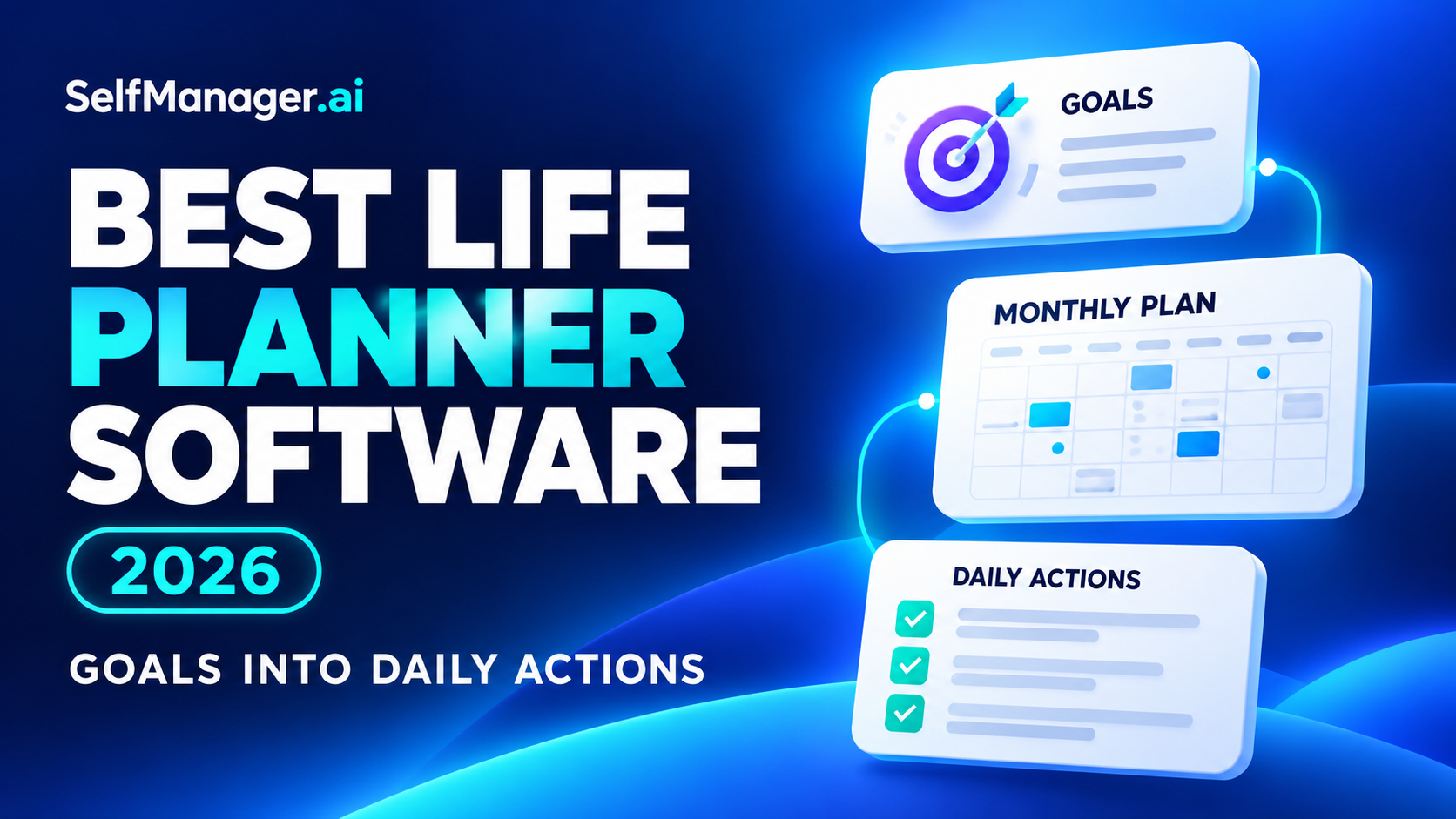
The best life planner software helps you connect what you want to achieve with what you actually do this week.
Choose Amazing Marvin if you want explicit links between goals, projects, tasks and habits. Choose Notion if you want to build a custom planning workspace. Choose Todoist for straightforward task organization, TickTick for tasks and habits, or Sunsama for deliberate daily workload planning.
SelfManager.ai is our recommendation when you want to plan by date, keep the context behind your work and use AI to review what happened.
The right choice depends on which connection is missing: goals to projects, projects to daily actions, or completed work to an honest review.
Features and selected published prices checked October 19, 2026. This guide is published by SelfManager.ai and compares official documentation with illustrative workflows. It does not claim hands-on testing of every app.
What Is Life Planner Software?
Life planner software helps organize priorities across areas such as work, learning, personal projects, household responsibilities and relationships.
For this guide, a useful system connects four levels:
| Level | Question it answers | Example |
|---|---|---|
| Direction | What do I want to change or achieve? | Build a stronger professional portfolio |
| Project | What outcome will move that forward? | Publish three detailed case studies |
| Near-term plan | What belongs this month or week? | Complete the first case study this month |
| Daily action | What can I do next? | Draft the project-results section on Tuesday |
The app does not have to implement a formal hierarchy for all four levels. It does need a workable way to move between them.
A page of ambitions is difficult to act on. A task list without direction can keep you busy without advancing the things you care about.
Best Life Planner Software at a Glance
| Software | Best fit | How goals reach daily work | Main trade-off |
|---|---|---|---|
| SelfManager.ai | Dated planning, work context and AI review | Translate priorities into dated tasks, then review recorded activity | Goal structure is a workflow you organize, not a formal goal database |
| Amazing Marvin | Explicit goal and habit connections | Link goals to projects, tasks and habits | More configuration to learn and maintain |
| Notion | A custom planning system | Build related goal, project and task databases | You design the structure and keep it usable |
| Todoist | A manageable inventory of commitments | Organize projects and select next actions using dates, priorities and filters | You supply the broader goal-review process |
| TickTick | Tasks, routines and focus | Combine task lists with habit tracking and focus tools | Long-term direction still needs a deliberate review process |
| Sunsama | Realistic daily execution | Choose daily work and connect it with weekly objectives | A guided planning routine and premium subscription |
These recommendations address different needs. No app becomes the best choice merely by offering the most features.
1. SelfManager.ai: Best for Dated Planning and AI-Assisted Review
SelfManager.ai organizes work around dates and tables.
On a particular day, you can keep separate tables for client work, learning, personal administration or a side project. Tasks stay alongside supporting notes, comments, files and tracked task time.
That makes it useful when a plan needs to preserve more than a checklist. You can retain a decision, the reason a task changed, or the context behind unfinished work.
How it supports life planning
A practical setup is to keep an accessible priorities table and turn selected priorities into tasks on relevant dates.
For example, a monthly priority to publish a portfolio case study can lead to separate dated actions for gathering material, drafting, editing and publishing.
This is a suggested organizational method, not a claim that SelfManager has a formal goal-to-project hierarchy.
Its AI Plan can propose dated tables and tasks for up to 31 days, with an editable review before approval. AI Review helps examine work over a week, month, quarter or custom period.
Best reason to choose it
Choose SelfManager if you want to connect planning with a record of what happened.
It is particularly relevant when work and personal responsibilities share the same week, but you want to keep their details separate.
Main limitation
SelfManager has no external calendar sync or automatic calendar scheduling. It is also a different approach from a dedicated goal tracker with linked goal metrics.
Individual pricing is $8 monthly or $72 annually. The seven-day trial requires no card.
For a useful first test, plan one real priority across a week, record context as you go and review the period afterward.
2. Amazing Marvin: Best for Explicit Goals, Projects and Habits
Amazing Marvin is a strong candidate if you want goals represented directly in the product.
Its Goals & Objectives feature connects goals with projects, tasks and habits. It also supports progress trackers, expectations and scheduled check-ins.
The distinction between an end goal and an ongoing goal is useful. Completing a professional qualification has a finish line; maintaining regular learning is an ongoing practice.
How it supports life planning
You can define an outcome, identify the actions supporting it and check progress regularly.
For the portfolio example, that could mean a goal linked to several case-study projects, individual writing tasks and a recurring writing habit.
Best reason to choose it
Choose Marvin when you want a customizable productivity system with explicit goal connections.
It is a better starting point than a basic task list if those connections are essential to how you think. Its wider feature set also includes day planning, time targets, habits and configurable workflows.
Main limitation
Customization creates setup decisions. Start with the features you need rather than enabling every strategy.
Its goal-check-in documentation also notes that completed check-ins are not retained for later viewing unless you preserve them separately. Verify that behavior if historical reflections matter to you.
Marvin currently advertises $96 annually, equivalent to $8 per month, with a 14-day trial.
3. Notion: Best for Building a Custom Life-Planning Workspace
Notion suits people who want their planning system to contain structured records and longer explanations together.
Its database relations can connect records across databases. Rollups can summarize information from those related records.
That provides building blocks for a custom structure such as:
- Goals.
- Projects.
- Tasks.
- Review notes.
The goal database in this example is something you configure. It is not a claim that every new Notion account starts with a complete life-planning system.
How it supports life planning
A project can relate to a goal, and tasks can relate to that project. You can create views that show relevant work without copying it into several separate lists.
Pages can also hold the background: why the goal matters, what success means and what you learned. Notion’s own documentation describes connected task and project databases as a way to link daily work with larger objectives.
Best reason to choose it
Choose Notion if designing the structure is part of the value for you.
It is especially useful when your planning needs include substantial reference material alongside actions.
Main limitation
You are responsible for the system’s design. More dashboards and properties can increase maintenance without improving follow-through.
Notion offers a free plan for personal projects and life organization. Paid features, AI access and allowances depend on the plan.
4. Todoist: Best for Keeping the System Manageable
Todoist is worth considering when the immediate problem is losing track of commitments.
Projects, sections, subtasks, labels, priorities and filters give you a flexible way to organize work and personal tasks.
It does not require you to build a custom database system before capturing the next action.
How it supports life planning
Represent an outcome as a project, break it into actions and choose what to work on using dates and priorities.
For the portfolio example, you might keep one project per case study and review progress at a recurring weekly appointment.
That review process is a method you supply.
Best reason to choose it
Choose Todoist when you need a task system you can maintain consistently and prefer a lighter structure.
Start with a small number of projects. Add filters when you have a clear question they need to answer.
Main limitation
A well-organized inventory does not automatically establish whether your goals are still worthwhile or whether the week is realistic.
Todoist has a permanent free Beginner plan. Pro adds capabilities including calendar layouts and task durations.
5. TickTick: Best for Tasks, Habits and Focus Together
TickTick combines task organization with habit tracking, calendar features and focus tools.
Its documented features include lists, tags, recurring reminders, a habit tracker, Pomodoro and statistics.
That makes it worth evaluating if your plans depend on repeated behavior as much as one-off projects.
How it supports life planning
A project to finish a course and a habit of studying regularly are related but different.
The project defines an outcome. The habit supports consistency. Tasks describe the next lesson, exercise or assignment.
You can organize those elements in the same app rather than maintaining separate systems for every behavior.
Best reason to choose it
Choose TickTick when routines and focused work sessions are central to your planning.
Main limitation
Habit logs and completed tasks do not automatically tell you whether a long-term goal remains the right one. Keep a recurring review in the process.
TickTick has a free plan. Its official upgrade page currently lists Premium at $49.99 per year, with broader calendar features and higher limits.
6. Sunsama: Best for Turning Priorities Into a Realistic Workday
Sunsama is a strong candidate when you have enough goals and tasks but struggle to decide what fits today.
Its guided daily planning includes selecting tasks, estimating workload and finalizing a plan. Timeboxing can place chosen work into the calendar.
Its weekly planning centers on objectives, giving the daily plan a connection to a broader direction.
How it supports life planning
For a portfolio project, the weekly objective might be to complete a draft. The daily routine helps you choose achievable writing and editing sessions around other obligations.
This is most useful when the gap is execution and capacity, rather than designing a detailed long-term goal framework.
Best reason to choose it
Choose Sunsama when you would benefit from a deliberate planning and review routine.
It also documents planned-versus-actual task time and a Sunny AI assistant that can help manage tasks and summarize work.
Main limitation
A daily planning ritual needs to earn its place in your week. Test whether it improves decisions rather than simply adding another routine.
Sunsama’s main Pro offer lists $22 monthly or $204 annually. It offers a 14-day trial without a card; confirm the checkout price.
A Practical Life-Planning System You Can Use in Any App
Start with one meaningful outcome rather than mapping every area of life at once.
Step 1: Choose a direction and a visible result
“Improve my career” is difficult to evaluate.
“Publish three case studies that explain my work and results” gives you something concrete to plan.
Choose a result you can influence. Do not treat every hoped-for external response as an outcome you control.
Step 2: Choose this month’s milestone
For example:
Publish the first case study by the end of the month.
List what must be true for that to happen: selected project, gathered evidence, draft, review and publication.
Step 3: Select a realistic weekly commitment
This week might contain:
- Select the project.
- Gather the relevant screenshots and notes.
- Draft the problem and solution sections.
Leave room for existing work. A personal project does not make client obligations disappear.
Step 4: Put the next actions on actual days
| Day | Example action |
|---|---|
| Tuesday | Gather the source material |
| Thursday | Draft the problem and solution |
| Friday | Review the draft and identify missing details |
These are example actions, not a schedule every reader should copy.
The useful shift is from an intention you repeatedly remember to work you have deliberately placed.
Step 5: Review evidence and adjust
At the end of the week, ask:
- What moved toward the milestone?
- What remained untouched?
- Which estimate was unrealistic?
- What changed?
- What should I stop, continue or do next?
Use completed work, notes and relevant outcomes. Task counts alone are a weak substitute for meaningful progress.
How to Use AI Without Handing Over Your Priorities
AI is useful for turning a broad intention into a draft plan or helping examine recorded work.
A planning brief might be:
I want to publish one portfolio case study this month. I can spend two hours a week on it. Break the work into manageable actions and leave room for review.
A review question might be:
Based on the work I recorded this month, what advanced the case study, what repeatedly slipped and what should I change next month?
These are example prompts. Their usefulness depends on the information the assistant can access and the quality of your records.
Check the proposal before committing. Remove unnecessary actions and correct assumptions about your time.
A good life plan should express your priorities clearly enough that you can question them. An AI-generated schedule is still a proposal.
Which Life Planner Should You Choose?
Choose according to the part of the process you need help with:
- Explicit goal connections: Amazing Marvin.
- A custom workspace for goals, projects and reference material: Notion.
- Straightforward capture and task organization: Todoist.
- Tasks, habit consistency and focus tools: TickTick.
- Deliberate daily workload selection: Sunsama.
- Dated planning, work context and AI-assisted review: SelfManager.ai.
For related reading, see Best Planning Tools for Work and Personal Life in One Place and Is Amazing Marvin Worth It in 2026?
If SelfManager’s date-based workflow matches what you need, start with one priority during the seven-day trial. Use the week to evaluate planning, execution and review together.
Frequently Asked Questions
What is the best life planner software?
There is no single winner for every planning style. Amazing Marvin suits explicit goals and habits, Notion suits a custom system, Todoist suits task organization, TickTick suits routines, Sunsama suits daily workload planning, and SelfManager suits dated planning and review.
How is a life planner different from a to-do list?
A to-do list records actions. A life-planning system also gives those actions direction, connects them with projects and provides a way to review progress. You can build that process in several kinds of software.
Can I use one app for work and personal life?
Yes, if its organization lets you keep the areas clear. Separate projects, categories or dated tables can help. Where other people have access, check the actual sharing settings rather than assuming a label creates privacy.
Is there free life planner software?
Notion, Todoist and TickTick offer free plans. Whether one is sufficient depends on the structure, capacity and features you need.
Can AI plan my life?
AI can help draft plans and review available information. You still need to choose priorities, correct assumptions and decide which commitments belong in your life.
Should I plan the whole year in detail?
Use the year for direction and nearer periods for specific commitments. Keep distant plans flexible, then add detail as circumstances and priorities become clearer.
Date-based AI Task Manager
Plan smarter, execute faster, achieve more
Create tasks in seconds, generate AI-powered plans, and review progress with intelligent summaries. Perfect for individuals and teams who want to stay organized without complexity.
Get started with your preferred account