
Why Most Task Managers Fail for Personal Use
And what to do instead (a simple system that actually survives real life)
Most people don't abandon their goals because they "lack discipline."
They abandon them because their task manager slowly turns into a stressful dumping ground.
At first, it feels great:
- you capture everything
- nothing gets forgotten
- you feel organized
Then the list grows.
You stop trusting it.
And eventually you stop opening it.
This article explains why that happens, why it's especially common for personal use, and how to redesign your system so it helps you finish things—without turning your life into admin work.
The uncomfortable truth: personal life creates infinite tasks
Work has boundaries:
- a project scope
- a team
- a deadline
- a definition of "done"
Personal life doesn't.
You always have:
- errands
- health
- relationships
- money
- learning
- side projects
- client work (for freelancers)
- maintenance tasks that never stop
So if your task manager is "just a list," it will eventually become a mirror of everything you haven't done.
And that's when stress starts.
The 8 reasons most task managers fail for personal use
1) They become a dumping ground (the inbox becomes your life)
Task managers are great at capture. Too great.
When everything goes into the same place:
- urgent tasks
- low-value maintenance
- long-term dreams
- random ideas
- "someday" projects
…your list turns into a junk drawer.
Result:
- planning feels heavy
- you procrastinate
- your system stops being a system
The tell-tale sign
You open your task manager and immediately feel behind.
2) They don't force a weekly decision
Most tools let you add priority labels.
But they don't force the real decision:
"What matters THIS week?"
Without a weekly filter, you live in a constant state of "maybe":
- maybe tomorrow
- maybe next week
- maybe soon
And "soon" becomes never.
3) Tasks float without time context
Personal productivity isn't just about what to do.
It's about when and why.
Many task managers create "floating tasks":
- no home in a real day/week
- no natural review moment
- no rhythm
So tasks drift.
Your list grows.
You stop trusting it.
4) They treat projects like tasks (the biggest mistake)
A project is not a task.
"Redesign my website" isn't a to-do item. It's a multi-week outcome.
When you store projects as single tasks:
- you avoid starting (too big)
- you avoid finishing (too fuzzy)
- you keep rewriting the same task
And when you expand the project into 50 subtasks…
the list becomes unreadable.
5) They don't preserve context (so re-starting feels painful)
A task like:
- "Work on marketing"
- "Improve landing page"
- "Fix onboarding"
…is useless without context:
- what you already decided
- what you tried
- what's blocked
- what's the next step
So you delay it.
Not because you're lazy—because re-entering the mental context feels expensive.
6) They encourage too many active projects (WIP overload)
A task manager makes it easy to run 10–20 projects at once.
But personal systems collapse when WIP (work in progress) is too high.
You end up with:
- many starts
- few finishes
- constant guilt
- no momentum
A good personal system has a WIP limit.
7) Maintenance tasks steal your best energy
In a single flat list, "quick maintenance" tasks dominate:
- emails
- bills
- chores
- small admin
They feel productive because you can check them off fast.
But they crowd out deep work projects that need focus:
- fitness goals
- learning
- side business
- creative work
So you stay "busy" and your life doesn't move forward.
8) The tool adds admin work (and becomes stressful)
Some apps require too much upkeep:
- tags
- statuses
- views
- reorganizing boards
- constant re-prioritizing
For personal use, admin-heavy systems become exhausting.
If the tool needs willpower to maintain, it's not supporting you.
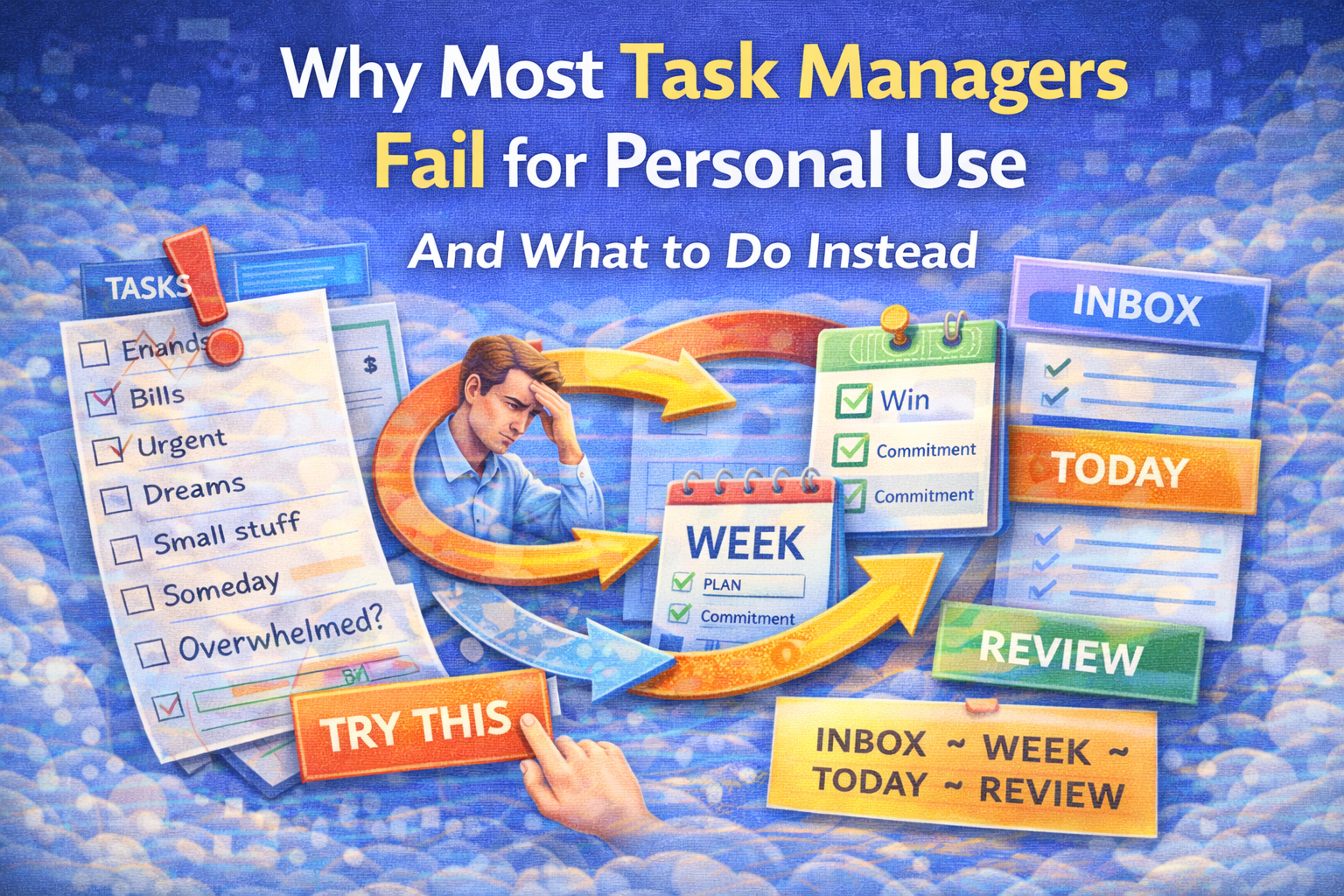
What actually works: a simple personal system (INBOX → WEEK → TODAY → REVIEW)
Instead of "one big list," use four layers:
1) INBOX (capture fast, without organizing)
Anything that shows up goes here:
- tasks
- ideas
- "remember this"
- loose ends
No categories. No perfection. Just capture.
Goal: zero fear of forgetting.
2) WEEK PLAN (choose what matters)
Once per week (15 minutes), decide:
- Weekly Win (one sentence):
"If I finish only one thing this week, it's ______." - 3–5 weekly commitments:
Trackable actions that make the win happen.
Examples:
- Deep work sessions: 0/3
- Outreach blocks: 0/2
- Workouts: 0/3
- Admin cleanup: 0/1
Goal: turn chaos into a small scoreboard.
3) TODAY (small execution list)
Each day, choose:
- 1 meaningful output
- 3–7 tasks max
If your daily list has 20+ items, it's not a plan—it's a backlog.
Goal: start fast and finish something.
4) REVIEW (so you don't repeat the same mistakes)
Weekly review questions:
- What worked?
- What didn't?
- What was noise?
- What do I change next week?
This is where improvement happens.
Without it, you repeat the same planning errors forever.
The "Projects vs Tasks" rule (the simplest upgrade you can make)
Use this rule of thumb:
If it takes more than 3 steps and more than 1 week → it's a project.
Treat it like a project:
- define outcome ("done means…")
- define milestone (this week/month)
- define next 3 actions
- schedule a review
This one rule prevents your task manager from turning into a swamp.
A realistic example (how this looks in real life)
INBOX (messy capture)
- "Call dentist"
- "Fix pricing page"
- "Gym schedule"
- "Write article"
- "Client follow-up"
WEEK PLAN
Weekly Win: Publish the article draft.
Commitments:
- Writing: 0/3 blocks
- Admin: 0/1 block
- Workout: 0/2
TODAY
- Write outline (45 minutes)
- Client follow-up
- Pay rent
- Gym
REVIEW
- Writing worked on Tue/Thu, failed on Monday.
- Too many meetings Monday → next week start strong on Tuesday.
This is how a system survives real life.
When to switch tools (instead of redesigning your method)
Sometimes the tool is the issue.
Switch if:
- it's slow or clunky (friction every day)
- it takes too many clicks to add/see tasks
- it constantly pushes you into organizing instead of doing
- you avoid opening it because it feels overwhelming
A productivity tool should feel like relief, not pressure.
How SelfManager.ai fits this (quick, non-salesy)
One reason task managers fail is they don't naturally create time awareness.
A date-based approach can reduce stress because it forces clarity:
- what belongs to this day
- what belongs to this week
- what belongs to this month/quarter
A lightweight setup:
- Daily table = today's execution list + quick inbox capture
- Weekly table = weekly win + commitments scoreboard
- Monthly/Quarterly tables = milestones
- Pin the Week/Month/Quarter tables so you don't lose the bigger picture while doing daily work
The goal isn't "more structure."
It's less switching, less overwhelm, more finishing.
Copy/paste template (use this every week)
INBOX:
- (capture everything here)
Weekly Win:
- If I finish only one thing this week, it's: ______
Weekly Commitments (3–5):
- ____: 0/
- ____: 0/
- ____: 0/
Minimum Viable Week:
- If the week explodes, I still do: ______ and ______
Today (max 7):
- ---
- ---
- ---
Weekly Review (Friday):
- worked: ______
- didn't: ______
- change next week: ______
If you only take one idea from this article
Don't try to manage your life in one endless list.
Use a weekly filter:
INBOX → WEEK → TODAY → REVIEW
That single change prevents missed weeks—and keeps your system working when motivation doesn't.
Date-based AI Task Manager
Plan smarter, execute faster, achieve more
Create tasks in seconds, generate AI-powered plans, and review progress with intelligent summaries. Perfect for individuals and teams who want to stay organized without complexity.
Get started with your preferred account