What slipped last week?
3 tasks missed deadline: Design review, API docs...
Plan tasks, add comments, take notes, track time, and get AI summaries that show progress in minutes — not hours. If you're a team, one flat price for your whole team.
For the best experience, please use a full browser like Chrome, Safari, or Firefox instead of social media browsers.
Need help? →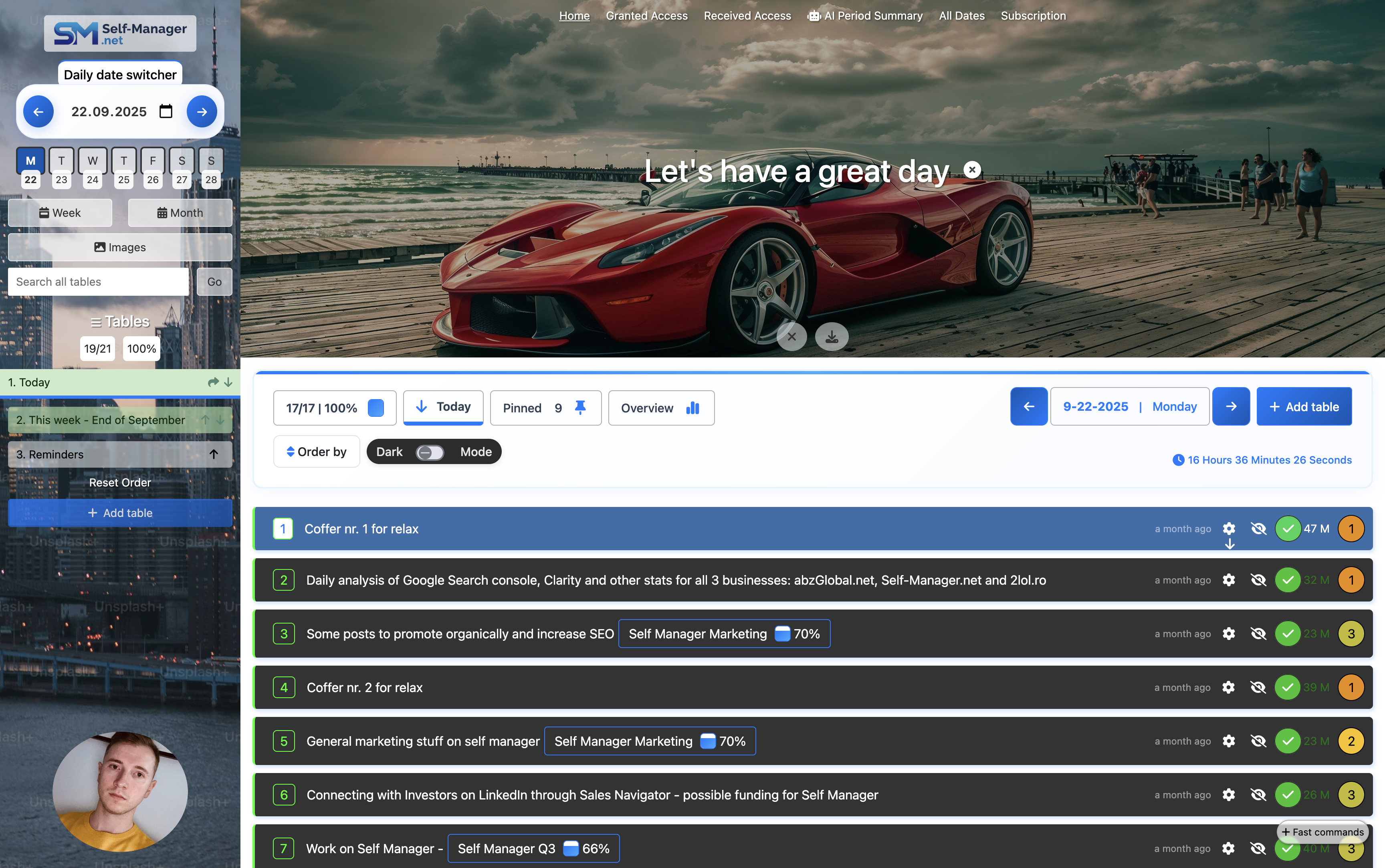
Quick videos to get you started in minutes
See the latest AI features and improvements we've shipped
A quick walkthrough of the core features and workflow
UI has been updated since recording + new features were addedStop switching between apps. Self-Manager combines task management, time tracking, and AI insights in one place - so you can plan in seconds, track progress, reviews and stay focused on what matters.
Ask questions in plain English. Get instant answers about deadlines, blockers, and what needs attention.
Paste meeting notes, emails, or specs. AI extracts tasks with owners, dates, and priorities automatically.
One click generates a narrative of your week, month, or quarter—who did what, what shipped, what slipped.
Quick mode for daily triage. Thinking mode for deep analysis, estimations, and complex planning.
Weekly, monthly, and quarterly reports with breakdowns by priority, status, time spent, and completion rates.
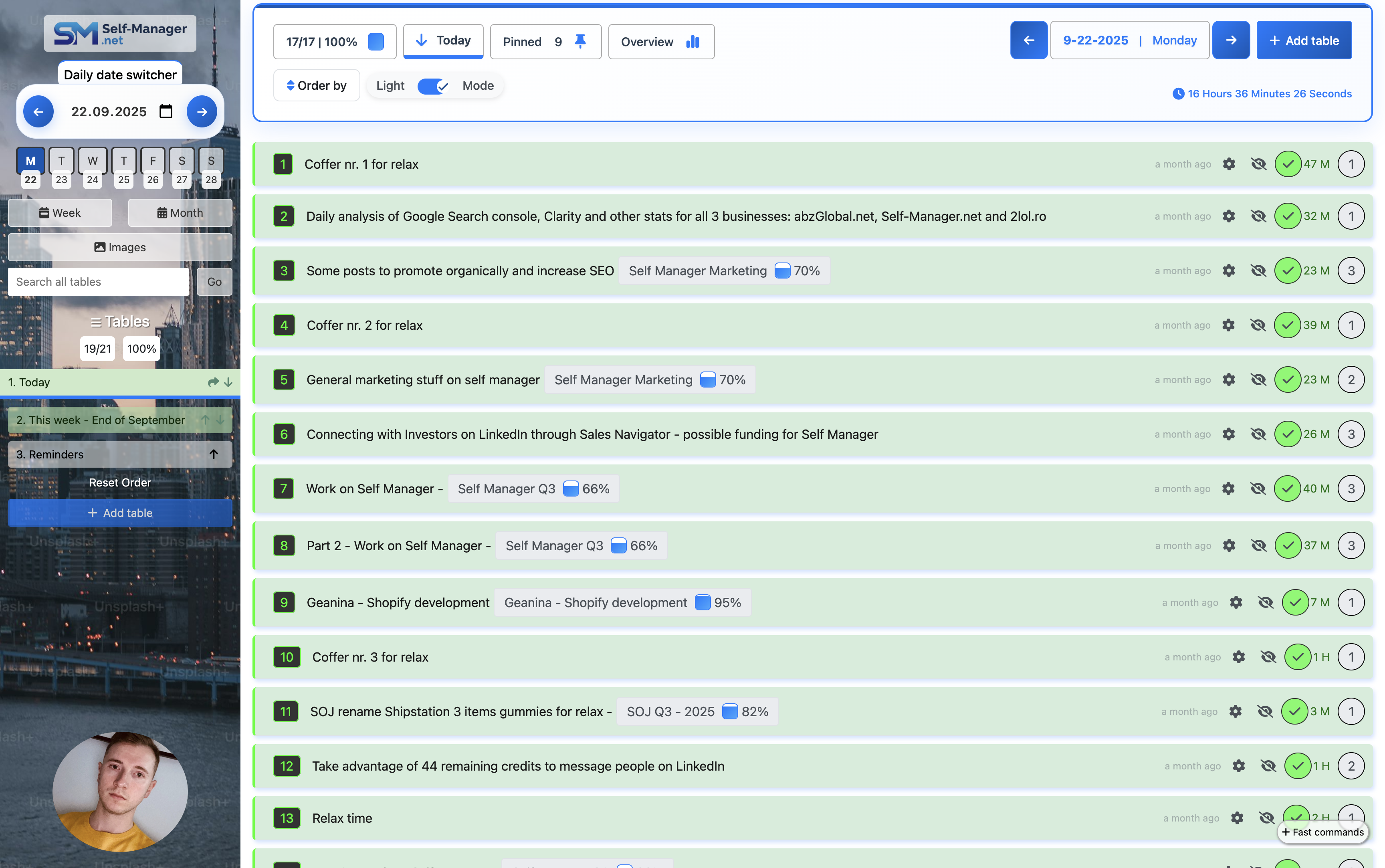
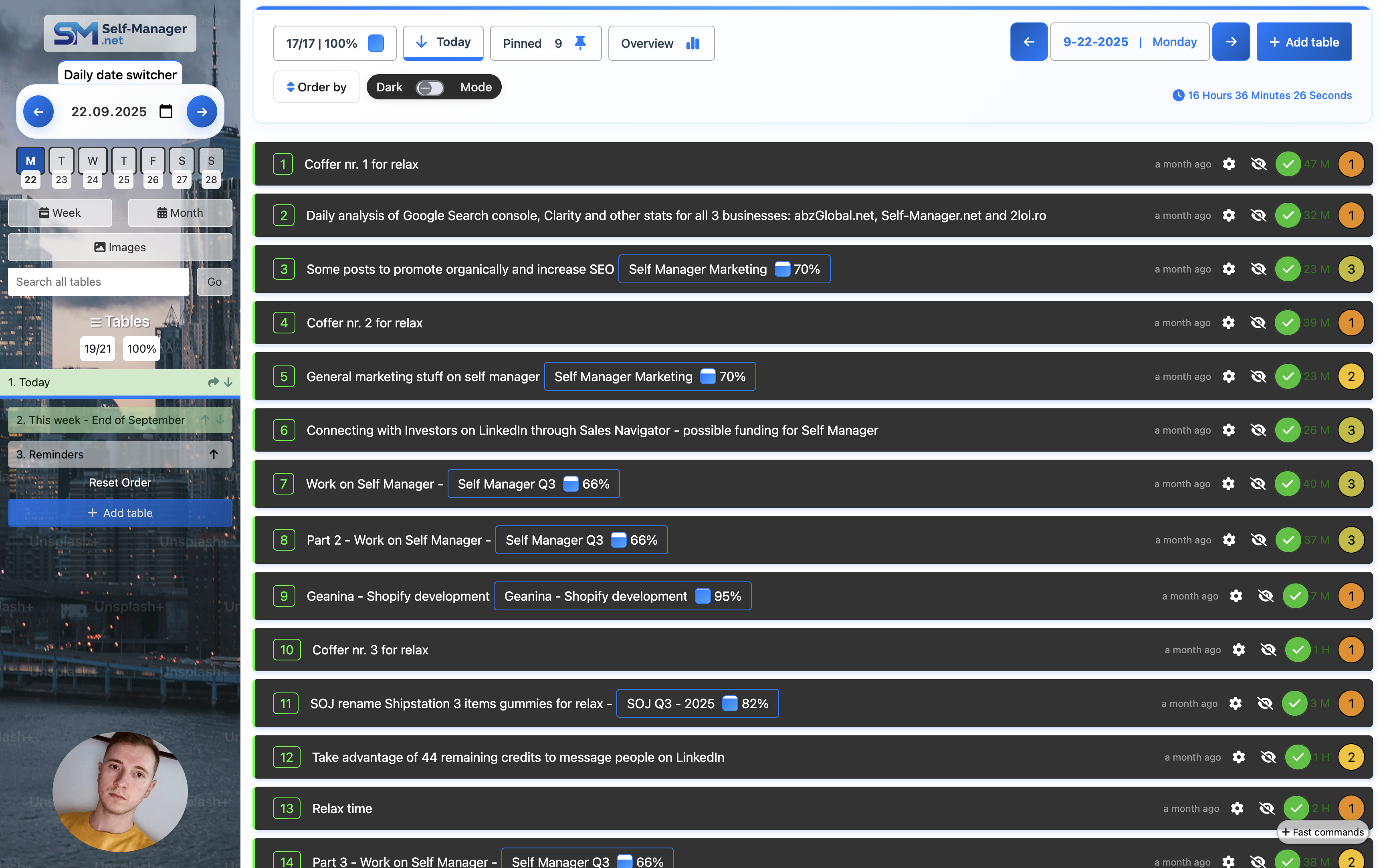
Date-centric planning with unlimited tables per day for true daily/weekly project management
Built-in collaboration, comments, file uploads, and time tracking
Works great for individuals, freelancers, and growing teams
10 Powerful AI Features leveraging the best in class models
Ready to transform your workflow?
No credit card required • 7-day free trial
10 Powerful Artificial Intelligence features for your data to make your life easier
Built to not overwhelm users with complexity and let them do their work
Manage your tasks efficiently with our flexible system
Plan each day effectively with our intuitive date-based view
Precisely track time for each task and see the total time spent
Uses the latest and best technologies available. Enterprise-grade security and reliability.
Invite others to work on the data you choose, without them having to pay for subscription
Make actions and see results instantly
Synchronizes across all devices in real time without reloading the page
Upload up to 100 images per table. Unlimited tables
Log in through your Google, Apple, Microsoft or X/Twitter account
Visible on all devices - you can manage your data from your phone, tablet and desktop
Verified User
"Me and my team really enjoy working together on self manager. Updates that we requested were quickly made and made the experience even better. Features are innovative and challenge the standard approach in the industry. High-end recomande!"
Verified User
"I’ve fallen in love with self manager! Been using it from the start of this year for my professional and personal activities.I love that it is date based and each day has its own data.The AI features added this year are great! I use the periodic review with AI at the end of every week to review my work."
Verified User
"I’ve tried a bunch of apps before, but this one just works fast, smooth, and without any unnecessary steps. Everything is intuitive, and I get what I need done in seconds."
Verified User
"This software is fantastic for time management: it's straightforward and fun to use, very practical, and with AI support, it's genuinely innovative. It allows you to understand how your week actually went in terms of productivity. I've tried other platforms and programs, and they're either too complicated or tedious to use, but this one is truly spectacular. We hope it stays that way—minimalist but very well thought out."
Unlock the full potential of Self Manager
All plans include a 7-day free trial
Work faster with an AI-powered task management app that plans by date, streams answers in real time, and turns any text into a prioritized task list.
Plan your work by day, week, or month with unlimited tables per date—perfect for personal to-dos, team projects, and sprint planning.
In one click, get weekly, monthly or quarterly summaries across tasks and projects. Ask follow-up questions ("what slipped?", "what should we do next?") and see streamed answers instantly.
Every summary, table, pinned tables and AI Period Summary have a built-in AI chat. Query overdue items, surface blockers, or ask for a quick project plan without leaving the page.
Paste a brief, email, or meeting notes and our AI task generator creates a clean, prioritized task table with owners and due dates.
Choose Fast for quick decisions and triage, or Thinking for deeper reasoning, estimates, and multi-step project management plans—both with real-time streaming.
Use the built-in timer for precise tracking or mark durations on completion. See per-task and per-table totals to keep projects on schedule.
Invite as many teammates as you need. Share tables, discuss work with comments and mentions, and keep everyone aligned.
Attach images and files to tasks, capture context with rich notes, and keep everything connected to the work it belongs to.
Self-Manager is the modern AI task manager for individuals and teams-combining task management and project management in a date-centric workflow. Generate tasks from text, review weekly/monthly/quarterly AI summaries with follow-up chat, and choose Fast or Thinking models for speed or depth. Collaborate without limits, add files and images, comment in context, and track time—all syncing in real time across devices.
Self-Manager has thousands of registered users from all parts of the world.

"I use the app daily and LOVE IT!"
 01
01I use the app to keep track of the tasks progress and notes that we need to do for each of our clients.
 02
02I am active on social media and I use the app to keep track of the posts that I want to make on each platform.
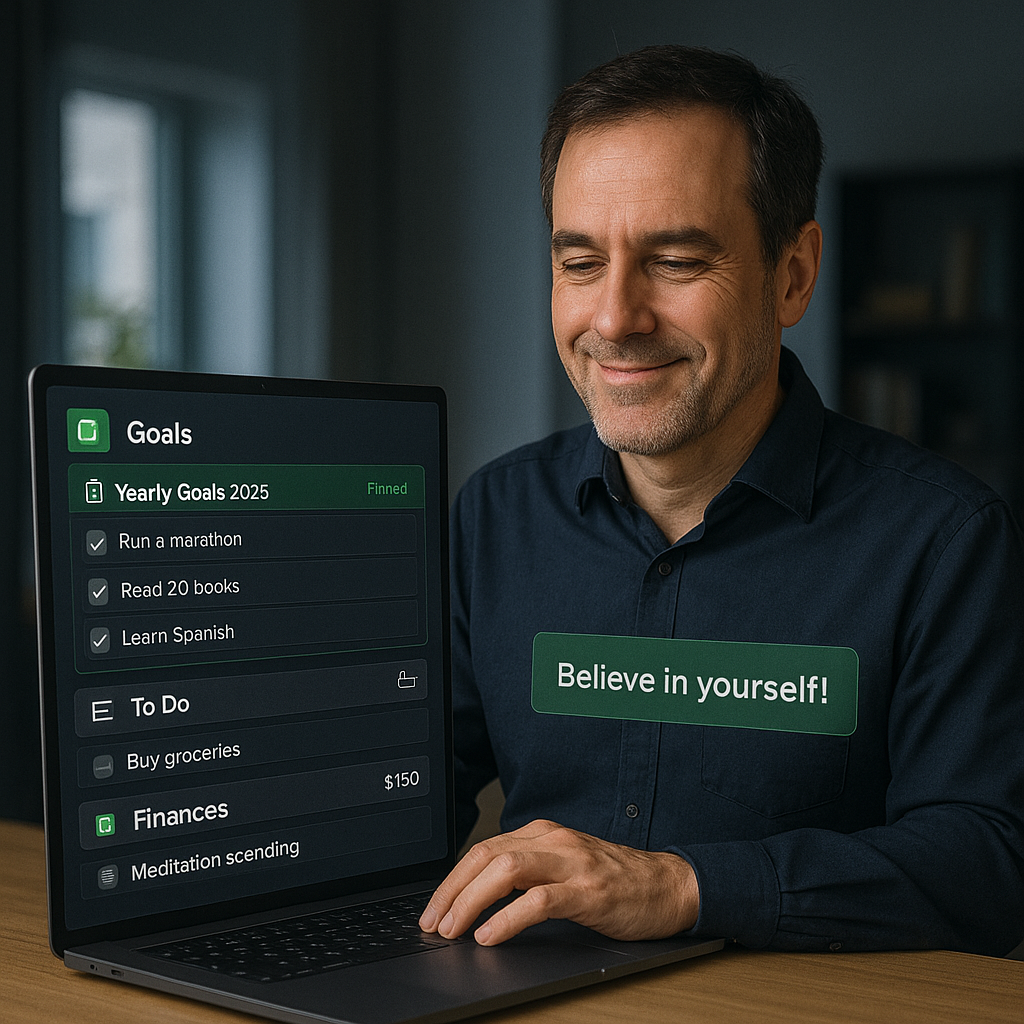 03
03I have personal goals that I want to achieve and I use the app to keep track of them.
 04
04I keep track of all the tasks that I need to do for the development, design and marketing of this app.
Self-Manager gives your whole team unlimited access for one flat price($20/m),
and an AI assistant that reviews your week, summarizes progress, and keeps everyone aligned.


It's true! Test all features during your free trial - including inviting teammates.
We believe in fair pricing that doesn't punish your team for growing.
Try 7 days for freeSelf-Manager.net is a productivity enhancement tool for anything that has to do with tasks. Whether it is for personal use or for work.
Yes, it can be an alternative to these popular tools. It can be a replacement or work together with them. Whatever works best for you.
Yes, there is a free trial for 7 days. Just log in with one of the providers available and see if you like it.
For a regular person that doesn't need collaborators, the Individual plan is just $5 per month.
For teams, the Team plan is a flat $20 per month(total) and you can invite an unlimited amount of people to work on the tables you choose.
One of the top priorities is to be very easy to use and very easy to get started.
The interface is intuitive and doesn't stand in your way.
Your content is the most important thing and that is what it is being prioritized.
The login is very simple with the 3 major providers(Google, Apple, and X/Twitter). So if you have an account on any of these platforms you can join right now.
Once you log in, predefined data is populated on your account to give you an idea of what you can do.
There are also YouTube videos in the second section of the login homepage or on the How It Works page that show how it works and what recent features have been added.
Yes, you can use Self Manager both for personal and for your work. You can have 2 accounts(1 for work and 1 for personal) or 1 and organize what is for work and what is for personal use.
YES! With the Team plan, you can add an unlimited amount of people to the table/s that you choose.
The fun part is that invited people don't need a paid account to work on the table/s that you gave them access to. They will be able to edit data, add new rows, work with notes and upload images.
Collaboration has never been easier! We believe teams should not be punished for growing.
With Self-Manager, you can focus on what truly matters: your work and your team.
We think that a project manager can manage 10-20 people on the platform. But nothing prevents you from adding more people if needed.
For another project manager, the person will need another account, subscribe to the Team plan, and invite the appropriate team members.
Yes, updates are being made frequently. For major ones, videos are being created to describe each update in detail. The videos are in the playlist on the pages homepage and how it works.
AI in Self-Manager goes beyond simple summaries and has 10 AI features:
You can email us at marian@self-manager.net and we will respond as soon as possible. Whether you want to leave us some feedback or need help with something you can use that email address.
We aim to be the best choice to come to mind when it comes to task management.
Just go to the top of the homepage and choose with what provider you want to use to create an account. See you inside 😀🚀
See how Self-Manager compares to popular productivity tools
Discover why Self-Manager is a great alternative to Trello
Learn MoreDiscover why Self-Manager is a great alternative to Apple Notes
Learn MoreDiscover why Self-Manager is a great alternative to Notion
Learn MoreDiscover why Self-Manager is a great alternative to Monday.com
Learn MoreDiscover why Self-Manager is a great alternative to Asana
Learn MoreDiscover why Self-Manager is a great alternative to Todoist
Learn More